An equipment cost leak is a construction equipment expense that was avoidable but looks routine on an invoice. An extra rental day. A repair that followed an ignored warning. A second haul for a machine that arrived unable to work. Leaks rarely show up as a line item. They show up as margin.
Ask five people on your team one question: is this machine ready for the next job? Count how many places they have to look. That number is this article.
Construction equipment costs rarely come from one big mistake. They build up through extra rental days, avoidable downtime, late repairs, unnecessary moves, and hours spent chasing information. Invoices show what you paid. They do not show what you could have avoided.
A rental stays one day too long. A crew waits for a machine. A repair bill grows while the machine's value falls. Each cost looks normal on its own. Together they take the margin.
This guide covers nine places equipment budgets leak, the records that prove each one, and one step you can take this week. The goal is not to label every cost avoidable. It is to find what happened, size it, and decide what your team can change. If you want the full picture of what each machine earns and costs, that lives in equipment cost and profitability by asset, fleet and project.
A Note on the Numbers
Every formula below is a screening estimate. It tells you which leak is worth a closer look. It does not tell you what you saved.
Three rules keep the estimates honest. Count only costs you can tie to the event. Do not count a crew's hours if the crew moved to productive work. Do not count the same impact in two categories. Confirm the cause and the amount with the people who own the records before you treat anything as a saving.
Loaded hourly cost is a worker's hourly wage plus the employer's cost of employing them: payroll taxes, insurance, benefits, and allocated overhead, divided by productive hours. Use loaded cost, not base wage, in every formula below. A crew waiting at base wage looks cheaper than it is.
The Nine Leaks at a Glance
| # | Cost leak | Primary record to pull | How to size it | Usual lead |
|---|---|---|---|---|
| 1 | Rental Waste | Rental invoices against owned-equipment availability | Daily rate × avoidable days + non-refundable fees | Equipment manager |
| 2 | Breakdown Costs | Inspection forms and work orders, in date order | Repair cost + replacement rental + (crew wait hours × loaded hourly cost) | Shop or maintenance lead |
| 3 | Parts Delays | Parts on hand by yard, purchase orders, work orders | Downtime during the parts wait + duplicate part cost + rush freight | Parts or shop lead |
| 4 | Budget Guesswork | Job budget against posted and uncoded equipment cost | Actual cost to date − budgeted cost to date | Project manager with finance |
| 5 | Replacement Timing | Service history, hour meter, resale estimate, replacement quote | 12-month cost of keeping it − 12-month cost of replacing it | Equipment manager with finance |
| 6 | Admin Burden | Approval logs, time records, correction requests | Repeat-entry hours per role × that role's loaded hourly cost | Operations lead |
| 7 | Dispatch Errors | Haul tickets, move requests, readiness notes | Extra haul cost + (crew wait hours × loaded hourly cost) + substitute rental | Dispatcher with shop |
| 8 | Compliance Blind Spots | Inspection records and the requests made against them | Hours spent finding or redoing records × loaded hourly cost + reinspection cost | Safety or compliance lead |
| 9 | Fragmented Logins | Systems touched to answer one recurring equipment question | Requests per month × minutes each ÷ 60 × loaded hourly cost | Equipment manager with IT |
Equipment Spend

1. Rental Waste: Paying Twice for the Same Machine
A rented excavator is still on site Friday. The crew stopped using it Wednesday, when an owned machine came free. The rental bills through the weekend. Nobody confirmed the owned machine was ready. Nobody called for the pickup.
Signs to watch for: Rental dates overlap with periods when suitable owned equipment was available. Open rentals have no named owner and no planned return date.
Records to check: Rental agreements and invoices, equipment assignments, daily job reports, availability records, and pickup confirmations. Line up rental dates against the dates owned equipment was free and ready for the same work. Automating rental reporting makes this a weekly list instead of a quarterly archaeology project.
How to size it: Daily rental rate × avoidable rental days, plus delivery, pickup or other fees you would have avoided. Check minimum billing periods and contract terms first. Some days are not avoidable.
Worked example: Say a mid-size excavator rents at $4,200 a month, about $190 a day. Three unnoticed idle days across two jobs is $570. Add a $350 pickup fee that a planned return would have avoided and the leak is $920. One machine. One month.
What this looked like at one fleet: Goodfellow Bros. runs more than 1,500 pieces of equipment. Shop Manager Zac Chalupsky describes the fix: "A job site was short a loader and they looked on Clue and saw that a nearby job had a loader available. They made that connection and it was able to come over and help for the day." That is one rental that never got booked. (Goodfellow Bros. case study)
First step this week: Pick one active rental. Ask the equipment manager and the project manager whether an owned machine can cover the rest of the work. Write down who decides and when you review it again. Then put open rentals on a weekly list, checked against owned availability in construction equipment rental management software.

2. Breakdown Costs: A Two-Day Job Becomes a Four-Day Job
A loader starts leaking oil during a job. The operator writes it on a paper inspection sheet. The shop does not see the sheet before the next shift. The loader fails. The crew waits. Someone scrambles a replacement rental.
Signs to watch for: Repeat repairs on the same system. Deferred maintenance that keeps sliding. Urgent repairs that an inspection flagged first. Machines that go out of service again and again.
Records to check: Inspection forms, work orders, service history, repair invoices, replacement rental records, and job reports showing crew delays. Put them in date order. Find when the first warning appeared and when it reached the person who could act. The gap between those two dates is the leak. If you track mean time to repair, the same records tell you whether the shop is getting faster.
How to size it: Attributable repair cost + replacement rental cost + (crew waiting hours × loaded hourly cost). Count only what the breakdown caused. If the repair invoice has not landed yet, shop labor is the biggest unknown: the median heavy-duty shop labor rate was published at $149 an hour for 2025 and 2026.
Worked example: Say a dozer fails mid-job. The repair runs $6,800. A replacement rental for four days costs $3,100. A six-person crew waits five hours at a $70 loaded rate, which is $2,100. The event cost about $12,000. The inspection that flagged the leak was filled in nine days earlier.
What this looked like at one fleet: Palmetto Corp saved over $1 million in its first year on Clue. Darrin Sheriff, Director of Maintenance and Purchasing, names one piece of it: the team "saved an engine worth over $20,000 by quickly addressing an oil leak that would have otherwise gone unnoticed." (Palmetto Corp case study)
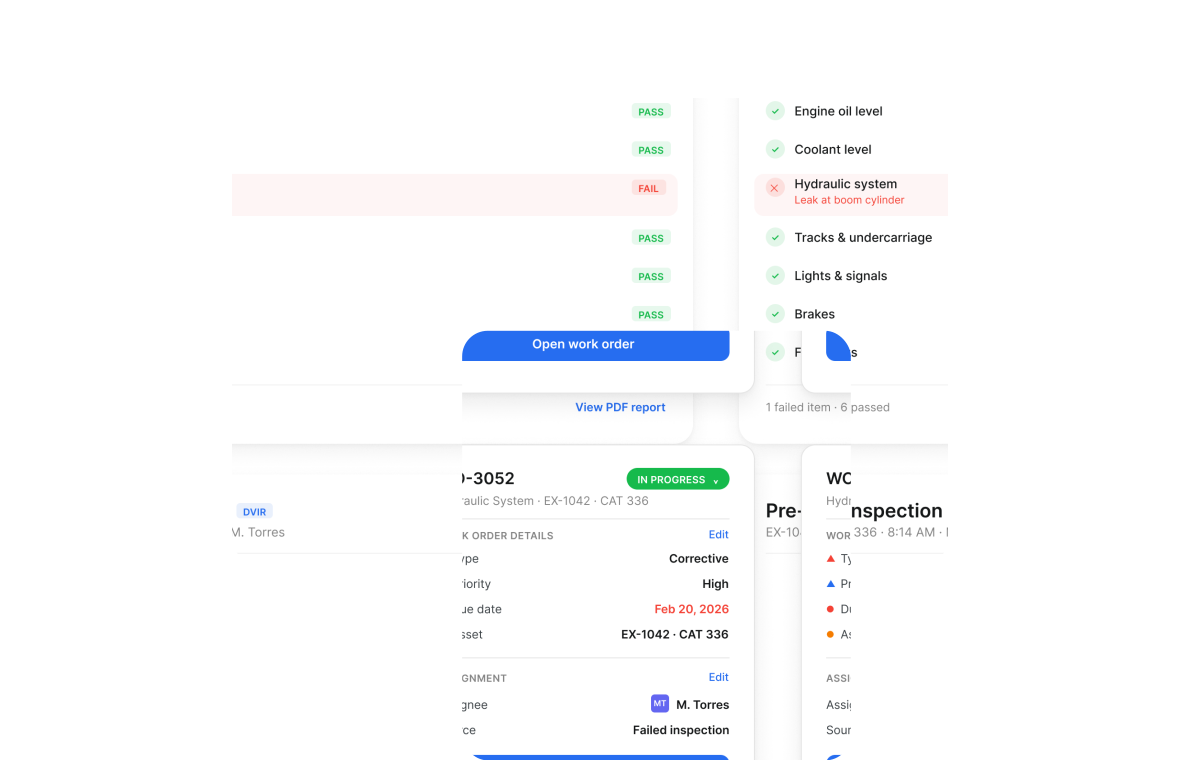
First step this week: Pull three repairs from last month. For each one, write down the earliest warning, where it was reported, and the date the shop got it. Then fix one handoff. In Clue, a failed inspection item creates the work order task on its own, so the warning reaches the shop before the next shift. More on construction equipment inspection software, and on the wider problem of equipment downtime.
3. Parts Delays: Down for Days, Waiting on a Part
A machine is down. The part it needs is sitting at another yard. The shop does not know, so someone orders a second one. The machine stays out of service while the crew reworks its plan.
Signs to watch for: Rush orders for parts already held somewhere. Repeat orders for the same item. Repairs waiting on a part with nobody named against them.
Records to check: Parts on hand by yard, purchase orders, work orders, delivery notes, and repair logs. Confirm the part number, the condition and the machine fit before you treat stock on a shelf as a usable match.
How to size it: Downtime cost during the parts wait + unrecoverable duplicate part cost + rush freight. Use only the days the parts wait held up the repair.
Worked example: Say a skid steer waits six days on a $900 hydraulic pump. Two of those days were the parts hunt, and the same pump was on a shelf 40 minutes away. The duplicate was non-returnable. Two days of substitute rental at $240 plus the $900 part is $1,380 that the first phone call would have saved.
First step this week: Take one repair that is waiting on a part. Check stock at every other yard before the next order goes out. Write down where you found it, whether it fit, and how you confirmed it. Then look at whether construction inventory management software makes parts on hand visible at every shop, yard and trailer, straight from the equipment work order software.
Margin and Lifecycle

4. Budget Guesswork: Margin You Can't See Until It's Gone
A job is near close. The original equipment estimate is still sitting in the job report. Fuel, repairs, rental days and moves were recorded in four different places. The project manager sees the real number after the margin is gone.
Signs to watch for: Estimates that never move late into a job. Equipment cost changes that only appear at close. Costs that sit uncoded for weeks.
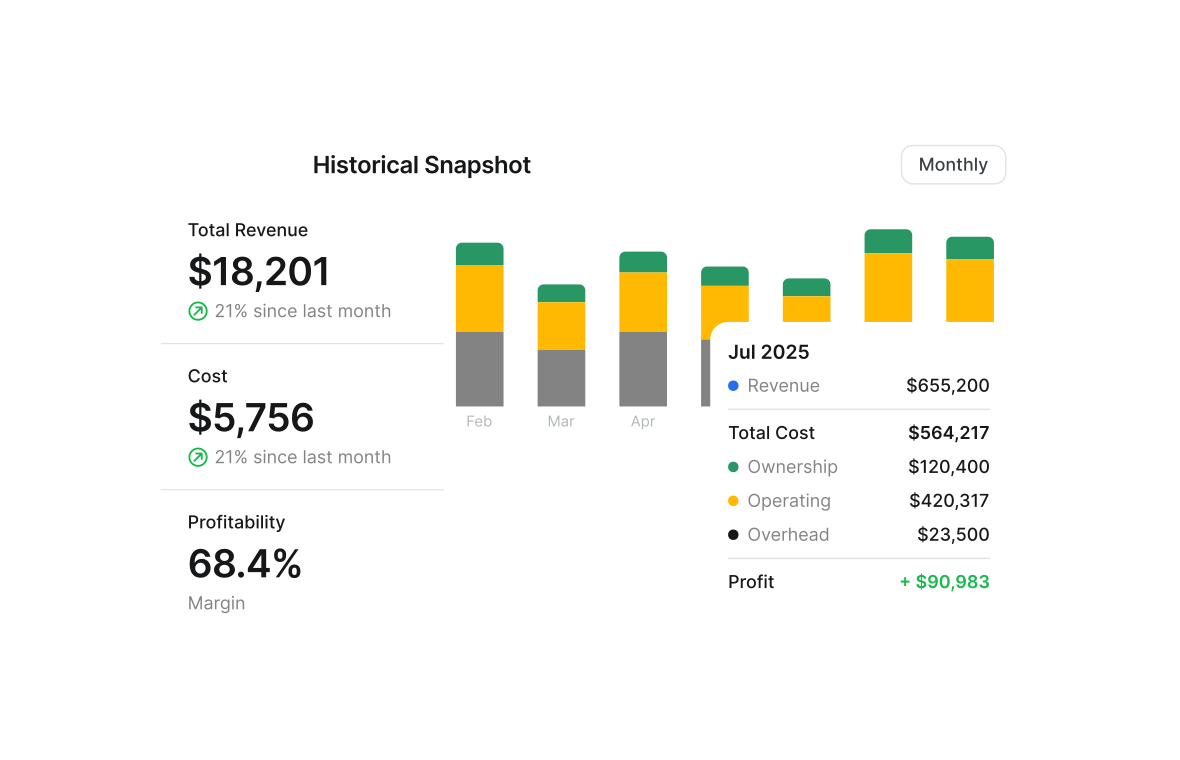
Records to check: Job budgets, cost codes, rental invoices, fuel records, work orders, equipment-use logs and month-end reports. Match job, equipment and date before you compare anything. Your fleet reports show what posted. Your WIP report shows what that does to the job.
How to size it: Actual equipment cost to date − budgeted equipment cost to date. To forecast, use (actual to date + expected remaining equipment cost) − total budget. A positive number means you are tracking over budget.
Worked example: Say a job budgeted $140,000 of equipment through month four. Posted cost is $151,000. Another $9,000 sits uncoded in the approval queue. The real variance is $20,000, and $9,000 of it is invisible in every report anyone has looked at.
First step this week: Pick one active job. Put its equipment budget next to posted cost and next to the costs still waiting for approval or coding. Name an owner for each missing record. Review it weekly until close.
5. Replacement Timing: Keeping What You Should Have Sold
A grader needs another repair. The shop can keep it running. Repair costs have climbed for two years and equipment depreciation keeps pulling resale value down. With no single view of repair spend, downtime and equipment utilization, the next repair always looks like the cheap option.
Signs to watch for: Repeat work on the same system. Rising repair cost per operating hour. Long stretches out of service. Low utilization next to high ownership cost.
Records to check: Service history, parts and labor cost, downtime, hour-meter records, inspection notes, resale estimates and replacement quotes. Look at a meaningful period. One large repair is not a trend.
How to size it: (Expected 12-month repair + parts + attributable downtime + substitute rental) − (12-month cost of the replacement, including financing, operating cost and setup, minus expected resale value). A positive result means keeping the machine costs more than replacing it over that window. This is a screening estimate, not a full total cost of ownership analysis.
Worked example: Say a grader runs $31,000 of repairs and 14 downtime days over the next year, with $4,000 of substitute rental. Keeping it costs about $38,000. A replacement at $5,900 a month over the same year, less $45,000 of resale on the old machine, nets about $26,000. The gap is $12,000 a year, and it widens every year you wait.
First step this week: Take one machine with repeat repairs. Build a one-page record: repair cost, downtime, operating hours, utilization. Use the numbers that already exist. Do not start a data project. Put the shop and accounting in the same room with that one page. Clue tracks equipment utilization against targets so this page builds itself.
6. Admin Burden: Paying People to Fight Paperwork
A manager types the same equipment details into a spreadsheet, an approval form and a cost report. Accounting sends it back for a missing field. He checks his messages, fixes the form, sends it again. Each task is small. The hours are not.
Signs to watch for: The same data entered twice. Long approval trails. Frequent correction requests. Work that stalls because an equipment ID or job number is missing.
Records to check: Approval logs, time records, submitted forms, cost reports and the messages about corrections. Follow one process end to end. Note every point where information is entered, checked, or asked for again.
How to size it: Hours spent on repeat entry and follow-up by each role × that role's loaded hourly cost. Count real time. Do not count the same waiting period twice.
Worked example: Say three people each lose four hours a week to repeat entry and chasing approvals. At a $65 loaded rate that is $780 a week, or about $40,000 a year, spent moving data that already existed.
What this looked like at one fleet: Fort McKay Group handles "about 2,000 plus time cards per month," says Fleet Manager Julio Lopez. Approvals "used to take about 20 minutes to half an hour. Now it's within minutes." (Fort McKay case study) At Palmetto Corp, Darrin Sheriff puts the same leak in headcount: "To not have Clue, I would probably have to hire 30 plus people, maybe 40. There's another savings there when you start looking at payroll."
First step this week: Take the last approval that already closed and walk it backwards from payment to request. Find one field, such as equipment ID or job number, that can be captured once at the start and reused everywhere after. Fixing one field is worth more than redesigning the form. Shop manager software removes the retyping rather than speeding it up.
Control and Visibility

7. Dispatch Errors: Renting What You Already Own
A truck hauls a machine to a site. The crew finds a missing attachment, or the machine is not ready to work. The truck goes back or makes a second trip. The crew changes its plan while someone finds the right machine. Sometimes a rental gets booked for a machine the company already owns.
Signs to watch for: Repeat moves of the same machine. Equipment arriving without the attachment it needs. Crews waiting after a delivery. Rentals booked because nobody could confirm what was free.
Records to check: Haul tickets, move requests, daily job reports, readiness notes and construction fleet dispatch management records. Compare what the site asked for with what turned up. Work out whether the cause was readiness, loading, site detail or a changed plan.
How to size it: Extra haul cost + (crew waiting hours × loaded hourly cost) + substitute rental cost. Include only what the move error caused.
Worked example: Say a second haul runs $1,100. A four-person crew waits three hours at a $70 loaded rate, which is $840. A one-week substitute rental is $1,500. One missing attachment cost $3,440.
What this looked like at one fleet: Moorhead, part of 3E Infrastructure, moved maintenance, equipment moves and time cards off three separate systems and onto one in 120 days. (Moorhead case study)
First step this week: Review recent equipment moves with the shop and the project team. Take one move that cost extra and add a readiness check to it: machine, attachments, destination, required date. Check it before the truck is loaded, not after.
8. Compliance Blind Spots: What a Missed Inspection Costs
An owner or an auditor asks for proof of a recent inspection. The machine was checked. The form is in a paper folder at another yard. Someone drives to find it while the request sits open.
Signs to watch for: Missing inspection forms. Unclear dates. Incomplete sign-offs. Records kept in several places with no index.
Records to check: Inspection forms, equipment lists, repair notes, sign-off records and the requests made against them. Confirm each record names the equipment, the date, the person who completed it, and any follow-up it triggered.
How to size it: Staff hours spent finding, checking or redoing records × loaded hourly cost + known reinspection cost. Leave out penalties and contract costs unless they are documented and attributable.
Worked example: Say four audit requests a quarter each take six hours to answer across two people. At a $65 loaded rate that is $1,560 a quarter, about $6,200 a year, spent proving work that was already done.
What this looked like at one fleet: At William A. Hazel, the team pulls the proof on the spot. Sam Williams, Telematics Data Analyst and Dispatch Manager: "They can go in, filter the inspection history by the project, and send them proof of inspections directly right from there. Probably takes 2 seconds to filter it." (William A. Hazel case study)
First step this week: Pick one equipment type or one yard. Review a sample of recent inspections. Confirm each record is complete and that the people who need it can reach it without calling anyone. Digital records are faster to find. Check them against your own requirements before you change the process. Here is how mobile inspections and exportable proof work in practice.
9. Fragmented Logins: Hours Lost Just Switching Screens
A manager needs to know whether a machine is ready for the next job. Location is in one system. Repair status is in another. Job cost is in a spreadsheet. He checks all three, then calls the shop to be sure. The search time is not the real cost. The delay before anyone can decide is.
Signs to watch for: Routine equipment questions that take several systems or several people to answer. Teams reporting different answers from different systems.
Records to check: Equipment logs, maintenance and rental records, job-cost reports, system access lists, and the time spent answering the same questions each month. Trace one decision from question to answer. Note which information was missing, stale or duplicated.
How to size it: Requests per month × average minutes per request ÷ 60 × loaded hourly cost. Count everyone who searches or confirms. Do not count time you already counted under admin burden.
Worked example: Say 60 equipment questions a month take 12 minutes each across two people. That is 24 hours a month. At a $70 loaded rate it is $1,680 a month, about $20,000 a year, spent looking things up.
What this looked like at one fleet: George J. Igel & Co. had the problem in its plainest form. Equipment Manager Derek Wolfe: "We had 20 different logins between all our different softwares... now [Clue] pulls all that information into one spot!" (George J. Igel & Co. case study)
First step this week: Ask five people the same question: is this machine ready for the next job? Record where each person looks and what they still need to confirm. The answer names your next fix: one report, one telematics or ERP integration, or one handoff.
What Changes for Your Role
Every leak has a person behind it: the one who takes the call when it breaks. Here is what changes for them.
| Role | Leaks you usually lead | What changes when it is fixed |
|---|---|---|
| Equipment or fleet manager | 1 Rental Waste, 5 Replacement Timing, 9 Fragmented Logins | You stop being the search engine for where every machine is. Fewer calls at night and on weekends. |
| Shop or maintenance lead | 2 Breakdown Costs, 3 Parts Delays | You walk in knowing which machine to pull first, with the parts already requested. |
| Finance or CFO | 4 Budget Guesswork, 5 Replacement Timing, 6 Admin Burden | Equipment cost lands on the job while you can still act on it, not after close. |
| Superintendent | 7 Dispatch Errors | You request a machine and know it is coming, and that it works when it lands. |
| Safety or compliance lead | 8 Compliance Blind Spots | You produce the record when it is asked for, without driving to another yard. |
| New in the role | Start with 1, 2 and 4 | A visible, measurable win in your first year, built on records that already exist. |
Where to Start
You do not need to work all nine at once. Start with the three that have the clearest evidence and a person who can act.
- Rental waste: if rental invoices overlap with periods when suitable owned equipment was free.
- Breakdown costs: if repairs keep triggering a replacement rental or a waiting crew.
- Budget guesswork: if equipment cost on a job only becomes visible at close.
For each one, record three things: the evidence, the person who owns the next step, and the date you review it. Use the formula to size it. Confirm the cause and the amount before you treat it as a saving.
What Connected Equipment Data Changes
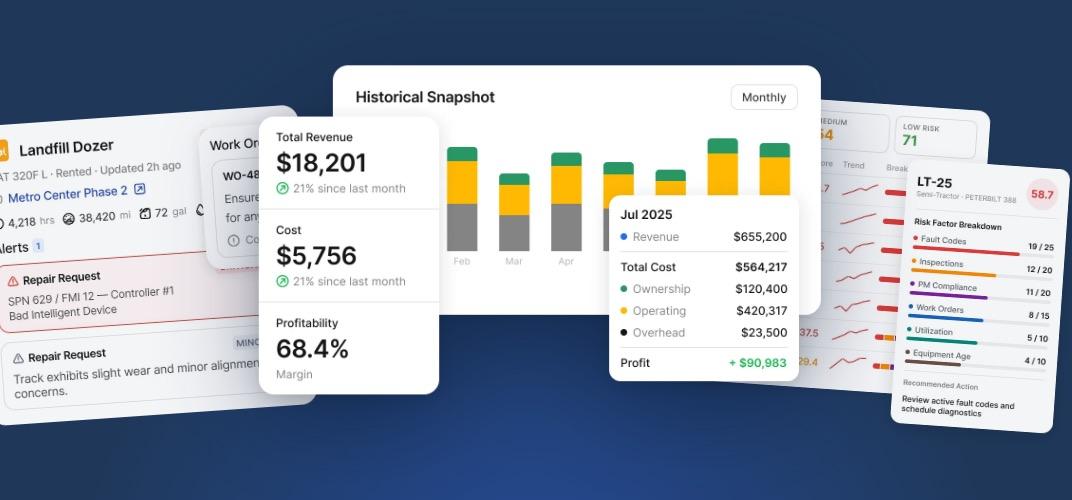
Equipment location, maintenance records, parts, rentals, equipment moves and job cost sit in separate systems. Teams match records by hand before they can decide anything. That matching time is the tax every leak on this list charges.
Connect them and the questions get short. A manager sees what is free, what needs work, and what each machine costs. Clue puts maintenance, inspections, parts, rentals, equipment moves and job cost on one record, and pulls engine hours and fault codes from the machines you already own.
The proof is in what fleets stopped paying for. Palmetto Corp saved over $1 million in its first year. George J. Igel & Co. went from 20 logins to one. Fort McKay cut timecard approvals from half an hour to minutes.
Your next step is smaller than any of those. Find the leak that matters most in your fleet. Then check whether your records and systems let your team act on it before it reaches an invoice.
Construction Equipment Cost FAQs
How do you calculate the cost of an extra rental day?
Multiply the daily rental rate by the number of days the machine stayed after suitable owned equipment was available. Add delivery, pickup or other fees a planned return would have avoided. Check the minimum billing period first, because some days are not avoidable under the contract.
What is loaded hourly cost, and why use it instead of wage?
Loaded hourly cost is a worker's wage plus the employer's cost of employing them: payroll taxes, insurance, benefits and allocated overhead, divided by productive hours. Use it in every downtime and admin calculation. A crew waiting at base wage looks cheaper than it is.
How do you estimate construction equipment downtime costs?
Start with costs you can attribute to the event. Add waiting crew hours multiplied by loaded hourly cost, plus any replacement rental or substitute equipment. Leave out hours when the crew moved to productive work, and do not count the same impact in two categories.
How do you know whether equipment should be repaired or replaced?
Compare the next twelve months of repair, parts, downtime and substitute rental against the same twelve months of owning a replacement, including financing and operating cost, less expected resale value. Judge both over the same window. One repair quote is not a trend.
Who should own equipment cost reviews on a construction team?
Give each leak one lead who brings the records and names the next step. Rentals and replacement timing sit with the equipment manager. Breakdowns and parts sit with the shop. Job cost variance sits with the project manager and finance. Everyone else supplies what they own.
How often should equipment costs be reviewed?
Review weekly while a job is active and monthly across jobs. Weekly catches rental and repair drift while the crew can still act on it. Monthly is the right grain for comparing machines and jobs. Set the cadence to how fast your records update.

Transform Your Equipment Management


