



Construction Equipment Maintenance Software Built for the Field
Clue's heavy equipment maintenance software connects the first issue report to the finished repair. PM schedules, work orders, parts and labor stay with each asset.






Equipment maintenance
One record for every repair. From issue to closeout.

Automate PM Scheduling and Work Order Creation
Teams schedule service by engine hours, mileage, a date or a custom interval. Clue syncs engine hours and odometer readings from connected systems. Clue creates the work order when service comes due.
Automatic WO creation: create work orders when PM intervals come due.
PM Dashboard: see which assets are in Good Standing, Upcoming or Overdue status.
PM Plans: schedule service by engine hours, mileage, calendar or custom interval.
Asset service history: keep completed PMs, repairs and work orders on the asset record.
Manage Work Orders From Assignment to Completion
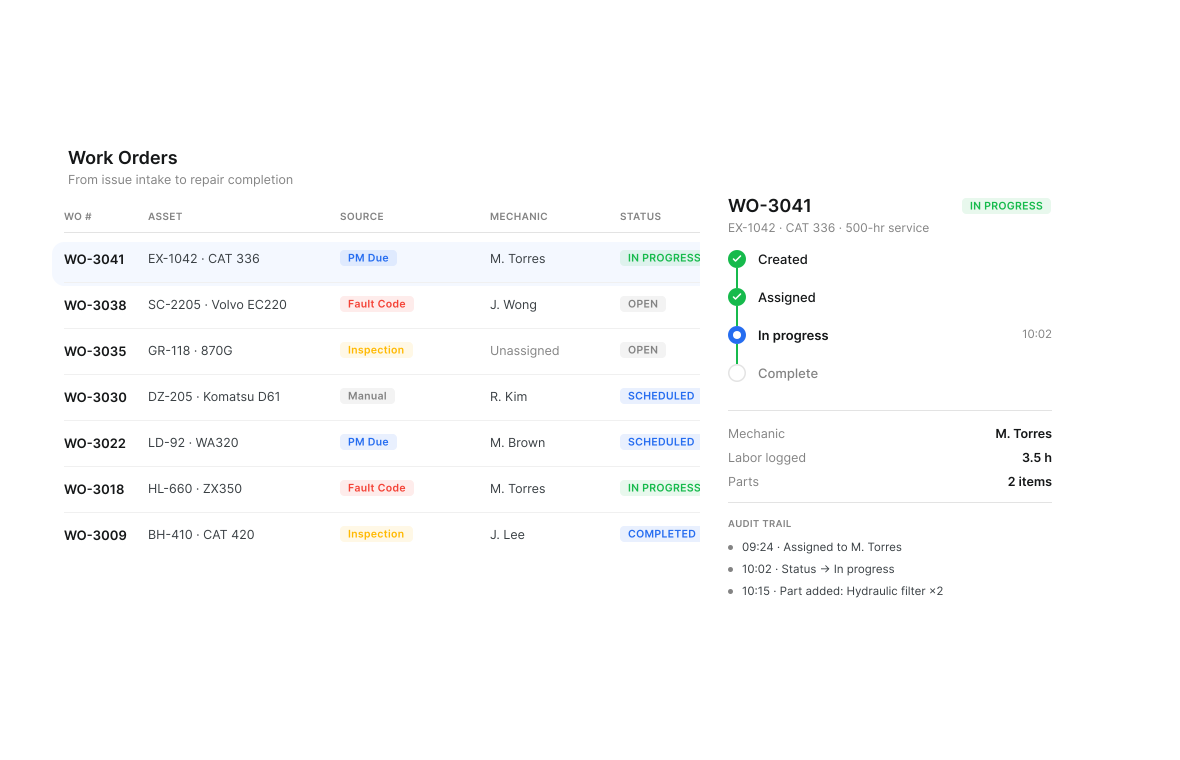
Each work order stays with its asset from assignment to closeout. Clue's equipment repair software shows each mechanic's workload. Mechanics log time in the work order. Clue records who made each change and when.
Work order sources: create work orders from failed inspections, fault codes, due PMs or manual requests.
Mechanic scheduling: assign and rebalance repair work with workload visibility and unassigned counts.
WO status tracking: track repair progress, ownership and closeout on the asset record.
WO-linked time entry: log mechanic labor directly against the work order.
Audit trail: keep status changes, assignments, parts activity and notes visible.

Turn Fault Codes Into Repair Work
A fault code only matters when the shop can act on it. Clue brings supported telematics faults into the maintenance workflow so teams can review active issues, connect faults to work orders, and keep diagnostic activity tied to the asset record.
Real-time fault alerts: notify teams when supported equipment generates a fault code.
Fault code intake: codes arrive as they fire. Clue pulls past readings.
Repair follow-up: create or connect repair work when a fault needs action.
Dismissal warning: warn users when a fault code is already linked to an open work order.
Asset record: keep fault activity connected to the equipment maintenance history.

Prioritise repairs with Asset Health
Asset Health scores each machine's risk from the condition signals available for it - fault codes, inspection results, service history and overdue PMs. Review the score, how it has changed and the service history beside open inspections, then decide what the shop works on first. Assets with no connected signals are scored from inspections and service history only.
Risk visibility: review high, medium, low and not-scored assets in one view.
Score trends: track how asset risk changes over time.
Maintenance record: compare asset health with PM status, inspection results, fault activity and repair history.

Route Failed Inspection Items into Repair Tasks
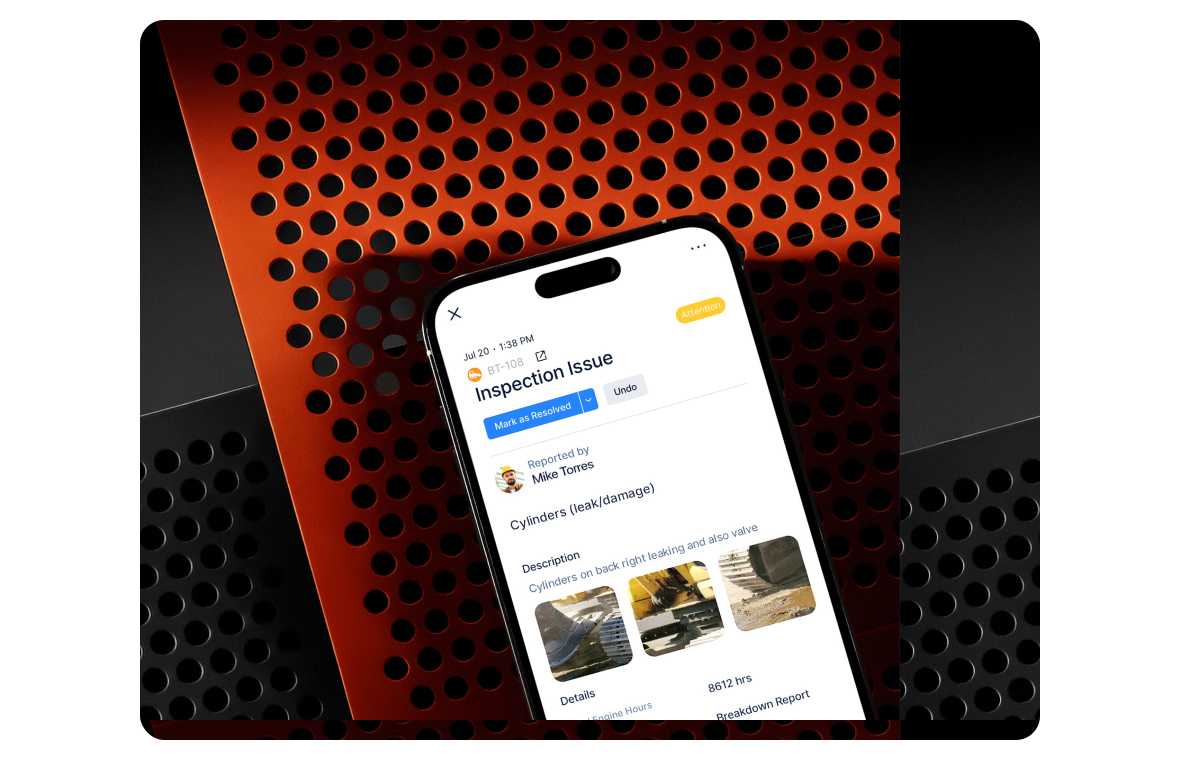
When an inspection item fails, Clue keeps the inspection record, asset record, and photos connected. Field teams complete mobile checklists, while maintenance teams get the details needed to review the issue and move it into repair work.
Inspection forms: build DVIR, pre-trip, post-trip, operator daily or custom forms.
Mobile inspections: complete pass and fail items, notes, photos and submissions from the app.
Inspection evidence: attach photos to document equipment issues before you assign the work.
Failed-item workflow: create work order tasks from failed inspection items tied to the asset.
AI repair descriptions: turn repair photos into draft issue descriptions mechanics can review.
PDF reports: export and share completed inspection reports for audit and compliance records.

Keep Parts Moving With the Repair
Parts on hand keep open work orders moving. Clue’s construction equipment maintenance software connects parts requests, inventory locations, work orders, and unit cost data so parts stay tied to active repair work.
Parts inventory: track parts across warehouses, shops and jobsite trailers.
WO-linked requests: request multiple parts directly from a work order.
Parts source tracking: see whether work order parts come from inventory or vendor fulfillment.
Latest unit cost: apply the most recent unit cost when a part is used.
Gearflow fulfillment: order parts through Gearflow from within a work order where configured.

Track Repair Cost at the Work Order Level
Heavy equipment maintenance software should make repair cost easier to trace. Clue keeps parts, labor, time, and cost codes tied to the work order and asset record so teams can review each repair and keep data ready for ERP workflows.
Parts cost tracking: capture parts used on work orders with quantity, unit cost and part details.
Labor cost visibility: track mechanic time against work orders for clearer repair labor cost.
Cost code tracking: tie parts, labor and work order activity to the right cost codes.
AI invoice review: review vendor invoices against work order scope and flag discrepancies.
ERP-ready records: push work order, timecard and cost code data into connected ERP workflows.
Built for every role
Solutions for every team.
Field, shop, and office teams use the same system. Equipment managers, fleet managers, operations leaders, CFOs, and executives see equipment details for their work.

Equipment Manager
“It's a single pane of glass where you see everything across your fleet, from the field to the phone to the computer.”
Abe Sharaf
Equipment Manager, Pulice Construction
Read Pulice’s story

Fleet Manager
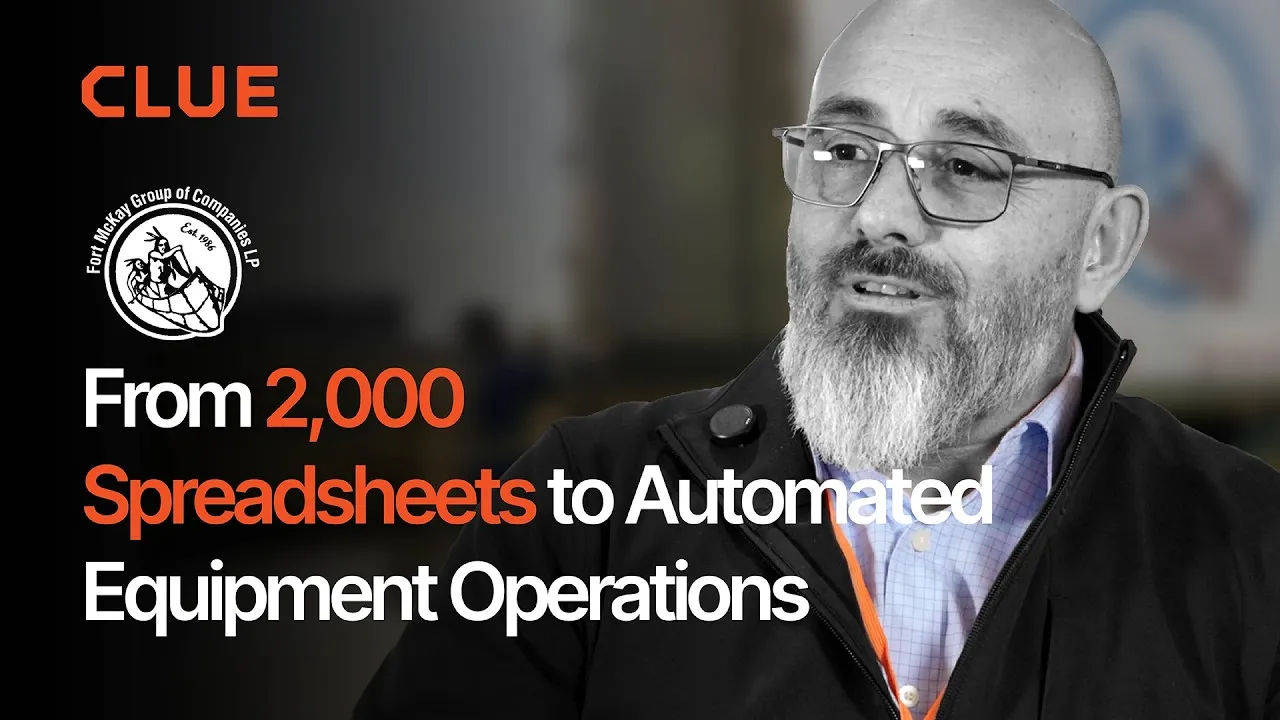
“Imagine receiving 2,000 spreadsheets that needed to be approved individually in an email. There were entire teams dedicated to that. Now the system is fully automated, completely automated from beginning to end.”
Julio Lopez
Fleet Manager, Fort McKay Group
Read Fort McKay’s story

CFO
“You went from doing two services a day to six services a day. That right there is priceless to me.”
Darrin Sheriff
Director of Maintenance & Purchasing, Palmetto Corp
Read Palmetto’s story

VP of Operations
“The big thing with Clue is that we're able to bridge the gap between our field, our operators in our shop, and other departments. Everybody's bought into Clue now.”
Eric Sellman
COO, Brent Scarbrough & Co
Read Brent Scarbrough’s story

Executive
“We had 20 different logins between all our different softwares and web platforms. Now all that information pulls into one spot and we're able to see it in a single place.”
John Igel
CEO, George Igel Co.
Read Igel’s story

Operations Manager
“The operator's in control of his own destiny. That was a huge reason why not only did I buy into it, but I'm also investing into it for the future.”
Ben Benoit
Operations Manager, Onshore Companies
Read Onshore’s story
Why Clue
Why Clue is the Construction Equipment Maintenance Software Teams Choose
Clue helps maintenance teams keep equipment ready by tying service schedules, inspections, repair work, and cost records together from issue to repair.
Clear Service Status
The PM dashboard marks each asset Good Standing, Upcoming or Overdue. Clue creates a work order when its service interval comes due.
Inspection Details Reach the Shop
Items that need service become work order tasks. Photos, notes and the asset record travel with each task.
Shorter Time From Issue to Repair
Repair work moves with its assignment, status, labor, and parts context, reducing the dead time between issue intake and wrench time.
Fewer Parts-Related Delays
Parts stay visible against active repair work, so teams spot shortages early and keep jobs moving.
Cleaner Repair Cost Records
Parts, labor, time, and cost codes stay tied to the work order, making maintenance spend easier to review and send into ERP workflows.
Repeat Repair Patterns
Each asset record holds completed PMs, repairs and work orders. Teams can spot equipment with a pattern of return visits to the shop.
Equipment Data Stays With the Work Order.
Clue brings connected equipment into one fleet view. Crews add other equipment by hand to that view. Clue supports 80+ integrations that link fleet and business systems. Engine hours and odometer readings sync from connected equipment.
















































From the people who use it every day
What contractors say
“Our equipment is in far better shape since we started using Clue, for sure.”
Jake Farley, Equipment Manager, Silver Star Construction
“The big thing with Clue is that we’re able to bridge the gap between our field, our operators in our shop, and other departments.”
Brent Scarbrough & Company
“There were entire teams dedicated to approving spreadsheets one by one.”
Fort McKay First Nation
“The biggest difference has been the user friendliness.”
William A. Hazel
“It exposes dead cost or overhead that maybe we don’t know about because it gets lost in those three different systems.”
Moss Utilities
“Clue’s real-time data capability has completely changed the way we manage our assets.”
Darrin Sheriff, Director of Maintenance and Purchasing
“It was probably taking the better part of a day to combine all the data from the telematics.”
Derek Wolfe, Equipment Manager, George Igel Co.
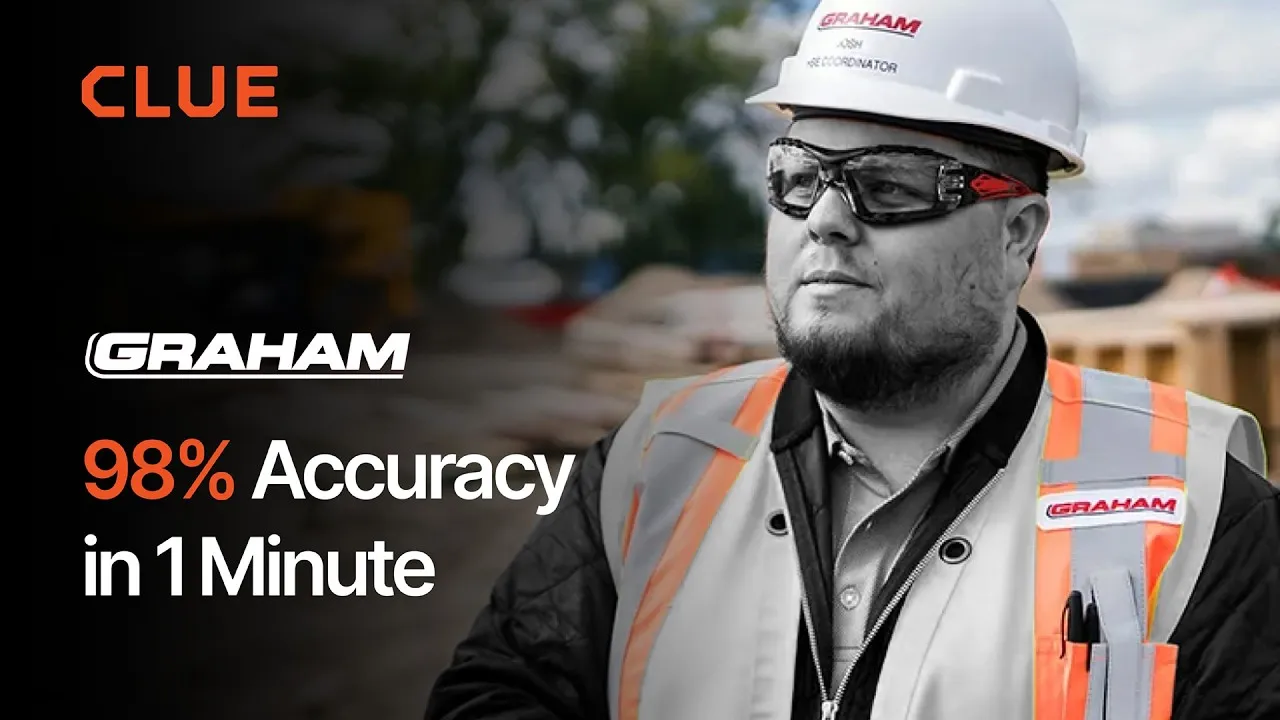
“Clue allows us to effectively control our operations: financially, effectively and safely.”
Joseph Yammine, Project Manager, Graham
“QR codes have been a game changer for us with regards to operator inspections.”
Ben Benoit, Operations Manager
“It’s a single pane of glass where you see everything across your fleet, from the field to the phone to the computer.”
Abe Sharaf, Corporate Equipment Engineer
“Our field guys were tired of having a new product, a new something to learn each time.”
Rob Judge, Sr. Procurement & Program Manager














Preventive Maintenance in Clue: Build a PM Plan, Automate Work Orders
Parts Management in Clue: Requests, Delivery Tracking & Inventory
Template Manager in Clue: Inspection Templates, AI Import & Shared Categories
Work Orders in Clue: Repair History, Parts, and Labor Costs
Asset Directory in Clue: Saved Views, Bulk Edits & Meters
Common questions
Construction equipment maintenance software FAQ.
What is construction equipment maintenance software?
Construction equipment maintenance software helps teams plan service, manage work orders and keep each asset's repair history in one place. Clue connects the first issue report to the finished repair. It brings PMs, inspections, fault codes and costs into one system.
Which construction teams is Clue maintenance software built for?
Contractors running heavy equipment across jobsites, yards and shops - including smaller fleets, where one person often covers both the shop and the field. Connected equipment sends engine hours and those readings drive PM schedules. A failed mobile inspection becomes a task on a work order. Fault codes reach the shop. Parts and labour stay on the work order, and cost codes carry through to the ERP.
Can Clue handle maintenance across multiple job sites?
Yes. Service history, PM schedules and open work orders follow the asset, not the site, so a machine keeps its record when it moves. Work can be filtered by site, division or shop.
What is equipment maintenance tracking software?
Equipment maintenance tracking software helps teams track service schedules, repair history, inspection results, fault codes, parts usage, labor time, and asset-level maintenance records. Clue also supports equipment maintenance management software workflows by connecting PM schedules, mobile inspections, work orders, parts, and repair cost data in one workflow.
Is Clue a CMMS for construction equipment?
Yes. Clue is a CMMS built for mobile equipment rather than fixed plant. A traditional CMMS schedules maintenance for machines that stay in one building; Clue schedules it for machines that move between jobsites. Preventive maintenance runs on engine hours sent by connected equipment, a failed mobile inspection adds a task to a work order, fault codes reach the shop, and parts and labour stay on the work order with cost codes ready for the ERP.
What is the difference between a CMMS and fleet management software?
A CMMS manages service work: schedules, work orders, parts and repair history. Fleet management software also covers where equipment is, who has it and what it costs to run. Clue does both on one asset record, so the dispatcher moving a machine and the mechanic servicing it are looking at the same equipment.
How does Clue automate preventive maintenance?
PM plans run on engine hours, mileage, a date or a custom interval. The dashboard marks each asset Good Standing, Upcoming or Overdue. Clue creates a work order when service comes due. The PM item's default cost code carries into that work order.
Can field teams complete inspections from mobile?
Yes. Field teams can complete structured inspection forms from the Clue mobile app, record pass/fail items, add notes, and attach photos. Failed inspection items can be routed into maintenance work with the inspection record and asset context attached.
Does Clue support photos and videos in inspections?
Yes. Inspectors can take photos in the Clue mobile app. For an item that needs service, they can attach videos from their phone. Clue uploads the photos and videos when they submit the inspection. Teams can export inspection reports as PDFs and share them by email from the mobile app.
How does Clue handle fault codes?
Clue sends an alert when supported equipment logs a fault code. Clue sends an email each day that lists every active code across the fleet. Teams can create a work order from the fault or link the fault to one. Clue warns users before they dismiss a fault with an open work order.
Can mechanics update work orders from mobile?
Yes. Mechanics can use Clue mobile workflows to review assigned work, update work order status, add notes, log labor time, and keep repair activity tied to the asset record. This helps the shop keep repair progress visible without relying on paper notes or separate follow-up.
Does Clue integrate with ERP systems for maintenance cost codes?
Yes. Cost codes fill on parts and labour when a mechanic picks up a work order task, and each PM item carries its default cost code into the work orders it creates. Completed work order data pushes to Viewpoint Vista, with cost codes mapped to Vista batch numbers. Timecards export in the formats Vista and Spectrum accept. For other ERPs, check the supported connectors and the fields each one carries.
How can construction teams keep maintenance work in one place?
A construction equipment maintenance program gives each job one record from the first report to the finished repair. Clue keeps PM schedules, inspection items, fault alerts and shop work on that record. It holds assignments, parts, labor time and repair costs. The asset record stays current through each step.
How much does Clue equipment maintenance software cost?
Clue provides a personalized plan based on your equipment, crew and job needs. The pricing page starts with a short form. A team member reviews your needs with you and walks you through your plan.
See Clue pricingWhat does setup involve?
Setup starts with your asset list and your service intervals. A Clue analyst works through both with your team, so your first PM plans and work orders run on your own data.
Does Clue offer a heavy equipment maintenance app?
Yes. Clue runs on the web, iOS and Android. Mechanics create or update work orders from a phone. They add parts, log time and mark work complete. Operators run inspections, mark each item and add photos. Push alerts cover work orders and fault codes. Inspection drafts keep each operator's place for the next session.
How should teams choose equipment maintenance software?
Teams should look for PM plans tied to equipment use, mobile inspections, repair costs and ERP links. Clue covers each. Plans run on engine hours, mileage or dates. Systems sync engine hours. Clue creates the work order when service comes due. Mobile inspections turn items that need service into work order tasks. Parts, labor and cost codes stay with each job. Crews add equipment by hand to the same view.
How do teams track construction equipment maintenance?
Teams use meter readings, PM plans, status views and an asset service record. Clue syncs engine hours and odometer readings from connected systems. PM plans run on hours, mileage or a date. The dashboard marks each asset Good Standing, Upcoming or Overdue. Each asset record holds completed PMs, repairs and work orders.
How does heavy equipment repair software track repair costs?
The software records parts, labor and cost codes on each work order. Each part includes its quantity and unit cost. Clue applies the latest unit cost when a mechanic uses the part. Mechanics log time in the work order. Clue fills in cost codes when a mechanic picks a task. AI checks each vendor invoice against the job scope. It flags differences.