



Construction Fleet Management Software for Equipment-Heavy Teams
Clue's construction fleet management software puts tracking, service, dispatch, timecards and costs in one system. Teams see what is available, idle, due for service or earning money across every jobsite.






Construction fleet management
One system for the whole fleet. Jobsite to back office.

Track fleet location, movement and availability in one view
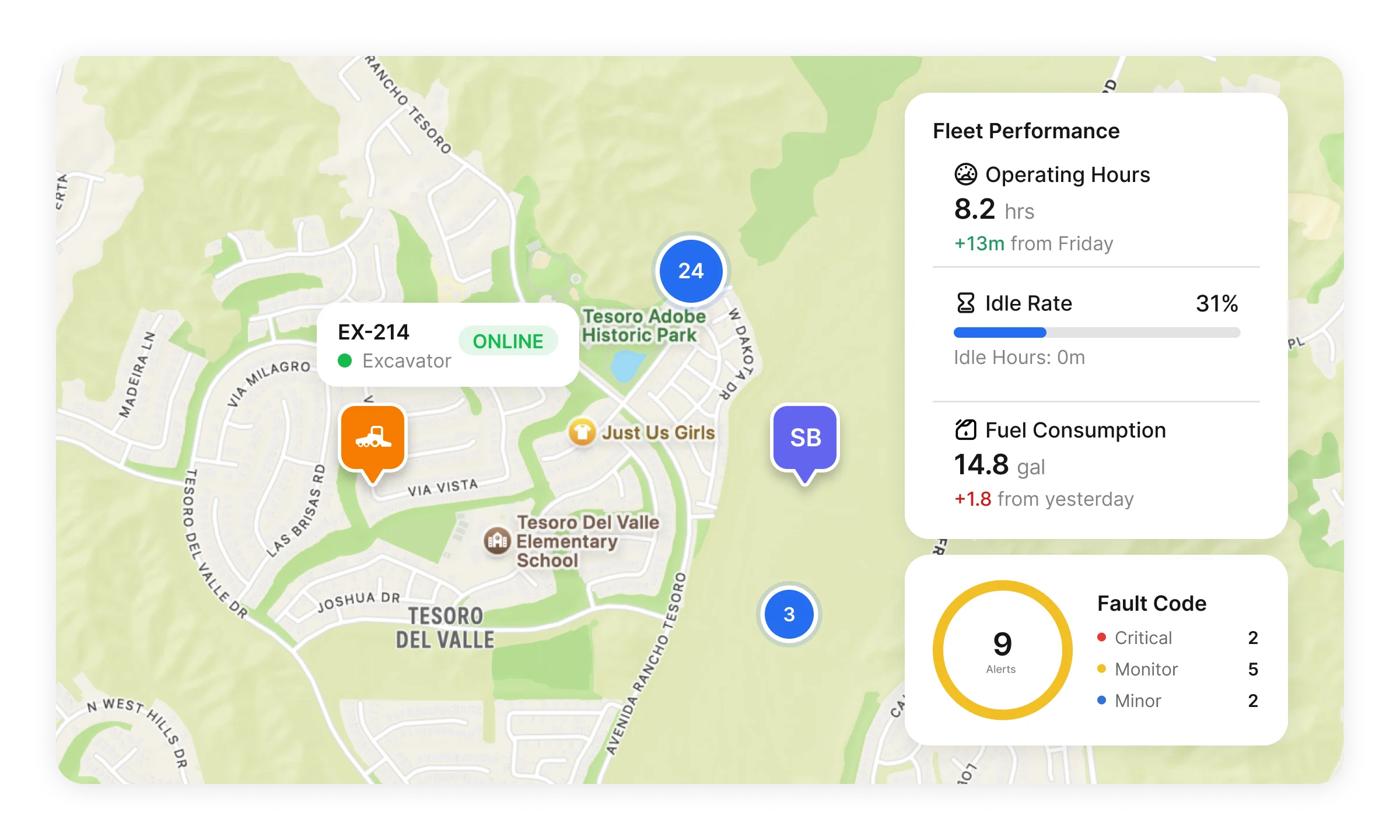
Construction fleet tracking software brings GPS, telematics, assignment and asset data into one live view of equipment location, movement and availability. Teams use that view to plan dispatch, maintenance and jobsite work.
GPS fleet tracking: View connected asset location and movement status in real time.
Mixed fleet visibility: Manage tracked and untracked assets in the same fleet view.
Geofences and sharing: Monitor arrivals, exits and unauthorized movement, and share asset location by link so teams can find equipment without a Clue login.

Coordinate equipment dispatch across jobsites
Dispatchers review field requests, available equipment on the map and inspection records in one place. They plan moves on the drag-and-drop Magnet Board. Crews request returns when work wraps.
Magnet Board: Plan equipment moves visually across projects, dates and dispatch needs.
Field requests: Let crews request equipment from mobile so dispatch can review, approve and create the move.
Available assets and returns: See available equipment on the map before assigning, drop a pin for pickup or dropoff, and capture return requests when work wraps.
Run fleet workflows from the field
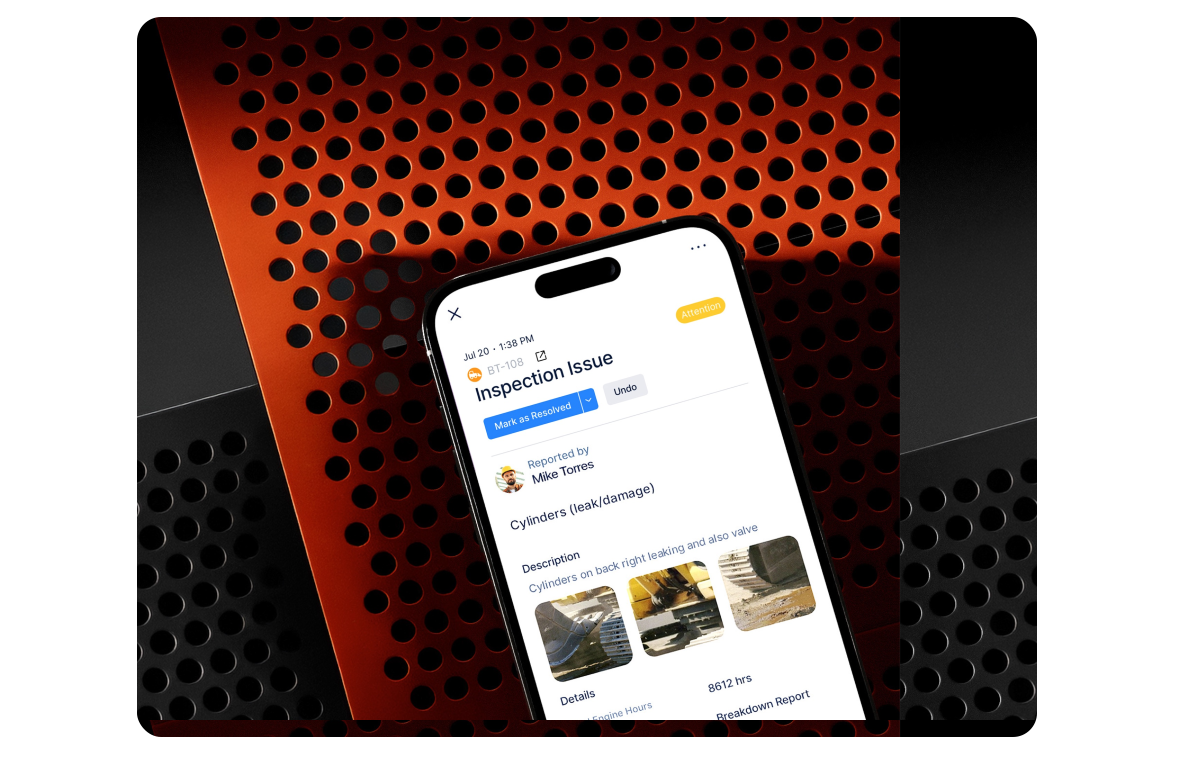
Clue's native iOS and Android fleet management app lets crews request equipment. Mechanics update work orders and add notes from the field. Push alerts tell teams when a request, assignment or status changes.
Mobile access: Use native iOS and Android apps for field fleet workflows.
Work order updates: Review assigned work, update repair status and add field notes.
Push notifications: Keep teams updated when requests, assignments or workflow status changes.

Connect timecards to jobs, work orders and ERP
Fleet labor data stays useful when time connects to the job, work order, cost code and approval path. Clue keeps timecard activity connected from field entry to manager review and ERP export.
Digital timecards: Capture mechanic, operator, driver and crew time from web or mobile.
WO-linked time: Log mechanic hours directly against work orders for cleaner repair cost tracking.
Review and export: Approve, decline or correct submitted timecards, then send approved cost code data into connected ERP workflows.

Keep fleet maintenance scheduled, assigned and visible
Construction fleet maintenance software creates work orders from PMs, inspection findings and fault alerts. The shop manager assigns mechanics on a board that shows each mechanic's workload. Service work stays visible across the fleet.
PM schedules: Build service plans by engine hours, mileage, calendar date or custom interval.
Work orders: Create repair work from due PMs, failed inspections, fault alerts or manual requests.
Mechanic scheduling and Asset Health: Rebalance repair work with workload visibility, and review asset risk alongside PMs, inspections and repair history.

Track fleet inspections from field check to repair handoff
Fleet inspections pay off when teams turn documented defects into repair action. Clue keeps inspection results, photos, asset records and repair tasks connected.
Inspection forms: Build DVIR, pre-trip, post-trip, operator daily, equipment-specific or custom inspection forms.
Mobile inspections: Complete checklist responses, pass/fail items, notes and photo evidence from the field.
Failed-item workflow: Create repair tasks from failed inspection items tied to the asset, and export PDF reports with attached evidence.

Track fuel, cost and fleet profitability
Fleet fuel management software shows each asset's fuel rate, volume and cost. Fleet Financials reports revenue, cost and profit by asset, fleet or project, so teams see what each asset uses, costs and earns.
Fuel reports: Track fuel rate, volume and cost by asset.
Fuel consumption: Review fuel usage alongside operating activity to spot fuel savings.
Fleet Financials: Review revenue, cost and profitability by asset, fleet or project, and see which assets are earning or losing margin.
Use utilization data to right-size the fleet
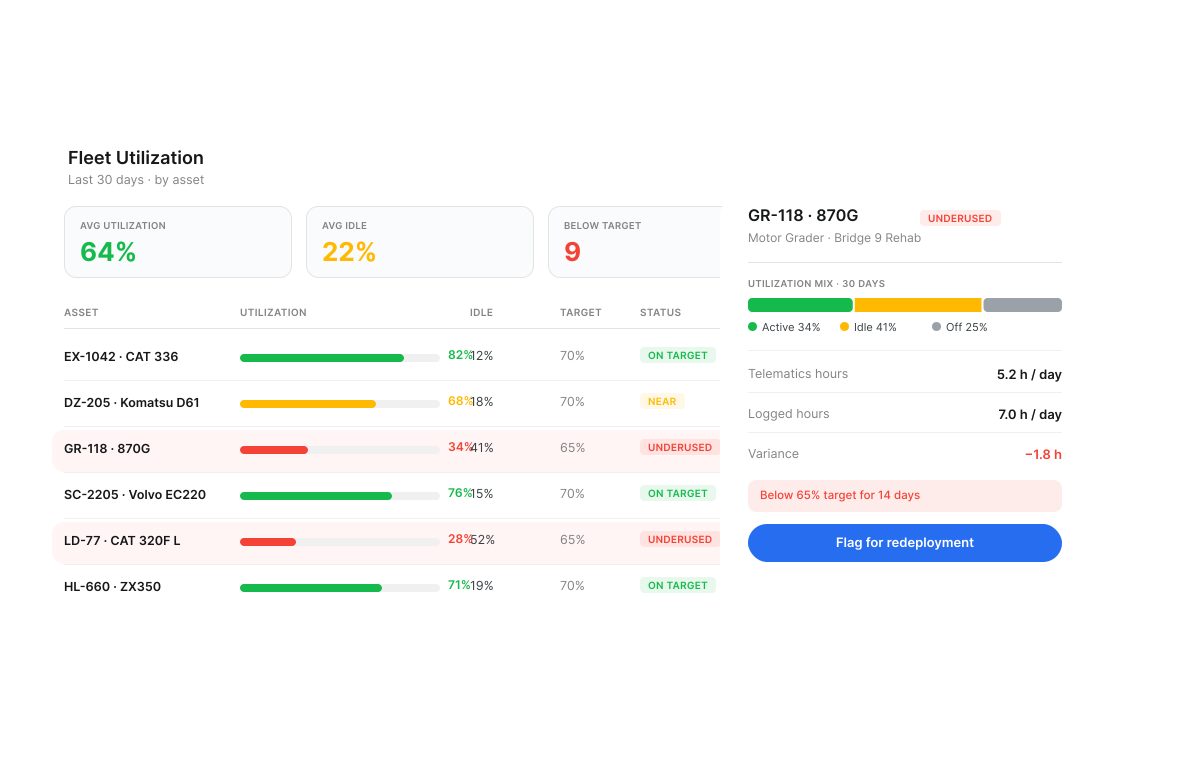
Right-sizing a fleet depends on more than total hours. Teams need to see which assets are running, sitting, underused or overcommitted across jobsites.
Utilization reporting: Review utilization by asset, fleet or project, and compare telematics hours against logged hours.
Idle visibility: Identify assets spending too much time idle, staged or underused.
Utilization targets: Set target usage by asset or asset class to flag equipment that may need reassignment, rental return or closer review.

Use AI to speed up fleet admin and reporting work
AI has the most value in the admin-heavy parts of fleet management: classifying assets, building reports, reviewing invoices and turning repair evidence into usable documentation. Teams stay in control of review and approval.
AI asset classification: Classify new assets from make, model and serial number during onboarding.
AI Report Builder: Describe the report you need in plain language and generate the query without SQL or an IT ticket.
AI invoice review and repair descriptions: Compare vendor invoices against work order scope, and turn uploaded repair photos into draft repair descriptions.

Manage fleet access, divisions and system connections
Enterprise fleet management has to mirror the way the company is structured: divisions, regions, roles, permissions, sign-in and connected systems. Clue gives larger teams the controls to organize fleet data and manage user access.
Role-based access: Control what admins, managers, mechanics, operators, drivers and fuelers can view or manage.
Sub-organization hierarchy: Structure fleet data across up to 3 organization levels for divisions, regions, branches or business units.
SSO, SCIM and API: Give enterprise users secure access through SSO, manage provisioning through SCIM, and connect approved data workflows through REST API endpoints and webhooks.
Built for every role
Solutions for every team.
Field, shop, and office teams use the same system. Equipment managers, fleet managers, operations leaders, CFOs, and executives see equipment details for their work.

Equipment Manager
“It's a single pane of glass where you see everything across your fleet, from the field to the phone to the computer.”
Abe Sharaf
Equipment Manager, Pulice Construction
Read Pulice’s story

Fleet Manager
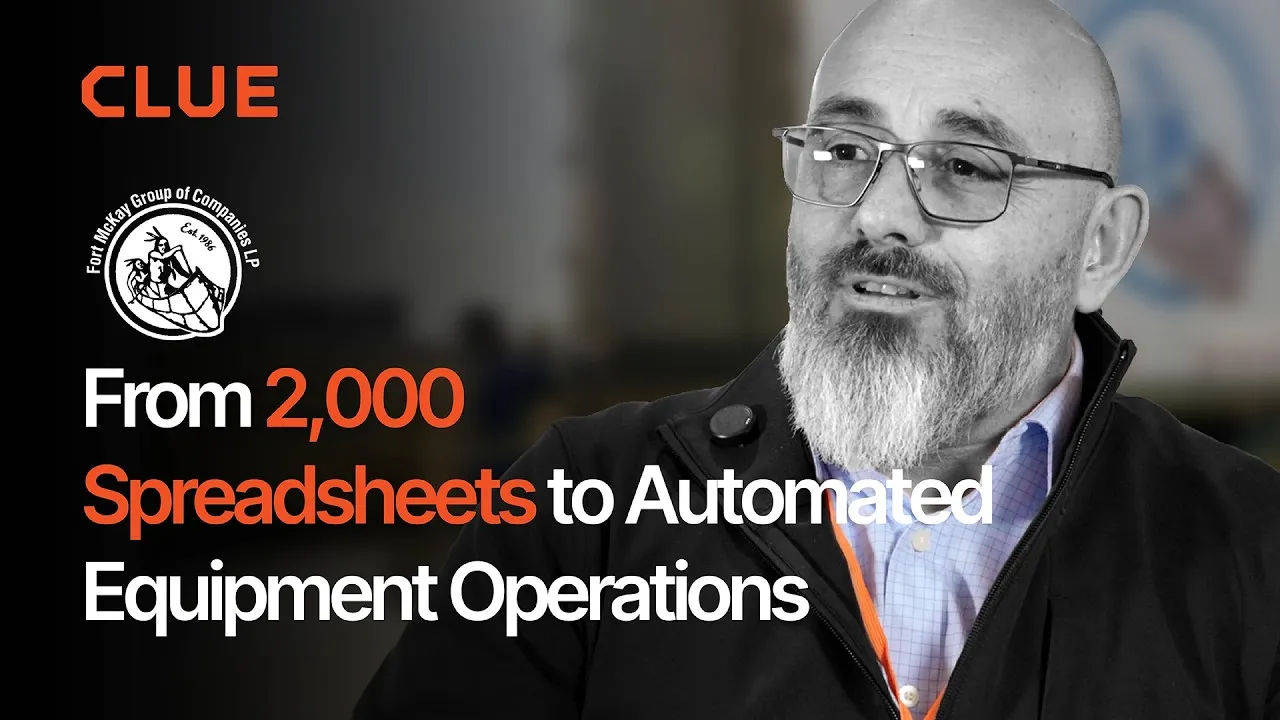
“Imagine receiving 2,000 spreadsheets that needed to be approved individually in an email. There were entire teams dedicated to that. Now the system is fully automated, completely automated from beginning to end.”
Julio Lopez
Fleet Manager, Fort McKay Group
Read Fort McKay’s story

CFO
“You went from doing two services a day to six services a day. That right there is priceless to me.”
Darrin Sheriff
Director of Maintenance & Purchasing, Palmetto Corp
Read Palmetto’s story

VP of Operations
“The big thing with Clue is that we're able to bridge the gap between our field, our operators in our shop, and other departments. Everybody's bought into Clue now.”
Eric Sellman
COO, Brent Scarbrough & Co
Read Brent Scarbrough’s story

Executive
“We had 20 different logins between all our different softwares and web platforms. Now all that information pulls into one spot and we're able to see it in a single place.”
John Igel
CEO, George Igel Co.
Read Igel’s story

Operations Manager
“The operator's in control of his own destiny. That was a huge reason why not only did I buy into it, but I'm also investing into it for the future.”
Ben Benoit
Operations Manager, Onshore Companies
Read Onshore’s story
Across the fleet day
Why choose Clue construction fleet management software
One system holds location, dispatch, maintenance and utilization data for the whole fleet.
Full Fleet Visibility
Location, status, assignment and movement data stay connected, giving teams a clearer view of what is happening across jobsites, yards and active moves.
Faster Dispatch Decisions
Requests, available assets, transport needs and returns stay in one workflow, helping dispatchers match equipment to jobsite demand faster.
Cleaner Field-to-Shop Handoffs
Inspection issues, fault alerts, work orders, photos and asset records stay connected so repair work starts with better context.
A Clear View of Idle Equipment
Utilization reports show which equipment sits idle or runs below its target. Teams can move it to another job or return a rental.
Fleet Costs by Asset
Each asset record holds fuel, maintenance, labor and parts costs. Fleet Financials shows revenue, cost and profit for each asset.
Stronger Fleet Planning
Utilization, dispatch, maintenance and financial signals help teams decide what to redeploy, return, review or prioritize next.
Connect Fleet Data Across Your Existing Systems.
Clue offers 80+ integrations across fleet and business systems, plus an open API. Location, hours, maintenance, timecards and costs land in one fleet view. Teams keep the tools they use.















































From the people who use it every day
What contractors say
“It exposes dead cost or overhead that maybe we don’t know about because it gets lost in those three different systems.”
Moss Utilities
“The big thing with Clue is that we’re able to bridge the gap between our field, our operators in our shop, and other departments.”
Brent Scarbrough & Company
“There were entire teams dedicated to approving spreadsheets one by one.”
Fort McKay First Nation
“The biggest difference has been the user friendliness.”
William A. Hazel
“Clue’s real-time data capability has completely changed the way we manage our assets.”
Darrin Sheriff, Director of Maintenance and Purchasing
“It was probably taking the better part of a day to combine all the data from the telematics.”
Derek Wolfe, Equipment Manager, George Igel Co.
“Clue allows us to effectively control our operations: financially, effectively and safely.”
Joseph Yammine, Project Manager, Graham
“QR codes have been a game changer for us with regards to operator inspections.”
Ben Benoit, Operations Manager
“It’s a single pane of glass where you see everything across your fleet, from the field to the phone to the computer.”
Abe Sharaf, Corporate Equipment Engineer
“Our field guys were tired of having a new product, a new something to learn each time.”
Rob Judge, Sr. Procurement & Program Manager
“Our equipment is in far better shape since we started using Clue, for sure.”
Jake Farley, Equipment Manager, Silver Star Construction














Asset Directory in Clue: Saved Views, Bulk Edits & Meters
Parts Management in Clue: Requests, Delivery Tracking & Inventory
Template Manager in Clue: Inspection Templates, AI Import & Shared Categories
Preventive Maintenance in Clue: Build a PM Plan, Automate Work Orders
Work Orders in Clue: Repair History, Parts, and Labor Costs
Common questions
Construction fleet management software FAQ.
What is construction fleet management software?
Construction fleet management software tracks equipment, plans dispatch, runs maintenance and reports on fuel and utilization across jobsites, yards and shops. Clue's construction equipment fleet management software puts location, dispatch, field records, shop work and cost data in one system.
What fleet management features do construction companies need most?
Fleet management software for construction should cover three areas: tracking and dispatch, field and shop work, plus fuel, utilization and profit reports. It should manage GPS-connected and untracked equipment, link the systems a company uses and give field, shop, dispatch and office teams one system.
Can Clue integrate with our existing GPS, telematics, OEM and ERP systems?
Yes. Clue offers 80+ integrations for GPS, OEM telematics, ERP, CMMS and rental systems. It reads AEMP 2.0 (ISO 15143-3) feeds. Clue syncs engine hours, odometer readings and fault codes. The Integrations page lists every connection.
Does Clue support mixed fleets with tracked and untracked assets?
Yes. Clue keeps tracked and untracked equipment in one fleet view. The view includes owned and rented equipment. Utilization reports cover all equipment. Teams keep records, inspections and maintenance for the whole fleet.
How does Clue help with fleet maintenance management?
Clue keeps PM schedules, inspection issues, fault alerts, work orders, mechanic assignments and asset service history connected. This helps fleet teams plan service, route repairs, track repair status, and keep maintenance records tied to the right asset.
Can field teams use Clue from mobile?
Yes. Clue offers a native mobile fleet management app for iOS and Android. Crews request equipment. Operators run inspections with photos. Mechanics update work orders, add parts and log time. Push alerts cover requests, dispatch and work orders. The app saves inspection drafts when signal drops.
How does Clue handle fleet timecards?
Clue connects timecard activity to jobs, work orders, cost codes, review workflows and ERP export. Teams can capture mechanic, operator, driver and crew time, review submitted records, approve or correct timecards, and send approved data into connected ERP workflows.
How is Clue different from general fleet management software?
General fleet management software often focuses on GPS tracking, driver workflows or commercial vehicles. Clue is built for construction fleet operations, connecting equipment tracking, dispatch, maintenance, inspections, timecards, fuel, utilization, cost data and integrations around equipment-heavy workflows.
Does Clue offer fleet analytics and AI reporting?
Yes. Clue supports fleet reporting across utilization, fuel, costs, maintenance and asset performance. Teams can also use AI-assisted workflows such as AI Report Builder to create reports from plain-language requests, reducing the need for SQL or technical reporting support.
Can Clue support enterprise fleet structures?
Yes. Clue supports enterprise fleet operations with role-based access, sub-organization hierarchy, SSO, SCIM provisioning and API access. Larger teams can control permissions, organize divisions or business units, and connect approved fleet data workflows with other systems.
How should contractors evaluate fleet management software?
Contractors should review system connections, fleet tasks and setup support. Fleet management software for contractors should connect the GPS, telematics, ERP and rental systems a team uses. It should cover tracking, dispatch, maintenance, inspections, timecards, fuel and cost. A Clue analyst guides each team through setup so field, shop, dispatch and office teams can use one system.
How much does Clue fleet management software cost?
Clue builds a personalized plan around your equipment, crew and job requirements. A team member reviews your form and walks you through the tailored plan.
See Clue pricingWhat does fleet management setup involve?
Setup starts with your asset list, your projects and the systems you already use. A Clue analyst works through connections, users and fleet records with your team, so the first tracking, maintenance and dispatch workflows reflect how your operation actually runs.
How does construction fleet management software work?
It connects the fleet's data to the work teams do. It links to the GPS and telematics a fleet uses. The system syncs location, engine hours, odometer readings and fault codes. Teams use that data to plan dispatch, schedule PMs, run inspections, log time and build reports. Field teams use a phone app.
What is fleet maintenance management software?
It plans and tracks service work for fleet equipment. It schedules PMs by engine hours, mileage or calendar date. Clue creates the work order when service comes due. When an inspection flags a service item, Clue creates a work order task. Fault code alerts reach the shop. The shop manager assigns mechanics on a scheduling board.
Can Clue manage trucks and heavy equipment in one fleet?
Yes, Clue manages trucks and heavy equipment in one fleet view. It connects Ford telematics for trucks, plus Caterpillar (VisionLink), John Deere and Komatsu (Komtrax) for heavy equipment. GPS and aftermarket trackers connect through Clue. Clue places untracked equipment in the same view. Clue offers 80+ integrations.
Does Clue replace our current telematics?
Clue works with your current telematics. Clue's construction telematics software connects to the GPS and telematics your fleet uses. It reads AEMP 2.0 (ISO 15143-3) feeds. Clue syncs engine hours and odometer readings. It adds dispatch, maintenance, inspections, timecards and cost tracking to that data.
How does Clue handle fleet fault code alerts?
Clue alerts the team when supported equipment logs a fault code. A daily email lists every active code across the fleet. Teams can create a work order from a fault or link it to an open order. Clue warns the user before they dismiss a code tied to an open work order.