



Construction Project Managers Keep Work Moving. Equipment Stays in View.
Construction project managers request equipment from their phones. They see each asset and its status. Fleet Financials shows equipment costs by project.


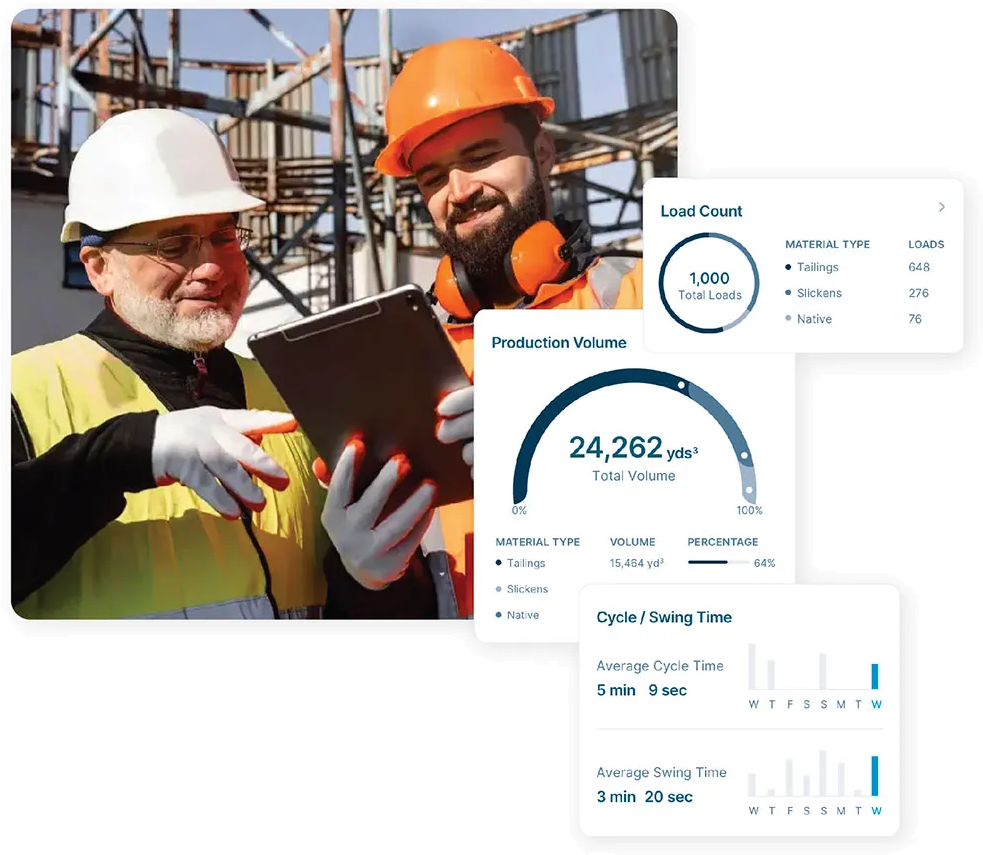




Project management
Every Piece of Equipment on Your Site. Project Costs in View.
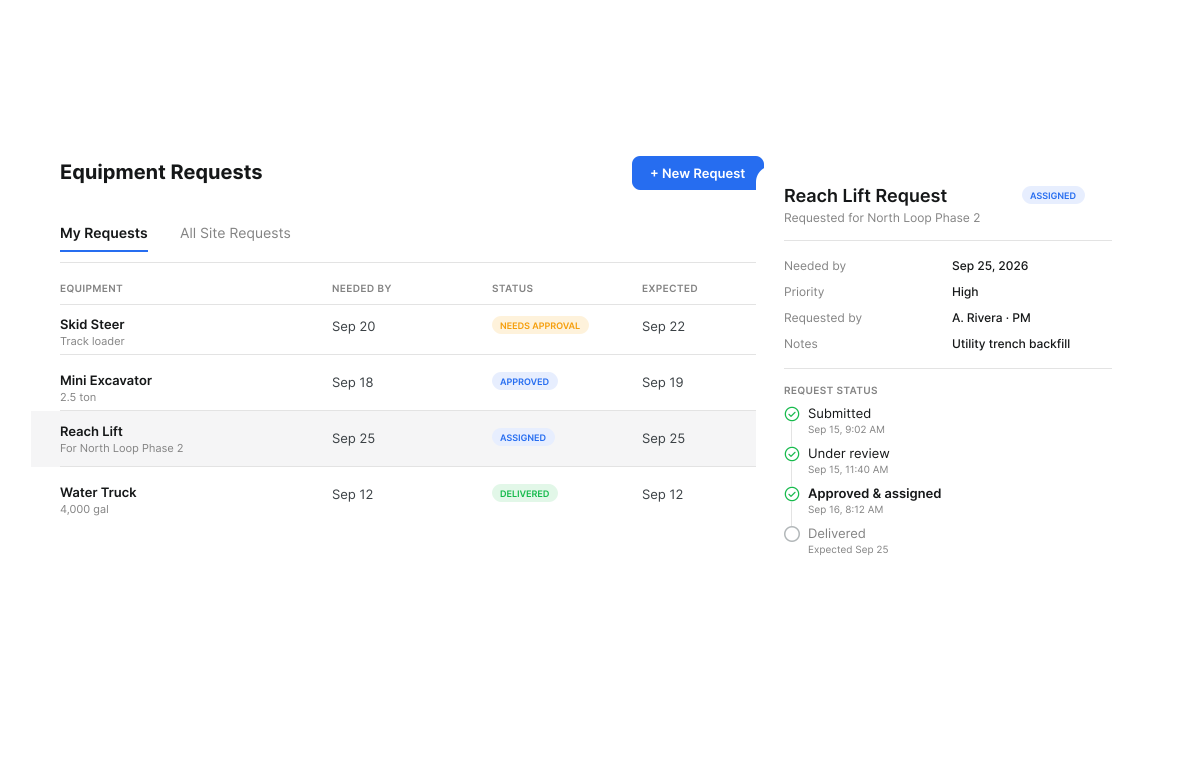
Equipment Request Workflow for Project Managers
Any crew member can use the equipment request workflow from a phone. The dispatcher approves each request and creates a dispatch. Clue sends push notifications when the request or dispatch status changes.

Live Equipment Status on Your Jobsite
Use jobsite equipment tracking to see every asset and person on the site. The live map shows equipment moving, idle or stopped. Teams can move underused equipment to the next job.

Equipment Cost Visibility by Project
Project equipment cost tracking shows revenue, cost and profit by asset or project. Fuel, maintenance and rental costs tie to the project. Teams can set equipment charge rates for each project.

Inspection and Safety Compliance
The inspection calendar shows scheduled, completed and missed inspections. Summary tiles show completion at a glance. Clue turns inspection findings into work order tasks. Teams can export inspection reports as PDFs.

Rental Tracking and Return Coordination
Rental equipment tracking shows what you rent, its daily rate, and its due date. Clue sends a return reminder. A pre-pickup inspection records equipment condition before it leaves.

Geofencing and Location Alerts
Teams draw geofences around jobsites. Clue alerts them when equipment enters or exits. Alerts cover equipment that moves after site hours. A KMZ or KML upload creates many geofences at once.
Built for every role
Solutions for every team.
Field, shop, and office teams use the same system. Equipment managers, fleet managers, operations leaders, CFOs, and executives see equipment details for their work.

Equipment Manager
“It's a single pane of glass where you see everything across your fleet, from the field to the phone to the computer.”
Abe Sharaf
Equipment Manager, Pulice Construction
Read Pulice’s story

Fleet Manager
“Imagine receiving 2,000 spreadsheets that needed to be approved individually in an email. There were entire teams dedicated to that. Now the system is fully automated, completely automated from beginning to end.”
Julio Lopez
Fleet Manager, Fort McKay Group
Read Fort McKay’s story

CFO
“You went from doing two services a day to six services a day. That right there is priceless to me.”
Darrin Sheriff
Director of Maintenance & Purchasing, Palmetto Corp
Read Palmetto’s story

VP of Operations
“The big thing with Clue is that we're able to bridge the gap between our field, our operators in our shop, and other departments. Everybody's bought into Clue now.”
Eric Sellman
COO, Brent Scarbrough & Co
Read Brent Scarbrough’s story

Executive
“We had 20 different logins between all our different softwares and web platforms. Now all that information pulls into one spot and we're able to see it in a single place.”
John Igel
CEO, George Igel Co.
Read Igel’s story

Operations Manager
“The operator's in control of his own destiny. That was a huge reason why not only did I buy into it, but I'm also investing into it for the future.”
Ben Benoit
Operations Manager, Onshore Companies
Read Onshore’s story
Built for project managers
Why Project Managers Choose Clue
Request it. Track it. Know what it costs. All in one app.
Direct Equipment Request Access
Submit and track equipment requests on your own, every time. See where your request stands in real time.
Real-Time Jobsite Equipment View
Know what is on your site, what is active, and what is sitting idle. Live data, updated as it happens.
Project-Level Cost Visibility
Fleet Financials shows equipment cost per project to help you manage the budget.
Return Rentals on Time
Return date tracking and automated reminders keep every rental heading back on schedule.
Inspection Compliance Alerts
The inspection calendar shows scheduled, completed and missed inspections for equipment on your site.
Fleet Data in Your Pocket
Project managers use Clue on iOS and Android to request equipment, check status and get push notifications.
Equipment Data Stays
With the Plan.
Clue brings project and equipment data into one view through 80+ integrations. It connects OEM telematics, GPS and aftermarket trackers. Connections cover ERP, accounting and CMMS systems. Vista syncs projects into Clue. Teams enter equipment by hand in that view.



















































From the people who use it every day
What contractors say
“Clue allows us to effectively control our operations: financially, effectively and safely.”
Joseph Yammine, Project Manager, Graham
“The big thing with Clue is that we’re able to bridge the gap between our field, our operators in our shop, and other departments.”
Brent Scarbrough & Company
“There were entire teams dedicated to approving spreadsheets one by one.”
Fort McKay First Nation
“The biggest difference has been the user friendliness.”
William A. Hazel
“It exposes dead cost or overhead that maybe we don’t know about because it gets lost in those three different systems.”
Moss Utilities
“Clue’s real-time data capability has completely changed the way we manage our assets.”
Darrin Sheriff, Director of Maintenance and Purchasing
“It was probably taking the better part of a day to combine all the data from the telematics.”
Derek Wolfe, Equipment Manager, George Igel Co.
“QR codes have been a game changer for us with regards to operator inspections.”
Ben Benoit, Operations Manager
“It’s a single pane of glass where you see everything across your fleet, from the field to the phone to the computer.”
Abe Sharaf, Corporate Equipment Engineer
“Our field guys were tired of having a new product, a new something to learn each time.”
Rob Judge, Sr. Procurement & Program Manager
“Our equipment is in far better shape since we started using Clue, for sure.”
Jake Farley, Equipment Manager, Silver Star Construction














Asset Directory in Clue: Saved Views, Bulk Edits & Meters
Parts Management in Clue: Requests, Delivery Tracking & Inventory
Template Manager in Clue: Inspection Templates, AI Import & Shared Categories
Preventive Maintenance in Clue: Build a PM Plan, Automate Work Orders
Work Orders in Clue: Repair History, Parts, and Labor Costs
Common questions
Construction project manager equipment software FAQ.
Can project managers submit equipment requests directly in Clue?
Yes. Project managers submit requests through Clue's web or mobile interface. Requests go to the dispatcher or equipment manager for approval and assignment.
Can I see which assets are assigned to my project right now?
Yes. Clue shows every asset assigned to your project with real-time location and status: active, idle, in maintenance, or in transit.
Does Clue show the project's equipment costs?
Yes. Fleet Financials shows revenue, cost and profit by asset or project. It ties fuel, maintenance and rental costs to the project. Teams can set equipment charge rates for each project.
How does Clue help manage rental equipment returns?
Clue tracks rental return dates and sends automated reminders. Project managers can trigger pre-pickup inspections to document equipment conditions before return.
Can I set up alerts when equipment enters or leaves my jobsite?
Yes. Clue's geofencing feature lets you set virtual boundaries around your jobsite and receive alerts when assets cross those boundaries.
Can project managers see scheduled maintenance for equipment on their jobsite?
Yes. Clue shows upcoming and scheduled work orders per project so managers can spot conflicts before a machine gets pulled for service at a critical point in the schedule.
What happens when an operator reports a breakdown on my project?
The breakdown report goes directly into the shop's work order queue the moment it is submitted. Project managers can track repair status in real time without calling the shop or equipment manager.
Can project managers see inspection compliance for their jobsite?
Yes. Clue tracks inspection completion per asset and operator for each project. The calendar shows scheduled, completed and missed inspections. Project managers can use that view to plan each follow-up.
What does construction project manager equipment software do?
It puts equipment requests, status, project costs, location alerts and inspections in one place. Project managers request equipment from their phones. They see each asset on the project plus its status. Fleet Financials shows equipment cost by project. Geofence alerts show site arrivals and exits. The inspection calendar shows scheduled, completed and missed inspections.
Can project managers approve crew timecards in Clue?
Yes. Project managers review and approve crew timecards before export. They can decline a timecard with a reason. The crew filter shows each manager's crew. A foreman can enter time for the whole crew from one device. Clue flags hours that crew members log outside the jobsite geofence for review. The entry stays in place.
Which project equipment utilization reports can project managers get?
Project managers can get utilization, hours reconciliation and custom reports. The utilization report shows engine hours, odometer, fuel rate and daily utilization for each asset against a target. Hours reconciliation compares telematics hours with the hours crews log. The AI Report Builder turns a plain-word request into a report. Clue can email any report on a daily, weekly or monthly schedule.
Can project managers see all people and equipment on one jobsite?
Yes. One view shows every asset and person on the jobsite team. The live map shows equipment moving, idle or stopped. From an asset page, one click opens that equipment on the live map. Project managers can check site activity and find their project's equipment from the same view.