



Equipment Management Software for Road and Highway Construction
From paving crews to asphalt plants, Clue gives road and highway contractors GPS visibility, preventive maintenance scheduling, and dispatch tools built for the pace and scale of DOT and civil projects.


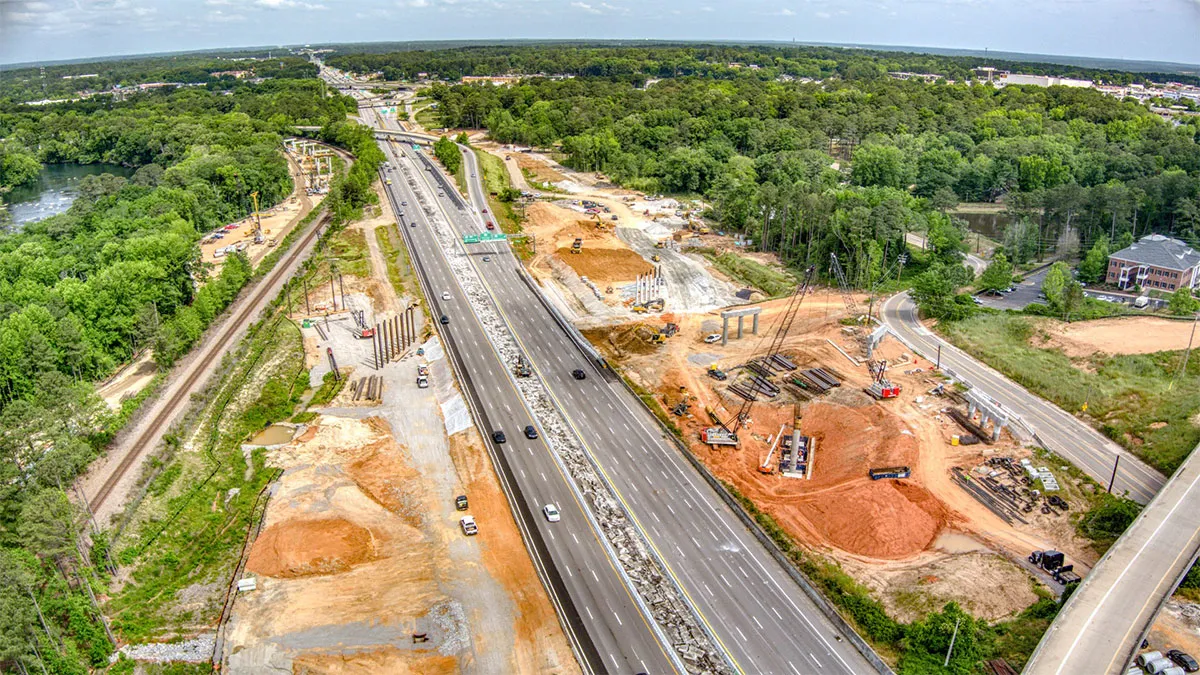





Road crew workflow
Every spread in one view. Dispatch, inspect, track.

Real-Time Tracking Across Linear Jobsites
Road projects stretch across miles of active work zones. Clue keeps your equipment visible whether it is at the paving front, in a staging area, or moving between spreads. One map shows everything in real time.
Live tracking: Live GPS tracking for pavers, rollers, graders, haul trucks, and all support equipment
OEM integrations: OEM telematics from John Deere and other providers through 80+ integrations
Geofences: Geofence alerts for work zone boundaries and equipment staging areas
Location sharing: Share live equipment location with field crews via link
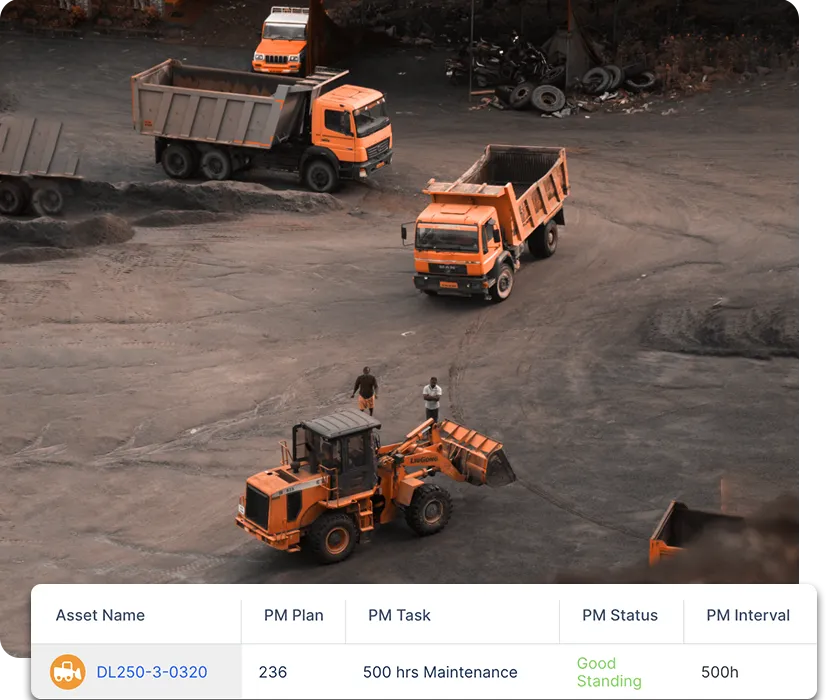
Preventive Maintenance That Keeps Paving Operations Running
Keeping a grader or paver running through a DOT paving window matters more than the repair alone. Clue automates maintenance scheduling based on engine hours and telematics data so your equipment hits every service interval on time.
PM scheduling: PM plans for paving, compaction, and earthmoving equipment
Hour-based PM: Engine hour-based service intervals from live telematics
Inspection-to-WO: Work orders from inspection issues while they are still small
Shop scheduling: Mechanic scheduling to keep the shop ahead of the paving season

Dispatch and Logistics for Multi-Spread Operations
Managing equipment across multiple active spreads means constant movement. Clue gives dispatchers a resource planner to coordinate equipment between projects, track transport, and confirm deliveries from one place.
Resource planner: Resource planner to assign equipment across spreads and projects
Dispatch: Dispatch requests with transport and pickup requirements
Pre-pickup: Pre-pickup inspection before any equipment moves
Returns: Return requests when projects are complete

Equipment Utilization on DOT and Highway Projects
Utilization data is critical when you are billing by the hour or managing equipment costs on long-duration DOT contracts. Clue tracks actual engine hours from telematics and surfaces idle assets so every rented machine is earning its keep.
Utilization: Weekly utilization reports per asset and project
Hours gap: Telematics hours vs. reported hours comparison
Idle tracking: Idle time tracking by spread or project assignment
Cost by project: TCO dashboard with equipment cost by project
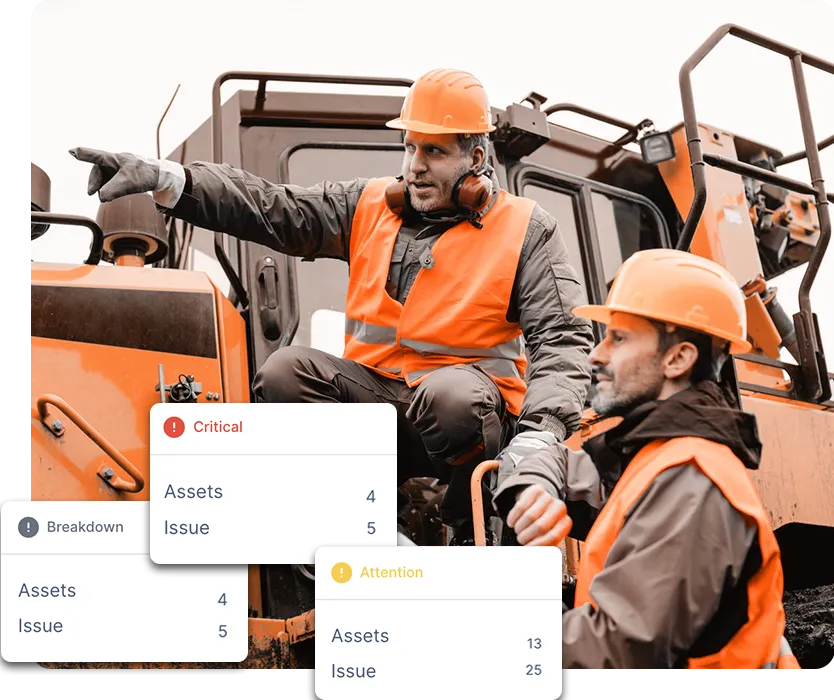
Digital Inspections for Field Crews and Compliance
DOT projects come with compliance requirements. Crews complete Clue mobile inspections in the field, and Clue stores and exports them as PDFs for contract documentation and audit readiness.
DVIR compliance: DVIR and pre-trip inspection templates for DOT compliance
Custom templates: Equipment-specific templates for pavers, rollers, and graders
Photo evidence: Photo attachments on inspection issues
PDF export: PDF inspection report export for DOT submittals

Fuel and Fleet Financials for Highway Contracts
Fuel is one of the largest variable costs on a highway project. Clue tracks consumption per asset, monitors idle burn, and rolls all costs into a fleet financials view so project managers know their equipment spend at all times.
Fuel tracking: Fuel tracking per asset with daily trend data
TCO dashboard: TCO dashboard with repair, rental, and fuel costs
Idle fuel: Idle fuel monitoring to keep every gallon productive
Cost export: Cost data exportable for project cost reporting
Built for every role
Solutions for every team.
Field, shop, and office teams use the same system. Equipment managers, fleet managers, operations leaders, CFOs, and executives see equipment details for their work.

Equipment Manager
“It's a single pane of glass where you see everything across your fleet, from the field to the phone to the computer.”
Abe Sharaf
Equipment Manager, Pulice Construction
Read Pulice’s story

Fleet Manager
“Imagine receiving 2,000 spreadsheets that needed to be approved individually in an email. There were entire teams dedicated to that. Now the system is fully automated, completely automated from beginning to end.”
Julio Lopez
Fleet Manager, Fort McKay Group
Read Fort McKay’s story

CFO
“You went from doing two services a day to six services a day. That right there is priceless to me.”
Darrin Sheriff
Director of Maintenance & Purchasing, Palmetto Corp
Read Palmetto’s story

VP of Operations
“The big thing with Clue is that we're able to bridge the gap between our field, our operators in our shop, and other departments. Everybody's bought into Clue now.”
Eric Sellman
COO, Brent Scarbrough & Co
Read Brent Scarbrough’s story

Executive
“We had 20 different logins between all our different softwares and web platforms. Now all that information pulls into one spot and we're able to see it in a single place.”
John Igel
CEO, George Igel Co.
Read Igel’s story

Operations Manager
“The operator's in control of his own destiny. That was a huge reason why not only did I buy into it, but I'm also investing into it for the future.”
Ben Benoit
Operations Manager, Onshore Companies
Read Onshore’s story
Across every road project
Built for the Pace of Road and Highway Construction
From the first mobilization to the final punch list, Clue keeps your equipment on track.
Full Spread Visibility
GPS and OEM telematics give you eyes on every piece of equipment across multi-mile projects.
Services On Time
Hour-based PM scheduling from telematics means services happen on schedule, every interval.
Smooth Equipment Moves
The resource planner and dispatch system coordinate equipment between spreads in one view.
DOT Compliance Ready
DVIR and inspection templates keep your records organized for contract documentation and audits.
Fuel and Idle Control
Track fuel consumption and idle time on every asset so project costs stay on budget.
Multi-Project Clarity
One platform for all your active projects means one clear view instead of a spreadsheet per spread.
Connect Your Fleet Systems
Clue offers 80+ integrations for OEM telematics, GPS and aftermarket trackers, ERP, accounting, and CMMS systems. Engine hours sync from telematics. Teams add equipment by hand to the same fleet view.



















































From the people who use it every day
What contractors say
“It’s a single pane of glass where you see everything across your fleet, from the field to the phone to the computer.”
Abe Sharaf, Corporate Equipment Engineer
“The big thing with Clue is that we’re able to bridge the gap between our field, our operators in our shop, and other departments.”
Brent Scarbrough & Company
“There were entire teams dedicated to approving spreadsheets one by one.”
Fort McKay First Nation
“The biggest difference has been the user friendliness.”
William A. Hazel
“It exposes dead cost or overhead that maybe we don’t know about because it gets lost in those three different systems.”
Moss Utilities
“Clue’s real-time data capability has completely changed the way we manage our assets.”
Darrin Sheriff, Director of Maintenance and Purchasing
“It was probably taking the better part of a day to combine all the data from the telematics.”
Derek Wolfe, Equipment Manager, George Igel Co.
“Clue allows us to effectively control our operations: financially, effectively and safely.”
Joseph Yammine, Project Manager, Graham
“QR codes have been a game changer for us with regards to operator inspections.”
Ben Benoit, Operations Manager
“Our field guys were tired of having a new product, a new something to learn each time.”
Rob Judge, Sr. Procurement & Program Manager
“Our equipment is in far better shape since we started using Clue, for sure.”
Jake Farley, Equipment Manager, Silver Star Construction














Asset Directory in Clue: Saved Views, Bulk Edits & Meters
Parts Management in Clue: Requests, Delivery Tracking & Inventory
Template Manager in Clue: Inspection Templates, AI Import & Shared Categories
Preventive Maintenance in Clue: Build a PM Plan, Automate Work Orders
Work Orders in Clue: Repair History, Parts, and Labor Costs
Common questions
Road construction equipment management software FAQ.
What equipment does Clue track on road and highway projects?
Clue tracks all equipment types used in road and highway construction: asphalt pavers, vibratory rollers, motor graders, milling machines, haul trucks, excavators, scraper pans, compactors, and support vehicles. Any asset with OEM telematics or a GPS device appears on the live map.
See Clue pricingCan Clue track equipment across linear jobsites spanning multiple miles?
Yes. Clue uses GPS coordinates and OEM telematics to track equipment regardless of how spread out a project is. You can draw geofence zones around active work areas and staging sites, and the live map shows all assets regardless of distance.
How does Clue support DOT compliance documentation?
Clue stores all inspection records, work orders, and maintenance history per asset. Inspection reports can be exported as PDFs for DOT submittals or contract documentation. DVIR templates are available for pre-trip and post-trip compliance on vehicles.
Does Clue work with paving equipment OEM telematics?
Yes. Clue integrates with John Deere and other OEM systems used in road and highway construction through 80+ integrations. Engine hours, GPS location, and operating status are pulled automatically from existing telematics.
How does Clue help manage equipment across multiple active spreads?
The Clue resource planner gives dispatchers a visual view of all equipment assignments across all active projects. Moves between spreads are managed as dispatch requests with transport requirements, pre-pickup inspections, and delivery confirmation built in.
Can Clue alert managers when road equipment sits idle between paving passes?
Yes. Clue tracks idle hours per asset from telematics and sends alerts when machines exceed set thresholds. On road projects where idle time between passes adds up quickly, this gives managers the data to reduce fuel waste and unnecessary engine hours.
How does Clue handle preventive maintenance for equipment on long-duration highway projects?
PM intervals run automatically off engine hours pulled from telematics so service due dates stay current regardless of how long a project runs. When an interval hits, a work order is created automatically so the shop stays ahead of maintenance without anyone tracking hours manually.