Construction Crew Scheduling Software: How It Reduces Idle Time


Hi, I’m Maham Ali. I write about construction equipment management, helping teams use fleet data and maintenance intelligence to improve uptime, control costs, and run smoother jobsites.
A formwork crew of six is booked for a 7 a.m. start on level 3. At 7:40, the foreman is still at the gate because the inspection ran late and the work area has not been released. The one carpenter with the required scaffold training for the next task was moved to another site last night, and nobody told the foreman. The calendar looked full. The morning is gone.
That gap between a booked schedule and productive hours is what construction dispatch software helps close. It helps coordinate people and equipment across jobsites, push assignment changes to the field, and keep dispatch aligned with what is actually happening on site.
Labor is tight enough that this matters. In the 2026 AGC and NCCER Workforce Survey, 87% of firms reported openings for hourly craft workers, and 42% of respondents said worker shortages had delayed projects. When you cannot hire your way out, you have to waste fewer of the hours you already pay for.
This guide covers the layer between workforce planning and field execution, including the equipment around the crew.
What Is Crew Scheduling Software?
Crew scheduling software is the system contractors use to assign workers or crews to specific jobs, locations, shifts, and time windows. Depending on the product, it also handles skills and certifications, availability, field messaging, GPS or geofenced time capture, and payroll or ERP export.
The term gets stretched. Construction scheduling has three layers, and buying for the wrong one gets you software that solves a different problem than the one holding up the field.
Crew Scheduling vs Project Scheduling and Workforce Planning

Why Is Construction Crew Scheduling Harder Than a Standard Calendar?
A calendar assumes the work is waiting for the people. In construction the work moves, and people move with it. Four conditions break a standard calendar:
- Readiness changes by the hour. A work area opens late, a delivery misses its window, or an inspection holds the next trade. The crew is booked, but the work is not ready.
- Available is not qualified. A worker can be free and still lack the certification, classification, or equipment authorization the task requires.
- Moves have a cost. Each move between sites adds travel and setup, and sometimes overtime or a different pay rate. A project can also need three electricians at 7 a.m. and six by noon.
- Changes have to travel. A swap decided at 6 p.m. only helps if the person who must act on it sees it before leaving the yard.
How Does Crew Scheduling Software Reduce Idle Time?

Crew scheduling software reduces idle time in five ways: it schedules only work that is ready, gates assignments on skills and certifications, pushes changes to the field with confirmation, compares scheduled hours with verified hours, and carries classifications into payroll.
The stakes are measurable. Direct work is only part of a paid day. Work-sampling studies of industrial projects, compiled in a 2025 review, report direct-work rates from about 19% to 50% of the day, with the rest lost to support work and delays. Work sampling measures how busy crews are, not how much they install, so treat it as a signal and not a scorecard. At industry scale, a 2023 FMI study put contractor losses from labor inefficiencies at $30 billion to $40 billion in 2022. Scheduling cannot remove every cause of waiting, but it can expose and prevent the coordination ones.
The five steps below follow one crew assignment from scoping to payroll. Each one removes a different source of waiting or rework.
1. Schedule the Work That Is Ready
Build the day from the look-ahead schedule, then confirm readiness the afternoon before. Check that the permit is open, the inspection is released, materials are staged, and the preceding trade is out of the area. Size and skill the crew for the task instead of filling whoever is free, and sequence the day so travel and setup happen once.
2. Match Skills and Certifications Before You Dispatch
Treat qualification as a gate. Store several skills per person, certification expiry dates, and the classification each person can work under, then warn or block before an invalid assignment is published. When qualified craft workers are this hard to find, the ones you already have are the scarce resource.
Equipment adds detail. OSHA's crane rule requires operator certification by equipment type, or type and capacity, and a qualification from an employer's own audited program is not portable to another employer. A borrowed operator or a subcontractor's loaned hand may not be qualified on your machine. Store type and capacity, not just "operator."
3. Push Changes to the Field and Get Confirmation
Schedules change daily. A delivery slips, a worker calls out, or a superintendent moves a crew to a higher-priority area. The damage comes when the change lives in one spreadsheet or group chat while the crew works from yesterday's plan.
A usable system lets the dispatcher see which crews a reassignment affects before confirming it. It then sends the new address, start time, and task to each affected worker's phone and records who acknowledged it. Give foremen a phone-first view, and keep a log of changes and reasons so the office can spot recurring disruption. Test the weak-signal case too: the schedule should open from the last sync, and edits should queue until the connection returns.
Clue's Dispatch Crews notifies crew members by text message, email, or in-app message, lets them confirm receipt, and sends daily schedule reports to foremen and superintendents.
4. Capture Verified Hours and Compare Them With the Plan
Scheduled hours describe intent. Verified hours show what the job consumed. Compare the two by crew, job, and cost code instead of company-wide, and look for variance that repeats. Track overtime share as well, because late changes that push work into expensive hours show up there first.
GPS and geofenced clock-ins add a reality check on site presence, wrong-site arrivals, and travel patterns. This is the scheduling end of construction workforce tracking, and it brings privacy duties. Several states require written notice before electronic monitoring, and Connecticut, for example, requires prior written notice. Limit location data to work periods, document the purpose, and check the rules in each state where crews work.
Clue's time card app gives managers one view of crew hours across job sites.
5. Carry Classification Into Time Capture
Scheduling decisions can become payroll decisions. On federally funded or assisted work covered by Davis-Bacon, contractors must submit certified payroll weekly, and the classifications reported must be the work each person actually performed. A worker who spends the morning as a laborer and the afternoon operating equipment needs time capture that keeps that split, not one daily total.
Attach the project, phase, and classification when the assignment is made, so payroll does not rebuild the day from memory. Before rollout, test the payroll export with your real project, phase, and cost-code structure, and keep an audit trail of schedule changes and time approvals.
How Do Heat and Safety Rules Affect Crew Scheduling?

Treat safety limits as schedule inputs. OSHA issued a revised heat National Emphasis Program on April 10, 2026, directing inspections to 55 high-risk industries. The proposed federal heat rule was still pending at that point. Some states also enforce their own heat standards, so check where each crew works.
In practice, give supervisors time to move start times earlier, plan rest periods into the day, and record heat-related adjustments. A schedule that ignores heat can look productive while it builds avoidable exposure.
How Does Crew Scheduling Connect With Equipment and Dispatch?
A crew rarely works without a machine. If the excavator is pulled for scheduled maintenance on Monday, the operator and the two laborers booked around it are idle at 7 a.m. unless the schedule knows. When people, equipment, and location sit in different systems, the office reconciles them by phone, and that reconciliation is most of a construction dispatcher's day.
Clue is built around the equipment and the field activity around it. On its dispatch board, the People tab assigns crew members to projects beside the Assets tab for machines, and the Planner view helps spot overlapping assignments for the same resource. The Track Everything map shows tracked people and assets, plus projects and geofences, on one live map. Equipment signals such as location and engine hours arrive from OEM and GPS systems; the heavy equipment telematics guide covers that data layer. Clue handles the daily layer, not portfolio-level staffing.
What to Look for in Crew Scheduling Software
Start with the problem you need solved. A contractor staffing a portfolio weighs workforce planning differently from one trying to stop wrong-site arrivals. A heavy civil contractor moving crews and machines together has a third set of needs. For a side-by-side view of specific tools, see Clue's ranked comparison of construction scheduling software, and if assignment and routing is the heavier need, the separate comparison of construction dispatch software.
How to Pilot Crew Scheduling Software and Measure Results

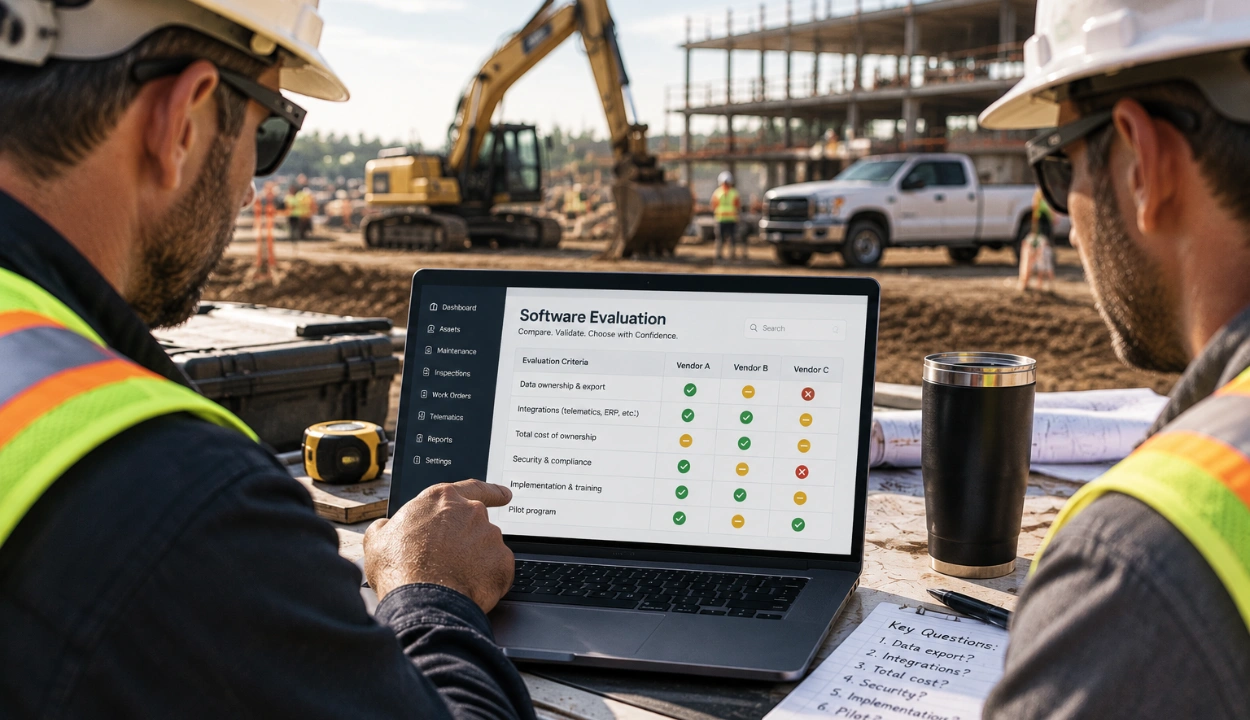
Do not let a polished demo answer the question. A useful pilot is small: two to four crews, a few real jobsites, one payroll or ERP connection, a defined measurement period, and written pass criteria.
- Baseline schedule-build time, late changes, wrong-site incidents, scheduled versus paid hours, overtime, and idle time before you start.
- Load real skills, certifications, classifications, and home locations.
- Test one multi-skill assignment and one last-minute reassignment.
- Include foremen and field leads, not only office administrators.
- Review adoption weekly and document every manual workaround that remains.
Then track a short scorecard before and after. Keep the baseline, or the software becomes the only source of the improvement claim.
How Clue Helps
Clue starts from the equipment and extends to the people working around it. Dispatchers assign crews and machines from one board and send assignments out for confirmation. Foremen and superintendents get daily schedule reports and a live map of tracked people and assets. Equipment and shop managers see where machines are, with OEM telematics data feeding the same records. Finance teams get Clue integrations with ERP systems such as Viewpoint Vista and HCSS HeavyJob.
Final Thoughts
Go back to the formwork crew at the gate. A fuller calendar would not have saved that morning. A schedule that knew the area was not released, knew who held the scaffold certification, and told the foreman about the swap before 7 a.m. would have.
Start small: pick two crews, log idle reasons for two weeks, and compare scheduled with verified hours. The gaps tell you which part of the process to fix first. Clue gives dispatchers one place to do that for crews and equipment together.
FAQs
Can Crew Scheduling Software Replace a Construction Project Schedule?
No. A project schedule defines activities, dependencies, and milestones, while crew scheduling assigns people and crews to carry out the work. The two should exchange information, but neither replaces the other. Use the project schedule to decide what is ready, and the crew schedule to decide who does it today.
How Far in Advance Should Construction Crews Be Scheduled?
It depends on the layer. Workforce planning can look months ahead, while daily dispatch needs a near-term view that can change within hours. Choose software that supports both horizons. Clue's resource planner lets teams plan a day, week, month, or even a year ahead.
How Does Crew Scheduling Software Affect Construction Overtime?
It makes the causes of overtime visible, but it does not remove overtime by itself. Comparing planned and verified hours, tracking late changes, and reviewing repeated travel or reassignment patterns shows which scheduling decisions create expensive hours. Acting on those patterns is still a management decision.
Can Crew Scheduling Software Schedule Crews and Equipment Together?
Some platforms can, and on equipment-heavy work it matters most. If the schedule does not know a machine is down for service or booked on another site, the crew assigned around it waits. Look for a system where the crew assignment and the machine's status and location sit on the same board, so a change to one is checked against the other.
Can Construction Crew Scheduling Software Manage Subcontractors?
Some platforms can, but test it. Define what a subcontractor can see, what time or attendance data is captured, and how that data reaches project and payroll records. Also confirm qualifications: for cranes, an operator qualification from another employer's audited program is not portable to your site.
What Data Should Be Cleaned Before Implementing Crew Scheduling Software?
Start with worker names and IDs, skills, certifications and expiry dates, classifications, home locations, crew relationships, active projects, and the payroll or cost-code mappings the schedule will use. Scheduling rules work only as well as these records, and bad data produces confident but wrong assignments.
How Does Crew Scheduling Software Help New Construction Workers?
A structured schedule gives new workers a clear assignment, location, start time, and reporting path instead of informal messages. That matters early. In the 2026 AGC and NCCER survey, 83% of firms reported turnover among new field hires in their first 90 days. Travel or scheduling requirements were among the top three reasons cited.
What Should a Crew Scheduling Pilot Include?
Use two to four real crews on real jobs for a normal week and a week with changes. Test skills matching, mobile communication, time capture, and the payroll or ERP export, then compare scheduled with verified hours. Write the pass criteria before the pilot starts, and record every manual workaround.
Transform Your Equipment Management