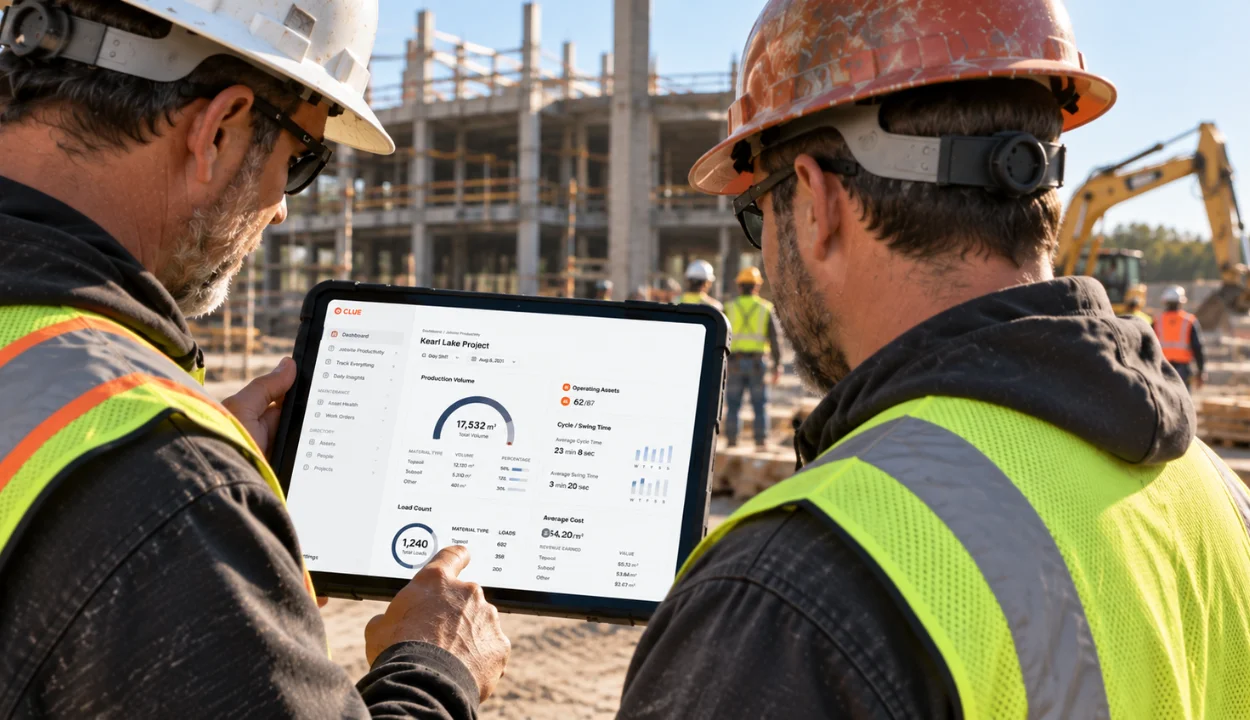
A fleet software integration can look flawless in a demo and still create work the week it goes live.
The equipment record syncs, but the repair cost lands on the wrong cost code. The telematics feed shows location but not the fault code the shop needed. The timecard reaches the ERP without its phase, so payroll fixes it by hand every Friday.
None of these problems appears when the only question is "Do you integrate with our systems?" They appear when someone tests the integration against the way the fleet actually runs.
Skipping that test has a price. A study by Autodesk and FMI estimated that bad data (inaccurate, incomplete, inconsistent, or untimely) may have cost the global construction industry $1.85 trillion in 2020. Integrations that only half work are one of the fastest ways to create it.
This fleet software integration checklist gives you eight practical tests, a scorecard for comparing vendors, and a proof-of-concept plan for running both before you sign.
Before You Start: Set Up the Evaluation

Integration tests are only as good as the setup behind them. Take care of these four steps before the first vendor demo.
1. Inventory what's connected today
List every system that touches equipment data: ERP or accounting, OEM telematics portals, aftermarket GPS, payroll, parts and purchasing, fuel, and field time entry. Then list the unofficial connections: the spreadsheet rebuilt every Monday, the CSV cleaned up before import, the meter readings typed in from a phone photo. A new integration has to replace those workarounds, not just the official connections.
2. Pick the workflows that matter most
Test one or two complete workflows, not ten features. For most contractors, these two carry the most risk:
- Machine to money: a fault code or hour-meter reading → a work order → labor and parts cost posted to the right equipment and job in the ERP.
- Field to payroll: operator or mechanic time → job costing with project, phase, and cost code → payroll.
3. Put the right people in the room
Integrations break at the handoffs between departments, so each department should test its own end. Include the equipment manager, a shop lead, someone from payroll or accounting, and IT. A timecard integration the equipment team likes can still fail payroll's review.
4. Agree on weights and gates before the demo
Decide which criteria matter most and which are non-negotiable. Examples: "Timecards must keep our phase and cost-code structure," or "We must be able to revoke API access ourselves." Setting these first keeps a polished demo from rewriting your requirements.
If you're comparing full platforms as well as integrations, use this checklist alongside our 10 questions to ask before choosing construction fleet management software.
The 8 Integration Tests
The eight tests, in order: connector fit, field mapping, direction and ownership, telematics coverage, speed and volume, failure recovery, access control and audit trails, and exit planning. Each test explains why it matters, how to run it, and what a pass looks like.
Test 1: Confirm the Connector Fits Your Exact Setup
Why it matters: "We integrate with Sage" could mean Sage 300 CRE, Sage Intacct Construction, or Sage 100 Contractor. "We integrate with Vista" may assume a hosted deployment when yours is on-premises. And a connector listed on an integrations page could be native, built by a partner, or just a scheduled file export.
Run this test:
- Give the vendor your exact systems, versions, and deployment types, and ask for written confirmation of each.
- Ask how each connector works: a direct API connection, a database-level connection, middleware, or file export.
- Ask who built the connector and who maintains it.
- Ask for a reference customer running a similar ERP and telematics mix.
- For each OEM telematics brand, confirm which subscription tier includes API access. Lower tiers may expose fewer fields, or none.
Pass looks like: A written list of the supported records for each of your systems, plus a reference customer with a comparable setup.
Red flag: "It's on our roadmap" or "Our services team can build that."
Test 2: Map Fields Against Your Real ERP Structure
Why it matters: Most construction integration problems are structure problems, not connection problems. A flat export can contain every value you need and still force someone to rebuild the job, phase, and cost-code structure by hand before it posts.
Run this test: Ask for a field-mapping document built on your configuration, not a generic sample. For every field, it should show:
| Column | What It Tells You |
|---|---|
| Source Field | Where the value starts, such as mechanic labor hours |
| Destination Field | Where it lands, such as the ERP's payroll timecard batch |
| System of Record | Which system owns the value |
| Transformation | Any conversion, lookup, or code translation |
| Required? | Whether the destination rejects the record without it |
| Missing-Value Rule | What happens when the value is blank or doesn't exist in the destination |
Then push test records through the mapping:
- A timecard with a complete project, phase, and cost code
- A timecard with a phase that doesn't exist in the ERP
- A repair charged to a closed job
- A work order with parts from a vendor that isn't set up in the ERP
For payroll-bound time, include the fields payroll can't do without: pay class or craft, union, shift, and any certified payroll data needed for prevailing-wage work.
Pass looks like: Complete records post to the right place with their structure intact. Incomplete records are held with a clear reason instead of posting half-coded.
Red flag: "Mapping is handled during implementation," with no document to review before you sign.

Test 3: Trace Direction, Triggers, and Ownership
Why it matters: "Two-way sync" describes a connection, not a workflow. You need to know which records move in which direction, what triggers each move, and which system wins when both change the same value.
Run this test: Build an ownership map for the records in your priority workflows. For example:
| Record | Owner | Direction | Trigger |
|---|---|---|---|
| Projects and phases | ERP | ERP → fleet platform | Scheduled sync |
| Equipment master | ERP | ERP → fleet platform | Scheduled sync |
| Engine hours | Telematics | OEM → fleet platform → ERP | New reading |
| Work orders | Fleet platform | Fleet platform → ERP | Work order completed |
| Timecards | Fleet platform | Fleet platform → ERP or payroll | Manager approval |
Then create a conflict on purpose. Change the same value, such as an equipment status or a meter reading, in both systems a few minutes apart. Watch which change survives and whether anyone is told.
Check the approval gates too. Timecards and work-order costs usually shouldn't reach the ERP until a manager releases them.
Pass looks like: Documented ownership for every priority field, conflicts that are logged rather than silently overwritten, and approval steps that hold records until they're released.
For more on how ownership works across telematics, maintenance, and ERP, see Fleet Maintenance Software With Telematics and ERP.
Test 4: Check Telematics Coverage Machine by Machine
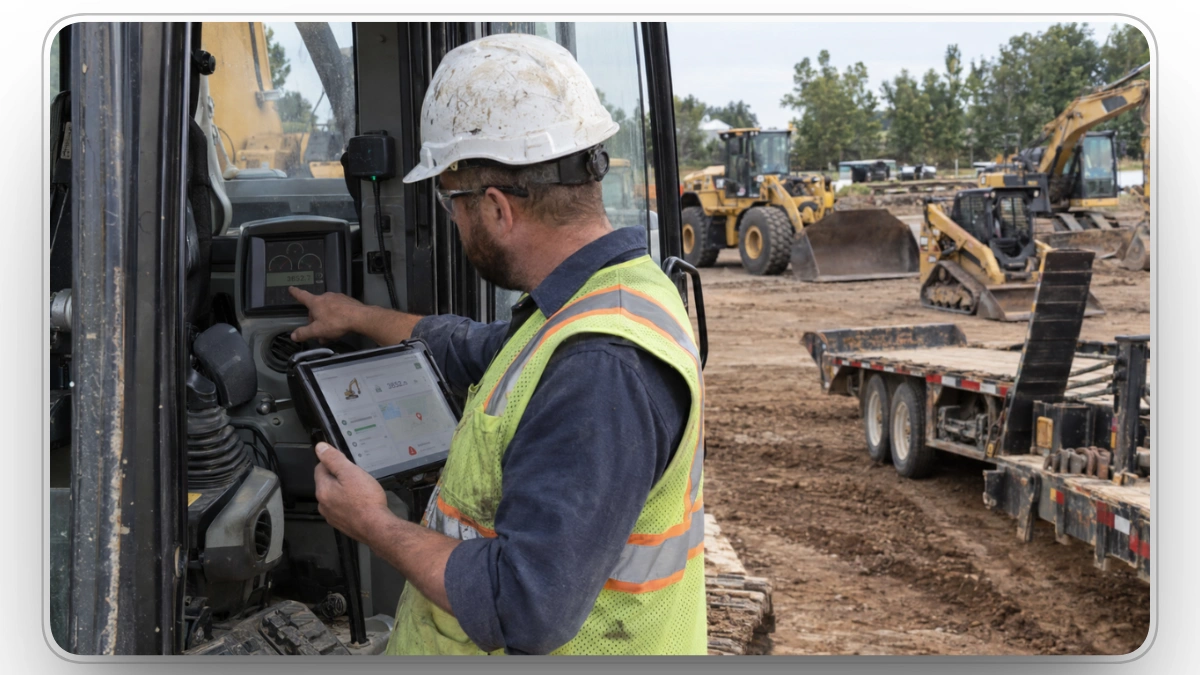
Why it matters: An answer at the brand level hides gaps at the machine level. ISO/TS 15143-3, the standard that grew out of AEMP 2.0, gives OEMs a common format for sharing machine data. Each manufacturer still decides which fields it exposes, how often they refresh, and which subscriptions include API access. Two machines from the same brand can report different fields depending on model year, controller, and telematics hardware.
The standard also works on a request-and-response basis. Your fleet platform asks the OEM's server for data on a schedule; the OEM doesn't push events as they happen.
Run this test:
- Pick a sample: at least one machine from each OEM in your fleet, one on aftermarket GPS, and one untracked asset such as a trailer or attachment.
- For each machine, compare the fleet platform against the OEM portal and the physical hour meter: engine hours, location, fuel, idle time, odometer, and fault codes.
- Check how fault codes are translated. Raw codes are specific to each manufacturer, so someone has to map them to a description and a severity the shop can act on.
- Check identity matching. The same machine may have a PIN or serial number, an ERP equipment number, and a telematics device ID. Confirm it appears once, not three times.
- Check how untracked assets get hours and utilization (manual meter entry, inspections, QR codes, or Bluetooth tags), and whether reports mark those values as estimates.
Pass looks like: A coverage matrix for every sampled machine, hour readings that match the meter within an agreed tolerance, one record per machine, and fault codes that arrive with a readable description.
For background on how OEM data is retrieved and standardized, see Fleet Software Integrations for Heavy Equipment: Complete Guide.
Test 5: Measure Speed and Volume Under Real Load
Why it matters: "Real-time" is a label, not a measurement. A fault code that reaches the shop in two minutes and one that arrives the next morning can both be sold as real-time. An integration that runs cleanly with 20 demo assets may slow down or queue with 2,000.
Ask for numbers:
- Rate limits per endpoint and per credential, and whether they increase with your plan or fleet size.
- What happens at the limit: rejected requests (HTTP 429), queuing, or automatic retry with backoff.
- How often each scheduled feed syncs.
- How quickly webhook events are delivered.
- Bulk endpoints for large imports and month-end batches.
Run this test:
- Time one real event from source to screen, such as a fault code at the machine becoming an open work order the shop can see.
- Import your full equipment list, not a sample.
- Push a realistic payroll week of timecards through job costing.
- Record the measured times next to the times the vendor stated.
Pass looks like: Measured latency that fits each workflow (minutes for critical faults, same day for costs) and no dropped or duplicated records at full volume.
Test 6: Break It on Purpose
Why it matters: Every integration fails eventually. Tokens expire, OEMs change their APIs, ERPs go down for upgrades, and someone enters a cost code that doesn't exist. What separates a strong integration from a weak one is whether your team finds out in an hour or at month-end close.
Run these failure drills during the POC:
| Drill | What to Do | What Should Happen |
|---|---|---|
| Expired credential | Revoke the API token mid-sync | A named person is alerted, and the sync resumes cleanly after renewal |
| Bad record | Send a record with a missing or invalid required value | The record is held with a clear reason, and nothing posts half-complete |
| Duplicate event | Send the same fault-code event twice | One work order is created, not two |
| Destination offline | Pause the ERP connection | Records queue and retry, and nothing is lost |
| Stale feed | Stop one telematics feed for a few hours | Affected machines are flagged as stale instead of showing old data as current |
| Fix and replay | Correct the bad record from the earlier drill | It reprocesses without anyone re-entering data |
Ask about change management:
- Who maintains each connector after go-live?
- How much notice do customers get before an OEM or ERP API change affects them?
- Walk me through the last time a connector broke. How was it detected, how were customers told, and how long did the fix take?
Don't accept "Our SLA covers it" as the answer. An SLA says what the vendor owes you after an outage. It doesn't tell your team how they'll know something broke or what to do next.
Pass looks like: Every drill produces a visible alert, a logged error, and a recovery path that doesn't require re-entering data.
Test 7: Verify Access Control and Audit Trails
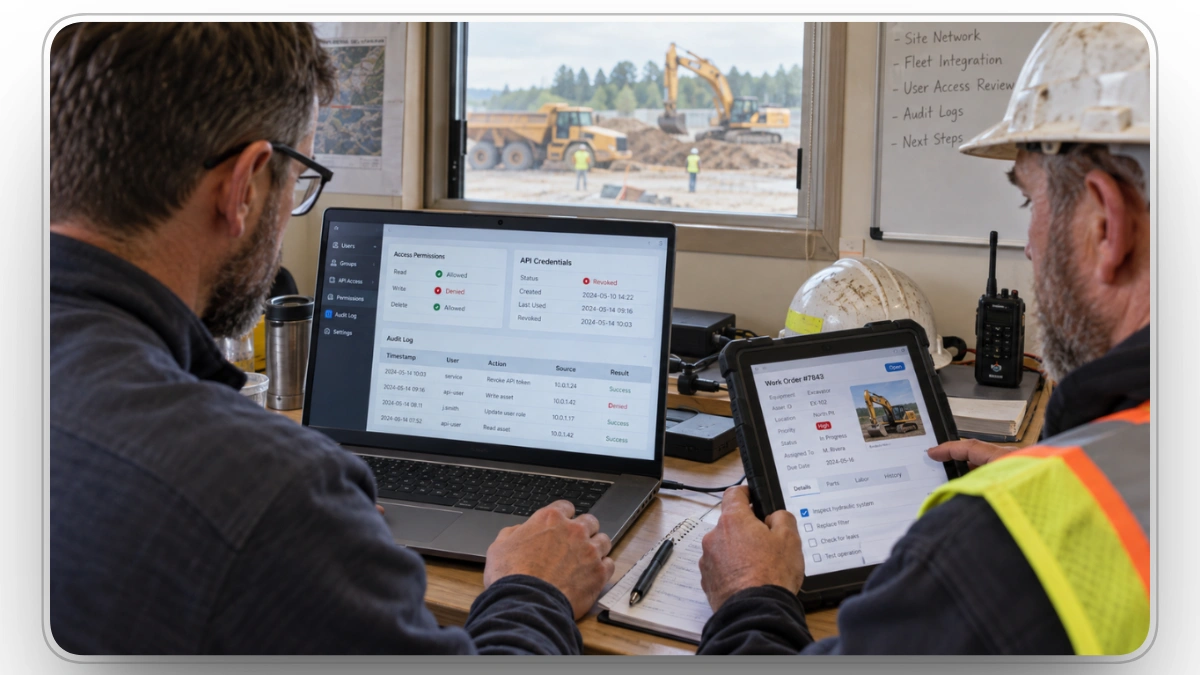
Why it matters: An integration credential can read, and sometimes change, your equipment, cost, and payroll records. The question isn't whether the vendor uses authentication. It's what each credential can do, who controls it, and what's recorded when it's used.
Ask:
- Can API tokens be limited to specific records and actions, such as read-only utilization?
- Can your IT team issue, rotate, and revoke tokens without a support ticket?
- Do integrations run on dedicated credentials rather than an employee's login, so a resignation doesn't break the feed?
- Do users sign in through single sign-on (SSO) with your identity provider, and how quickly is access removed when someone leaves?
- Which integrations can create, edit, or delete records, not just read them?
- Are changes made through an integration recorded in an audit log with a timestamp and source?
- Can the vendor provide a current SOC 2 Type II report?
Run this test:
- Create a token limited to reading utilization data, then try to create a work order with it. The request should fail.
- Revoke the token and confirm the calls stop immediately.
- Deactivate a test user in your identity provider and confirm they lose access.
- Pull the audit log for a work order that was changed through the integration.
Pass looks like: The write is denied, revocation takes effect immediately, and the audit trail is clear.
For a fuller enterprise security checklist, see 9 Things to Know About Fleet Software Integrations.
Test 8: Plan the Exit Before You Sign
Why it matters: Your fleet platform can end up holding the only long-term record of meter readings, fault history, and repair costs, especially if you change telematics providers during the contract. If that history can't leave with you, switching later gets expensive.
Ask:
- What happens to connectors, tokens, webhooks, and field mappings when the contract ends?
- Can you export work orders, meter history, fault history, inspections, and attachments with the links between them intact?
- Does API access continue during the transition period?
- What format, timeline, and fees apply?
Run this test: Request a sample export now. Check that a work order still links to its equipment, parts, labor, and cost code after it leaves the system.
Pass looks like: A usable export with its relationships intact, and exit terms written into the contract. For sample contract language, see question 2 in our fleet management software buyer's questions.
How to Run the Tests: A 4-Week Integration POC
A demo shows what software does in the vendor's environment. A proof of concept shows what it does in yours. Most contractors can test one or two priority workflows in two to six weeks. The plan below assumes four.
| Week | Focus | Output |
|---|---|---|
| 1 | Set up credentials, connect a test environment, load your real equipment list and cost-code structure | Connectors confirmed and mapping document reviewed (Tests 1–2) |
| 2 | Run priority workflows end to end with real or masked records | Ownership map and coverage matrix completed (Tests 3–4) |
| 3 | Load full volume and run the failure drills | Measured latency and drill results (Tests 5–6) |
| 4 | Test access controls, request a sample export, and score the vendor | Completed scorecard and a decision (Tests 7–8) |
Throughout the POC:
- Use real records where your security rules allow, or masked copies.
- Include tracked, aftermarket-tracked, and untracked assets.
- Log every manual step, workaround, and exception. Each one becomes weekly work for your team after go-live.
- Keep the same evaluators involved from start to finish.
The Fleet Software Integration Scorecard
Score each vendor from 1 to 5 on every criterion, multiply each score by its weight, and add up the results. Check the gate criteria first: a vendor that fails a gate is out, whatever its total.
| # | Criterion | Weight | Test to Run | Evidence to Collect | Gate? |
|---|---|---|---|---|---|
| 1 | Connector fit | 10 | Confirm systems, versions, connector type, and a reference | Written confirmation, reference call | Yes |
| 2 | Field mapping | 20 | Push complete and incomplete records through your ERP structure | Mapping document, posted test records | Yes |
| 3 | Direction and ownership | 10 | Build the ownership map and create a conflict | Ownership map, conflict result | No |
| 4 | Telematics coverage | 15 | Compare sampled machines with OEM portals and meters | Coverage matrix | No |
| 5 | Speed and volume | 10 | Time a real event and load full volume | Measured timings, rate-limit documentation | No |
| 6 | Failure and recovery | 15 | Run the six failure drills | Alerts, error logs, replay results | Yes |
| 7 | Access and audit | 10 | Scoped token, revocation, user removal, audit log | Test results, SOC 2 Type II report | Yes |
| 8 | Exit | 10 | Sample export and contract review | Export file, contract clause | No |
| Total | 100 |
Scoring guide:
- 5: Shown in the POC with your data and documented in writing.
- 4: Shown with vendor data and documented.
- 3: Supported, but needs manual steps or workarounds.
- 2: Partly supported or undocumented.
- 1: Not supported, or no evidence provided.
How to calculate: Multiply each score by its weight, add up the rows, and divide by 5 to get a score out of 100. For example, a 4 on field mapping earns 80 of that row's possible 100 points.
Adjust the weights to fit your fleet. A contractor that depends heavily on payroll and job costing might raise field mapping to 25 or 30. A contractor running five OEM brands might raise telematics coverage.
Integration Red Flags
- The demo runs only in the vendor's sandbox, with perfect sample data.
- Nobody can produce a field-mapping document before you sign.
- "Real-time" comes without a measured number.
- The only way to connect is a single all-access API key.
- Nobody can answer "How would we know if this stopped working last Tuesday?"
- The connector is maintained by a third party the vendor can't name.
- Exports are "available on request," with no format or timeline.
How Clue Performs on These Tests
Clue's construction fleet management software is built to connect the systems contractors already run, not replace them. Here's what Clue brings to each test. Verify all of it in your own POC.
| Test | What Clue Provides |
|---|---|
| Connector fit | 80+ integrations across OEM telematics, GPS, ERP, and CMMS, including Viewpoint Vista, Viewpoint Spectrum, HCSS HeavyJob and Equipment360, Samsara, Cat VisionLink, and John Deere |
| Field mapping | For Viewpoint Vista, Clue writes work orders with parts, engine hours and odometer readings, and timecards with pay codes and cost codes into Vista's payroll timecard batch. Timecards can also be exported in the format Sage-via-Construct and Spectrum import processes expect |
| Direction and ownership | Clue connects to Vista at the database level through a secure SSH tunnel. It pulls equipment, projects, phases, parts, vendors, and warranty data on an automatic schedule, and geofence events write location history back to Vista's equipment location table (EMLM) |
| Telematics coverage | Engine hours, odometer, location, utilization, and fault data from supported providers. Samsara fault codes arrive through real-time webhooks, with historical readings pulled through the API |
| Speed and volume | A REST API with 300+ endpoints and webhooks for events such as work order created, inspection completed, and asset updated. Higher rate limits are available through Clue support |
| Failure and recovery | Each Vista sync is logged with its export status. The integration expects cost codes to already exist in Vista and employee records to match, so include those cases in your failure drills |
| Access and audit | SOC 2 Type II, SSO, granular role-based permissions, self-service API tokens managed in Company Settings, and audit logs |
| Exit | Data export to your data lake or Power BI, API access to operational records, and defined data retention and deletion policies |
The best way to judge any integration is to watch it run on your own data. Bring your ERP structure, your equipment list, and your hardest workflow to a Clue demo, and ask us to run these tests with you.
Final Thoughts
"Do you integrate with our systems?" gets a vendor onto the shortlist. It shouldn't decide who wins.
The better question is: "Can you show us, with our data, that the integration holds up when things go right and when they go wrong?"
Run the eight tests in a short POC. Score every vendor the same way. Write down every manual step and every failure you see. The vendor that passes on your cost codes, your machines, your volumes, and your failure drills is the one whose integration will still be working at month-end close a year from now.
Related: our guide to the best construction fleet management software compares the leading platforms for 2026.
Frequently Asked Questions
1. What should a fleet software integration checklist include?
It should cover eight areas: connector fit for your exact systems, field mapping on your ERP structure, data direction and ownership, telematics coverage by machine, speed and volume, failure recovery, access control and audit trails, and exit terms. Test each area; don't just ask about it.
2. How long should an integration proof of concept take?
Most contractors can test one or two priority workflows in two to six weeks. Allow more time if you run several ERPs or many OEM brands, or if your telematics credentials have to be issued by a dealer or manufacturer.
3. Who should be involved in evaluating fleet software integrations?
Include the equipment manager, a shop lead, someone from payroll or accounting, IT, and a field supervisor who approves time. Each should test the part of the workflow they're responsible for.
4. How do you score fleet software integrations fairly?
Use the same criteria, weights, and tests for every vendor. Set the non-negotiable gates before any demo, score each criterion from 1 to 5 based on evidence rather than promises, and calculate a weighted total.
5. What's the difference between a native integration, middleware, and a file export?
A native integration is a direct connection that the software vendor builds and maintains. Middleware uses a general-purpose integration platform to connect systems, and someone on your side or a partner has to maintain the mappings. A file export moves data in scheduled batches and usually needs manual steps. Ask which one each connector is.
6. Can we test integrations without sharing production data?
Yes. Use a sandbox, masked copies of real records, or a limited subset such as one division or one month. Keep your real structure (actual cost codes, phases, and equipment numbers), or the mapping test won't prove much.
7. Do ISO 15143-3 (AEMP 2.0) telematics feeds support webhooks?
The standard defines a request-and-response API, so fleet platforms pull OEM data on a schedule. Some OEMs and aftermarket telematics providers offer event notifications through their own APIs, outside the standard. Ask how often each feed is refreshed and how current the data really is.
8. What if a vendor won't run a proof of concept?
Ask for the next-best evidence: a mapping document built on your structure, written answers to each failure drill, a reference customer on a similar setup, and contract terms that protect you if the integration doesn't perform. Treat the refusal as a risk in your scoring.

Transform Your Equipment Management