Fleet Software Integrations for Heavy Equipment: Complete Guide


Hi, I’m Maham Ali. I write about construction equipment management, helping teams use fleet data and maintenance intelligence to improve uptime, control costs, and run smoother jobsites.
Fleet software integrations connect heavy equipment, telematics, maintenance, ERP, and field systems so operational data moves between them automatically. When a machine reports new engine hours, location, or a fault code, the fleet platform can update maintenance, reporting, and downstream workflows without anyone re-entering the same information.
Behind that simple experience sits a chain of authentication, API calls, equipment matching, data normalization, business rules, and synchronization. The hard part isn't connecting systems once. It's keeping the data accurate, current, and reliable across a mixed fleet as OEM APIs, credentials, and business systems keep changing.
This guide breaks down how modern fleet integrations actually work, from polling and webhooks to data normalization, AEMP 2.0 and ISO 15143-3, and the failure points that quietly break a connection over time. Clue applies these same principles to bring supported OEM telematics, GPS, ERP, payroll, and maintenance systems into one platform.
Why Fleet Integrations Matter

Modern construction businesses rarely rely on a single software system. Equipment data spreads across OEM telematics, GPS providers, ERP systems, maintenance software, dispatch tools, inspections, payroll, and reporting applications. As technology adoption has grown, so has the challenge of keeping those systems connected.
In a 2018 analysis of the construction-technology ecosystem, McKinsey reported that only 13% of companies in its earlier study had adopted a solution spanning more than one cluster of operations. More than half of companies were using a solution for only one or two of the 38 use cases McKinsey tracked.
The findings show how fragmented construction technology stacks had become, with contractors often managing multiple applications that each held a different piece of operational data.
Establishing a connection is only the beginning. Keeping systems accurate, synchronized, and reliable over time is the harder challenge.
Example: What One Engine-Hour Update Can Trigger
A wheel loader finishes its shift and reaches 500 engine hours.
As the updated reading moves through the connected systems:
- The OEM platform records the updated meter reading.
- The fleet software pulls in the new engine hours.
- The new reading crosses a configured preventive maintenance interval.
- The fleet software generates a work order and routes it to the maintenance team.
In a configured two-way workflow, once the service is complete, the fleet software can send labor, parts, and maintenance costs to the ERP, while dashboards and equipment history update accordingly.
What started as a single engine-hour update has now triggered maintenance, finance, and reporting workflows without anyone manually entering the same information into multiple systems.
The Integration Pipeline: What Happens After Equipment Connects?
Connecting fleet software is only the first step. A successful integration relies on a sequence of processes that securely retrieve equipment data, reconcile it across different sources, and turn it into operational workflows. A typical integration follows the same fundamental pattern, although the exact architecture varies by OEM, telematics provider, and business system.
1. Authenticate and Authorize Access
Before any data moves, the fleet software authenticates with the OEM platform, GPS provider, or business system. Depending on the integration, that means OAuth authorization, API credentials, or subscription-based access. This step establishes the permissions the fleet software needs to retrieve and exchange telemetry.
2. Retrieve Equipment Data
Once authenticated, the fleet software collects readings such as engine hours, location, utilization, fuel consumption, and fault codes. Some providers expose updates through scheduled polling, while others push events using webhooks as changes occur.
3. Standardize the Data
OEM and telematics data sources can still differ in field availability, equipment identifiers, timestamps, units of measurement, diagnostic structures, and proprietary extensions. Before automation can begin, the fleet software translates these differences into one operational data model so equipment information can be handled consistently across the fleet.
For Komatsu fleets, our Komtrax FAQ covers how Komatsu’s telematics system works.
4. Apply Business Rules
With standardized data in place, the fleet software evaluates predefined business rules. It converts preventive maintenance intervals, inspection failures, utilization thresholds, and fault codes into actions such as work orders, alerts, equipment status updates, or ERP transactions.
5. Synchronize Business Systems
The final stage distributes validated information across connected business systems, including maintenance, ERP, inventory, dispatch, reporting, and analytics. Rather than simply moving data between systems, the integration keeps every department working from the same trusted record.
This five-stage framework captures the core engineering work commonly involved in connecting fleet platforms with telematics, ERP, and business systems across construction fleets. The details vary by provider and system, but reliability depends on how well each stage is implemented and maintained over time. The details vary by provider and system, but reliability depends on how well each stage is implemented and maintained over time.
Not Every Integration Is Two-Way
A connection does not automatically mean every system can send data in both directions. Some integrations are read-only and ingest equipment telemetry such as engine hours, location, fuel data, or fault information. Others support write-back or bi-directional workflows, allowing selected information to move back into ERP and CMMS systems or other connected platforms.
What can move in each direction depends on the source API, permissions, subscription, and connector design. Contractors should therefore verify not only whether an integration exists, but also which data fields and workflows it actually supports
Two-way integrations also require clear rules about which system owns each field. If an ERP and a fleet platform can both update the same equipment record, conflicting changes can overwrite one another unless the integration detects them.
Well-designed integrations use system-of-record rules and conflict controls so, for example, the ERP remains authoritative for financial fields while the fleet platform manages operational equipment status. The exact ownership model depends on the systems and workflow being connected.
How Fleet Software Authenticates

Before fleet management software can retrieve engine hours, fault codes, location, or utilization data, it first has to establish trusted access to the source. Authentication verifies the application’s identity, while authorization determines which data and actions it is permitted to access. Depending on the provider, the integration then uses credentials or access tokens for ongoing API communication.
While OEM and telematics providers handle authentication differently, fleet software integrations commonly use several broad access models.
Depending on the provider, integrations may use OAuth access tokens, client credentials, API keys, or other authorization mechanisms to secure API requests. When access tokens expire, the integration has to refresh or renew them as required to keep the connection running.
Authentication is largely invisible when it works. Teams may only notice a problem after credentials expire or equipment data stops flowing.
Some enterprise integrations use dedicated service accounts or application credentials with scoped permissions rather than individual user accounts, reducing the risk that a password change, employee departure, or deactivated account interrupts the feed.
Authentication is not a one-time task. Credentials expire, permissions change, API policies evolve, subscriptions lapse, and OEMs periodically update their requirements. A well-designed integration manages these changes in the background, keeping access secure and reliable long after the initial connection.
How Data is Retrieved
Once a secure connection exists, the fleet software begins retrieving telemetry from the OEM platform or business system. Many API-based integrations use scheduled polling, webhooks, or a combination of both, and the retrieval method affects how quickly new information becomes available.
Polling
Polling is a common integration model. The fleet software periodically queries the provider’s API to check whether new data is available. If updates exist, it retrieves and processes them. If nothing has changed, the request still counts against the API’s rate limits.
Because polling relies on scheduled data exchange, some delay always sits between an event occurring and it appearing in the fleet software. How often it polls depends on the provider and the integration configuration.
Webhooks
Webhooks reverse the flow of communication. Instead of waiting for the fleet software to request updates, the source system sends an event when a supported or subscribed change occurs, such as a new fault code or a completed inspection.
Because updates are event-driven, webhooks can reduce latency and unnecessary API requests. They only work, however, when the source supports outbound event notifications. Some integrations combine webhooks for time-sensitive events with scheduled polling for historical records and data the source cannot push automatically.
Retrieving data is only part of the job. A reliable integration also has to keep information flowing under changing network conditions and high transaction volumes.
In practice, the integration layer manages API rate limits to avoid throttling, retries failed requests with controlled backoff, queues incoming events so traffic spikes do not overwhelm downstream systems, and validates payloads before processing them.
Webhook providers may also retry a delivery when a request times out or fails. That means the same event can sometimes arrive more than once. Reliable integrations handle this with idempotency: they identify events using a stable identifier and avoid performing the same action twice. Without that protection, one equipment event could create duplicate alerts, transactions, or work orders.
These controls reduce the risk of lost or incomplete data when an OEM platform slows down or fails temporarily.
Why “Real-Time” Is Not Always Real Time
Although many platforms advertise real-time integrations, data freshness depends on every stage of the integration path. An event may first wait for the OEM platform to publish an update, then for the fleet software to retrieve and process it, before any downstream ERP or reporting system refreshes. Each stage can add latency.
Published OEM cadences show why “real-time” depends on the source. John Deere's AEMP API documentation states that equipment API responses are cached on Deere's servers for one hour and recommends polling no more frequently than once per hour.
That source-side interval is only one part of the latency budget. The fleet platform still has to retrieve and process the reading, and downstream ERP, maintenance, or reporting systems may refresh on their own schedules. The useful question is therefore not simply whether an integration is labeled real-time, but how frequently each system in the workflow publishes, retrieves, processes, and refreshes data.
For maintenance workflows, understanding these intervals often matters more than chasing millisecond-level updates. End-to-end visibility is ultimately constrained by the slowest refresh point in the workflow.
Where AEMP 2.0 and ISO 15143-3 Fit
Mixed-fleet integrations do not always start with completely different data structures. ISO/TS 15143-3:2020, commonly associated with AEMP 2.0 in heavy-equipment telematics, standardizes the exchange of common machine data such as location, operating hours, fuel information, and other equipment information.
This common structure makes it easier for fleet platforms to work with data from multiple manufacturers, but it does not make every OEM integration identical.
OEMs including John Deere, Caterpillar, and Volvo CE expose ISO 15143-3 or AEMP-compatible machine-data APIs. This common structure can reduce the amount of normalization required across mixed fleets, but it does not eliminate integration work. OEMs can still differ in authentication, available fields, refresh timing, subscriptions, diagnostic structures, and proprietary extensions.
Fleet software still has to match incoming records to the correct equipment, validate the data, and map standardized fields into maintenance, ERP, reporting, and other operational workflows.
Turning OEM Data into One Operational Language

Once the fleet software has retrieved data, it is still not ready to use. OEMs, GPS providers, and business systems can structure information differently. Before maintenance workflows, reporting, or ERP integrations can operate reliably, the fleet software has to reconcile those differences through data normalization into one consistent model.
This process consists of three distinct steps: identity resolution, data normalization, and field mapping.
1. Identity Resolution
The first challenge is determining which equipment record the incoming data belongs to. The same asset can exist under multiple identifiers across different systems.
The fleet software has to determine which identifier is authoritative and map every incoming record to a single equipment profile. If identity resolution fails, one excavator can appear as multiple assets, or readings can land on the wrong piece of equipment. These mismatches can distort reporting, especially in mixed and rental fleets.
2. Data Normalization
Even after the fleet software identifies the correct asset, the data itself is rarely consistent. Different manufacturers often describe the same metric using different field names, units, and diagnostic structures.
Those differences are not always cosmetic. Geotab's Trip API, for example, exposes its EngineHours value in seconds. An integration that incorrectly assumes the value is already expressed in hours can produce a result 3,600 times larger than the actual reading.
That is why normalization requires more than renaming fields. Each source needs explicit rules for units, timestamps, identifiers, and measurement formats before its data enters a common fleet model.
Normalization translates these differences into a common schema, so utilization calculations, maintenance intervals, diagnostics, and reporting remain consistent across a mixed fleet instead of being handled separately for each manufacturer.
Fault codes are among the more complex normalization cases. On J1939-enabled equipment, an active diagnostic message can include an SPN identifying the affected parameter, an FMI describing the failure condition, and lamp-status information indicating urgency.
Lamp status provides a standardized cross-brand severity signal, but fault-code meanings can still differ because manufacturers may use proprietary SPNs and their own diagnostic structures. A fleet platform therefore has to combine standardized J1939 information with OEM-specific mappings before raw faults can drive consistent maintenance rules.
Without that normalization, similar equipment problems can produce different alerts or maintenance actions across brands.
3. Field Mapping
The final step writes standardized data to the correct destination in every business system, because the same equipment record feeds several applications differently.
Field mapping is both a technical and business-design task. Every ERP, maintenance system, payroll application, and reporting tool has its own structure, so the integration has to understand what each field means operationally and translate standardized fleet data into the format each destination system expects. As business processes evolve, these mappings have to evolve with them.
Build vs. Buy
Once you understand how modern fleet integrations work, the next question is who should manage that complexity.
Building integrations in-house gives organizations greater control over how systems connect, exchange data, and automate workflows. It also means owning every stage of the integration lifecycle, from authentication and API management to data normalization, monitoring, and ongoing maintenance. As OEM APIs evolve, authentication requirements change, and business systems update, those integrations demand continuous upkeep to stay reliable.
General-purpose integration platforms such as Boomi, MuleSoft, or Celigo can simplify API connectivity, but organizations still have to define and maintain fleet-specific data models, equipment identities, maintenance logic, and operational workflows. These platforms provide the connectivity layer, while equipment-specific business logic still has to be designed around the fleet.
Purpose-built fleet software can reduce that burden by providing prebuilt integrations, standardized data models, and equipment-specific workflows that the vendor maintains for supported connections.
Organizations with dedicated engineering teams and highly customized workflows may benefit from building their own integrations. For many contractors, however, the greater challenge is not connecting systems but keeping those connections reliable as equipment, OEMs, APIs, and business processes evolve. Purpose-built fleet software can shift much of that responsibility from internal teams to the vendor, freeing operations teams to focus on managing equipment rather than integration infrastructure.
Common Fleet Software Integration Challenges
Connecting two systems is only the first step. Keeping that connection reliable over time is the real challenge. APIs evolve, authentication methods change, equipment moves between projects, and business systems update. Without ongoing maintenance, these changes can interrupt the flow of data and erode the accuracy of operational reporting.
Common integration challenges include:
- Expired or rotated credentials: Many APIs rely on access tokens or credentials that expire or rotate periodically. If they are not renewed automatically, the integration can lose access to the source, and the feed may stop until authentication is restored. This is a common cause of integration failure.
- Revoked OEM or telematics access: An OEM can revoke permissions, a dealer can disable issued credentials, or a telematics subscription can expire. Even with the integration still configured, the fleet software can no longer retrieve equipment information.
- Changes to APIs and connected systems: OEMs and software vendors periodically introduce new API versions, authentication methods, data structures, and replacement integration surfaces. For example, Trimble states that its legacy Viewpoint Vista API is no longer being actively developed and directs customers toward newer integration options. Changes like these mean integrations have to be maintained over time rather than treated as one-time connections.
- API limits and service interruptions: OEM platforms and business systems enforce rate limits, run scheduled maintenance, and occasionally experience outages. Integrations have to handle delayed responses, failed requests, and downtime without compromising data integrity.
- Equipment identity mismatches: The same asset may be identified by a serial number or PIN in one system, an equipment ID in another, an ERP asset identifier elsewhere, and a rental number in a rental system. Without accurate matching, engine hours, inspections, and maintenance records can land on the wrong asset or fail to sync.
- Fleet changes and asset lifecycle events: Teams regularly purchase, sell, rent, transfer, and reassign equipment. Each change requires identifiers, ownership records, and integration mappings to stay aligned across every business system.
- Data quality and consistency issues: Differences in time zones, units of measurement, field mappings, duplicate events, or missing records can gradually reduce reporting accuracy. Left unresolved, these inconsistencies affect maintenance scheduling, utilization reporting, and operational decisions.
Reliable integrations also need a way to detect drift between connected systems. Incremental synchronization can keep day-to-day changes moving efficiently, but some architectures also use scheduled reconciliation to compare the integration's current equipment state with the source system.
That additional check can help identify missing records, mismatched equipment, corrections, or synchronization gaps that would otherwise remain unnoticed.
How Clue Brings It All Together
Many of the challenges in this guide stem from the same underlying complexity. OEMs can require different authentication, APIs change on their own schedules, business systems expect different formats, and the same machine can be represented by different identifiers across connected systems. Handling all of that in-house grows heavier as a fleet scales.
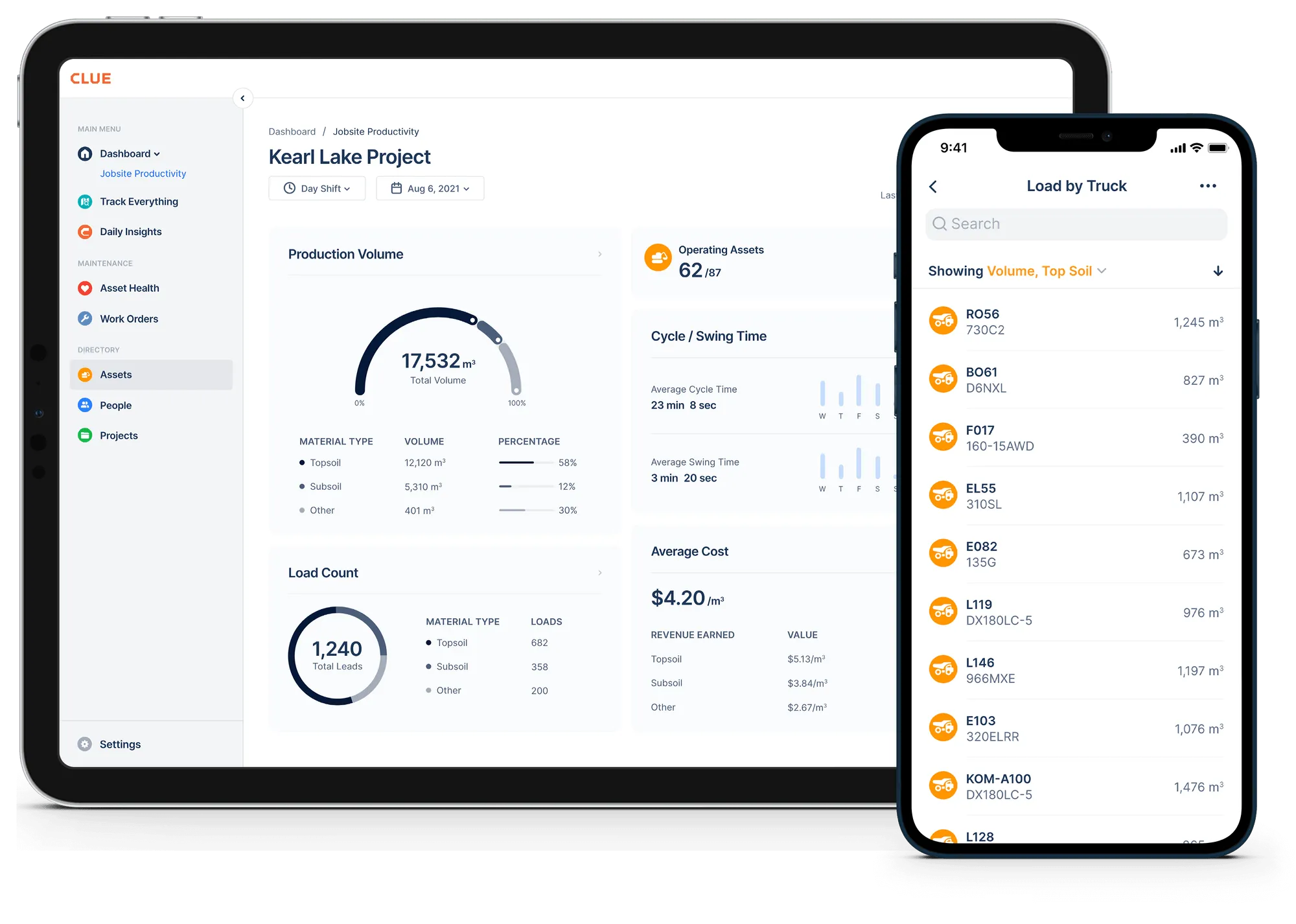
Instead of building and maintaining every supported integration in-house, contractors can use Clue as a centralized integration layer across OEM telematics, GPS, ERP, payroll, and field systems. Clue maintains supported connections and the data workflows needed to bring equipment information into a consistent operational view.
As OEM APIs evolve, credentials expire, equipment changes ownership, and business systems change, Clue helps keep supported connections reliable without requiring operations teams to manage the underlying integration infrastructure themselves.
Contractors are not buying integrations for their own sake. They are buying reliable maintenance, dispatch, reporting, and financial workflows that continue working long after implementation.
Final Thoughts
Fleet integrations are not defined only by how many systems they connect. Their real value comes from moving equipment information reliably between maintenance, operations, finance, and reporting without creating more manual work. That reliability depends on secure access, consistent data, well-designed business rules, and ongoing maintenance as connected systems evolve.
Understanding the architecture makes it easier to evaluate integration quality. The strongest integrations do more than establish a connection. They keep data usable and operational workflows dependable over time.
For operators, the ideal integration is one that quietly keeps every team working from the same trusted equipment data.
Frequently Asked Questions
1. What actually happens when you connect fleet software to an asset?
The fleet software authenticates with the OEM or telematics platform, then retrieves available equipment data through supported APIs or event-driven updates. Raw data passes through normalization and equipment-matching steps before business rules turn it into actions such as work orders or alerts. The dashboard reading is one visible output of that pipeline, not the entire integration.
2. What is the difference between polling and webhooks?
Polling means the fleet software checks a source’s API on a schedule and retrieves available updates. It is widely supported but introduces some latency. Webhooks allow the source to push an event when a change occurs, which can reduce delay for time-sensitive updates. Some integration architectures combine both methods where the source supports them.
3. Is telematics data really real-time?
Not always. Latency can accumulate across the OEM platform, fleet software synchronization, processing queues, and downstream ERP or reporting refreshes. Depending on the source and integration design, a dashboard may lag behind the original equipment event. The important question is not whether a connection is labeled real-time, but how frequently each system in the workflow refreshes.
4. What is data normalization, and why does it matter?
Normalization converts source-specific fields, units, timestamps, and identifiers into a common data model so mixed-fleet reporting stays consistent. Paired with identity resolution, which maps multiple equipment identifiers to the correct asset, it helps prevent duplicate records, mismatched readings, and inconsistent reporting across connected systems.
5. Why do fleet integrations stop working?
Integration failures are not always caused by code. Common causes include expired or rotated credentials, lapsed telematics subscriptions, revoked access, asset ID or serial mismatches, equipment ownership changes, API limits, and temporary service interruptions. Because some failures occur quietly, integrations need monitoring to detect when a feed stops updating.
6. What should contractors check before choosing a fleet integration?
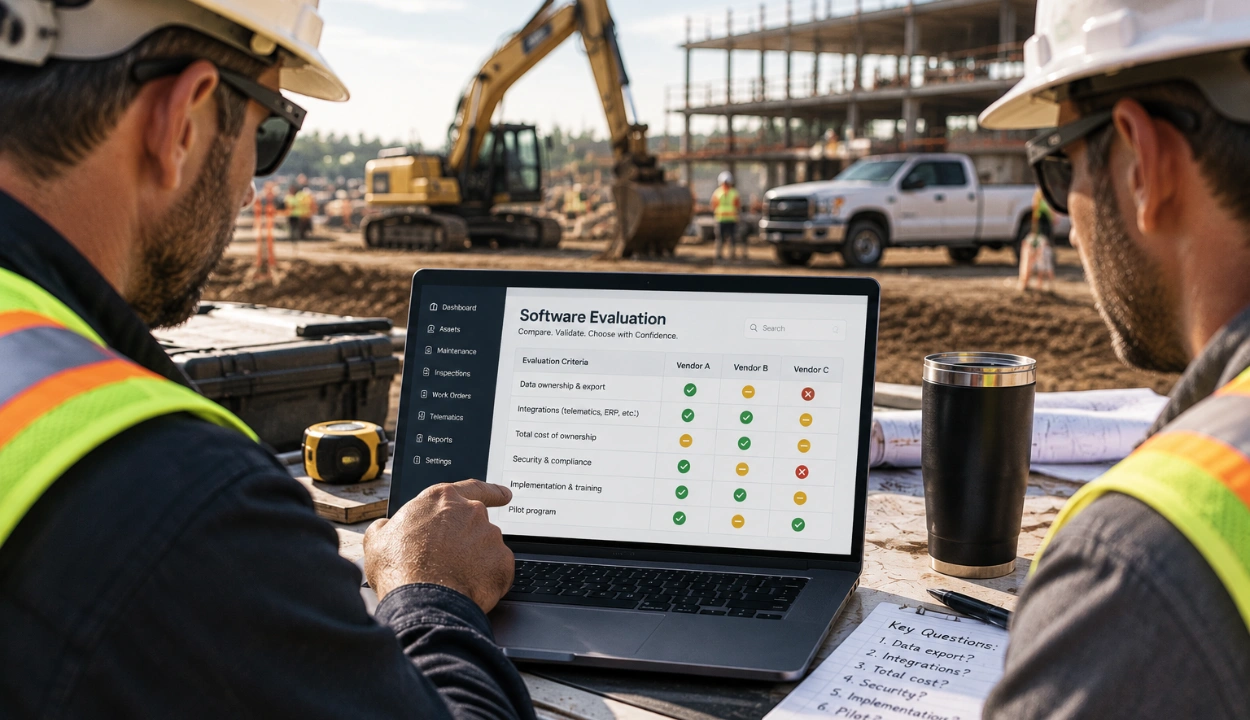
Confirm which OEMs and business systems are supported, what data each connector actually exchanges, how frequently each data source refreshes, who manages credentials and API changes, and how asset identities are matched across systems. A long integrations list matters less than whether the specific data and workflows your operation relies on are supported and maintained.
7. Should we build our own integrations or buy a platform?
Building in-house gives organizations more control, but it also means owning authentication, normalization, monitoring, and ongoing API maintenance. General-purpose middleware can connect systems effectively, but fleet-specific equipment models and maintenance logic still have to be designed and maintained. Purpose-built fleet software can reduce that work when its supported integrations match the contractor’s systems and workflows.
8. Why don't telematics engine hours always match the hour meter on the machine?
Engine-hour readings can differ because systems may collect runtime from different sources and represent it differently. A machine's physical meter, ECM, and telematics platform may not always calculate or report runtime in exactly the same way.
Unit conversion also matters. Some APIs expose runtime in seconds rather than decimal hours, so the integration has to normalize the reading correctly before using it for maintenance or reporting. Sudden large changes may also indicate an ECU replacement, device change, or equipment-matching problem rather than actual machine usage.
9. Why can one equipment event create duplicate work orders or alerts?
Some event-driven integrations retry webhook deliveries when a request fails or times out. As a result, the receiving platform may occasionally see the same event more than once.
Reliable integrations use idempotency and stable event identifiers to recognize repeated deliveries before creating another alert, work order, or downstream transaction.
10. Do fleet integrations need periodic reconciliation if they already synchronize automatically?
In many integration architectures, yes. Incremental synchronization is efficient for normal day-to-day updates, but it may not identify every correction, missed record, equipment-matching problem, or synchronization gap.
Periodic reconciliation compares the integration's current state with the source system and helps identify differences that need to be repaired.
Transform Your Equipment Management