REST API and Webhooks
Every organization has systems that need to talk to each other. Whether you are pulling equipment data into a business intelligence platform, pushing information from a third-party application into CLUE, or building automated workflows triggered by field activity, doing this manually is not sustainable. REST API and Webhooks give developers and IT teams programmatic access to CLUE's full dataset so integrations can be built, automated, and maintained without manual data transfers.
CLUE's REST API covers 300+ endpoints across equipment, work orders, inspections, parts, timecards, projects, and more. Webhooks complement the API by pushing data to your systems in real time when specific events occur, eliminating the need to poll for changes. Access to both is included in your CLUE subscription at no additional licensing cost.
Who Is This For?
- IT Teams use the API and webhooks to build integrations between CLUE and other business systems such as ERP platforms, CMMS software, or internal databases. This connects to CLUE's API integration capability.
- Data Analysts use API endpoints to pull equipment, cost, and utilization data into Power BI, Tableau, or custom dashboards for reporting and analysis beyond what is available natively in CLUE.
- Developers use the API to build custom workflows, mobile applications, or third-party integrations that extend CLUE's functionality for specific organizational needs.
Getting Started
1. Get an API Token
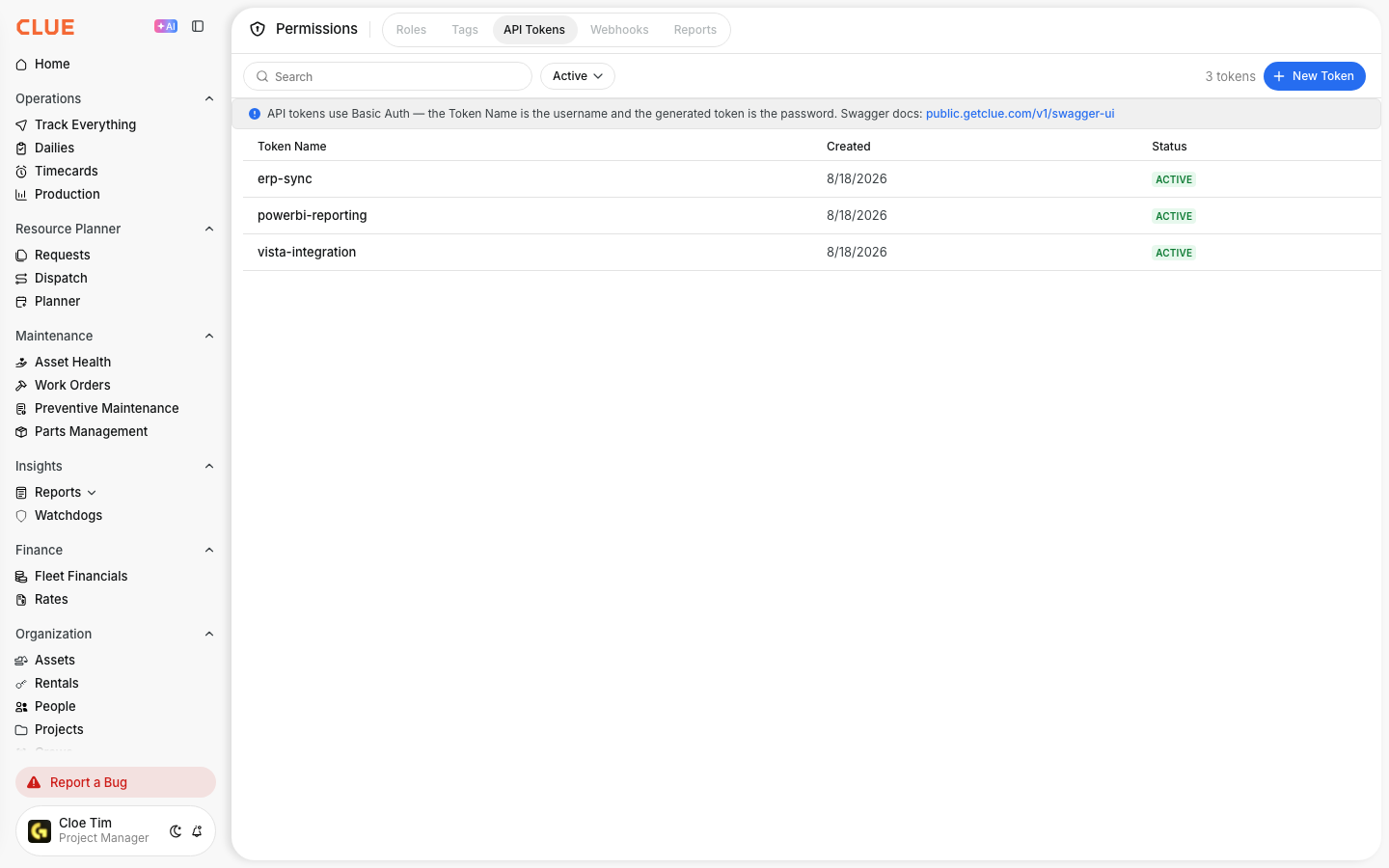
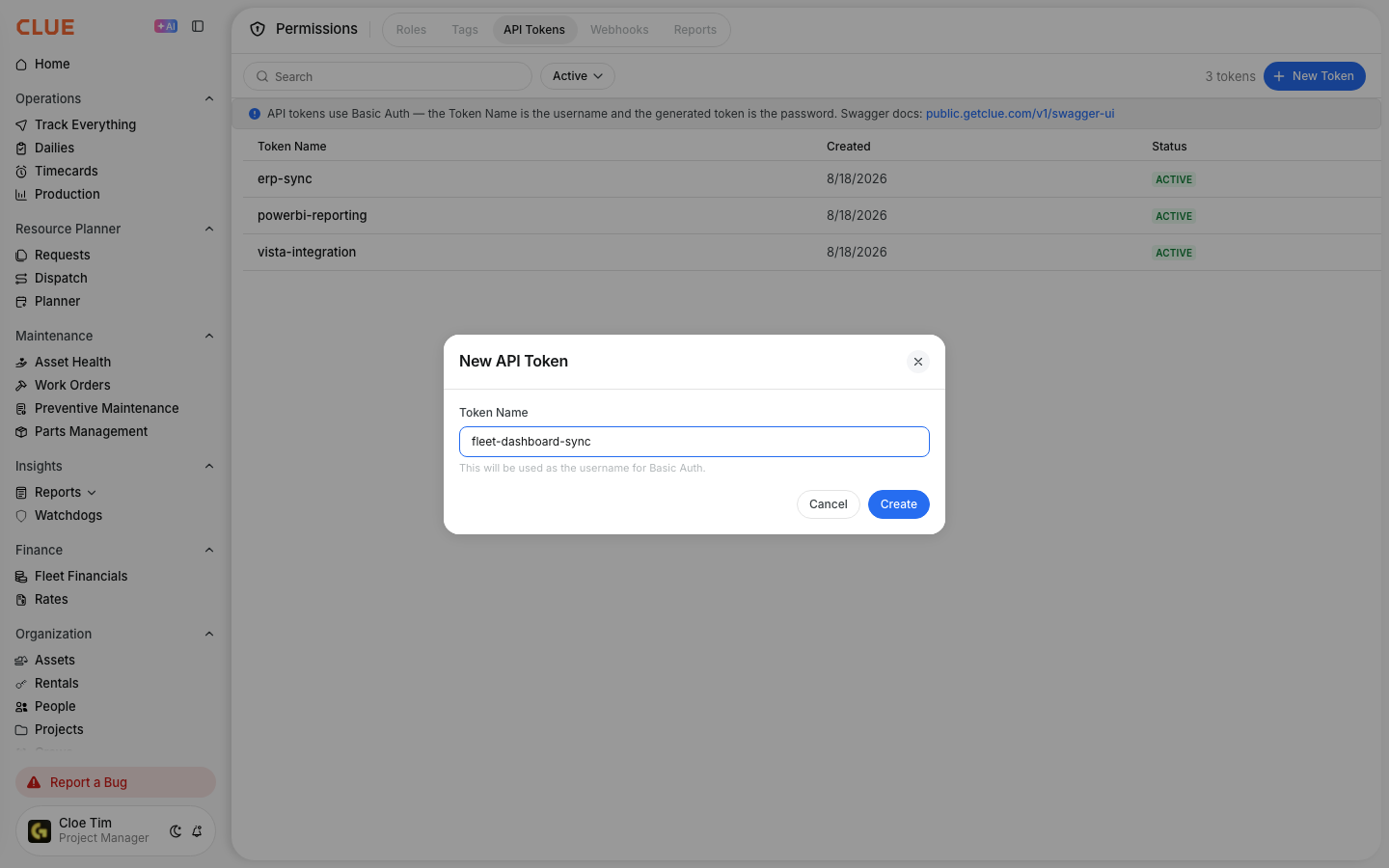
Go to Company Settings > Permissions > API Tokens. Create a new token. This token is your authentication key for all API calls and should be stored securely. All endpoints use Bearer token authentication, so no OAuth setup is required.
2. Explore the Documentation
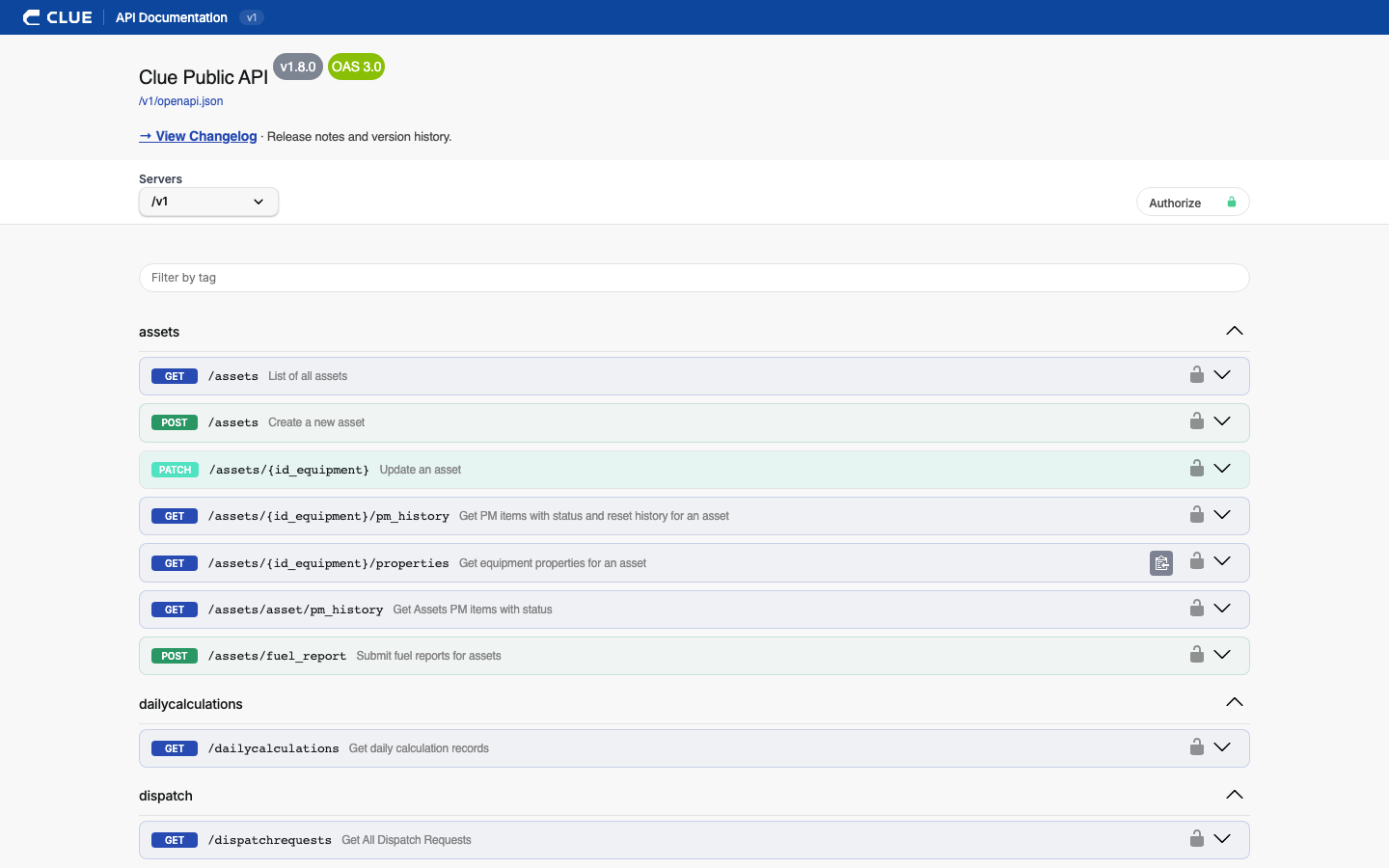
Full interactive API documentation is available at public.getclue.com/v1/swagger-ui. Every endpoint is listed with request and response formats. You can browse the full API and test calls directly from the browser before writing any code.
3. Make Your First Call
All endpoints follow standard REST conventions with JSON request and response bodies, Bearer token authentication, and paginated results for large datasets. Start with a simple read request against a familiar data type such as equipment or work orders to verify your connection and token before building more complex integrations.
Webhooks
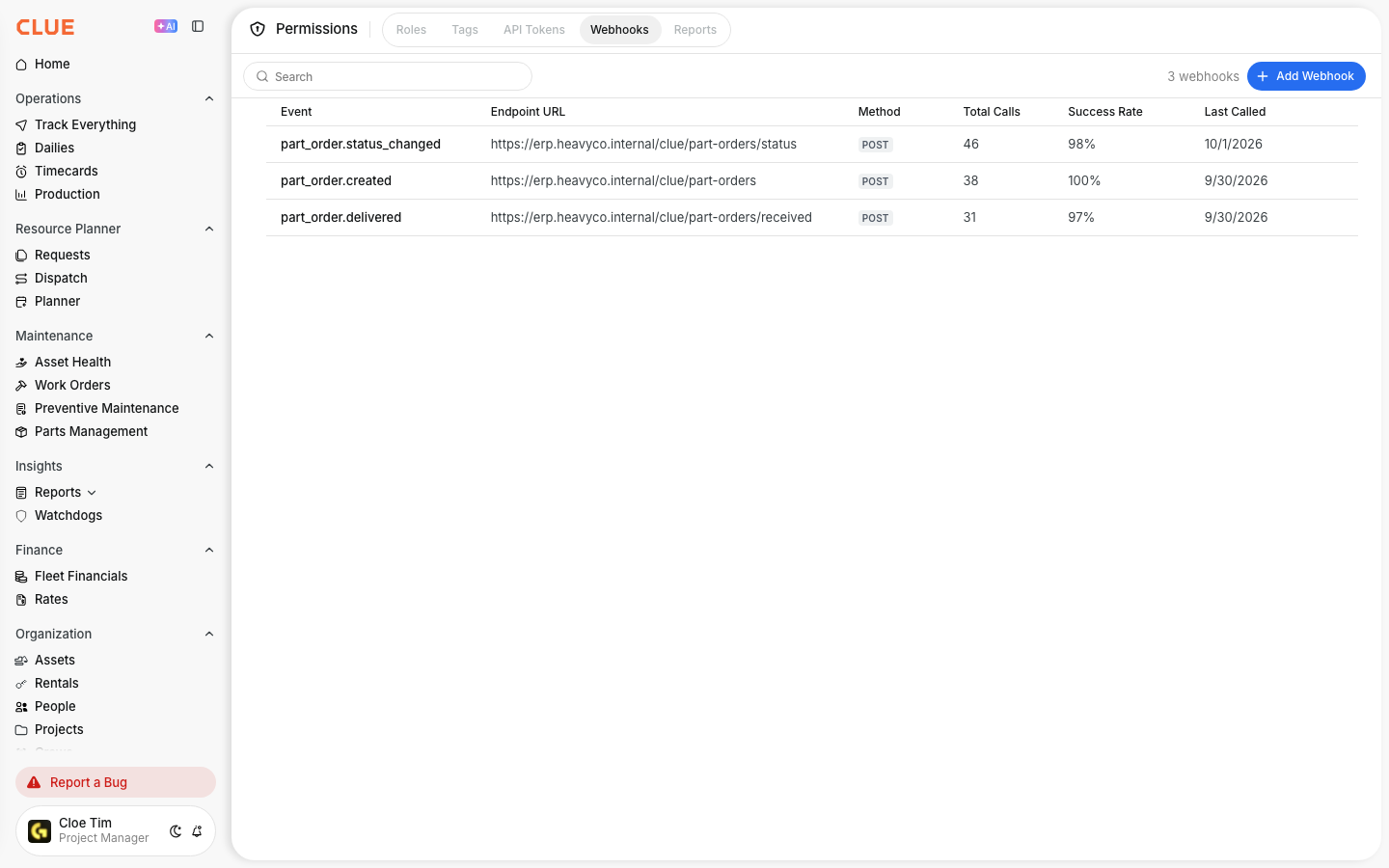
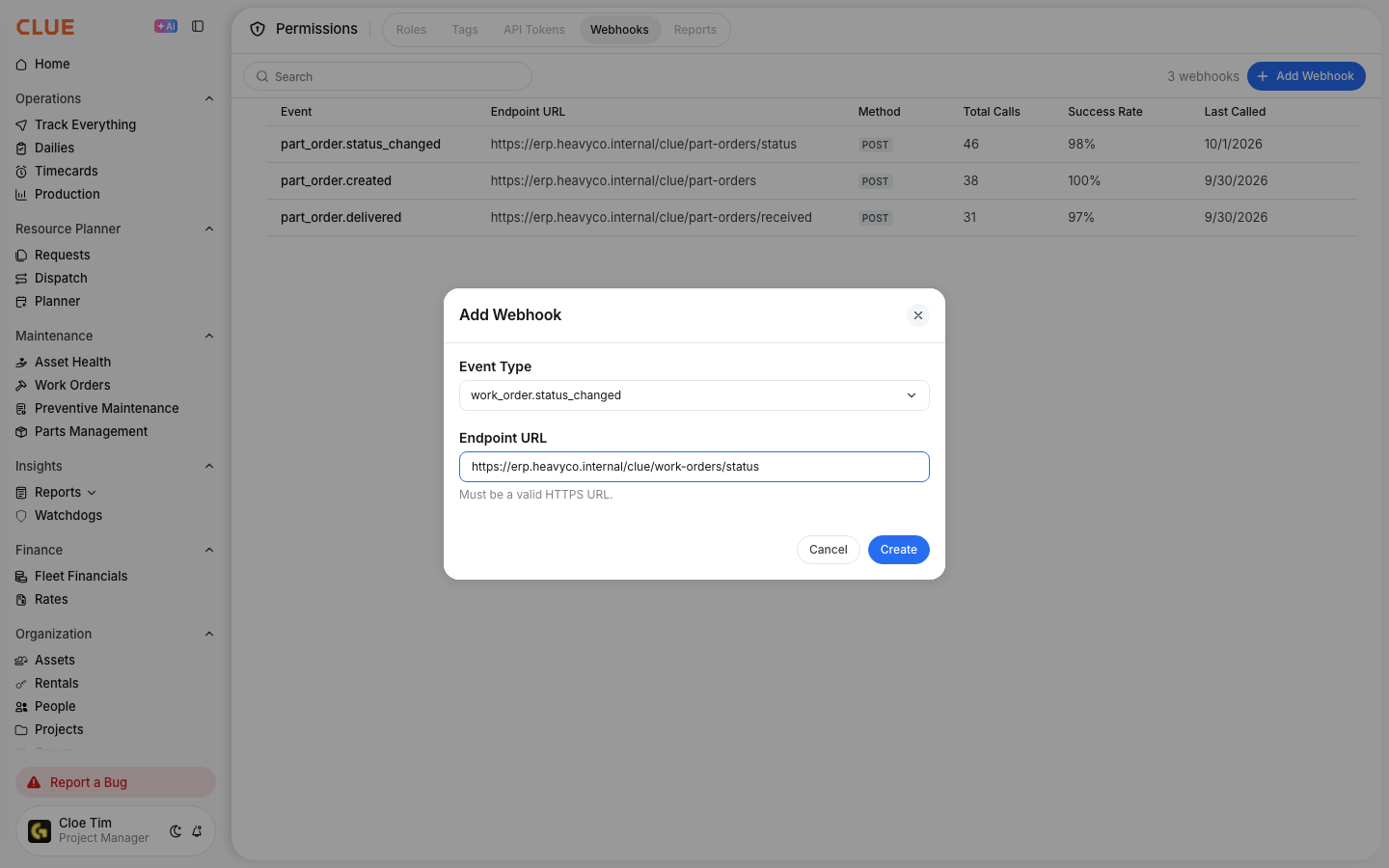
Instead of polling the API repeatedly to check for changes, webhooks allow CLUE to send a POST request to your endpoint automatically when specific events happen. Supported events include work order created, inspection completed, asset updated, and others.
Configure webhooks in Company Settings > Permissions > Webhooks. Set the destination URL and select the events you want to subscribe to. CLUE will send the event payload to your endpoint each time the event occurs.
Key Behaviors and Limitations
- 300+ endpoints are available. Coverage spans equipment, work orders, inspections, parts, timecards, projects, and more. The Swagger UI is the most reliable reference for the current full list.
- API access is included in your plan. There are no additional licensing fees for API or webhook access.
- Standard rate limits apply. Rate limiting is in place to prevent excessive requests. If your integration requires higher limits than the standard allocation, contact CLUE support to discuss your needs.
- Authentication uses Bearer tokens only. Tokens are created and managed in Company Settings. There is no OAuth flow required.
Tips
- Use webhooks instead of polling. If your integration needs to react to events such as a new work order or a completed inspection, webhooks are significantly faster and more efficient than querying the API on a schedule.
- Start with the Swagger UI before writing code. Test your queries and review response structures in the browser first. This saves time and helps you understand the data shape before building your integration logic.
- Always paginate large dataset requests. Equipment lists, work order histories, and inspection records can contain thousands of entries. Requests without pagination will either time out or return incomplete results. Always implement pagination from the start.
- Store API tokens securely. Treat your API token like a password. Do not hardcode it in source files or expose it in client-side code. Use environment variables or a secrets manager for token storage.