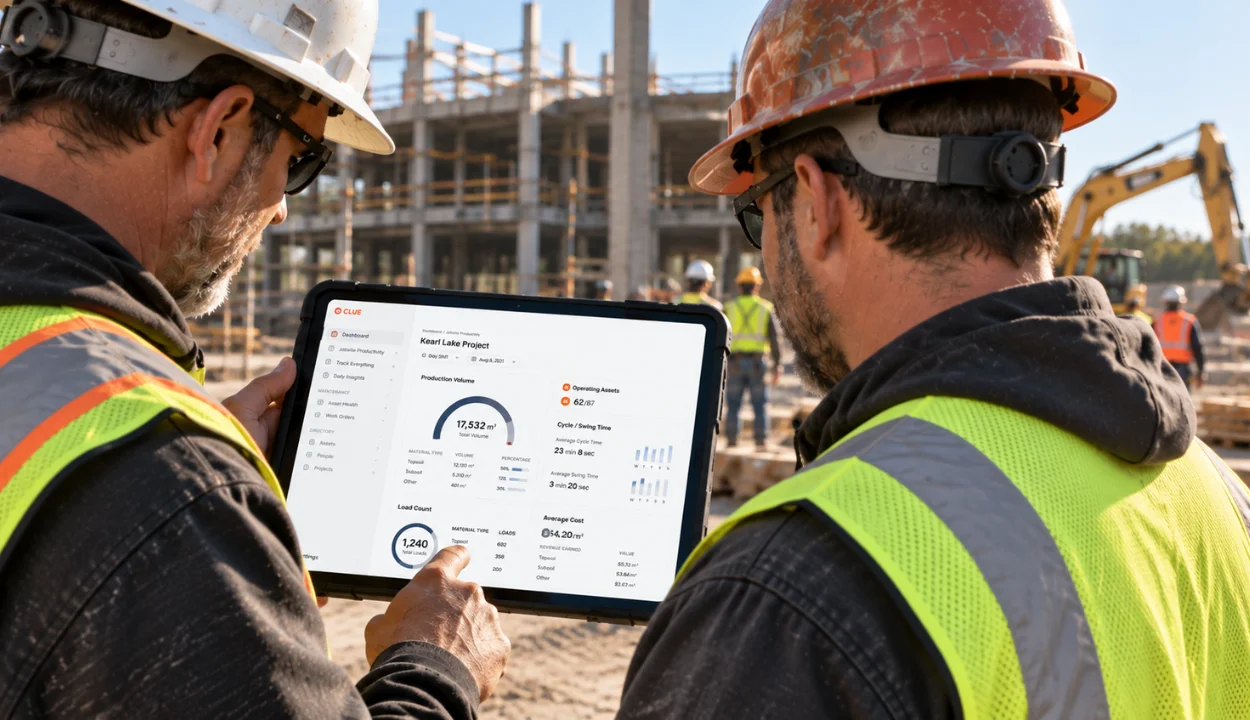
Construction fleets manage more than vehicles. Equipment moves between jobsites, wears by engine hours, and ties directly to maintenance, utilization, and job costs. General fleet tools are typically built around road vehicles, mileage, routes, and depot-based operations.
Both can show you where an asset is. The difference is what happens after location tracking. Construction fleet software helps answer operational questions such as: Is the machine working or idling? When does it need service? How is it affecting project costs?
That difference matters when trucks and heavy equipment share the same fleet. A platform built primarily for road vehicles may track the excavator, but construction-specific workflows are what turn that location data into maintenance, utilization, dispatch, and cost decisions.
This guide breaks down nine capabilities that distinguish construction fleet software from general fleet tools, plus two capabilities many buyer guides overlook.
What is the Difference Between Construction Fleet Software and General Fleet Tools?

Construction fleet software is built for assets that wear by engine hours, move between changing job sites, and involve six-figure repair and replacement decisions. General fleet software is typically designed for on-road vehicles where mileage, routes, driver activity, and vehicle-based maintenance are the primary management needs.
The distinction comes down to how each fleet operates. General fleet platforms grew out of trucking and service vehicles, where vehicles log miles, follow established routes, and return to a base. Construction fleets include excavators, loaders, trucks, trailers, and other equipment that share a shop and cost ledger while moving between sites. An excavator can operate for an entire shift while barely moving, meaning mileage alone does not represent equipment usage.
That changes how fleets need to measure maintenance, utilization, and costs. When equipment that operates by engine hours is managed with mileage-based data, maintenance intervals become inaccurate, utilization is distorted, and cost reports lose meaning.
Construction fleet management software is designed around the jobsite. The nine differences below show how that approach affects day-to-day fleet management.
9 Differences Between Construction Fleet Software and General Fleet Tools
Each difference below follows the same shape: the capability, why it matters on a jobsite, and where general tools fall away.
1. Maintenance Scheduling by Engine Hours
Heavy equipment accumulates wear by operating hours, so preventive maintenance needs to follow the same measure. A loader can idle on a pad for hours without adding meaningful mileage, yet those engine hours still count toward its next service.
Maintenance intervals also vary by asset. A pickup may be serviced by mileage, while an excavator or dozer may be serviced by engine hours. Managing both in the same fleet requires maintenance schedules that match how each asset is actually used.
Miss a service interval and a routine maintenance task becomes an avoidable repair and a machine down on a job that was counting on it. The right system turns the usage threshold into an automatic workflow instead of relying on someone to remember when service is due.
Construction fleet platforms should support preventive maintenance schedules based on time, mileage, and engine-hour intervals, with automated workflows that create work orders when service thresholds are reached. Clue supports this approach by connecting maintenance schedules with asset usage data. Engine hours and odometer readings sync from connected telematics, so maintenance schedules stay tied to actual equipment usage.
2. Mixed Fleet Tracking on One Screen
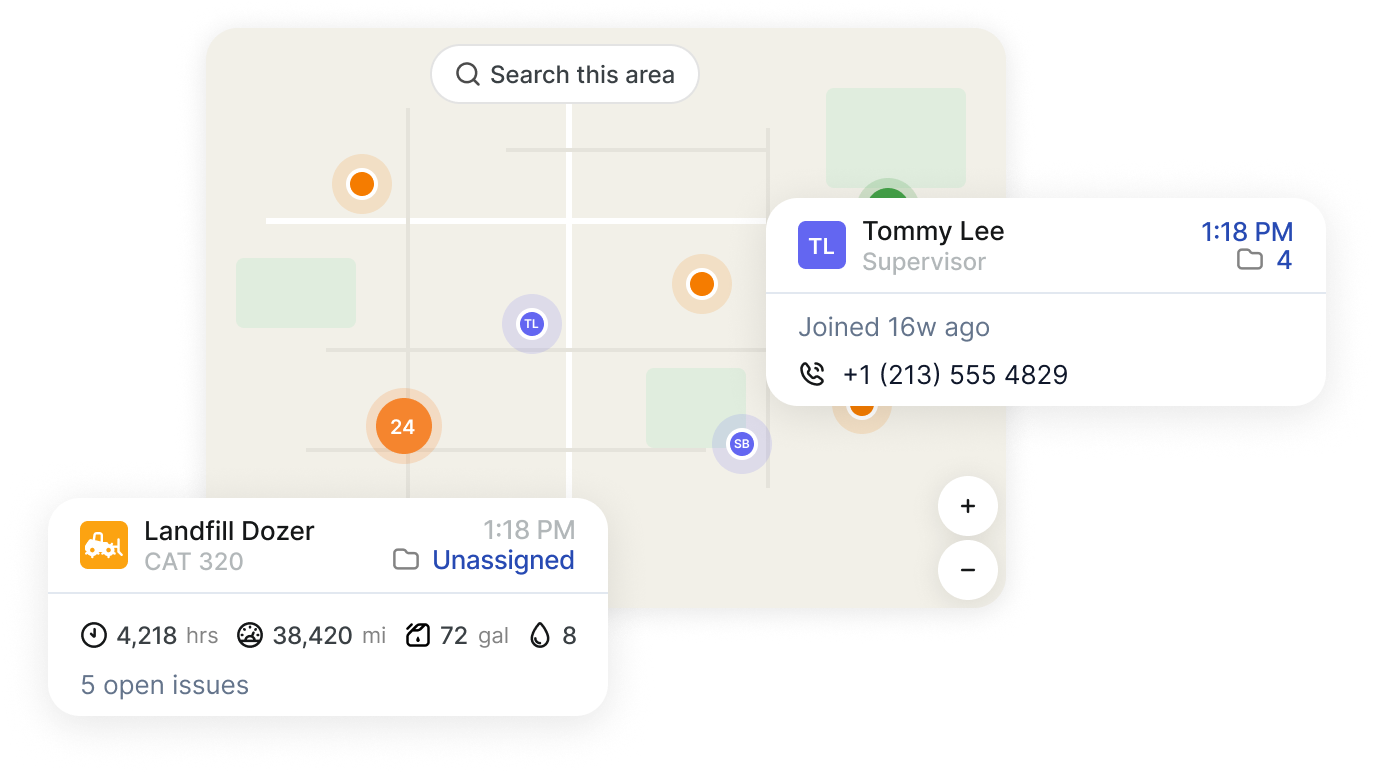
Construction fleets are rarely uniform. Service trucks and crew vans share the fleet with excavators, skid steers, generators, and trailers, and not every asset has a GPS tracker. A system that only reports on connected equipment can leave part of the fleet unmanaged, especially when contractors also operate trailers, attachments, and other non-telematics assets.
That becomes a problem when managers need a complete picture of utilization. One fleet manager needed to report utilization across the entire fleet, but roughly half of the assets had no telematics. A platform that only reports on connected equipment cannot provide a complete answer.
Construction fleet software needs to treat tracked and untracked equipment as part of the same fleet. An untracked machine should still have its asset record, maintenance history, and utilization data alongside connected equipment.
Clue handles tracked and untracked assets side by side. An untracked machine carries its own asset record, maintenance history, and manually entered meter readings, and it appears in the same reports as connected equipment rather than sitting in a spreadsheet next to the platform.
3. Multi-Site Tracking and Geofencing

Trucking fleets return to a depot. Construction fleets do not. Your excavator sits on Site A Monday and Site B Thursday, and equipment moves between yards, projects, and service locations on a schedule that changes weekly. Tracking has to follow the asset across sites rather than assume a home base it never returns to.
Geofencing carries the weight. Site boundaries define where a machine should be, and alerts notify teams when equipment enters or exits a zone, supporting unauthorized-movement and stolen-asset detection. Faster detection can help teams investigate unauthorized movement sooner and reduce the time between an incident and response.
Clue supports bulk geofence import from KMZ or KML files, so contractors managing multiple job sites can create geofences in bulk instead of drawing each boundary manually. Geofence alerts cover stolen-asset detection, unauthorized movement, and site-hours validation, and project geofences can push equipment location back into the ERP so the office sees the same site assignment the field does.
4. OEM Telematics Aggregation
OEM telematics aggregation is one of the biggest differences between construction fleet software and general fleet tools. Construction fleets often run mixed-manufacturer equipment, and each OEM uses its own telematics system and data format. A single-vendor tool that reads only its own hardware sees only part of the fleet.
The AEMP 2.0 standard, now ISO 15143-3, helps standardize telematics data across supported equipment, but construction fleets still deal with different data sources and manufacturer-specific feeds. Engine hours and odometer data need to land against the right asset, while fault-code data can require separate integration support. The value is not just seeing an equipment location. It's having equipment data available against the asset record so teams can use it for tracking, utilization, maintenance, and operations.
Clue connects with 80+ GPS, OEM, ERP, and maintenance integrations, including telematics providers and equipment data sources. These connections help bring equipment information into a centralized asset record. Meter readings land against the asset record automatically, and support fault-code data flows in with them.
The result is a mixed-fleet view that puts tracked and untracked assets side by side instead of forcing teams to work across separate systems and portals.
5. Utilization and Idle Reporting
Knowing where an asset sits tells you little about its equipment utilization or whether it is being used productively. Construction software has to answer the harder question: is this asset producing, idling, or parked? Idle time still carries the cost of depreciation, insurance, and financing, even when a machine isn't being put to productive use.
Engine hours alone do not settle it either. A machine accumulating operating hours is not necessarily generating productive value. A dozer idling on a pad accrues hours, burns fuel, and moves its next service closer without moving any dirt, which is why idle time has to be separated from working time before utilization means anything.
Clue reports engine hours, odometer, fuel rate, and excessive idling per asset, against a target utilization percentage you set. Because untracked assets sit in the same report, the number reflects the whole fleet rather than only the machines carrying telematics.
That makes the report useful beyond GPS tracking: managers can identify underused equipment and decide where assets should be redeployed, rented, or sold.
6. Equipment-Specific Inspections
A truck gets a DVIR. A crane, an excavator, and an aerial lift each need their own checklist, and those inspections can vary significantly by equipment type and lifecycle event. Construction fleets need more than a standard vehicle inspection form: pre-trip, post-trip, operator daily, end-of-job, on-hire, off-hire, mid-job, crisis, and custom forms all have a place.
The value shows up when an inspection finds a problem. A failed item sitting in a report helps no one. A failed item that automatically creates a work order task puts the issue into the maintenance queue before it gets lost. Clue connects inspection results directly to maintenance, so the failure becomes actionable instead of remaining on a checklist.
Inspectors can attach photos to individual checklist items, and completed reports export as PDFs shared straight from the mobile app, so a failed item arrives in the shop with evidence attached rather than as a line on a form.
7. Job Costing and ERP Integration
Equipment is a profit-and-loss line, not just a pin on a map. General fleet tools tend to focus on tracking vehicles and equipment, while construction fleet software has to connect equipment activity to labor, parts, maintenance, projects, and the ERP where those costs ultimately land.
The gap shows up at month-end close. A generic export leaves someone reconciling spreadsheets and re-keying hours, while a construction-focused platform has to match the cost structure and import format the contractor already runs. Clue exports mechanic and equipment timecards in the formats Vista, Spectrum, Sage, and HeavyJob expect, mapped to the contractor's existing job, phase, and cost-type structure rather than dropped into a generic CSV.
The comparison becomes clearer at the equipment level. The fleet financials dashboard shows revenue, cost, and profitability by asset, fleet, and project. So instead of stopping at where an asset is or how many hours it ran, construction teams can connect equipment activity to the financial picture and identify which assets are earning their keep.
8. Crew Dispatch and Equipment Moves
Dispatch built for trucking assumes one driver, one truck, one route, one delivery. Construction reality is a three-person crew, a pickup pulling a trailer, a machine that has to move from one site to the next, and a superintendent asking where it went. Route optimization built for last-mile delivery models none of that.
Moving equipment between sites is one of the largest coordination costs in the business, and it usually lives as a phone call. The question is whether your software turns that call into a workflow or leaves it as an address typed into a task description. General fleet tools often focus on vehicle routing and driver movement, while construction-focused platforms also consider equipment allocation, jobsite requirements, and machine availability.
Clue runs dispatch as a workflow: a drag-and-drop board for planning moves, a resource calendar for equipment and people, a field request module that ends the phone tag, and an available-assets map that finds the nearest machine to a site. A pre-pickup inspection documents conditions before equipment leaves the yard, which protects the company when it comes back damaged.
9. Parts and Shop Workflow
While telematics visibility is important, equipment uptime also depends on how quickly maintenance teams can identify required parts, manage inventory, and complete repairs. A generic fleet tool may tell you where an asset is and how it's being used, but construction fleet management software needs to connect that information to the maintenance workflow, including the parts required to complete a repair.
The difference is workflow visibility. A part request handled separately from the repair can leave mechanics and parts teams chasing information across systems. When the request is tied directly to the work order, the shop can see what part is needed and why. Clue lets mechanics request parts directly from a work order on their phone, while multi-location inventory tracks parts across warehouses, shops, and job-site trailers.
Clue also applies the latest unit cost automatically when a part is used, and its external API allows third-party procurement and ERP systems to create part orders, check inventory, and pull location data. That moves parts management beyond simple fleet tracking and into the shop workflow itself, connecting the equipment, the repair, and the parts needed to get the machine back in service.
Two Advanced Capabilities That Further Separate Construction Fleet Software
Two capabilities further separate construction-focused fleet software from general fleet tools: predictive maintenance and rental management. Both address problems that sit beyond basic tracking and utilization.
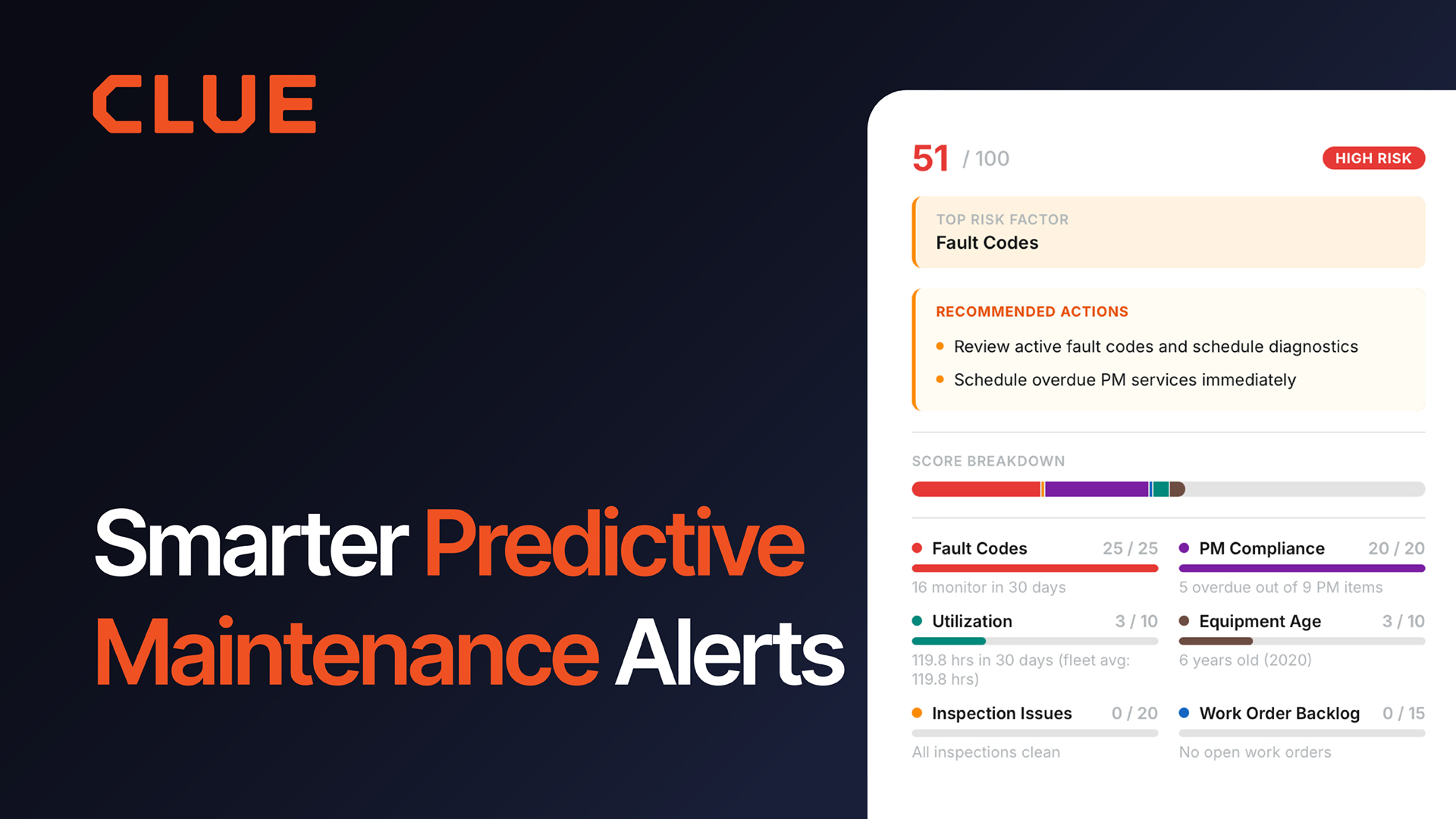
Predictive maintenance moves the conversation from scheduled service to equipment risk. Hours-based PM tells you when an interval is due; risk scoring helps maintenance teams prioritize assets that show indicators of potential issues.
Clue combines equipment data with fault-code monitoring to help maintenance teams prioritize potential issues before they become larger problems. It can ingest fault codes, surface active faults across the fleet, and use supported telematics data such as tyre pressure to flag emerging issues. This gives maintenance teams another signal to act on alongside scheduled PM.
Rental management solves a different blind spot. Construction fleets run owned and rented equipment side by side, but general fleet tools are built around the owned fleet, which leaves rentals tracked in email threads and vendor portals. A construction-focused platform has to keep rented units visible next to owned assets, with the same utilization and location data behind them, so a machine sitting idle on hire gets returned instead of billing for another month. Clue tracks rented equipment alongside owned assets and automates rental reconciliation and invoice handling, so the rental line is auditable against actual usage.
Construction Fleet Software vs General Fleet Tools at a Glance
What to Look for in Construction Fleet Software
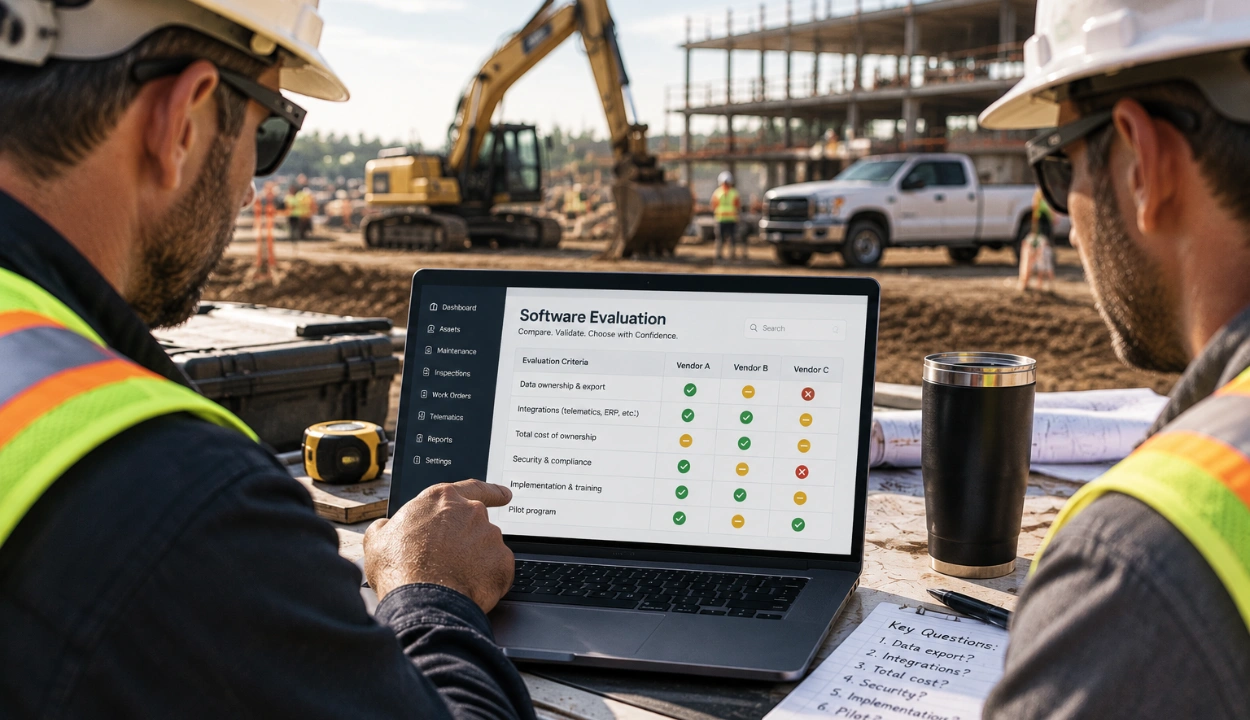
Choosing a platform comes down to a few practical questions:
- Does it manage mixed assets in one view? On-road trucks and off-road equipment, powered and unpowered, should be visible in one system rather than spread across multiple portals.
- Does it support maintenance workflows built for heavy equipment? Look for engine-hour PM, fault-code visibility, inspections, work orders, and the ability to connect maintenance activity to the parts and labor involved.
- Does the mobile app work offline? Crews work where connectivity is unreliable. Inspections and field records should be able to continue when there's no signal and sync when connectivity returns.
- Does it aggregate your OEM telematics? Check which OEM and telematics systems are actually supported and whether their data comes together in one operational view.
- Does it tie equipment usage to jobs and costs? The platform should help connect equipment activity to projects, utilization, cost codes, and financial performance.
- Will it connect to your accounting and ERP stack? Look for integrations that match your existing workflow rather than forcing teams to export generic files and re-enter data. Also consider implementation and hardware costs alongside the software price.
Get these right and the shortlist narrows fast, usually toward a platform built for construction from the ground up rather than a vehicle tool stretched to fit.
Final Thoughts
The choice between construction fleet software and general fleet tools comes down to how much of the construction operation the platform can manage beyond basic tracking. Trucks and heavy equipment have different maintenance needs, move between job sites, and feed into work orders, timecards, parts, utilization, and financial workflows.
For contractors running both road vehicles and off-road equipment, the practical advantage is having those workflows connected in one system. A construction fleet platform should bring tracked and untracked assets into one operational view and connect equipment data with maintenance, work orders, inspections, parts, and financial workflows. Clue is one example of a platform built around this approach.
That’s the real distinction: a general fleet tool can help you track equipment; a construction fleet platform is designed to help you manage what happens around that equipment.
FAQs
Can general fleet software manage construction equipment?
They can, but the fit is partial. General platforms are built around mileage-based service intervals, vehicle inspection forms, and road-vehicle reporting. Some aggregate OEM feeds, but the workflow downstream of that data still assumes a truck: no engine-hour PM by asset, no equipment-move planning, no cost-per-asset line into the ERP. Heavy equipment ends up managed through workarounds and manual entry.
How does construction fleet software differ?
General fleet tools primarily focus on tracking vehicles and assets. Construction fleet software connects equipment tracking to the broader workflow around the asset, including maintenance, inspections, work orders, parts, utilization, job costing, and ERP.
Do I need one system for trucks and equipment, or two?
One, if you can get it. Running two tools means two logins, two invoices, and two integrations into your billing system, and heavy equipment tends to go dark on the wrong dashboard until someone notices a missed service. A platform that puts vehicles and iron on one screen removes that reconciliation entirely.
How does construction fleet software track equipment without a GPS unit?
Through manual meters and mixed-fleet support. Strong platforms treat an untracked machine as a full asset with a maintenance history, a cost record, and a manually entered engine-hour reading, sitting next to the connected assets in the same reports.
Does it integrate with my OEM telematics?
The good ones do. Most OEM feeds now arrive through the AEMP 2.0 standard, published as ISO 15143-3, which defines a shared format for position, hours, fuel, and machine status. Ask two questions: which OEM and GPS systems are supported, and does the platform normalize that data against the asset record or just display separate feeds side by side. Clue runs 80+ integrations across GPS, OEM, ERP, and maintenance systems.
What does construction fleet software cost?
It varies widely by fleet size and features, and most vendors quote rather than publish. Budget the decision as a five-figure annual line for a mid-size fleet, and weigh it against the downtime, idle, and theft it prevents rather than the sticker alone.
Can construction fleet software help with equipment theft?
Yes, indirectly. Geofence alerts can notify teams when equipment leaves a site unexpectedly, supporting faster detection of unauthorized movement or potential theft. Clue's geofencing also supports stolen-asset detection.

Transform Your Equipment Management