Fleet Maintenance Software With Telematics and ERP


Hi, I’m Maham Ali. I write about construction equipment management, helping teams use fleet data and maintenance intelligence to improve uptime, control costs, and run smoother jobsites.
Fleet maintenance software with telematics and ERP integration connects two different sides of equipment management.
Telematics provides the operational facts coming from the equipment, including engine hours, location, utilization, idle time, and supported fault information. An ERP manages much of the business context around that equipment, including jobs, cost codes, purchasing, payroll, equipment costs, and accounting records.
The maintenance workflow sits between them.
Equipment maintenance software can take equipment information from telematics, use it to schedule or prioritize maintenance, document the work performed, and connect the resulting records back to supported ERP and CMMS systems.
That makes the most important question more specific than:
“Do our telematics and ERP systems integrate?”
A better question is:
“What data should move from telematics into maintenance, what maintenance action should that data create, and what needs to flow into the ERP when the work is complete?”
That is the workflow this guide explains.
How Does Fleet Maintenance Software Connect Telematics and ERP?
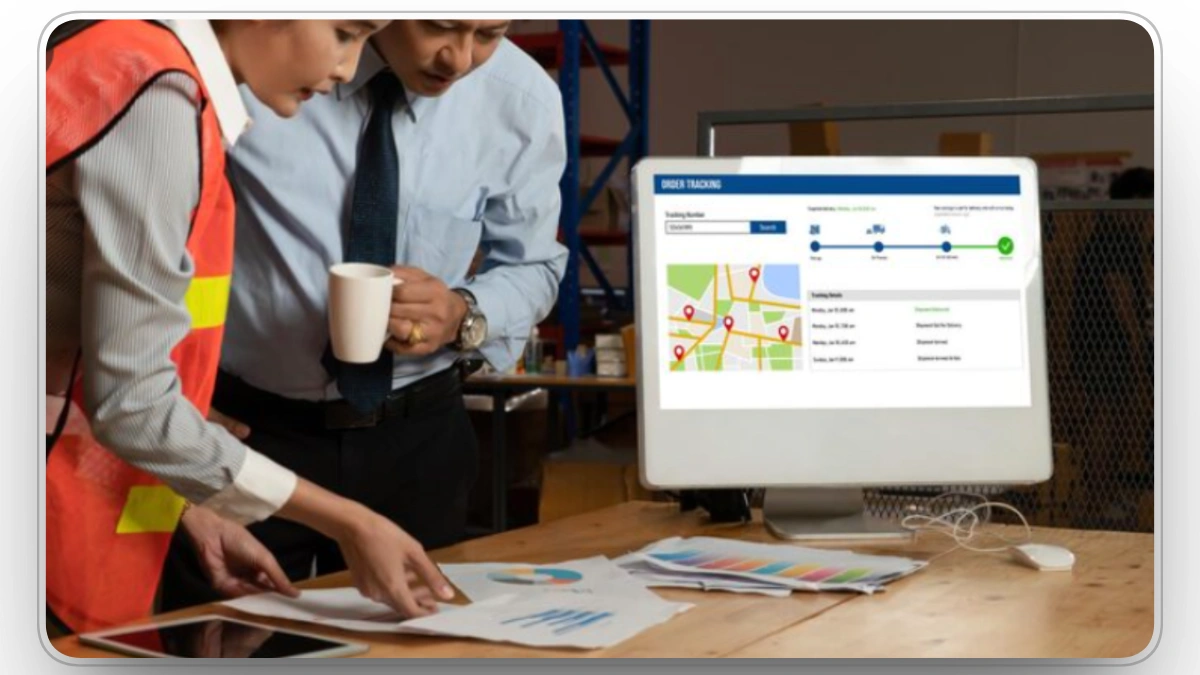
Fleet maintenance software can connect telematics and ERP by sitting between equipment-generated data and business records.
The simplified flow looks like this:
Telematics → Equipment Data → Maintenance Decision → Work Order → Labor & Parts → ERP Cost Record
Telematics is usually closest to the equipment itself.
ERP is usually closest to finance, accounting, purchasing, payroll, job costing, and enterprise records.
Fleet maintenance software connects those two sides by turning operational equipment information into maintenance work that can be tracked from trigger to completion.
Consider a simple example.
A telematics system reports that an excavator has crossed its 1,000-hour service interval.
That engine-hour update reaches the maintenance system.
The maintenance schedule identifies the service as due.
A preventive maintenance work order is generated according to the configured workflow.
A technician completes the service and records labor, parts, notes, and the completed meter reading.
Relevant maintenance records can then flow into the supported ERP workflow so equipment costs, labor, job information, and financial reporting remain aligned.
The value is not simply moving data between two applications.
The value is maintaining the connection between the equipment event, maintenance action, and financial result.
Telematics Is the Equipment-Data Layer

Telematics is one of the most important data sources in modern construction fleet maintenance because it can provide actual equipment activity instead of relying entirely on manual reporting.
Depending on the equipment and provider, useful telematics information can include:
- Engine hours
- Odometer readings
- Equipment location
- Utilization
- Idle time
- Fuel information
- Equipment status
- Diagnostic trouble codes and fault events
Clue's telematics integration comparison shows how the available data can differ across OEM and telematics providers.
That difference matters.
A contractor may have Caterpillar equipment using one telematics source, John Deere equipment using another, Komatsu equipment using another, and trucks or smaller assets connected through separate GPS providers.
The result is not one telematics system.
It is a mixed-fleet data problem.
Why Mixed-Fleet Telematics Matters
The construction-equipment industry has worked toward common data exchange partly because mixed fleets need a consistent way to consume telematics information.
ISO/TS 15143-3:2020 defines a communication schema for transferring mobile equipment telematics data from a telematics provider's server to customer applications. The Association of Equipment Manufacturers' overview of ISO 15143-3 also describes the standard as a framework for mixed-fleet telematics data exchange.
The standard helps explain an important distinction:
Telematics data does not become useful maintenance work simply because the data exists.
Engine hours still need to reach the PM schedule.
Fault information still needs a decision rule.
Location still needs operational context.
Utilization still needs to be connected with maintenance, dispatch, or cost information before a manager can decide what to do about it.
Fleet maintenance software provides the workflow layer where those decisions can happen.
What Telematics Data Matters Most for Fleet Maintenance?
Not every telematics field deserves the same maintenance priority.
For maintenance teams, four categories are particularly useful.
1. Engine Hours and Mileage
Engine hours and mileage can drive usage-based preventive maintenance.
Instead of waiting for an operator to manually report that a piece of equipment has reached its service interval, the meter reading can flow from an approved telematics source into the maintenance schedule.
This can make PM timing more consistent, particularly across equipment operating at different rates.
Equipment operating ten hours per day should not follow the same real-world maintenance timing as one running ten hours per week simply because both were serviced on the same calendar date.
2. Fault Codes and Equipment Events
Fault codes and other diagnostic information can help maintenance teams identify equipment conditions before an operator reports them manually.
But fault code automation requires control.
Not every fault code or equipment event should automatically create a work order.
Some fault codes may justify immediate maintenance, while others may require review, monitoring, or an additional inspection before action is taken.
The maintenance workflow should determine which fault codes create alerts, which become maintenance issues, and which can automatically create work orders according to configured rules.
3. Location
Location becomes maintenance information when the shop needs to decide how and where the equipment should be serviced.
Knowing that a PM is due is only part of the decision.
The maintenance team may also need to know:
- Which jobsite the asset is on
- Whether it is moving to another project soon
- Whether a field technician can perform the service
- Whether the equipment needs to return to the shop
- Whether other equipment is available during the maintenance window
This is where telematics and equipment dispatch management begin to overlap operationally.
4. Utilization and Idle Information
Maintenance teams also need context around how equipment is actually being used.
Engine hours help determine when service is due, while utilization can help explain whether a piece of equipment is working enough to justify its current allocation.
This becomes even more useful when ERP cost information is added.
Low-utilization equipment with high ownership costs presents a different business problem from heavily utilized equipment with rising repair costs.
Telematics can provide the usage side.
ERP provides much of the financial side.
Fleet maintenance software helps connect the two.
ERP Is the Business and Financial Layer

If telematics tells you what the equipment is doing, the ERP often tells you what that equipment means financially to the business.
Construction ERPs can contain records for:
- Equipment
- Jobs and projects
- Cost codes
- Employees
- Payroll
- Vendors
- Purchasing
- Parts
- Job cost
- Equipment costs
- Financial transactions
- General ledger activity
Some ERPs also contain substantial maintenance functionality.
That is important because fleet maintenance software should not be positioned as necessary simply because an ERP “cannot do maintenance.”
That would be inaccurate.
For example, current Trimble Vista Equipment Management documentation describes preventive maintenance schedules, work orders, timecards, fuel usage, meter readings, cost allocations, equipment depreciation, and integration with Payroll, Purchase Order, Inventory, Job Cost, and General Ledger.
Oracle JD Edwards also supports preventive and corrective maintenance workflows. Its official documentation describes work-order processing and condition-based workflows where an external equipment alert can be reviewed and used to create a maintenance work order.
So why connect fleet maintenance software to an ERP at all?
Because the contractor's maintenance operation often depends on data that does not originate in the ERP.
That can include:
- OEM telematics
- GPS providers
- Fault events
- Field inspections
- Dispatch activity
- Multiple brands of equipment
- Mechanic workflows
- Mobile field activity
- Equipment status from the field
The value of ERP integration is therefore not replacing the ERP.
It is connecting the ERP's business records with the equipment information and maintenance activity happening outside it.
What Should Flow From ERP Into Fleet Maintenance Software?
ERP-to-maintenance integration should begin with records the maintenance operation needs but should not have to recreate manually.
Depending on the ERP and supported connector, that may include:
| ERP Data | Why Maintenance Needs It |
|---|---|
| Equipment records | Ensures maintenance is attached to the correct equipment |
| Jobs and projects | Shows where equipment activity belongs |
| Cost codes | Keeps maintenance costs aligned with accounting structure |
| Employees | Supports technician and labor records |
| Vendors | Supports purchasing and outside repair workflows |
| Parts information | Helps connect materials with repair activity |
| Existing work-order history | Preserves historical maintenance context |
| Equipment cost information | Adds financial context to maintenance decisions |
This flow matters because duplicate master data creates problems quickly.
If the ERP identifies a piece of equipment as EQ-0042, telematics identifies the same asset by VIN, and the maintenance system contains a manually created record called Komatsu 42, all three records need to resolve to the same physical asset.
Otherwise:
- Telematics may update one record.
- PM history may sit on another.
- Work orders may sit on a third.
- ERP cost may remain attached to a fourth identifier.
The integration technically works, but the equipment history does not.
Asset identity is therefore one of the most important requirements in a telematics-to-ERP maintenance architecture.
What Should Flow Back Into the ERP?
Once maintenance work has been performed, the ERP may need the financial and operational result.
Depending on the integration, this can include:
- Completed work orders
- Work-order status
- Technician labor
- Mechanic timecards
- Parts consumed
- Meter readings
- Maintenance costs
- Location or assignment information
- Purchase-order information
- Equipment status
The purpose is to avoid asking the shop to finish a repair in the maintenance system and then manually reconstruct the same event for accounting.
For example, Clue's Viewpoint Vista integration is designed around exchanging equipment and maintenance information between the two systems, while Clue's broader ERP and CMMS integration layer includes systems such as Vista, Spectrum, Foundation, HCSS, and others.
The exact sync should always be confirmed for the specific connector and implementation.
There is no universal “ERP integration” data flow.
Which System Should Own Each Fleet Maintenance Record?
Connecting systems becomes much easier when each important record has one primary owner.
A practical model looks like this:
| Information or Workflow | Typical Primary Source | Who Needs It Next? |
|---|---|---|
| Engine hours | Telematics/OEM | Maintenance |
| Odometer | Telematics/OEM | Maintenance and ERP |
| Fault events | Telematics/OEM | Maintenance |
| Location | Telematics/GPS | Maintenance and dispatch |
| Utilization | Telematics/fleet platform | Operations and finance |
| Inspection defect | Inspection workflow | Maintenance |
| PM schedule | Maintenance software | Shop and dispatch |
| Maintenance issue | Maintenance software | Work-order workflow |
| Work order | Maintenance software or ERP, depending on architecture | Maintenance, ERP, operations |
| Technician labor | Maintenance/timecard workflow | ERP/payroll |
| Parts used | Maintenance/inventory | ERP/accounting |
| Job master | ERP | Maintenance and dispatch |
| Cost codes | ERP | Maintenance |
| Financial posting | ERP | Finance/reporting |
| Equipment assignment | Dispatch/operations | Maintenance |
The exact owner will vary.
The important rule is:
Do not let two connected systems independently become the authoritative source for the same record unless the synchronization and conflict rules are explicitly defined.
How Do Engine Hours Become Preventive Maintenance Work?
Engine-hour integration is one of the clearest examples of telematics and maintenance software working together.
A typical workflow looks like this:
- The telematics provider reports the equipment's current engine hours.
- The maintenance platform identifies the correct equipment record.
- The new meter reading updates the usage-based PM interval.
- The system compares current usage with the configured service threshold.
- The PM becomes upcoming, due, or overdue according to the maintenance rules.
- A work order can be generated automatically or reviewed before creation.
- The technician completes the service.
- Labor, parts, meter readings, and service notes are recorded.
- The maintenance history is updated.
- Relevant completed records can flow into the supported ERP workflow.
Clue's preventive maintenance software supports configured PM plans and automatic work-order creation when maintenance becomes due.
The critical connection is this:
Telematics provides the usage signal. Maintenance software applies the service rule. ERP receives the business result where required.
How Do Telematics Fault Codes Become Work Orders?
Fault-code integration follows a different path because an equipment event is not automatically the same thing as required maintenance.
A useful workflow is:
Fault detected → Asset matched → Severity/rule evaluated → Issue or alert → Work order if required → Repair history → ERP record where needed
The decision step is essential.
If every equipment event becomes a work order, automation can create unnecessary shop noise.
If nothing happens to the fault data, then the telematics integration becomes little more than another dashboard.
Fleet maintenance software should provide the middle layer where fault information can be evaluated and converted into maintenance work when required.
Clue's work-order management can automate work orders from fault codes, inspection findings, and routine maintenance alerts according to supported workflows.
Oracle JD Edwards documentation illustrates the same broader architectural principle from the ERP side. In its condition-based maintenance process, an external equipment reading can create an alert that is reviewed before a work order is created, with automation also possible depending on configuration.
The technology may differ, but the operational principle is the same:
Equipment data needs a rule before it becomes maintenance work.
How Do Inspections Fit Between Telematics and ERP?
Not every maintenance trigger comes from telematics.
Operators and technicians still find problems that sensors may not identify clearly, such as:
- Damaged hoses
- Cracked glass
- Worn cutting edges
- Visible leaks
- Tire damage
- Loose components
- Body damage
- Safety issues
A digital equipment inspection provides a human-generated maintenance signal.
The useful workflow is:
Inspection finding → Maintenance issue → Work order → Labor & parts → Resolution → ERP cost record where required
The original inspection information should remain attached to the repair workflow.
That means the technician can see what the operator reported, which equipment was affected, what evidence was provided, and what needs to be inspected or repaired.
When the maintenance record and ERP are connected, the business can then trace a reported field problem through the repair and into the resulting equipment cost.
How Does a Completed Work Order Reach the ERP?
A completed work order is the point where operational maintenance and financial equipment management meet.
During the repair, the maintenance record may collect:
- Equipment
- Problem description
- Technician
- Labor time
- Tasks
- Parts
- Meter reading
- Repair notes
- Maintenance status
- Cost information
The ERP may need some or all of that information for accounting, equipment-cost reporting, payroll, job costing, purchasing, or financial analysis.
The correct integration flow depends on the contractor's architecture.
For one contractor:
ERP → equipment and jobs → maintenance system → completed WO and labor → ERP
For another:
ERP creates WO → maintenance system executes field work → status, labor, parts, and meters return to ERP
For another:
Telematics → maintenance platform → ERP/CMMS work-order process
There is no single correct architecture for every construction fleet.
What matters is that the organization can answer three questions:
- Which system creates the record?
- Which system is allowed to change it?
- What event causes the updated record to move to the other system?
If those rules are unclear, duplicate entry and conflicting records are likely even when the API connection itself works.
What Breaks Telematics and ERP Integrations?
Most integration failures are not simply “API problems.”
They often come from bad data ownership or operational rules.
| Problem | What Can Happen | Better Control |
|---|---|---|
| Duplicate equipment records | Hours, costs, and WOs attach to different versions of one equipment | Maintain a cross-system equipment identity |
| Stale meter readings | PMs appear due too early or too late | Preserve reading source and timestamp |
| Meter replacement/reset | Total usage can appear to move backward | Define meter-replacement logic |
| Fault-code overload | Shop receives too many low-value WOs | Apply severity and workflow rules |
| Duplicate WO sync | Same repair can be posted twice | Maintain a persistent work-order ID |
| Conflicting cost codes | Maintenance costs reach the wrong ERP bucket | Let the ERP control financial master data |
| Missing technician labor | Equipment costs become incomplete | Connect labor capture directly to maintenance work |
| Late parts posting | Repair cost appears in a later accounting period | Connect parts use with WO completion |
| Conflicting equipment status | Dispatch sends equipment that maintenance considers down | Define status ownership and synchronization |
| Sync failure with no exception queue | Teams assume records moved when they did not | Monitor failed syncs and reconciliation |
A useful integration therefore needs more than connectivity.
It needs:
Data ownership + identity + direction + timing + error handling.
What Should a Fleet Maintenance Integration Contract Define?
Before connecting telematics, fleet maintenance software, and ERP, document how the critical records should behave.
A simple integration contract can include:
| Data Flow | Direction | Required Identity | Trigger | Failure Rule |
|---|---|---|---|---|
| Engine hours | Telematics → maintenance | Equipment ID + timestamp | New meter reading | Reject or flag invalid readings |
| Fault event | Telematics → maintenance | Equipment ID + event | New event | Preserve event even if no WO is created |
| Inspection defect | Field → maintenance | Asset + issue ID | Failed item | Preserve notes and photos |
| Equipment master | ERP → maintenance | ERP equipment ID | Create/update | Prevent duplicate asset creation |
| Jobs | ERP → maintenance | ERP job ID | Create/update | Preserve ERP ownership |
| Cost codes | ERP → maintenance | ERP cost-code ID | Create/update | Prevent uncontrolled local codes |
| Work order | Maintenance ↔ ERP | Persistent WO ID | Create/approve/close | Prevent duplicate WO records |
| Technician labor | Maintenance → ERP | Employee + WO ID | Approval/close | Flag unmatched employees |
| Meter reading | Maintenance → ERP where required | Equipment + date | Approved reading | Prevent rollback/duplication |
| Equipment status | Maintenance ↔ dispatch | Equipment ID | Status change | Define which status wins |
This provides a much stronger vendor-evaluation question than:
“Do you integrate with our ERP?”
Ask:
“Which records move, in which direction, how often, what system owns them, and what happens when synchronization fails?”
Which Fleet KPIs Become Better When Telematics and ERP Connect?
Telematics and ERP are particularly valuable together because many important fleet metrics use operational data from one side and financial or maintenance data from the other.
| Metric | Core Calculation | Where the Data May Come From |
|---|---|---|
| PM Compliance | PMs completed within defined tolerance ÷ PMs due × 100 | Telematics + maintenance |
| MTBF | Operating hours ÷ defined unplanned failures | Telematics + maintenance |
| MTTR | Active corrective repair time ÷ corrective repairs | Maintenance/work orders |
| Cost per Operating Hour | Defined equipment cost ÷ engine hours | ERP + maintenance + telematics |
| Utilization | Actual operating activity ÷ available/scheduled capacity, according to company definition | Telematics + operations |
| Repair Backlog | Approved open repair demand | Maintenance + labor + parts |
| Equipment Availability | Scheduled time compared with downtime | Maintenance + operations |
The Society for Maintenance & Reliability Professionals maintains standardized maintenance and reliability metric definitions, which is useful because similar KPI names can be calculated differently from one organization to another.
MTBF Shows Why Telematics Matters
Mean Time Between Failures should use actual operating time.
If the equipment's engine hours come from telematics and its failures come from maintenance history, the two systems need to refer to the same equipment record.
Otherwise the calculation is unreliable before the formula is even applied.
MTTR Shows Why Work-Order Definitions Matter
MTTR should represent active corrective repair time according to the organization's defined methodology.
An equipment that spends two hours being repaired and two days waiting for a part presents two separate problems.
The two-hour repair period tells you something about maintenance execution.
The two-day delay tells you something about downtime, parts availability, planning, or logistics.
Combining every delay into one “repair time” number makes the metric harder to act on.
Cost per Operating Hour Shows Why ERP and Telematics Need Each Other
Cost per operating hour is one of the clearest examples of cross-system fleet analysis.
The denominator may come from actual engine hours captured through telematics.
The numerator may contain:
- Maintenance labor
- Repair parts
- Fuel
- Outside service
- Equipment ownership costs
- Other defined equipment expenses
Much of that financial information may originate in the ERP.
A cost-per-hour calculation therefore becomes more trustworthy when the telematics, maintenance, and ERP systems all identify the same equipment consistently.
When Is the ERP or Telematics Platform Enough by Itself?

Dedicated fleet maintenance software is not automatically necessary for every fleet.
Some construction ERPs already include strong equipment-maintenance capabilities.
Trimble Vista, for example, documents PM schedules, work orders, meters, timecards, fuel usage, costs, and other equipment-management functions.
Oracle JD Edwards also includes preventive, corrective, and condition-based maintenance capabilities.
Likewise, some telematics providers include service reminders, maintenance alerts, or basic work-order capabilities.
A simpler architecture may therefore work when:
- The fleet uses relatively few equipment systems
- One ERP already supports the required shop workflows
- Field teams use the ERP maintenance functions effectively
- The fleet is mostly served by one telematics ecosystem
- Maintenance is largely outsourced
- There is little need to combine inspections, dispatch, multiple OEMs, and ERP information
A dedicated maintenance layer becomes more valuable as complexity increases.
Common signals include:
- Mixed equipment brands
- Multiple telematics providers
- An internal maintenance shop
- Several mechanics
- Inspection-driven repairs
- Multiple jobsites
- Separate dispatch workflows
- ERP-based accounting and cost control
- Duplicate equipment data across systems
- Manual re-entry of meter readings or work orders
- Maintenance data that finance receives too late
The deciding factor is not simply fleet size.
It is the number of operational boundaries the maintenance team has to cross to get one repair from detection to financial completion.
How Clue Connects Telematics, Fleet Maintenance, and ERP
Clue is built for construction fleets that already operate across multiple equipment and business systems.
Instead of requiring contractors to abandon the systems they already use, Clue connects supported OEM telematics, GPS, maintenance, ERP, payroll, and field systems through its integration ecosystem.
Clue currently lists 80+ integrations, including OEM telematics, GPS providers, ERP systems, and maintenance platforms.
On the Telematics Side
Clue can connect supported telematics information such as:
- Equipment identity
- Location
- Engine hours
- Odometer
- Idle information
- Utilization
- Fuel data
- Fault codes and DTCs
Contractors can review supported data fields through Clue's telematics provider comparison.
In the Maintenance Workflow
Clue connects that equipment information with:
- Preventive maintenance
- Work orders
- Inspections
- Maintenance history
- Technician activity
- Parts and repair records
- Equipment status
This allows equipment information to become maintenance action rather than staying inside a separate telematics portal.
On the ERP Side
Clue supports ERP and CMMS connections that can exchange equipment and operational records according to the specific connector and configuration.
Examples include:
The exact records and synchronization direction vary by integration, which is why contractors should evaluate the actual workflow rather than assume every ERP connection behaves the same way.
The goal is straightforward:
Telematics supplies the equipment signal.
Clue coordinates the maintenance action.
ERP retains the business and financial context.
From Equipment Signal to Financial Record

The complete connected-maintenance lifecycle can be summarized in five steps.
1. Detect
Telematics, inspections, or maintenance schedules identify something that requires attention.
2. Decide
The maintenance system determines whether the event requires monitoring, an issue, scheduled service, or a work order.
3. Execute
The technician performs the work and records tasks, labor, parts, notes, and meter information.
4. Reconcile
Relevant maintenance information synchronizes with supported ERP, payroll, purchasing, inventory, or reporting workflows.
5. Learn
Maintenance history, telematics activity, equipment costs, and operational performance can be reviewed together to improve future decisions.
This is the real value of fleet maintenance software with telematics and ERP.
It is not simply having three systems connected.
It is maintaining one traceable path from:
equipment condition → maintenance action → completed repair → financial record
What Results Can a Connected Fleet Maintenance Workflow Produce?
The strongest proof of connected fleet maintenance is not the number of integrations installed.
It is what happens operationally after the systems are connected.
Palmetto Corp, for example, reported more than $1 million in first-year savings after implementing Clue. Palmetto also reported increasing maintenance productivity from two services per day to six.
The value came from making equipment issues easier to identify and maintenance activity easier to coordinate before those problems developed into more expensive failures.
For contractors evaluating telematics and ERP integration, that is the outcome worth focusing on:
Can equipment information reach the maintenance team early enough to change what happens next, and can the resulting work reach the business systems without being entered again?
Final Thoughts
Fleet maintenance software with telematics and ERP works best when the three systems are not treated as interchangeable.
Each has a different responsibility.
Telematics provides operational equipment data.
It tells the fleet what the equipment is doing through hours, location, utilization, fault information, and other supported equipment data.
Fleet maintenance software provides maintenance action.
It turns relevant equipment signals, inspections, and PM requirements into planned work, repair activity, technician records, parts usage, and maintenance history.
ERP provides business and financial truth.
It connects equipment activity with jobs, cost codes, purchasing, payroll, equipment costs, and accounting.
The strongest fleet architecture does not try to force every function into one system.
It makes the systems work together without losing ownership of the data each one manages best.
That leads to the three questions every contractor should ask before integrating fleet maintenance software with telematics and ERP:
Where does this record originate?
What maintenance action should it trigger?
Where does the result need to go when the work is complete?
Answer those clearly, and the integration becomes an operational workflow rather than another software connection.
Frequently Asked Questions
What is fleet maintenance software with telematics and ERP integration?
Fleet maintenance software with telematics and ERP integration connects equipment information with maintenance work and business records.
Telematics can provide data such as engine hours, location, utilization, and fault events. Fleet maintenance software uses relevant information to manage PMs and repairs, while supported ERP integrations connect the resulting maintenance records with jobs, labor, costs, purchasing, and accounting workflows.
How does telematics improve fleet maintenance?
Telematics can give maintenance teams current equipment information such as engine hours, mileage, location, utilization, and supported fault data.
That information can improve usage-based PM scheduling, help identify equipment issues, and give maintenance teams better context when deciding when and where service should happen.
How does fleet maintenance software connect to an ERP?
Fleet maintenance software can exchange equipment and maintenance records with supported ERP systems.
Depending on the integration, data may include equipment, jobs, cost codes, meter readings, work orders, technician labor, parts, timecards, costs, and other records. The exact data flow depends on the ERP and connector configuration.
Does fleet maintenance software replace an ERP?
Not necessarily.
Many ERPs already manage equipment, financial records, jobs, purchasing, payroll, costs, and in some cases substantial maintenance workflows. Fleet maintenance software becomes especially useful when the maintenance operation also depends on telematics, inspections, dispatch, mobile mechanics, mixed equipment, or other field systems outside the ERP.
Can engine hours from telematics automatically trigger preventive maintenance?
Yes, when the telematics source and maintenance platform support the required integration and PM configuration.
The engine-hour reading can update the equipment meter in the maintenance system, allowing the PM workflow to identify when a usage-based service becomes due and create or schedule work according to the configured rules.
Should every telematics fault code create a work order?
No.
Fault events should be evaluated according to severity, recurrence, equipment criticality, and the contractor's maintenance rules. Critical conditions may justify automatic work-order creation, while other events may be logged or reviewed before repair work is created.
Which system should be the source of truth for engine hours?
The approved OEM or telematics source will often be the primary source for connected equipment meter readings.
The maintenance platform can consume those readings for service scheduling, while the ERP may also receive meter information when needed. The important requirement is to define one approved source and rules for timestamps, duplicated readings, meter replacements, and invalid values.
What data should move from fleet maintenance software to an ERP?
Common examples include work orders, technician labor, timecards, meter readings, maintenance costs, parts information, equipment status, and other approved operational records.
The correct list depends on the ERP, integration, and contractor's accounting and maintenance workflows.
Why is equipment identity important when connecting telematics and ERP?
Telematics, maintenance software, and ERP must all recognize the same physical equipment.
If one system uses an equipment number, another uses a VIN, and another contains a duplicate manually created record, engine hours, work orders, maintenance history, and costs can become separated. Cross-system equipment mapping prevents that fragmentation.
What should contractors ask before choosing a telematics and ERP integration?
Ask which records move between systems, which direction they move, which system owns each record, how frequently information synchronizes, how equipment is matched, and what happens when a synchronization fails.
Those questions reveal much more about the actual integration than simply asking whether two products “connect.”
Transform Your Equipment Management