Equipment maintenance software promises fewer breakdowns and faster repairs. But on a comparison sheet, very different platforms can look almost identical: work orders, preventive maintenance, inspections, inventory, and mobile access appear on list after list. The real gap shows up later, as downtime and double entry.
What matters is how those capabilities work together. Does a failed inspection become repair work? Can the mechanic request parts from the resulting work order? Does the finished repair carry usable cost data into the systems your finance team already uses?
This guide covers the core workflow first, then eight features worth testing before you buy. Each feature section explains the operational need, what to check, and where Clue fits, and the scorecard near the end turns all eight into a side-by-side vendor comparison.
What Equipment Maintenance Tools Should Cover

Equipment maintenance tools are software platforms that construction fleets use to plan service, assign and close repairs, record inspections, and keep a complete history for every machine. The physical kit still matters, from diagnostic scanners to grease guns, but the software decides what gets serviced, when, and at what cost. Most teams shop for this category as equipment maintenance software or as a computerized maintenance management system (CMMS).
Start with the core workflow. Your team should be able to create and assign work orders, schedule recurring service, record findings, log labor and parts, and pull up any asset's service history. Reporting should put open work and maintenance costs in front of the people responsible for them. For construction, the system also has to handle machines that move between jobsites, engine-hour data, and technicians who rarely sit at a desk.
Then look at the handoffs. A parts record loses value when a mechanic has to explain separately which repair needs the part, and an inspection record is operationally incomplete if nobody owns the defect it found. The eight features below focus on those handoffs.
Don't evaluate features in isolation. Pick one real repair and trace it from the first warning to the work order, parts, labor, and final cost. Every step that needs manual entry is a handoff where work can stall.
The 8 Features That Separate Equipment Maintenance Tools
The eight features that separate equipment maintenance tools are usage-based PM, telematics fault codes, inspections that create repair work, warranty visibility, parts tied to work orders, offline-ready mobile workflows, ERP-ready cost data, and mixed-fleet coverage. Together, they cover the path from detecting a problem to completing the repair and recording its cost, along with the fleet-wide visibility needed to manage that work.
1. Preventive Maintenance Triggered by Actual Usage
A service schedule should follow how each machine actually works and what its manufacturer requires. A hard-working excavator can reach a 500-hour service weeks before an identical machine on a quieter job, while a machine that sits idle still needs time-based service.
What to check. Ask where meter readings come from and how often they update. Check whether one service can carry both triggers, such as 500 hours or six months, whichever comes first, and how the schedule recovers when an hour meter is replaced or a reading looks wrong. Untracked assets also need a fast way for operators or mechanics to log hours.
Where Clue fits. Clue's preventive maintenance plans run on hours, mileage, or dates, using engine data from connected telematics. Clue lets teams monitor upcoming and overdue maintenance, set alerts, and generate PM work orders. In a demo, confirm when a work order is created, how notification settings work, and how the schedule handles a replaced or incorrect meter.
2. Telematics Fault Codes That Feed the Maintenance Queue
A fault code helps only when the right person sees it, understands it, and connects it to repair work. Treat it as the start of a diagnosis rather than a verdict: one code can have several root causes, and a repeat code may belong to a repair that's already open.
What to check. Ask which fault data each source actually sends, because coverage varies by original equipment manufacturer (OEM), machine, and subscription. Caterpillar's developer guide for ISO 15143-3, the AEMP 2.0 telematics standard, ties data availability to each machine's support level and subscription. Also check how the system separates a new fault from one already tied to an open repair, and whether noisy codes can be filtered out.
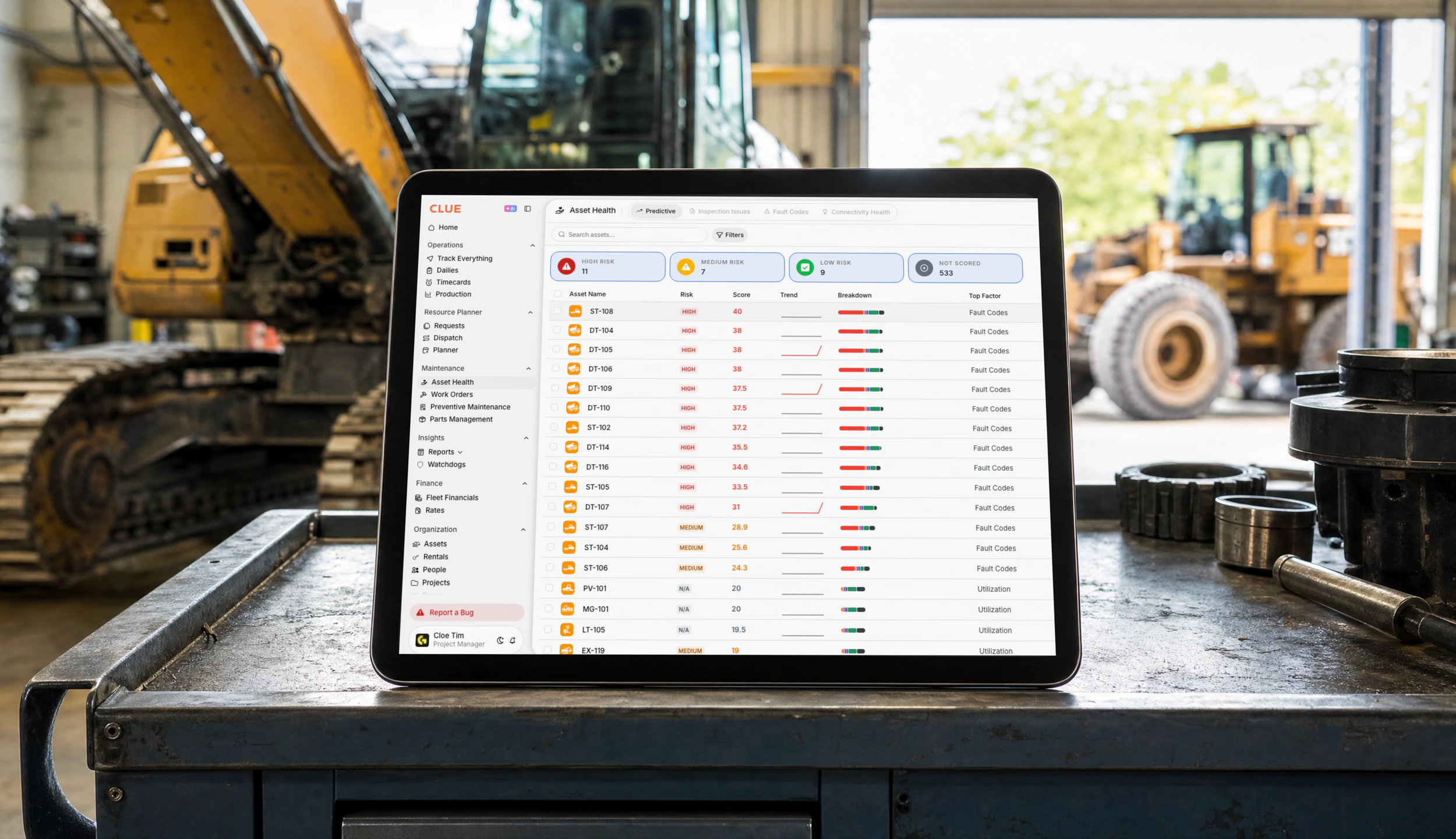
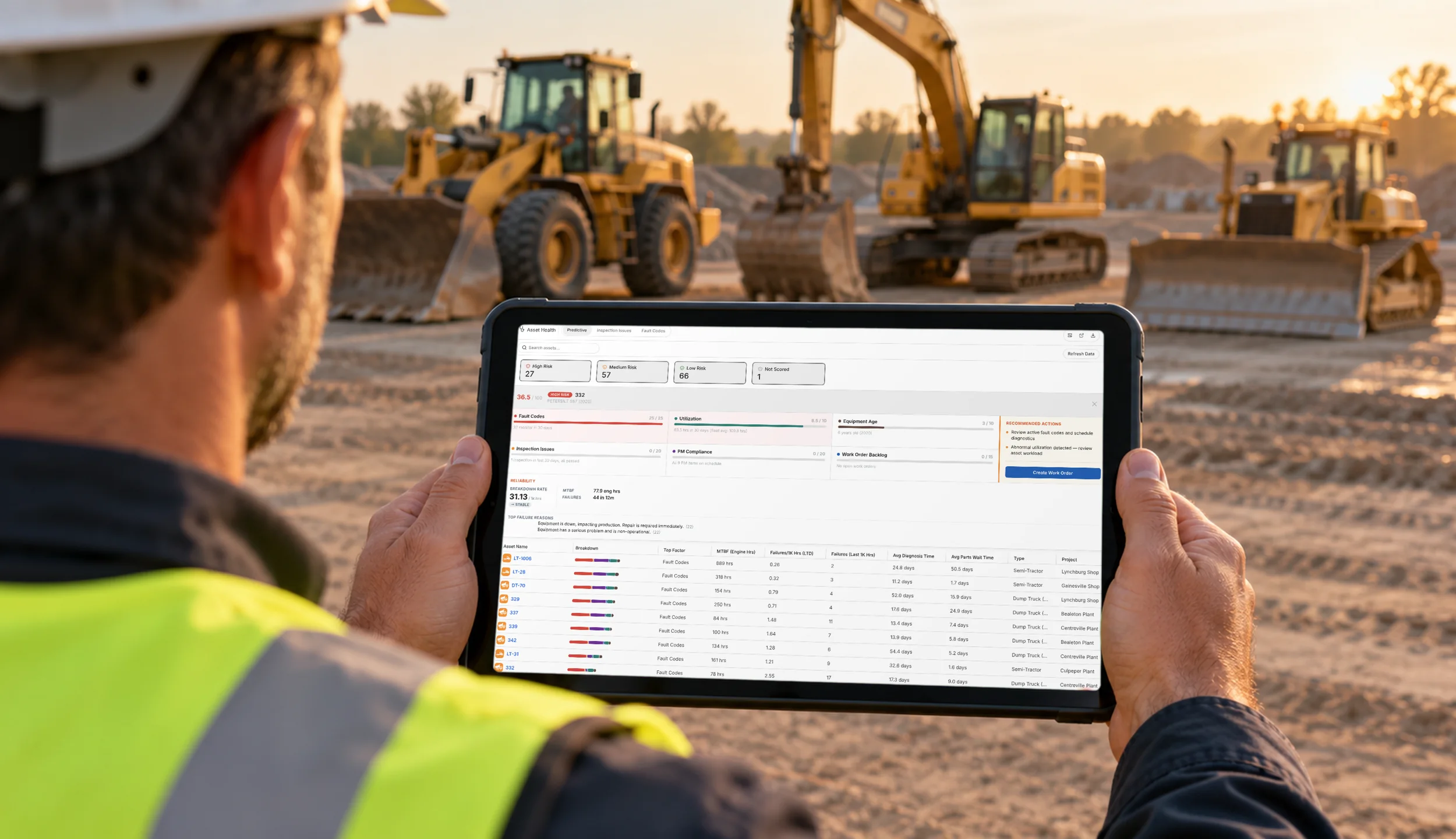
Where Clue fits. In Clue, incoming fault codes become alerts the shop can act on: a mechanic can open a work order from the code or dismiss it once it's handled. Repeat noise can be filtered by asset type or ignored for a specific asset, and component-level tracking traces mapped codes to the affected component. Ask Clue to show how its asset health or priority indicators help the shop decide which fault to investigate first, and which data those indicators use. For quick lookups, crews can use Clue's free fault code guide.
3. Inspections That Turn Defects Into Repair Work
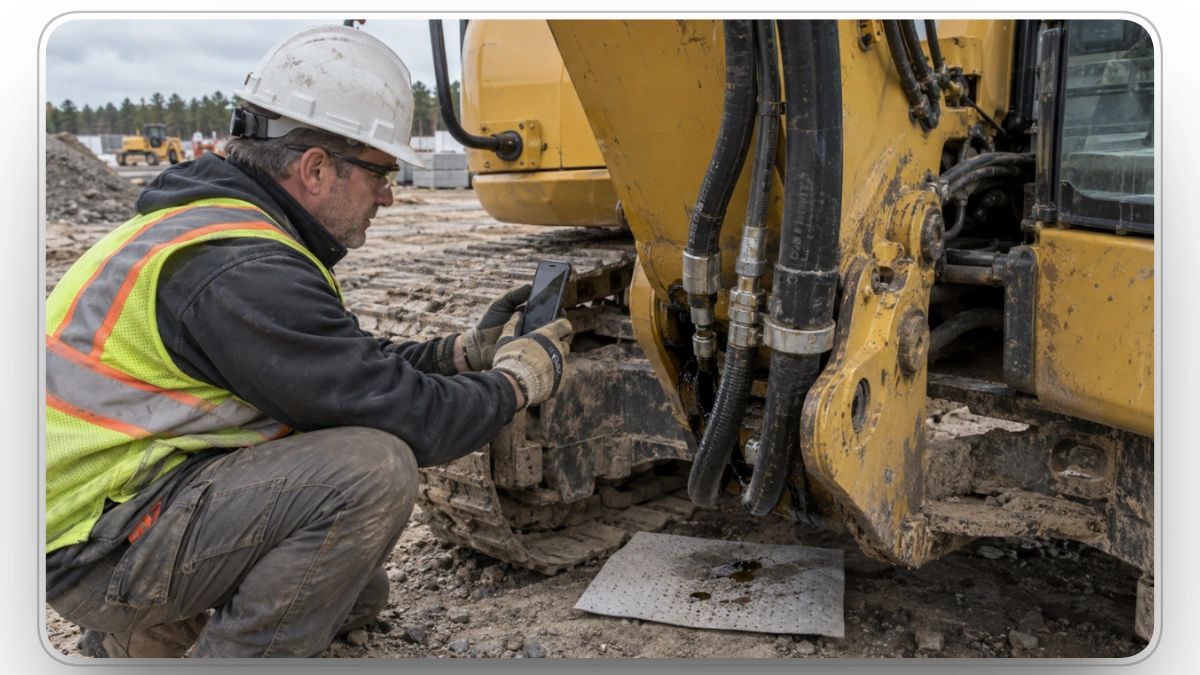
An operator can spot a leaking hydraulic hose on a walk-around and still leave the shop without a repair record. The inspection is done, but the handoff isn't finished until the defect reaches someone who can fix it.
What to check. Use a form your crews already complete. A failed item should become repair work without retyping, carry its photos with it, and be able to flag the machine as down when the failure is critical. After the fix, the repair should close the defect, and a second report of the same issue shouldn't open a duplicate job.
For regulated equipment, confirm the records and sign-offs required before go-live. Under 29 CFR § 1926.1412, cranes and derricks used in construction require inspections before or during each shift, monthly inspections while the equipment is in service, and annual/comprehensive inspections by a qualified person.
Where Clue fits. Clue's inspection forms are customizable, support photos, video, and mandatory items, and work offline. Inspection findings can become maintenance requests or work orders, and visible pending repairs help crews avoid reporting the same issue twice. Recurring schedules help teams keep checks on track, and records can be exported for review. Confirm that the forms, sign-offs, retention, and inspection frequency meet the rules that apply to each type of equipment.

4. Warranty Visibility Before the Repair Starts
Warranty information is worth the most before anyone picks up a wrench. If coverage lives in a spreadsheet or a dealer's inbox, a mechanic can start work that should have gone through a warranty claim, which can put the claim at risk.
What to check. Many extended coverage plans are written in years and hours, so warranty status is only as reliable as your meter readings. A claim can also depend on documented PM, which makes service history part of your evidence. Check that coverage terms, expiry, and service records sit where planners and mechanics already work, and remember that visibility doesn't make a repair eligible; the terms of each warranty still decide that.
Where Clue fits. Clue lets you set alerts for equipment warranties so teams can review coverage before it expires, and warranty and certificate records can hold notes for claim details. Because PM history and meter readings live on the same asset record, the documentation a dealer asks for is already in one place.
5. Parts Requests Tied to the Work Order
Parts availability often decides how long a diagnosed machine stays down. A stock count helps, but the mechanic also needs to request the part from the repair itself and see how and when it will arrive.
What to check. Requests should start inside the work order, one order should be able to cover several parts, and partial deliveries should be tracked rather than lost in email. Ask how part costs are valued and whether that matches the way finance values inventory.
Where Clue fits. Mechanics request parts from the Clue mobile app, and each request stays tied to its work order and to your parts inventory. Ask Clue to show a parts request from a work order through ordering, receipt, and final cost. Confirm how its inventory workflow handles grouped requests, partial deliveries, barcode scans, and planned versus unplanned repair costs.
6. Mobile Workflows That Keep Working Offline
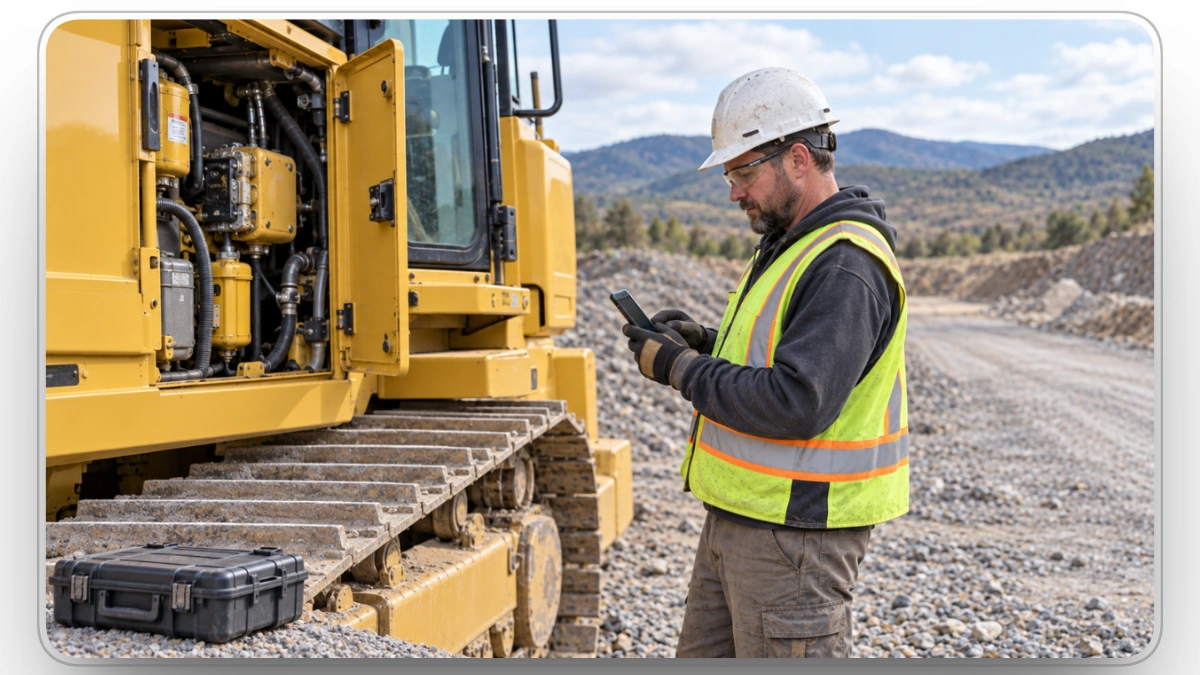
Mechanics and operators should be able to update the repair where the work happens. Anything the app can't capture in the field becomes a note that someone has to retype later, if they remember.
What to check. Look past whether an app exists and check what works with no signal: inspections, photos, work-order updates, and time entry. Watch a technician run a familiar job on a phone, including an interruption, before you judge the app by its screens. If the app drafts repair descriptions with AI, make sure the person reporting can review and edit them.
Where Clue fits. Clue's iOS and Android apps let technicians open, update, and close work orders, log parts, and enter time from the field. Clue supports completing inspections offline and syncing the data when a connection returns. Test photo capture, work-order updates, and time entry separately to confirm which actions your crew can complete without service. Operators can also snap a photo and let Clue's AI draft the repair request, which cuts typing when a problem needs reporting fast.
7. Labor and Cost Data That Flows Into Your ERP
A finished repair produces data your enterprise resource planning (ERP) system needs: labor hours, parts costs, the asset, and the right project and cost codes. If accounting has to rebuild those records, your team is still entering the same data twice.
What to check. Ask the vendor to map your actual data path, from mechanic time and approval to the record that lands in your ERP. A connector name doesn't prove that every field moves, or that it moves in both directions, so confirm the specific records, codes, and approval steps your business depends on.
Where Clue fits. Clue captures mechanic time on the work order, with project and phase available on work-order timecards, and managers can approve timecards before they move on. It offers native two-way sync with Trimble Viewpoint Vista and Spectrum, imports external repair invoices from Vista, and connects with HCSS HeavyJob and other ERP and CMMS software. Equipment economics then tracks spend across fuel, repairs, and rentals, which gives teams cost data for repair-or-replace decisions.
8. Mixed-Fleet and Multi-Location Visibility
Construction fleets rarely look like one brand of machine parked in one yard. Equipment moves between projects, parts sit in different shops, and some assets report through telematics while others depend on an operator's update.
What to check. AEMP 2.0 gives mixed fleets a common format for location, operating hours, utilization, and fuel data, as Volvo CE's machine data API page explains, so ask which of your brands send data that way and which need a native connection. Then confirm that untracked machines stay in the same schedules and reports, and that local teams see their own work while the head office sees the whole fleet.
Where Clue fits. Clue connects equipment data from supported OEM telematics and GPS systems through AEMP 2.0 and other integrations. Check which of your machines supply engine hours, fault codes, fuel, and location data. Clue advertises 80+ integrations overall, across its integration categories. that include Caterpillar VisionLink, Liebherr LiDAT, and Samsara. Batch-generated QR codes give every machine, connected or not, a scannable ID in the field. PM views can be filtered by one or several shops, and asset assignment history records where each machine has been assigned.
A Demo Scorecard for Comparing Equipment Maintenance Tools
Run the same eight tests with every vendor and note any step that still happens in a separate form, spreadsheet, or phone call. If you're still building a shortlist, start with our roundup of the best construction equipment maintenance software, then use this scorecard to narrow it down.
| Feature | What to Ask the Vendor to Show |
|---|---|
| Preventive Maintenance | A meter update, upcoming service, and automatically generated work order. |
| Fault Codes | A new fault entering maintenance and a fault already linked to an open repair. |
| Inspections | A failed checklist item creating a maintenance task. |
| Parts | A multi-part request, inventory or vendor fulfillment, and the recorded unit cost. |
| Mobile Access | Work-order updates, labor entry, and saving and resuming an inspection draft. |
| ERP Cost Data | Your project and cost-code mapping through approval and the receiving system. |
| Warranty | Coverage details visible while reviewing an asset for maintenance. |
| Mixed Fleets | Tracked and untracked equipment across locations and permission levels. |
A strong demo shows each workflow in the second column without a workaround. Record any missing step and ask who would handle it after rollout. After rollout, track mean time to repair to confirm those handoffs are actually getting faster.
How to Choose the Right Equipment Maintenance Tool
The right equipment maintenance tool moves a machine from the first warning sign to a completed repair with labor, parts, and costs recorded against the asset along the way. Feature lists can't show you that; a live repair can.
Clue connects that path across PM work orders, fault codes, inspections, warranty alerts, parts, labor, and ERP-ready costs, whether the data comes from connected machines or operators in the field. For a customer example, Clue’s Palmetto Corp case study reports more than $1 million in savings in the first year from improved equipment management and maintenance work.
Bring one real breakdown to your Clue demo and follow it all the way into your ERP.
FAQs About Equipment Maintenance Tools
What are equipment maintenance tools?
In this guide, equipment maintenance software that schedules service, manages work orders, records inspections, and tracks labor, parts, and costs. Construction fleets also need engine-hour data, mobile access, and support for machines spread across jobsites.
Should preventive maintenance use engine hours or calendar dates?
Use both. Engine hours suit wear-driven service on machines that work hard, while calendar intervals protect equipment that sits idle, since fluids and components age even when a machine isn't running. Many OEM schedules combine the two, such as 250 hours or three months, whichever comes first, so choose software that supports dual triggers and pulls hours from telematics automatically.
Is telematics required for equipment maintenance software?
No, but it cuts down on manual meter entry. Connected machines can send engine hours, odometer readings, and fault codes automatically, while untracked equipment relies on readings from operators or mechanics. The best setup keeps both groups in one schedule and one set of reports, so a machine without telematics never falls off the PM plan.
Do equipment maintenance tools work without cell service?
Some do, but offline support varies by feature. Clue supports offline inspections and syncs the data when a connection returns. Confirm whether photos, work-order updates, and time entry work offline in the version your team will use. Before buying any platform, test every action your crew performs in low-signal areas, including work-order updates and time entry, rather than assuming the whole app works offline.
How do maintenance records affect equipment warranty claims?
Maintenance records are often the evidence behind a warranty claim. Dealers and manufacturers can ask for proof that scheduled service was done on time, and coverage that expires on hours depends on accurate meter readings. Keeping PM history, readings, and warranty terms on the same asset record makes it faster to confirm eligibility before a repair starts.
Does equipment maintenance software replace an ERP?
No. Equipment maintenance software runs the operational side, including PM, inspections, work orders, parts, and mechanic time, while the ERP stays the system of record for accounting and payroll. The value comes from the connection between them. Check which records your ERP integration sends and receives, including approved labor, parts costs, project codes, and repair invoices.
How is predictive maintenance different from preventive maintenance?
Preventive maintenance follows a schedule based on hours, mileage, or dates. Predictive maintenance analyzes condition and performance data to estimate when a component may need attention. Fault alerts or asset health scores can also help a shop prioritize inspections, but prioritizing a fault does not necessarily predict a future failure. Fleets can use those signals alongside scheduled PM.

Transform Your Equipment Management