What is Component-Level Tracking? is a beta feature in Clue that lets you break a piece of equipment into its major systems and components, each tracked individually with its own serial number, maintenance history, hours, and costs. Instead of treating a dozer as a single asset, you track the engine inside it, the transmission, the hydraulic pump, and the undercarriage each as their own record within Clue's equipment maintenance platform.
When a component moves from one machine to another, its full history moves with it. No data is lost and no history is reassigned. This feature is designed for organizations managing high-value or complex equipment where standard asset-level tracking is not granular enough to support rebuild-or-replace decisions, failure analysis, or compliance reporting.
Who Is This For?
- Equipment Managers use component-level tracking to maintain a complete cost and repair history per component across its full lifetime, even when it moves between machines. This makes capital decisions based on real numbers rather than estimates.
- Shop Managers benefit from component-specific failure tracking and separate PM schedules. Instead of one maintenance schedule for the whole machine, each major system gets its own service interval and its own work history in Clue.
- Reliability and Maintenance Planners use component failure data to answer questions like how often hydraulic pumps fail across the fleet, which component types drive the most repair costs, and which machines are candidates for rebuild. This level of analysis is not possible with asset-level tracking alone.
How It Works?
Step 1: Understand the three-layer structure
Component-level tracking is built on three layers that work together:
- Catalog: A library of component types your organization uses, such as Diesel Engine, Hydraulic Pump, and Screen Motor. This defines what exists and sits at the foundation of the system.
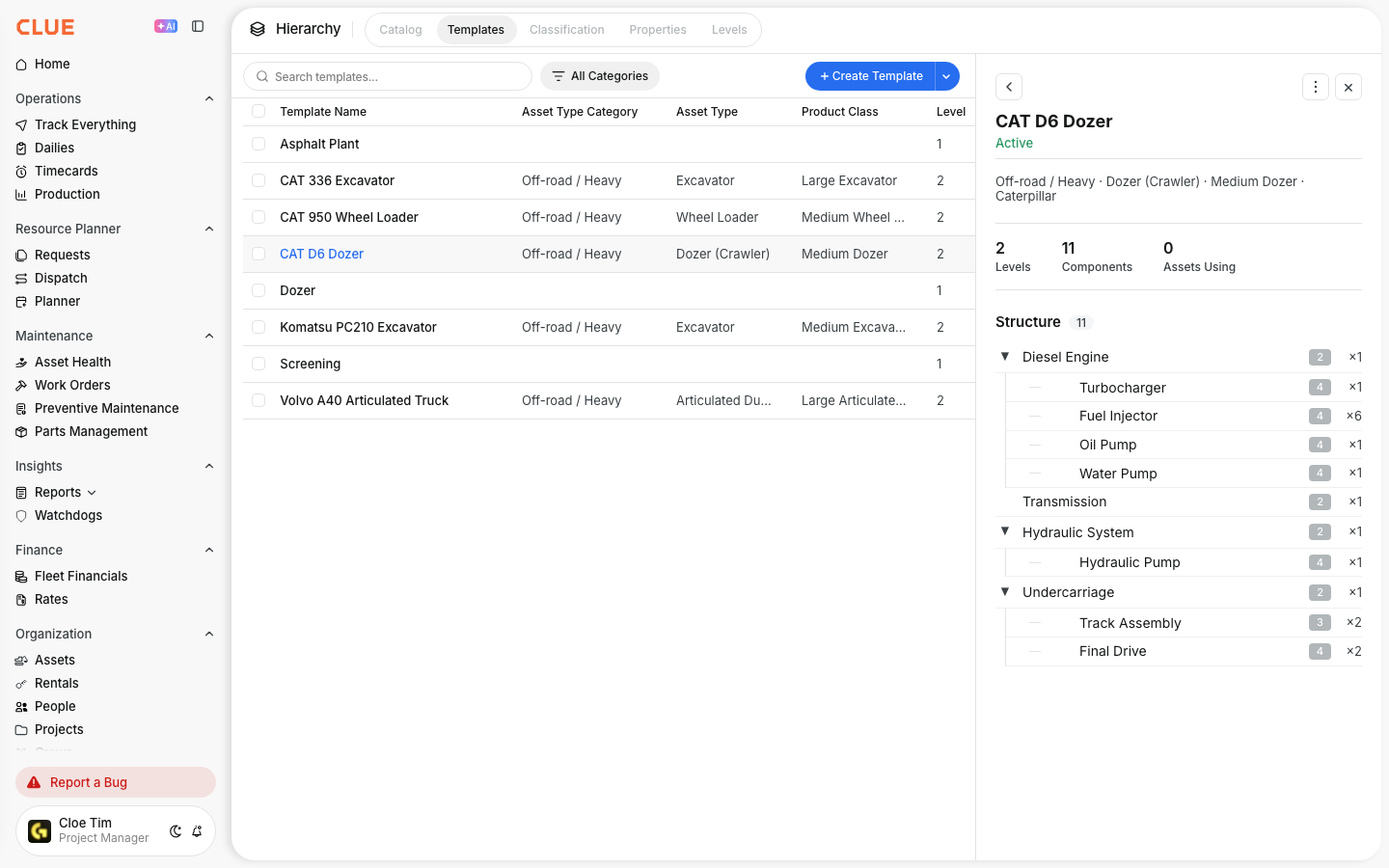
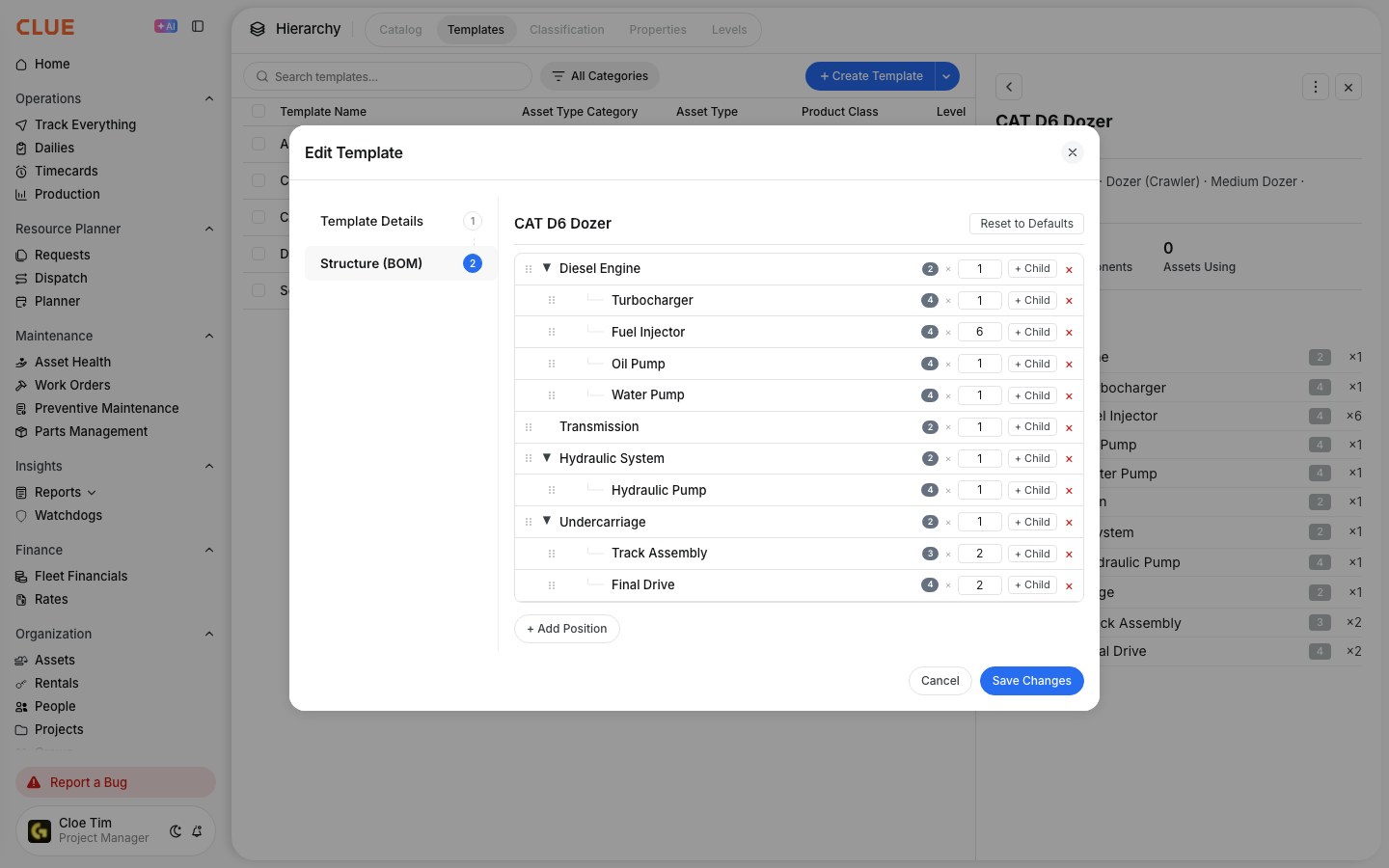
- Template: A bill of materials for a specific equipment type. An Asphalt Plant template defines which systems and sub-components that machine type contains. Build it once and reuse it across every machine of that type.
- Instance: The actual component sitting on a specific machine, with its own serial number, hours, and history. Instances are created by applying a template to an asset.

Step 2: Decide if your fleet needs it
Component-level tracking adds setup time and ongoing data discipline. You likely do not need it if:
- Your fleet is mostly trucks, pickups, and light equipment
- You rarely swap major components between machines
- Asset-level work orders and PM schedules are working well for your team
You likely do need it if:
- You operate asphalt plants, batch plants, or crushing equipment with multiple independently maintained systems
- You run drilling rigs, boring machines, or mining equipment where engines and transmissions are rebuilt and swapped regularly
- You manage crane fleets where booms, winches, and outriggers need separate inspection and compliance tracking
- You have individual components worth more than some entire machines in your fleet
Step 3: Set up the catalog, then templates, then instances
The setup sequence matters. You build the catalog first to define what component types exist. Then you build templates that arrange those components into the structure for each equipment type. Then you create instances on your actual assets. Each layer depends on the one before it.
Step 4: Track maintenance, costs, and failures at the component level
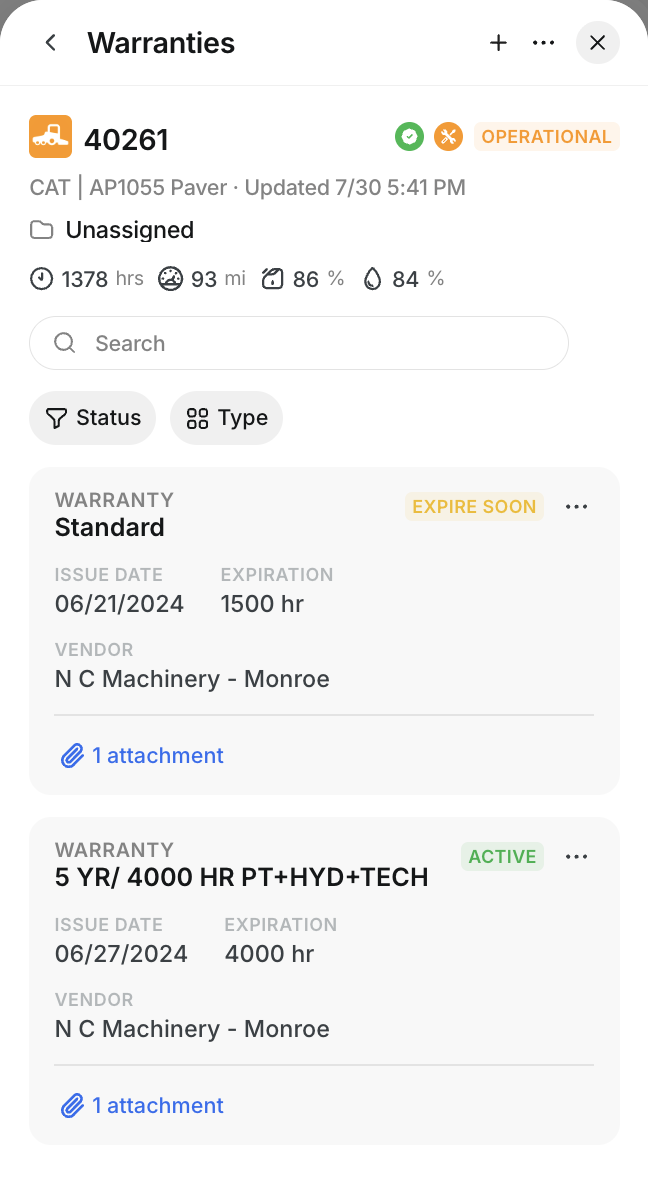
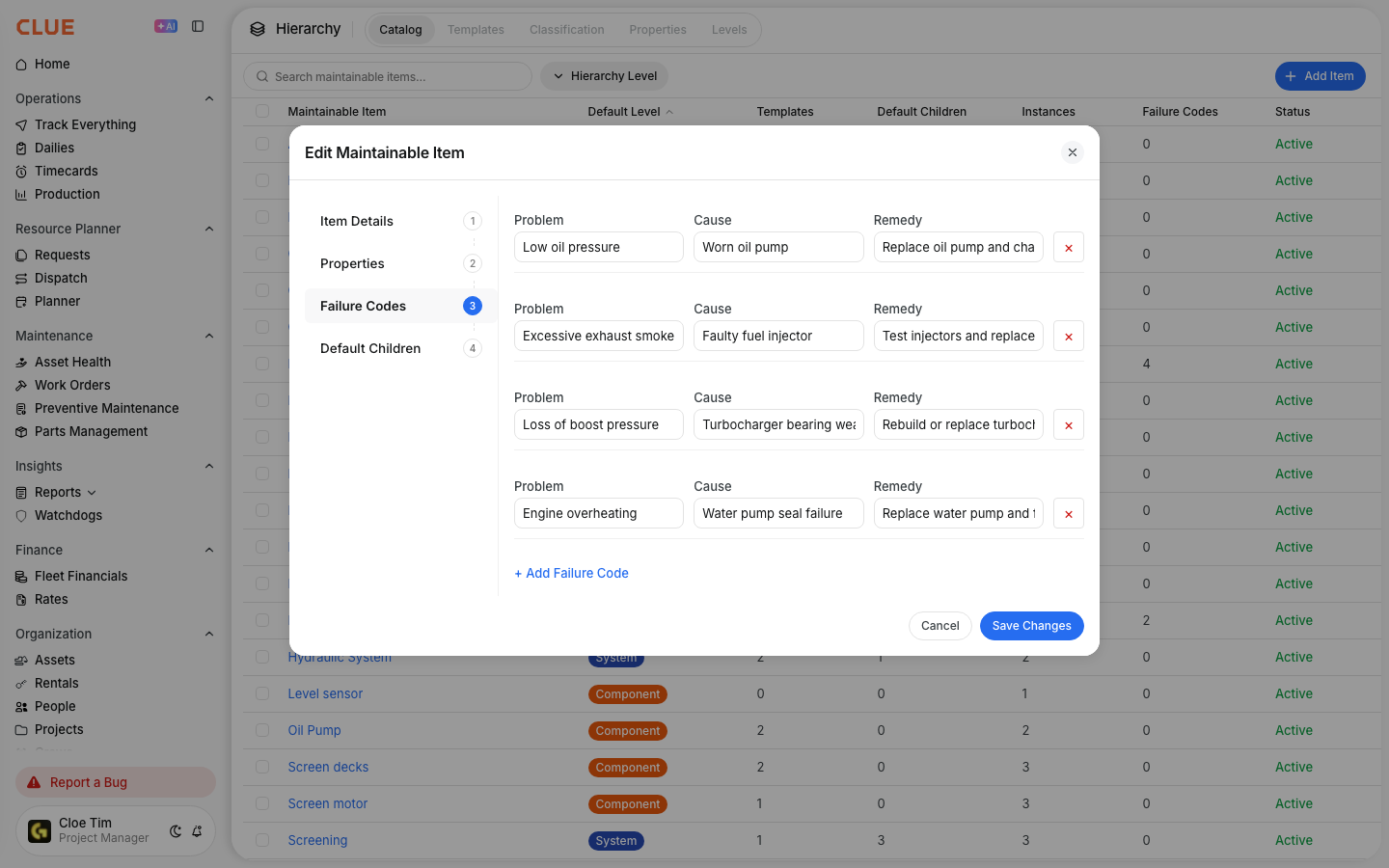
Once instances exist on your assets, preventive maintenance schedules, work orders, costs, and failure codes attach to individual components. The engine gets its own PM interval. The hydraulic pump gets its own. When a component is transferred to a different machine, its full record moves with it automatically.
Key Behaviors and Limitations
- This feature is currently in beta. Component-level tracking is available now in beta and will roll out to all Clue users after the beta period concludes. Contact your Clue representative to enable it for your organization.
- Each layer must be set up in order. You cannot build a template without catalog items, and you cannot create instances without a template. The catalog is always the starting point.
- Changing a template does not update existing instances. If you edit a template after instances have already been created from it, those existing instances keep their current structure. Only new instances reflect the updated template.
- Component history follows the component, not the machine. When a component is transferred to a new asset, its serial number, hours, repair history, and costs all move with it. The original machine gets a new component record.
- ISO-14224 compliance is built in. The component hierarchy follows the international standard for equipment reliability data, supporting organizations with formal reliability programs or regulatory reporting requirements.
Tips
- Start with one equipment type before rolling out fleet-wide. Pick your most complex or highest-value asset class, build the template, create instances on a few machines, and confirm the data is useful before expanding.
- Begin at the system level, not the part level. Start tracking Engine, Transmission, and Hydraulics before going deeper into sub-components. Add finer detail only when you have a specific reason to need it.
- Talk to your maintenance manager before building the catalog. If they already track components in a spreadsheet or mentally, the catalog should formalize what they already know. Their input will make the structure accurate from day one.
- Use component failure data to improve your PM intervals. Once you have a failure history by component type across your fleet, you can adjust service intervals in Clue based on actual failure patterns rather than OEM defaults.