When equipment is sold, scrapped, or taken out of service, the instinct is to delete it from the system. But deleting an asset means losing everything tied to it including its work order history, inspection records, costs, fault codes, and meter readings. Equipment Archiving and Deactivation solves this by giving retired assets a deactivated status instead of removing them permanently.
The asset record stays in the system with its complete history intact, removed from all active views and dashboards, but fully accessible whenever it is needed for audits, cost analysis, or regulatory compliance.
Who Is This For?
- Equipment Managers use archiving to keep the active asset directory clean and accurate without losing the maintenance and cost history of retired equipment. This history is critical for lifecycle analysis and future fleet planning. It connects directly to CLUE's Asset Tracking where maintaining an accurate, current asset list is essential.
- Fleet Administrators use deactivation to manage asset records when equipment is sold, transferred, or scrapped, ensuring the system reflects the current state of the fleet at all times.
- Finance and Compliance Teams rely on archived asset records to produce accurate cost of ownership reports and respond to audit or insurance requests that require historical equipment data.
How It Works
Soft Delete
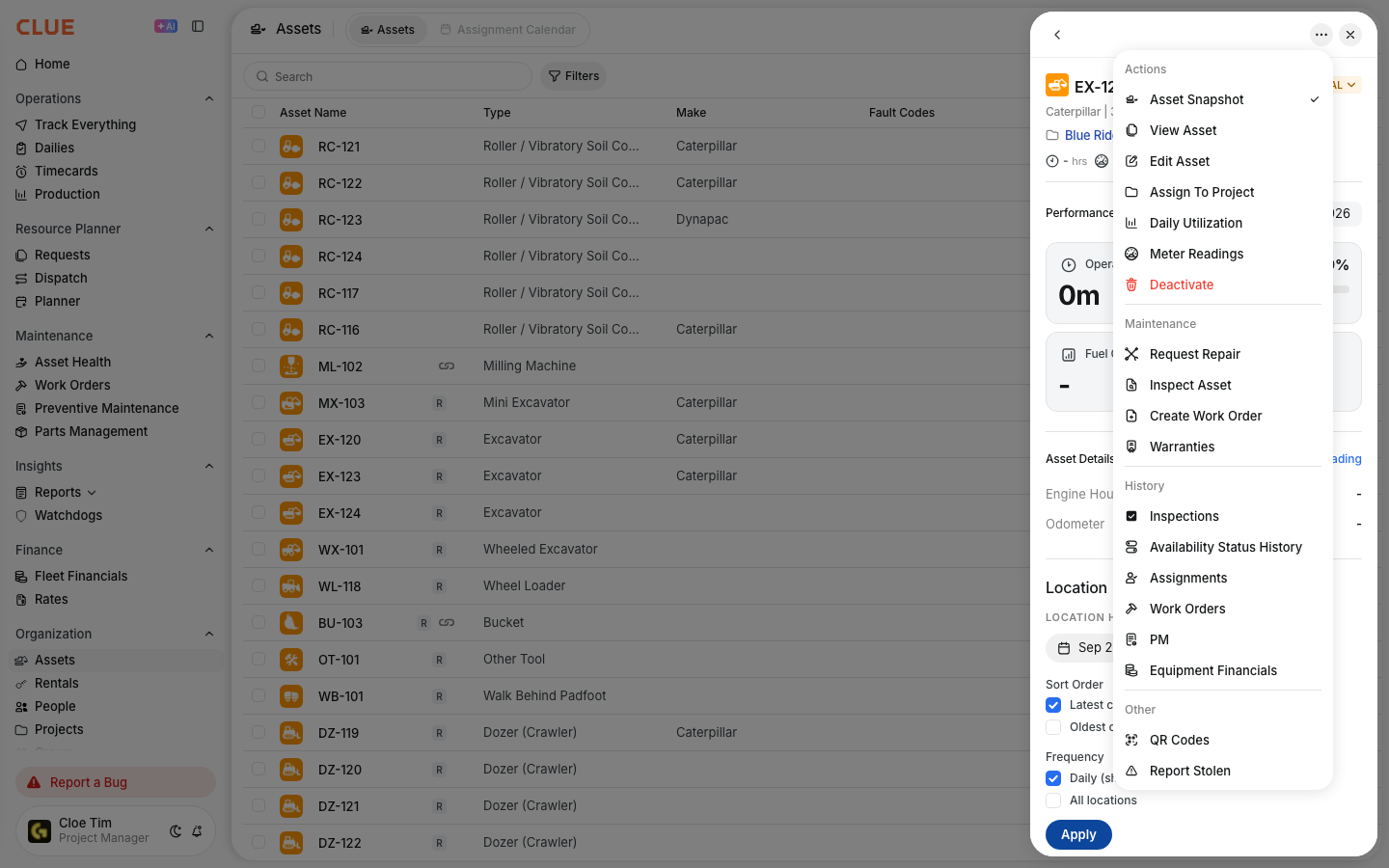
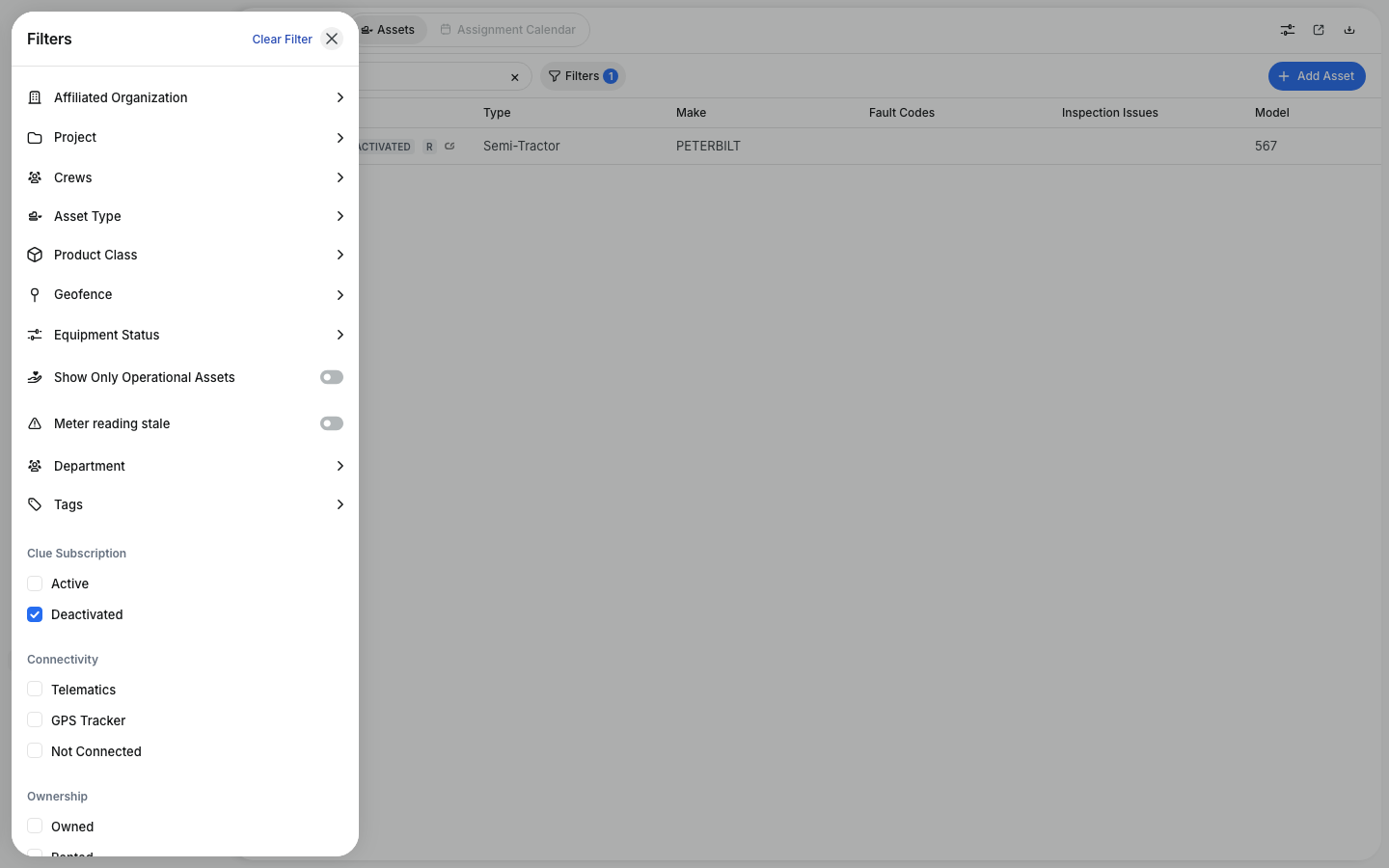
Archiving is a soft delete. The asset record stays in the database with its full history intact. It receives a DELETED or DEACTIVATED status that removes it from active lists, work order assignment, reports, and dashboards. Nothing is permanently erased.

Automatic Deactivation from Vista
When Viewpoint Vista marks an asset, employee, or part as inactive, CLUE can automatically archive the corresponding record. This is controlled by the deactivate_assets_when_not_exist_in_vista parameter and is configurable per organization. No manual cleanup is required when this is enabled. Learn more about how this works through the CLUE and Vista integration.
Active-Only Queries
All standard views including the asset directory, work orders, and reports filter to active records by default. Archived assets do not appear in search results or active lists, keeping daily operations clean and uncluttered. System performance remains consistent even as the archive grows over years.
Key Behaviors and Limitations
- History is fully preserved. Work orders, inspections, fault codes, meter readings, and costs all stay on the archived asset record. Nothing is removed from the database.
- Archived assets are still searchable. When you need to access a retired asset's history, toggle the Show Archived filter in the asset directory. The full record is available immediately.
- Archiving applies to equipment, employees, and parts. All three record types follow the same archive pattern in CLUE, keeping the system consistent across all asset categories.
- Archiving is reversible. If an asset was archived by mistake, an admin can reactivate it. The record and all its history are restored to active status without any data loss.
- Vista sync is configurable. Auto-deactivation from Vista is not enabled by default for all organizations. If Vista is your source of truth for asset status, confirm with your CLUE organization administration that the parameter is configured correctly for your setup.


Tips
- Archive, never delete. Even if you do not expect to need the data, keep it. Auditors and insurance companies frequently request equipment history years after an asset has been retired. Archived records ensure you are always prepared.
- Enable auto-deactivation from Vista if Vista manages your asset status. This keeps both systems in sync automatically and eliminates the need for manual cleanup each time an asset is marked inactive in Vista.
- Review archived assets quarterly. Equipment can occasionally be archived unintentionally, for example due to a data sync issue with Vista. A quarterly review of archived records helps catch these cases before they cause reporting gaps.
- Use archived asset history for fleet replacement planning. Before purchasing a replacement for a retired asset, pull its full maintenance and cost history from the archive. Total repair costs, failure patterns, and service frequency are all useful inputs when evaluating whether to replace with the same model or a different one. This pairs well with CLUE's Reporting and Analytics.