Using the Predictive Maintenance Dashboard
The Predictive dashboard in Asset Health helps you fix problems before they become breakdowns. It gives each asset a risk score based on signals like fault codes and utilization, then ranks your fleet from highest to lowest risk. Use it to plan predictive maintenance and avoid surprise failures.
What is this?
Predictive maintenance watches the data coming off your machines and flags the ones most likely to have a problem soon. Each asset gets a risk score and a top factor, so you know what is driving the risk.
Who's this for?
- Maintenance managers, schedule work on high risk assets before they fail.
- Shop foremen, see the top risk factor for each machine.
- Equipment managers, reduce downtime across the fleet.
How to use it
Step 1: Open Asset Health
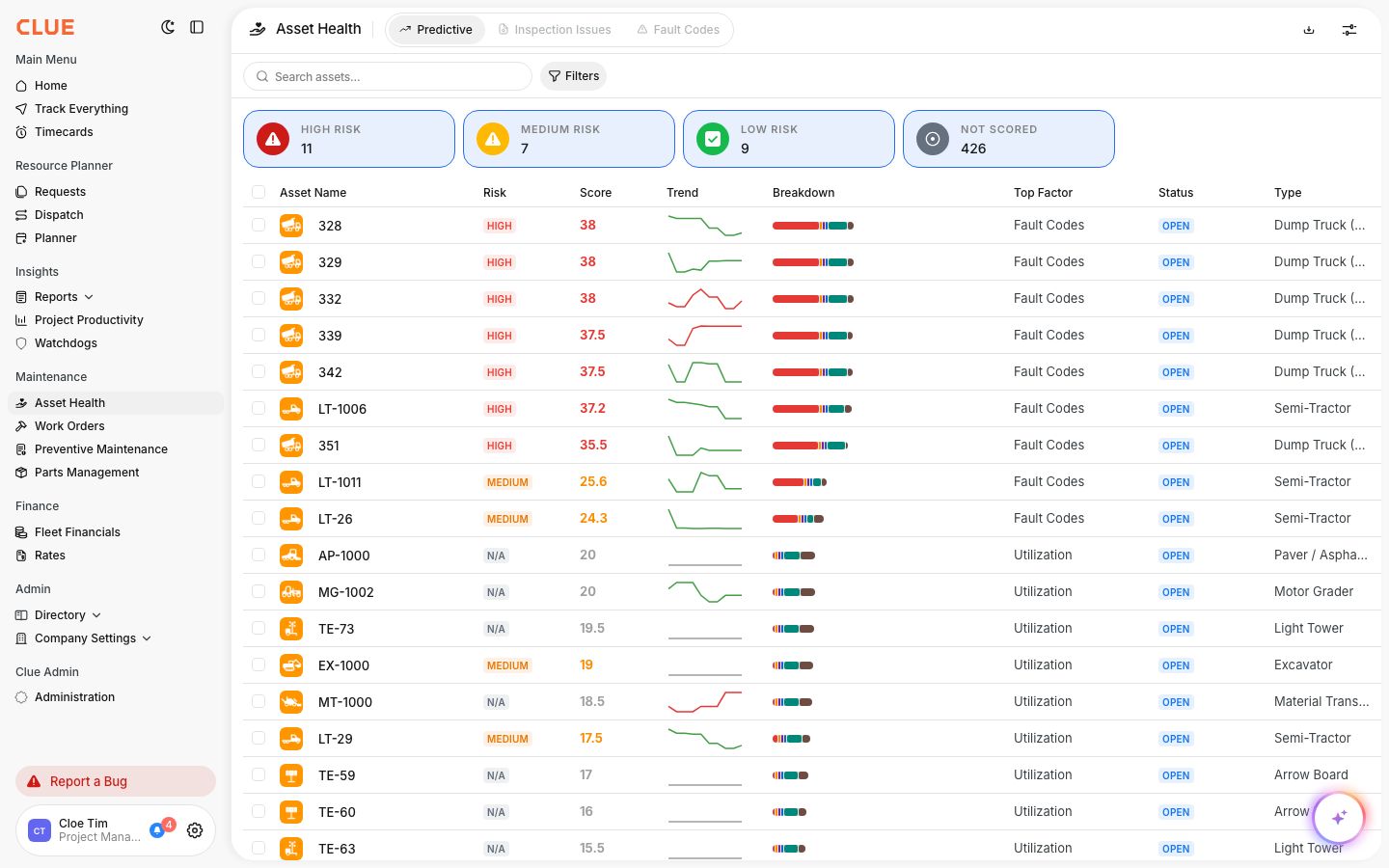
In the main menu, open Asset Health, then select the Predictive tab.
Step 2: Read the risk scores
Each row shows an asset, its risk level, its score, a trend line, and the top factor driving the risk.
Step 3: Act on high risk assets
Start at the top of the list. Open a high risk asset to review its fault codes and create a work order.
The full details
- Works on: Web app
- Where to find it: Asset Health > Predictive
- Visibility: This tab shows only if your company has predictive maintenance enabled.
Tips
- Sort by risk score to work the most urgent assets first.
- Check the top factor, it tells you whether the risk is from fault codes or usage.