Managing Fault Codes
Fault codes are alerts sent from your equipment when the system detects a problem. In CLUE, they help your team spot issues early, understand how serious they are, and decide whether the asset needs immediate attention or scheduled repair.
Overview
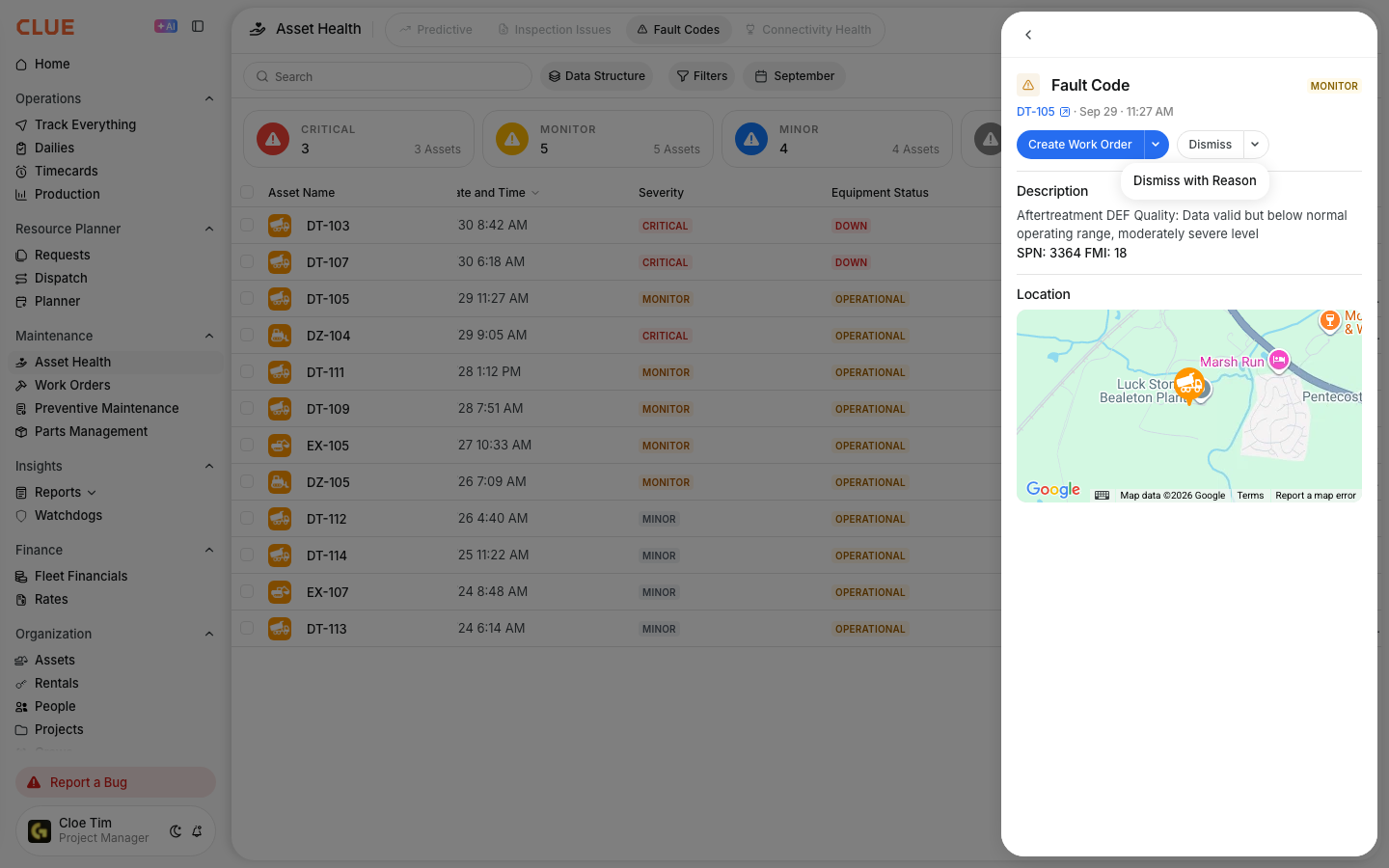
Use the Fault Codes page to monitor diagnostic alerts across your fleet. This gives your team one place to review active codes, check the affected asset, and take action when maintenance is needed. If the issue needs repair, it can be turned into a work order directly from the fault code record.
Viewing Fault Codes
Start by opening the fault code list. This view shows active fault codes across your fleet so you can review what needs attention first.
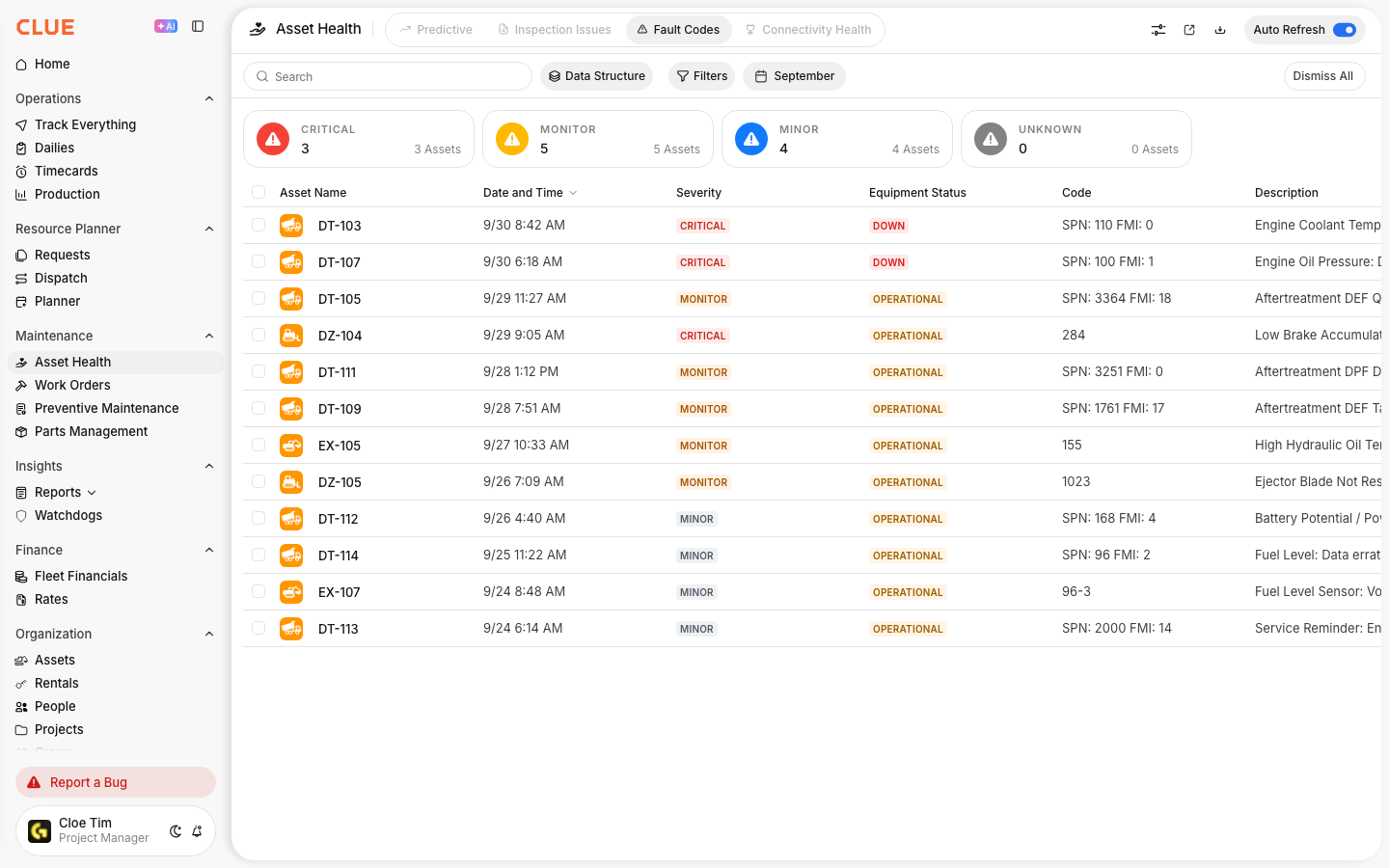
Go to Maintenance > Fault Codes.
From there, you can review the code details, the affected asset, and the severity level for each alert.
Understanding Severity
Severity helps your team decide how quickly to respond. Not every fault code needs the same level of action, so this is one of the first things to check.
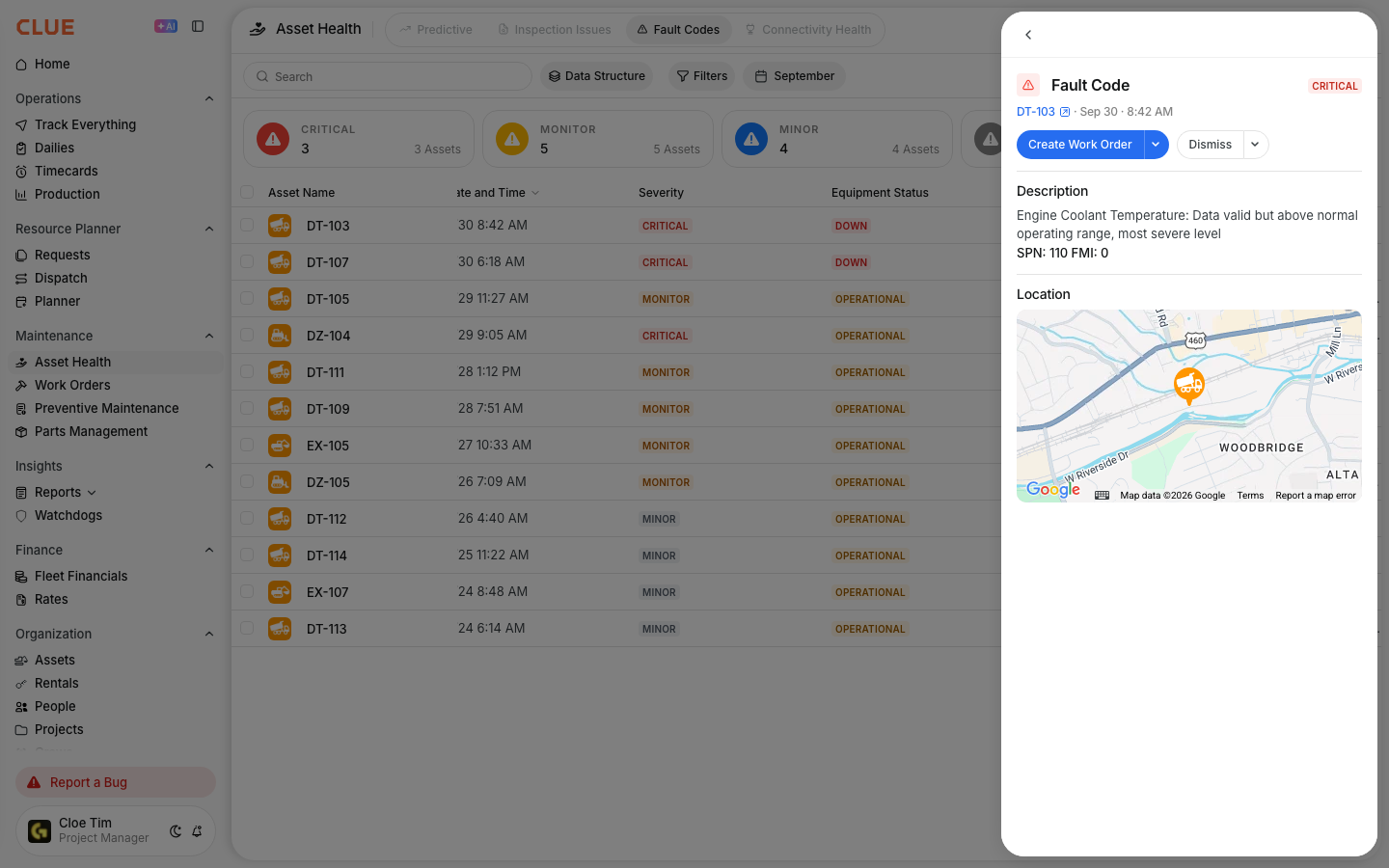
- Critical - immediate attention is required and the equipment may be unsafe to keep running
- Warning - an issue has been detected and service should be scheduled soon
- Informational - a lower-priority issue or advisory that should be monitored
Responding to Fault Codes
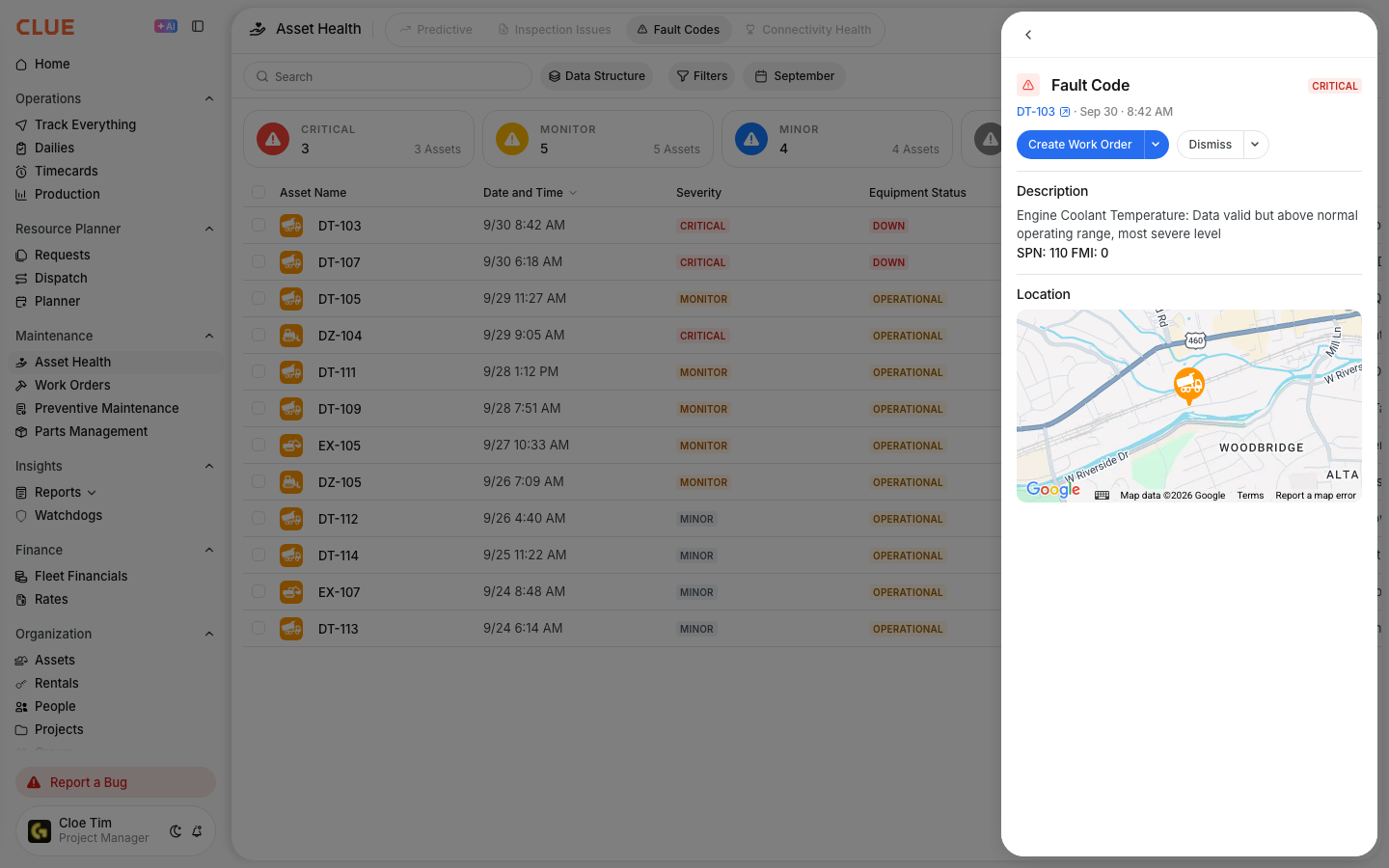
Once you open a fault code, review the description first so you understand what the machine is reporting. Then check the asset details to see where the issue is happening and whether it affects current operations.

If the fault needs repair, create a work order and assign it to the right mechanic for diagnosis. If your team is already using Creating Work Orders from Issues, this follows the same basic workflow.
Creating Work Orders from Faults
You can create a work order directly from a fault code instead of starting from scratch. This saves time and keeps the fault tied to the repair record.
Click Create Work Order from the fault code entry.
The work order will be pre-filled with the asset and fault details, which makes the repair easier to track and keeps the history connected. You can also review that history later in Viewing Asset Work History.
Clearing Fault Codes
Fault codes usually clear when the underlying issue has been fixed or the equipment no longer reports the problem. In some cases, the diagnostic system resets the code after the condition is gone.
A mechanic may also mark the issue as resolved after diagnosis and repair, depending on your team’s process.