Creating Work Orders from Inspection Issues and Fault Codes
A defect reported in the field or a fault code fired by a telematics device is only useful if someone acts on it. When that information has to be manually communicated, written up, and entered into a work order by a separate person, things get missed or delayed. Creating Work Orders from Inspection Issues and Fault Codes eliminates that gap by turning field-reported defects and telematics alerts directly into work orders in CLUE, pre-filled with the asset, issue description, photos, and fault code details.
The mechanic receives a ready-to-act job without anyone typing it up. Whether the issue originated from an operator inspection or a live fault code from Samsara or Tenna, it follows the same path into the shop queue.
Who Is This For?
- Shop Managers use this workflow to ensure that nothing flagged in the field falls through the cracks. Every reported defect and triggered fault code has a clear path to a work order and an assigned mechanic.
- Equipment Managers use it to maintain a complete, linked history between inspection findings, fault codes, and the repairs that followed, which is critical for understanding recurring issues on specific assets. This connects to CLUE's equipment maintenance.
- Foremen use fault code auto-creation rules to ensure that critical equipment alerts generate immediate repair actions without waiting for someone to manually review and respond.
From Inspections (DVIR)
When an operator fails an inspection item and marks a defect during a DVIR:
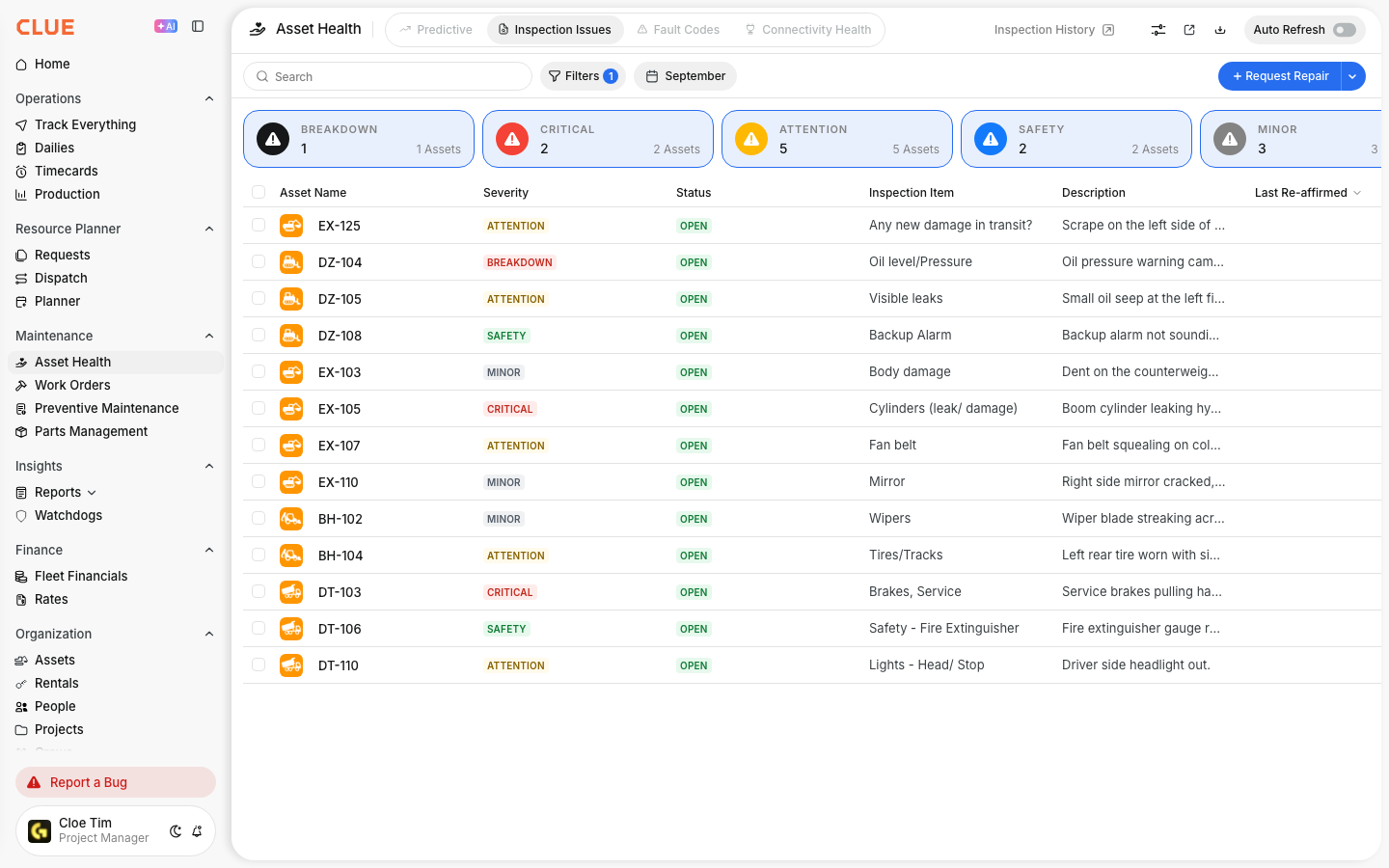
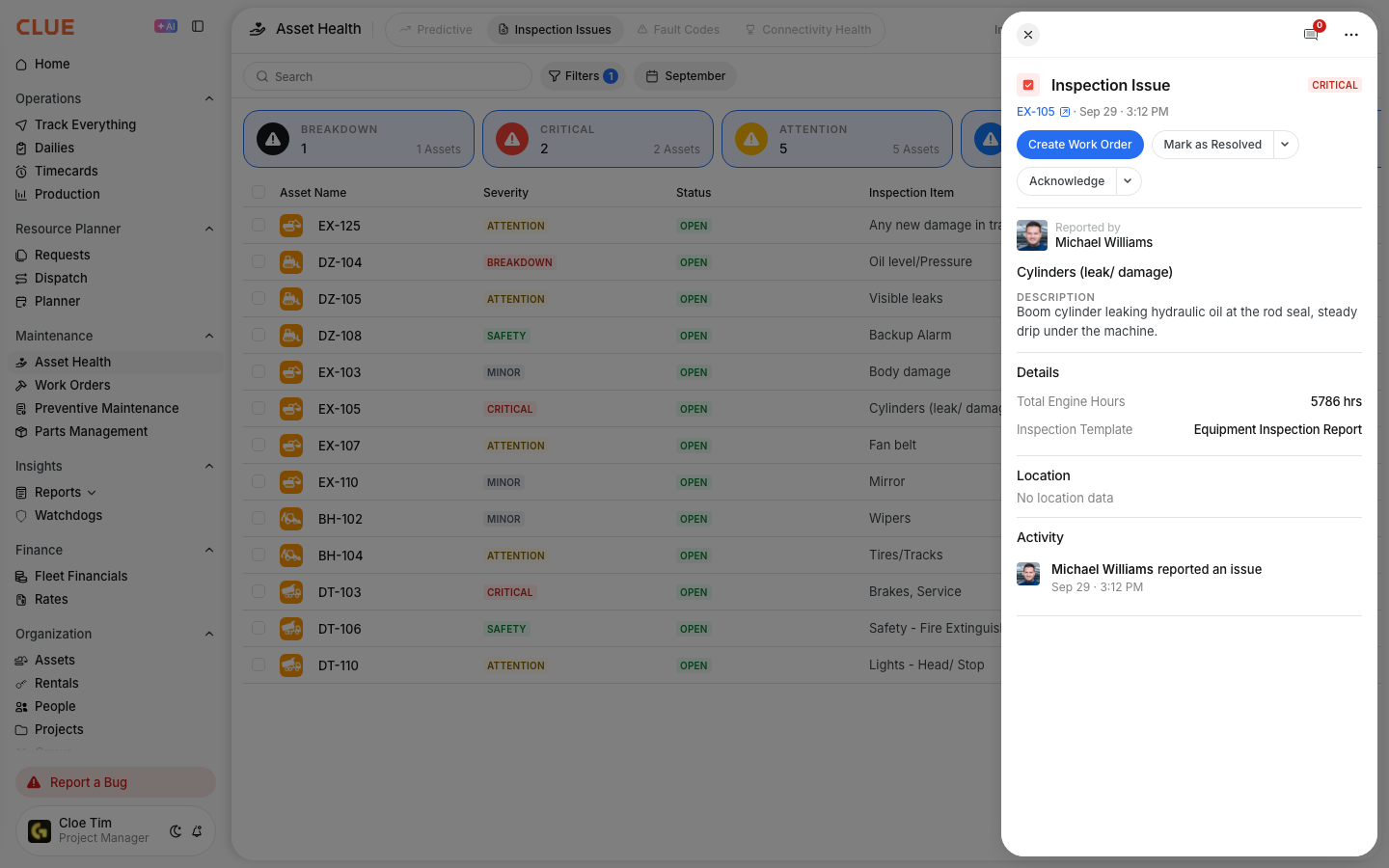
- The issue appears in Asset Health > Inspection Issues
- Click the issue and select Create Work Order
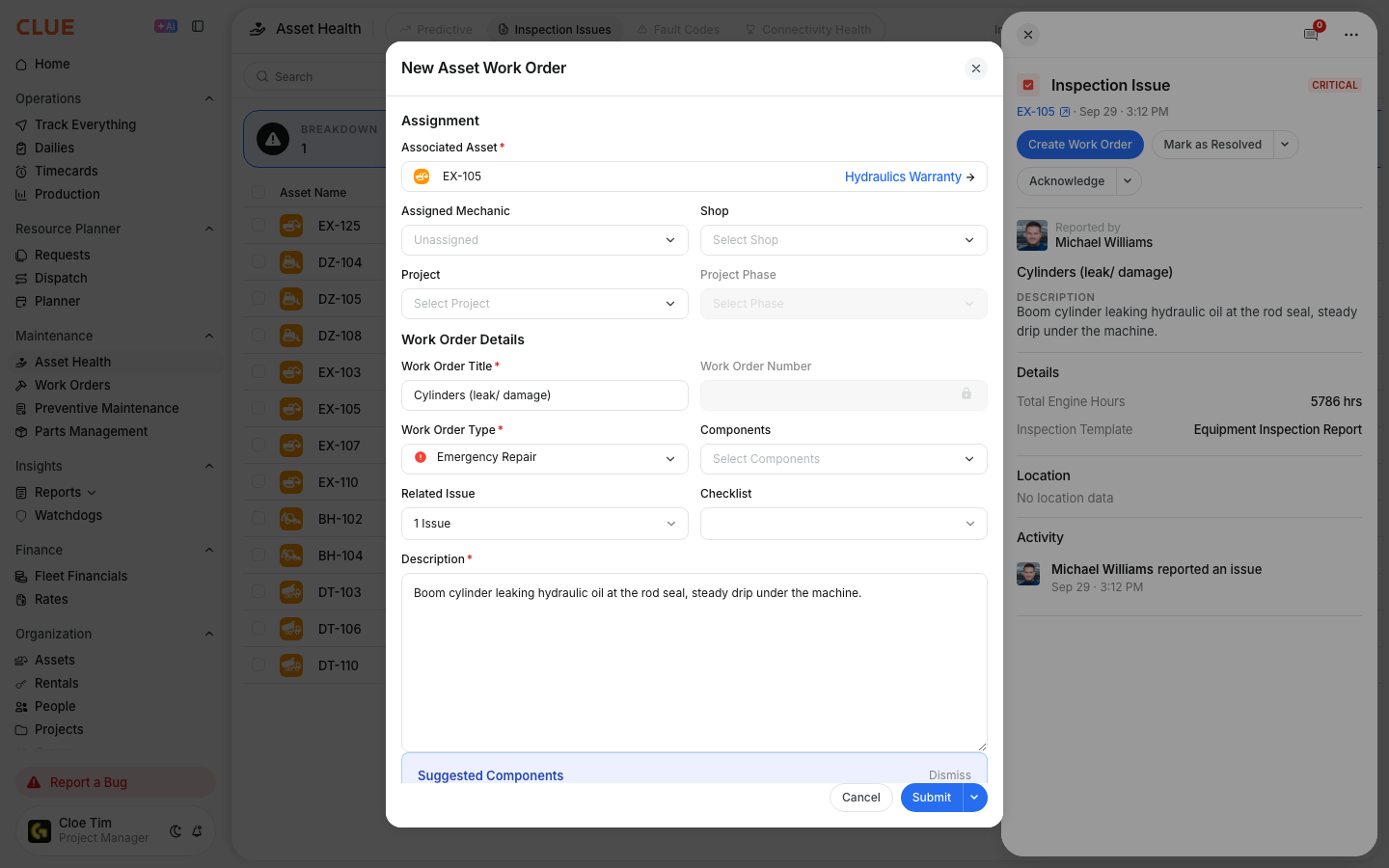
- The work order auto-fills with the asset ID, defect description, severity level, and any photos the operator attached during the inspection
- Assign a mechanic and set priority. The job is ready to be worked.
From Fault Codes (Samsara, Tenna, OEM)
Fault codes from connected telematics providers flow into CLUE continuously. For critical codes, the fault code rules engine can create work orders automatically without any manual step:
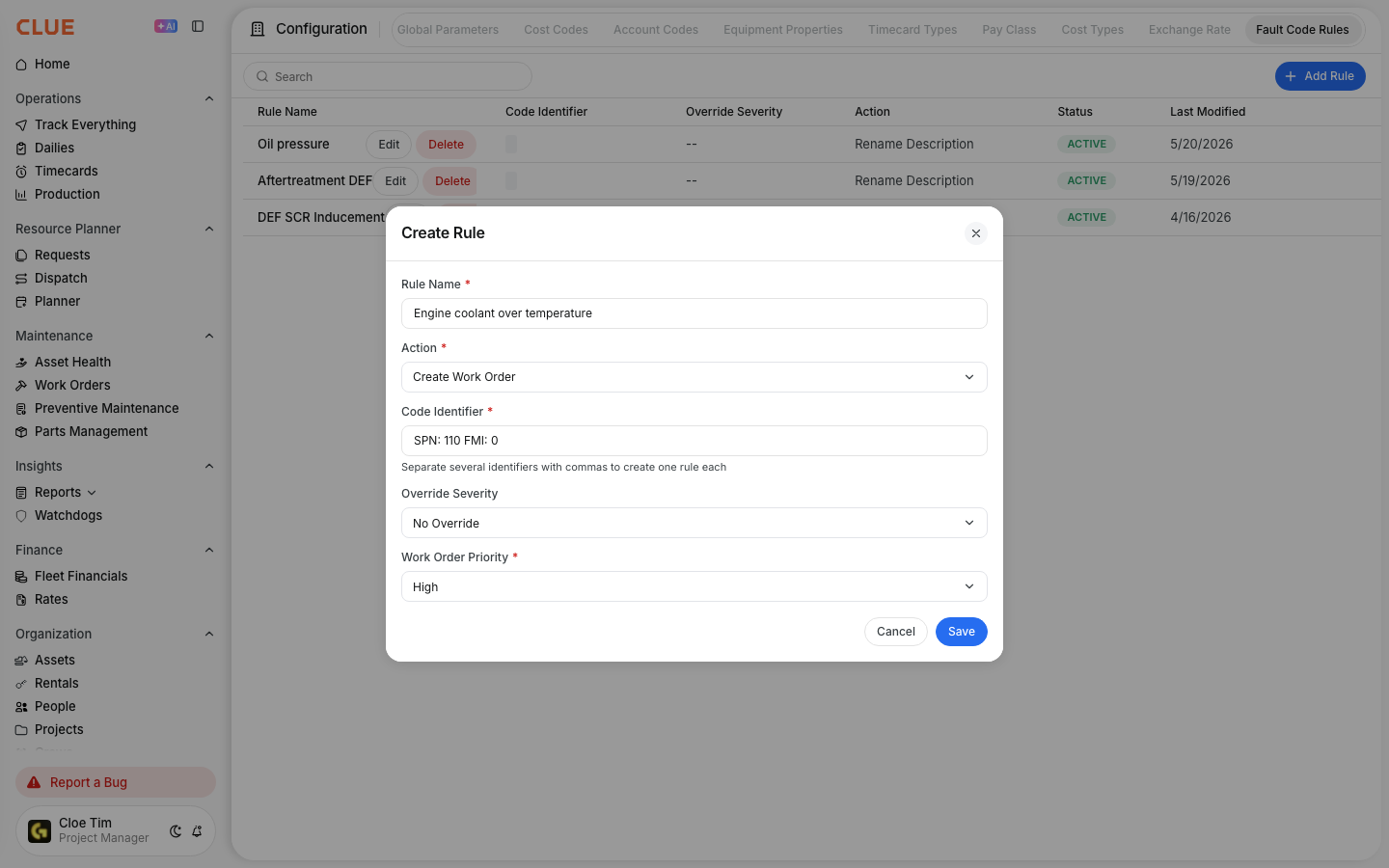
- Set a rule in Company Settings > Configuration > Fault Code Rules
- Choose Create Work Order as the action for that specific fault code
- When the code fires from the telematics device, the work order is created instantly and linked to both the asset and the fault code
- The system checks for existing open work orders on the same asset and code to avoid creating duplicates
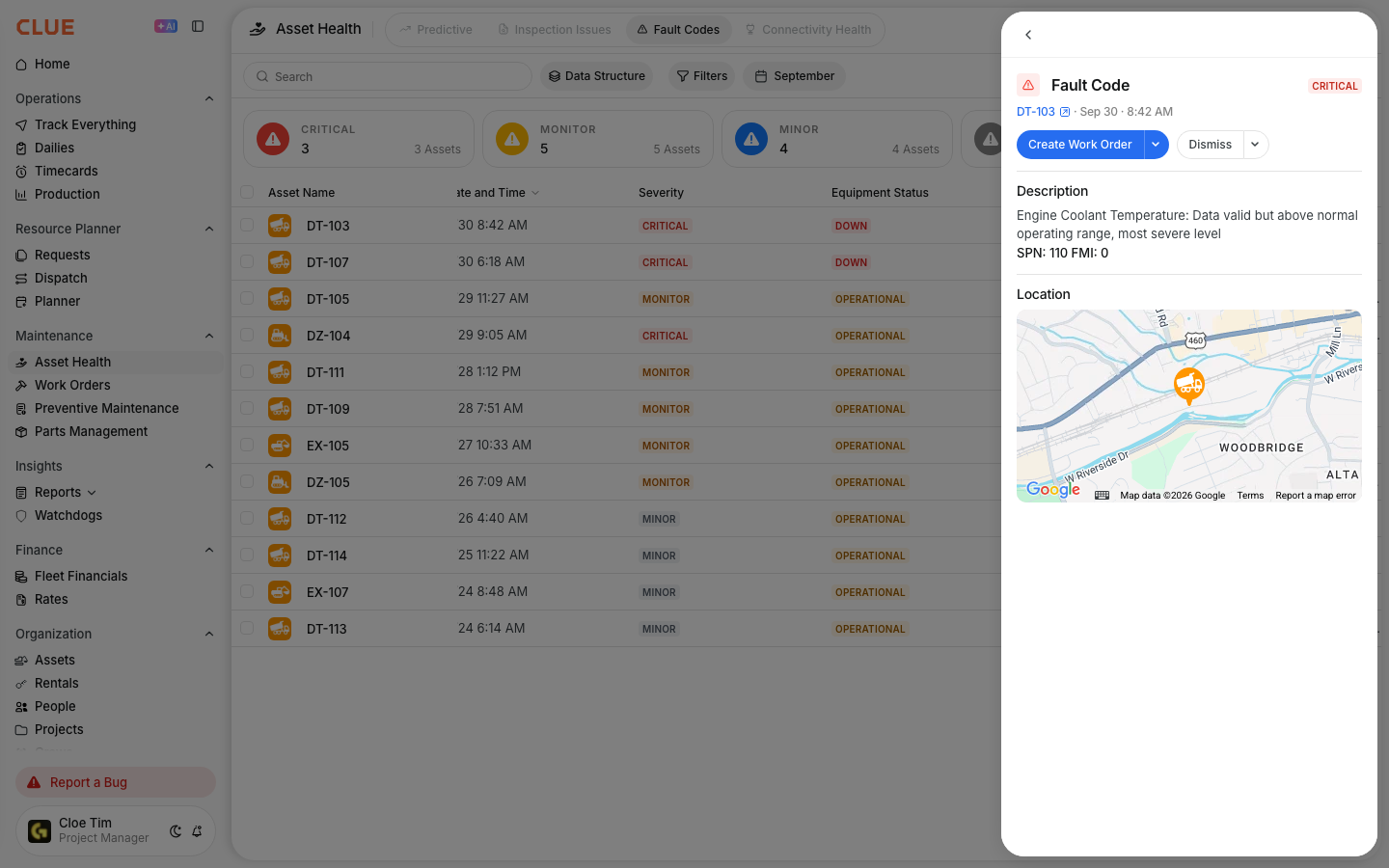
To create a work order from a fault code by hand, go to Maintenance > Fault Codes. Open the fault code and click Create Work Order.
Unified Triage
Whether an issue came from an operator DVIR inspection, a Samsara diagnostic code, or a Tenna alert, it ends up in the same place: a work order linked to the asset. One queue for the shop. One history per machine. No switching between telematics platforms to understand what triggered the repair.
Key Behaviors and Limitations
- Work orders created from inspections carry all attached data. The defect description, severity, and any photos the operator submitted during the inspection transfer automatically to the work order. The mechanic has full context before starting the job.
- Auto-creation rules are configured per fault code. The Create Work Order action is set individually for each fault code in the Fault Code Rules Engine. Only codes with this rule configured will generate work orders automatically.
- Duplicate prevention is built in. When a fault code triggers work order creation, the system checks for existing open work orders on the same asset for the same code before creating a new one.
Tips
- Set auto-create rules for safety-critical fault codes. DEF inducement, engine overtemperature, and brake system faults should generate work orders automatically without waiting for manual review. Configure these rules as a priority.
- Review inspection issues daily. Not every defect requires an immediate work order. Some can be deferred to the next scheduled PM. But someone needs to review the queue each day to make that call consistently.
- Photos from inspections save diagnostic time. When a mechanic opens a work order created from an inspection issue, they can see the defect before walking to the machine. This reduces diagnostic time and prevents misdiagnosis on intermittent issues.
- Use the unified queue to prioritize. With inspection issues and fault codes feeding the same work order list, shop managers can triage across all sources in one view rather than checking inspection history and telematics alerts separately.