Managing Deferred Maintenance with Inspection Issues
Not every defect found during an inspection needs to be fixed immediately. A small oil seep, a cracked mirror, a worn belt that is still functional these are real issues, but they can safely wait for the next scheduled service. The problem is that without a system to track them, deferred items get forgotten entirely, and what could have been a routine repair during a PM becomes an unplanned breakdown in the field.
Managing Deferred Maintenance with Inspection Issues in CLUE gives every reported defect a permanent place in the queue. Items stay visible and tracked until someone resolves them, whether that happens immediately or at the next preventive maintenance service
Who Is This For?
- Foremen triage incoming inspection findings, decide what needs an immediate work order and what can be safely deferred, and acknowledge issues so operators know their reports were seen.
- Mechanics check the open inspection issues queue on an asset before starting a PM service to ensure that any deferred items from previous inspections get addressed during the same trip to the shop.
- Equipment Managers monitor the overall size of the backlog across the fleet. A consistently growing queue is a signal that deferred items are not being resolved and a process adjustment is needed. This connects to CLUE's Equipment Maintenance solution.
How to Use It
1. Review Inspection Issues
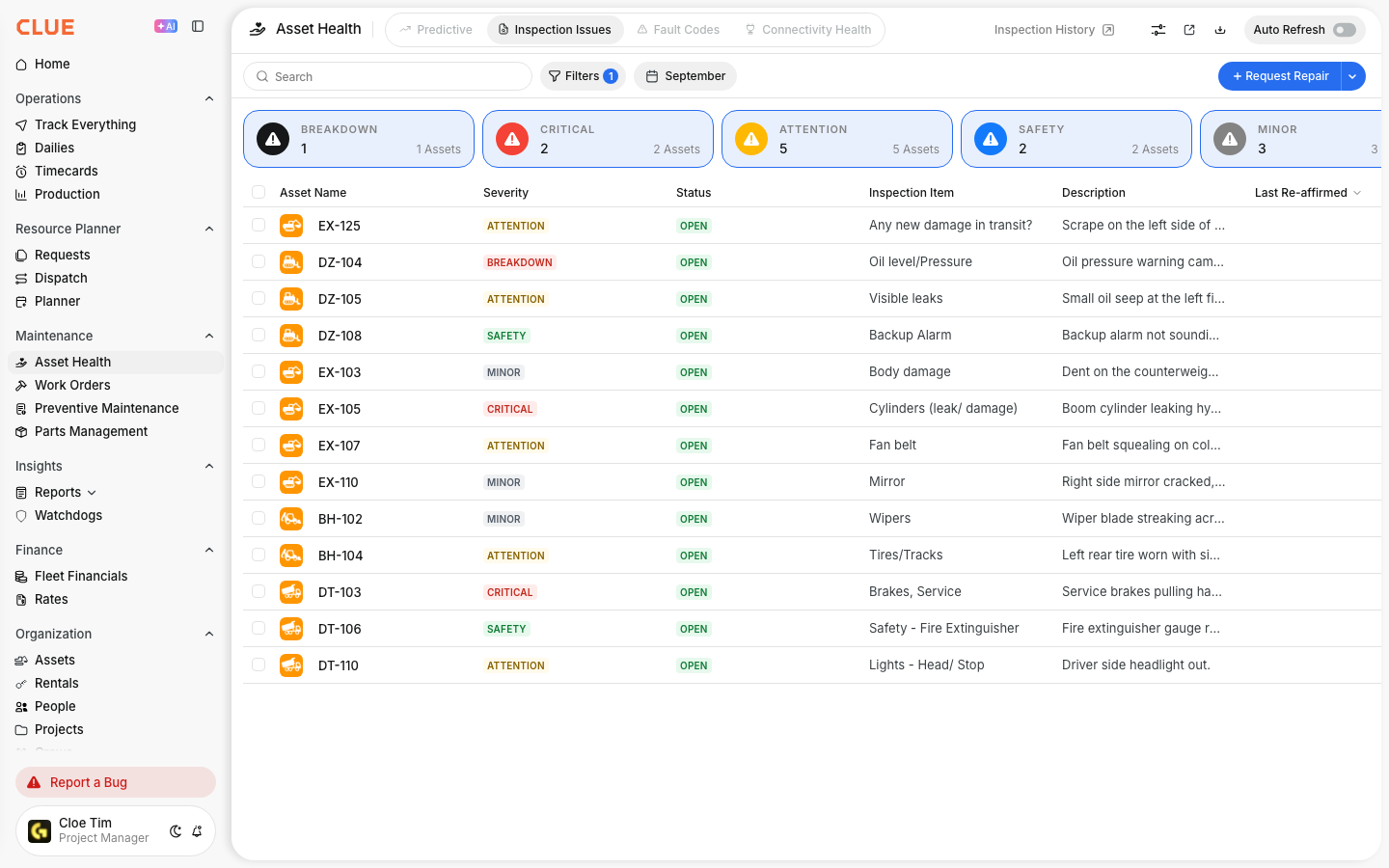
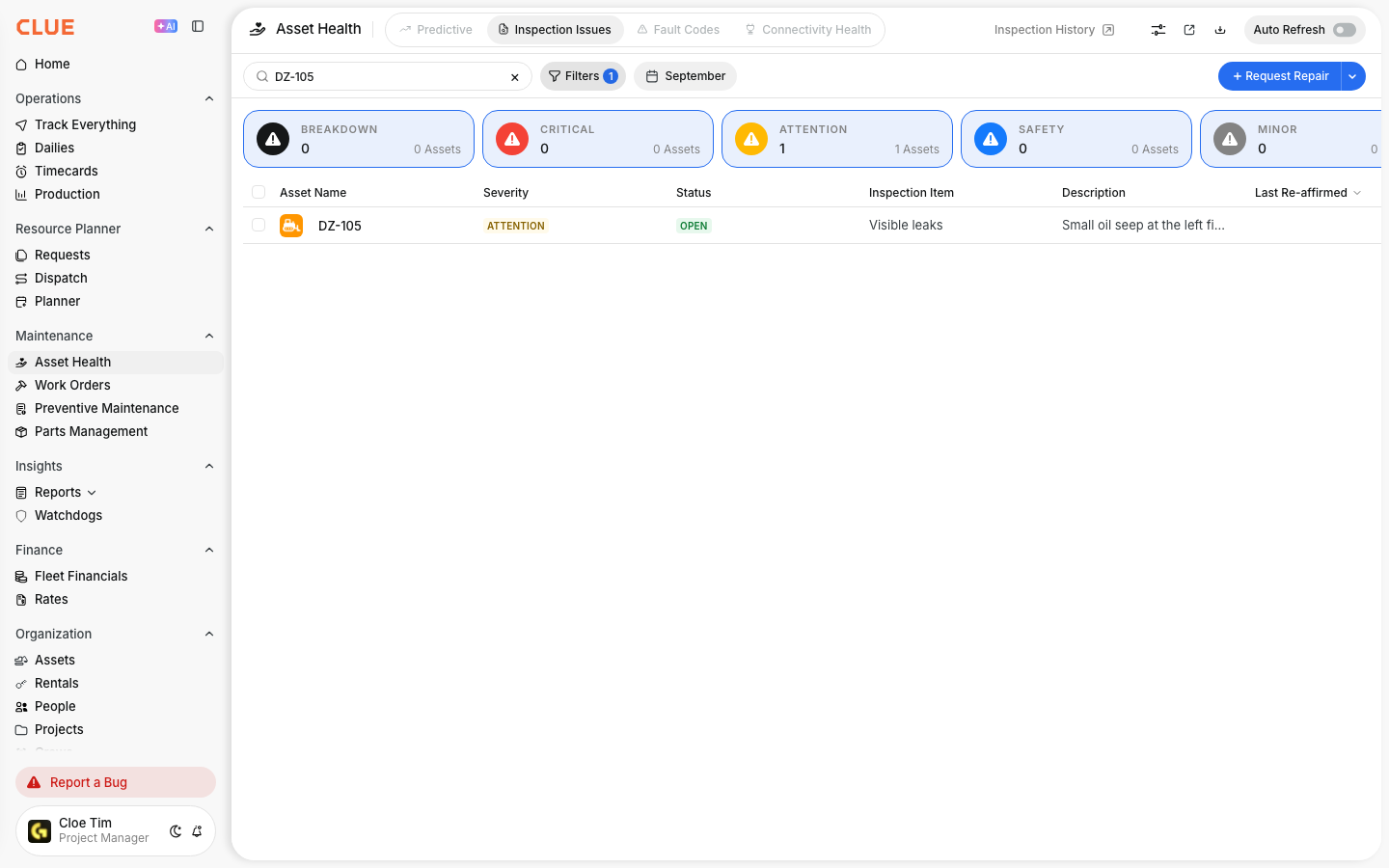
Go to Asset Health > Inspection Issues. This is your deferred maintenance backlog. Every failed inspection item, operator-reported defect, and DVIR finding lands here automatically. Each issue displays the asset, the defect description, severity level, who reported it, and when it was reported.
2. Acknowledge and Defer
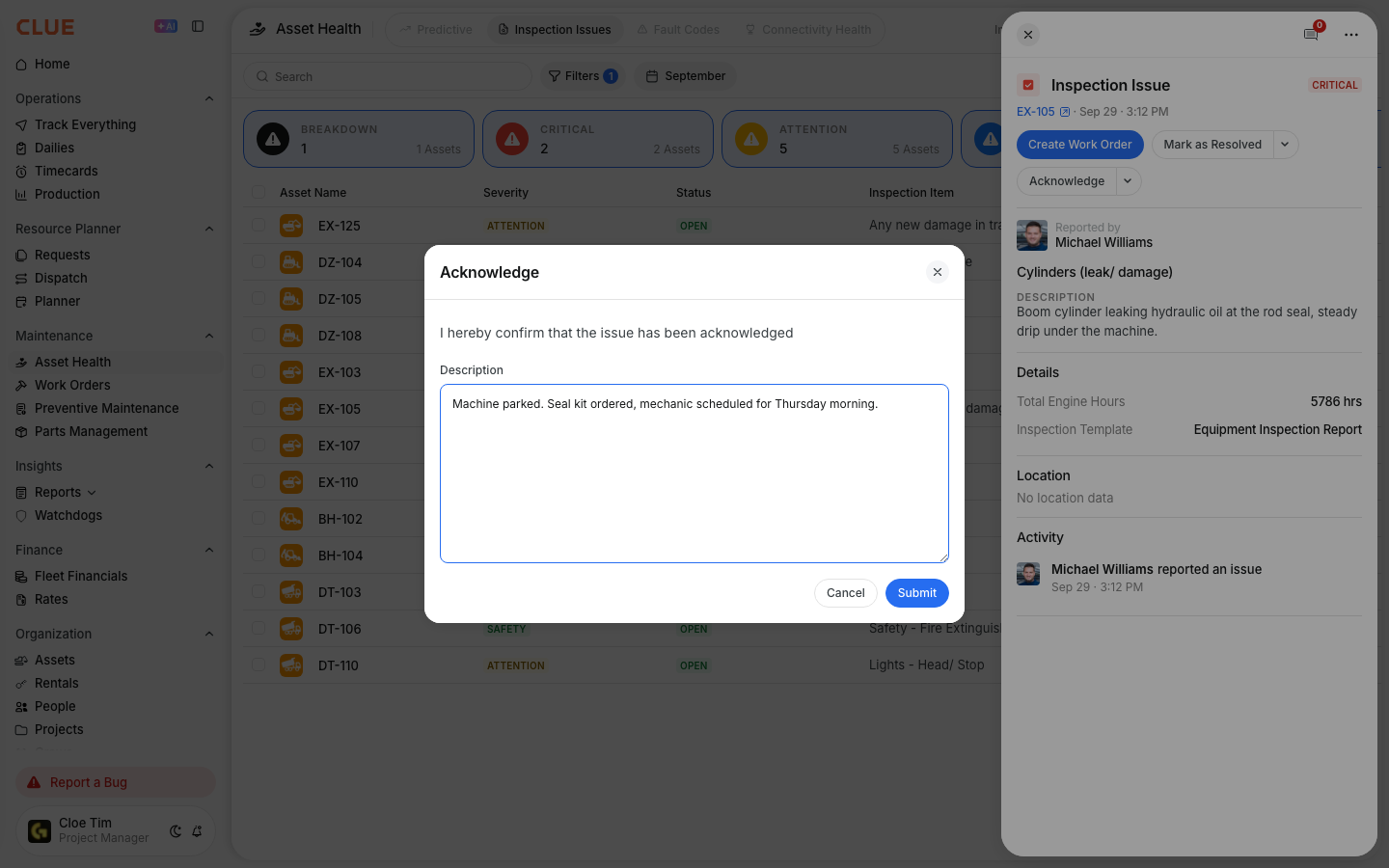
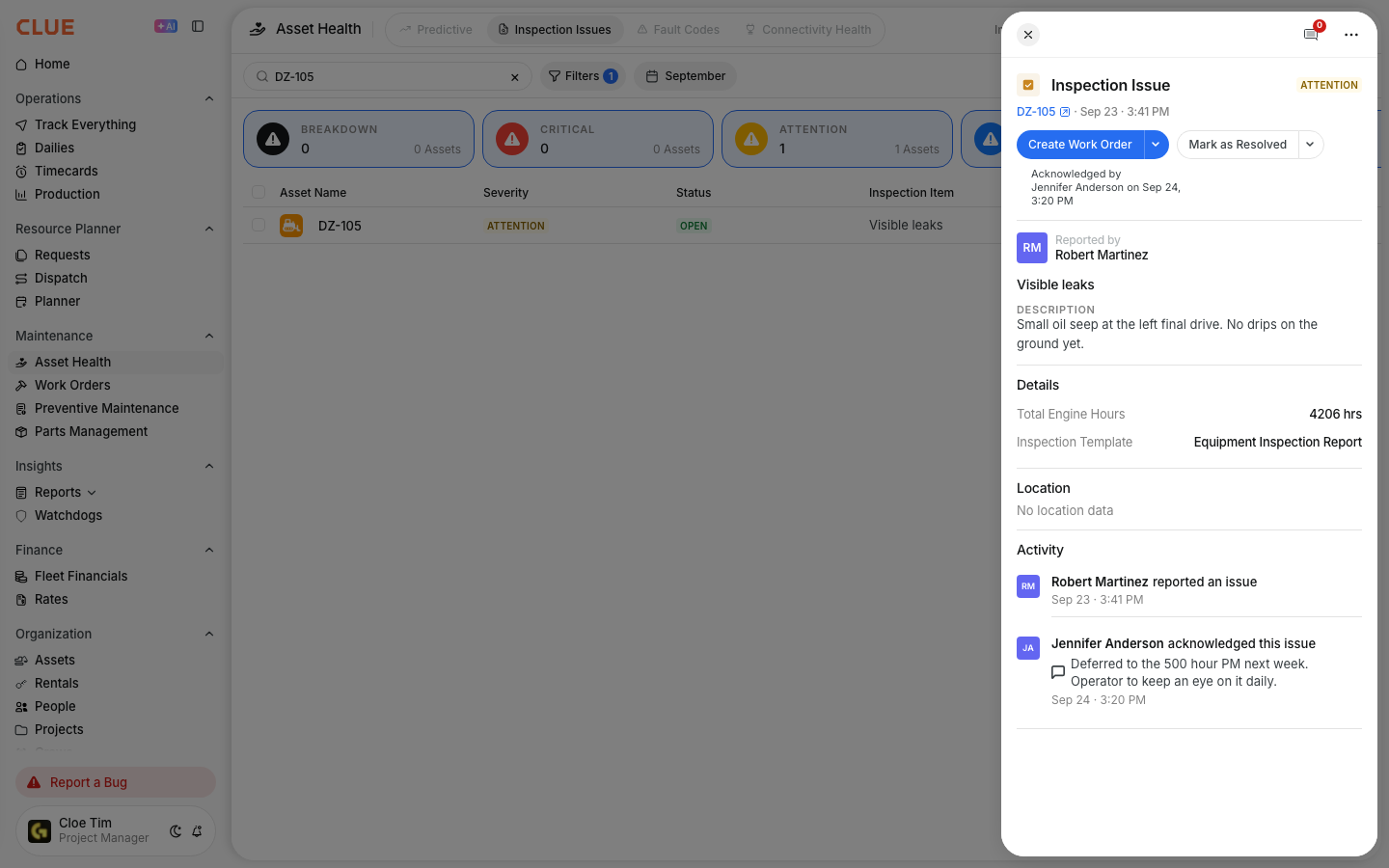
For items that can safely wait, acknowledge the issue with a note explaining the deferral plan. This communicates to the operator that their report was received and tells anyone reviewing the queue when and how the item will be addressed. The issue remains open in the queue until it is resolved.
3. Attach to a Work Order or PM
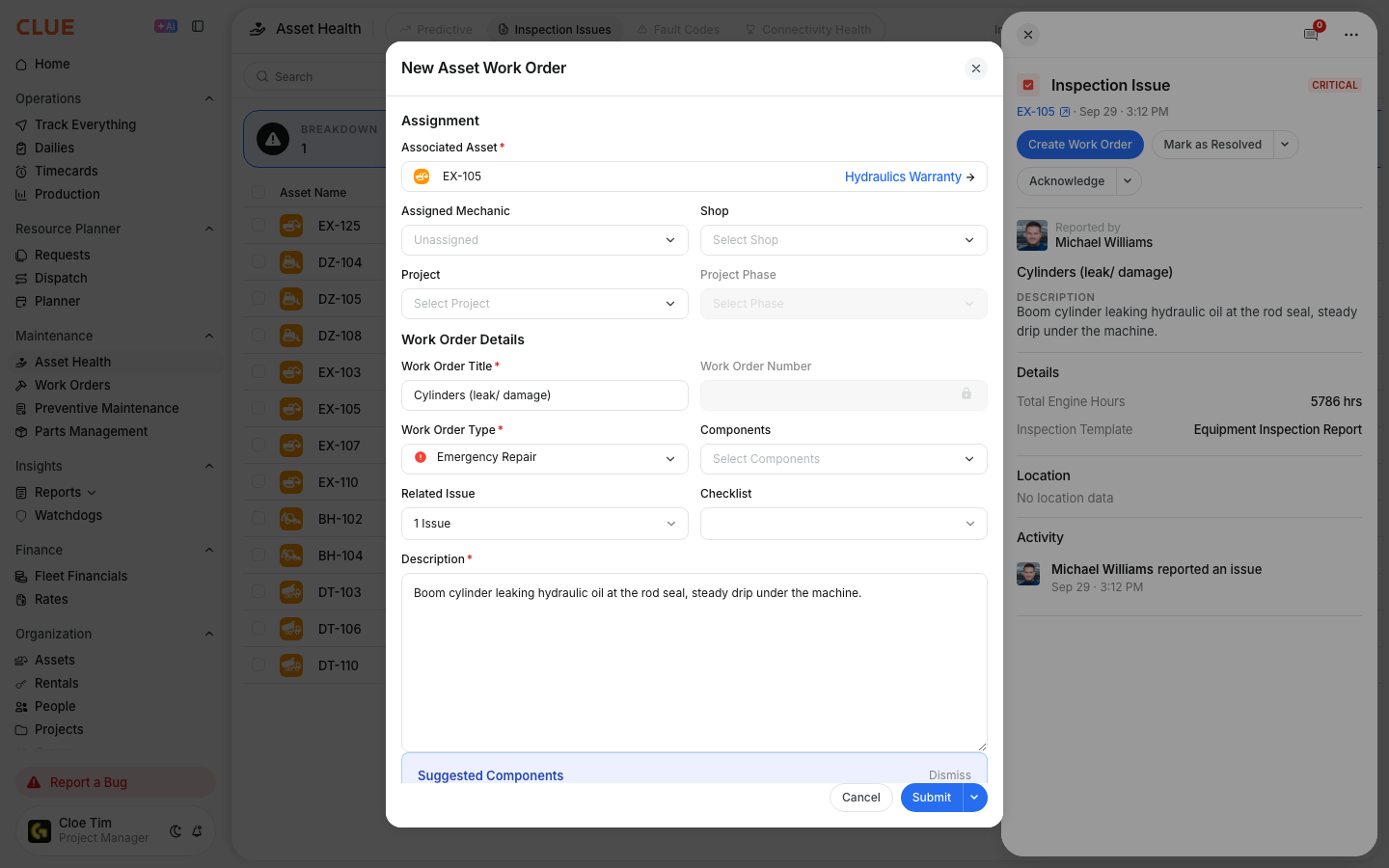
When the next PM or repair work order comes up for that asset, check the open inspection issues before writing the work order. Add the deferred items to the job so they are completed during that same service visit. This keeps everything in one job rather than creating separate work orders for minor items later.
4. Resolve When Done
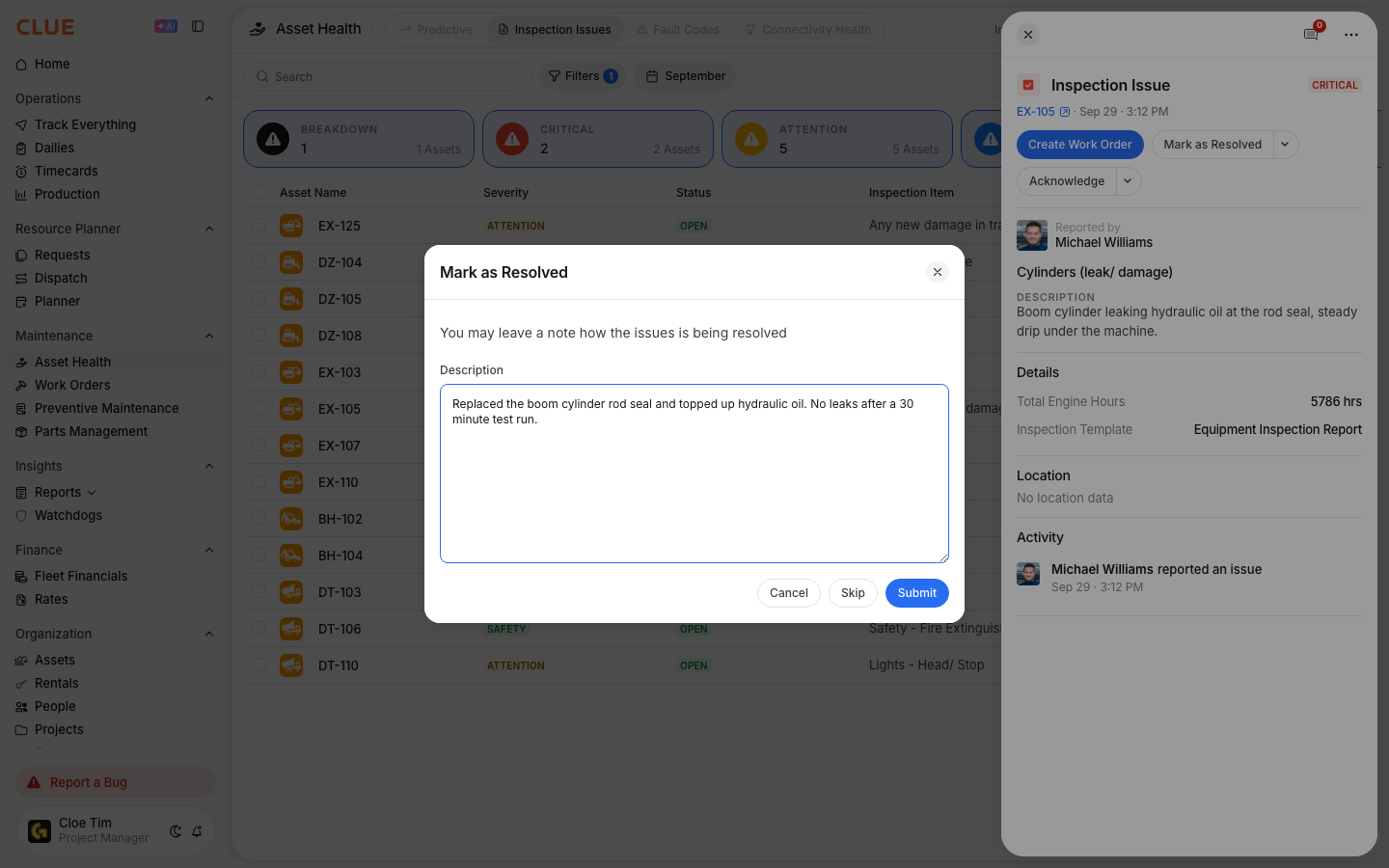
After the mechanic completes the deferred work, mark the inspection issue as resolved. The history records when it was reported, when it was acknowledged, which work order it was linked to, and when it was finally closed.
Key Behaviors and Limitations
- Issues persist until explicitly resolved. Acknowledging a deferred issue does not close it. It remains in the queue and stays linked to the asset until someone marks it as resolved. This is intentional and protects against issues being forgotten.
- Full history is logged automatically. Every status change is recorded including reported, acknowledged, linked to work order, and resolved. The complete timeline stays with the issue record.
- DVIR issues auto-populate the queue. Failed items from operator DVIR inspections appear in the inspection issues queue automatically without any manual step required from the foreman or shop.
- Filter by asset before starting a PM. Use the asset filter to view all open inspection issues for a specific machine before opening its PM work order. This ensures deferred items are captured in the same service visit.
Tips
- Check the backlog before every PM. Open the asset's inspection issues and add any deferred items to the PM work order before starting the job. This is the most reliable way to clear the backlog without creating additional work orders.
- Acknowledge quickly, even when deferring. Operators who report defects want confirmation that their report was received. A fast acknowledgement with a brief note builds trust and encourages operators to keep reporting issues accurately.
- Watch the queue size over time. If the number of open deferred items keeps growing and nothing is being resolved, the backlog system is not functioning. Set a policy that no item sits deferred for more than two PM cycles without a decision being made.
- Use severity levels to prioritize triage. High-severity items need faster resolution than low-severity ones. Review the queue in severity order so the most critical deferred issues are always addressed first.