New at CLUE: See Which Work Orders Are Overdue
Maintenance Management
October 2, 2026


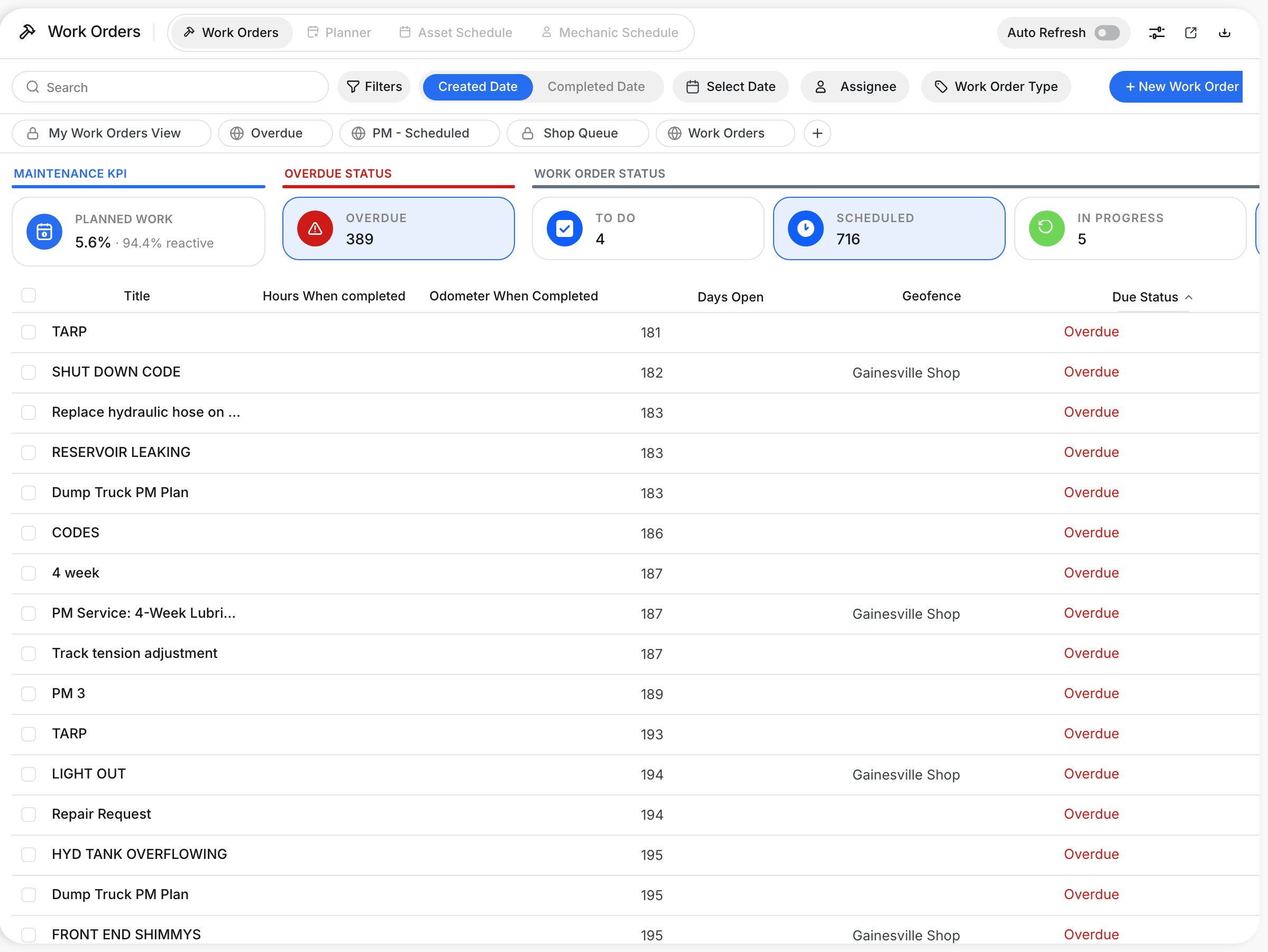
The Work Orders table now has a Due Status column that shows whether each work order is Overdue or On Track. Sort by it to bring overdue work to the top while you look at everything still to do, so you can build your priority list for the week on one screen.
What’s New?
- See Overdue or On Track for every work order in the new Due Status column
- Sort by Due Status to rank overdue work first
- Tiles are grouped into Maintenance KPI, Overdue Status and Work Order Status, so it is clear which filters work together
- Select Overdue and each status tile shows how many of its work orders are overdue
Go to Maintenance → Work Orders.
Request a Demo Today to
See Our Latest Features in Action!
See Our Latest Features in Action!
Oops! Submission failed. Please try resubmitting the form.