Available now on Beta, This feature is in beta testing and will roll out to everyone soon.
What is this?
Watchdogs can tell your team when they find new problems. You pick the people to notify for each watchdog. After a run that creates new alerts, those people get an email and a push notification. They do not need to check the page every day.
Who's this for?
- Fleet and equipment managers, who want new alerts sent to them.
- Maintenance managers, who want to hear about service alerts right away.
- Admins, who decide who gets each watchdog's alerts.
How to use it
Step 1: Find the Notifications section
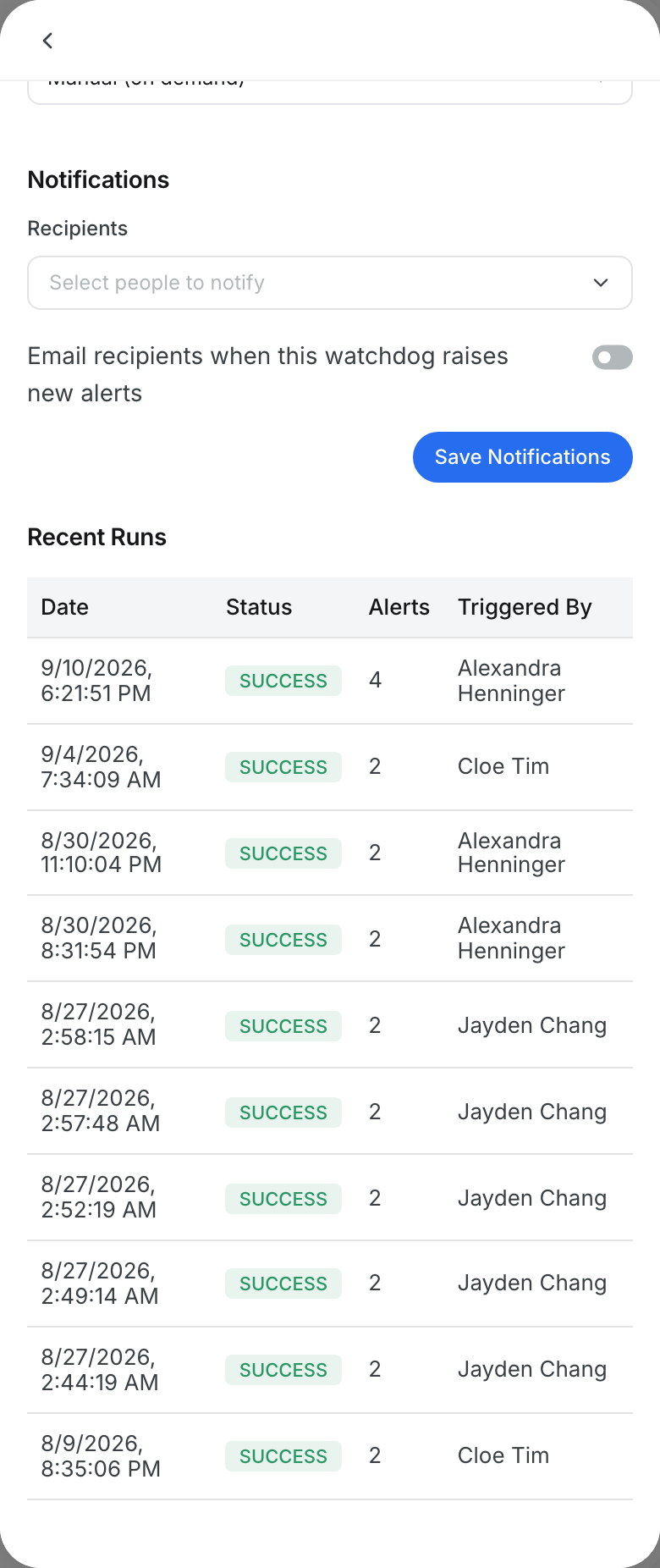
Go to Insights > Watchdogs > Library and click a watchdog. Scroll down to Notifications.
Step 2: Pick the recipients
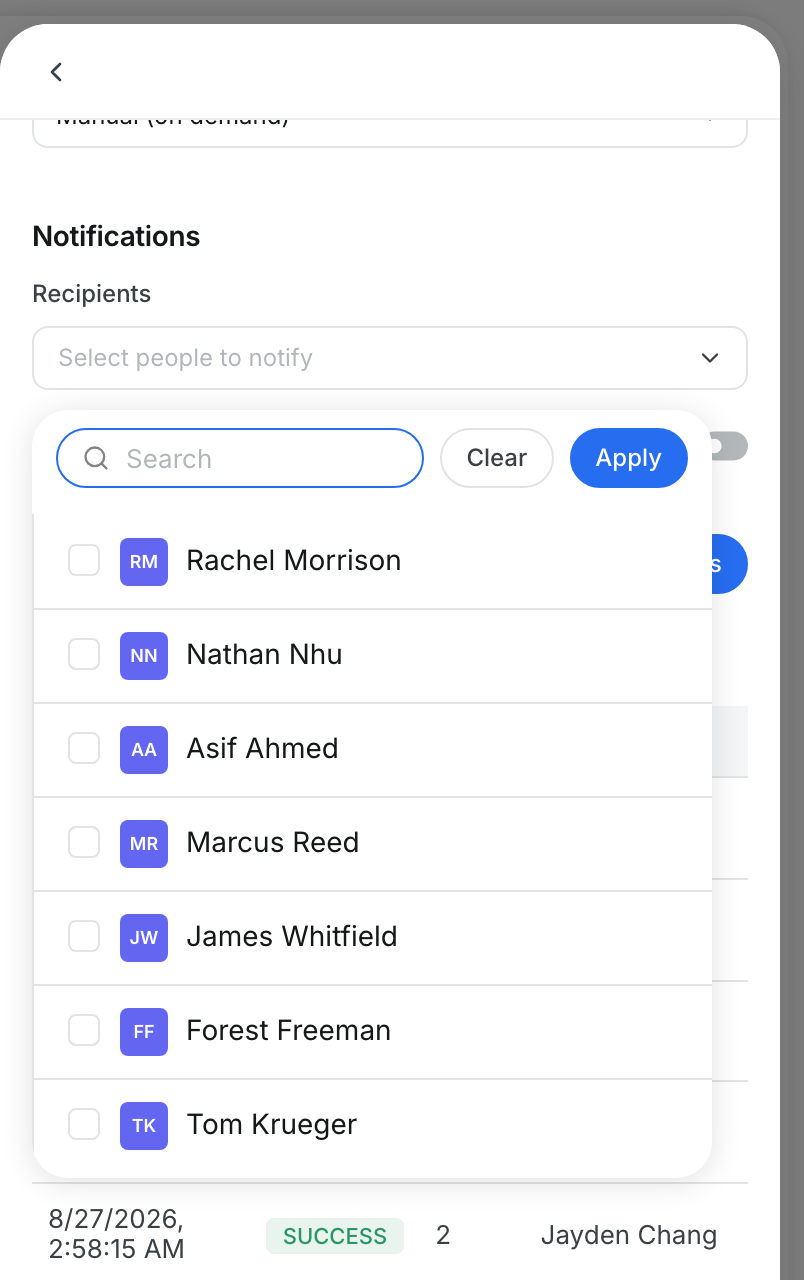
Click Select people to notify. Search for people, tick their names and click Apply.
Step 3: Turn on email and save
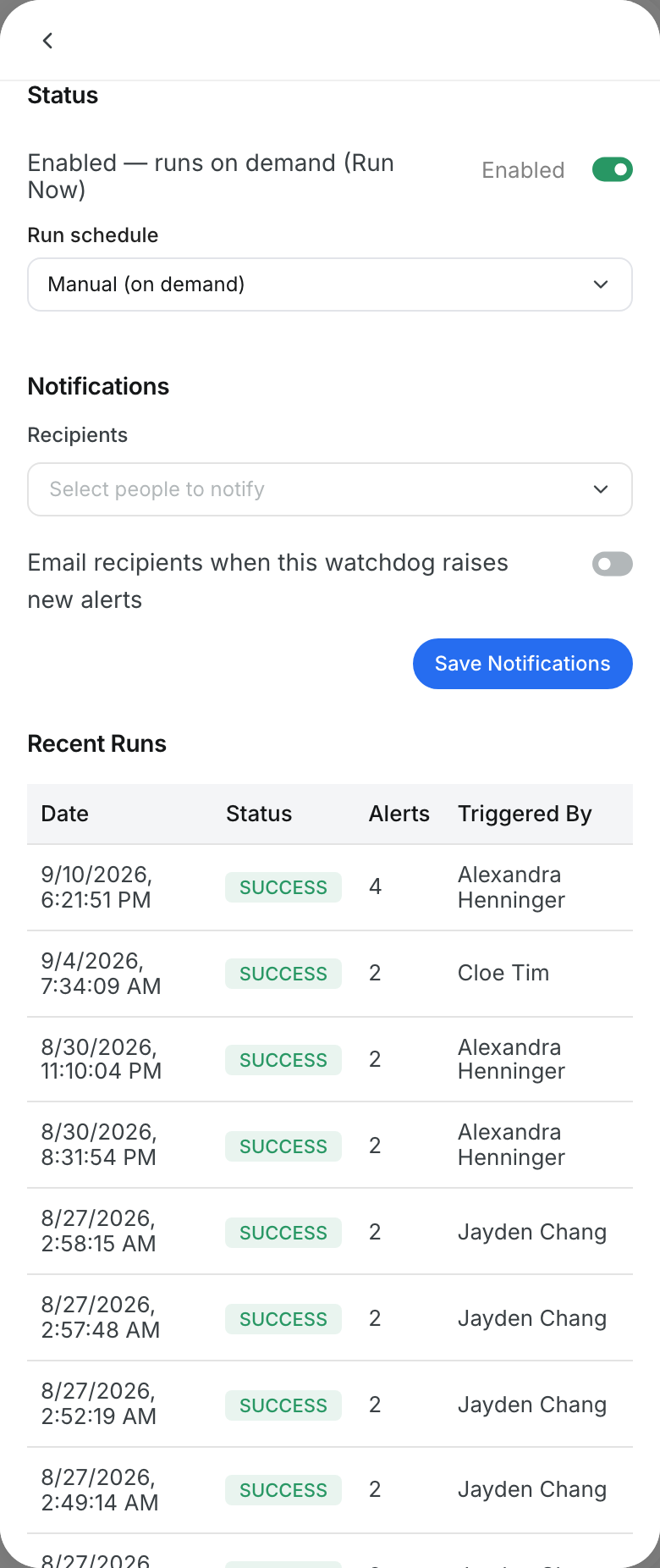
Turn on Email recipients when this watchdog raises new alerts. Then click Save Notifications.
Step 4: Check recent runs
Look at Recent Runs to see when the watchdog ran. Each row shows the status, the alert count and who started it.
The full details
- Per watchdog: each watchdog has its own recipients and its own email switch.
- When it sends: only after a run that creates new alerts. A run with no new alerts sends nothing.
- Email: the subject shows how many new alerts were found.
- Review alerts: the email has a Review alerts button that opens the Alerts tab.
- Push notification: recipients also get a push notification with the count, split by severity.
- One message per run: people get one summary, even if several watchdogs found alerts.
Tips
- Pair notifications with a Daily run schedule for a steady morning summary.
- Send each watchdog only to the people who act on it.
- Your changes stay unsaved until you click Save Notifications.


