Tracking Parts Costs
Tracking parts costs in CLUE helps your team understand what maintenance is really costing. It gives you a clearer view of spending across inventory, work orders, and assets, which makes budgeting and cost reviews easier.
Overview
CLUE tracks parts costs in a few different places so you can follow spending from the shelf to the repair. This is useful when you need to review maintenance costs, compare assets, or see where parts spending is rising over time. It works closely with Managing Parts and Adding Parts to Work Orders.
Where Costs Are Tracked
Parts costs are tracked at more than one level in CLUE. Looking at all three levels together gives you a better picture of what you have in stock, what was used on repairs, and what each asset is costing over time.
Inventory Level
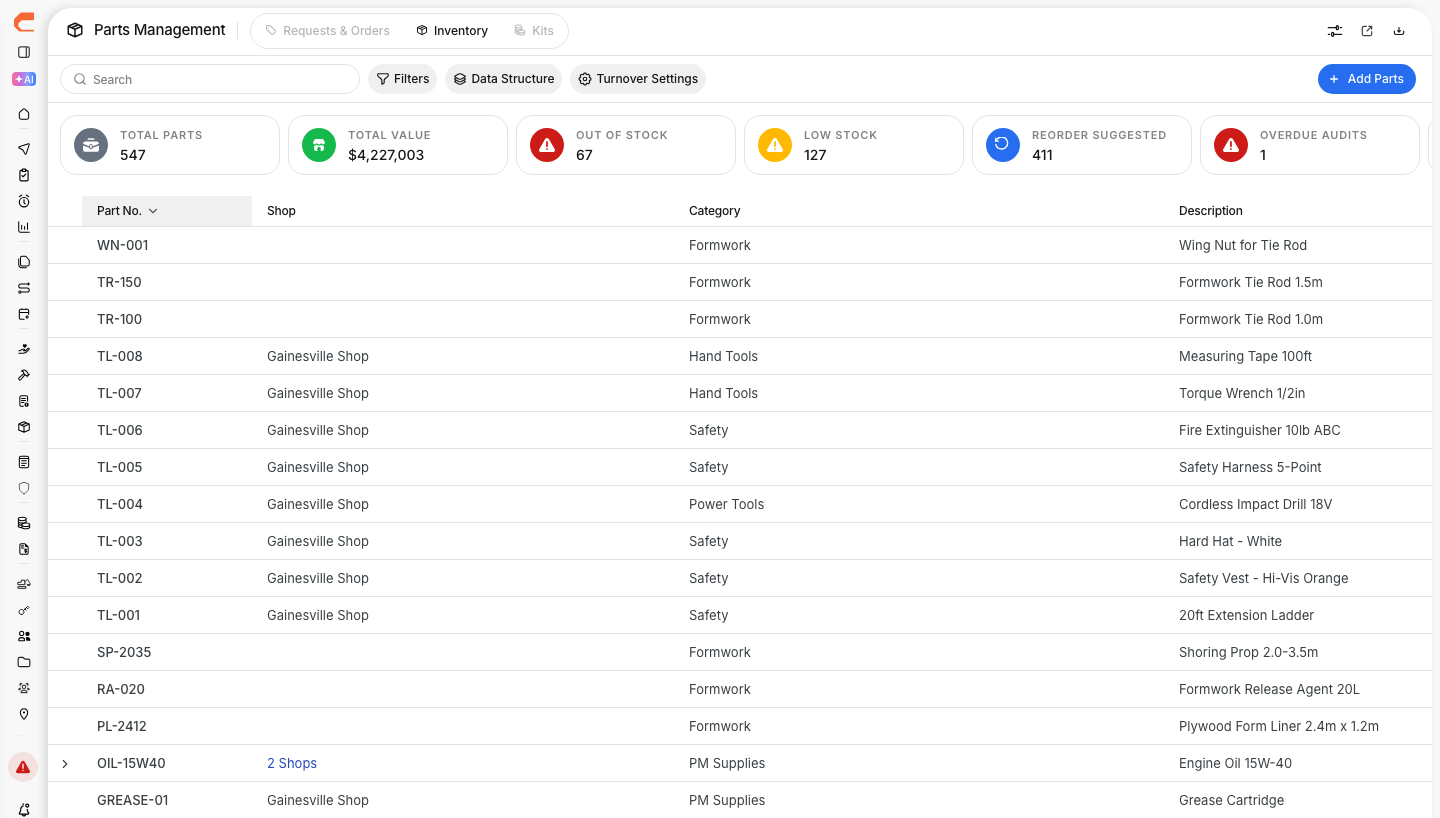
At the inventory level, CLUE tracks the cost of each part you keep in stock. This helps your team understand current part value and see when pricing changes over time.

- Unit cost per part
- Total inventory value
- Cost changes over time
Work Order Level
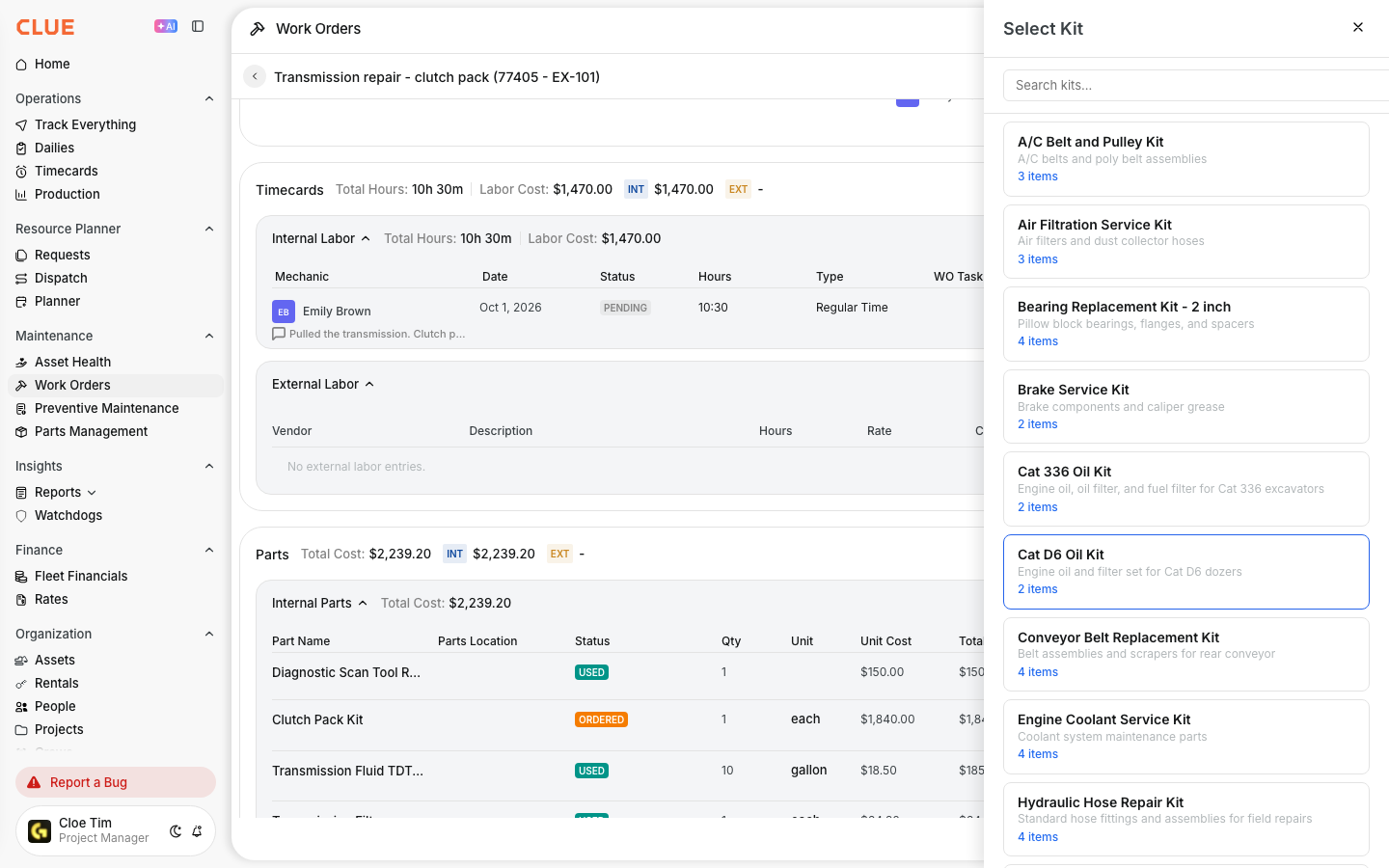
At the work order level, CLUE tracks the parts used on each repair. This helps connect part usage directly to the maintenance job and gives you a more accurate total repair cost.

- Parts used on each repair
- Parts cost per work order
- Total maintenance cost for the job, including parts and labor
Asset Level
At the asset level, CLUE helps you review how much has been spent on parts for a specific machine or vehicle. This makes it easier to compare assets and spot equipment that may be getting too expensive to maintain.
- Cumulative parts spend per asset
- Cost by part category
- Year-over-year comparisons
Updating Part Costs
Parts cost data is only useful if it stays current. Review unit costs regularly and update them when vendor pricing changes or when actual order costs come in.

Keep costs current by:
- updating unit costs when prices change
- recording actual costs on orders
- adjusting for vendor price changes
If your team manages stock directly in CLUE, this also ties in with Adding Parts to Inventory.
Cost Reports
CLUE uses parts cost data to support reporting across maintenance activity. These reports help your team review trends, compare spending, and make better purchasing decisions.
Available cost reports include:
- parts spend by period
- cost by asset or asset type
- cost by work order type
- vendor spend analysis
Using Cost Data
Parts cost tracking is more useful when it supports day-to-day decisions. The goal is not just to store prices, but to help your team plan better and respond faster.
Use parts cost data to:
- budget for maintenance spending
- negotiate with vendors on high-volume parts
- analyze costly assets or repair patterns
- decide when repair costs are getting close to replacement costs
Tips
A few simple habits can keep parts cost data more accurate and more useful over time. Clean cost records lead to better reporting and better maintenance decisions.
- Keep unit costs updated
- Review high-cost parts regularly
- Compare parts costs across similar assets
- Link parts to work orders so repair costs stay complete