Covered Services in Cascading PM Plans
What is this?
In a cascading PM plan, a big service covers the smaller ones. Your 1000 hr service already includes the 250 hr and 500 hr work. Clue now treats those smaller services as covered. When the 1000 hr is due, the work order shows only the 1000 hr and its checklist. The 250 hr and 500 hr do not show as Upcoming or Overdue, and they reset when the work order is completed.
Who's this for?
Anyone who runs PM on a service ladder like 250, 500, 1000 and 2000 hours.
- Equipment managers, see one due service per machine, and PM totals that match the real work.
- Shop foremen, assign one clear work order per PM visit.
- Mechanics, work through one checklist, not three.
How to use it
Step 1: Check the plan settings
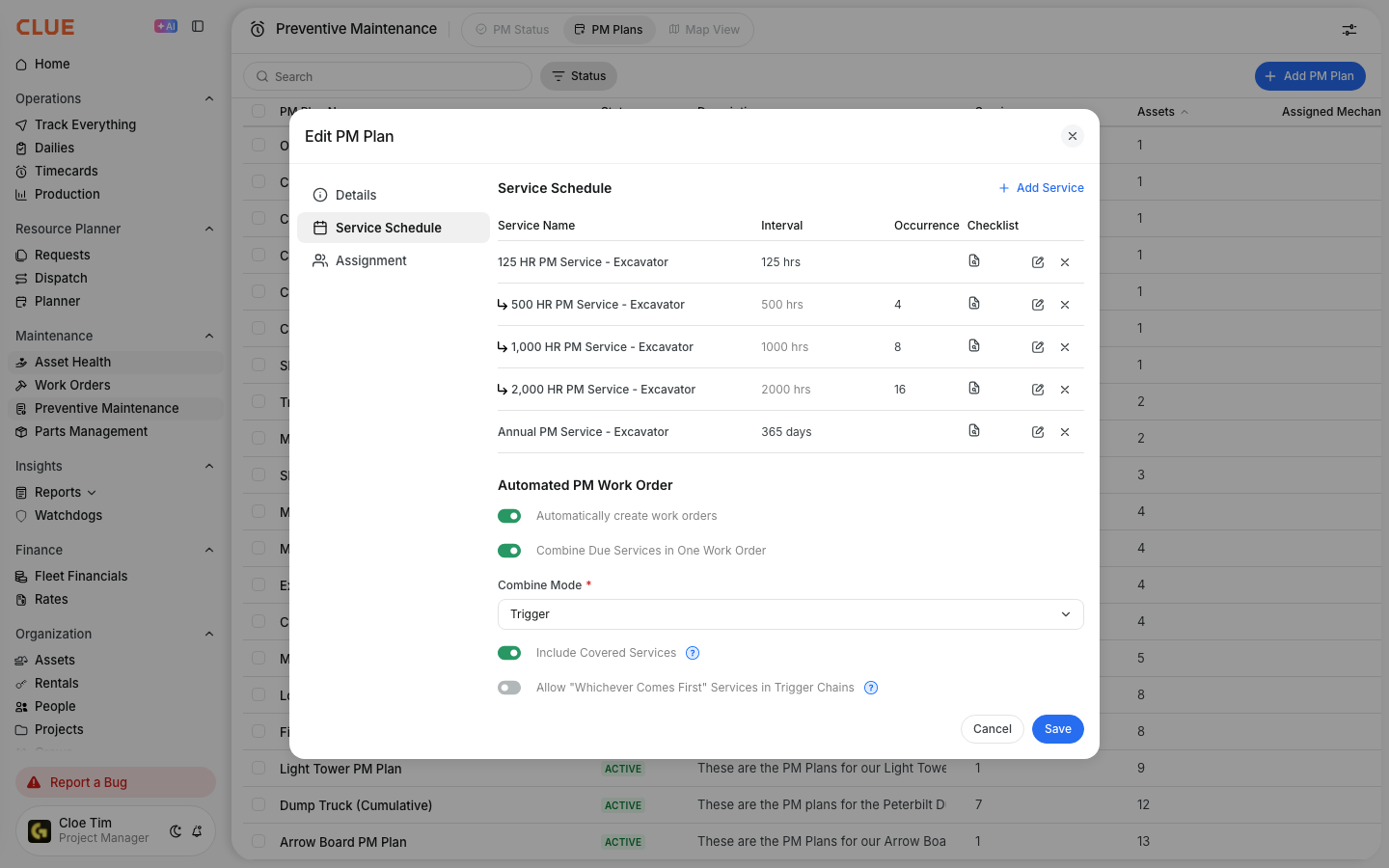
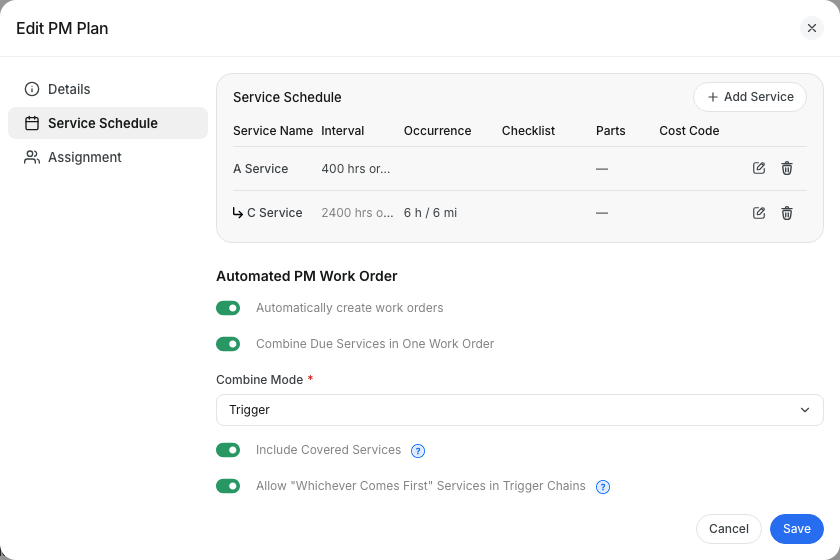
Go to Preventive Maintenance > PM Plans and open the plan. Select Service Schedule. Turn on Combine Due Services in One Work Order, set Combine Mode to Trigger, and turn on Include Covered Services. Click Save.
Step 2: Open the PM work order
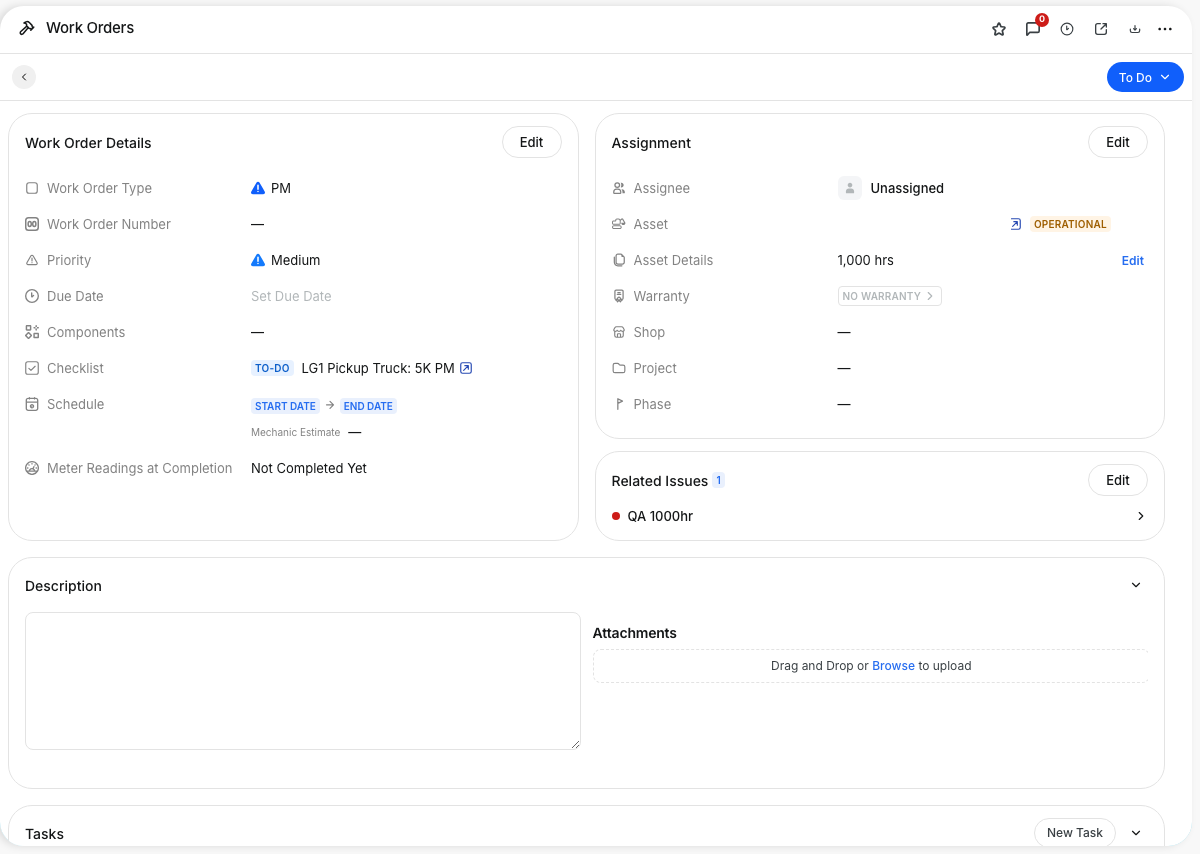
When the 1000 hr service is due, Clue creates one work order. Related Issues lists only the 1000 hr service, with the 1000 hr checklist.
Step 3: Remove the top service only if you mean it
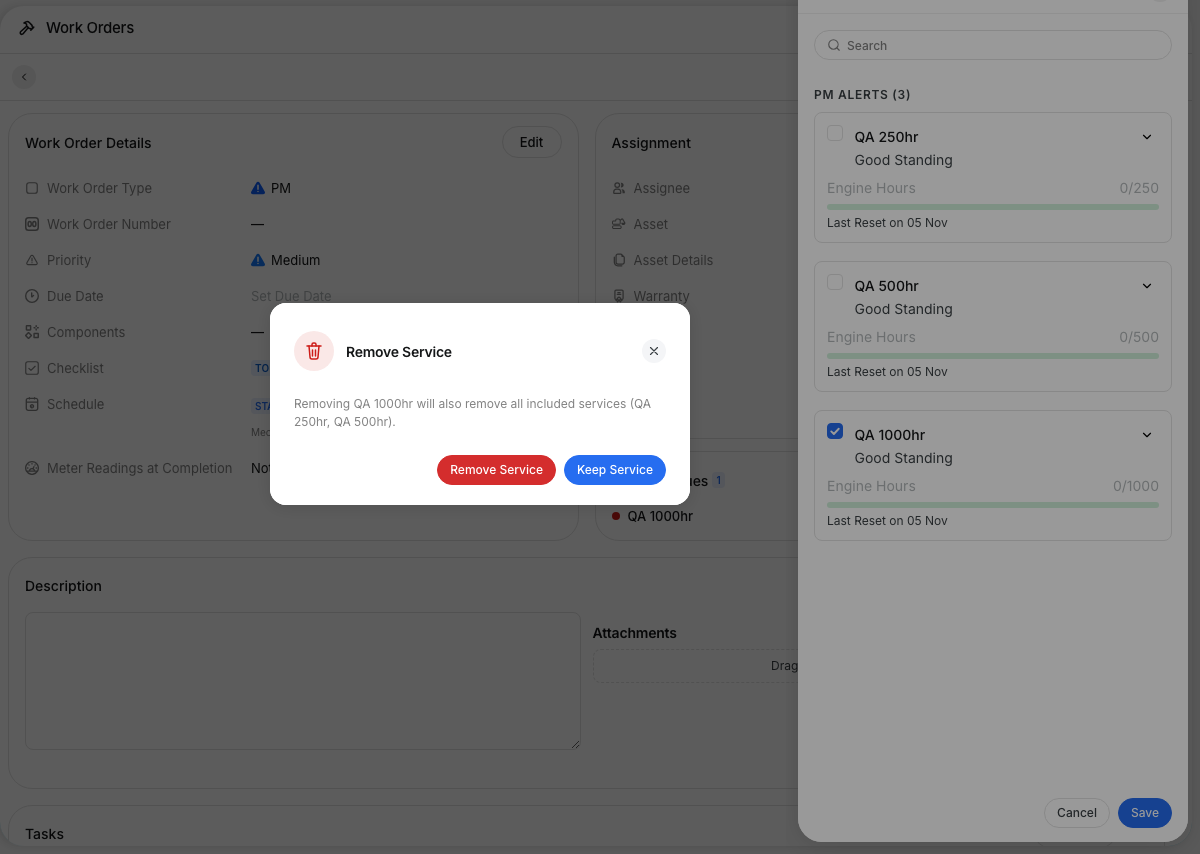
Click Edit next to Related Issues and untick the 1000 hr service. Clue tells you the covered services go with it. Click Remove Service to remove them all, or Keep Service to change nothing.
Step 4: Same check in the mobile app
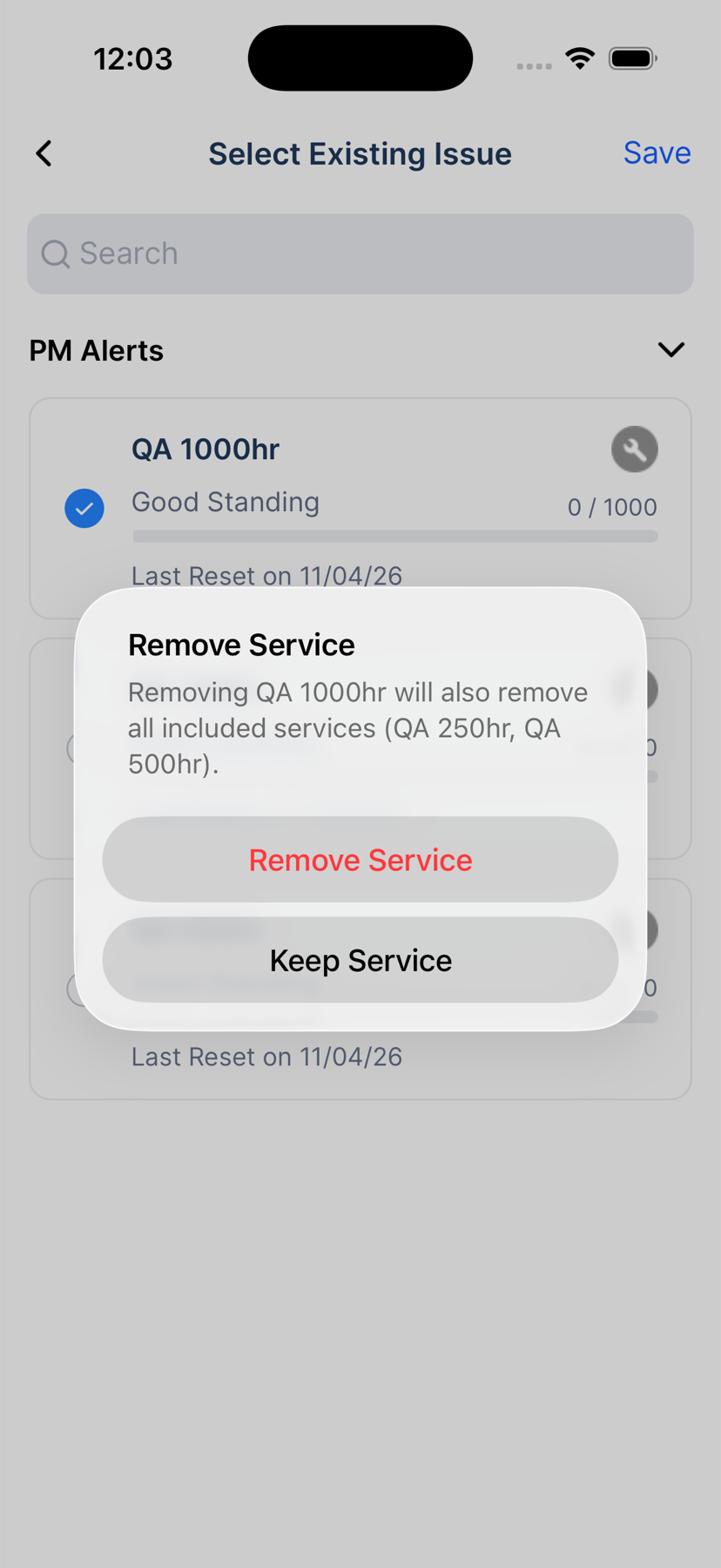
In the app, open the work order and tap Work Order Options > Edit Work Order > Related Issues. Untick the top service and the same question appears.
The full details
- Works on: web app and mobile app.
- Applies to: PM plans with Combine Due Services on, Combine Mode set to Trigger and Include Covered Services on. Other plans work as they always have.
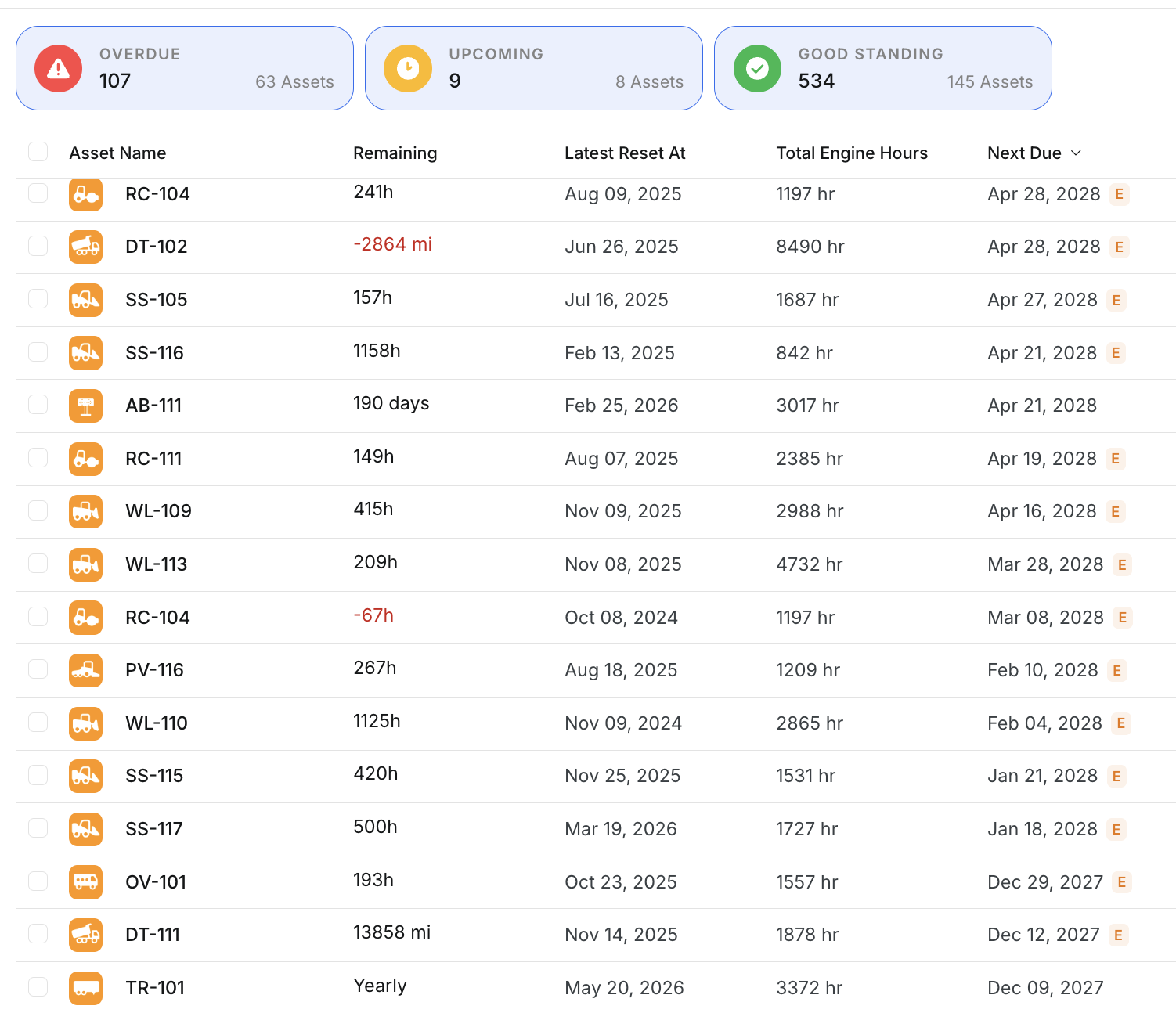
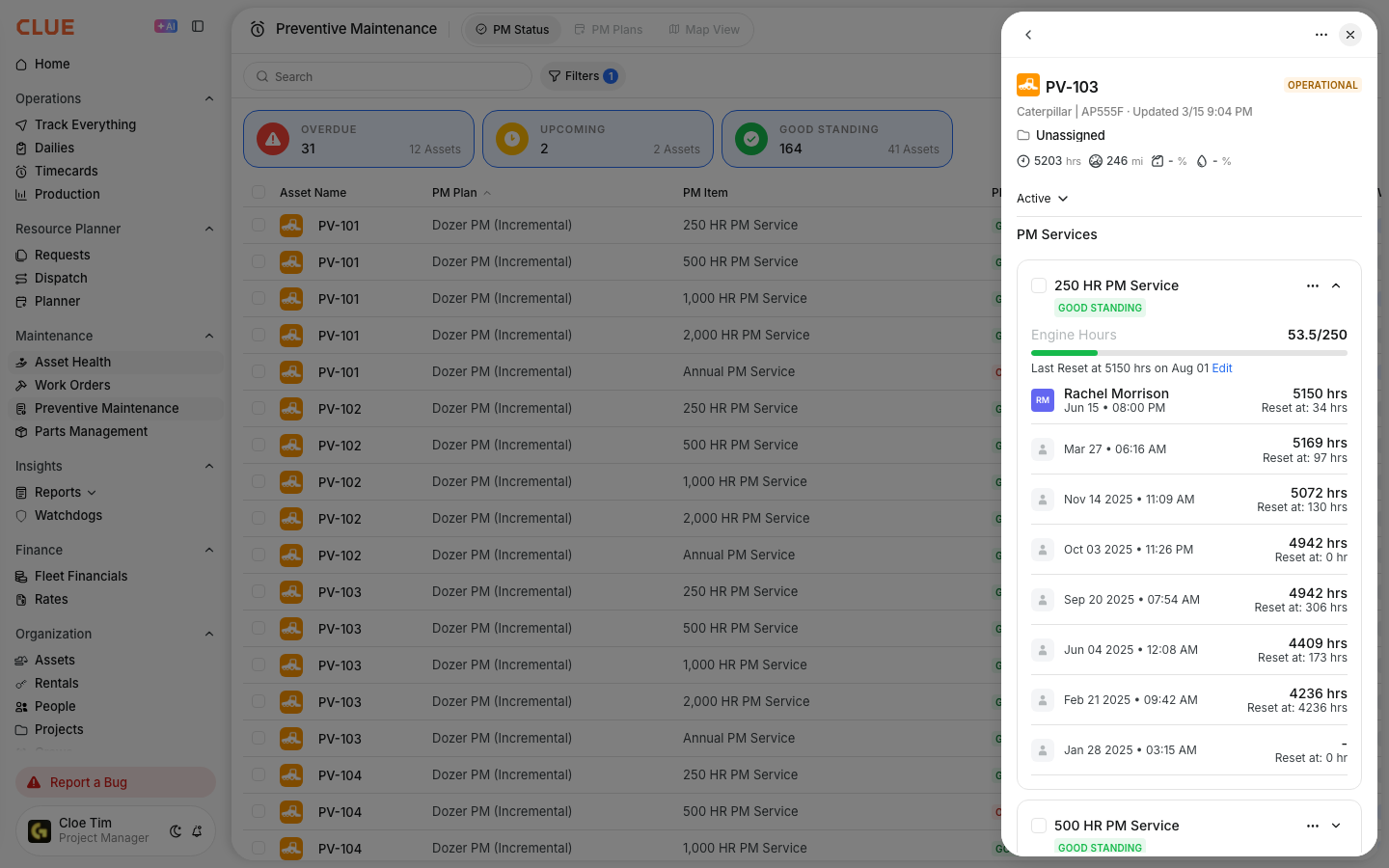
- PM Status: covered services show Good Standing and do not count in the Upcoming or Overdue totals.
- Checklists: only the top service's checklist is added to the work order.
- Completing the work order: resets the top service and every service it covers. PM history shows a reset for each one.
- When a service counts as covered: only while a larger service from the same chain is on the same open work order. A 250 hr that is due on its own shows as Overdue as usual.
- Removing the top service: removes the covered services too. If they are still due, they show their real status again within about an hour.
- Default: on for every company. Contact Clue support if you prefer to see each covered service on the work order.
Tips
- Build your checklists to cascade. Put the 250 hr and 500 hr items inside the 1000 hr checklist, since that is the one the mechanic gets.
- Unticked the top service by mistake? Click Keep Service, or Cancel before you save.
- Use PM Status to plan the week. Each machine now shows only the service that is really due.