What is this?
When your EquipmentShare account is connected, Clue gets location, engine hours, odometer and fuel for the machines in your EquipmentShare account.
If rental import is on for your company, each machine you have on rent also becomes a rental in Clue. It arrives On Rent with the PO, start date, expected end date, rates and project. When you return the machine, Clue moves the rental to Off Rent.

Who's this for?
- Equipment managers, see EquipmentShare machines and rentals with no typing.
- Rental coordinators, see returns close on their own.
- Project managers, see rented machines on their project from the PO.
How to use it
Step 1: Filter to EquipmentShare
Go to Rentals and click Filters. Click Vendor, search for EquipmentShare, and select it. Close the filter.
Step 2: Open a rental
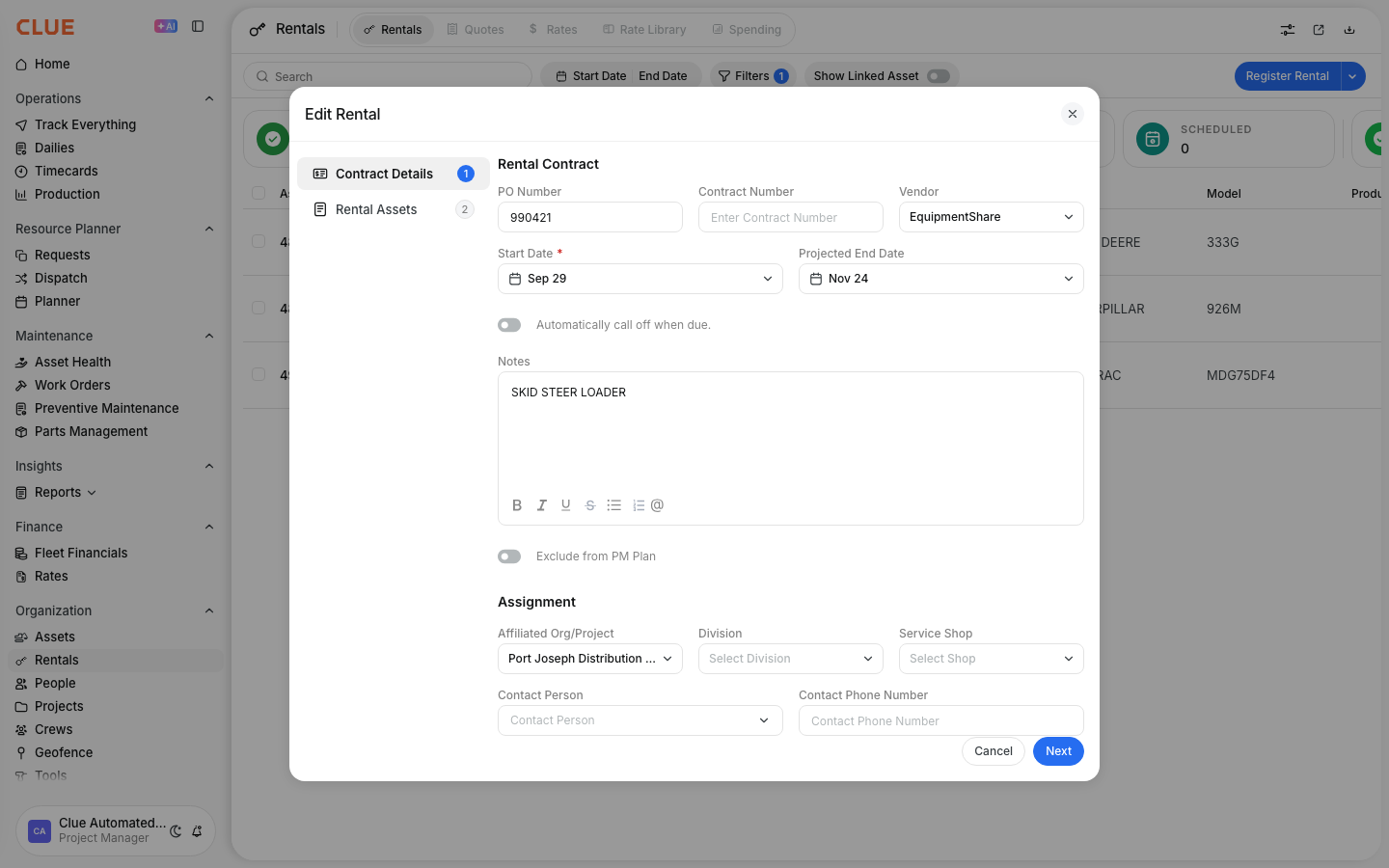
Click a rental to open it. The PO, vendor, start date, projected end date and project came from EquipmentShare.
Step 3: See returned machines
Click the Off Rent card. Returned EquipmentShare machines show here with their end date.

The full details
- Works on: Web app, Rentals and Assets.
- Who connects it: your Clue team. Give them the API key from EquipmentShare. Rental import uses a separate rental API key from EquipmentShare.
- How often: Clue checks EquipmentShare rentals every hour. Location and hours can update more often.
- Project: Clue matches the project from the PO when the rental first comes in. If you change the project, Clue keeps your choice.
- Rentals you added yourself: if the serial number matches, Clue fills in only the empty fields. It does not overwrite what you typed.
- Returns: a machine marked Pending Return moves to Off Rent when it leaves your EquipmentShare list. A machine that leaves with no notice moves to Off Rent after two hourly checks.
- Safety check: if many machines leave your EquipmentShare list at the same time, Clue keeps them on rent. This protects your rentals if EquipmentShare sends an incomplete list.
- After a return: Clue deactivates the machine. If the same machine goes back on rent, Clue opens the rental again.
Tips
- Use a PO that matches your project. Clue then puts each new rental on the right job.
- Check the Off Rent card after a return. It confirms that EquipmentShare closed the rental.
- Ask your Clue team to turn on rental import if you only see machine data today.


