What is this?
Every payroll and accounting system wants its own file. Clue's team builds your dailies export to match your system: the columns, the codes and the checks. You do not set this up yourself. Tell your Customer Success Manager what your system needs, and the team adds it to your account. Then you export from the Export Center as usual.
Who's this for?
- Payroll, who load the file into the payroll system each week.
- Accounting, who post equipment hours and job costs.
- Office managers, who decide what the company's export must contain.
How to use it
Step 1: Open the Export Center
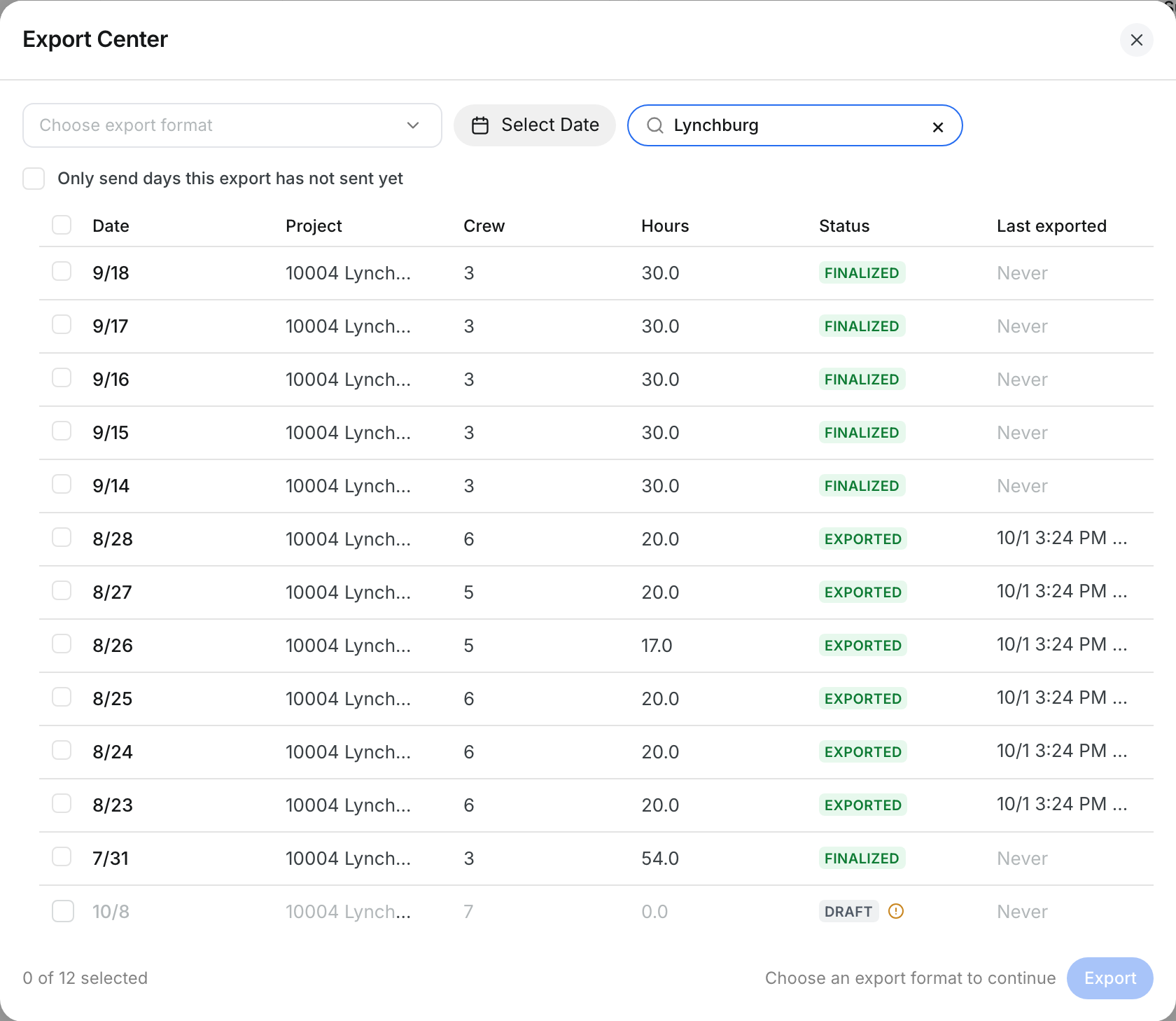
Go to Operations > Dailies. Click the Export icon at the top right.

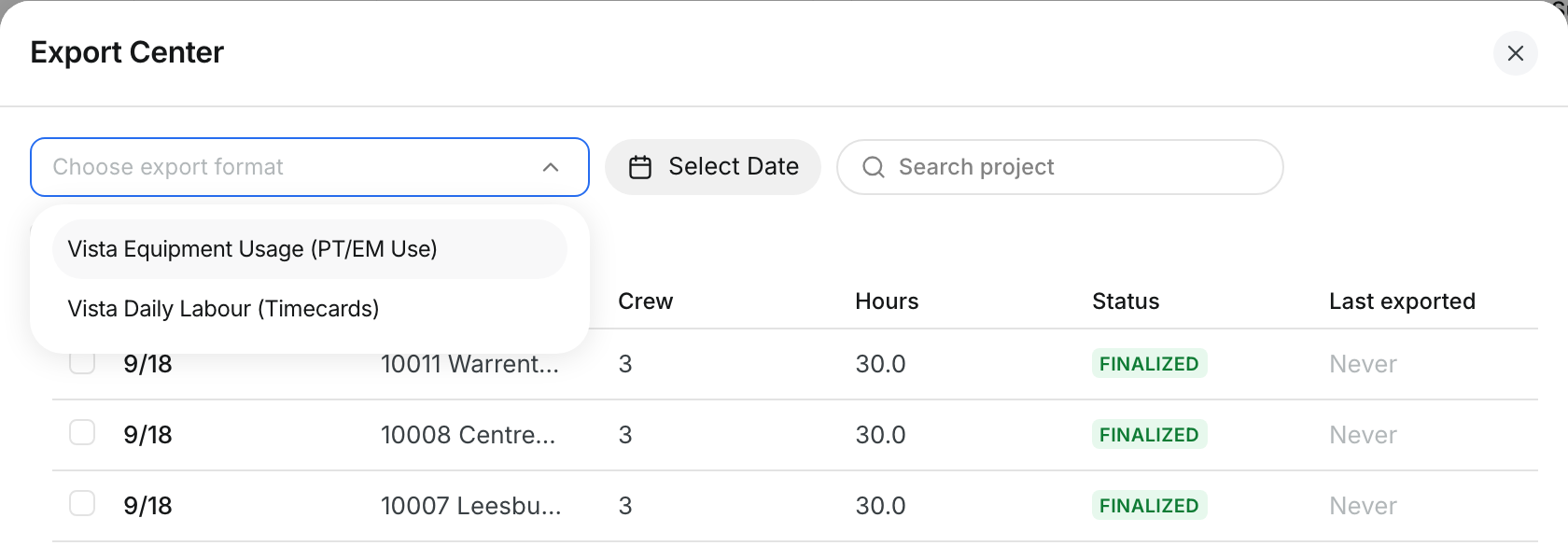
Step 2: Choose your company's format
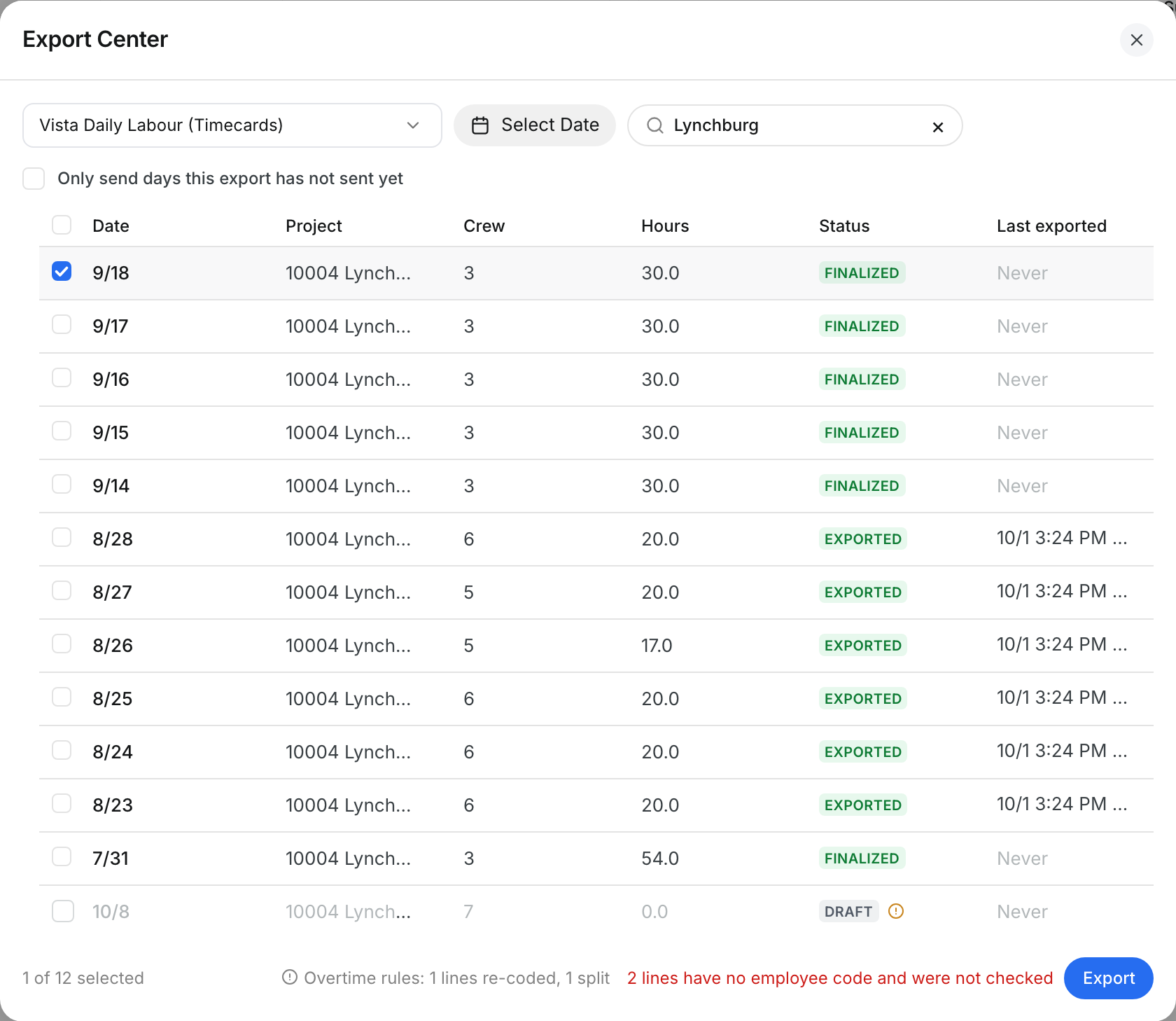
Click Choose export format. The list shows only the formats built for your company, for example one for labor and one for equipment.
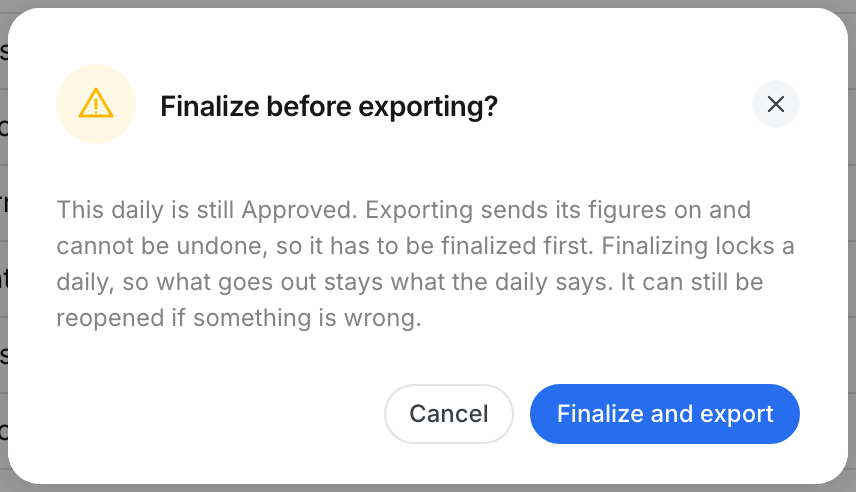
Step 3: Finalize before you export
Only finalized dailies go out. If your selection has a daily that is not finalized, Clue asks first. Click Finalize and export, or Cancel to check the daily again.
Step 4: Check what was sent
Last exported shows when each daily went out with this format, and who sent it. An exported daily shows EXPORTED and is locked.
The full details
What Clue's team can tailor in each format
- Layout: the columns, their order and their names, as your system imports them.
- File: the file name, and CSV or Excel.
- One format per file: labor, equipment hours or other parts of the day each get their own format.
- Dates: the date layout your system reads, for example 9/18/26.
- Pay codes: regular, overtime and double time hours turn into your system's earning codes.
- Company values: fixed values on every row, for example a company number, a revenue code or a time unit.
- Codes by job: a value that depends on the project and cost code, for example a payroll department.
- Row filters: for example, leave out lines with zero hours, projects with no job number, or assets with no ERP number.
- Hours: hours go out in decimals, for example 9.58.
- Overtime rules: hours over a daily or weekly limit get an overtime earning code. See Overtime Rules in Exports.
Checks that protect every export
- Finalized only: a daily must be finalized before it goes out. Others show greyed out with the reason.
- Lock after export: an exported daily cannot be edited. To change it, a person with the Overwrite Exported permission clicks Reopen. The daily goes back to Finalized.
- Cost codes that match no phase: by default the export still runs. Your company can ask Clue to block the export until those lines are coded.
- Crew who are not in the system yet: Clue names them and asks you to confirm. Their hours are not in the file. Match them to real users first to include them.
- Sending a day again: this needs the Re-export permission. Without it, tick Only send days this export has not sent yet to send the rest.
- Corrections: if a line changes after it was sent, that day counts as not sent again for this format.
- Each format on its own: sending the labor file does not mark the equipment file as sent.
- Empty files: if a selection has nothing to send, Clue says so and makes no file.
- Delivery: the file downloads to your computer. You load it into your system.
Hours that come from the crew sign-off
- Shift and meal breaks: your company can ask each person to sign their shift and meal times. See Signing an Attestation.
- Hours follow the shift: your company can let the daily's hours follow the signed shift, within a limit. See Attestation Shift Hours.
- What goes out: the export sends the hours on the daily at the time you export.
Tips
- Send Clue a sample file that your system already accepts. The team builds the format to match it, column for column.
- Load the first export into a test company in your system before you use it for real payroll.
- Resolve hour differences and temporary crew before you export, so payroll gets the final hours.
- Tell Clue when your system's import changes. A format change does not need an app update.