What is this?
Dailies and Rates use one price for each machine-day. The daily calculates the cost of each machine. Rates shows the same amount for the same day, and does not calculate it again. All the data for that day is in one place: the daily.
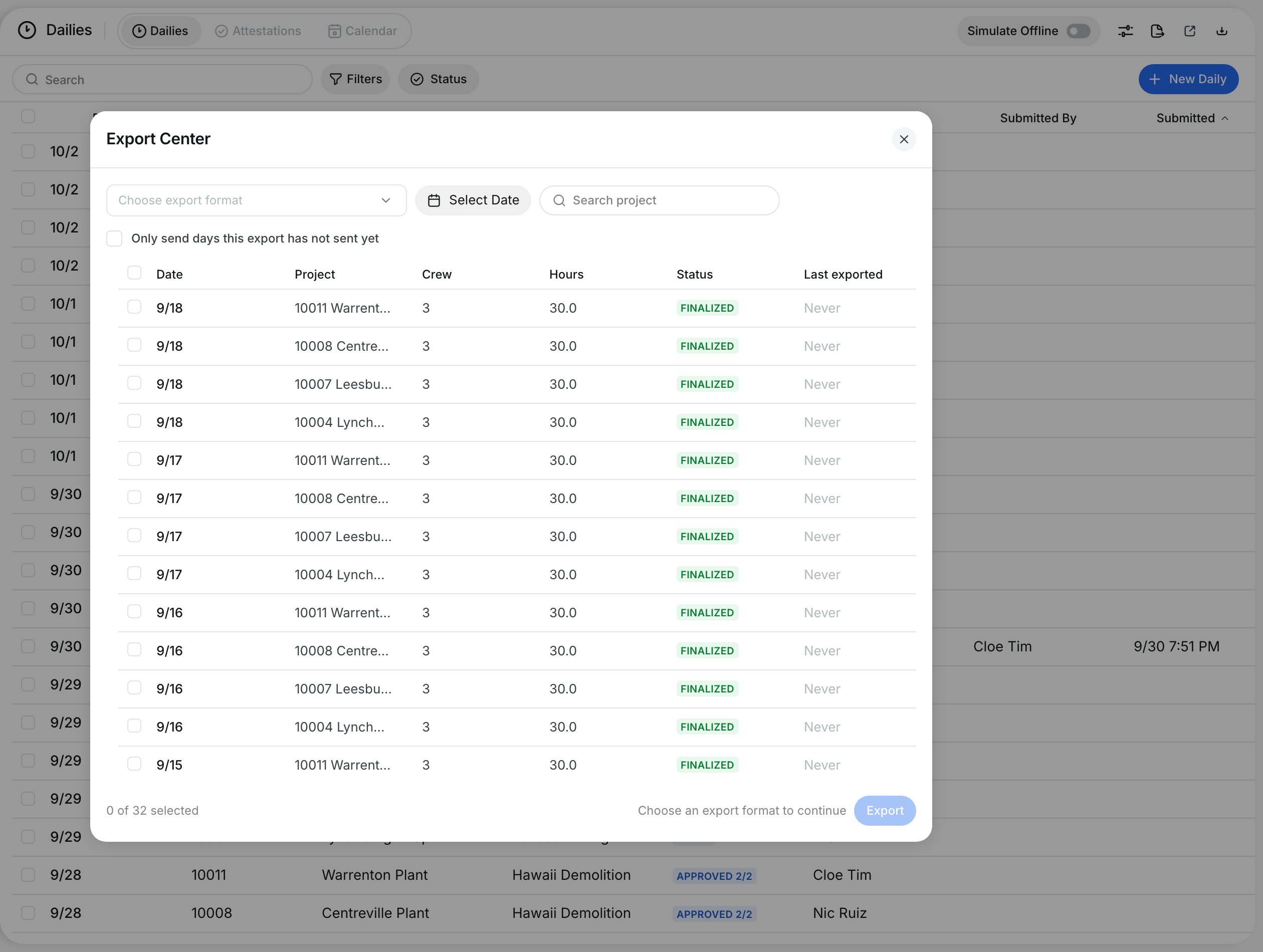
Rates also shows the status of the daily on each day. You can see if the day is final, if it can go on a Rates invoice, and if your export already sent it.
Who's this for?
This is for companies that use Dailies and Rates together.
- Equipment managers check that the machine cost on a job is the same on both screens.
- Accounting teams see which days are final, which days can go on a Rates invoice, and which days the export already sent.
- Foremen and project managers keep the daily correct. Rates follows the daily.
How to use it
Step 1: Check the cost on the daily
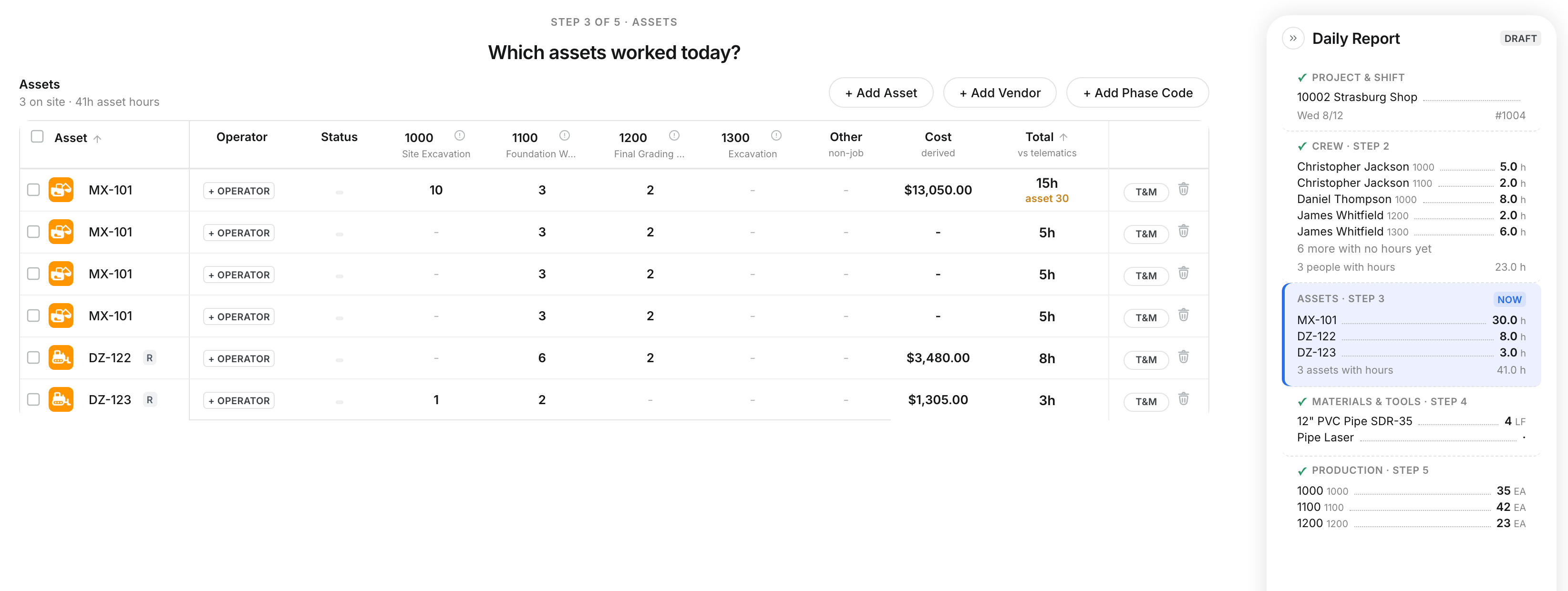
Open the daily from Dailies. Look at Cost in the Assets section. Here, WL-106 costs $380.00 on Tuesday 11/10.

Step 2: Find the same day in Rates
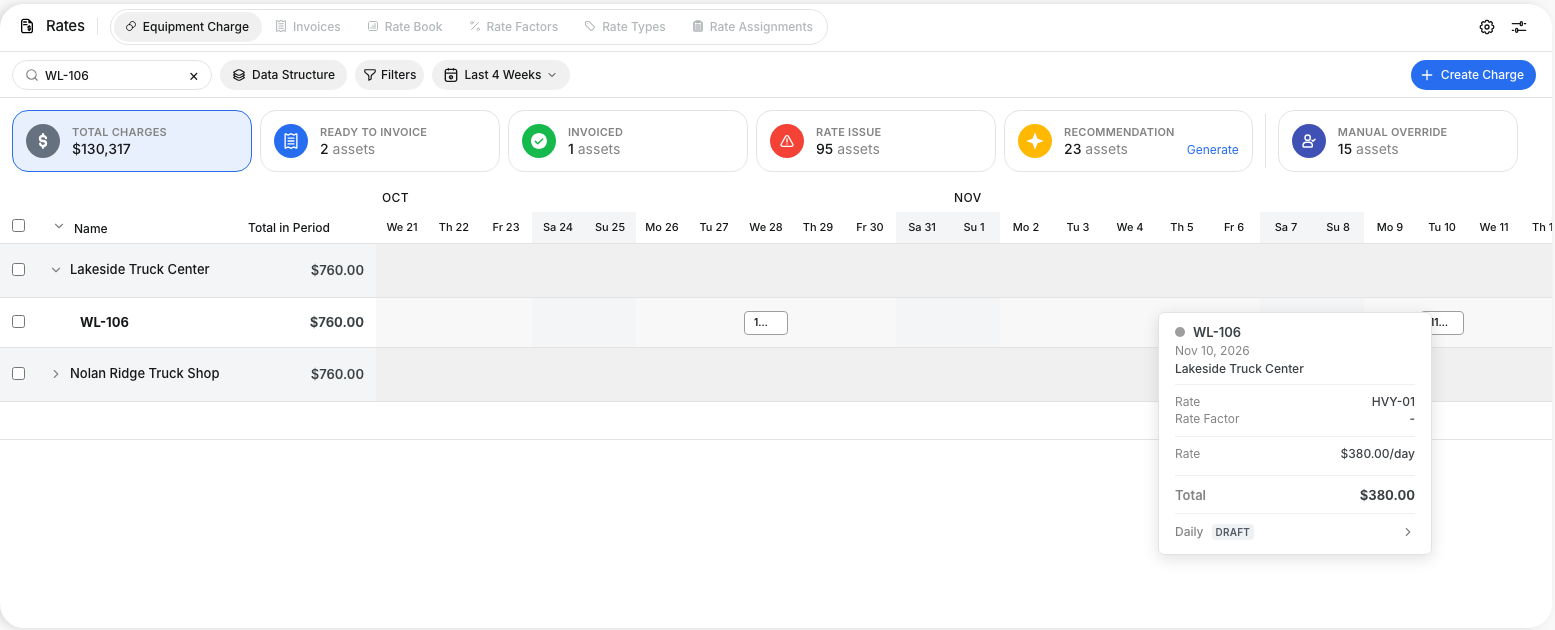
Go to Rates > Equipment Charge. Type the machine in Search and open its job. Put the pointer on the day. The Total is $380.00, the same amount as on the daily.
Step 3: Read the status of the daily
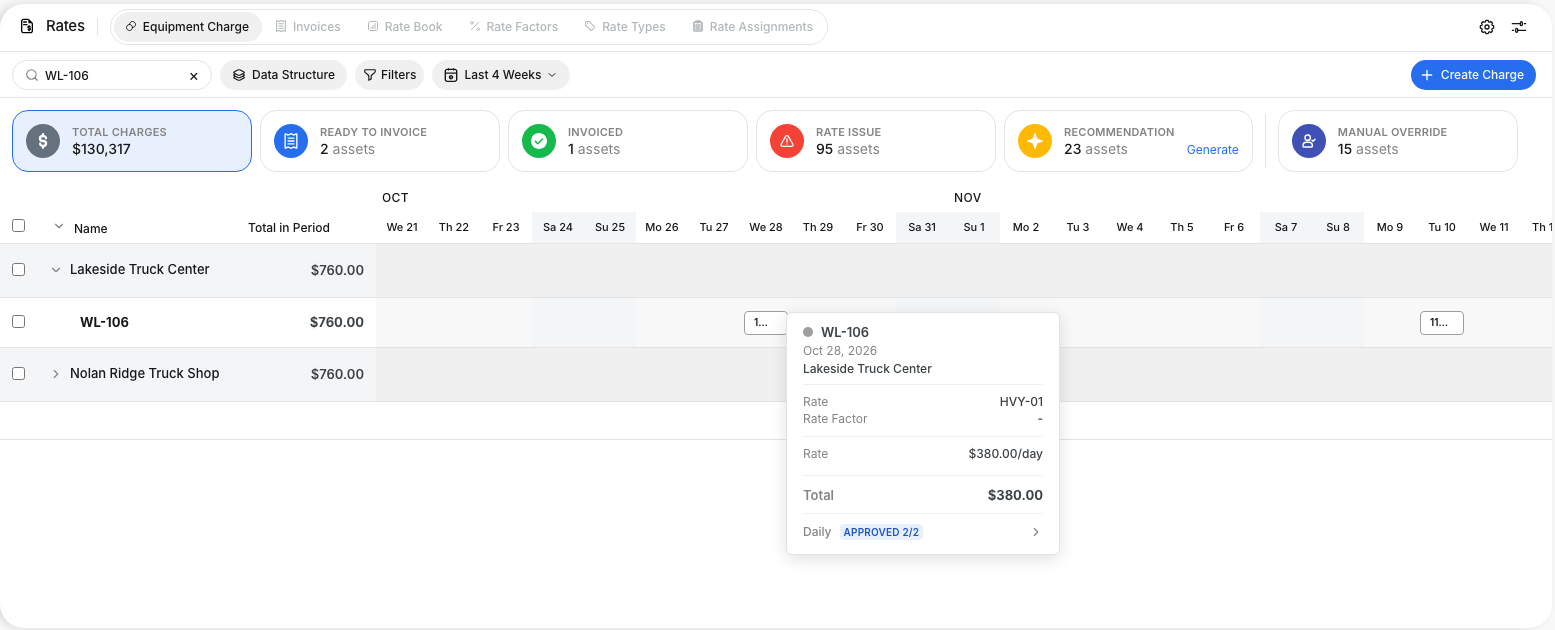
The Daily row shows the status of the daily that holds the day. It uses the same badge as the Dailies page. Here, the Oct 28 day comes from a daily that is Approved 2/2.
Step 4: Change a Dailies day on its daily
Click a day that comes from a daily. Rates does not open Edit Charge. A message says: "This day is priced by its daily. Change it on the daily."

Step 5: Open the daily
Click Open Daily in the message, or click the Daily row in the day details. The daily opens. Change the hours or the machine there. Rates shows the new amount after you save.

The full details
- One price: The daily prices each machine-day once. It uses the rate book of the job. For an hourly rate, it adds the operating rate and the fuel rate. Rates shows that amount.
- Rented machines: Some companies price rented machines from the rental contract first. For these companies, the rental rate comes first on the daily, and Rates shows the same amount.
- Rental days with no hours: When your company prices rentals from the contract, a rented machine costs its rental rate also on a day with 0 hours. These days also show in Rates.
- Rates is always current: Rates changes when someone saves the daily, at every status. Rates also changes when a rate in the rate book changes, or when a rental contract changes.
- No rate, no charge: A machine with no rate has no cost on the daily. The daily shows a note with the machines that have no rate. Rates does not charge that day from the daily. Add the rate, and both screens show the new cost.
- Deleted dailies: When you delete a daily, its days go out of Rates.
- Status in Rates: Each Dailies day shows the status of its daily: Draft, Submitted, Approved, Finalized, Exported or Declined. Two approval levels show as Approved 1/2 and Approved 2/2.
- Two dailies on one day: When two dailies of the same job hold the same machine on the same day, Rates shows the daily with the earliest status.
- Provisional days: The machine rates on a daily lock at one status. Your Clue team sets this status for your company: Submitted, Approved or Exported. Exported is the default. Before the rates lock, the day is provisional. The amount can still change.
- Rates invoices: Only days from a daily with locked rates can go on a Rates invoice. Rates leaves provisional days off the invoice.
- Exported days: When your export sent the machine line of a daily, and nobody changed that line after the export, the day is charged. Rates shows Exported. This day cannot go on a Rates invoice, so you never charge it two times.
- Labor-only exports: When the export sent only the crew hours of a daily, Rates shows Partly Exported. The machine day is not charged. It can go on a Rates invoice when the rates of the daily lock.
- Changes after an export: If someone unlocks a daily and changes the machine line after the export, the day is not charged any more. It can go on a Rates invoice when the rates of the daily lock again.
- Invoices to your customers: Your accounting system sends the invoices to your customers.
- Changes in Rates: You cannot change a Dailies day in Rates. This includes the hours, the charge and the rate factor. When you change a range of days, Rates changes only the days that do not come from a daily.
- Companies with Rates only: If your company uses Rates without Dailies, nothing changes.
- Works on: Web app.
Tips
- Fix a wrong machine cost on the daily, not in Rates. Rates follows when you save the daily.
- Put the pointer on a day before you make a Rates invoice. The Daily row tells you if the day is provisional, ready, or already exported.
- Check the note under the daily for machines with no rate. Add the missing rates in Rates > Rate Book before the rates of the daily lock.
- Use the Daily row in the day details to go from Rates to the daily in one click.