Use the Clue Web App in Your Language
What is this?
The Clue web app works in 21 languages. Each person picks their own language, and Clue shows menus, buttons, columns, and messages in it. Your crew can work in the language they read best. Everyone still shares the same data.
Who's this for?
Anyone on your team who reads another language more easily than English.
- Equipment managers, review assets, work orders, and reports in their own language.
- Mechanics and shop foremen, read work orders and checklists without translating in their heads.
- Dispatchers, plan requests and dispatches in the language they think in.
- Admins, support mixed-language crews from one Clue account.
How to use it
Step 1: Open your preferences
Click your name and photo at the bottom of the left menu. The User Preferences page opens.
Step 2: Pick your language
Under Language Settings, open the Language list. Type in the search box to find your language fast, then select it.
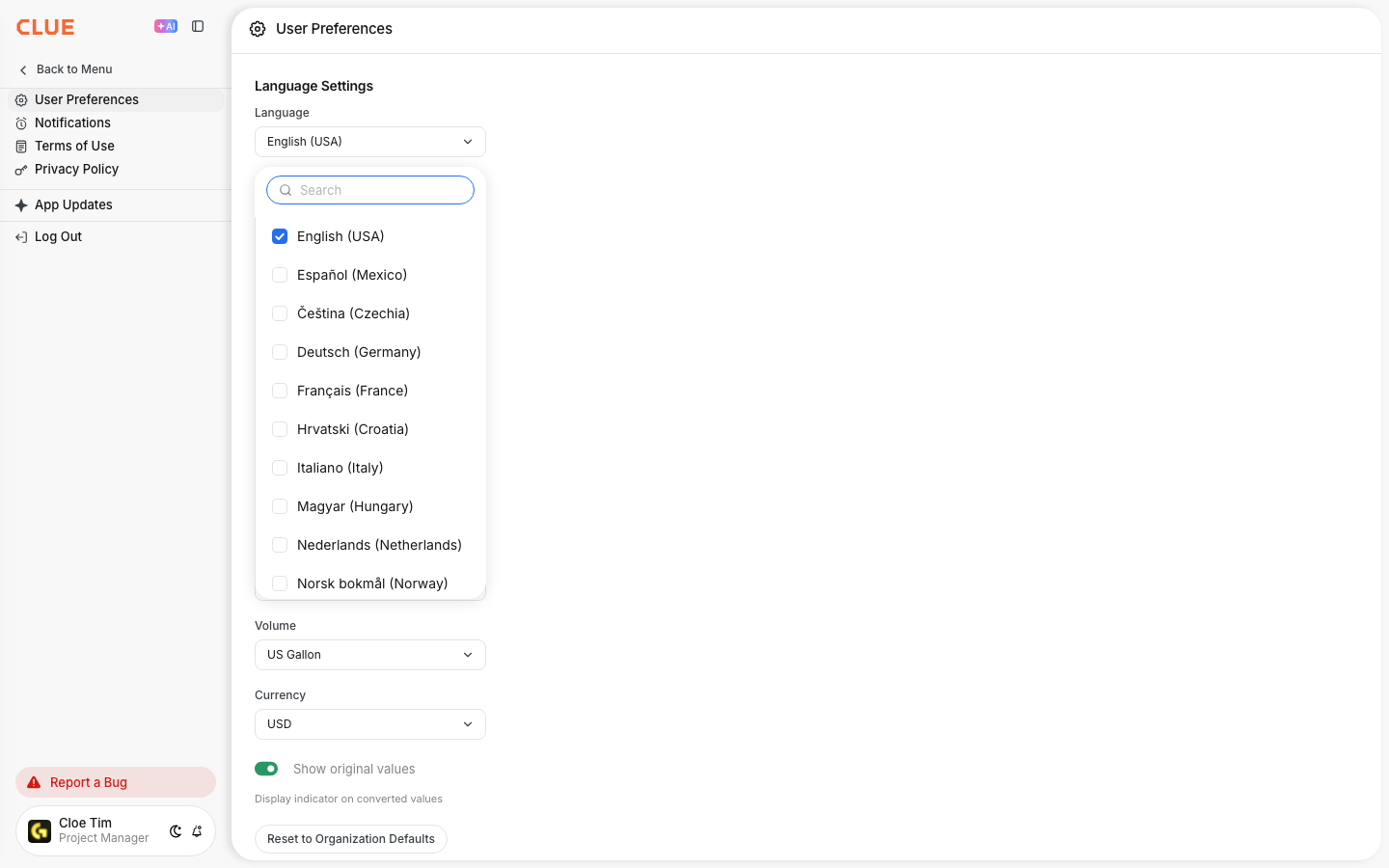
Step 3: Save
Click Save. Clue reloads in your new language. The menu, page titles, and column headers all switch over.
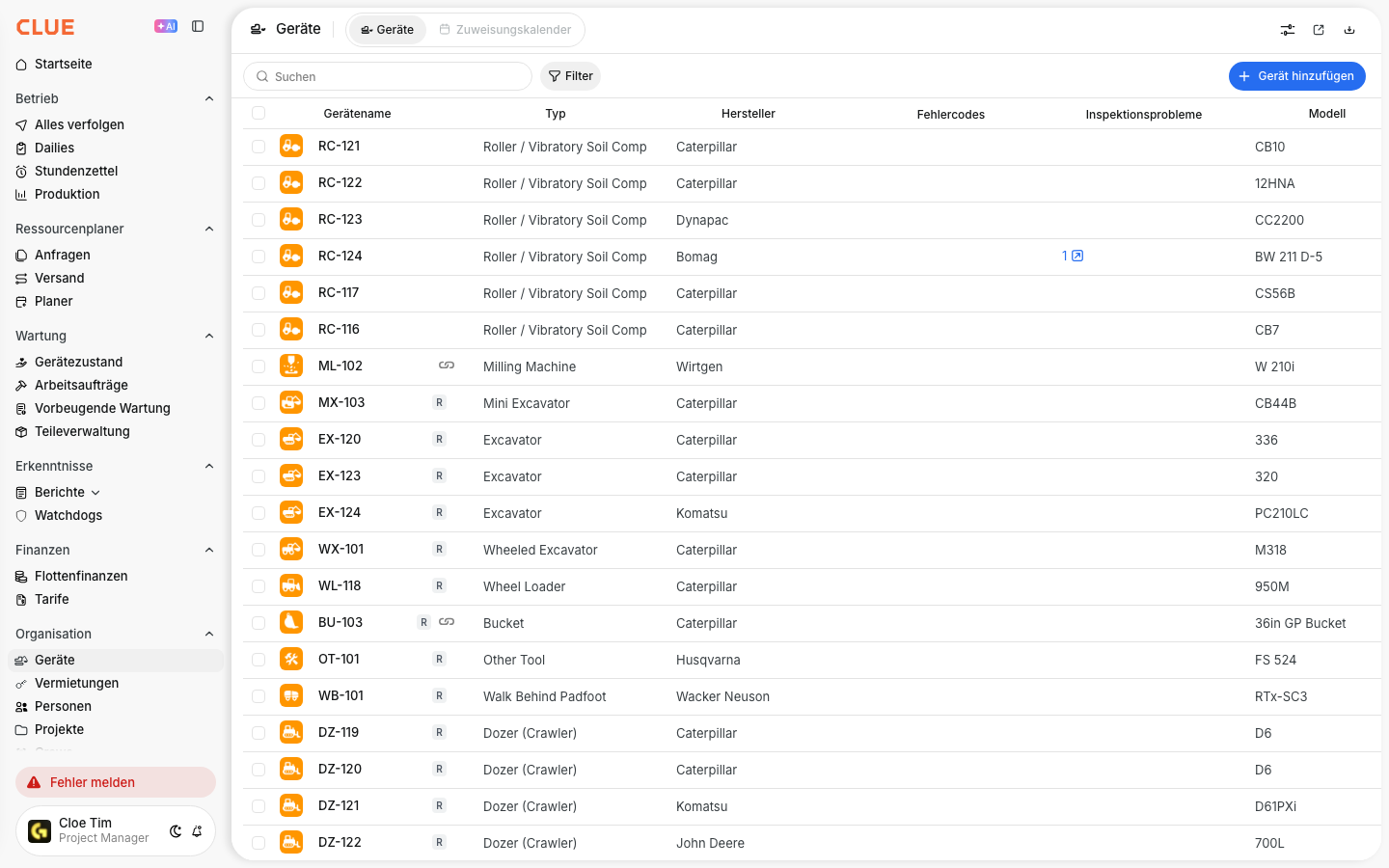
Step 4: Work as usual
Every screen follows your choice, including pop-up windows like Report a Bug.
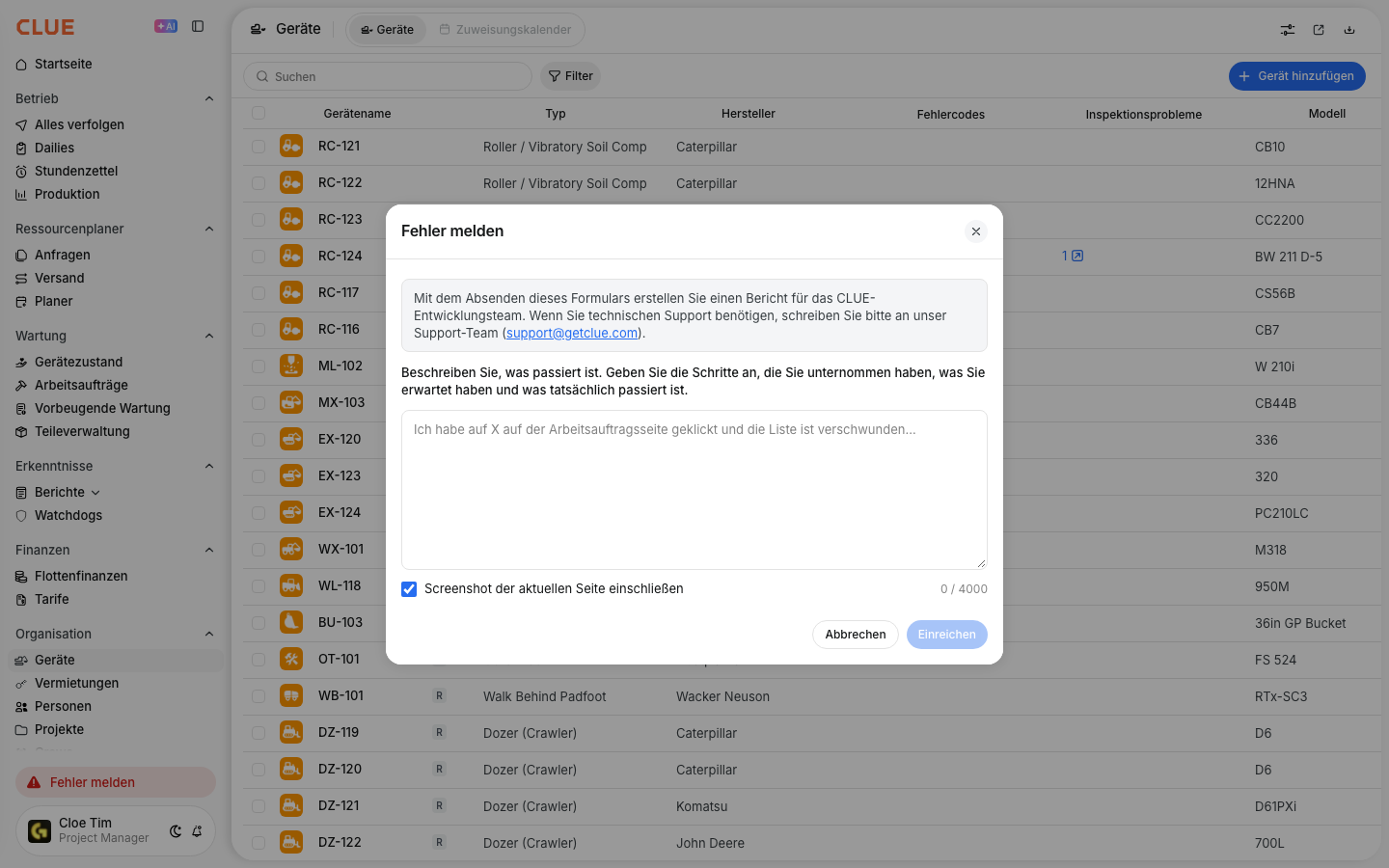
The full details
- Languages: English, Spanish, Czech, German, Finnish, French, Hindi, Croatian, Hungarian, Italian, Norwegian, Dutch, Polish, Portuguese, Romanian, Slovak, Swedish, Turkish, Ukrainian, Vietnamese, and Chinese.
- Who it affects: Only you. Each person sets their own language.
- Works on: The web app. The mobile app has its own language setting.
- Built-in lists: Standard lists that come with Clue, like asset types and timecard types, also show in your language.
- Your own data: Names and notes your team typed in, like asset names, work order titles, and descriptions, stay exactly as entered.
- Permission needed: None. Every user can change their own language.
Tips
- Use the search box in the Language list. Type the first few letters, like "Deu" or "Pol".
- Languages are listed by their own name. Look for "Deutsch", not "German".
- Set up a mixed crew? Ask each person to pick their language on day one.
- If you share your screen with someone, switch back to English the same way.
- If a word still shows in English, use Report a Bug and tell us which screen.