Assign people to projects so CLUE can track where they are working and tie that assignment into labor, dispatch, and project reporting. This helps the team keep project staffing clear without managing it in separate spreadsheets or notes.
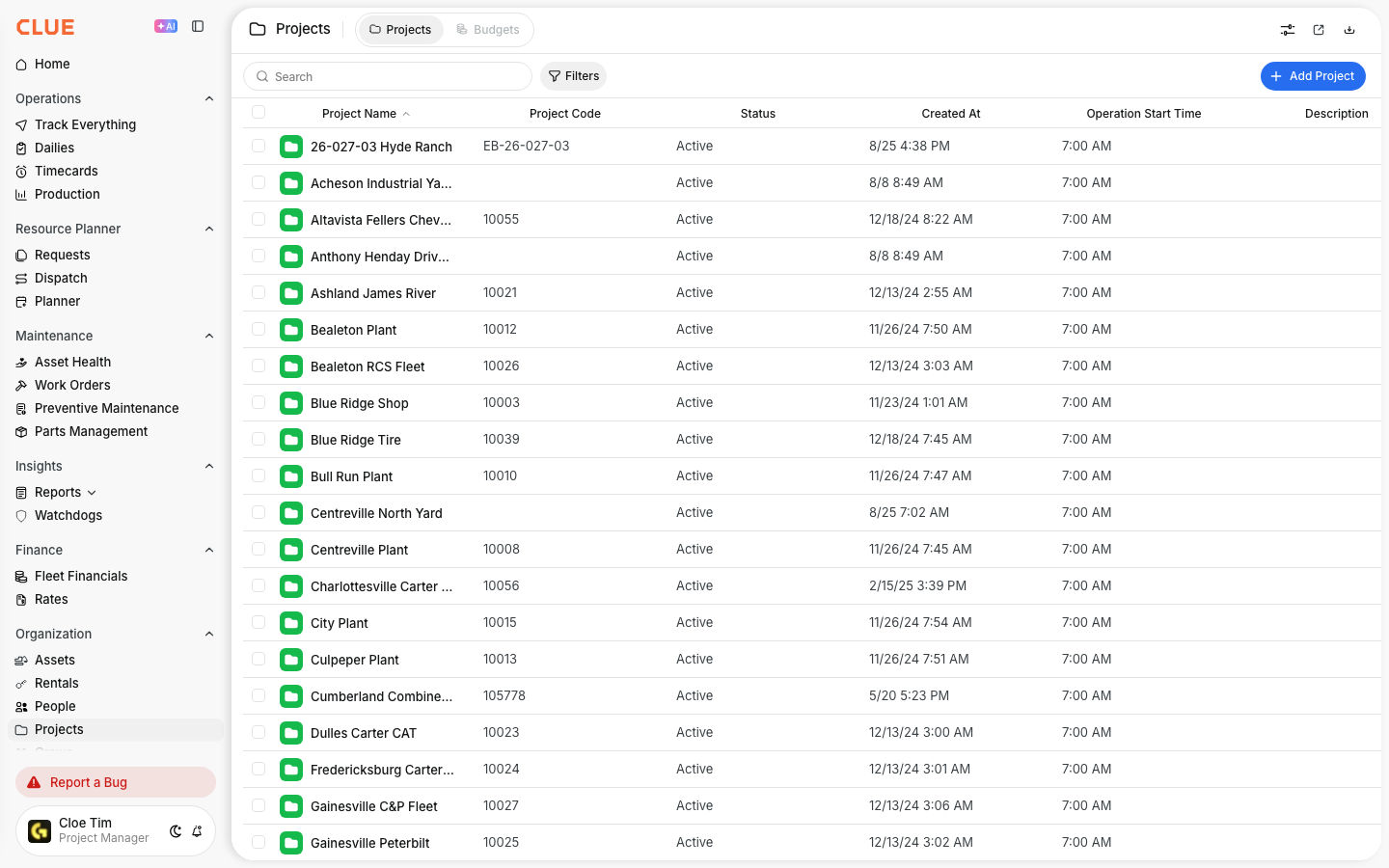
Projects directory
Project assignments can be made from either the project record or the person record. Both options update the same assignment data, so the team can work from whichever view is easier.
Overview
People assignments help CLUE track crew placement and labor allocation across job sites. This also fits naturally with Managing the Projects Directory, Managing the People Directory, Dispatching People to Projects, and Timecards when your team is using project assignments across more than one workflow.
Assigning from Project Detail
Use the project record when you want to add or review the crew working at one specific site. This is usually the easiest path when a project manager or dispatcher is staffing a job.
Step 1: Open Projects
Go to Directory > Projects and select the project you want to update.
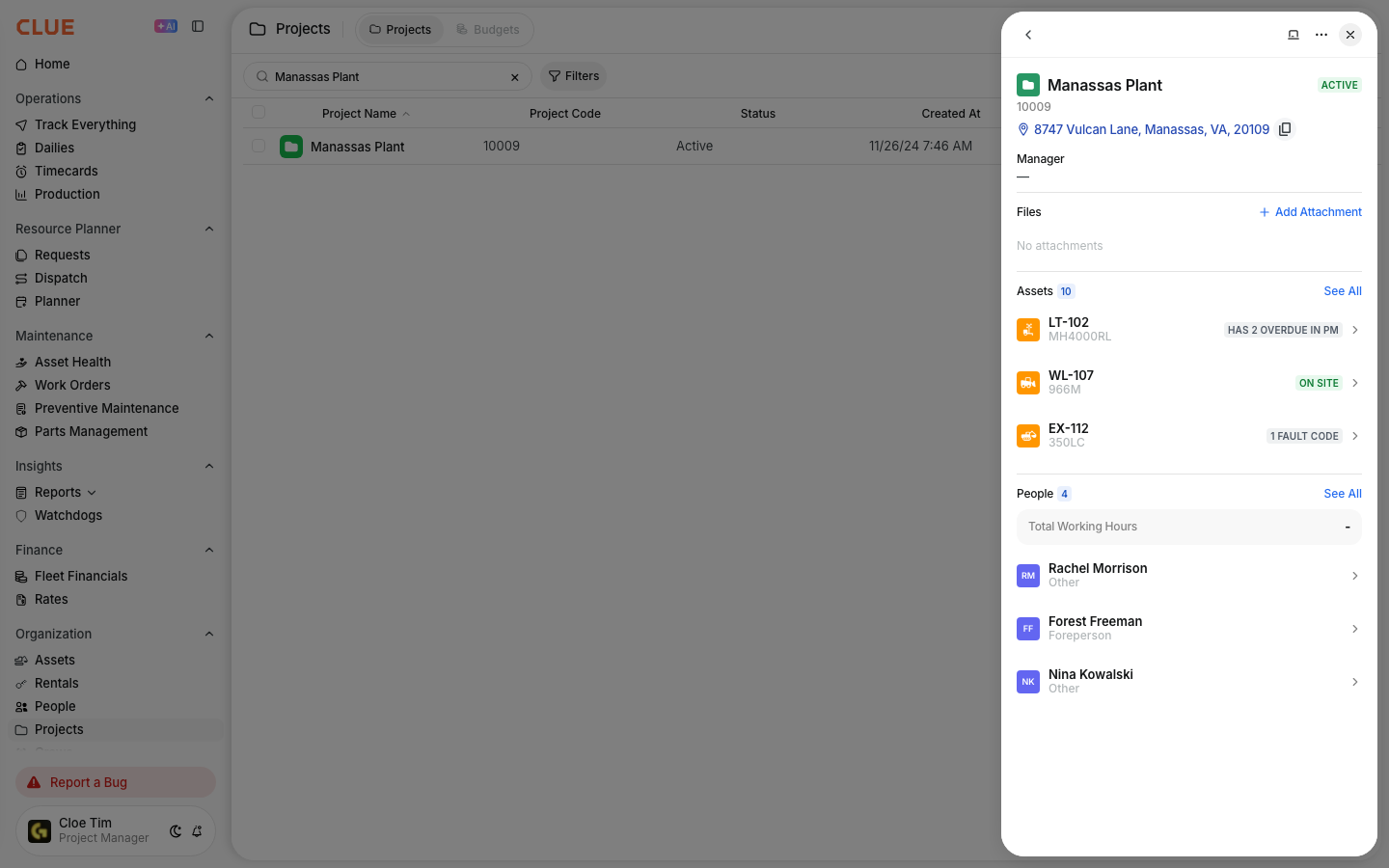
This opens the project detail view, where you can review project information, assigned resources, and location details. This is also a natural place to link to Managing the Projects Directory.
Step 2: Find the Assigned People section
In the project detail, go to the Assigned People section.
This section shows the people currently linked to that project and gives you the option to add more.
Step 3: Click Add Person
Click Add Person or the + icon.
This opens the selector where you can search for the people you want to assign.

Step 4: Search and select people
Find the people you want to assign and select them from the list.
Use this step to add one person or several people at the same time, depending on how your team staffs projects.
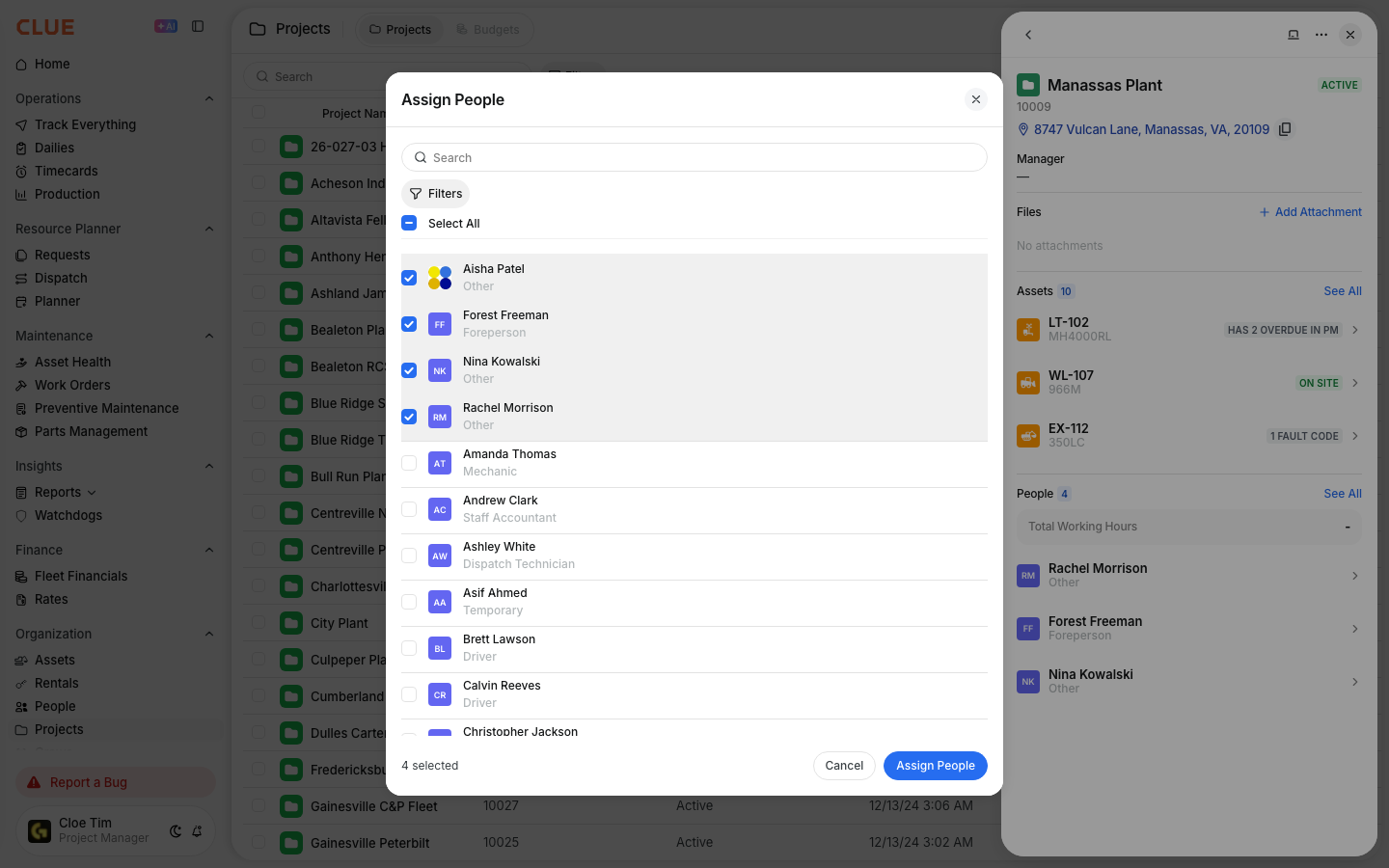
Step 5: Save changes
Click Save to apply the assignment.
Once saved, those people will appear on the project record as assigned personnel.
Assigning from People Detail
Use the person record when you want to update one worker’s assignment without opening the project first. This is helpful when a supervisor or admin is updating staffing person by person.
Step 1: Open People
Go to Directory > People and select the person you want to update.
This opens the person’s detail view, where CLUE shows profile details, assignments, and activity. This is a strong internal linking spot for Managing the People Directory.
Step 2: Find the Projects field
Look for the Projects field in the person’s record.
This is where you can see the person’s current project assignment and make changes as needed.

Step 3: Add or change the project assignment
Choose the project you want to assign to that person.
Use this when someone is moving to a new site, splitting time across jobs, or being reassigned for a temporary need.

Step 4: Save changes
Click Save to keep the update.
The assignment is then reflected in the person record and the related project record.
Assignment options
Project assignments can be kept simple or made more specific depending on how your team works. The main goal is to keep project staffing accurate enough for planning, time entry, and reporting.
When assigning people, you can define things like:
- Primary project - the main project where that person is working
- Multiple projects - if the person works across more than one site
- Date range - if the assignment is temporary or tied to a specific period
Viewing project crew
The project record gives you a quick way to review who is assigned to the job. This makes it easier to check staffing before dispatching people, reviewing hours, or planning the next move.
On the project detail page, you can review assigned personnel, job titles or roles, and contact information for the people linked to that project. This section also pairs well with Dispatching People to Projects when the next step is moving crews in the field.
Impact on other features
Project assignments are useful because they carry into other parts of CLUE. They help keep staffing, time tracking, and reporting connected instead of managing each area separately.
- Timecards - project assignment can support default project selection for time entries
- Dispatch - helps show available people and supports people dispatch workflows
- Reports - helps group labor hours and staffing by project
Tips
A few simple habits make project assignments easier to maintain. The goal is to keep staffing current so dispatch, timecards, and reporting all stay useful.
- Keep assignments updated as crews move between projects
- Use crews when the same group of people usually moves together, which also makes Assigning People to Crews a good related link
- Review project staffing during planning meetings so assignments stay current
- Connect this workflow to Assigning Assets to Projects when the team wants people and equipment aligned on the same job