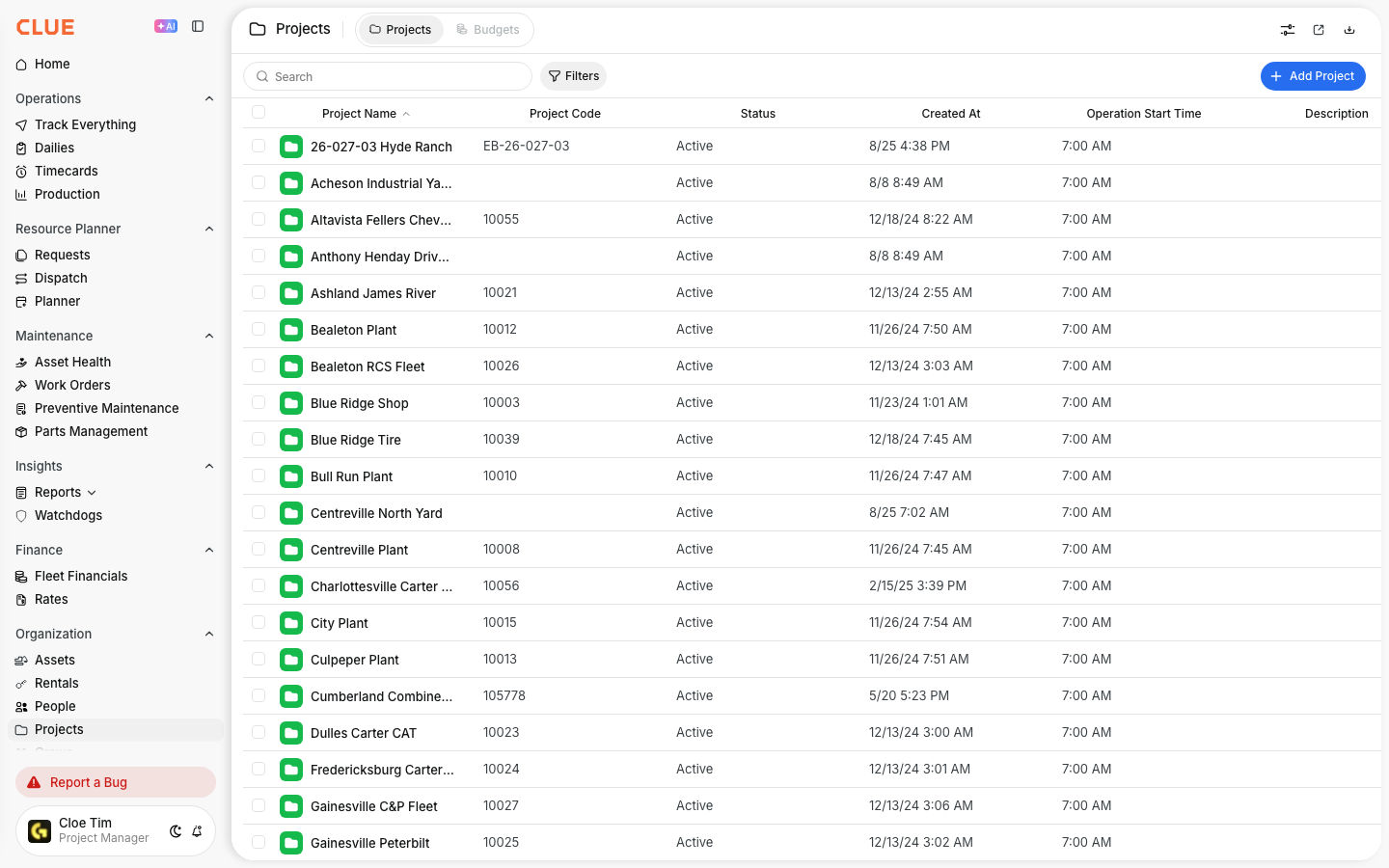
The Projects Directory is where your team can review all job sites, work locations, and active projects in one place. It helps you find projects faster, open project details, and keep project records organized as work changes.
Overview
The Projects Directory gives you a list view of all projects in your organization. It is useful for checking project status, reviewing assigned assets and people, and opening the full project record when you need more detail.
This view works well with Creating a New Project, Assigning Assets to Projects, and Assigning People to Projects because it is usually the starting point for managing project records in CLUE.
Accessing the Projects Directory
You can open the Projects Directory from the main navigation menu. Once you are there, CLUE shows a full list of projects for your organization.
To get there:
- click Projects in the Directory section
- review the list of projects on the page
Understanding the Projects List
The project list is built to give you the main details at a glance. This makes it easier to review job sites without opening every project one by one.
Common details in the list include:
- Project Name - the project name or identifier
- Address / Location - the physical jobsite location
- Status - Active, Inactive, or Completed
- Assigned Assets - the number of assets tied to the project
- Assigned Personnel - the people assigned to the project

Searching and Filtering Projects
Search and filters help narrow the list when you need one project quickly or want to focus on a certain group of jobs. This is especially useful when the directory includes many active and completed projects.
You can:
- use the search bar to find projects by name or location
- filter by Status to show Active, Inactive, or Completed projects
- filter by Region or division to narrow the list further

Viewing Project Details
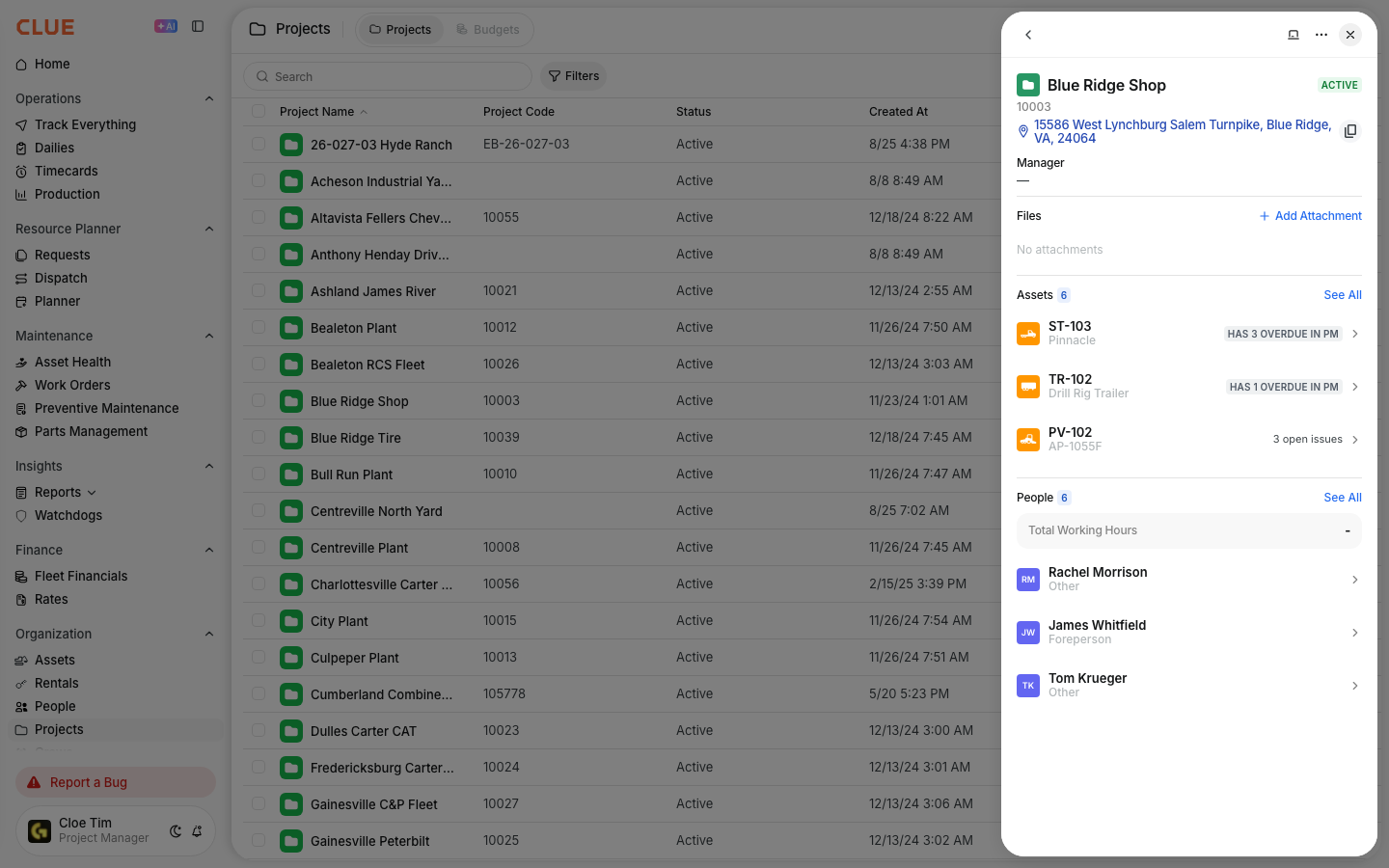
When you open a project, CLUE shows a slide-in detail panel with more information. This makes it easier to review the project record without losing your place in the directory.
Project Detail may include:
- Overview - basic project information and current status
- Assets - equipment assigned to the project
- Personnel - people assigned to the project
- Activity - recent project activity and history
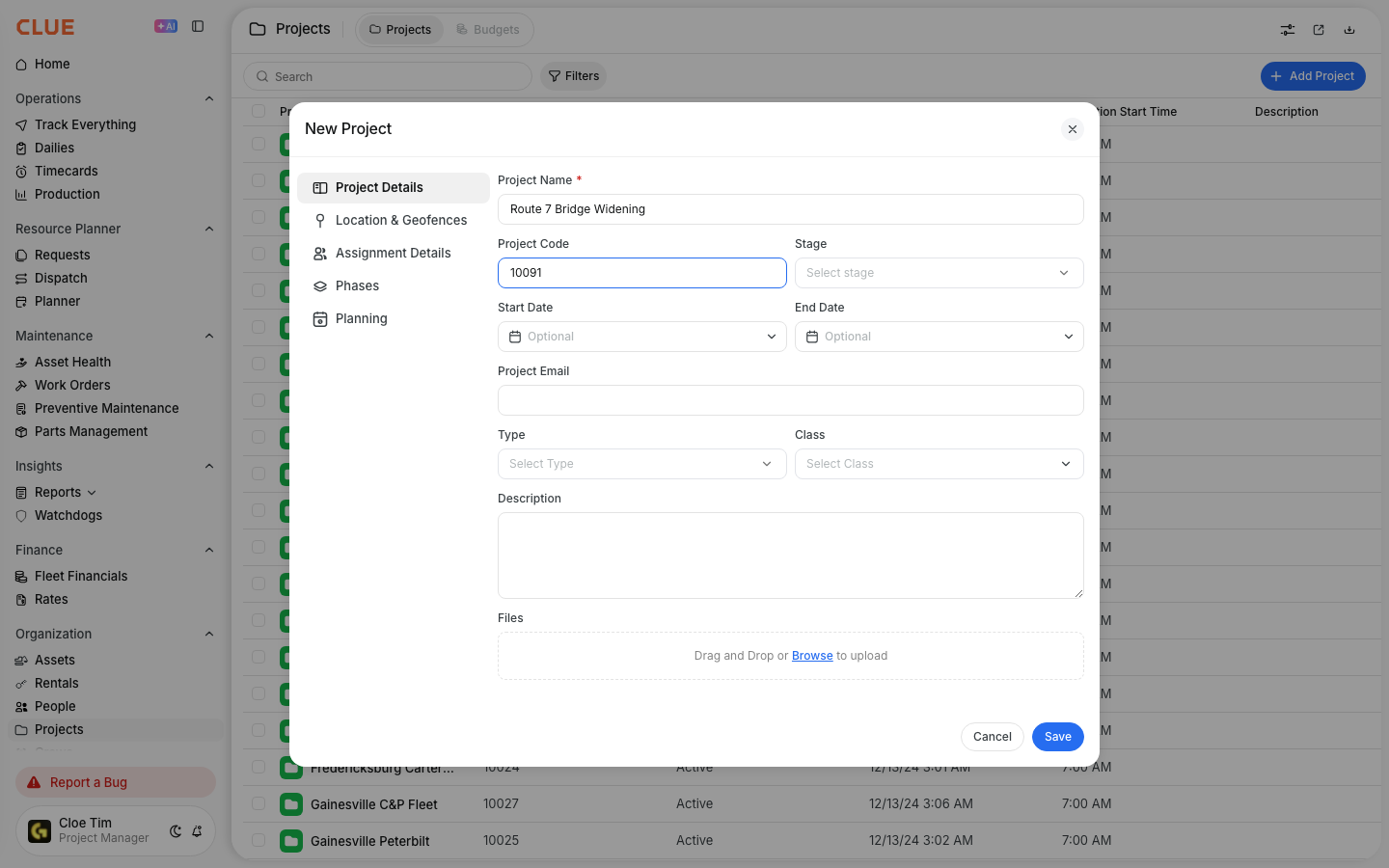
Creating a New Project
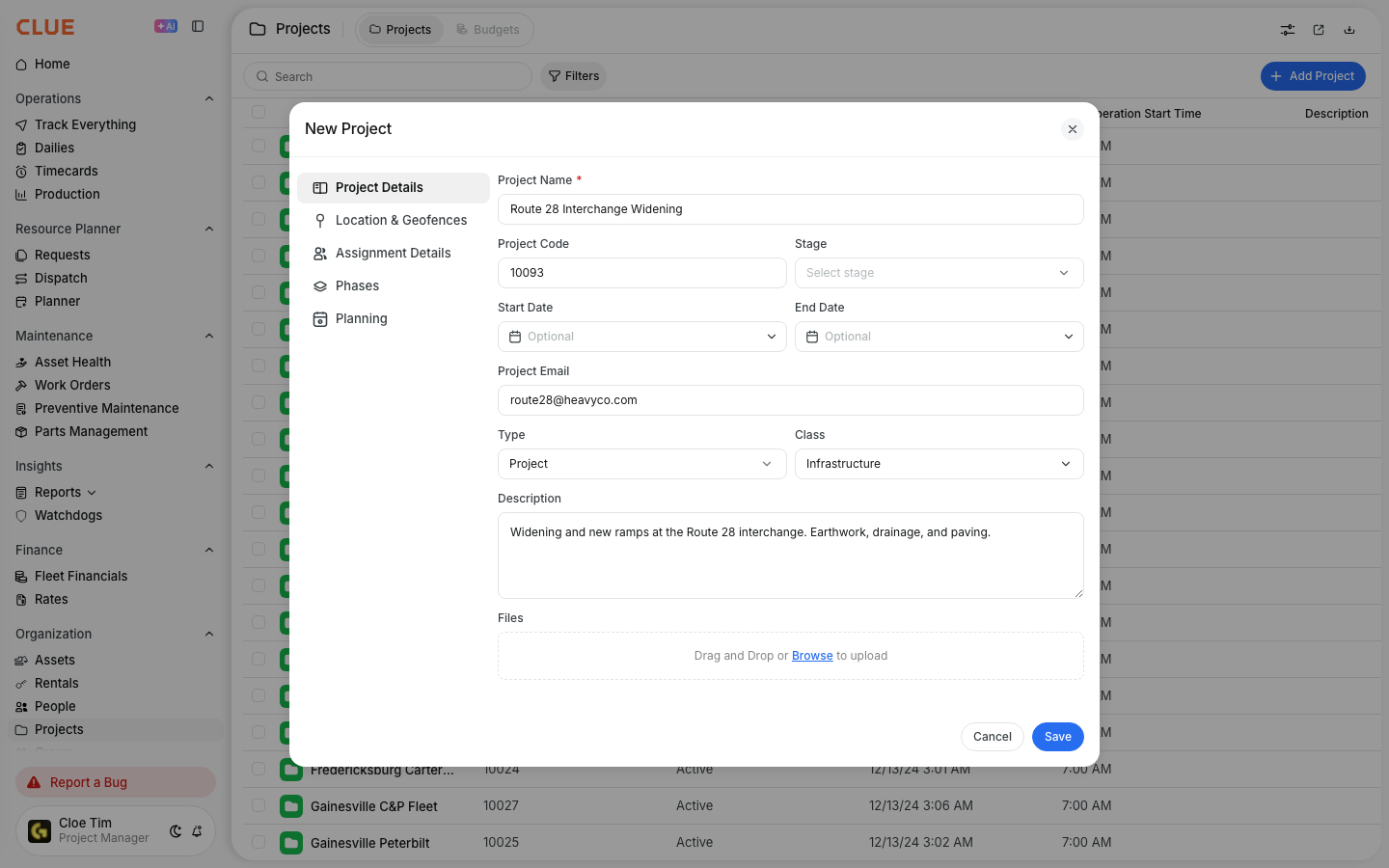
You can create a new project directly from the Projects Directory. Setting up the project early helps keep asset assignments, people assignments, and location-based tracking organized from the start.
To create a project:
- click Add Project or the + button
- enter the project name and location
- set the project status
- add assets or people if needed
- click Save to create the project
When an address is added, CLUE can place the project on the map and support location-based features like geofencing.
Tips
A clean project list is easier to manage and easier to report on. Small setup habits usually make the directory much more useful over time.
- keep project names consistent across the company
- use the address field so map and geofence features work properly
- archive completed projects to keep the active list cleaner
- assign equipment and people so project reporting stays useful