Work orders aren't the differentiator anymore. Every serious fleet platform can create, assign, and close a work order. Most also support preventive maintenance schedules, mobile technicians, and digital service history. Those capabilities have become the industry baseline.
A fair warning before the list. No software reduces downtime by itself. The measurable gains come from programs: a PM schedule that actually fires, inspections that actually become repairs, and records complete enough to survive an audit or a warranty review. Software is the difference between running that program and reconstructing it after something breaks. Judge every feature below by that standard.
What separates one platform from another is everything around the work order. How does an inspection become a repair request? Can telematics automatically trigger maintenance? Are labor, parts, warranties, and purchase orders connected, or does your team still re-enter information across multiple systems? Does the software help technicians complete work faster, or simply replace paper forms with digital ones?
This guide looks beyond the feature checklist. Rather than asking whether a platform offers work orders, it examines how well seven core capabilities support maintenance operations, compliance, and equipment uptime plus two advanced capabilities most buyer guides overlook entirely.
What is Fleet Work Order Software?

Fleet work order software helps fleet and equipment teams create, assign, track, and complete maintenance work orders from a single system. It centralizes preventive maintenance schedules, inspections, technician assignments, labor tracking, parts inventory, service history, and maintenance costs, giving managers complete visibility into every repair from request to completion.
For construction fleets, the strongest construction work order management software does more than log repairs. It automates maintenance workflows, connects inspections and telematics to repair requests, integrates with inventory and ERP systems, and reduces the manual work that slows maintenance operations.

How to Evaluate Fleet Work Order Software
Most fleet management platforms can create, assign, and close work orders. The difference is how effectively those work orders connect the rest of your maintenance operation.
Use the framework below to evaluate whether a platform simply digitizes maintenance or automates the entire workflow, from inspections and preventive maintenance to labor, parts, compliance, and reporting.
Suggested Evaluation Weights
Note: These suggested evaluation weights reflect Clue's recommended framework based on the relative operational impact of each capability. Adjust them to match your fleet's priorities, maintenance workflows, and business requirements.
| Capability | Weight | Why It Matters |
|---|---|---|
| Preventive Maintenance Automation | 20% | Directly reduces unplanned downtime |
| Inspection → Work Order Automation | 20% | Eliminates manual handoffs and compliance gaps |
| Telematics & Fault Codes | 20% | Enables proactive maintenance |
| Parts & Inventory | 15% | Keeps repairs moving |
| Mobile Technician Workflows | 10% | Improves field productivity |
| Labor & Cost Tracking | 10% | Improves job costing accuracy |
| Service History & AI | 5% | Supports long-term optimization |
Not every fleet work order platform goes beyond digitizing paper processes. Clue connects maintenance workflows from end to end, automatically generating work orders from preventive maintenance schedules, inspections, and telematics while keeping parts, labor, and service history connected in one system.
Key Features to Look for in Fleet Work Order Software

The seven capabilities below have the biggest impact on fleet uptime, shop productivity, and maintenance costs. When evaluating software, look beyond whether a feature exists and focus on how well it's implemented.
1. Automated Preventive Maintenance Scheduling
The baseline expectation in 2026 is that work orders should not depend on someone remembering a service interval. Preventive maintenance schedules should trigger automatically based on engine hours, mileage, operating hours, or calendar dates. Once a threshold is reached, the system should generate a work order automatically. The U.S. department of energy's O&M best practices guide reports that a functional predictive maintenance program can reduce downtime by 35 to 45 percent and reduce breakdowns by 70 to 75 percent compared with reactive maintenance.
The differentiator is what happens after the work order is generated. The best platforms automatically apply the correct service checklist, labor estimates, parts requirements, and cost codes while surfacing maintenance status through dashboards that classify assets as Good Standing, Upcoming, or Overdue. This gives maintenance teams a clear, real-time view of pending work instead of a static list of service intervals.
Hour-based PM has a quiet failure mode: the meter itself. Meters get replaced after electrical faults and engine swaps, and the new one starts at zero. Telematics hours and dash hours drift apart. If the system takes every reading at face value, a meter swap can silently push the next service thousands of hours into the future. Look for meter offsets that preserve lifetime hours through a replacement, automatic rejection of readings that run backward, and alerts when a reading implies impossible usage. Fleets that skip this discover it during a failed warranty claim, when the OEM asks for hours at failure and the history does not add up.
Clue automatically generates work orders from time, mileage, and engine hour-based PM schedules. Each work order inherits standardized checklists, predefined cost codes, and maintenance procedures, while centralized PM dashboards provide visibility into upcoming and overdue services.
The result is more consistent maintenance across asset classes, less administrative effort, and more accurate maintenance records for reporting and ERP synchronization.
2. Automatic Work Order Creation from Failed Inspections
Inspection findings should automatically trigger maintenance. When a defect is identified, the system should create a work order immediately instead of relying on a technician or supervisor to do it later.
This is particularly important for fleets subject to Driver Vehicle Inspection Report (DVIR) requirements under 49 CFR 396.11 and 396.13. When inspections identify safety-related defects, required repairs must be completed and certified before the vehicle is returned to service, while deficiencies that do not affect safe operation may be certified as not requiring repair.
For property-carrying commercial motor vehicles, a DVIR is only required when a defect is noted; no-defect DVIRs for property carriers were eliminated in December 2014. Passenger carriers still file a DVIR at the end of each driving day regardless of defects.
Some inspection and repair work also carries technician-qualification rules. Brake system inspection and repair must be performed by a qualified brake inspector under 49 CFR 396.25, and annual (periodic) inspections must be signed by a qualified inspector whose credentials are retained under 49 CFR 396.19. A maintenance system should hold each technician's certifications and match them to eligible work at assignment time. It is a compliance control, not an HR preference.
In February 2026, FMCSA published a final rule (Docket FMCSA-2025-0115, effective March 23, 2026) that adds explicit language to 49 CFR 396.11 and 396.13 authorizing electronic DVIRs. That includes all three required signatures: the driver who reports the defect, the mechanic who certifies the repair, and the next driver who reviews the report. If your inspection software cannot carry that signature chain and produce the report for three months of retention, it digitized the form but not the compliance.
A work order system is also a records system. Federal rules set a different clock for each record type:
| Record | Rule | How Long |
|---|---|---|
| DVIR and repair certification | 49 CFR 396.11 | 3 months |
| Maintenance and repair records | 49 CFR 396.3(c) | 1 year, plus 6 months after the vehicle leaves your control |
| Annual (periodic) inspection report | 49 CFR 396.21 | 14 months |
| Inspector qualification evidence | 49 CFR 396.19 | Retained while the inspector performs inspections |
| Mine site pre-shift defect records | 30 CFR 56.14100(d) | Until the defect is corrected |
| Mine workplace exam records | 30 CFR 56.18002 | 1 year |
Note the second line. Maintenance records must survive the machine. When you sell or trade a unit, its history has to stay retrievable for six more months. Ask any vendor how records behave after an asset is disposed of.
DVIRs are not the only inspection rule that feeds work orders. OSHA requires vehicles on construction sites to be checked at the start of each shift (29 CFR 1926.601(b)(14)). For earthmoving equipment, the applicable standard is 29 CFR 1926.602 instead. Crews working quarries, pits, and aggregate plants fall under MSHA, which requires a pre-operation inspection every shift and a written record of any safety defect that is not fixed on the spot (30 CFR 56.14100). Each of those inspections is a work order waiting to happen. The software question is the same every time: does a failed item become a repair record on its own, or does someone have to remember?
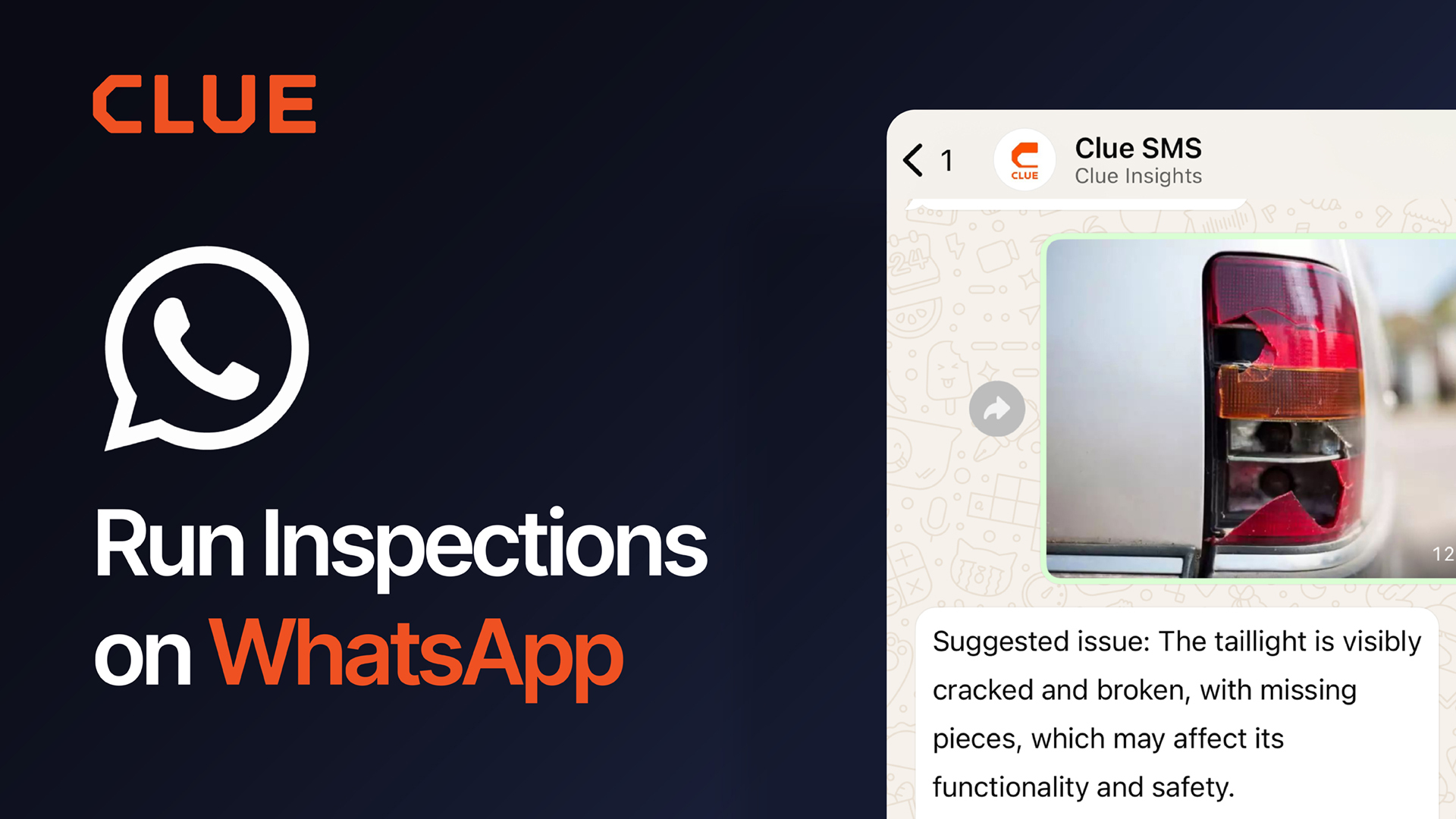
The differentiator is the range of inspection workflows supported. Many platforms automate work order creation from pre-trip DVIRs, but modern fleets also rely on post-trip, on-hire, off-hire, mid-job, end-of-day, and equipment-specific inspections. The best options generate a work order as soon as an item is marked as failed, carrying over inspection results, photos, comments, and defect details. This reduces duplicate data entry, preserves maintenance context, and speeds up repairs.
Clue connects inspections directly to maintenance. Failed inspection items automatically generate work orders across configurable inspection templates, with inspection photos, notes, and defect details carried into the repair record. This creates a single maintenance history from inspection through repair while supporting standardized workflows across equipment, and rental assets.
3. Telematics and Fault Code Integration
A work order system is only as effective as the data feeding it. The best fleet work order software connects directly to telematics providers, bringing engine hours, odometer readings, diagnostic fault codes, GPS data, and sensor information into the maintenance workflow. This gives maintenance teams real-time visibility into equipment health instead of relying solely on manual inspections or operator reports.
The differentiator is the depth of integration. Many platforms connect to one or two telematics providers, but mixed fleets often operate equipment from multiple OEMs. The best platforms consolidate data from every connected source into a single pane of glass while using telematics data to automate maintenance processes. Engine hours and odometer readings should update preventive maintenance schedules automatically, while fault codes and sensor alerts help maintenance teams identify issues before they become field failures.
Fault codes deserve a closer look because this is where many integrations stop at simply displaying data. Under the J1939 standard, every fault combines an SPN (Suspect Parameter Number), which identifies the affected component or signal, with an FMI (Failure Mode Identifier), which explains how it failed. A single mechanical issue can generate multiple SPN/FMI combinations across different control modules, with active faults continuously rebroadcast. Without context, technicians can end up chasing duplicate alerts or dismissing faults that are already being repaired. Clue addresses this by warning technicians before they dismiss a fault code that's already linked to an open work order, helping prevent duplicate troubleshooting and keeping repairs coordinated.
Clue connects with 20+ integrations across OEM telematics, ERP, rental, and parts systems, including Samsara, John Deere, HCSS, CNH, Ford Pro Telematics, TitanGPS, United Rentals, Vista, Sage, Spectrum, HeavyJob, and Gearflow. Supported engine-hour and odometer data synchronize automatically where available, reducing manual updates for maintenance scheduling.
Clue also ingests real-time fault codes from Samsara through webhooks and historical API data, while Samsara tire pressure monitoring can automatically generate fault codes when pressure drops, alerting mechanics before a slow leak becomes a field breakdown.
This is why depth of integration matters. Many mixed-fleet connections run through ISO 15143-3, also known as AEMP 2.0. It reliably carries hours, location, fuel, and odometer readings, but fault-code support depends on the endpoints each OEM exposes and the data each software platform chooses to consume. Two vendors can both claim to integrate with the same equipment brand while delivering very different levels of diagnostic insight. Clue's Samsara integration goes beyond basic telemetry by ingesting native fault data, allowing fault codes to be tied to maintenance workflows instead of simply displayed as another stream of alerts.
4. Parts and Inventory Integration

A repair cannot be completed until the required parts are available. The best fleet work order software connects inventory management directly to work orders, allowing mechanics to check availability, request parts, and track fulfillment without leaving the maintenance workflow.
The differentiator is workflow integration. Basic platforms record parts after a repair is complete. The right platforms let mechanics request one or multiple parts directly from a work order, track whether they were fulfilled from inventory or ordered from a supplier, and maintain visibility until the repair is complete.
Clue embeds parts management into the work order. Mechanics can request one or multiple parts directly from a work order. Each work order tracks whether a part was fulfilled from inventory or a vendor, and the latest unit cost is applied automatically when parts are used. Multi-location inventory provides visibility across warehouses, shops, and job site trailers.
5. Mobile Technician Access
Mobile access should extend beyond viewing work orders. The best work order software allows technicians to create and update work orders, log labor, request parts, complete inspections, attach photos, and close repairs entirely from the field.
The differentiator is reliability. Construction sites often have limited connectivity, so technicians should be able to continue working even when they lose signal. Offline support ensures work orders and inspections can be completed without interruption and synchronized automatically once a connection is restored.
Clue gives technicians access to the full maintenance workflow from a mobile device, including work orders, inspections, parts, and time tracking. Technicians can continue working offline and sync updates when connectivity returns, reducing delays in remote job sites. AI-generated repair descriptions from photos and real-time notifications further reduce manual work and keep maintenance teams informed.
6. Labor Time and Cost Tracking
Labor is the scarcest resource in the shop, not just the most expensive. The median heavy-duty shop labor rate reached $149 per hour in 2025, and 57 percent of shops report being understaffed (Fullbay State of Heavy-Duty Repair, 2025–2026). Maintenance-planning research puts a typical technician's hands-on wrench time at 25 to 35 percent of the shift (Palmer, Maintenance Planning and Scheduling Handbook). The rest disappears into parts chasing, paperwork, and waiting. That is the real case for capturing labor inside the work order: you cannot recover time you never see.
Labor is one of the largest maintenance expenses, but it's also one of the biggest contributors to equipment economics. Every mechanic hour logged against a work order helps build the true cost of owning and maintaining an asset. When labor is tracked in one system and later re-entered into payroll or job costing software, those records become harder to trust. Hours, cost codes, and maintenance history can fall out of sync, making it more difficult to understand asset performance, project costs, and lifecycle decisions.
For many contractors, the challenge isn't capturing labor, it's moving that data into the rest of the business without creating another administrative step. Generic exports often require manual cleanup before they can be imported into ERP systems, introducing delays and increasing the risk of errors.
Clue records mechanic time directly within the work order, automatically linking labor hours to the repair being performed. Cost codes flow from work order tasks into timecard entries, every work order change is captured in a built-in audit log, and approved timecards export in ERP-specific formats for systems including Vista, Spectrum, Sage via Construct, and HeavyJob. Instead of treating labor tracking, payroll, and job costing as separate processes, Clue keeps them connected through a single maintenance workflow.
There is a tax dimension to repair records that most buyer guides never mention. IRS tangible property rules require capitalizing work that betters an asset, adapts it to a new use, or restores it, such as a full rebuild. Ordinary repairs are generally deducted in the year they occur. The classification depends on facts captured at repair time: what was done, why, and the asset's condition. When work orders preserve that context, year-end classification becomes a review instead of an exercise in reconstructing incomplete records. Clue supports that documentation by keeping labor, costs, repair history, and supporting records tied to each work order, creating a complete maintenance trail for finance and operations teams.
7. Complete Service History and AI-driven Prioritization
A work order shouldn't disappear once it's closed. Every repair, inspection, labor entry, part replacement, and fault should become part of an asset's permanent maintenance history. Over time, that record reveals recurring failures, total maintenance costs, repair frequency, and patterns that help maintenance teams decide whether an asset should be repaired again, scheduled for preventive maintenance, or replaced altogether.
The challenge isn't collecting maintenance data anymore. It's making years of work orders usable. As fleets grow, managers need faster ways to identify recurring failures, understand maintenance trends, and answer operational questions without manually building reports or relying on IT. Increasingly, AI is becoming the layer that turns maintenance history into actionable recommendations instead of static records.
For a sense of what those hidden delays look like, Fleetio's 2026 Fleet Benchmark Report,which analyzed data from 1.2 million vehicles and 9 million work orders, found an average of 6.7 days between an issue being reported and a technician starting work. Almost none of that gap is wrench time. Complete service history and flexible reporting help fleet managers pinpoint where those delays originate, whether in specific shops, asset classes, or recurring failure modes. The same report found that vehicles more than 10 years old account for just 12.1% of miles driven but 33.5% of service spend, showing why recurring-failure analysis on aging equipment delivers some of the biggest maintenance savings.
Service history is only as useful as the coding underneath it. Without standardized component and failure codes, years of work orders become a text pile that cannot be benchmarked across shops or machine classes. Ask whether the platform supports VMRS (Vehicle Maintenance Reporting Standards) or an equivalent standardized coding structure. VMRS assigns a 9-digit component code and separate code keys for reason-for-repair, work accomplished, and technician failure, which is what makes cross-fleet failure analysis possible.
Clue combines complete maintenance records with AI-powered reporting and analytics. Fleet managers can generate reports using natural language instead of building complex queries, making it easier to analyze work orders, maintenance costs, recurring issues, and equipment performance across the fleet. Combined with a complete service history, this helps teams make faster, data-driven maintenance and replacement decisions.
Bonus Capabilities Worth Looking For

The seven capabilities above form the foundation of modern fleet work order software. As maintenance technology continues to evolve, some platforms are also introducing newer capabilities that help shops operate more efficiently.
Visual Work Order Scheduling
Creating a work order is only the first step. Maintenance teams also need to decide who should perform the work, when it should happen, and how to balance shop capacity with equipment priorities. Visual work order scheduling helps maintenance managers assign technicians, coordinate repair timelines, and respond quickly when priorities change.
The differentiator is visibility. Basic systems rely on static work order lists that make it difficult to understand technician availability or competing maintenance demands. More advanced platforms provide drag-and-drop scheduling, workload balancing, and calendar-based planning that help shops reduce bottlenecks, improve technician utilization, and keep critical equipment moving through the repair process.
When evaluating fleet work order software, look for scheduling tools that provide a real-time view of technician workloads, repair priorities, and shop capacity rather than requiring manual coordination across spreadsheets or whiteboards.
Warranty Visibility and Claim-Ready Documentation
Every warranty dollar you recover starts with accurate maintenance records. A claim the OEM will actually pay typically requires the serial number, hours or miles at failure, the failure date, a cause description, itemized parts and labor, and evidence that the component was maintained according to the manufacturer's requirements. Many OEM warranty programs also impose filing deadlines and may require pre-approval for higher-value repairs.
Clue surfaces warranty status directly on the PM dashboard, with hover details and a slideout showing the complete warranty record, helping mechanics verify coverage before work begins. When evaluating equipment management software, ask whether warranty information is visible where maintenance decisions are made and whether the system captures the maintenance history, labor, parts, and supporting documentation needed to prepare a warranty claim. Warranty recovery that depends on someone's memory usually leaves money on the table.
AI for Financial Workflows
Processing maintenance invoices shouldn't end with entering costs into a work order. As fleets grow, reviewing vendor invoices manually becomes increasingly time-consuming and makes it easier for billing errors, duplicate charges, and inconsistent pricing to go unnoticed.
The differentiator is automation. Advanced fleet maintenance platforms use AI to extract invoice data, match labor and parts against completed work orders, identify discrepancies, and flag exceptions for review. This reduces manual data entry while helping maintenance teams improve cost accuracy and accelerate invoice approvals.
When evaluating software, look for platforms that simplify invoice validation, maintain accurate maintenance cost records, and connect financial data back to the asset's service history. This creates a more complete picture of equipment lifecycle costs and supports better maintenance and replacement decisions.
Final Thoughts
Fleet work order software should do more than digitize maintenance. The best platforms connect inspections, preventive maintenance, work orders, labor, parts, telematics, and reporting into a single workflow that reduces manual effort, improves shop productivity, and helps prevent costly downtime. Emerging capabilities such as visual work order scheduling and AI-powered invoice review can further streamline maintenance operations as fleets continue to modernize.
When evaluating software, don't stop at the feature checklist. Ask vendors to demonstrate how information flows from a failed inspection to a completed repair, how maintenance data connects across systems, and how much of the process is automated versus manual.
Clue is designed to simplify equipment maintenance for construction fleets by connecting the entire maintenance workflow in one platform. From inspections and preventive maintenance to work orders, parts, labor, and reporting, it helps teams spend less time managing processes and more time keeping equipment productive.
FAQs
1. What's the difference between fleet work order software and a CMMS?
Many CMMS platforms are designed for facility maintenance, while fleet work order software is built around mobile assets. It typically includes equipment inspections, telematics integrations, preventive maintenance based on engine hours or mileage, and workflows designed for mechanics and field technicians rather than building maintenance.
2. Can fleet work order software reduce unplanned downtime?
Yes, but not simply by digitizing work orders. Downtime is reduced when inspections, preventive maintenance, telematics, and repair workflows work together so maintenance teams can identify and resolve issues before they become equipment failures.
3. What's the biggest mistake companies make when choosing work order software?
Focusing on whether a feature exists instead of how it works. Two platforms may both support work orders, inspections, or preventive maintenance, but the amount of manual work required to connect those processes can be very different.
4. Can fleet work order software support multiple maintenance shops?
Yes. Many construction companies manage maintenance across multiple branches or job sites. A centralized work order system helps standardize maintenance processes while still giving each shop visibility into its own technicians, equipment, and repairs.
5. Does fleet work order software replace preventive maintenance software?
It can, depending on the platform's capabilities. Comprehensive fleet work order software often includes preventive maintenance as part of a broader maintenance management system. Platforms with meter-based maintenance schedules, automated work order generation, service alerts, maintenance history, and reporting can eliminate the need for a separate preventive maintenance solution. Less comprehensive platforms may still require dedicated preventive maintenance software.
6. How do I know if a platform will scale with my fleet?
Look beyond the number of assets it supports. Ask how it handles growing maintenance volumes, multiple shops, larger technician teams, additional telematics providers, and ERP integrations. Software should simplify operations as the fleet grows, not introduce more administrative work.
7. What should a vendor demonstrate during a live demo?
Instead of asking to see individual features, ask them to complete a real maintenance workflow. For example, start with a failed inspection, create and assign a work order, record labor and parts, complete the repair, and show how that information appears in reporting or your ERP. This reveals how much of the process is automated versus manual.
8. Can fleet work order software help extend equipment life?
Yes. Consistent preventive maintenance, accurate service records, and better visibility into recurring repairs help maintenance teams address issues earlier and make more informed repair-versus-replace decisions over time.
9. How long do you have to keep DVIRs and truck maintenance records?
DVIRs and any certification of repairs must be retained for 3 months under 49 CFR 396.11. Maintenance and repair records must be kept for 1 year while the vehicle is in service, plus 6 months after the vehicle leaves the motor carrier's control, under 49 CFR 396.3. Annual inspection reports must be retained for 14 months under 49 CFR 396.21.
10. Are electronic DVIRs FMCSA compliant?
Yes. FMCSA regulations allow DVIRs to be created, signed, and stored electronically, provided they meet the requirements of 49 CFR 396.11 and 49 CFR 396.13, including the required electronic signatures and recordkeeping requirements.
11. What does an equipment warranty claim need from a work order?
A warranty claim typically requires the equipment serial number, hours or mileage at failure, the failure date, a description of the failure, itemized parts and labor, and maintenance records showing the equipment was serviced according to the manufacturer's requirements. Filing deadlines, documentation requirements, and pre-approval thresholds vary by OEM, so complete maintenance records are essential from the start.
12. When does a fleet outgrow spreadsheets for maintenance?
The trigger is usually not fleet size. It is the first missed preventive maintenance task that causes a major repair, the first denied warranty claim, or the point where maintenance must be managed across multiple shops. Once maintenance records need to support compliance, warranty reviews, audits, or equipment resale, spreadsheets become difficult to maintain consistently and reliably.
13. How much does equipment downtime really cost?
There is no honest universal number. Vendor-quoted per-hour figures rarely account for fleet mix, utilization, or replacement rental. The defensible method adds the down machine's ownership cost per hour, the cost of a replacement rental, and any idled crew or delayed project cost. Run that math per machine class and use it as a threshold for repair-versus-replace and expedite-versus-wait decisions.
14. Does my fleet need to comply with CARB Clean Truck Check?
Any diesel vehicle over 14,000 pounds GVWR operating in California is subject to CARB Clean Truck Check. Requirements include a per-vehicle annual fee (about $32), semiannual testing through 2026, quarterly OBD submissions starting October 1, 2027, and DMV registration holds for non-compliance. Maintenance software should track upcoming test dates and store compliance records alongside other inspection history.

Transform Your Equipment Management