Construction Equipment Software for Large Contractors


Hi, I’m Maham Ali. I write about construction equipment management, helping teams use fleet data and maintenance intelligence to improve uptime, control costs, and run smoother jobsites.
For large contractors, equipment is one of the business's biggest investments and one of its most difficult assets to manage. As fleets grow, so do the systems, teams, and data needed to keep every asset productive. Maintenance, dispatch, inspections, telematics, rentals, and utilization often sit in separate systems, making it harder to understand what's happening across the fleet.
The result is fragmented operations. Equipment is rented while owned assets sit idle. Preventive maintenance is missed because engine hours aren't visible. Utilization reports exclude parts of the fleet, leading to decisions based on incomplete data.
The cost of that fragmentation is not the missing data. It is the reconciliation work. On a typical enterprise fleet, a single equipment transfer touches the requesting superintendent, dispatch, the shop, finance and the receiving project team, and none of those handoffs happen inside the same system. Count the emails and calls behind one transfer, multiply by the number of moves your fleet makes in a month, and you have the real number that equipment software is competing against.
Construction equipment software addresses this by bringing fleet operations into one platform. At this scale that usually means enterprise equipment management software rather than a departmental tool. This guide explains the capabilities enterprise contractors should look for and how to evaluate software that can support a large, mixed fleet.
How We Evaluated These Platforms
This guide assesses platforms on the capabilities that decide enterprise equipment deployments rather than on feature counts. Each platform was reviewed against six weighted criteria using vendor documentation, published integration specifications, verified customer reviews, and implementation patterns observed across large contractor fleets.
Criteria and weights: data normalization across mixed OEM fleets (25%), handling of untracked and non-telematics assets (20%), ERP and existing-stack integration (20%), workflow depth across dispatch, maintenance and inspections (15%), multi-division scalability and permissions (10%), implementation and support model (10%).
Publisher note: this guide is published by Clue. Clue appears in the comparison below and was assessed against the same criteria as every other platform.
Why Large Contractors Need Different Equipment Software

Equipment software isn't evaluated the same way at enterprise scale.
A contractor managing 40 assets and a contractor managing 4,000 assets may compare the same vendors, but they're solving fundamentally different operational problems. As organizations grow, complexity increases faster than fleet size because every new project, division, acquisition, and technology system introduces another layer of coordination.
The software therefore needs to support enterprise operations, not simply larger equipment lists.
1. Enterprise Fleets Operate Across Disconnected Systems
Most large contractors don't manage equipment inside a single software platform.
Location data may come from OEM telematics providers and aftermarket GPS systems. Preventive maintenance might be managed by the shop. Rental information often sits with procurement. Cost data belongs to finance, while project assignments live inside an ERP or project management system.
Each system performs its own function well, but none of them provides a complete operational view of the fleet.
As a result, teams spend time reconciling information instead of acting on it. Equipment managers compare multiple dashboards before making transfer decisions. Mechanics manually verify engine hours before scheduling maintenance. Project teams call dispatch to determine whether equipment is actually available.
Enterprise equipment software should eliminate those handoffs by creating a standardized equipment record for every asset, regardless of where the underlying information originates.
2. Decisions Depend on Connected Workflows
Enterprise fleet management is rarely limited by a lack of information. It's limited by disconnected processes.
Consider something as routine as moving an excavator from one project to another.
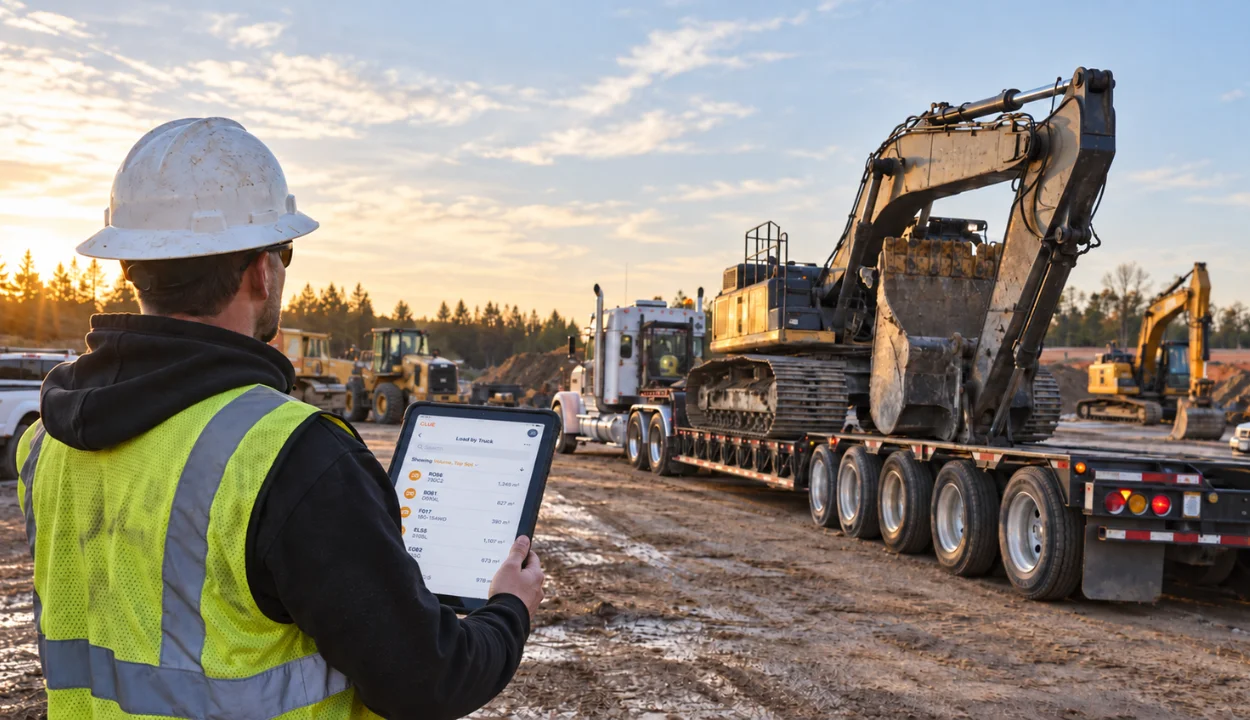
The transfer begins with a request from the field, but it doesn't end there. Dispatch must schedule transportation. Operations need to know when the machine becomes available. Maintenance may need to complete a pre-transfer inspection. Finance needs accurate project allocation for internal costing, while the receiving superintendent expects reliable delivery information.
When those activities are managed independently, every transfer creates additional coordination work. Teams rely on emails, phone calls, and spreadsheets to keep information aligned, increasing the risk of delays, duplicate rentals, or equipment arriving without the necessary inspections or documentation.
Modern equipment software treats movement as a connected workflow rather than a simple location update.
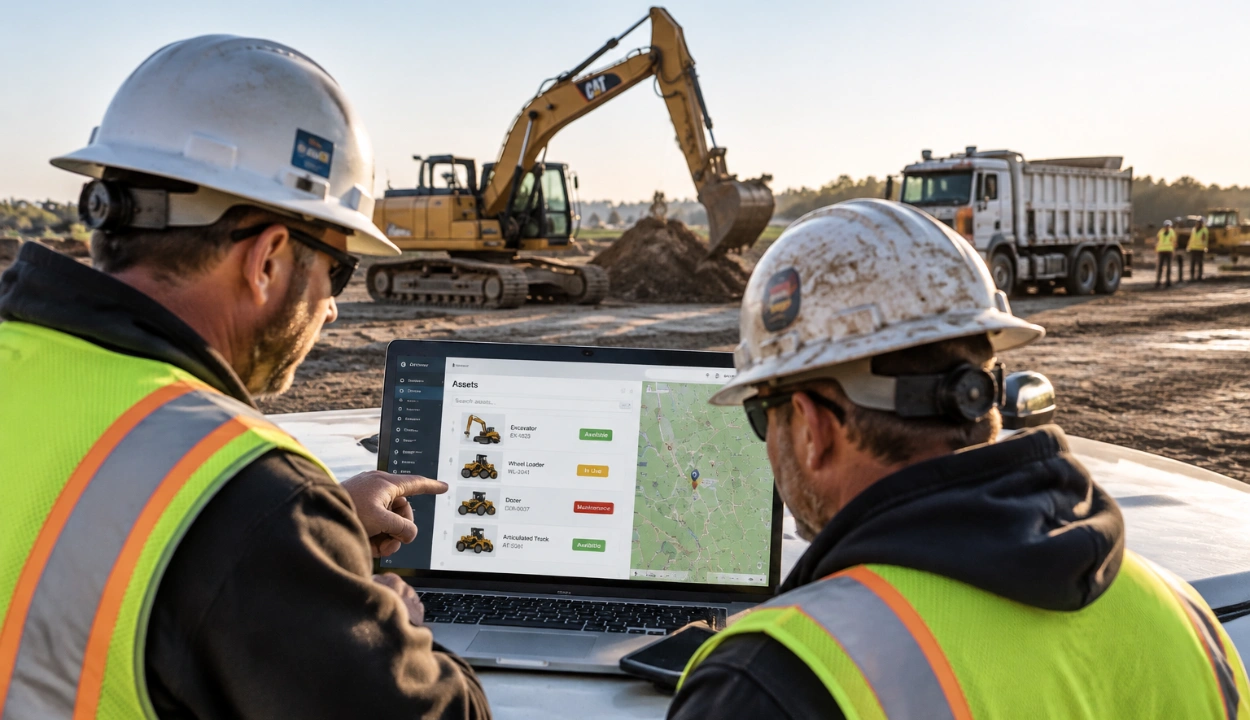
Clue allows contractors to manage equipment requests, dispatch approvals, return requests, project assignments, live equipment locations, and status notifications within the same operational process, reducing the manual coordination required every time equipment changes projects.
3. Mixed Fleets Break Reporting Before They Break Anything Else
A large fleet rarely reports through one channel. Caterpillar machines feed VisionLink, John Deere feeds Operations Center, Komatsu feeds Komtrax, and aftermarket devices feed whatever portal shipped with them. Each defines engine hours, idle time, and utilization slightly differently, so a fleet-wide utilization report is often an average of numbers that were never calculated the same way.
There is a standard for this. AEMP 2.0, published by the Association of Equipment Management Professionals and formalized as ISO 15143-3, defines a common API format so any conforming machine reports location, engine hours, fuel level, and odometer in the same structure regardless of manufacturer. Caterpillar, John Deere, Komatsu, Volvo, and Hitachi all publish ISO 15143-3 endpoints.
That standard is the question to ask a vendor. Does the platform consume the ISO 15143-3 feed directly, or does it maintain a separate one-off integration for each OEM? The answer tells you what happens the next time your company buys a brand you do not currently run, or acquires a business whose fleet is built on different iron.
It also tells you how far the data goes. The standard covers a defined set of parameters. Anything beyond that, such as fault codes, payload, or component-level diagnostics, still depends on a deeper OEM-specific integration. A platform that only reads the standard feed will normalize your basics and leave the diagnostic detail behind.
Clue consumes both. Standardized telematics feeds and direct OEM integrations sync engine hours and odometer readings automatically, so tracked assets across every manufacturer report into the same utilization, maintenance, and status framework without anyone opening a manufacturer portal.
4. Most of the Fleet Reports Nothing at All
Telematics conversations focus on connected machines, but connected machines are usually the minority of an enterprise fleet.
Attachments, buckets, breakers, trench boxes, plate compactors, light towers, generators, welders, and every machine bought before connected hardware became standard carry no telemetry at all. On many large fleets these outnumber the connected assets several times over. They still get transferred between jobs, still need inspections, still fail, and still land in the ownership cost line.
A telematics-first platform has no way to represent them. Utilization reports quietly exclude them, which is one reason fleet-wide utilization numbers rarely reconcile with what equipment managers see in the yard.
The buying test is straightforward. Ask the vendor to demonstrate a transfer, an inspection, a work order, and a utilization entry on an asset with no telematics device attached. If the workflow breaks, or requires a spreadsheet running alongside it, the platform will only ever manage part of your fleet.
Clue treats tracked and untracked assets as the same record type in a single pane of glass, so an excavator with OEM telematics and a trench box with a QR tag both carry inspection history, transfer history, and cost data.
What Enterprise Construction Equipment Software Should Do
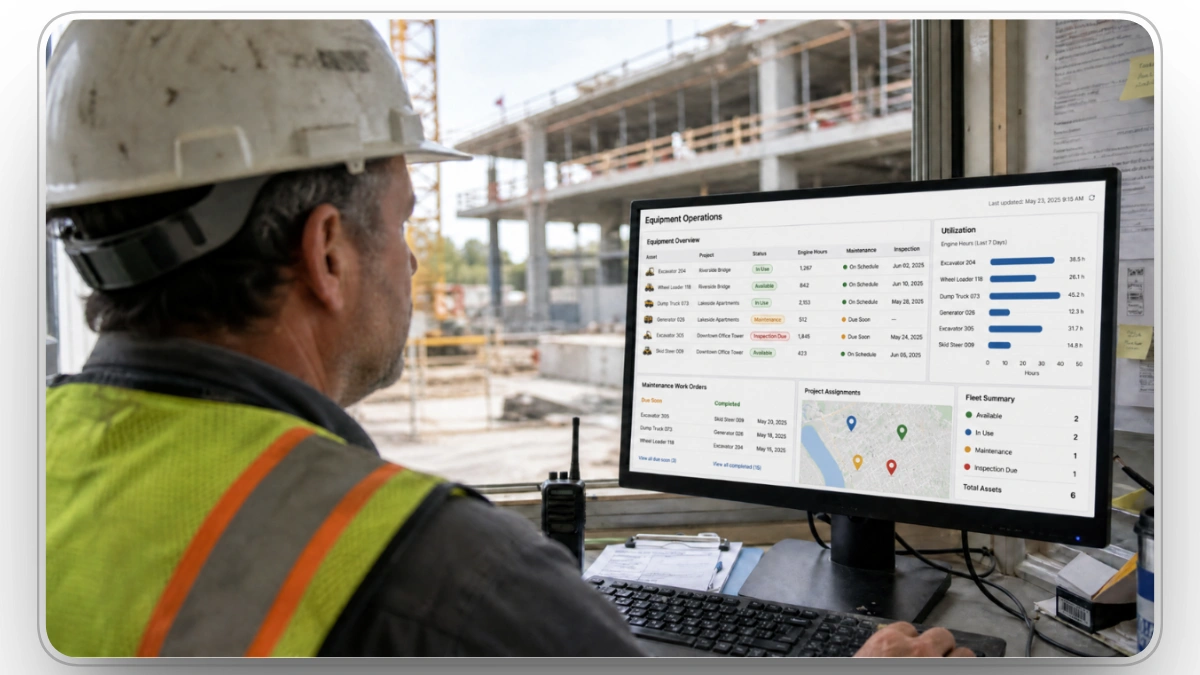
Enterprise equipment software isn't defined by the number of features it offers. Most modern platforms can track equipment, schedule maintenance, and generate reports.
The difference lies in how those capabilities work together.
The right platform should eliminate handoffs, connect data across departments, and help teams make faster, better-informed decisions throughout the equipment lifecycle. Instead of introducing another standalone application, it should become the operational layer that connects existing systems, people, and workflows.
When evaluating software, look beyond individual features and consider whether the platform can support the five capabilities below.
1. Build a Single Equipment Record for Every Asset
Every piece of equipment generates information throughout its lifecycle. Location data comes from telematics, maintenance history from the shop, inspections from operators, costs from finance, and project assignments from operations.
The challenge isn't collecting that information. It's keeping it connected.
Enterprise software should consolidate every operational event into a single equipment record, giving every department a complete view of the asset without forcing them to search across multiple systems. That record should evolve with the equipment, capturing everything from acquisition and documentation to inspections, repairs, utilization, warranties, and eventual replacement.
For example, Clue centralizes asset records by combining equipment details, supporting documents, utilization history, maintenance records, and telematics data into one place, creating a shared equipment record for every asset.
2. Turn Events into Automated Workflows
Data only becomes valuable when it leads to action.
A failed inspection should trigger a repair workflow. Engine hours should automatically update preventive maintenance schedules. Completing a work order should update the equipment's service history without requiring duplicate data entry.
When every operational event depends on someone sending an email or creating another task manually, delays become inevitable.
Enterprise software should connect these activities into automated workflows that reduce administrative effort while ensuring nothing falls through the cracks.
Clue supports this approach by automatically creating work order tasks from failed inspections and generating preventive maintenance work orders when service intervals are reached, helping maintenance teams move from reactive coordination to standardized workflows.
3. Support Decisions, Not Just Reporting
A utilization report should identify equipment that can be reassigned before another rental is approved. Maintenance history should highlight assets becoming increasingly expensive to own. Cost data should support replacement planning rather than remaining isolated in financial reports.
The best equipment platforms don't simply produce dashboards. They help equipment managers make faster, more confident decisions using data that's already available.
4. Connect the Existing Technology Stack
Large contractors rarely replace every business system at once.
ERP platforms, payroll systems, OEM telematics, GPS providers, and accounting software already play important roles in day-to-day operations. Enterprise equipment software should strengthen those investments rather than requiring contractors to abandon them.
Instead of becoming another information silo, the platform should synchronize data across existing systems, reducing duplicate data entry while maintaining consistent equipment records throughout the business.

5. Scale Without Increasing Administrative Work
Growth shouldn't require rebuilding processes.
Whether a contractor expands into another region, acquires a new business, or adds hundreds of assets to the fleet, software should scale without introducing additional administrative overhead.
That means supporting organizational hierarchies, standardized maintenance programs, role-based permissions, reusable workflows, and enterprise integrations that continue working as the business evolves. The best platforms make larger operations feel more manageable, not more complicated.
How Large Contractors Choose Equipment Software

Equipment software isn't a single product category. Different platforms solve different operational problems, and large contractors often use several of them together.
Understanding where each category fits helps buyers identify capability gaps, avoid overlapping software, and build a technology stack that supports the entire equipment lifecycle.
Fleet Telematics Platforms
Fleet telematics platforms collect data directly from connected equipment and vehicles. Their primary role is monitoring equipment activity through GPS location, engine hours, fault codes, fuel consumption, idle time, and other machine data.
Best for
- Equipment tracking
- Fleet visibility
- Driver safety
- Fuel and idle monitoring
- OEM telematics data
Strengths
- Excellent real-time visibility
- Rich equipment telemetry
- Safety and compliance monitoring
- Automated machine data collection
Limitations
Telematics platforms explain what the equipment is doing, but rarely manage what happens next. They generally don't provide construction-specific workflows such as inspections, dispatch, work orders, rental management, or preventive maintenance.
Construction Equipment Management Platforms
Construction equipment management platforms are built specifically for equipment operations. Rather than focusing on a single function, they connect asset management, maintenance, dispatch, inspections, utilization, rentals, and reporting into one operational platform.
For large contractors, these platforms often become the system that coordinates equipment across projects while integrating with ERP systems and telematics providers already in use.
Best for
- Mixed construction fleets
- Multi-project operations
- Enterprise equipment management
- Contractors replacing manual equipment processes
Strengths
- End-to-end equipment lifecycle management
- Connected workflows
- Construction-specific functionality
- Enterprise reporting and integrations
Limitations
These platforms typically require a structured implementation because they become part of day-to-day operations across multiple departments. Success depends as much on deployment and user adoption as feature depth.
Construction ERP Systems
Construction ERP platforms manage the financial side of construction operations, including accounting, payroll, procurement, job costing, and project financials.
Many include equipment modules, but those modules are generally designed to support financial reporting rather than day-to-day fleet operations.
Best for
- Accounting
- Job costing
- Payroll
- Procurement
- Financial reporting
Strengths
- Company-wide financial visibility
- Mature accounting capabilities
- Strong project costing
- Enterprise reporting
Limitations
Many construction ERPs include equipment functionality such as maintenance, utilization, costing, and asset tracking. Dedicated equipment management platforms typically go deeper into day-to-day operational workflows, such as dispatch, inspections, preventive maintenance, equipment allocation, and utilization management. As a result, contractors may pair their ERP with specialized equipment software to extend these capabilities rather than replace them.
Computerized Maintenance Management Systems (CMMS)
CMMS platforms focus on equipment maintenance. They help maintenance teams schedule preventive maintenance, manage work orders, track parts inventory, and maintain service history.
They're particularly valuable for organizations where maintenance operations are managed independently from broader fleet operations.
Best for
- Maintenance departments
- Preventive maintenance
- Repair management
- Parts inventory
Strengths
- Strong maintenance planning
- Comprehensive work order management
- Detailed service history
- Parts and inventory tracking
Limitations
CMMS platforms are primarily maintenance-centered, although many modern systems also support inspections, inventory, purchasing, asset history, analytics, and maintenance costs. Compared with dedicated construction equipment platforms, they may offer less depth in construction-specific workflows such as dispatch, equipment allocation, rental management, utilization analysis, and project-based equipment planning.
Which Category Is Best for Large Contractors?
Most enterprise contractors don't replace every system they already own. Instead, they build an integrated technology stack where each platform serves a specific purpose.
Telematics platforms collect machine data. ERP systems manage financial operations. CMMS platforms support maintenance. Construction equipment management platforms connect those systems and provide the workflows needed to manage equipment across its entire lifecycle.
For large contractors, the objective isn't finding one platform that replaces everything. It's choosing software that can bring together equipment data, workflows, and existing business systems without creating another information silo.
Leading Construction Equipment Software for Large Contractors

Once you've identified the capabilities your business needs, the next step is understanding how different platforms approach equipment management.
No single platform is the best choice for every contractor. Some prioritize telematics, others focus on maintenance or financial management, while a few are designed to connect equipment operations across the entire business.
The platforms below were selected based on their relevance to large contractors and their ability to support core equipment-management workflows. We compare each platform based on its primary capabilities, typical use case, and depth across areas such as maintenance, telematics, dispatch, utilization, rentals, and integration with broader construction systems.
The right choice depends less on feature count than on where your biggest operational challenges exist.
If your primary objective is collecting GPS data and monitoring equipment activity, a telematics platform may be sufficient. If financial reporting is your highest priority, an ERP platform may already provide much of what you need.
However, contractors managing large mixed fleets often need something different: a platform that connects asset management, dispatch, maintenance, inspections, utilization, rentals, and reporting without replacing the ERP or telematics systems already in place.
That's where dedicated construction equipment management platforms provide the greatest value, acting as the operational hub between field operations, maintenance, finance, and existing business systems.
Why Large Contractors Choose Clue
Most construction software solves a specific problem. One platform tracks equipment locations. Another manages maintenance. A third handles accounting, while another focuses on inspections or dispatch.
Individually, these systems work well. The gaps between them are where the work piles up, and closing those gaps is what Clue is built for.
Instead of replacing the software contractors already rely on, Clue connects equipment operations across the business. It brings together equipment records, telematics, inspections, work orders, dispatch, utilization, rentals, and financial data into a single operational platform, allowing every department to work from the same equipment record rather than maintaining separate versions of the truth.
Built for Construction, Not Generic Fleet Management
Construction equipment follows a different lifecycle than commercial vehicles.
Machines move between temporary jobsites, maintenance schedules depend on engine hours instead of mileage, equipment is frequently transferred between projects, and rented assets often need to be managed alongside owned equipment.
Clue is designed around those construction-specific workflows, helping contractors manage dispatch, inspections, preventive maintenance, rentals, and utilization from a single platform instead of relying on disconnected applications.
Works with Your Existing Technology Stack
Large contractors rarely want to replace their ERP, payroll, or telematics systems.
They want those systems to work together.
Clue integrates with OEM telematics providers, ERP platforms, payroll systems, and other construction software, allowing equipment information to flow across the business without duplicate data entry or disconnected records. This enables contractors to modernize equipment operations while preserving the technology investments they've already made.
For contractors managing large, mixed fleets, the result isn't simply better equipment visibility. It's a more connected operation where dispatch, maintenance, finance, and project teams make decisions using the same information instead of reconciling multiple systems.
Built to Scale Across the Business
Going from 1,000 assets to 5,000 shouldn't multiply the administrative effort by five.
As contractors expand into new regions, business units, and projects, maintaining consistent equipment processes becomes increasingly difficult. Different teams create their own inspection forms, maintenance schedules, user permissions, and operating procedures, making it harder to standardize fleet operations across the organization.
Clue is designed to scale with enterprise operations. Features such as organizational hierarchies, role-based permissions, reusable equipment templates, standardized workflows, and centralized user management allow contractors to maintain consistent processes across multiple divisions without creating separate systems for each team.
As the business grows, operations remain standardized while individual teams retain the flexibility to manage their day-to-day activities.
Key Benefits of Construction Equipment Software
Equipment software does more than digitize fleet operations. For large contractors, it creates measurable improvements across equipment availability, maintenance, utilization, and operational efficiency. While the exact results depend on how the platform is implemented, the following benefits are common across enterprise equipment management systems.
1. Increase Fleet Utilization
By combining equipment availability, utilization, and project assignments in one place, contractors can identify idle assets, reallocate equipment between projects, and reduce unnecessary rentals before approving new purchases.
The Association of Equipment Manufacturers estimates that 10% to 30% of the fuel a construction machine burns is spent on nonproductive idling, and that telematics-driven idle management cuts that figure by 10% to 15% on average. For contractors, identifying and addressing excessive idle time can help reduce unnecessary fuel consumption and operating costs.
2. Reduce Unplanned Downtime
Equipment software helps minimize downtime by automating preventive maintenance schedules, tracking service history, and ensuring inspection issues are addressed before they develop into larger mechanical failures.
The stakes are high. A 2019 For Construction Pros analysis modeled the impact of 30% unplanned downtime on a dozer and estimated that lost utilization, replacement rental costs, and jobsite disruption could cost more than $40,000 annually for that single machine.
3. Improve Equipment Visibility
Enterprise platforms provide visibility into equipment availability, maintenance status, utilization, inspections, and project assignments, giving every department access to the same equipment information when making decisions.
4. Streamline Equipment Dispatch
A centralized dispatch workflow helps contractors locate available equipment, coordinate transfers, track assignments, and reduce the administrative effort required to keep projects supplied with the right assets at the right time.
5. Strengthen Preventive Maintenance Compliance
Automated maintenance reminders, engine-hour tracking, and standardized work order workflows help ensure equipment is serviced on time, extending asset life while reducing costly emergency repairs.
6. Make Faster, Data-Driven Decisions
Centralized reporting provides a clearer view of fleet performance, allowing contractors to evaluate utilization trends, operating costs, maintenance activity, and equipment availability from a single platform.
7. Reduce Administrative Work
Equipment software automates routine processes and connects workflows, allowing field teams, maintenance departments, dispatchers, and equipment managers to spend less time on administration and more time managing the fleet.
Final Thoughts
Managing construction equipment isn't about collecting more data. It's about making better decisions with the data you already have.
As fleets grow, so does the complexity of coordinating equipment, maintenance, projects, and people. The right software brings those operations together, helping contractors improve utilization, reduce downtime, and scale without adding unnecessary administrative work.
Clue was built for that purpose. It connects the systems contractors already rely on and provides a single operational platform for managing equipment across its entire lifecycle, from dispatch and maintenance to utilization and reporting.
FAQs
1. What fleet size justifies enterprise equipment software?
The threshold is not asset count, it is organizational count. A single-division contractor with 800 assets often runs fine on a mid-market platform. A 300-asset contractor operating across three divisions with separate cost centers, separate shops and separate approval chains needs organisational hierarchy, role-based permissions and rolled-up reporting, and those are enterprise features.
2. How do you evaluate a platform against an ERP you cannot replace?
Ask three questions. Which direction does data flow, and is it one-way or bidirectional. What is the sync interval, and is it real time or batch. And who owns the asset master record when the two systems disagree. Vendors that cannot answer the third question clearly will create a reconciliation problem rather than solve one.
3. What do enterprise implementations actually fail on?
Data, not software. Duplicate asset numbers, inconsistent make and model naming, and missing serial numbers surface during migration and stall rollout. Clean the asset register before selection, not after.
4. How can you measure ROI from construction equipment software?
The return on investment is typically measured through operational improvements rather than software usage alone. Common metrics include lower equipment downtime, improved fleet utilization, fewer unnecessary rentals, better preventive maintenance compliance, reduced administrative effort, and faster equipment allocation across projects.
5. What are the biggest mistakes contractors make when choosing equipment software?
One of the most common mistakes is comparing feature lists instead of workflows. Another is selecting software that works well for one department but doesn't integrate with the rest of the business. Successful implementations focus on solving operational challenges across maintenance, dispatch, finance, and field teams rather than optimizing a single process.
6. Can construction equipment software support future business growth?
Enterprise platforms are designed to scale as contractors expand into new regions, projects, or business units. Features such as role-based permissions, organizational hierarchies, standardized workflows, and integrations help maintain consistent equipment operations as the business grows.
7. Is cloud-based or on-premise equipment software better?
For most contractors, cloud-based software offers greater flexibility, automatic updates, remote access, and lower infrastructure requirements. However, some organizations with strict security, regulatory, or IT policies may prefer on-premise deployments or hybrid environments, depending on their operational requirements.
8. How should a multi-division contractor stage a rollout?
Start with one division that has a cooperative shop and reasonably clean data, run it for a full maintenance cycle, then use that division's configuration as the template for the rest. Simultaneous company-wide rollout is the single most common cause of abandoned implementations.
Transform Your Equipment Management