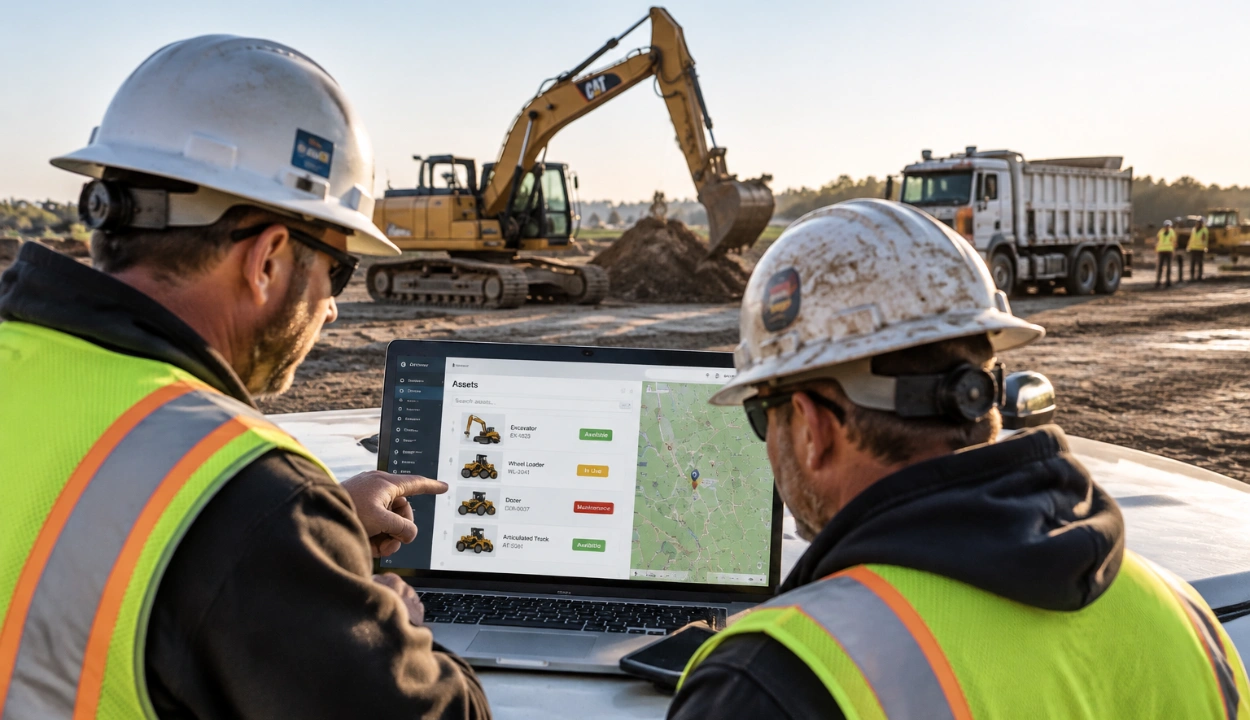
10 Best Construction Equipment Management Software in 2026


The best construction equipment management software in 2026 is Clue, built specifically for contractors running heavy equipment across multiple jobsites. UpKeep and Fiix are the strongest options for maintenance-first teams, Fleetio fits mixed vehicle and equipment fleets, and Procore works best when equipment needs to tie into project workflows.
Why does this choice matter? Unplanned equipment downtime costs contractors hundreds to thousands of dollars per hour, and those losses compound fast across a fleet. Spreadsheets and standalone GPS portals work for a handful of machines, but once you manage dozens of assets across multiple sites, data goes stale, inspections slip, and machines fail without warning.
Construction equipment management software solves this by centralizing location, maintenance, utilization, and cost data in one platform. We evaluated the 10 best options for 2026 to help you find the right fit for your fleet. New to the category? Start with the benefits of construction equipment management software.
How We Evaluated These Equipment Management Tools
Managing construction equipment effectively requires visibility across maintenance, utilization, location, costs, and field activity. The best platforms help teams make better asset decisions while reducing downtime and improving fleet performance.
Observations for each tool are based on product documentation, public demo videos, published pricing pages, and verified user reviews on G2 and Capterra. For Clue, insights come from direct product experience.
Evaluation Criteria
These criteria prioritize platforms that help construction teams move from reactive equipment tracking to planned, data-driven asset management. The strongest tools improve uptime, reduce downtime, control costs, and give managers clearer visibility across the entire fleet.
Sources
- Vendor websites and equipment management documentation
- Public information on asset tracking, maintenance, inspections, telematics, utilization, and reporting
- Customer reviews, ratings, and construction equipment case studies
- Fleet and equipment management industry resources
- Software review platforms covering construction asset and fleet management tools
Editorial Review
Equipment management platforms were assessed for their overall impact on fleet visibility, uptime, maintenance control, cost tracking, telematics use, field adoption, and decision-making across mixed construction fleets.
Quick Comparison for Construction Equipment Management Software
Use this quick comparison to see which construction equipment management software best fits your fleet at site and workflows.
Top 10 Construction Equipment Management Software in 2026
Here are the 10 best construction equipment management software solutions for 2026.
#1. Clue
Best for: All-in-one construction equipment management solution that uses AI to optimize tracking, maintenance, dispatch, and jobsite performance.
Clue is an all-in-one construction equipment management software built specifically for contractors running heavy equipment across multiple jobsites. It brings together real-time data on location, utilization, health, and maintenance so field, shop, and office teams are always working from the same live view instead of outdated spreadsheets.
By connecting OEM telematics, GPS, inspections, work orders, fuel, and cost data in one platform, Clue turns scattered signals into clear insights. That makes it easier to keep critical machines working, cut unplanned downtime, and decide what to move, repair, rent, or replace.
Key Features
1. Single pane of glass
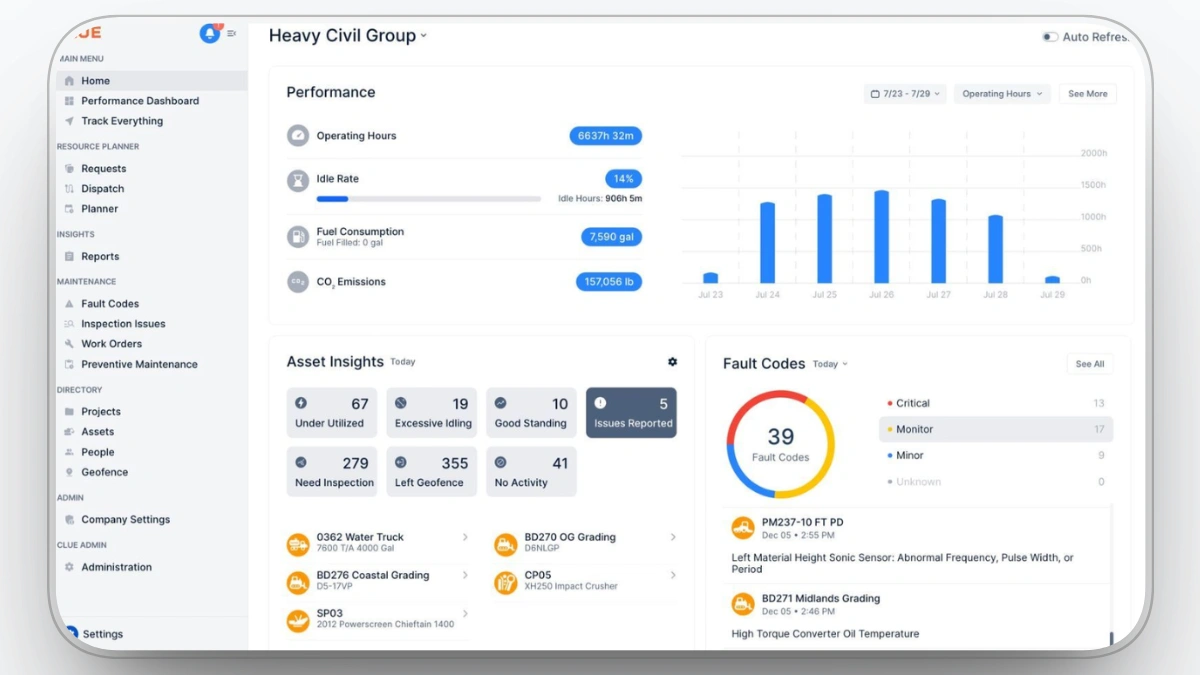
Clue offers a single pane of glass that integrates telematics, GPS, inspections, work orders, fuel, and maintenance data into one unified dashboard. This ensures everyone has access to the same real-time equipment status, eliminating the need to switch between OEM portals, spreadsheets, and emails.
2. Real-time equipment tracking
Every asset tracking system provides a live location and status working, idle, down, or in the shop. This helps prevent equipment from 'disappearing' between sites, reduces unauthorized use, and improves utilization before you spend on extra rentals.
3. Preventive maintenance
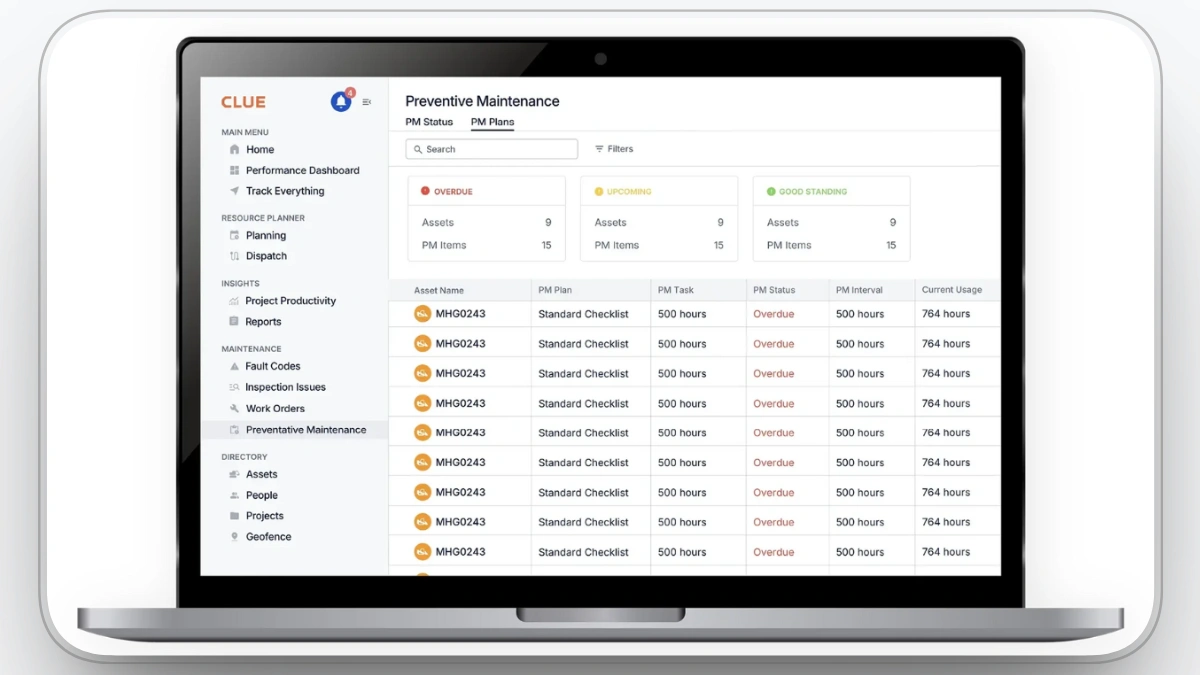
Preventive maintenance through automated schedules and fault-code alerts creates work orders before small issues turn into major failures. Clue helps extend equipment life and reduce expensive emergency repairs by catching problems earlier.
4. Automated work orders
Work orders are created, assigned, and tracked in one place. The shop always knows what to work on next, what parts are needed, and which machines are coming due, which keeps technicians productive and machines ready.
5. Optimized dispatch and allocation
Optimized dispatch ensures dispatchers can see which units are available, where they are, and how they’re being used. This makes it much easier to send the right machine to the right job, cut idle time, and balance utilization across projects.
6. Mobile apps for field and shop
Operators and technicians can log issues, complete inspections, update hours, and close work orders from iOS and Android apps. Data is captured at the jobsite, not after the fact, so decisions are based on current information.
7. Actionable analytics and reporting
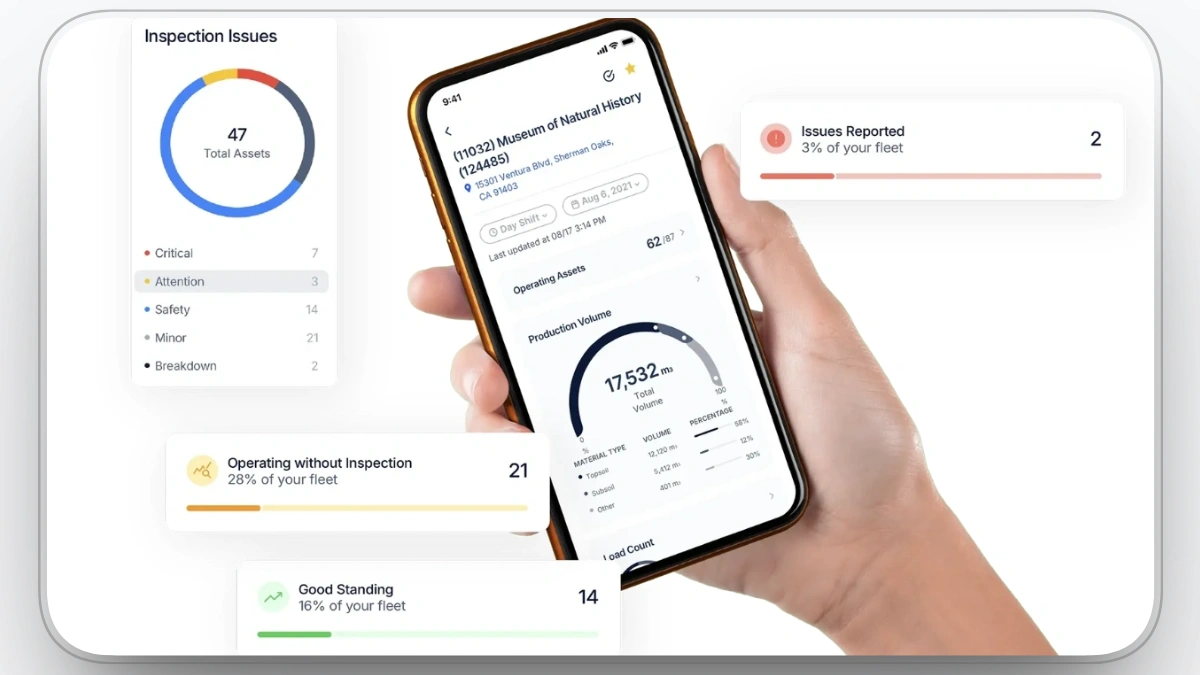
Clue provides actionable reporting and analytics, transforming raw data into dashboards on utilization, downtime, fuel, service history, and cost. You can see which assets are over- or under-used, which jobs drive the most equipment cost, and where to focus improvements.
Real-World Results
Contractors using Clue report tangible savings once they move away from spreadsheets and siloed systems. In one case, a maintenance leader attributed over $1M saved in a single year to better maintenance scheduling and issue detection with Clue, including avoiding a $20K engine replacement by catching a problem before failure. Improvements like these come from fewer surprises, less idle iron, and clearer visibility into how each asset is used and maintained.
Our observation: Since Clue is our own platform, we evaluated it against the same criteria as every other tool on this list. Where it clearly separates from the CMMS options below is telematics consolidation. Mixed fleets with Cat, Deere, Komatsu, and Volvo machines feed into one dashboard without switching between OEM portals, which none of the maintenance-first tools on this list handle natively.
Clue Pros
- Purpose-built for construction fleets and heavy equipment
- Real-time tracking of equipment location, status, and utilization
- Deep OEM telematics integration for accurate performance and fault data
- Automated maintenance schedules, alerts, and work orders
- Strong analytics on fuel, hours, downtime, and costs
- Mobile apps that keep field and shop data up to date
- Clean, modern interface that is easy for teams to adopt
Clue Limitations
- Best suited to equipment with a meaningful number of assets; very small teams may not use the full depth of features
- Some advanced workflows may require integration work with existing back-office systems
Clue Rating & Reviews
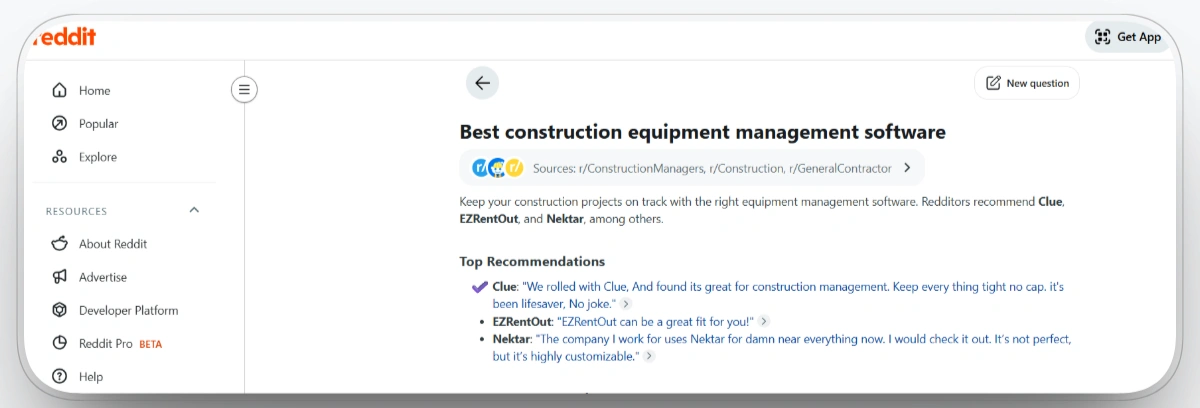
Clue also comes up in unprompted discussions among contractors on Reddit. When Redditors across r/ConstructionManagers, r/Construction, and r/GeneralContractor were asked about the best construction equipment management software, Clue was the top recommendation:
Clue Pricing
Contact Clue for a tailored quote based on fleet size, modules, and integration needs.
#2. UpKeep
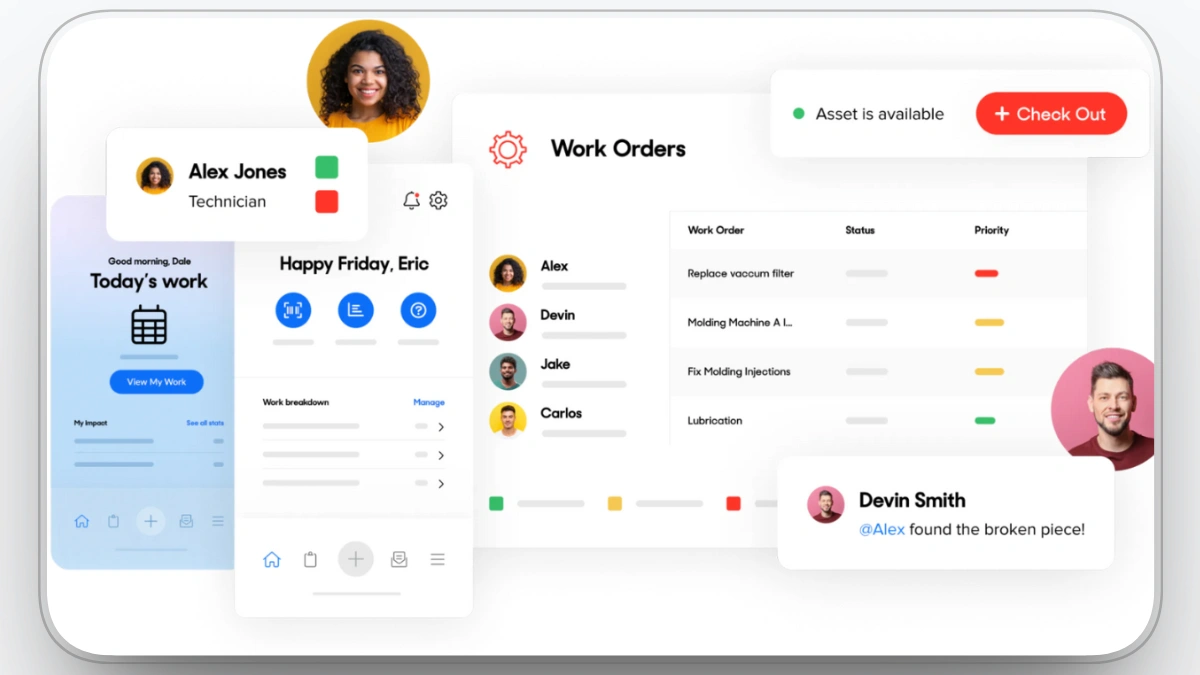
Best for: Maintenance-first teams that want a simple mobile CMMS for work orders, preventive maintenance, and inventory.
UpKeep is a computerized maintenance management system (CMMS) built for teams that need to stay on top of equipment and facility upkeep across multiple sites. It centralizes work orders, asset histories, preventive maintenance schedules, and parts inventory in a single, mobile-friendly app, so technicians can create, update, and close jobs in the field. Managers get visibility into downtime, backlogs, and costs to make more data-driven maintenance decisions. It’s used across manufacturing, construction, healthcare, education, property management, and more.
Our observation: UpKeep is one of the few tools here that publishes its pricing tiers openly, which makes budgeting easier. Its demo videos show a genuinely fast work order flow on mobile. What stood out in verified reviews is a recurring pattern: teams love the technician app but mention costs rising quickly as user counts grow, since pricing is per user.
Pros
- Mobile-first CMMS with a strong field app for technicians.
- Clean, easy UI and fast onboarding for teams.
- All core CMMS in one: work orders, assets, PM, and inventory.
- Real-time updates & collaboration between maintenance and operations.
- Flexible across industries and scales from small sites to multi-location operations.
Cons
- Pricing climbs quickly as you add more users.
- Occasional bugs and limits in customization and reliability.
- Reporting and advanced tools can feel less intuitive for new users.
UpKeep Rating & Reviews
- G2: 4.5/5
- Capterra: 4.6/5
Pricing
Contact the vendor for details.
#3. Fiix
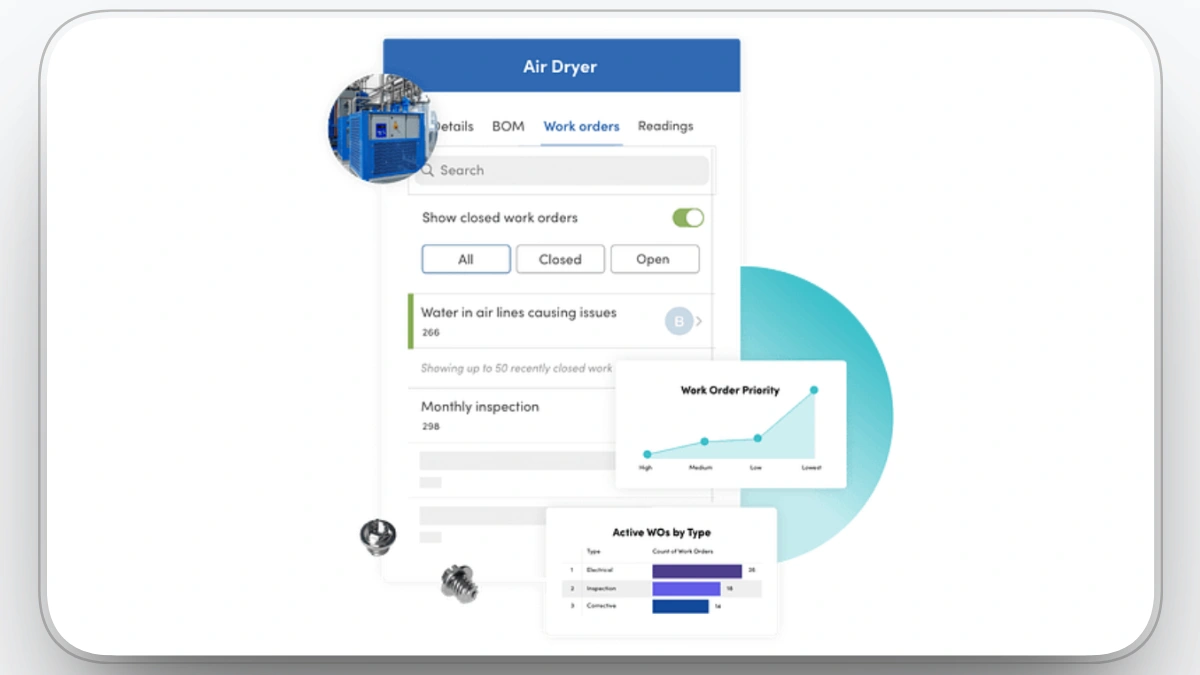
Best for: Larger fleets that need structured, planned maintenance with AI-driven insights and ERP integrations.
Fiix is a computerized maintenance management system that centralizes maintenance work, work orders, asset histories, preventive maintenance, and inventory into a single cloud and mobile platform. Teams use it to move from reactive to planned maintenance, cut downtime, and extend asset life while keeping all maintenance data in one place. With analytics, integrations, and embedded AI, Fiix supports more data-driven decisions across plants and facilities in manufacturing, utilities, and other asset-heavy industries.
Our observation: Fiix's documentation leans heavily toward manufacturing and plant maintenance rather than jobsite operations. Its free plan is a real differentiator for small teams wanting to trial a CMMS. However, we found no construction-specific workflows in its public materials, so equipment managers should expect to configure jobsite logic themselves.
Pros
- Cloud-based and mobile, easy access for distributed maintenance teams.
- Strong core CMMS: work orders, assets, PM, inventory, reporting.
- Embedded AI and analytics to optimize maintenance and spot trends.
- Good fit for asset-intensive industries like manufacturing and utilities.
- Integrations with ERPs, OT systems, and other tools for Industry 4.0 setups.
Cons
- Can get expensive as user count grows.
- Interface and reports have a learning curve.
- Setup and configuration can take time.
- Smaller teams may find it more complex than they need.
Fiix Rating & Reviews
- G2: 4.6/5
- Capterra: 4.5/5
Pricing
Contact the vendor for details.
#4. EZO
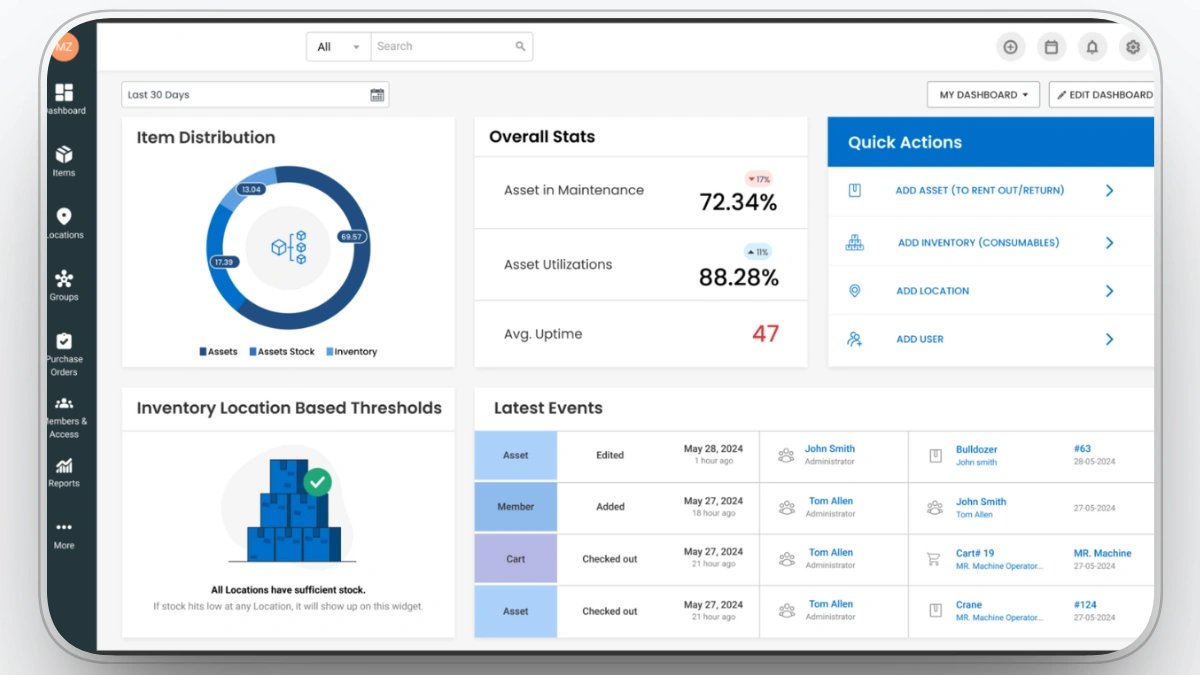
Best for: Teams tracking tools and mid-sized equipment across multiple sites with check-in/check-out workflows.
EZO works well as a heavy equipment inventory software option for teams that need to track equipment, tools, and assets across multiple jobsites or locations. It centralizes asset records, check-in/check-out, reservations, maintenance, and inventory visibility in one system, with support for barcodes, QR codes, RFID, mobile access, and web access. This helps teams see where equipment is, who has it, what condition it is in, and whether it is available when needed.
Our observation: EZO publishes transparent per-item pricing, and its documentation is the strongest on this list for check-in/check-out and custody tracking. That said, its materials are clearly oriented toward tools, IT assets, and mid-sized equipment. We found little in its documentation addressing heavy iron scenarios like fault codes or engine hour based maintenance.
Pros
- Cloud-based with web and mobile access for distributed asset and facilities teams.
- Strong asset tracking with barcodes, QR codes, RFID, and check-in/check-out workflows.
- Built-in maintenance features for scheduling service, tracking history, and supporting CMMS-style use cases.
- Flexible for many use cases, from IT and tools to rentals and multi-location operations.
- Generally high user satisfaction for usability, functionality, and support.
Cons
- Mobile app and search experience can feel weaker or glitchy compared with desktop.
- Limited advanced customization options and some complexity in reports for power users.
- Performance or usability can dip with very large data sets and bulk operations.
- Total cost can rise as you add modules (asset management, CMMS, ITAM) or scale seats.
EZO Rating & Reviews
- G2: 4.4/5
- Capterra: 4.6/5
Pricing
Contact the vendor for details.
#5. Procore
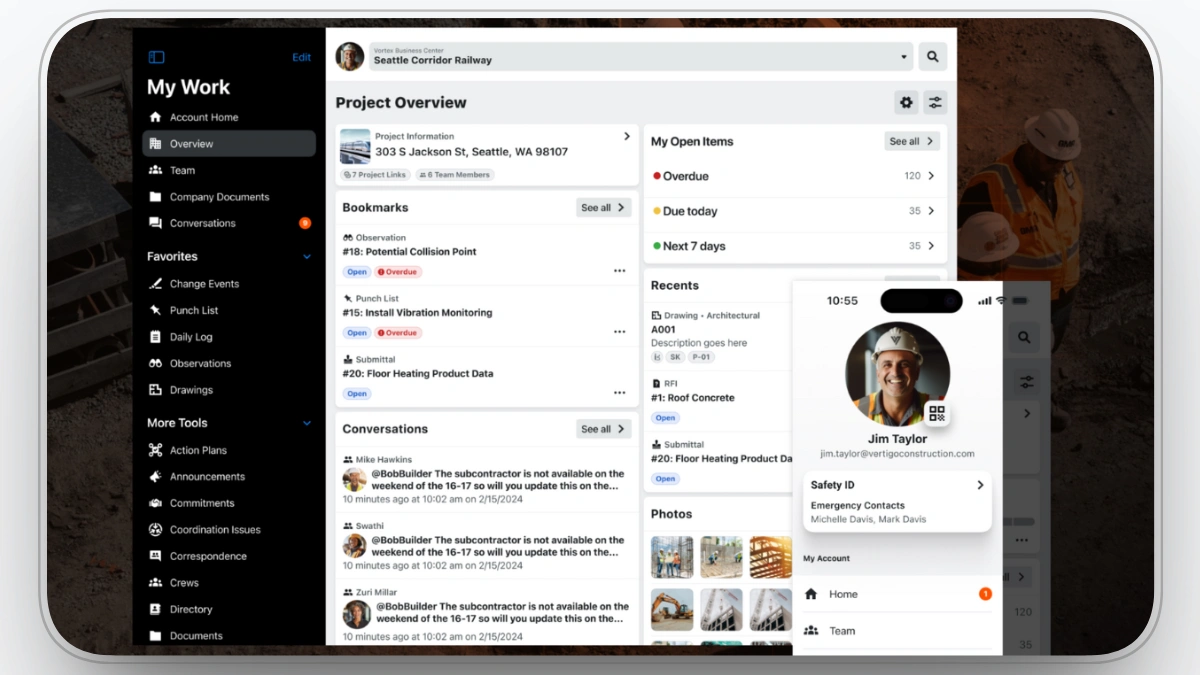
Best for: Contractors already running Procore for project management who want equipment tied to project and cost workflows.
Procore is built specifically for construction companies to manage projects from preconstruction through closeout in a single, cloud and mobile platform. It centralizes drawings, RFIs, submittals, schedules, budgets, and field logs so office and field teams work from the same real-time data. With modules for project management, financials, quality and safety, and workforce, plus AI-powered insights and integrations, Procore helps reduce risk, control costs, and keep projects on schedule.
Our observation: In Procore's documentation, equipment is treated as one component inside a much larger project management platform rather than a dedicated discipline. Pricing is based on annual construction volume, which reviewers frequently describe as expensive for smaller contractors. It makes sense as an equipment option only if you are already committed to Procore for project management.
Procore Pros
- Comprehensive construction management platform with equipment tracking and project management features.
- Integrates well with other software tools, streamlining workflows.
- Offers real-time collaboration, improving communication between teams and stakeholders.
Procore Limitations
- Can be overwhelming for smaller teams due to its wide range of features.
- Pricing may be higher compared to other software options.
- Requires a learning curve for new users to get familiar with all its functionalities.
- Project management tool, not equipment management focused.
Procore Rating & Reviews
- G2: 4.6/5
- Capterra: 4.5/5
Pricing
Contact the vendor for details.
#6. HCSS Equipment360
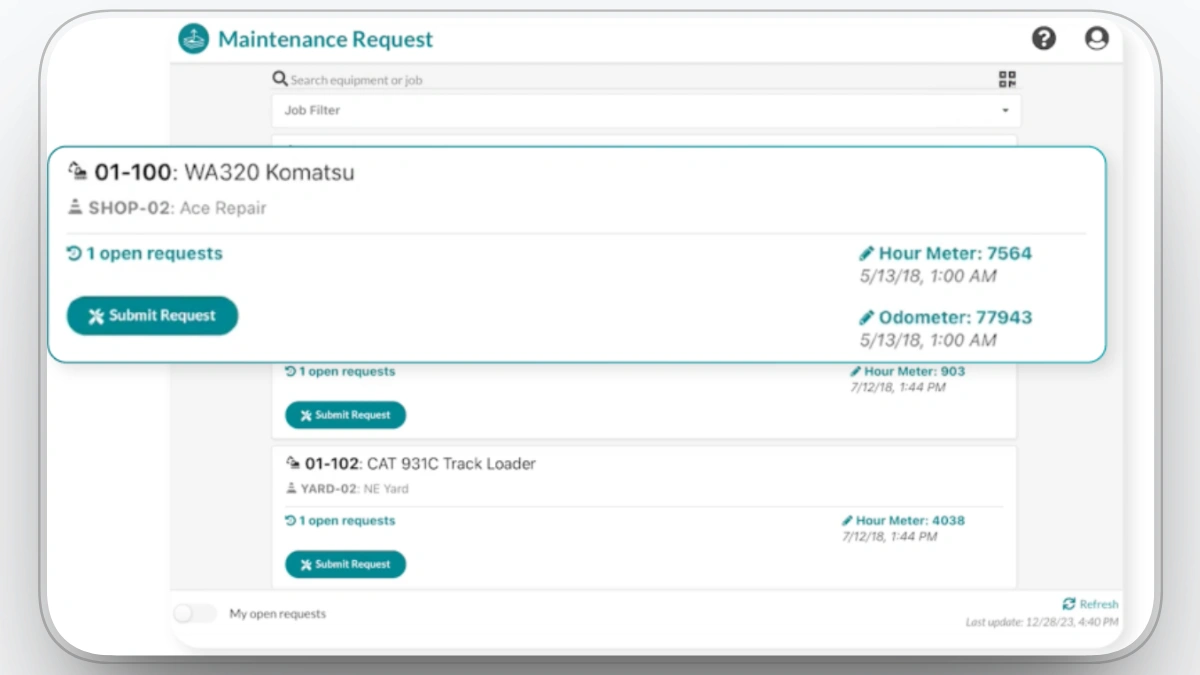
Best for: Preventive maintenance, repairs, and fleet performance management for heavy equipment.
HCSS Equipment360 can also function as a heavy equipment shop management software solution for contractors that want to organize maintenance, repairs, equipment hours, service history, costs, and work orders in one place. If you’re already using HCSS HeavyJob and Dispatcher, it can be a natural extension for connecting field, office, and shop workflows, especially for fleets with non-connected equipment that still need structured maintenance tracking.
Our observation: HCSS documentation makes clear that Equipment360 delivers the most value alongside HeavyJob and Dispatcher, and its licensing model reflects that, with shared manager licenses but individually named mechanic licenses. Its construction pedigree is real. The gap we noticed is analytics, where its public materials show little beyond maintenance reporting.
HCSS Equipment360 Pros
- Real-time tracking of equipment location and usage.
- Simplifies maintenance scheduling and history tracking.
- Integrates easily with accounting and payroll systems.
HCSS Equipment360 Limitations
- Limited customization for complex fleet management.
- Setup can be challenging for new users.
- Lacks advanced analytics for deeper performance insights.
- Not a full equipment management platform, only covers a few related tasks.
HCSS Equipment360 Rating & Reviews
- G2: 4.6/5
- Capterra: 4.1/5
Pricing
Contact the vendor for details.
#7. Asset Panda
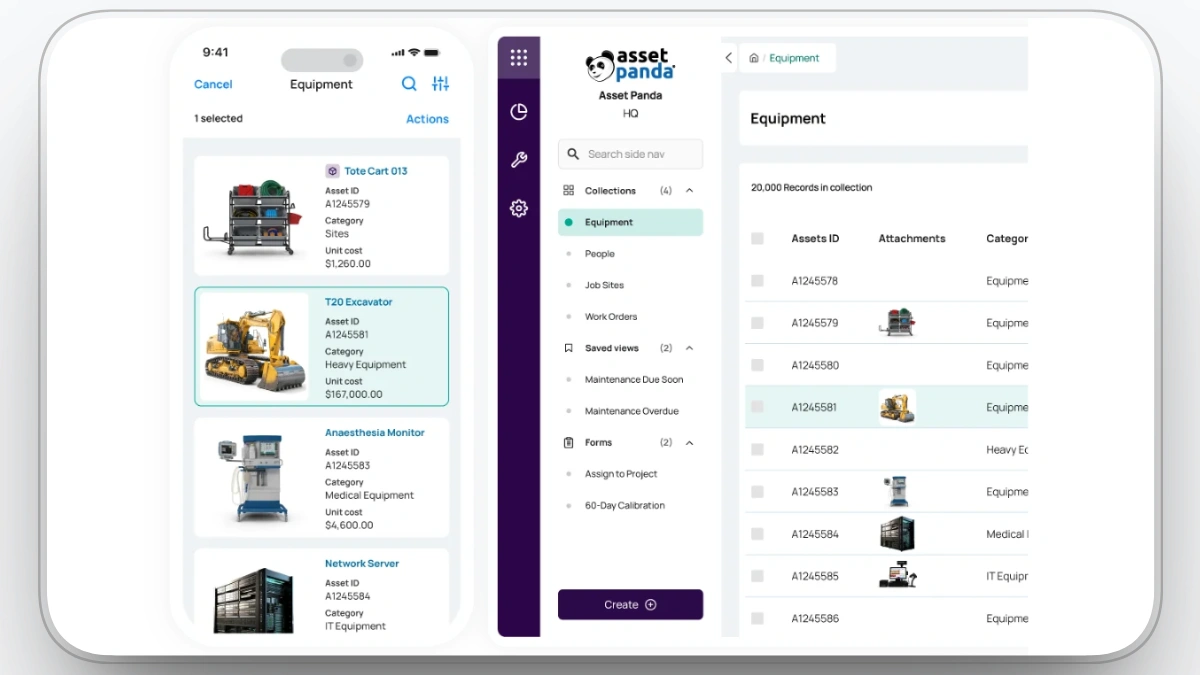
Best for: Contractors who need configurable tracking of equipment, tools, and other assets across sites.
Asset Panda is a cloud-based asset management platform that lets construction and BIM teams track equipment, tools, materials, and even IT hardware in one configurable system. It supports barcodes/QR codes, mobile scanning, and custom fields so you can mirror your own workflows for check-in/check-out, reservations, inspections, and lifecycle management. With reporting, alerts, and integrations into finance, maintenance, and project systems, it helps contractors cut loss, tighten accountability, and see where critical assets are, who has them, and how they’re being used.
Our observation: Asset Panda's documentation showcases deep configurability with custom fields, workflows, and reports, which is both its strength and its risk. Verified reviews consistently mention a setup learning curve before teams see value. Nothing in its public materials is construction-specific, so jobsite workflows have to be built from scratch.
Pros
- Highly configurable asset and equipment tracking
- Mobile app with built-in barcode/QR scanning
- Handles lifecycle, check-in/out, and basic maintenance
- Reports and exports for audits and cost control
- Integrations and guided onboarding for smoother rollout
Cons
- Deep customization creates a learning curve
- Limited offline strength in the mobile app
- Pricing can climb with users and modules
- Asset-first; advanced maintenance may need a CMMS
Asset Panda Rating & Reviews
- G2: 4.5/5
- Capterra: 4.6/5
Pricing
Contact the vendor for details.
#8. T3 by EquipmentShare
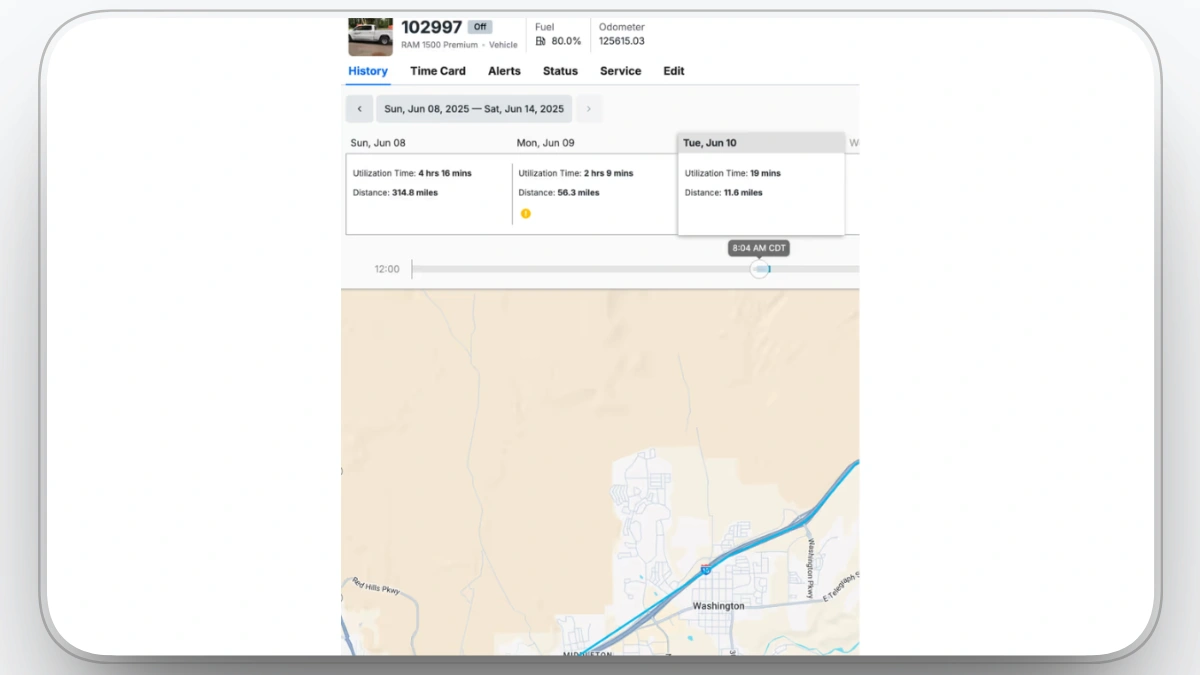
Best for: Contractors wanting an operating system for fleet, equipment, people, and jobsites in one platform.
T3 is EquipmentShare’s operating system for construction: a cloud platform that connects telematics hardware, access control, dash cams, timecards, work orders, inventory, and rental data into a single view of your operations. It’s OEM-agnostic and built to handle mixed fleets, from on-road trucks to off-highway machines and small tools, giving real-time insight into location, utilization, health, safety events, and compliance. Contractors use T3 to centralize fleet management, maintenance, labor, and jobsite workflows so they can reduce downtime, prevent theft, and make data-driven decisions across projects.
Our observation: T3 is the only platform on this list with no verified G2 or Capterra reviews, which makes independent validation difficult. Its documentation shows a genuinely broad scope, from telematics hardware to timecards, built on EquipmentShare's own rental fleet. Buyers should note the reliance on T3 hardware, which its own materials confirm.
Pros
- Construction OS for fleet, people, and jobsites
- OEM-agnostic telematics with live utilization data
- Connected modules for maintenance, time, ELD, inventory
- Built and proven on EquipmentShare’s own fleet
- Helps cut downtime and surface job-level costs
Cons
- Broader scope means more complex rollout
- Quote-based pricing, not publicly listed
- Best fit for construction and industrial fleets
- Strong reliance on T3 hardware ecosystem
T3 by EquipmentShare Rating & Reviews
- G2: N/A
- Capterra: N/A
Pricing
Contact the vendor for details.
#9. eMaint
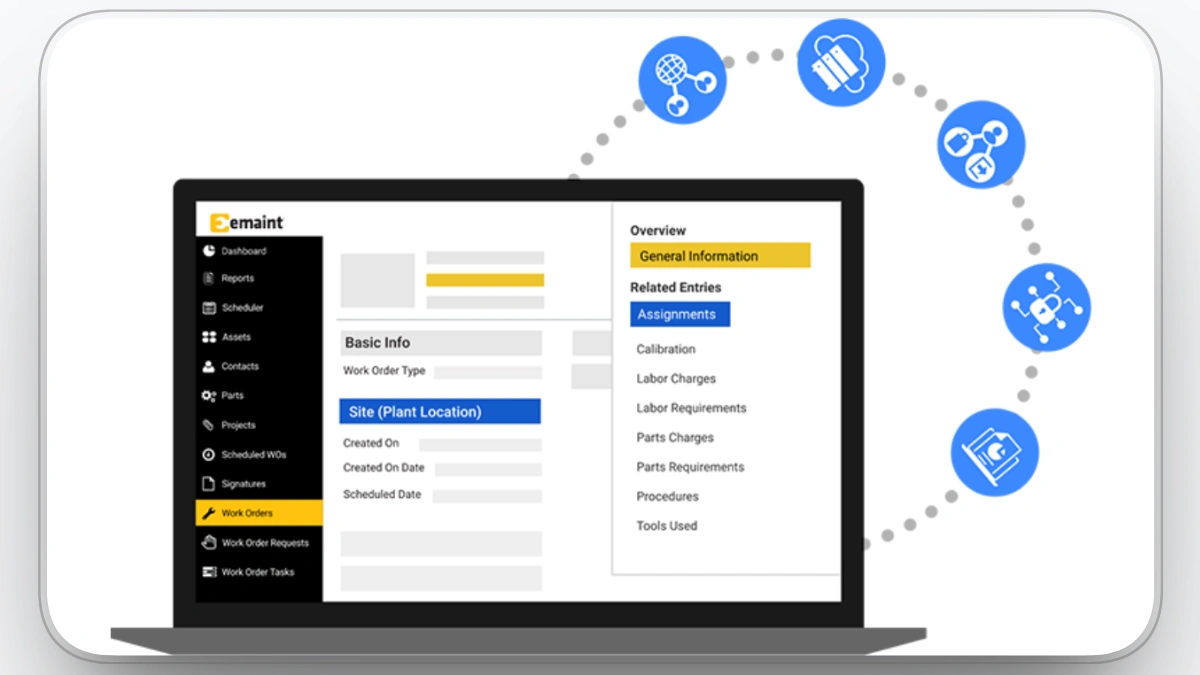
Best for: Compliance-focused and multi-site operations that need a highly configurable CMMS with condition monitoring.
eMaint, part of Fluke Reliability, is a cloud-based CMMS built for teams that need tight control over equipment reliability across single or multiple sites. It lets maintenance teams schedule and track work, log asset histories, manage spare parts, and monitor performance in one configurable system. Often paired with Fluke sensors and condition monitoring, eMaint supports connected reliability programs, helping organizations shift from reactive repairs to planned, data-backed maintenance.
Our observation: eMaint publishes per-user pricing across its tiers, and its documentation reflects its Fluke ownership with strong condition monitoring and sensor integration content. The materials target reliability engineers in industrial settings more than construction fleets. Reviews echo this, praising depth while noting that configuration takes time and expertise.
Pros
- Flexible CMMS with strong work order, PM, asset, and inventory coverage
- Highly configurable screens, fields, and workflows for different industries
- Good multi-site, multi-language, and multi-currency support
- Integrates with Fluke condition monitoring and IIoT devices
- Solid training, onboarding, and customer support reputation
Cons
- Interface and navigation can feel complex at first
- Configuration and reporting setup require time and expertise
- Custom document layouts and forms can be tricky to adjust
- Pricing scales with users and options, not ideal for tight budgets
- May be more than small, simple operations really need
eMaint Rating & Reviews
- G2: 4.5/5
- Capterra: 4.4/5
Pricing
Contact the vendor for details.
#10. Fleetio
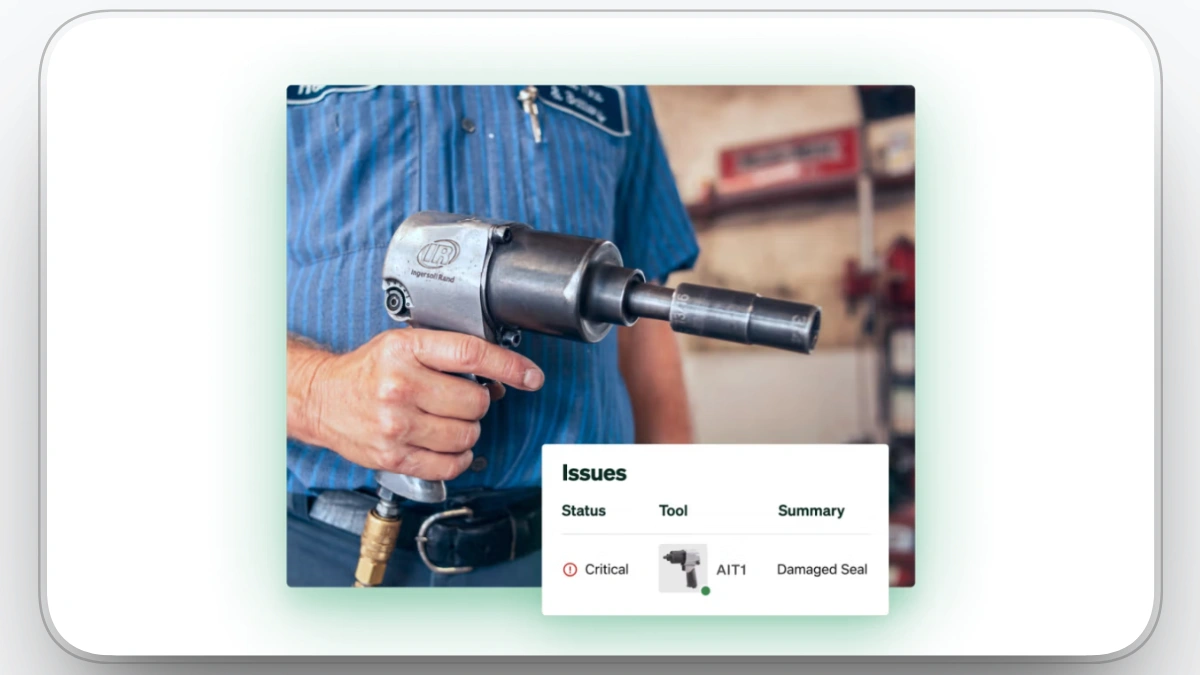
Best for: Mixed fleets where on-road vehicles and construction equipment need one system for tracking, inspections, and maintenance.
Fleetio is a comprehensive software solution for managing construction equipment. It offers features like real-time tracking, maintenance management, and fuel tracking, helping to reduce downtime and keep equipment in top condition. With Fleetio's mobile app, field teams can log maintenance issues, report equipment status, and track usage from anywhere, ensuring real-time updates and quick issue resolution. Fleetio’s user-friendly interface and customizable reports provide insights into maintenance history, operating hours, and fuel consumption, enabling construction managers to optimize fleet performance and reduce costs.
Our observation: Fleetio has some of the clearest public documentation and pricing on this list, billed per vehicle. Its construction pages emphasize OEM integrations like VisionLink and John Deere Operations Center, but its DNA is on-road fleet management. Notably, it has no telematics hardware of its own, so GPS tracking requires a third-party device.
Fleetio Pros
- Real-time tracking and maintenance management to reduce downtime.
- Mobile app allows field teams to log issues and track equipment.
- Customizable reports provide insights into key metrics like fuel consumption.
Fleetio Limitations
- Can be complex for new users.
- Limited integrations with specialized construction tools.
- Fewer advanced features for large enterprises.
Fleetio Rating & Reviews
- G2: 4.6/5
- Capterra: 4.8/5
Pricing
Contact the vendor for details.
What is construction equipment management software?
Construction equipment management software is a digital system that helps contractors track, maintain, and use their machines, tools, and fleets more efficiently.
Instead of juggling spreadsheets, paper, GPS portals, and calls, everything lives in one place: location, hours, maintenance history, costs, and job assignments.
Key features to look for in construction equipment software
When you compare tools, focus less on buzzwords and more on whether it can:
- Track location, hours, and usage for every machine and asset
- Manage preventive maintenance, repairs, and inspections in one workflow
- Connect to telematics, OEM portals, and mixed fleets
- Allocate equipment to jobs and see real job-level costs
- Give field teams simple mobile access (request, inspect, report issues)
- Provide clear dashboards and reports for utilization, downtime, and spend
- Integrate with your ERP, accounting, and project management systems
- Handle mixed reality: owned, rented, leased, and shared equipment
If a system can’t do most of this well, it will create more work than it saves.
Common mistakes to avoid when selecting a platform
- Choosing a system only on price or a single feature
- Ignoring the field team and only involving office staff in the decision
- Underestimating data cleanup and asset list setup
- Buying a generic fleet tool that doesn’t understand construction jobsites
- Not planning how you’ll measure success (KPIs, adoption, savings)
Who should be involved in the decision?
Modern equipment platforms are not just an “equipment manager toy” anymore. To get real value, pull in a small squad:
- Equipment manager / fleet manager: owns availability, utilization, and overall fleet strategy.
- Maintenance / shop lead: needs realistic PM workflows and clean work orders.
- Project managers / superintendents: care about having the right machines on site and accurate job costs.
- Dispatch / logistics: lives in the move schedule; software must make their day easier, not slower.
- Finance / accounting: validates the cost codes, rental vs. own decisions, and ROI.
- Data / telematics / BI person (if you have one): turns the data into real actions; companies with a dedicated analyst have shown large improvements in idle time and utilization.
When these roles agree on what “success” looks like, adoption goes way up.
When is it time to upgrade from spreadsheets and basic GPS?
You’re probably ready for a dedicated platform if:
- You’re constantly calling or texting to find machines or operators
- Preventive maintenance is always late and breakdowns feel “random”
- You rent machines you later discover were sitting idle somewhere
- Nobody trusts the equipment list or job cost numbers
- You’re managing multiple systems for GPS, maintenance, and job tracking
Why platforms like Clue stand out for heavy construction?
For heavy civil and large contractors, generic fleet tools often miss the nuances of jobsites, mixed fleets, and project costs. Platforms like Clue are built around construction workflows:
- One system for equipment, jobs, maintenance, and telematics
- Deep visibility into utilization, idle time, and job-level costs
- Designed for the people who actually use it: mechanics, equipment managers, foremen
The result is not just “better tracking,” but more predictable projects and higher margins.
FAQs
What is construction equipment management software?
Construction equipment management software is a platform that centralizes equipment location, maintenance schedules, work orders, utilization, and costs in one system. Unlike general project management tools or standalone GPS, it is built around the equipment itself, replacing spreadsheets and separate OEM telematics portals with a single live view of every asset across jobsites.
How much does construction equipment management software cost?
Pricing typically ranges from a few dollars per asset per month for basic tracking tools to enterprise quotes for full platforms. CMMS options like UpKeep and eMaint charge per user, Fleetio charges per vehicle, and construction platforms like Clue quote based on fleet size and modules. Budget also for onboarding, training, and integration costs.
How does equipment management software reduce downtime?
It reduces downtime by catching problems before failure. Fault codes from OEM telematics trigger alerts, preventive maintenance is scheduled by engine hours instead of guesswork, and work orders are created automatically. One Clue customer avoided a $20K engine replacement by catching a fault early, part of over $1M saved in a single year.
When should I switch from spreadsheets to equipment management software?
Most contractors hit the tipping point at around 10 to 15 assets or two or more active jobsites. Clear signals include machines you cannot locate in real time, preventive maintenance running late, rentals piling up while owned equipment sits idle, and nobody trusting the equipment list.
What is the difference between a CMMS and construction equipment management software?
A CMMS like UpKeep or Fiix manages maintenance: work orders, PM schedules, and parts. Construction equipment management software like Clue covers maintenance plus real-time GPS tracking, OEM telematics, dispatch, utilization, and job-level costs. If you only need shop workflows, a CMMS is enough. If you manage a fleet across jobsites, you need the full platform.
Can equipment management software connect to my existing GPS and telematics?
Yes. Platforms like Clue and T3 integrate directly with OEM telematics such as Caterpillar VisionLink, John Deere Operations Center, and Komatsu, plus third-party GPS trackers. This matters for mixed fleets because it consolidates every brand into one dashboard instead of forcing your team to check separate OEM portals.
Can it handle mixed fleets with owned and rented equipment?
Yes. The stronger platforms track owned, rented, leased, and shared equipment in one system, including on-road trucks, heavy iron, and attachments. This visibility is where rental savings come from, since many contractors discover they are renting machines while similar owned units sit idle on another site.
How long does implementation take?
Simple asset tracking tools can be running in days. Full platforms with telematics integrations, ERP connections, and clean asset data typically take a few weeks to a couple of months. The biggest variable is data cleanup, so start with an accurate asset list before onboarding begins.
What’s the Best Contractor Management Software for Mid-Sized Construction Companies?
The best choice depends on what you need to manage. Procore is well suited to project coordination, subcontractor workflows, schedules, and documents, while Clue is built for contractors managing equipment, maintenance, dispatch, utilization, and costs across multiple jobsites.
Final Verdict
Clue is the best construction equipment management software for 2026 if you run heavy equipment across multiple jobsites and need tracking, maintenance, dispatch, and cost data in one platform. It is the only tool on this list built specifically for mixed construction fleets, and contractors using it have reported over $1M in annual savings from earlier issue detection and better maintenance scheduling.
The right alternative depends on your operation. Choose UpKeep or Fiix if your priority is a maintenance-first CMMS rather than full equipment management. Choose Fleetio if your fleet is mostly on-road vehicles with some equipment mixed in. Choose Procore if you want equipment data inside a broader project management system. EZO and Asset Panda fit teams that mainly need tool and asset tracking, while HCSS Equipment360 makes sense if you already run HeavyJob and Dispatcher.
If you are still managing your fleet in spreadsheets and separate GPS portals, any of these platforms is an upgrade. But if uptime, utilization, and job-level equipment costs decide your margins, a purpose-built platform like Clue is the safest choice. Book a demo and test it against your own fleet data before you decide.
Transform Your Equipment Management