Hours Reconciliation Report
The Hours Reconciliation report (also called Utilization Reconciliation) helps you trust your machine hours. It compares reported operating hours against expected hours and flags assets that are over-reported or under-reported. Use it to clean up bad hour readings before they affect billing and maintenance.
What is this?
Hours Reconciliation checks the operating hours coming in from your fleet. It highlights assets whose hours look too high or too low, so you can correct them. Accurate hours keep your utilization, PM schedules, and rates correct.
Who's this for?
- Equipment managers, catch bad hour readings across owned and rented assets.
- Billing and rates, make sure billed hours match reality.
- Maintenance, keep PM intervals based on correct hours.
How to use it
Step 1: Open the report
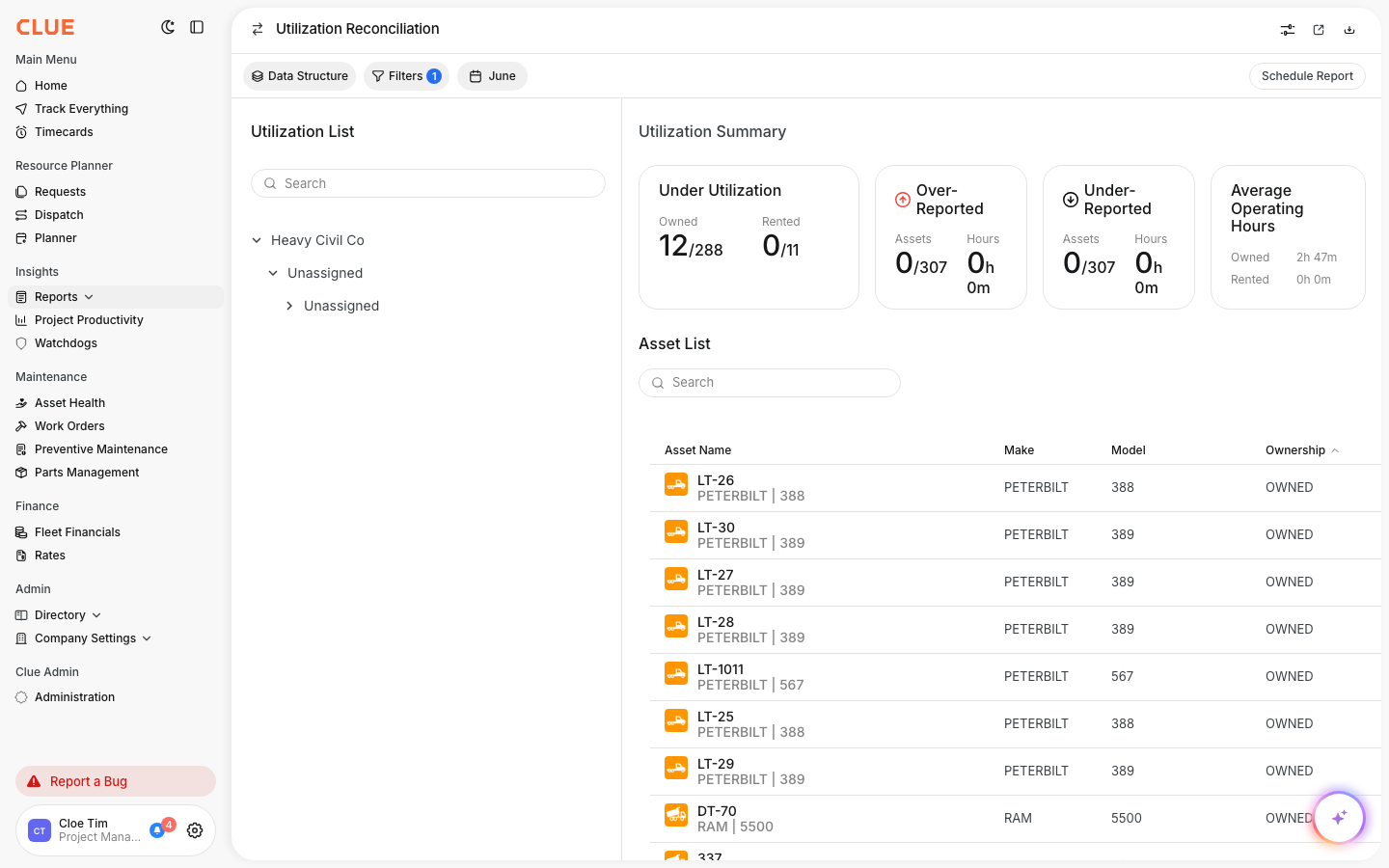
In the main menu, open Reports, then click Hours Reconciliation.
Step 2: Review the summary cards
The cards at the top show under utilization, over-reported, under-reported, and average operating hours. They give you the size of the problem at a glance.
Step 3: Work the asset list
The asset list shows each machine with its make, model, and ownership. Filter and sort to focus on the assets that need a correction.
The full details
- Works on: Web app
- Where to find it: Reports > Hours Reconciliation
- Visibility: This report shows in your menu only if your company has it enabled.
Tips
- Start with over-reported assets, they usually point to a bad meter reading.
- Use the date button to reconcile one month at a time.