Create and Customize Your Company's Job Titles
Overview
Your company can now keep its own list of job titles in Clue. You can add the titles your team actually uses, rename any title to match your terms, and deactivate the ones you don't need. Changes apply only to your company.
When someone invites or edits a person, on the web or in the mobile app, the job title list shows only your company's active titles.
Where to find it
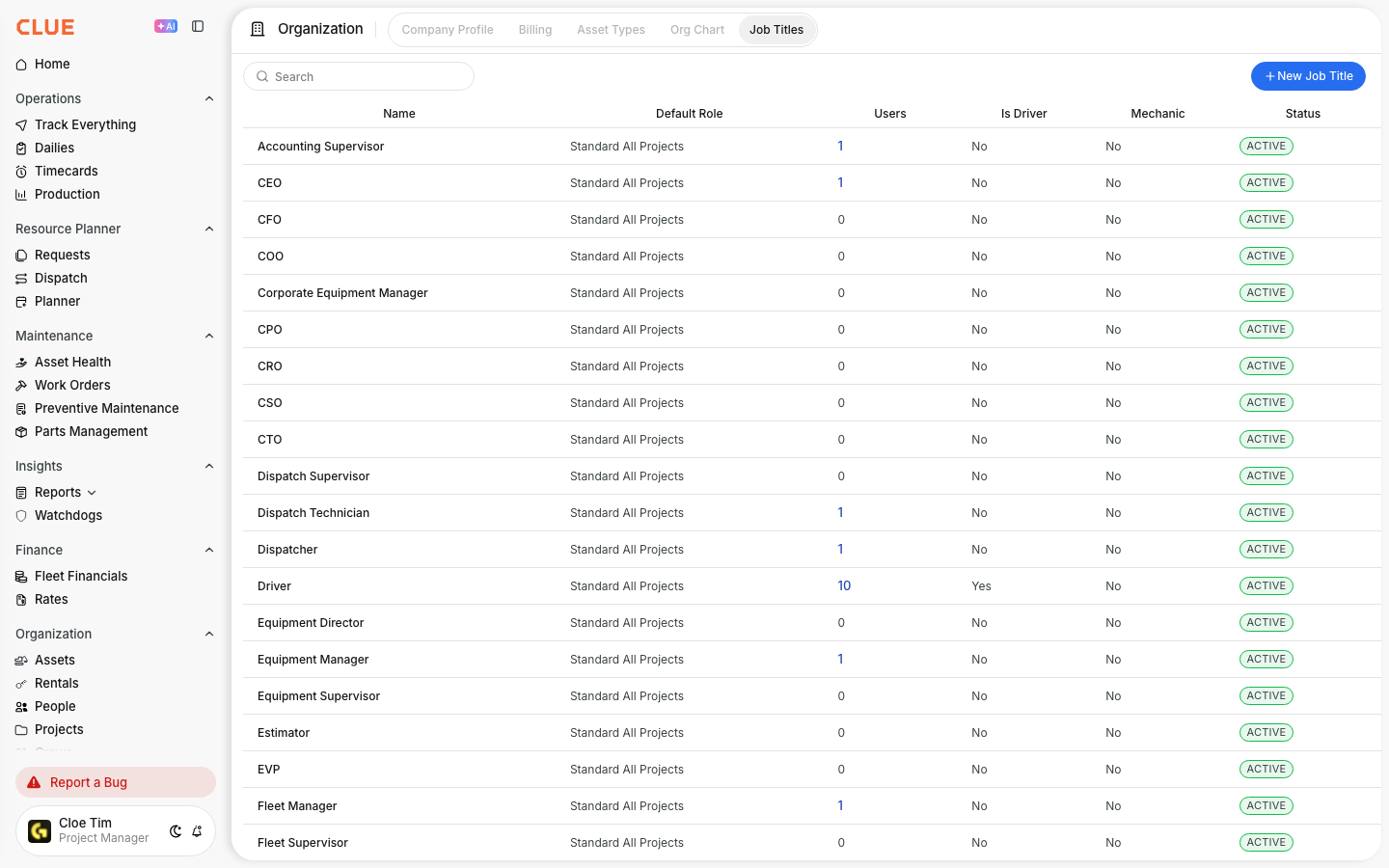
- Open Company Settings and go to Organization.
- Select the Job Titles tab.
The tab only appears for people whose role allows them to manage job titles.
The list shows every job title available to your company: the titles Clue provides and the ones you add yourself. Each one has these columns:
- Name: the title as people will see it.
- Default Role: the permission role tied to the title.
- Users: how many active people have this title. Click the number to see who they are.
- Is Driver and Mechanic: whether people with this title can be picked as drivers or mechanics.
- Status: Active or Inactive.
Add a new job title
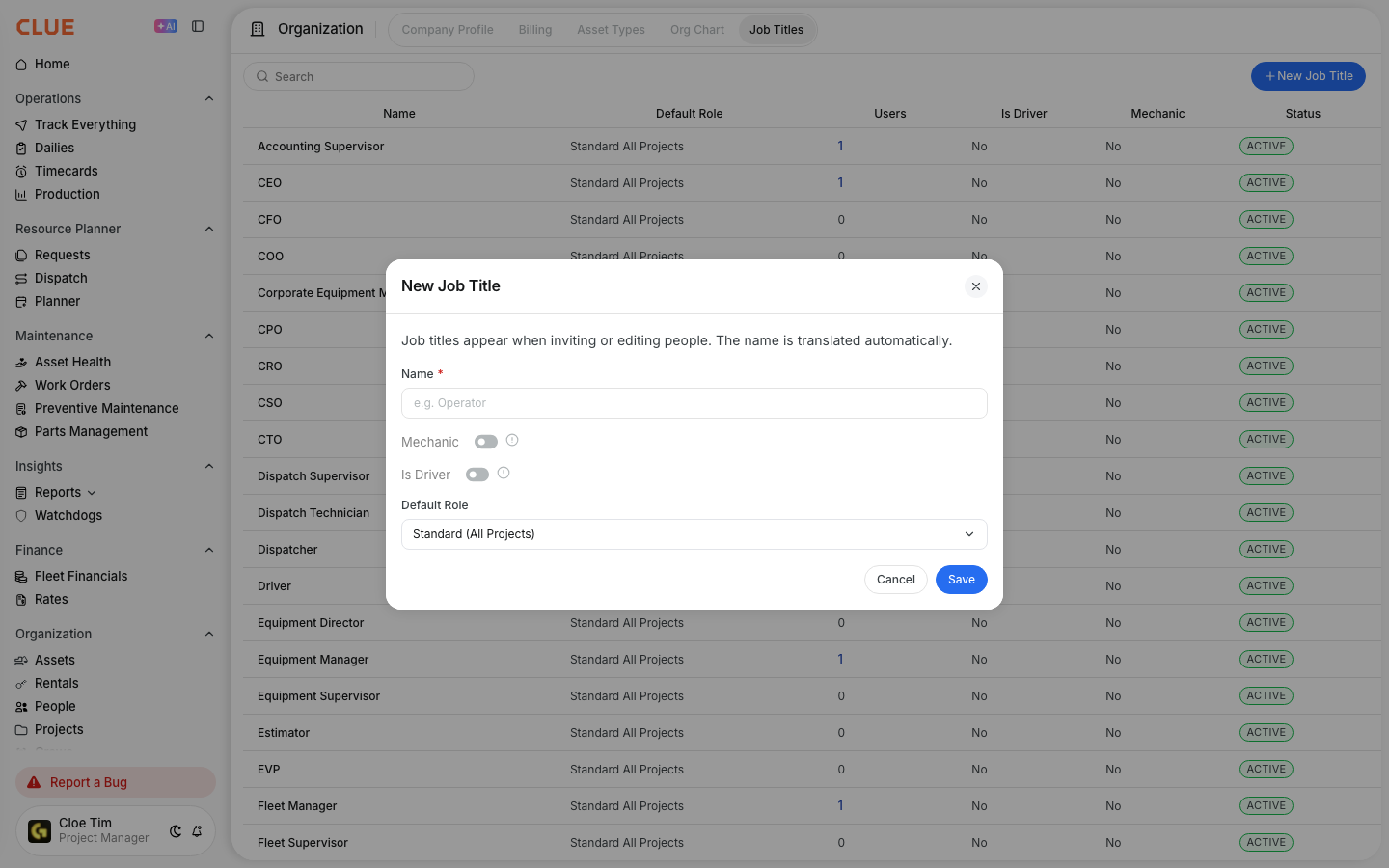
- Click New Job Title.
- Enter a Name. It can't match another active title in your list.
- Turn on Mechanic if people with this title should be suggested as the assigned mechanic on work orders.
- Turn on Is Driver if people with this title should appear as drivers when you assign transport in Dispatch.
- Choose a Default Role.
- Click Save.
You only type the name once. Clue translates it automatically, so everyone sees the title in their own app language.
Edit or deactivate a job title
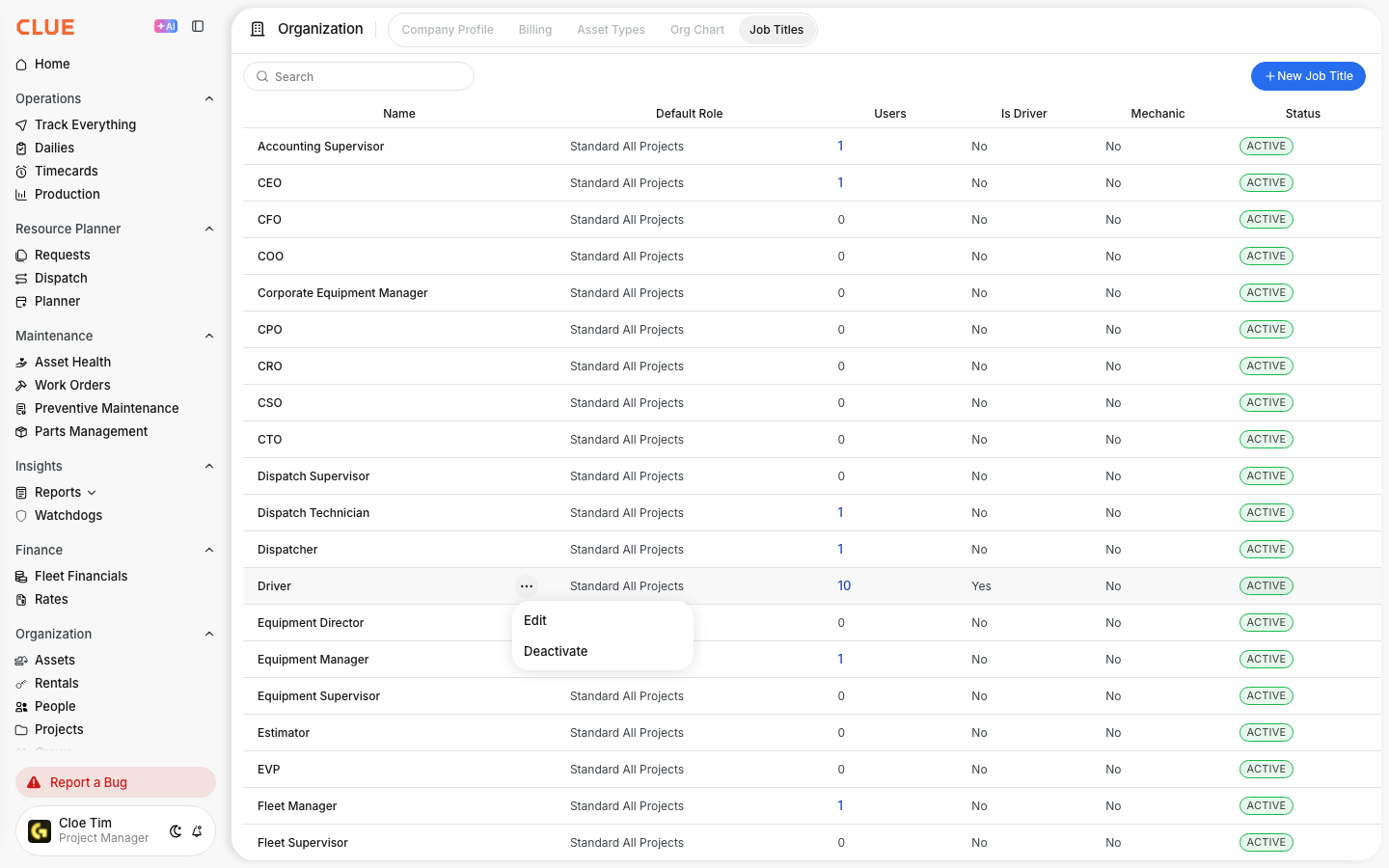
Click the ... menu next to a title and choose Edit or Deactivate. Every title in the list works the same way, including the ones Clue provides.
- Edit: change the name, the Mechanic and Is Driver settings, or the default role. A new name shows up everywhere for people who already have that title. Documents created earlier keep the old name.
- Deactivate: removes the title from the job title list when inviting or editing people. It stays on this page so you can reactivate it later.
Deactivating a title people still have
If people still have the title, Clue asks you to move them to another active title first. Confirm, and those people are moved and the title is deactivated. Moving people only changes their job title, not their permission role.
You can't deactivate your company's last active job title.
Tips
- Not happy with an automatic translation? Rename the title and it will be translated again.
- Job title filters across Clue still include inactive titles that people have, so you can keep finding those people.