New at CLUE: See Geofences on an Asset's Location History
Telematics and Asset Tracking
October 2, 2026


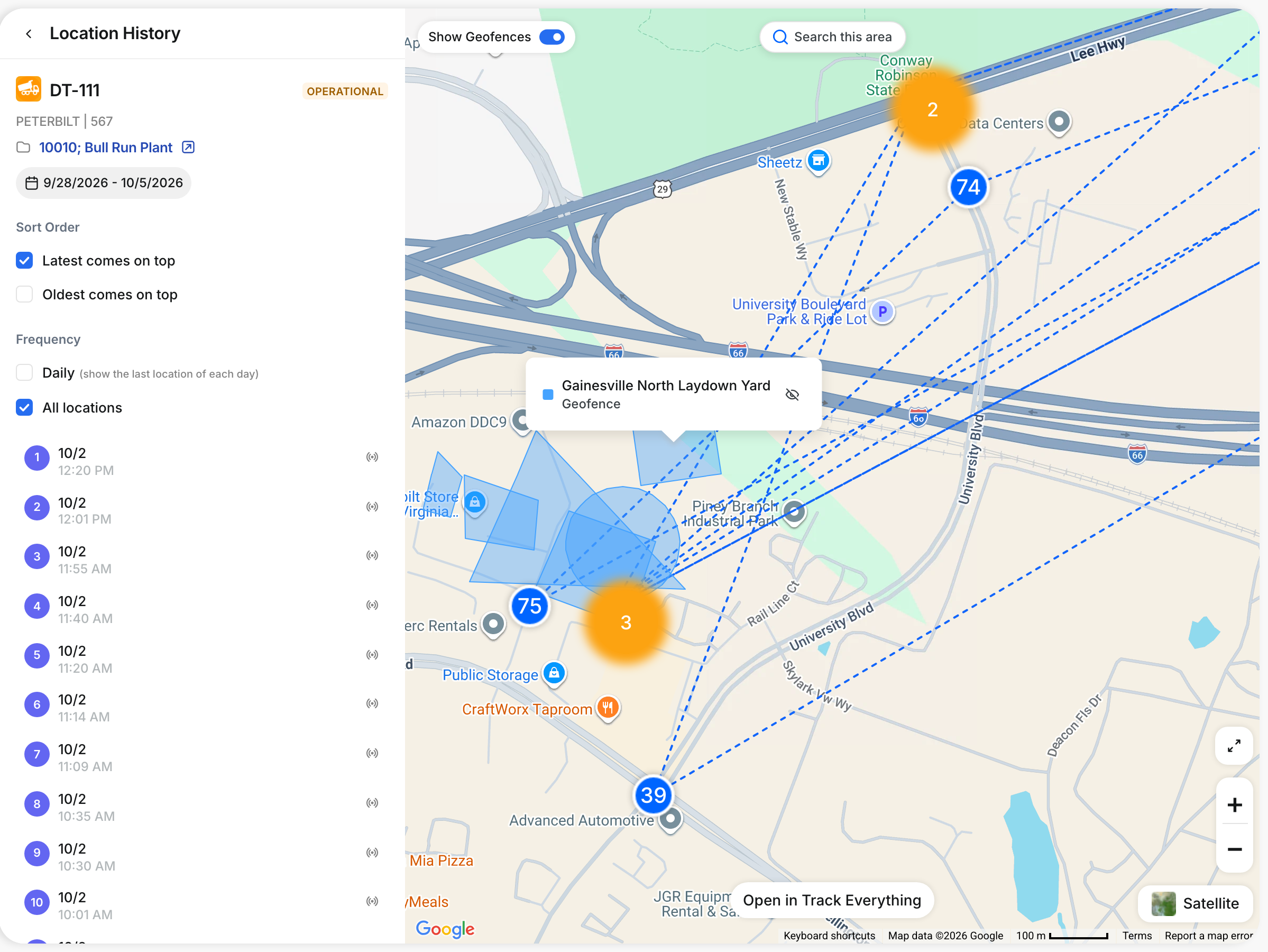
When you review where a machine has been, you can now see the geofences it entered or passed. The Location History map draws your active geofences and project boundaries alongside the asset's path for the dates you choose.
What’s New?
- See active geofences and project boundaries on the Location History map
- Hover over a geofence to see its name and type
- Hide a single geofence with the eye icon when it is in the way
- Turn the whole layer off or on with the Show Geofences switch, which CLUE remembers
Open an asset and go to Location History.
Request a Demo Today to
See Our Latest Features in Action!
See Our Latest Features in Action!
Oops! Submission failed. Please try resubmitting the form.
.png)
.png)

