New at CLUE: Require Approval Before Inspections Are Final
Safety and Compliance
October 2, 2026


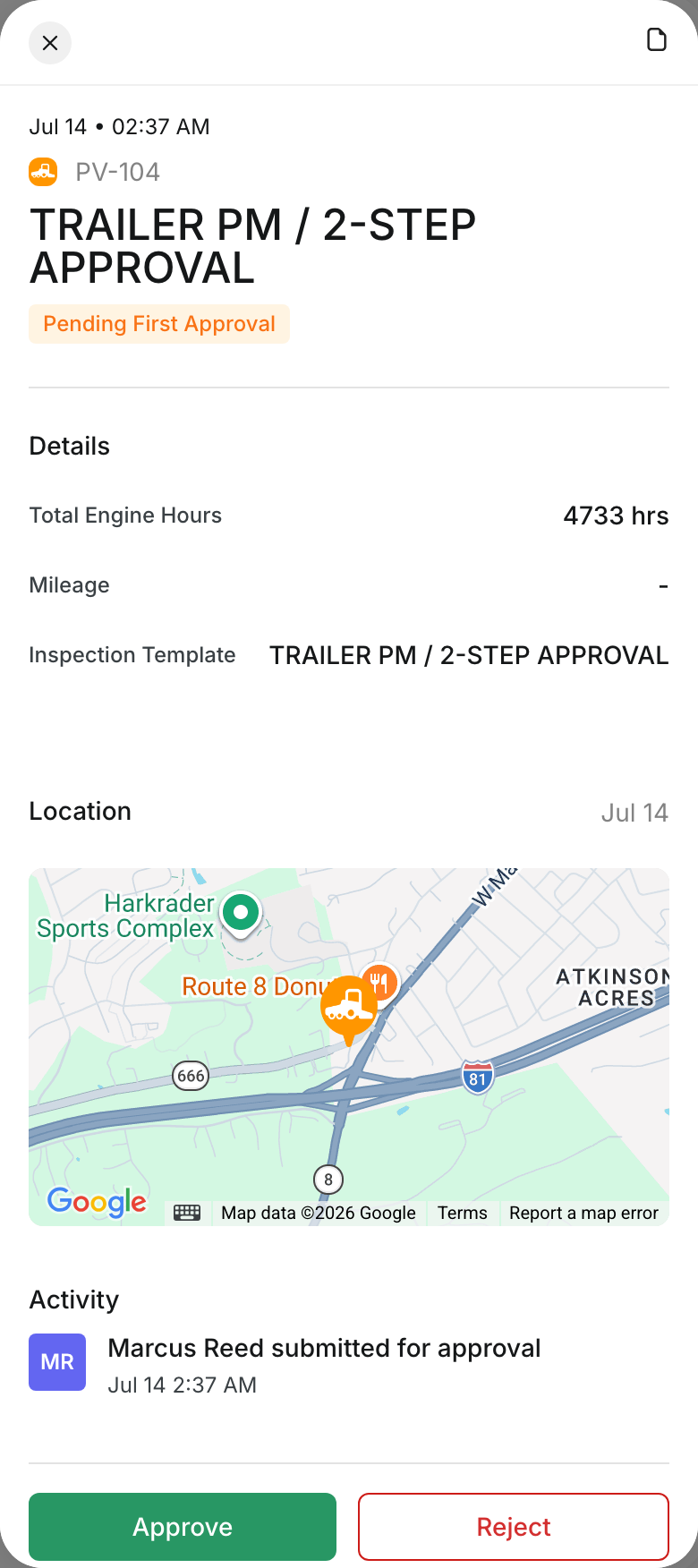
You can now require a supervisor to sign off on inspections. In any inspection template, choose Single Approval or Two-Step Approval, and each submitted inspection waits for an approver before it is final.
What’s New?
- Choose Single Approval or Two-Step Approval on any inspection template
- Approvers approve an inspection, or reject it with a written reason
- The inspector gets a notification either way
- Every approval and rejection is saved in the inspection’s activity history
Open a template in Template Manager, go to the Approval section and pick a Mode. Then open any pending inspection from the Inspection Log and click Approve or Reject.
Request a Demo Today to
See Our Latest Features in Action!
See Our Latest Features in Action!
Oops! Submission failed. Please try resubmitting the form.

.png)
.png)

