Watchdogs: Automated Fleet Alerts
Watchdogs are automated rules that watch your fleet and raise alerts when something needs attention. A watchdog can flag a rental you could replace with an owned machine, a PM that needs priority, and more. Each alert comes with a severity and, where it applies, the potential savings.
What is this?
Watchdogs run in the background and surface issues you would otherwise have to hunt for. Instead of digging through data, you open Watchdogs and see a ranked list of alerts with the money and risk attached.
Who's this for?
- Equipment managers, catch savings like replacing rentals with owned assets.
- Maintenance, see which PMs need priority.
- Owners, get a running list of ways to save money and reduce risk.
How to use it
Step 1: Open Watchdogs
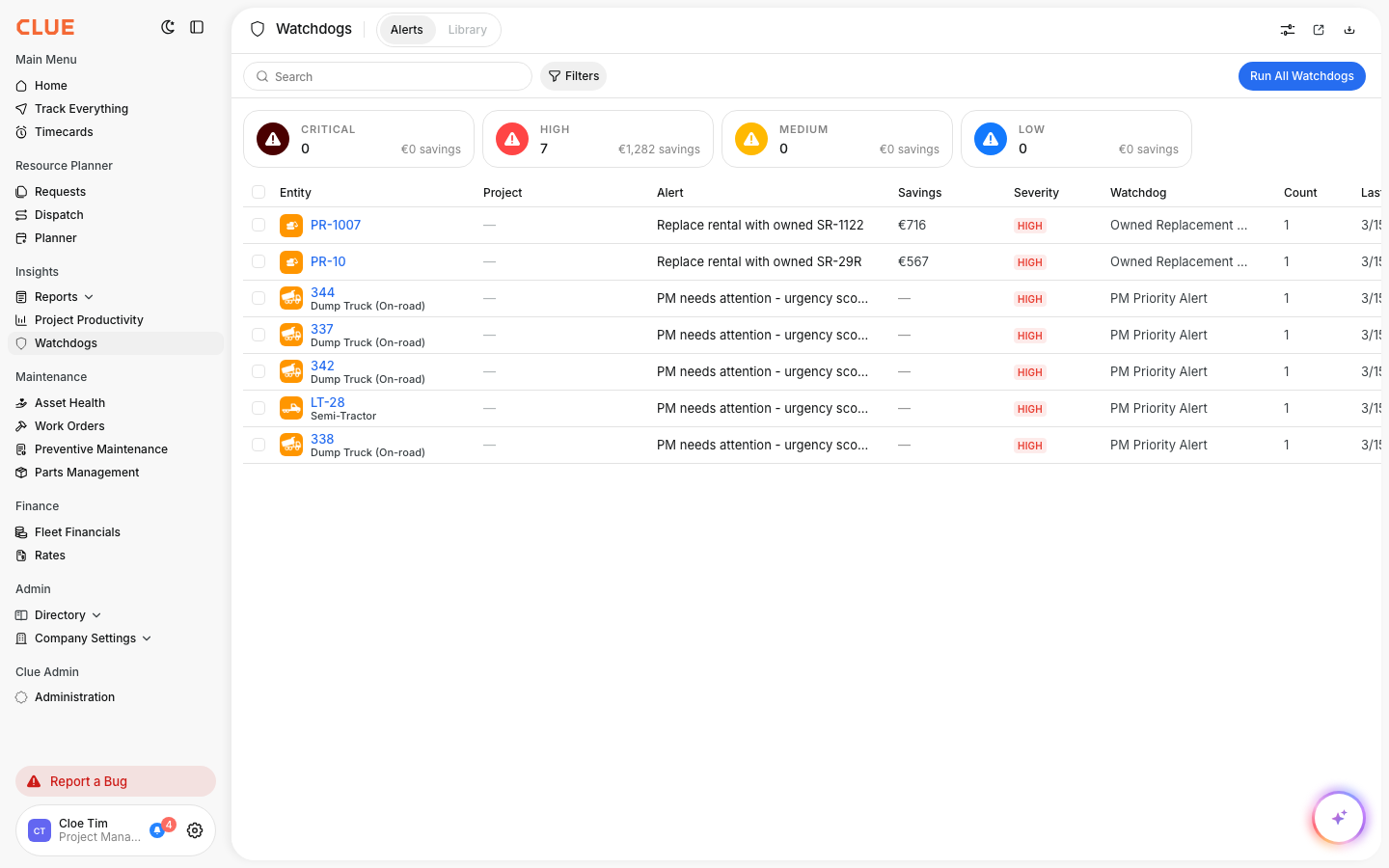
In the main menu, under Insights, click Watchdogs.
Step 2: Read the alerts
The cards at the top group alerts by severity: critical, high, medium, and low, with total savings for each. The table lists each alert with the entity, the watchdog that raised it, and the savings.
Step 3: Run and act
Click Run All Watchdogs to refresh alerts. Click an entity to open it and take action.
The full details
- Works on: Web app
- Where to find it: Insights > Watchdogs
- Visibility: This feature shows only if your company has Watchdogs enabled.
Tips
- Sort by savings to find the highest value actions first.
- Check the Library tab to see which watchdogs are available.