Inspection History
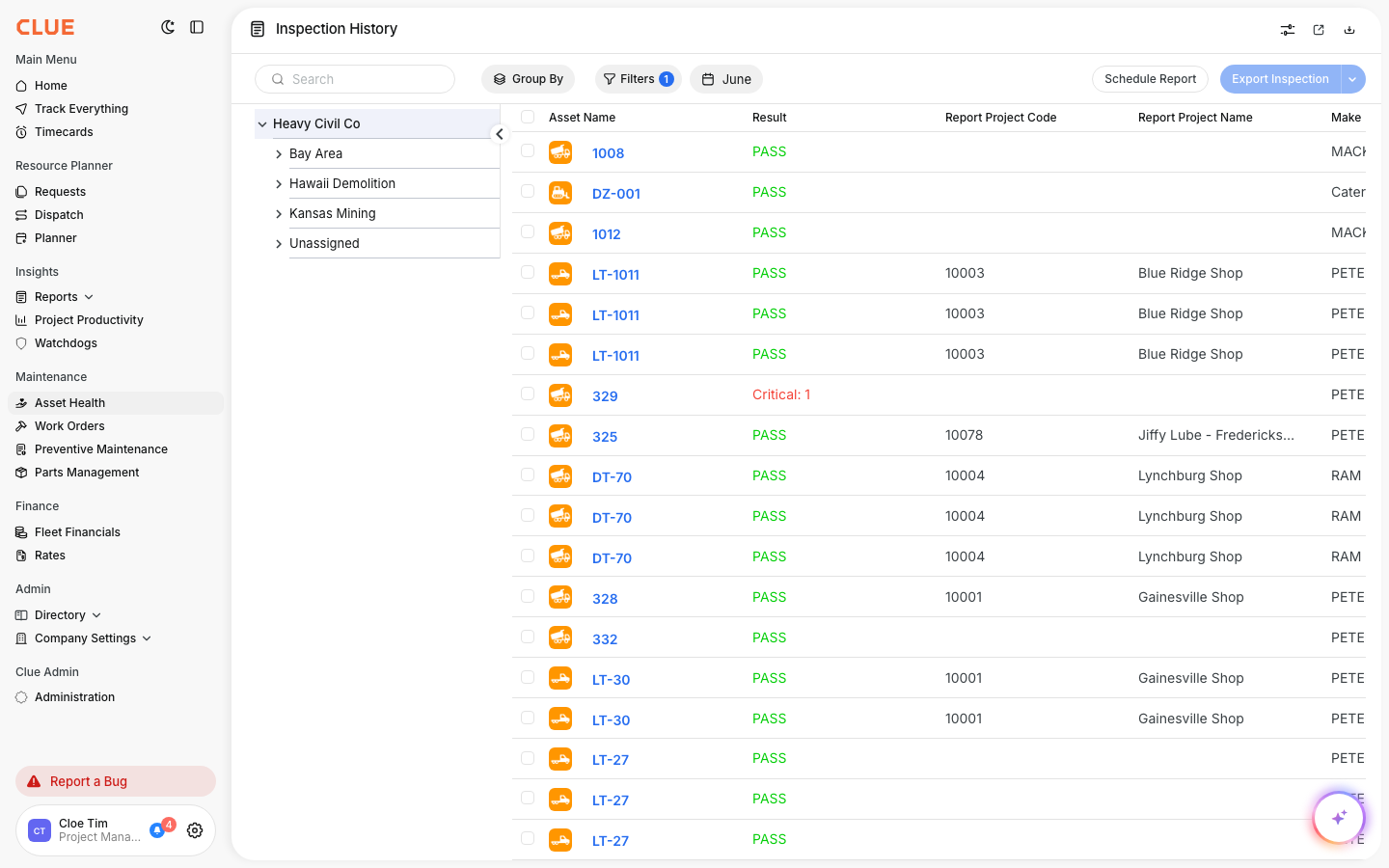
The Inspection History report is where you find a complete record of every inspection your team has completed. If you want to see the inspection history for an asset, a project, or your whole fleet, this is the report to open. It lists each inspection with its result (pass or fail), the asset, the project, and the date.
What is this?
Inspection History gives you one running list of all past inspections. Each row is a completed inspection. You can see which passed, which had issues, and which asset and project each one belongs to. It is your audit trail for daily inspections and DVIRs.
Who's this for?
- Equipment managers, review inspection results across the fleet and spot assets that keep failing.
- Safety and compliance, pull a full inspection record for any date range for audits.
- Shop foremen, check what came back on recent inspections before scheduling work.
How to use it
Step 1: Open the report
In the main menu, open Reports, then click Inspection History. You can also reach it under Asset Health.
Step 2: Group the results
Click Group By to organize inspections by Project or Crew. This makes it easy to review one site or team at a time.

Step 3: Filter and set a date range
Use Filters to narrow by result, asset, or status. Use the date button to pick the period you want. Then click Export Inspection to download the list.

The full details
- Works on: Web app
- Where to find it: Reports > Inspection History, or Asset Health
- Visibility: This report shows in your menu only if your company has it enabled.
- Export: Download results with the Export Inspection button.
Tips
- Group by Project to prepare an inspection record for a single job site.
- Filter to failed results first to find the assets that need attention.
- Click any asset name to jump straight to that asset's record.