Understanding the Component Hierarchy explains how Clue organizes component-level tracking across three connected layers: the Catalog, the Template, and the Instance. Each layer has a specific role, and they build on each other in sequence. You cannot create a template without catalog items, and you cannot track a real component without an instance created from a template.
This article is a reference for anyone setting up or working within Clue's equipment maintenance system at the component level. Understanding how the three layers connect is essential before building any templates or adding components to assets.
Who Is This For?
- Equipment Managers use this article to understand the full structure before setting up component tracking for their fleet. Knowing how catalog items, templates, and instances relate prevents misconfigurations that are difficult to correct after instances are created.
- Shop Managers reference this hierarchy to understand why a component appears on a work order the way it does, and how changing the catalog or template affects future tracking without disrupting existing maintenance records.
- Reliability and Maintenance Planners use the hierarchy to design a tracking structure that supports the failure analysis and reporting they need. The levels you define in the catalog determine what questions you can answer later.
How the Hierarchy Works?
Step 1: The Catalog defines what component types exist
The Catalog is the master library of component types your organization tracks. Examples include Diesel Engine, Hydraulic Pump, Cooling System, and Screen Motor. Each catalog item has a hierarchy level that defines where it sits in the breakdown structure:
- Level 1: Asset (the whole machine, such as a CAT D9 Dozer or Liebherr Crane)
- Level 2: System (major systems such as Power Generation, Hydraulic Circuit, or HVAC)
- Level 3: Sub-system (sub-systems such as Engine System, Cooling System, or Fuel System)
- Level 4: Component (individual components such as Hydraulic Pump, Alternator, or Fuel Injector)
- Level 5: Part (smallest trackable items such as O-rings or seals)
Clue defaults to ISO-14224 level naming. You can customize level names and add up to 9 levels. Most fleets operate at 4 or 5 levels.

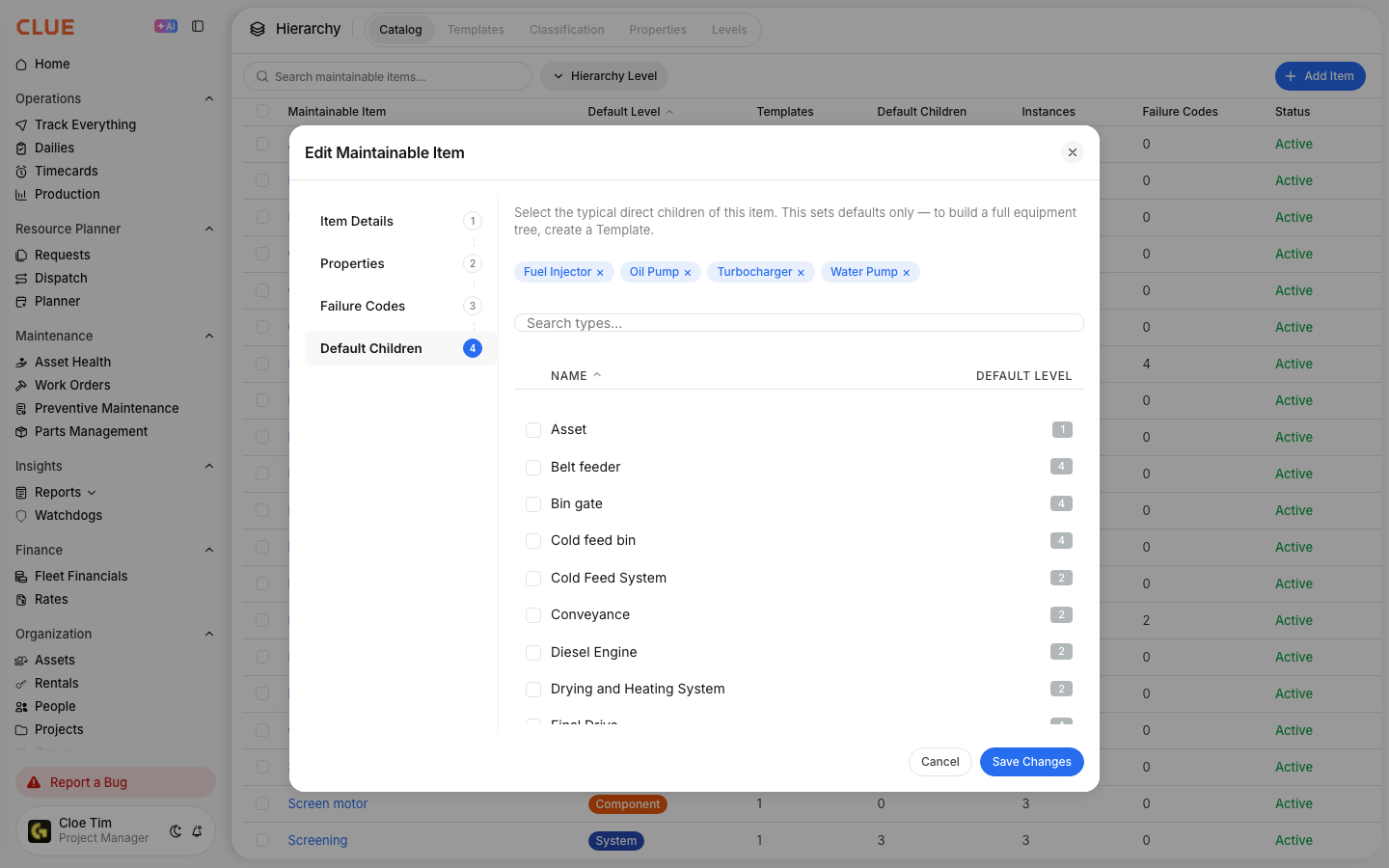
Step 2: Catalog items carry default children and properties
Each catalog item can have default children configured. If a Diesel Engine almost always contains a Fuel Injector, Turbocharger, and Oil Pump, you set those as defaults once. Every template that uses a Diesel Engine then picks them up automatically without manual selection.
Properties are custom fields that attach to any catalog item. Serial Number, Install Date, Total Hours, and Power Rating are examples. You define properties once and reuse them across any item type in the catalog.
Step 3: The Template defines the bill of materials for an equipment type
A Template takes catalog items and arranges them into the structure for a specific type of machine. An Asphalt Plant template might include 9 systems. A Dozer template might include 4. The template says this type of machine contains these systems and sub-components in this arrangement.
Templates are built once and applied to every machine of that type. All your CAT 336 excavators share one template. All your asphalt plants share another. Refer to the Creating Equipment Templates article for step-by-step setup instructions.
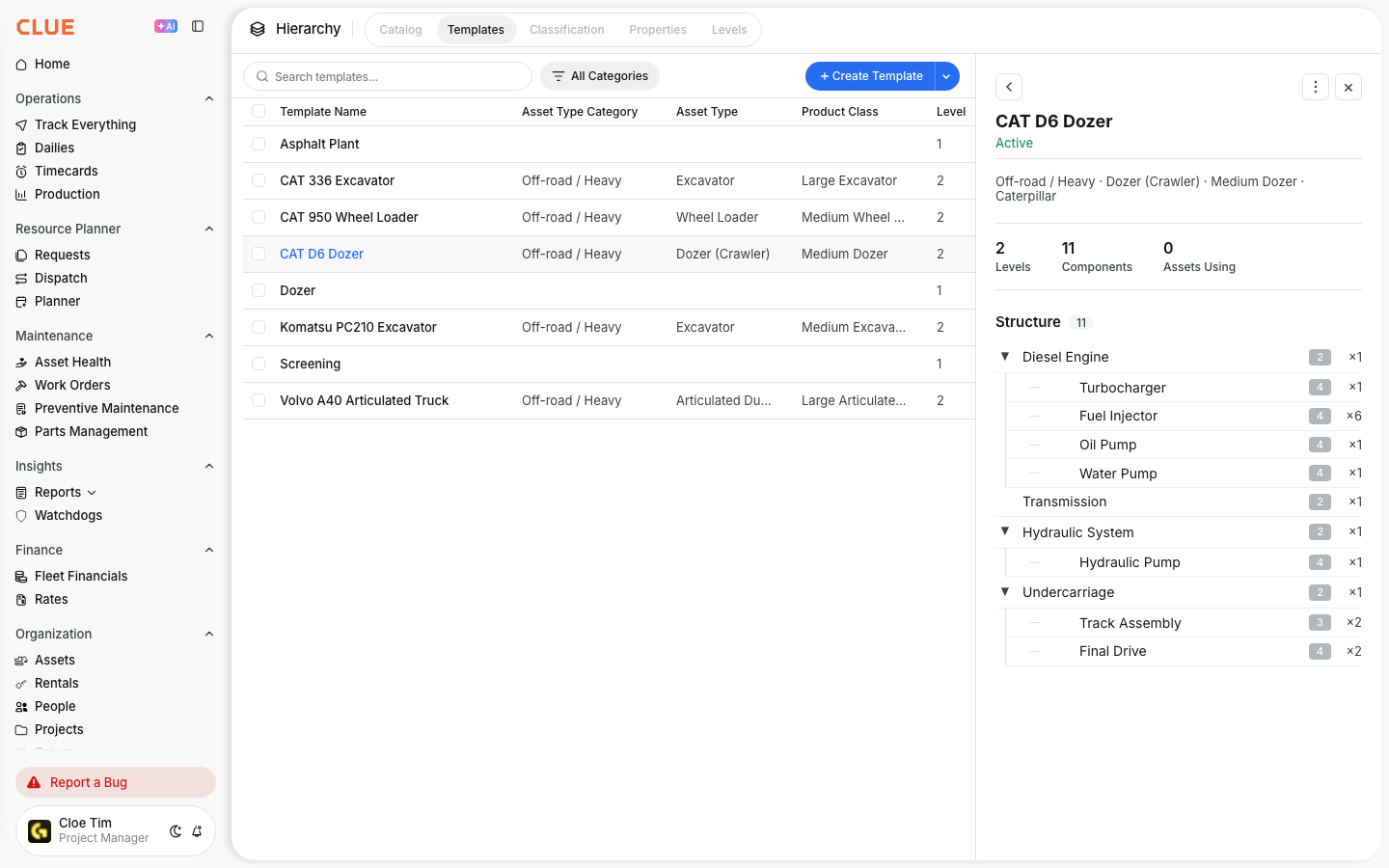
Step 4: Instances are the real components on real machines
An Instance is created when you apply a template to a specific asset. It is the actual component record on a specific machine with its own serial number, install date, and maintenance history. The template is the blueprint. The instance is the real thing tracked on that asset.
When a mechanic logs a repair on the hydraulic pump of Excavator #42, that goes on the instance record. When a fault code fires for the engine, it links to the engine instance. Over time, each instance builds its own history of failures, repairs, and replacements independent of the asset record.

Step 5: Understand how changes cascade and what they do not affect
Changes in the catalog affect future templates that use that item. Changes in a template affect future instances created from it. Existing instances are not affected by either change. This is by design: once a component is being tracked on a machine, its history stays stable and accurate regardless of how the catalog or template evolves.
Key Behaviors and Limitations
- The three layers must be built in order. Catalog first, then templates using catalog items, then instances created from templates. Skipping or reversing this order is not possible.
- Changes to the catalog do not update existing templates. If you modify a catalog item after templates have been built from it, those templates keep their current structure. Only new templates pick up the change.
- Changes to a template do not update existing instances. Once an instance exists on an asset, its structure is fixed. Only new instances created after the template change will reflect the update.
- Level names are customizable but level count affects reporting depth. The levels you configure in the catalog determine how granular your failure analysis and cost tracking can be. Plan the level structure before adding items.
- This feature is currently in beta. Component-level tracking is available now in beta and will roll out to all Clue users after the beta period concludes.
Tips
- Start simple with 4 levels before adding more. Track at the System and Component level first. Add Sub-system and Part levels later only when you need finer reporting detail.
- Set default children in the catalog before building any templates. Default children cascade automatically to every template that uses that catalog item. Getting them right upfront saves significant time during template setup.
- Think about what you want to report on before designing the catalog. If you want to know how often hydraulic pumps fail across your fleet, Hydraulic Pump must exist as a catalog item with instances on your assets. The catalog structure determines what reporting is possible.
- Instances are independent once created. This protects your maintenance history. A catalog or template update will never silently alter a component record that already exists on a machine.