What is this?
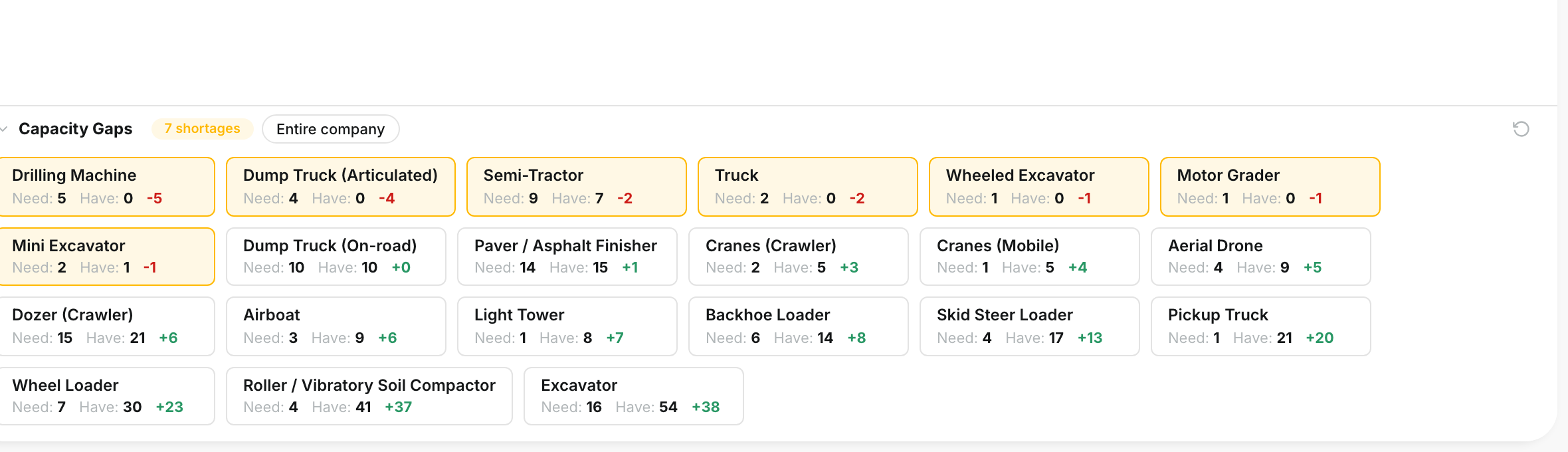
Capacity Gaps compares what your plan needs with the equipment you have. It works per asset type, for the dates you are viewing.
Red cards show where you are short. You see it early, while you still have time to move work, rent, or buy.
Who's this for?
- Equipment managers, see which asset types will run short next.
- Operations managers, decide when to rent and when to shift a job.
- Estimators, check whether a new bid fits in your fleet.
How to use it
Step 1: Find Capacity Gaps
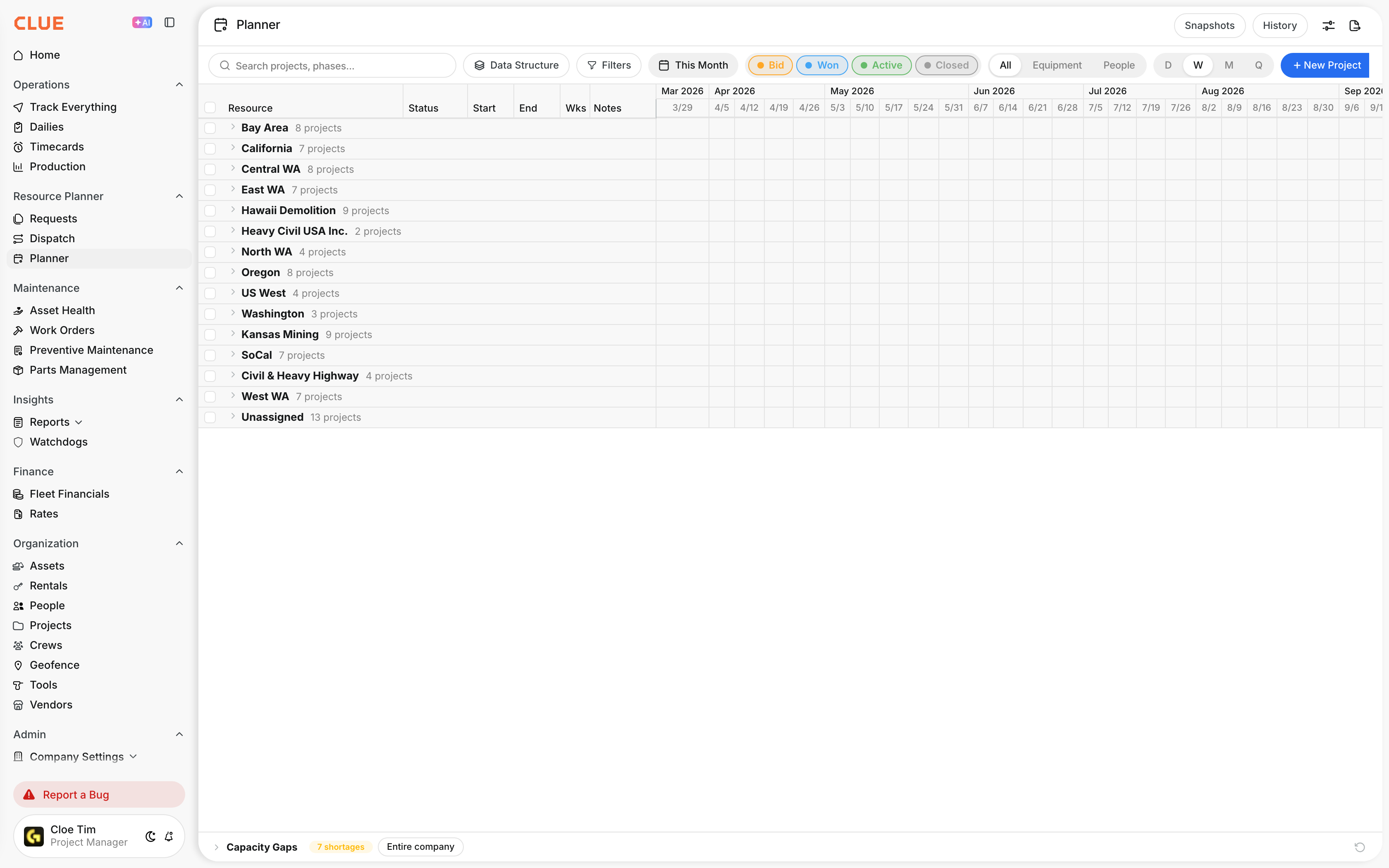
Open Resource Planner > Planner. Capacity Gaps sits at the bottom of the page. The red badge shows how many asset types are short.
Step 2: Read the cards
Click Capacity Gaps to open it. Each card is an asset type:
- Need, how many your plan asks for.
- Have, how many are free.
- Gap, the difference. A red number means you are short.
Hover a card to see your total supply, how many are busy, and how many are available.
Step 3: Choose which part of the company to check
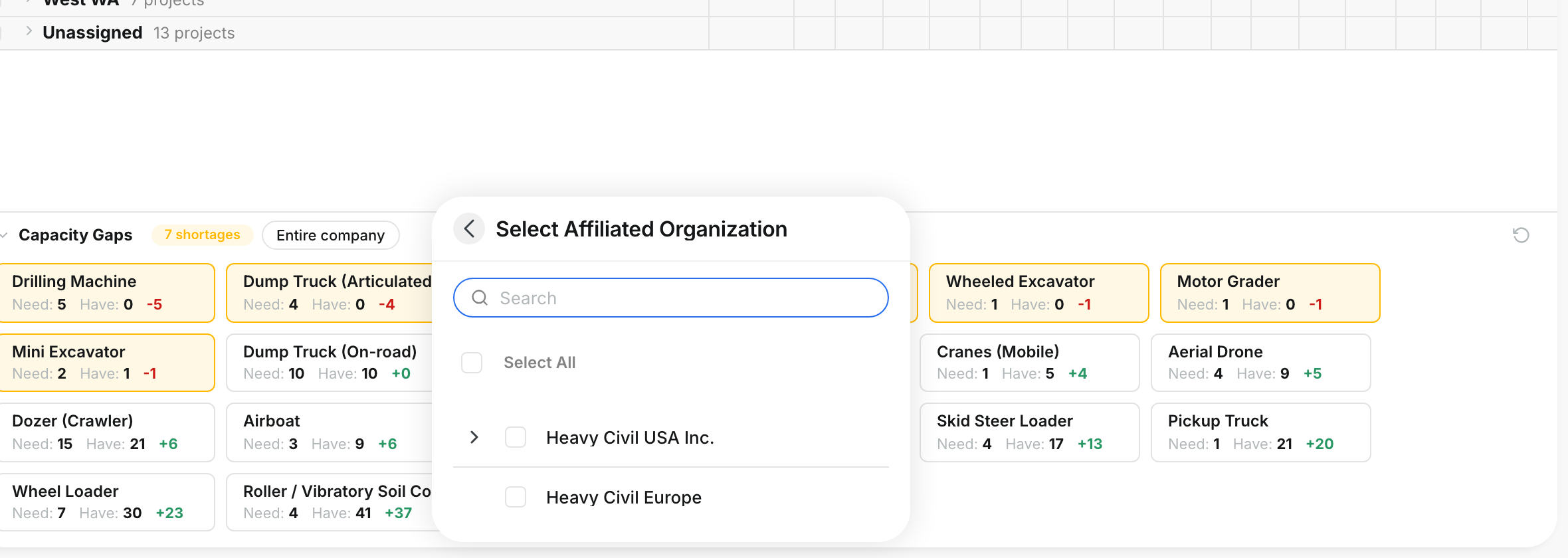
Click Entire company. Pick one or more divisions, then close the panel. The cards update for those divisions only. Click the refresh icon to check again.
The full details
- Works on: Web app.
- Dates: Capacity Gaps uses the date range at the top of the Planner.
- Follows your view: search, status chips, and the division and project filters also change the result.
- Division choice: saved in this browser, and separate from the main Filters panel.
- Updates: the cards refresh when you change the plan or the view.
Tips
- Switch off the Bid status chip to see the gaps for work you have already won.
- Switch on Bid when you price a new job. You see what the extra work would need.
- Pick a later month, or a Quarter, in the date selector to look further ahead.