Changing Your Language in the Mobile App
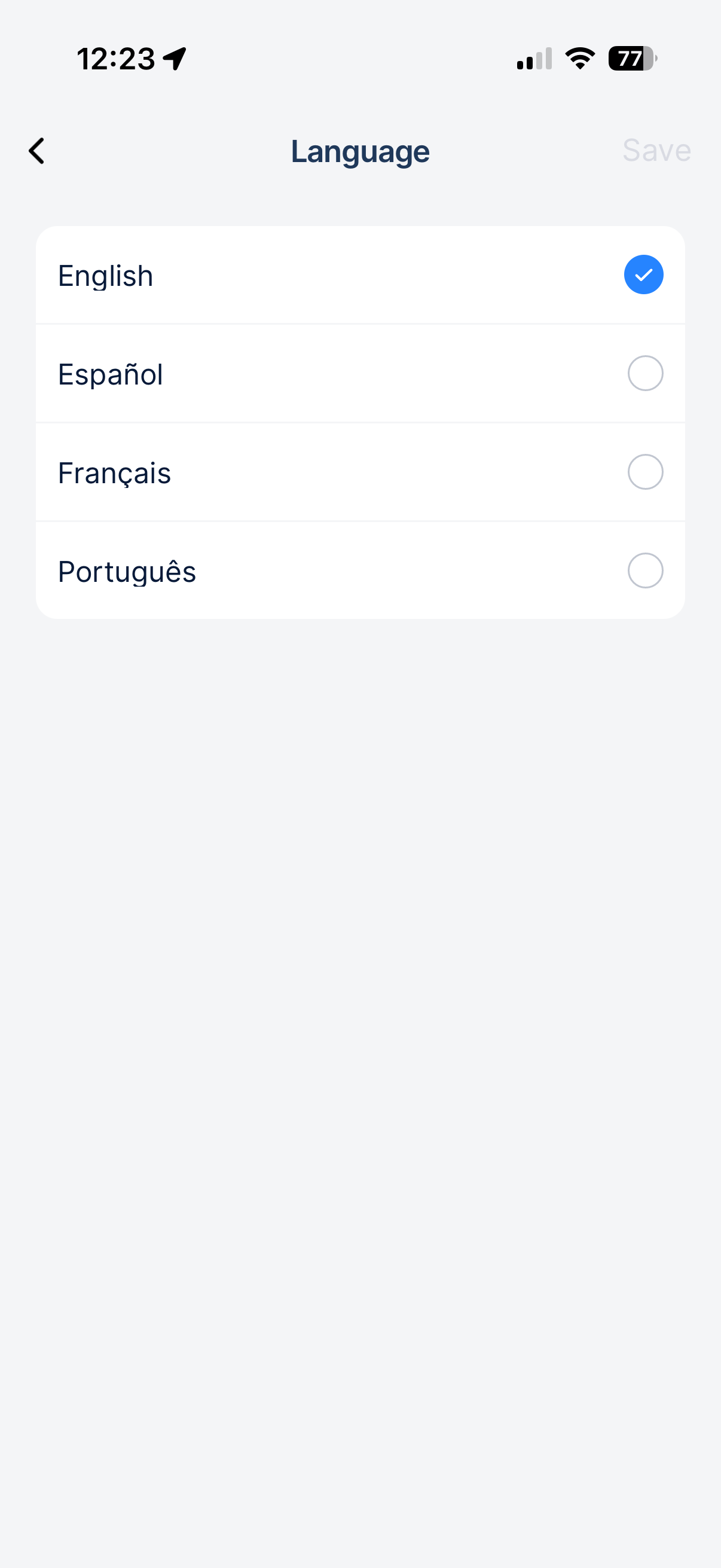
The CLUE mobile app supports English, Spanish, French, and Portuguese. When you switch languages, every menu, label, and button in the app updates instantly. Your choice is saved to your profile so it stays the same every time you open the app, even on different devices. Use the following steps to change the language within the CLUE app on your mobile device.
1. Open User Preferences
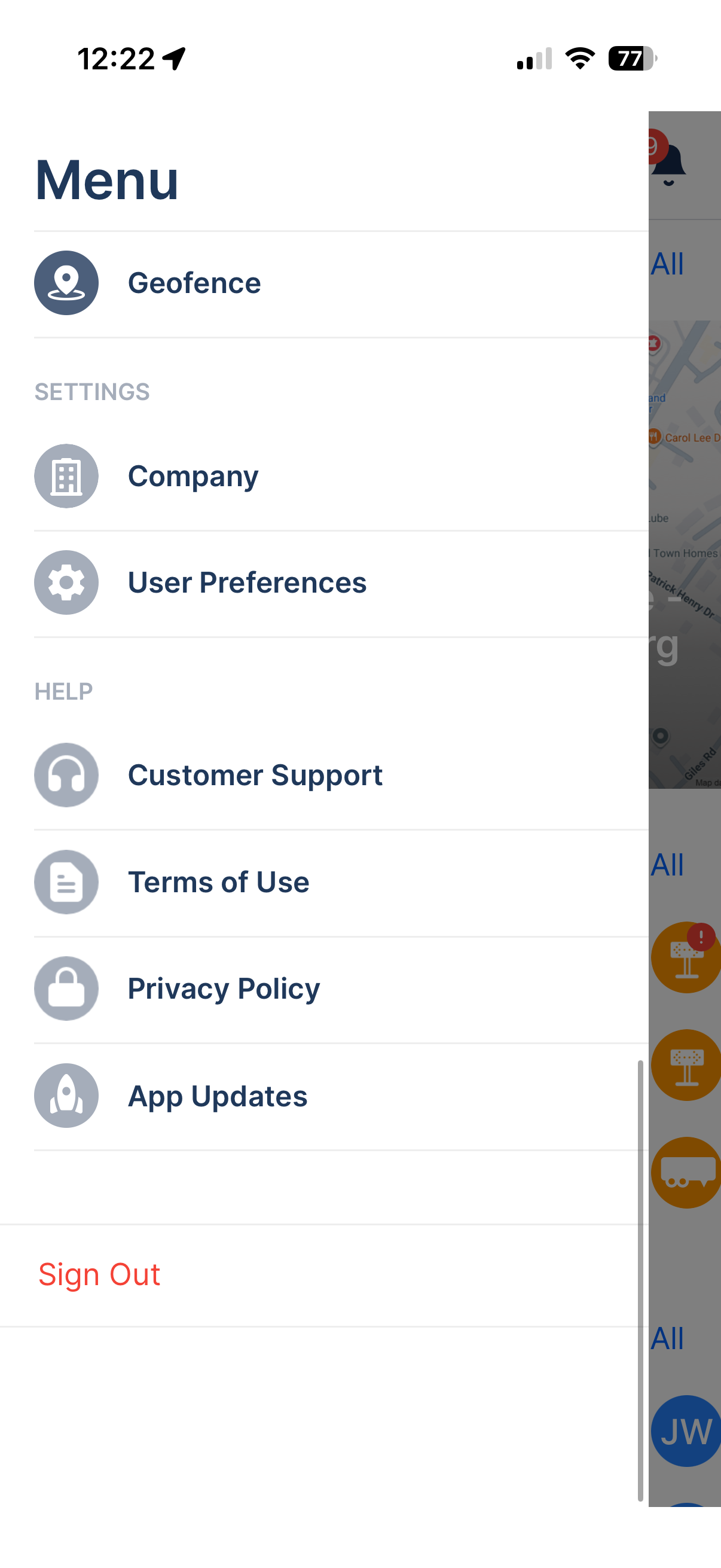
Tap on the menu icon in the top-left corner. Scroll down to the Settings section and then tap on User Preferences.
2. Tap on Language
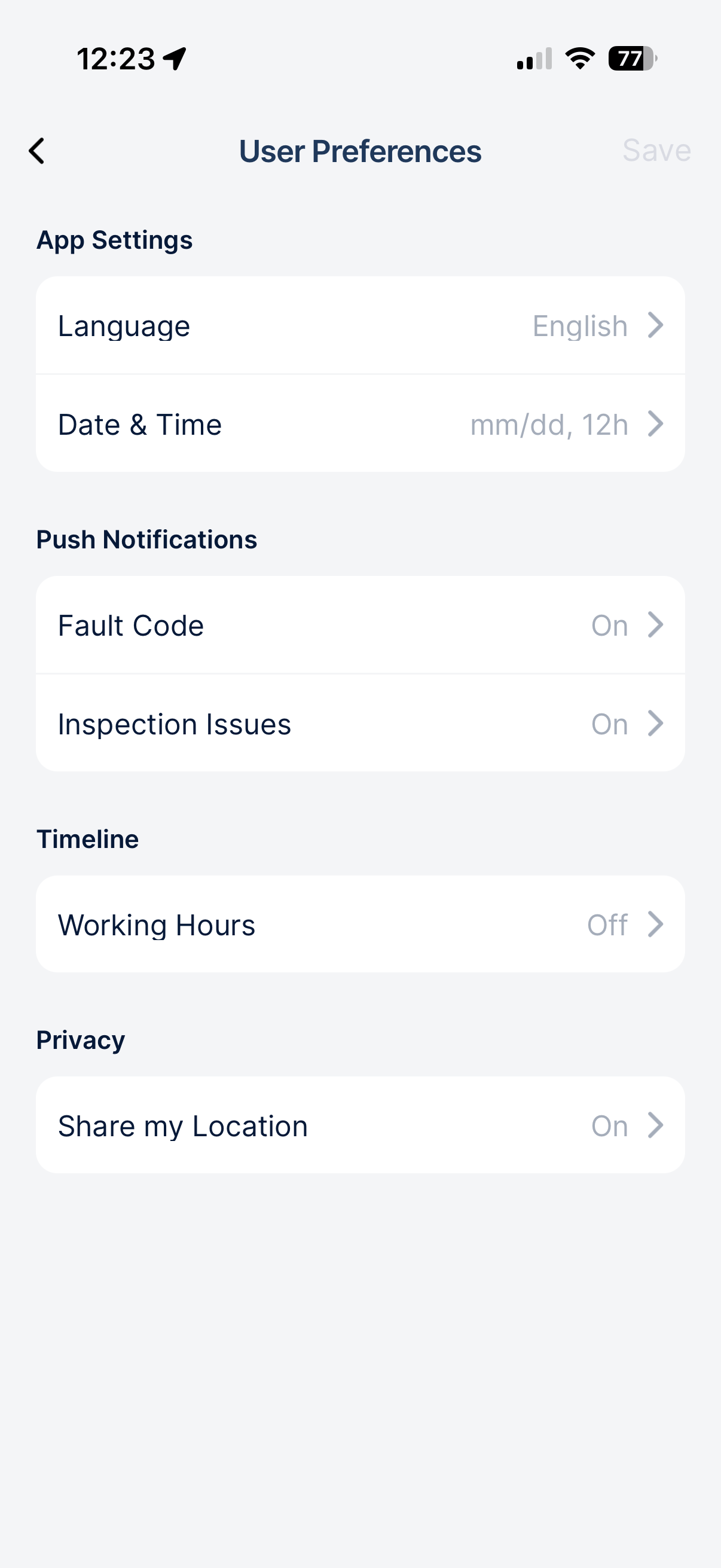
Within the App Settings section, tap on Language. You can also see the language that is currently set on the right side of the Language menu item.
3. Pick Your Language
Select your preferred language from the list and tap on Save in the top-right corner. Every section within the app updates immediately. This includes menus, buttons, labels, statuses, asset types, and inspection items. They will all appear in your chosen language!