Audit Trail and Change History
When something goes wrong on a work order, a dispatch request, or an asset record, the first question is always: who changed this, and when? Without a reliable log, that question is difficult or impossible to answer accurately. Audit Trail and Change History in Clue records every update made across the system automatically, capturing who made each change, what was changed, and when it happened.
No extra steps are required from users. Logging happens on every create, update, and delete action throughout the platform. The history appears in context, directly on the record it belongs to, and cannot be edited or deleted.
Who Is This For?
- Shop Managers and Foremen use change history on work orders to understand what happened to a job, who modified it, and why it looks different from how it was originally created.
- Operations Managers use dispatch request history to identify bottlenecks in the approval and dispatch process by reviewing timestamps at each stage.
- Compliance and Audit Teams use the full audit log, accessible via Clue's REST API, to produce comprehensive reports covering all system activity for regulatory reviews or internal investigations.
- IT and Admin Teams use API access to pull complete audit data into external compliance reporting systems or custom dashboards.
Where to Find History
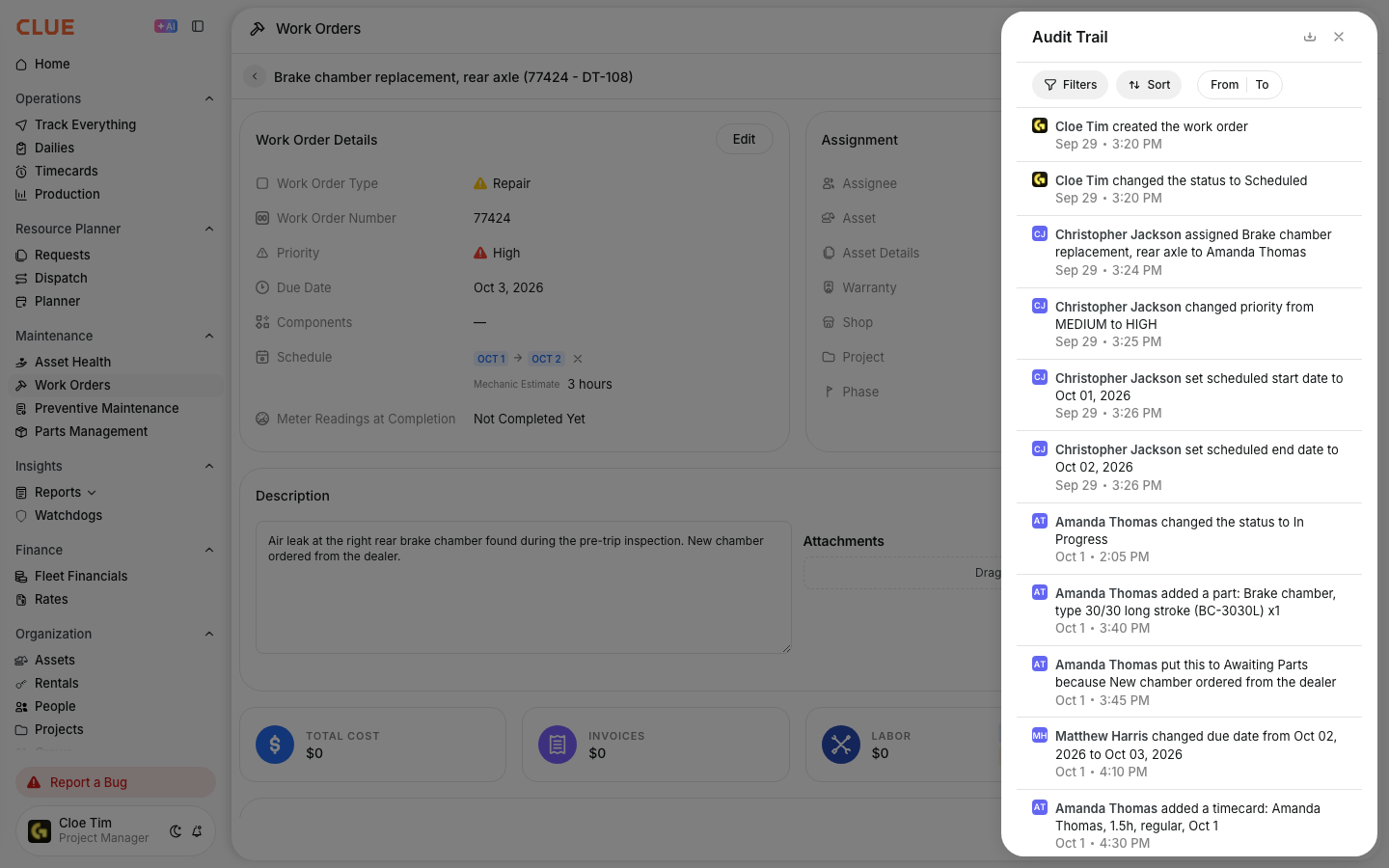
Change history appears in context, attached directly to the record it belongs to. There is no separate audit module to navigate to.
- Work Orders show every status change, mechanic assignment, cost update, part addition or removal, and note added to the work order, each with a timestamp and the name of the user who made the change.
- Dispatch Requests show every status transition from created through approved, dispatched, and completed, with the person responsible for each step and the exact time it occurred.
- Inspection Issues show the complete timeline from when the issue was first reported, through acknowledgement and any deferral notes, to the work order it was linked to and when it was finally resolved.
- Equipment Records log asset status changes, project transfers, and meter reading updates, giving you a clear picture of where an asset has been and what has changed on its record over time.

Full Audit Access via API
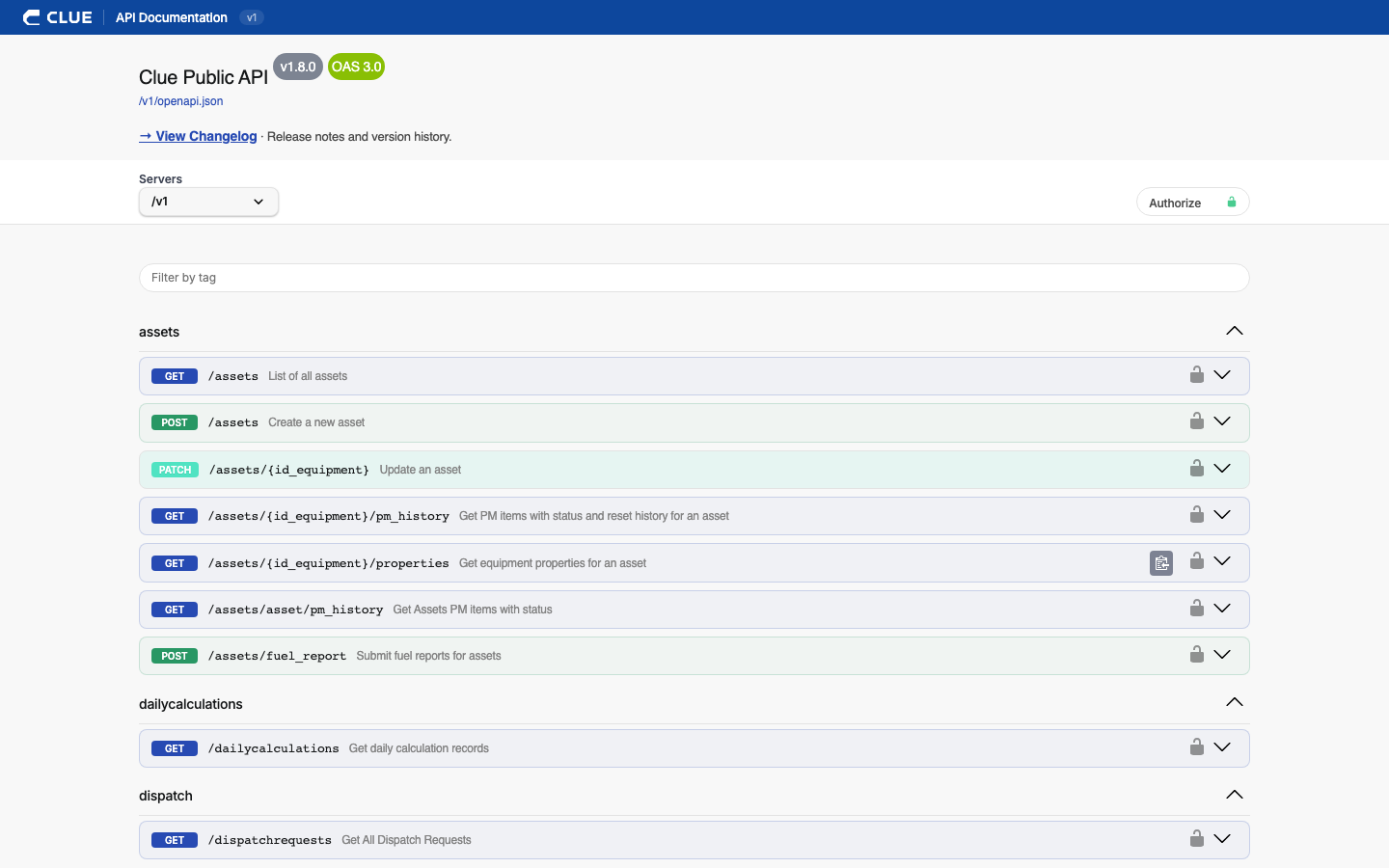
For teams that need comprehensive audit data beyond what is visible in the interface, the complete change log is accessible through Clue's REST API. This covers every action across the entire system and is useful for compliance audits, internal investigations, or building custom reports in external analytics platforms. API data can be exported for use outside of Clue
Key Behaviors and Limitations
- Logging is automatic. No setup or configuration is needed. Every create, update, and delete action is logged without any user action required.
- History is context-specific. Work order history appears on the work order. Asset history appears on the asset. There is no single consolidated view of all changes across the system in the interface, but the full log is available through the API.
- Logged entries are immutable. Change history records cannot be edited or deleted. The record is permanent and cannot be altered by any user, including administrators.
- API access provides full system coverage. The in-app history covers common daily needs. The API gives compliance and admin teams access to every logged action across the entire platform.
Tips
- Check work order history before escalating a discrepancy. If a cost, assignment, or status looks wrong on a work order, the change history shows exactly what happened, who made the change, and when. This resolves most disputes without further investigation.
- Use dispatch request timestamps for process analysis. If requests are consistently delayed at a specific stage such as approval or dispatch, the timestamps in the history reveal exactly where the bottleneck is occurring so the process can be adjusted.
- For compliance audits, use the API rather than manual screenshots. The in-app history is convenient for day-to-day reference, but the API provides the complete, structured dataset needed for formal audit submissions or regulatory documentation.
- Include audit trail access in your admin onboarding. New administrators should know where to find change history and how to access the API for full audit logs before they need it in an urgent situation.