What is this?
The Attestations page lists every attestation in one table. You see each person's day, project, hours, and outcome. Filters help you find flagged attestations fast. From each row you can send an attestation back, see its versions, or resolve hours.

Who's this for?
- Payroll, who review flagged attestations and decide hours.
- Superintendents, who follow up with crews on open attestations.
- Crew members, who see their own attestations.
How to use it
Step 1: Open the page
Go to Dailies > Attestations. The filters sit above the table.

Step 2: Choose whose attestations to show
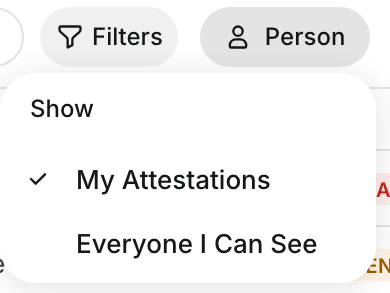
Click the person filter. Select My Attestations for your own, or Everyone I Can See for all the people you have access to.
Step 3: Filter by outcome
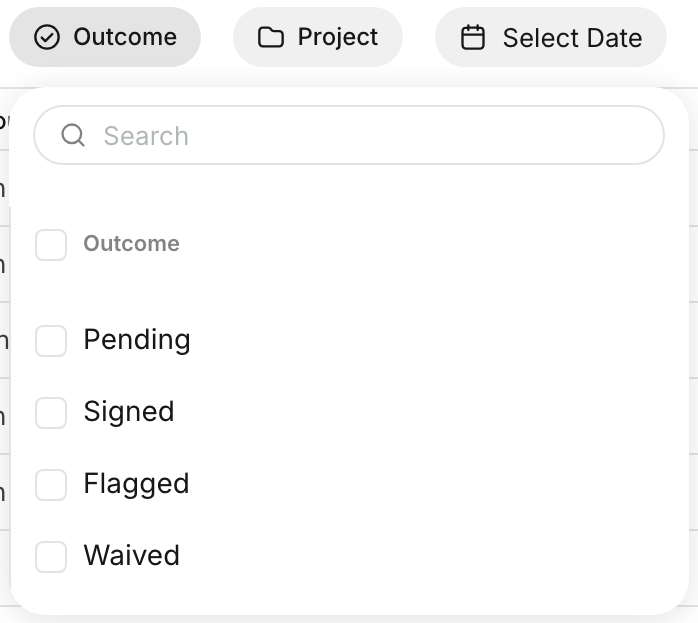
Click Outcome and check Pending, Signed, Flagged, or Waived. Use Project and Select Date to narrow the list.
Step 4: Read the outcome and hours pills
Each row shows one pill. HOURS · REVIEW means payroll needs to decide. HOURS ACCEPTED and HOURS KEPT show the decision.

Step 5: Open the row menu
Hover over a row and click the three dots. The menu shows the actions for that attestation.

Step 6: Send an attestation back to fix
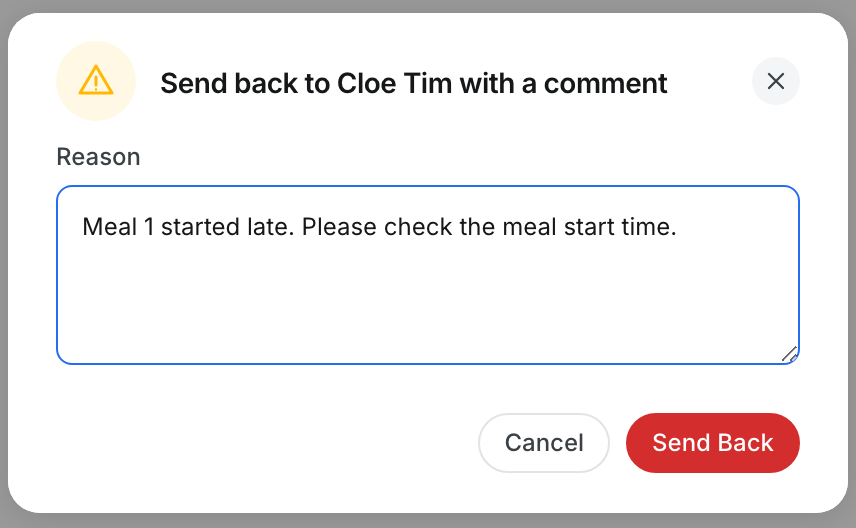
Select Send Back to Fix. Type a reason and click Send Back. The person gets a new text and signs again.
Step 7: See all versions
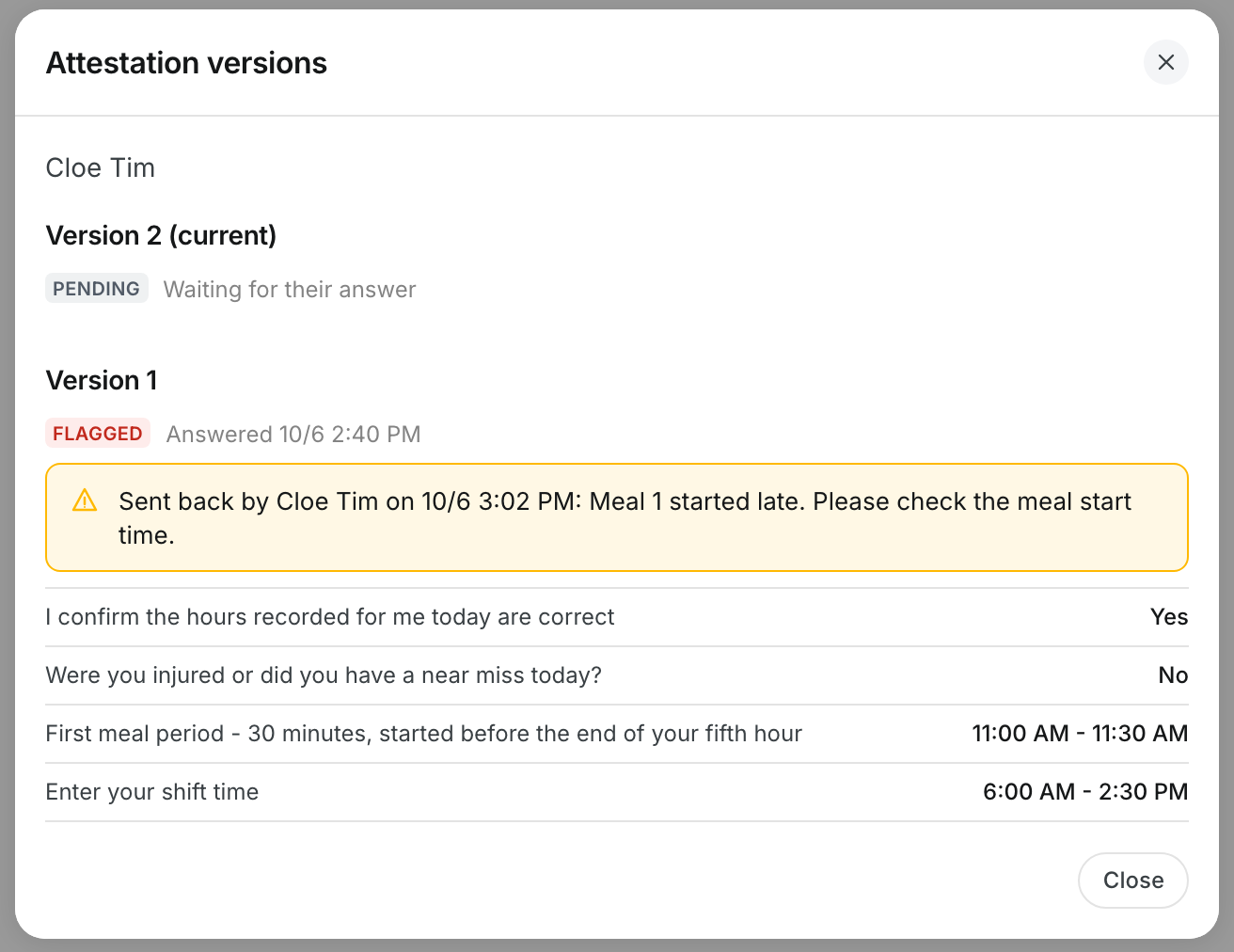
Select See All Versions. Each version shows its outcome, its answers, and who sent it back.
Step 8: Resolve hours
Select Resolve Hours on a row marked HOURS · REVIEW. Choose Accept Attested Hours or Keep Daily Hours.

The full details
- Columns: Day, Person, Project, Hours, Outcome, Asked, Answered, and the reason the person gave.
- Outcomes: Pending, Signed, Flagged, and Waived.
- SENT BACK TO FIX: the person has a new version to sign.
- Send Back to Fix: works on flagged attestations. The signed version stays on record unchanged.
- Text did not reach them: the attestation reopens, but you need to reach the person another way.
- Resolve Hours: you cannot resolve your own hours.
Tips
- Filter Outcome to Flagged at the start of each payroll week.
- Write a clear reason when you send an attestation back. The person reads it on their phone.
- Check See All Versions before you decide on a disputed figure.