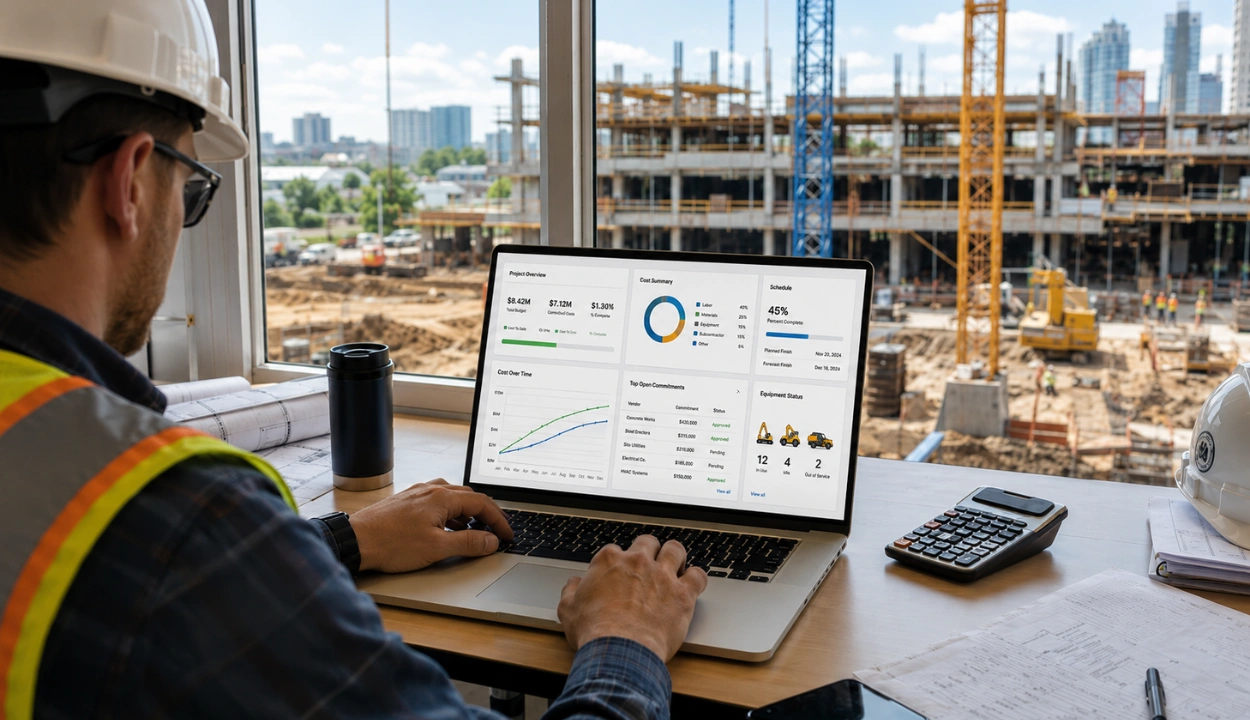
Barcode Asset Tracking & How Does It Work? Complete Guide


Hi, I’m Maham Ali. I write about construction equipment management, helping teams use fleet data and maintenance intelligence to improve uptime, control costs, and run smoother jobsites.
Every day GS1 barcodes are scanned over 10 billion times worldwide, relied upon by more than two million organizations to identify, track, and manage their assets. Despite the rise of GPS, RFID, and IoT, barcode asset tracking remains the most widely adopted tracking method for businesses of all sizes with a 67% adoption rate among small and medium businesses in the US as of 2024.
The reason is simple, Barcodes are inexpensive, universally readable, and in construction where a single missing excavator or misplaced tool kit can stall an entire team, they're one of the most practical ways to stay on top of your equipment.
This guide covers everything you need to know about barcode asset tracking, what it is, exactly how the system works, the types of hardware involved, how it compares to RFID and QR codes, what it costs, and how to decide if it's right for your operation.
What is Barcode Asset Tracking?
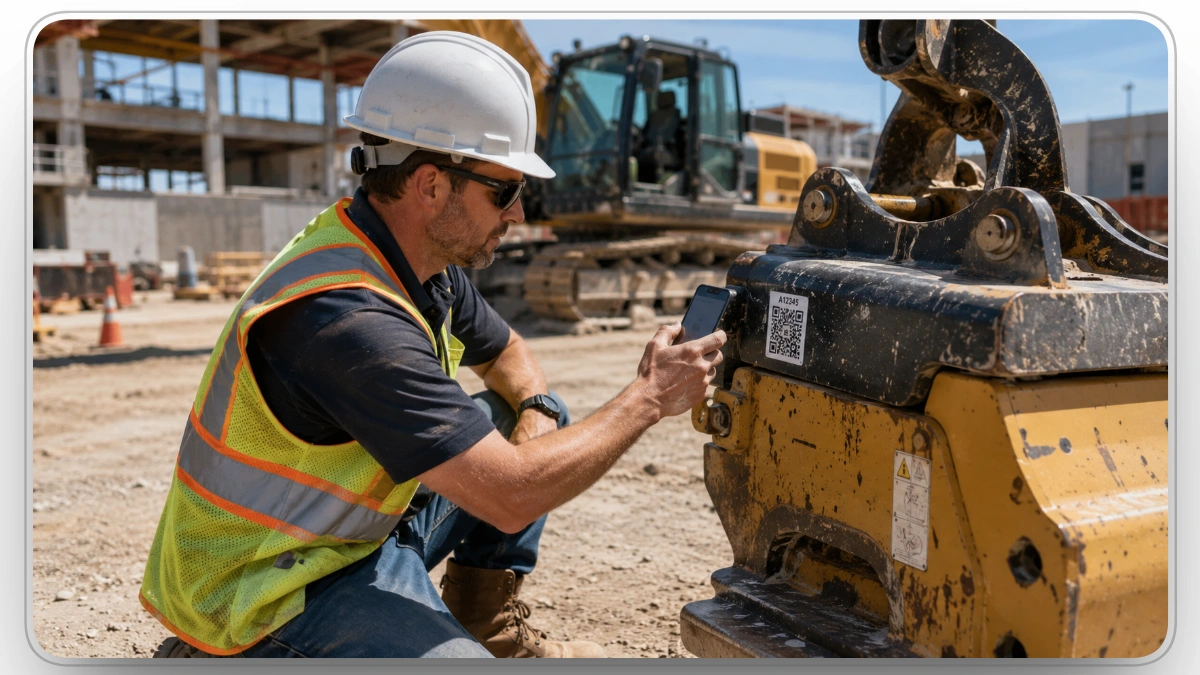
Barcode asset tracking is a method of monitoring and managing physical assets by attaching a unique barcode label to each item and using a scanner or mobile device to read, record, and update that item's data in a central software system. Each scan instantly pulls up that asset's location, condition, maintenance history, and check-in/check-out status giving operations teams real-time visibility without manual data entry.
At its core, every barcode is a machine-readable representation of data, a series of black bars and white spaces (or, for 2D barcodes, a grid of dots and squares) that encode a unique identifier. When that identifier is scanned, it pulls up the corresponding asset record in your construction asset tracking software, giving you instant visibility into that asset's location, condition, maintenance history, check-in/check-out status, and more.
The two elements that make any barcode asset tracking system work are:
- A barcode label: attached to the physical asset (machinery, tools, IT hardware, vehicles, inventory, equipment, etc.)
- A reader: a dedicated barcode scanner, a handheld mobile computer, or a smartphone
Unlike GPS or RFID, barcodes require a direct line of sight to scan. This makes them ideal for controlled environments, warehouses, job sites, tool cribs, stockrooms, and equipment job sites where assets are physically accessible. The trade-off is that they're significantly cheaper to implement and require almost no employee training.
Why Barcode Asset Tracking Matters
The cost of poor asset tracking is measurable. Companies that rely on spreadsheets or manual pen-and-paper logs face a manual data entry error rate of roughly 1 in every 300 characters entered meaning thousands of wrong entries every year across any moderately-sized asset inventory. Barcode scanning reduces that error rate to approximately 1 in 10 million scans, a difference that translates directly into fewer ghost assets, fewer duplicate purchases, more accurate maintenance schedules, and less time wasted searching for misplaced equipment.
Beyond accuracy, the speed advantage is significant. A manual product lookup averages 30–60 seconds. A barcode scan takes under 3 seconds. For a team processing 100 asset movements per day, that's the difference between 5 minutes and over 1.5 hours of data entry.
For asset-intensive industries like construction, manufacturing, logistics, and healthcare, where equipment downtime and lost tools carry real financial consequences, a reliable barcode asset tracking system is foundational, not optional.
On a busy construction site managing dozers, compactors, hand tools, and consumables across multiple teams, the difference between a barcode system and a clipboard isn't just efficiency, it's the difference between knowing where your $200,000 excavator is and filing an insurance claim.
How Does Barcode Asset Tracking Work?
Every barcode asset tracking system follows the same core process, whether you're managing 50 tools on a job site or 5,000 pieces of equipment across multiple locations.
Step 1: Generate and Print Barcodes
The first step is creating a unique barcode for each asset in your inventory. Barcodes encode data as a pattern of bars, spaces, or dots, a concept that dates back to Morse code. Every asset gets a distinct code tied to its record in your database.
You have two options for generating barcodes:
- Purchase pre-printed labels from a barcode distributor
- Print in-house using barcode label software and a standard label printer
In-house printing is the most popular choice because it's fast and flexible; you can generate labels on demand as new assets are added to your inventory. For small businesses or field teams that need to tag equipment quickly, this flexibility makes barcode asset management especially practical.
When choosing a barcode format, you'll encounter two main types:
For most asset tracking use cases, a 2D barcode (especially a Data Matrix or QR code format) is the better choice. It stores significantly more data, can be scanned from any angle, and remains readable even when partially damaged, a major advantage for equipment tags on construction sites or in warehouses.
Step 2: Attach Labels to Assets
Labels are applied directly to each asset on a flat, visible surface where they won't be obscured or damaged during regular use. For harsh environments, consider:
- Aluminum or polyester labels for outdoor or high-heat equipment
- Laminated barcodes for items exposed to dust, moisture, or abrasion
- Embedded tags for high-wear equipment where surface labels might peel
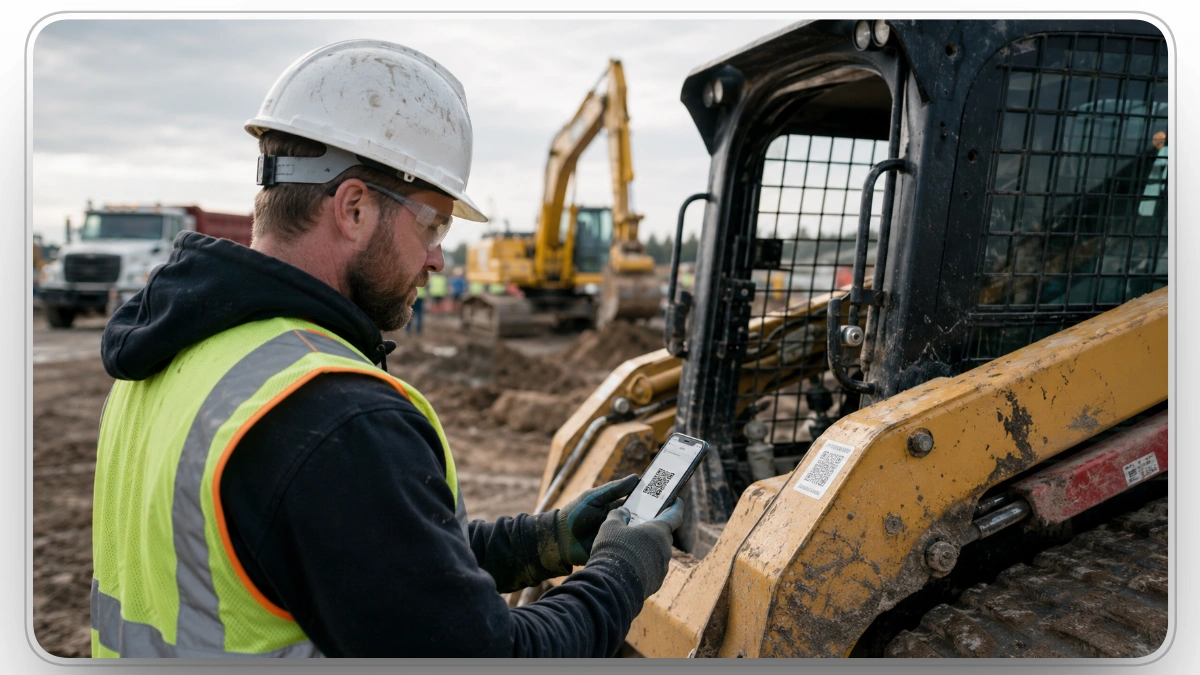
Label placement matters. On construction equipment, the label should be accessible for scanning without requiring the operator to move the assets.
Step 3: Scan the Barcode with a Reader
Once barcodes are attached, every asset interaction begins with a scan. The scanner (or scanning app on a smartphone) captures the reflected light pattern from the barcode, converts it into binary data, and transmits it to the connected asset tracking software, all in under 3 seconds.
There are four primary types of barcode scanners used in asset tracking:
- Laser Scanners: The most common type for 1D barcodes. Fast, accurate, and capable of reading from a distance. Cannot read 2D barcodes (QR codes, Data Matrix). Contain moving parts, so more susceptible to failure in harsh conditions.
- CCD / Linear Imager Scanners: Capture a "photo" of the barcode using a row of LED sensors. No moving parts, making them more durable than laser scanners. Best for close-range scanning (within a few inches). Only read 1D barcodes.
- 2D Area Imager Scanners: The most versatile option. Read both 1D and 2D barcodes, including QR codes and Data Matrix. Can scan from screens, curved surfaces, and damaged labels. Recommended for any operation that uses 2D barcodes or wants to future-proof their system.
- Smartphones and Tablets: Most modern mobile devices can scan 1D and 2D barcodes natively or via a dedicated app. This is the most accessible option for field teams, eliminating the need to purchase dedicated hardware for every worker.
For asset-intensive operations like construction or equipment rental, a rugged handheld scanner or a mobile device with a dedicated scanning app is usually the most practical combination.
Step 4: Data Flows into Your Asset Tracking Software
The scan transmits the asset's unique ID to your barcode asset management software, which opens the corresponding record in real time. From there, your team can:
- View or update the asset's current location
- Log a check-in or check-out
- Record a maintenance activity or flag a repair need
- Confirm an audit or inventory count
- View the asset's full service and usage history
This is where the real value of barcode asset tracking software is realized. The scan is just the trigger, the software is what transforms raw scan data into a living, searchable record of every asset in your operation.
Types of Barcodes Used in Asset Tracking
Understanding the difference between barcode formats helps you choose the right one for your assets and environment.
1. 1D (Linear) Barcodes
The classic barcode format, a series of parallel lines and spaces of varying widths. Stores data horizontally in one direction.
- Code 128: Common for logistics and inventory. Encodes all 128 ASCII characters.
- Code 39: Widely used in manufacturing and government. Alphanumeric, no check digit required.
- UPC/EAN: Standard in retail. Not typically used for internal asset tracking.
Best for: Simple asset identification where minimal data storage is needed and controlled, close-range scanning is available.
2. 2D Barcodes
2D barcodes encode data in both horizontal and vertical directions, storing significantly more information and scanning from any angle.
- QR Code: The most recognized 2D format. Stores up to 2,500 alphanumeric characters. Scannable by any smartphone. Excellent for mobile-first asset tracking workflows.
- Data Matrix: Compact and high-density. Popular in manufacturing, electronics, and healthcare where space on the asset is limited. Can be laser-etched directly onto components.
- PDF417: Used in logistics and government IDs. Bridges the gap between 1D and 2D.
Best for: Field environments, mobile workflows, assets that require more than just an ID number in their tag (e.g., purchase date, serial number, maintenance interval).
Barcode Asset Tracking vs. RFID vs. QR Codes
One of the most common questions businesses ask before implementing a barcode tracking system is how it compares to other tagging technologies. Here's a clear, honest breakdown.
Barcode vs. RFID
When to choose barcodes: You need a cost-effective, easy-to-implement system for assets in controlled locations where staff physically access them. Ideal for tool tracking, IT assets, equipment at fixed sites, and any operation where budget is a primary consideration.
When to choose RFID: You need to track large volumes of assets in motion without manual scanning bulk inventory counts, items moving through dock doors, or assets in environments where line of sight scanning isn't feasible.
Barcode vs. QR Code
Technically, QR codes are a type of 2D barcode. The comparison is really between 1D barcodes and QR codes.
The bottom line: for any new barcode asset tracking system implementation, QR codes (2D) are the recommended format. They're more durable, store more data, and are scannable by every smartphone which eliminates hardware costs for field teams.
What Does Barcode Asset Tracking Software Do?
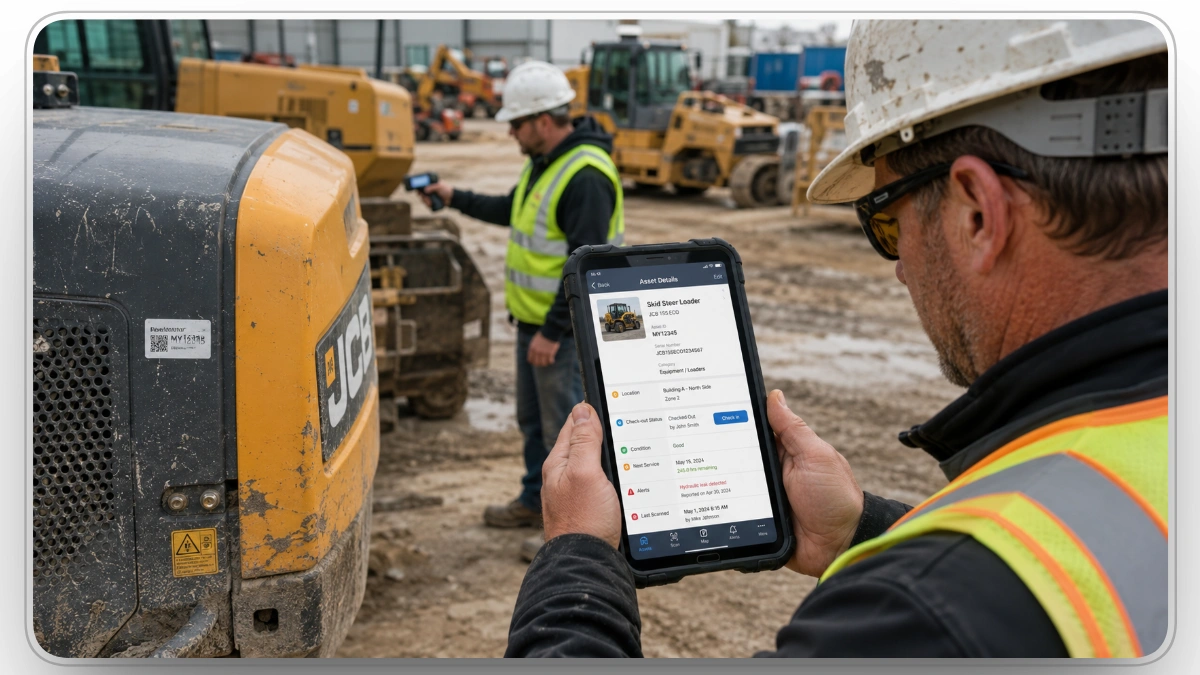
The barcode is just a label. The software is where asset management actually happens.
A dedicated barcode asset tracking software platform connects every scan to a centralized database, giving operations managers real-time visibility across their entire asset inventory. Core capabilities typically include:
- Asset Registry: A complete record of every tagged asset ID, description, serial number, purchase date, value, assigned location, and responsible party.
- Check-In / Check-Out: Track who has each asset and where it's going. Critical for tools, portable equipment, and any shared resources that move between teams or sites.
- Maintenance Scheduling: Link barcode scans to service records. When a technician scans a piece of equipment, they can immediately see its maintenance history, upcoming service intervals, and any open repair flags.
- Location Tracking: Know where every asset is at any given time by site, zone, building, or individual. When a scan is logged, the system timestamps it with the scanner's location.
- Audit and Inventory Count: Conduct physical inventory audits faster by scanning assets instead of manually checking lists. Barcode-based audits are dramatically faster and more accurate than paper-based counts.
- Reporting and Analytics: Generate reports on asset utilization, maintenance costs, depreciation, and audit compliance giving decision-makers the data they need to optimize equipment investment.
- Alerts and Notifications: Set automatic alerts for overdue maintenance, assets not returned on time, missing items, or warranty expiration dates.
For construction operations specifically, where equipment moves between job sites, undergoes heavy wear, and represents millions of dollars in capital investment, having all of this in one system accessible from the field via mobile is what transforms a barcode label from a sticker into a strategic management tool.
Clue is built specifically for construction operations not adapted from a generic inventory tool. It combines barcode scanning with GPS telematics from 80+ OEM integrations, preventive maintenance scheduling, and real-time fleet visibility across every job site. A foreman in the field can scan a piece of equipment, log a defect, and trigger a work order, all from the Clue mobile app, without calling the office.
Benefits of Barcode Asset Tracking
1. Dramatically Lower Error Rates
Manual data entry produces roughly 1 error per 300 characters. Barcode scanning reduces that to approximately 1 error per 10 million scans. For businesses tracking hundreds or thousands of assets, this difference eliminates the inventory discrepancies, duplicate purchases, and ghost assets that quietly drain budgets.
2. Faster Data Collection
A barcode scan takes under 3 seconds. A manual lookup takes 30–60 seconds. For teams conducting daily equipment checks, tool sign-outs, or periodic audits, this time savings accumulates quickly and translates directly into lower labor costs.
3. Minimal Training Required
Unlike RFID or GPS systems that require technical configuration and training, barcode scanning is intuitive. Any employee with a smartphone can scan a barcode. New staff are up and running within minutes, not days.
4. Low Implementation Cost
Barcode labels cost as little as 5 cents each. A basic handheld scanner starts around $100–$200. Combined with a cloud-based barcode asset management software subscription, most businesses can implement a full asset tracking barcode system for a fraction of the cost of RFID or IoT alternatives.
5. Improved Accountability
When every asset movement check-out, return, transfer, maintenance requires a barcode scan, there's a timestamped, user-attributed record of every interaction. This accountability reduces equipment loss, improves maintenance compliance, and creates an audit trail for regulatory or insurance purposes.
6. Scalable Across Any Asset Type
The same barcode tracking system that manages 50 power tools can scale to 5,000 pieces of heavy equipment across 20 job sites. As your operation grows, you print more labels and add assets to the database with no new infrastructure required.
Limitations of Barcode Asset Tracking
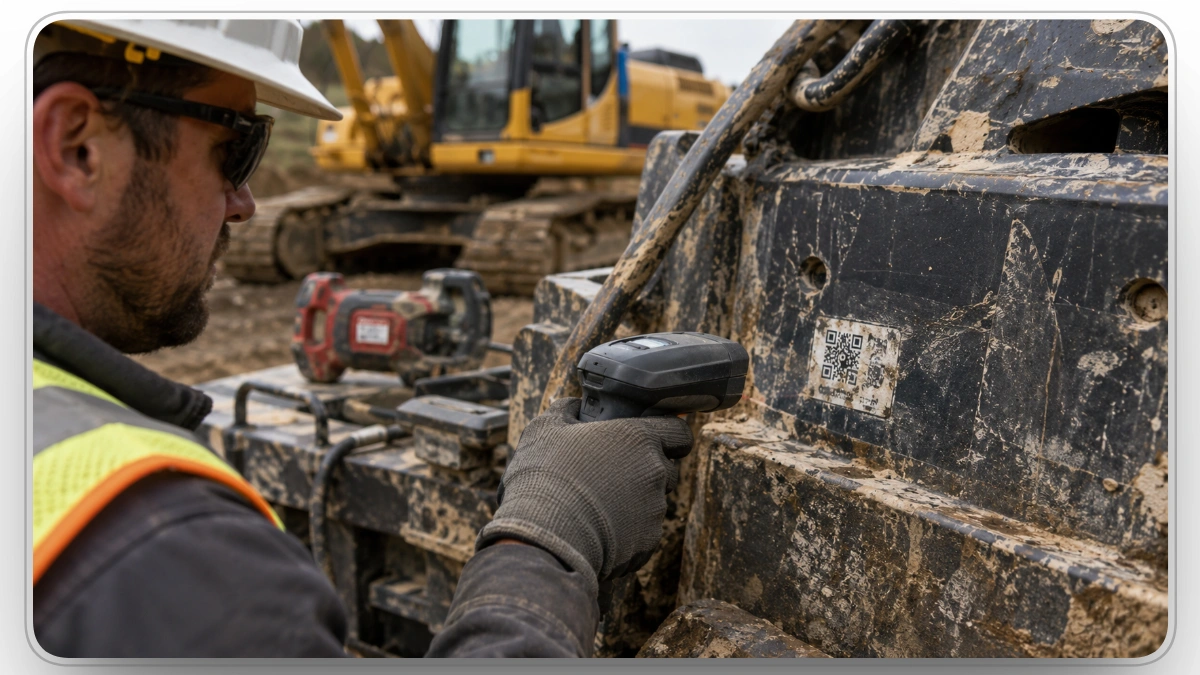
Barcodes are the most cost-effective asset tracking method available, but they come with trade-offs worth understanding before you implement a system.
1. Requires Line of Sight: Every barcode scan requires a clear, unobstructed view of the label. Unlike RFID, barcodes cannot be read through boxes, containers, or walls. In practice, this means every asset interaction requires a staff member to physically locate and scan each item individually; there's no passive, automated scanning.
2. Labels Can Be Damaged: Barcode labels applied to equipment in harsh environment construction sites, warehouses, manufacturing floors are exposed to moisture, dirt, UV, abrasion, and heat. A damaged 1D barcode can become completely unreadable. While 2D barcodes (QR codes, Data Matrix) tolerate up to 30% damage and remain scannable, label degradation is still a real operational issue that requires periodic inspection and replacement.
3. No Real-Time Passive Tracking: Barcodes only update an asset's record when someone actively scans them. If a piece of equipment moves between job sites without being scanned, the system won't reflect that change until the next manual scan. For operations that need continuous, passive location awareness, GPS telematics or RFID provide capabilities barcodes cannot.
4. One Item at a Time: Barcode scanners read one label per scan. For large-scale inventory counts involving hundreds or thousands of items, this is slower than RFID systems that can read dozens of tags simultaneously within seconds.
These limitations don't disqualify barcodes; they define where barcodes excel and where supplementing with GPS or RFID makes sense. For most construction operations, pairing barcode scanning for item-level records with GPS for real-time fleet location covers both gaps effectively.
Tracking small tools on a budget? See our guide to equipment and tool tracking with Apple AirTags.
How to Set Up a Barcode Asset Tracking System
Setting up a working barcode asset management system follows a consistent process regardless of industry or scale.
1. Inventory Your Assets
Compile a complete list of every asset you need to track including asset type, serial number, current location, assigned department, and purchase date. This becomes the foundation of your asset database.
2. Choose Your Barcode Format
For most operations, 2D barcodes (QR code or Data Matrix) are the recommended choice for their durability and data capacity. If you're integrating with a legacy 1D barcode system, Code 128 is the most widely compatible format.
3. Select Your Asset Tracking Software
Choose a platform that supports barcode scanning ideally one with a mobile app so field staff can scan from their phones. Look for features including check-in/check-out, maintenance scheduling, reporting, and integration with your existing ERP or construction fleet management software.
4. Generate and Print Barcode Labels
Assign a unique barcode to each asset in your software. Print labels using a label printer (standard desktop label printers work fine for most applications). For outdoor or heavy-use environments, print on durable polyester or aluminum stock.
5. Apply Labels to Assets
Attach labels in a consistent, accessible location on each asset. Document the placement standard so any team member knows where to find the tag.
6. Configure Your Hardware
Set up your scanners or configure the scanning app on mobile devices. Most modern asset tracking software with barcode scanner support will walk you through device pairing and permission setup.
7. Train Your Team
Barcode scanning requires minimal training. A 15-minute walkthrough covering how to scan, how to log an action (check-out, maintenance, transfer), and how to flag an issue is typically sufficient for most roles.
8. Conduct Your First Audit
Walk your asset inventory with a scanner and scan every tagged asset. This establishes a baseline in your system of confirmed locations, quantities, and conditions that all future tracking builds on.
How Much Does a Barcode Asset Tracking System Cost?
Barcode asset tracking is one of the most cost-effective asset management approaches available. Here's a realistic cost breakdown:
For most small to mid-size operations, the total setup cost for a functional barcode asset tracking system including labels, a scanner, and software is under $1,000. Ongoing costs are primarily software subscriptions and periodic label replacement.
Is Barcode Asset Tracking Right for Your Business?
Barcode asset tracking is the right choice when:
- Your assets live on job sites, in tool cribs, equipment job sites, or staging areas where teams physically interact with them daily
- Budget is a primary consideration barcodes are far cheaper than RFID or GPS per unit
- You need a fast, low-disruption implementation barcodes can be live within days, not weeks
- Your priority is accuracy and accountability over real-time passive tracking
- You're managing tools, IT assets, construction equipment, or fixed assets that move between people or locations but aren't constantly in transit
Consider upgrading to RFID or GPS-supplemented tracking if:
- You need to track hundreds of items simultaneously without line-of-sight scanning (RFID)
- You need real-time location of vehicles or equipment across large distances (GPS telematics)
- Your assets operate in environments where barcode labels would be destroyed or inaccessible
Many operations use barcode asset tracking and GPS together with barcodes for static identification and detailed asset records, GPS for real-time location of fleet vehicles and heavy equipment in the field. This combination gives you the accuracy and data richness of barcode systems with the location visibility of GPS.
Clue combines both. The Clue asset tracking platform integrates barcode scanning for detailed asset management with GPS telematics from 80+ OEM and third-party providers giving construction operations a unified view of every asset from the office or the field.
Wrap Up
Barcode asset tracking is one of the most proven, cost-effective methods for managing physical assets across any industry. It combines low implementation cost, high accuracy (error rates near 1 in 10 million scans), minimal training requirements, and compatibility with virtually any existing software infrastructure.
The core system barcode labels, a scanner or mobile device, and dedicated barcode asset management software can be operational within days and scale to any size operation without significant additional investment.
For construction, manufacturing, logistics, IT, and healthcare organizations, a well-implemented barcode asset tracking system eliminates the ghost assets, lost equipment, missed maintenance, and audit failures that add up to significant financial losses every year.
Ready to see how barcode asset tracking works inside a complete equipment management platform? Explore Clue's asset tracking solution built for construction operations that need barcode scanning, GPS telematics, maintenance scheduling, and real-time fleet visibility in one system.
FAQs
What is the difference between barcode asset tracking and inventory management?
Asset tracking focuses on individual, long-lived items each with its own unique record, maintenance history, check-in/check-out log, and lifecycle data. Inventory management tracks quantities of consumable or interchangeable items by SKU. Barcodes are used in both systems, but barcode asset tracking follows the journey of each specific item, while inventory management tracks how much stock you have on hand.
Can I use my smartphone as a barcode scanner for asset tracking?
Yes. Most modern smartphones can scan both 1D and 2D barcodes natively through the camera app or a free third-party scanning app. Many barcode asset tracking software platforms also include a dedicated mobile app with built-in scanning, making smartphones a practical and cost-free scanning solution for field teams who don't have dedicated hardware.
How durable are barcode labels on construction equipment?
Standard paper labels are not suitable for construction or industrial environments. For heavy equipment and job site use, choose laminated polyester or aluminum asset tags that resist moisture, abrasion, UV exposure, and temperature extremes. A properly selected label applied to a clean, flat surface on heavy equipment will typically last 3-5 years under normal field conditions.
What's the difference between barcode asset tracking and RFID?
Barcodes require line-of-sight scanning and process one tag at a time, making them ideal for controlled environments where staff physically access assets. RFID reads multiple tags simultaneously without requiring line of sight, from distances up to 15 meters. RFID is significantly more powerful but costs far more per tag and requires additional reader infrastructure. For most businesses, barcodes offer a better cost-to-value ratio.
How many assets can a barcode system manage?
There is no practical upper limit. Cloud-based barcode asset management platforms scale from a few dozen assets to hundreds of thousands across multiple locations. The only real constraints are the number of unique barcodes you generate and the labels you print, both of which cost very little to add as your operation grows.
What barcode format should I use for asset tags?
For any new implementation, a 2D Data Matrix or QR code is the recommended format. They store significantly more data than 1D barcodes, scan from any angle, remain readable even when partially damaged, and are scannable by any smartphone without dedicated hardware. If you need compatibility with a legacy 1D system, Code 128 is the most widely supported format.
What are the disadvantages of barcode asset tracking?
The main limitations are line-of-sight dependency, label vulnerability, and manual scanning requirements. Barcodes must be physically visible and scanned one at a time unlike RFID, which reads multiple tags passively. Labels can be damaged by moisture, abrasion, or heavy wear, and while durable label materials help, they add cost. Barcodes also don't provide real-time passive location data; an asset is only updated in the system when someone actively scans it.
Transform Your Equipment Management