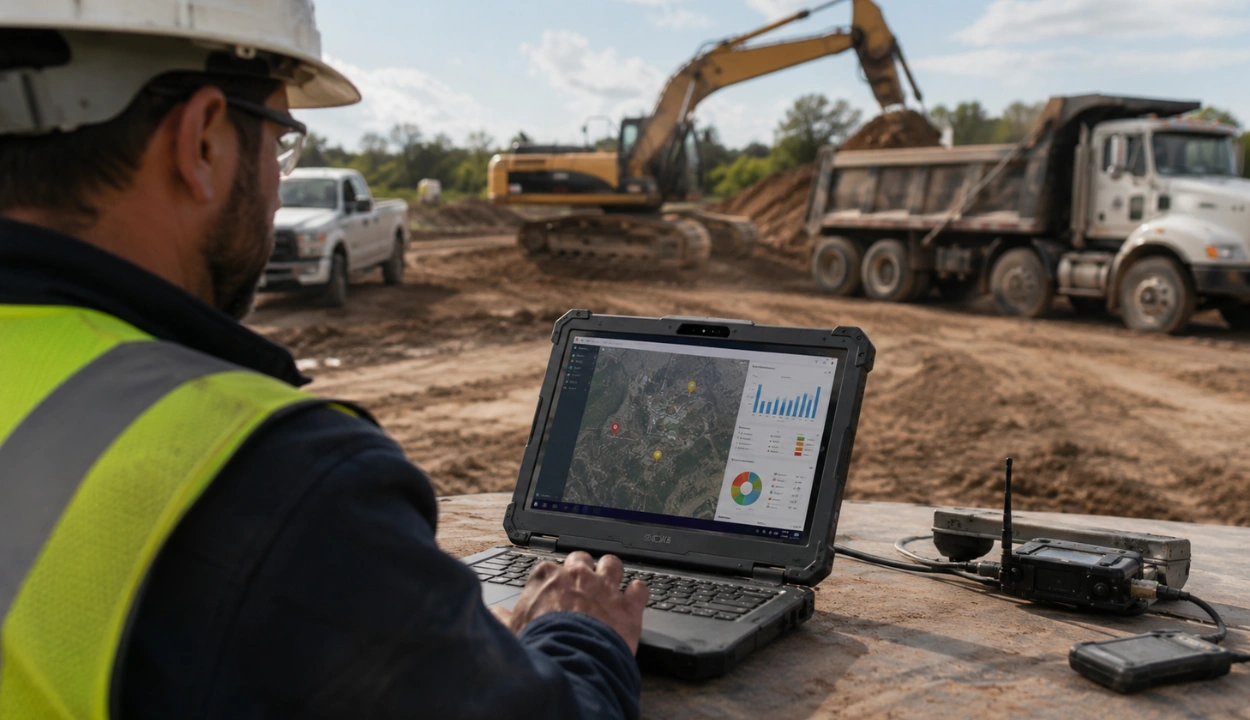
How to Prevent Construction Equipment Theft with GPS and Geofencing


Hi, I’m Maham Ali. I write about construction equipment management, helping teams use fleet data and maintenance intelligence to improve uptime, control costs, and run smoother jobsites.
Construction equipment theft has become one of the most damaging operational risks facing contractors today and it goes well beyond someone driving away with a skid steer.
Tools disappear overnight. Copper wire vanishes during active projects. Lumber stacks near perimeter fencing get cleaned out over long weekends. Components are stripped from equipment left unattended between shifts. And whole assets: excavators, generators, compact track loaders are hauled away on flatbeds by organized crews who have done this before.
According to the National Equipment Register (NER), heavy equipment theft alone costs the construction industry between $300 million and $1 billion annually in North America. When you add tool theft, material losses, fuel theft, downtime, rental replacements, and project delays, total industry losses exceed $1.5 billion per year.
This guide covers every meaningful prevention layer from physical security and operational discipline to GPS tracking, geofencing, and structured theft response. Because the contractors with the lowest losses don't rely on one measure. They layer them.
Types of Construction Site Theft
Most contractors think about theft as someone driving away with their excavator. The reality is broader and that matters for how you protect your assets.
1. Whole Equipment Theft
The most visible category. A machine like skid steer, mini excavator, generator, compact track loader is driven or hauled off the site entirely. This is what organized crime rings specialize in and what GPS tracking directly addresses.
2. Component and Parts Theft
Increasingly common and harder to detect. Thieves remove high-value components rather than the whole machine: hydraulic pumps, engines, GPS units, catalytic converters, attachments, and buckets. A hydraulic pump alone can be worth $8,000–$15,000 and fits in the back of a pickup. Your machine stays on-site but is completely inoperable and the loss often isn't discovered until the next work shift.
What to do: Engrave or stamp your company identifier on attachments and components individually. Document serial numbers and photograph components. Consider locking pins and anti-tamper fasteners on attachments.
3. Material and Supply Theft
Tools, copper wire, lumber, fuel, and raw materials are stolen at extremely high rates often by opportunists who never touch your equipment. The Department of Energy estimates copper theft alone costs approximately $1 billion annually. As lumber prices remain elevated post-2020, it has become one of the most stolen materials on active jobsites due to high resale value and low traceability.
What to do: Store materials inside locked containers or buildings when possible. Chain bulky materials like lumber bundles. Remove tools from the open view at the end of shift.
4. Unauthorized Use
Equipment is not taken but used without authorization by employees, subcontractors, or unauthorized personnel who access the site. This causes untracked wear, fuel consumption, potential damage, and operator liability issues. Many contractors don't discover this for weeks.
What to do: Hour meters, ignition monitoring via telematics, and operator assignment logs can identify unauthorized use patterns before they become costly.
5. Fuel Theft
Diesel theft from on-site fuel tanks is one of the most underreported theft categories in construction. A 500-gallon tank can disappear overnight with nothing but a fuel transfer pump and an unmarked truck. GPS and perimeter security address this indirectly but dedicated fuel monitoring sensors, locked tank cabinets, and fuel management software are the direct solution.
Why Construction Equipment is So Easy to Steal
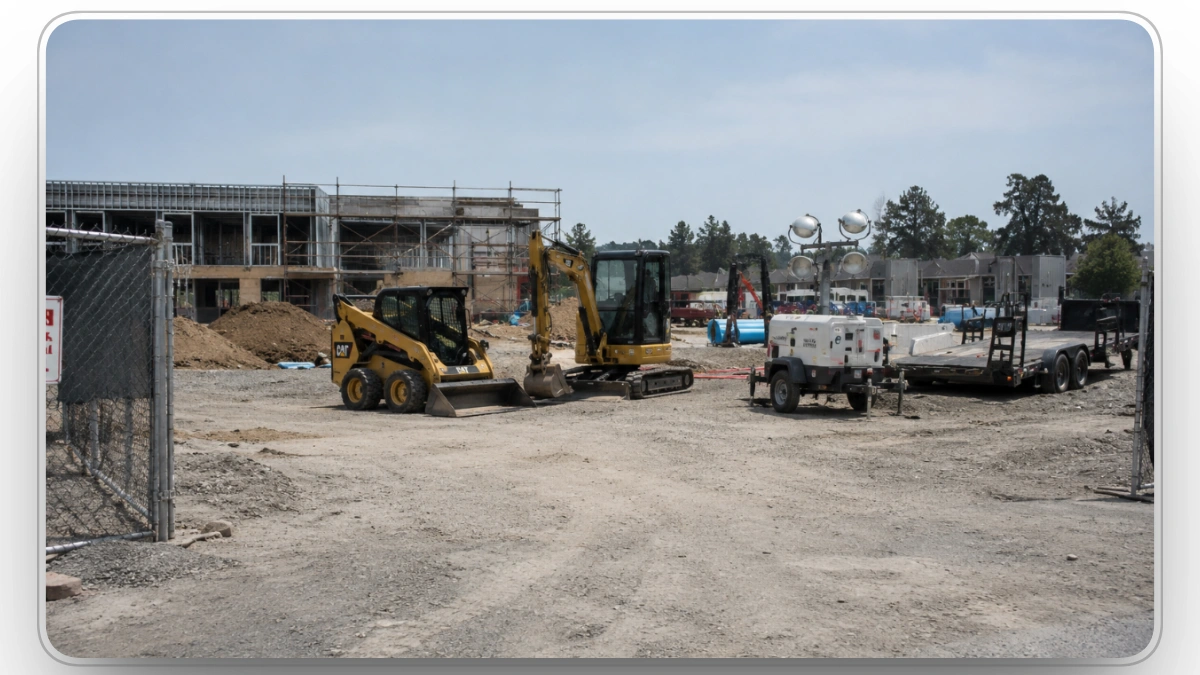
Understanding why heavy equipment is such an attractive target informs the entire prevention strategy. One of the most important insights in construction equipment theft data is timing. Roughly 70% of heavy equipment theft occurs between Friday evening and Monday morning.
The geography of theft matters. Texas consistently ranks as the most targeted state, accounting for a disproportionate share of national theft reports. North Carolina, Florida, California, and Georgia round out the top five highest-theft states. At the brand level, John Deere equipment leads theft volumes nationally, followed by Kubota, Bobcat, Caterpillar, and Toro. These aren't random patterns; organized theft rings target regions with active infrastructure spending and high equipment density, then move stolen assets across state lines before recovery can begin.
Theft timing extends beyond the Friday-to-Monday window. Equipment theft spikes around major holidays particularly Fourth of July and Labor Day, when sites are unattended for multiple consecutive days and law enforcement resources are stretched. If your fleet has no GPS coverage or geofencing protocols active over holiday weekends, those are your highest-exposure windows of the year.
Five structural factors converge to make it nearly perfectly suited to theft.
- Open access and weak ignition security: Many skid steers, backhoes, and compact loaders ship with universal keys, meaning one key from one machine often starts thousands of identical models from the same manufacturer. Thieves keep small key rings of these "universal" keys and can drive entire fleets away with one bag of hardware. Cab doors are frequently unlocked because operators don't expect intruders on an active jobsite.
- High value, easy transport: A new compact track loader retails for $50,000 to $90,000. Mini excavators run $40,000 to $120,000. Generators can hit $25,000 to $150,000 for trailer-mounted units. These machines are heavy but mobile. A flatbed trailer and a competent driver can haul one anywhere in the country in a day. The value-to-weight ratio is far more favorable than, say, stealing copper wire.
- No standardized identification: Unlike passenger cars, heavy equipment has no nationally mandated VIN. Manufacturers use product identification numbers (PINs) in seven or more different locations on a skid steer, and thieves know which to grind off. There is no DMV equivalent that titles and tracks ownership. The National Equipment Register exists and is excellent, but registration is voluntary, and most contractors don't know about it.
- Unmanned worksites: Many jobsites are lightly staffed or unattended after hours and over weekends. Perimeter fencing is often partial or non-existent, especially on infrastructure projects spread over large areas. Lighting is minimal. Cameras, when present, are not always monitored in real time. This creates a 60-hour window every week when a thief can operate with effectively zero risk of human intervention.
- Organized crime rings, not opportunists: Modern construction equipment theft is increasingly professional. Recent prosecutions reveal organized rings traveling across state lines, targeting multiple sites in coordinated operations, using rented trucks, master keys, and pre-scouted staging locations to move equipment before dawn.
When you add these five factors together, the result is predictable: high-value, easily-stolen, hard-to-recover assets sitting unattended for 60+ hours a week in an industry that has never had federally enforced anti-theft standards. GPS and geofencing don't fix all five factors, but they directly attack three of them (no standard ID, unmanned sites, organized crime) and they meaningfully change the odds on the other two.
What GPS Tracking Actually Does on Construction Sites
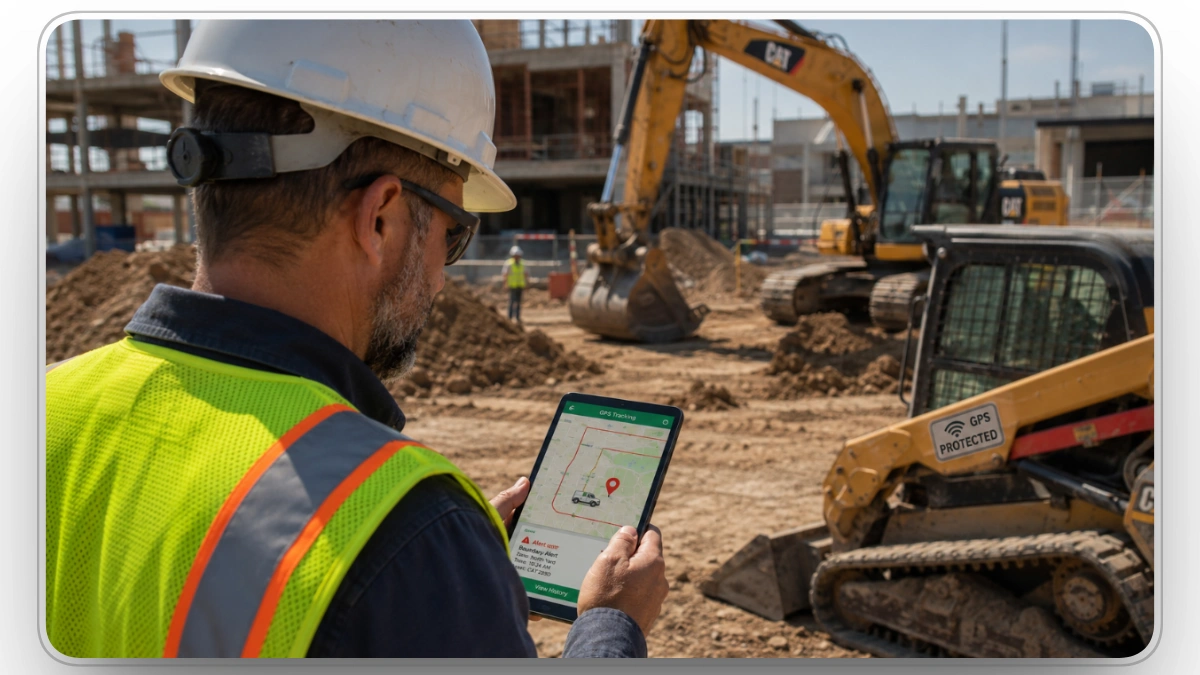
Construction equipment tracking software helps prevent equipment theft through three connected layers: deterrence, real-time detection, and recovery support.
1. Deterrence
Visible GPS decals reduce theft risk before equipment is even targeted. Organized theft crews prefer untracked machines because disabling trackers increases exposure time and operational risk.
This is why many contractors use visible “GPS Protected” decals even when the tracker itself is hidden internally. The decal discourages theft attempts; the device supports tracking and recovery.
2. Real-Time Detection Through Geofencing
Geofencing turns GPS tracking from passive visibility into active theft detection.
Virtual boundaries are placed around jobsites, yards, staging areas, or transport routes. When equipment crosses those boundaries unexpectedly, alerts are triggered immediately.
This dramatically reduces detection delays. Instead of discovering theft hours or days later, contractors can identify unauthorized movement within minutes while equipment is often still nearby or actively in transit.
3. Recovery Assistance
When theft does occur, GPS tracking changes recovery from a delayed investigation into a live operational response.
Teams can provide:
- Real-time equipment location
- Movement history
- Route activity
- Current transport direction
This significantly improves recovery speed before equipment is hidden, dismantled, or resold. Movement logs and geofence history also support insurance claims, investigations, and incident documentation.
The three layers work together. Deterrence lowers targeting risk, geofencing shortens detection time, and live tracking improves recovery outcomes. Weakening one layer reduces the effectiveness of the others.
How Geofencing Changes Theft Prevention
GPS tracking alone only shows where equipment is after someone checks the system. Asset geofencing changes that by continuously monitoring equipment movement against predefined operational rules.
Contractors can create geofences around:
- Jobsites
- Equipment yards
- Fuel storage areas
- Staging compounds
- Approved transport routes
Once those boundaries are configured, the system automatically evaluates whether equipment movement is expected or abnormal.
For example:
- A skid steer leaving the site at 2 PM may be normal
- The same movement at 2 AM becomes a high-priority event
- A trailer deviating from an approved transport route can trigger immediate escalation
- Equipment entering an unauthorized zone can signal misuse or theft risk
This matters because most equipment theft succeeds during the delay between movement and detection. Geofencing removes much of that delay by turning movement into a real-time operational event instead of a discovery made hours later.
Modern platforms are also expanding geofencing beyond theft alerts alone.
Within Clue, construction asset geofence activity can automatically update equipment status, validate whether assets actually arrived on-site, and trigger operational workflows tied to dispatch and equipment movement. Instead of relying on supervisors to manually confirm locations, movement history becomes system-generated and continuously updated.
How to Set Geofencing Up Properly
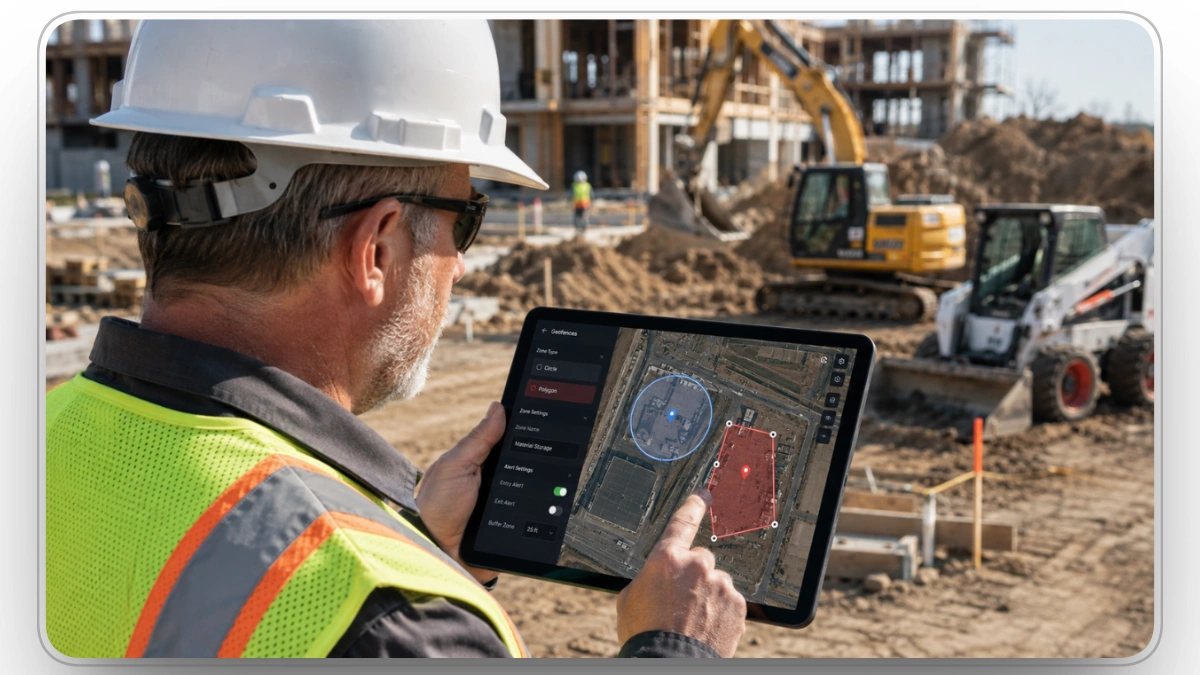
This is the section most managers get wrong. Geofencing is conceptually simple but operationally easy to misconfigure in ways that create alert fatigue or miss genuine thefts.
Here's how to do it right.
What a Geofence Actually Is
A geofence is a polygon (or circle) of GPS coordinates that defines a "zone" in software. The fleet management platform, whether that's Clue's asset geofencing module, an OEM telematics dashboard, or a third-party tracker app with GPS integration, continuously compares each tracked asset's GPS position against every defined zone. When an asset crosses a boundary (either entering or exiting), the platform triggers whatever rule has been attached to that crossing.
Geofences can be created using GPS coordinates, RFID anchors, Wi-Fi zones, or cellular network triangulation. For construction applications, GPS is the standard because it works in remote areas without depending on local network infrastructure.
Circle Geofences vs Polygon Geofences
The simplest setup is a circle geofence. Contractors place a pin on a map and apply a radius around it. This works reasonably well for small equipment yards, compact storage areas, or fixed compounds with predictable layouts.
The problem is that construction jobsites are rarely shaped like circles. Roadwork, utility corridors, subdivisions, and large infrastructure projects create irregular boundaries that circular zones handle poorly. Equipment can move significant distances within a large radius before triggering alerts, creating blind spots and unnecessary operational noise.
Polygon geofences solve this by allowing contractors to draw exact site boundaries that match the actual project layout. This improves movement detection precision and reduces false alerts caused by oversized radius zones.
Tight Zones Beat Loose Zones
Counterintuitively, smaller geofences are better than larger ones. A loose geofence drawn around the entire property creates dead zones where equipment can be moved a hundred yards toward the exit without firing an alert. A tight geofence drawn around the active work area or the equipment parking zone catches movement immediately, and that early warning is everything.
The best practice is to draw geofences tightly around active work zones rather than the entire site perimeter. This reduces false alerts from equipment legitimately stored at site edges and ensures any meaningful movement gets flagged immediately.
Time-Based Rules
A single geofence with one rule is a weak defense. The best deployments use layered rules that depend on the time of day and day of week.
Recommended rule set:
- Weekdays, 6 AM - 6 PM: Movement allowed. Log only, no alert.
- Weekdays, 6 PM - 6 AM: Any movement triggers an alert.
- Weekends and federal holidays: Any movement, any time, triggers a high-priority alert.
- Pre-announced authorized transfers: Temporarily suspended via dispatch approval.
This eliminates the alert fatigue problem that kills most geofence programs. When the foreman moves a skid steer at 2 PM on a Tuesday, nobody gets paged. When the same machine moves at 2 AM on a Saturday, everyone with authority gets a notification within 30 seconds.
Multi-Zone Coverage for Mobile Assets
A single piece of equipment that rotates between multiple jobsites should be covered by multiple geofences simultaneously.
Modern platforms allow this without extra configuration. The asset is "inside" Site A's geofence when it's there, and "inside" Site B's geofence when it moves to Site B. An exit from either zone outside scheduled transfer windows triggers an alert.
For equipment that travels routinely between sites, also create geofences along common authorized routes. If a tracked excavator leaves the route corridor while in transit, that's an alert too.
The 6-Step Setup Checklist
- Map your sites and zones: List every active jobsite, equipment yard, fuel depot, and staging area. For each, you'll create at least one geofence.
- Choose geometry: Polygon for irregular shapes; circle for compact areas.
- Set the boundary tightly: Draw the geofence around the actual asset parking/work zone, not the legal property line.
- Define time-window rules: Working hours = log only. Off-hours and weekends = alert.
- Assign assets and recipients: Group equipment by site, assign appropriate geofences, and route alerts to dispatchers, equipment managers, and on-call superintendents.
- Test and tune: Drive a tracked vehicle across each boundary during off-hours to confirm alerts fire correctly. Adjust boundaries that produce false positives.
This setup typically takes a fleet manager 30-60 minutes per site for the first deployment and 5 minutes per site for subsequent sites once the templates are established.
Three GPS Tracking Approaches Contractors Use
Most construction fleets rely on one of three GPS tracking approaches, depending on equipment age, fleet complexity, and theft risk.
1. OEM Telematics Systems
Many manufacturers now ship equipment with embedded telematics systems such as:
- Caterpillar Product Link
- John Deere JDLink
- Komatsu Komtrax
These systems pull data directly from onboard ECUs and CAN bus networks, giving contractors access to machine-level operational data including engine diagnostics, fuel consumption, runtime, and utilization.
The biggest advantage is data depth. OEM systems can monitor machine behavior far beyond basic location tracking.
The limitation is fragmentation. Mixed fleets often end up managing multiple OEM portals, different alert structures, and inconsistent reporting formats across manufacturers.

2. Hardwired Aftermarket GPS Devices
Hardwired aftermarket trackers are installed independently and connected directly to equipment power systems.
They are commonly used for:
- Older equipment
- Mixed-brand fleets
- Rental equipment
- Support assets
These systems prioritize flexibility and broad compatibility. Most support:
- Ignition detection
- Movement monitoring
- Tamper alerts
- Power-loss notifications
For contractors managing diverse fleets, this remains the most common tracking architecture because it allows standardized visibility across equipment types regardless of manufacturer.
3. Battery-powered Covert Trackers
Covert trackers are designed specifically for theft recovery rather than day-to-day fleet monitoring.
These devices are typically:
- Hidden from view
- Independent from machine power
- Compact and difficult to locate
They are heavily used on:
- Trailers
- Generators
- Attachments
- High-risk mobile equipment
Many advanced contractors now deploy dual-tracker strategies using both visible and covert devices simultaneously. The visible tracker supports operational monitoring, while the hidden backup tracker remains active if organized theft crews disable the primary unit.
Not sure which platform to use for tracking? See our breakdown of the top construction equipment theft prevention software to compare leading options.
Choosing the Right GPS Hardware
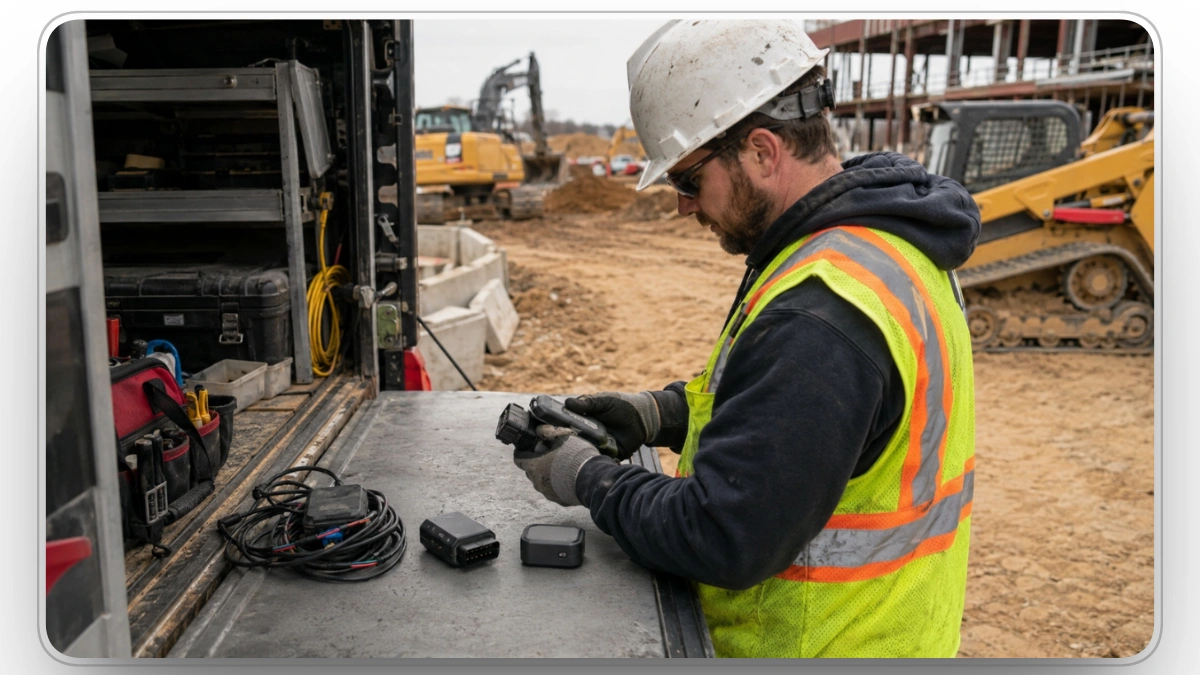
Not every GPS tracker is right for every piece of equipment. There are three main categories, each with distinct use cases.
Hardwired Trackers (12V / 24V)
- What they are: Devices wired directly into the equipment's electrical system, typically connected to constant 12V power, ground, and an ignition-switched circuit.
- Best for: Heavy construction equipment: excavators, dozers, loaders, compactors, dump trucks, and any "yellow iron" that lacks an OBD-II port. Also the right choice for any asset where tamper resistance matters more than redeployment flexibility.
- Pros: Tamper-resistant (hidden behind the dash or in the engine bay), universal compatibility across any 12V or 24V system, supports advanced features like PTO monitoring and J1939/J1708 engine bus integration, and does not require routine charging.
- Cons: Requires 15-30 minutes of professional installation, harder to move between equipment.
OBD-II Plug-In Trackers
- What they are: Devices that plug into the OBD-II diagnostic port found in vehicles manufactured after 1996.
- Best for: Service trucks, pickups, work vans, light-duty fleet vehicles. Useful when you need engine diagnostics in addition to location.
- Pros: Installation in under 30 seconds, easily redeployed between vehicles, reads engine codes, fuel level, and battery voltage.
- Cons: Visible to drivers and easily unplugged, doesn't work on most heavy equipment (no OBD-II port), single point of failure.
Battery-Powered Portable Trackers
- What they are: Self-contained devices with internal batteries lasting anywhere from 90 days to 18 months, often with magnetic mounting for steel surfaces.
- Best for: Trailers, generators, light towers, attachments, rental equipment, seasonal machines that sit idle for long periods, and "hidden secondary" trackers placed in non-obvious locations on high-value equipment that already has a primary hardwired unit.
- Pros: Zero installation effort (mounts quickly with no wiring required), covert placement, works on any asset including ones without power, weatherproof IP65+ housings handle construction conditions.
- Cons: Requires periodic battery management (or recharge cycles), update frequency typically lower to preserve battery life.
Not sure which hardware fits? Learn what tracker tags do in equipment tracking.
The Most Stolen Construction Equipment
If you're rolling out GPS coverage progressively (and most are, due to budget reality), prioritize the equipment thieves actually target.
Tier 1 - Highest Theft Risk
- Skid steer loaders: The most-stolen construction asset class, easy to load, universal key problem. Bobcat, Cat, John Deere, Case, and Kubota are all targeted heavily. The "Loader" category in NER data, which includes front-end, tracked, wheeled, skid steer, and backhoe variants, dominates national theft statistics.
- Compact track loaders (CTLs): Same profile as skid steers, increasingly popular and increasingly stolen as sales volume has surged.
- Mini excavators: High resale value, easy to transport on a standard tag trailer.
- Generators and light towers: Trailer-mounted, easy to hook to a pickup truck and drive away in under 5 minutes. Stand-alone units are the favorite target on highway and infrastructure projects.
Tier 2 - Medium Risk
- Backhoes: Slower to move than skid steers but high value.
- Full-size excavators: Harder to transport without specialized equipment, but high-dollar targets for organized rings.
- Dump trucks and work trucks: Easily driven away, often with materials still loaded.
- Air compressors: Trailer-mounted units, similar profile to generators.
Tier 3 - Lower direct risk
- Wheel loaders, dozers, graders: Too large and slow for opportunistic theft but stolen in organized operations.
- Forklifts and telehandlers: Common at material yards and large sites.
Why GPS Tracking Alone Still Fails
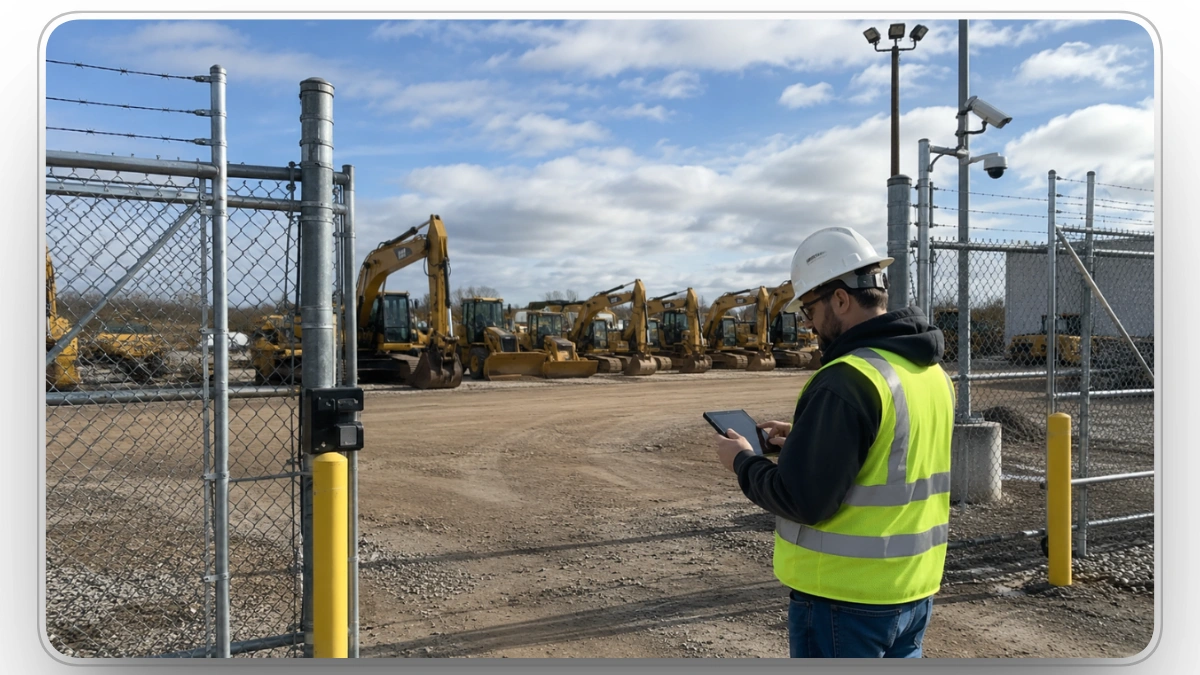
Technology alone does not prevent theft. The contractors who experience the lowest losses are the ones who layer multiple deterrents so that defeating any single measure doesn't grant unimpeded access. Here is the full layered model.
- Layer 1 - Perimeter fencing: Chain-link with barbed or razor wire at top is the minimum standard for sites storing equipment overnight. Anti-climb fencing with tamper-resistant fixings is appropriate for high-value sites.
- Layer 2 - Heavy-duty locks and gates: Hardware-store padlocks can be cut with bolt cutters in under 10 seconds. Use shrouded disc locks or commercial-grade padlocks rated for resistance.
- Layer 3 - Motion-activated lighting: One of the most cost-effective deterrents in security. Thieves prefer darkness; bright, motion-triggered lighting fundamentally changes the risk calculus.
- Layer 4 - Cameras and surveillance: Fixed cameras with cellular uplink, supplemented by mobile camera trailers for sites without power infrastructure. AI-monitored video that distinguishes between vehicles and animals reduces false alarms.
- Layer 5 - Access control: Sign-in/sign-out logs, keycards for permanent yards, visitor logging. Especially important for sites with subcontractors coming and going.
- Layer 6 - Asset marking and registration: Register every piece of equipment with the NER (National Equipment Register). With more than 24 million records, the NER helps law enforcement identify recovered equipment, sometimes before the owner even knows it's stolen. Also etch or weld your company identifier onto multiple locations on each machine.
- Layer 7 - GPS and geofencing: The digital layer this guide focuses on.
- Layer 8 - Immobilizers and kill switches: Increasingly common on newer OEM equipment, available as aftermarket installs on older machines. Even if a thief gets the machine moving, kill switches stop it within seconds.
- Layer 9 - Visible signage: "GPS Tracked," "24/7 Monitored," and "Video Surveillance In Progress" signs are deterrents in their own right. Thieves scout signage before they scout equipment.
- Layer 10 - Operational discipline: Daily check-in/check-out logs for equipment, end-of-shift parking procedures (park machines in formation, blocking each other to slow theft), and explicit holiday-weekend security plans.
GPS sits in the middle of the stack. It is neither the first line nor the last. But it's the only layer that follows the asset once a thief has gotten past everything else. Many physical security layers lose value once the site perimeter is breached. GPS keeps working.
Clue connects geofencing, asset tracking, inspections, dispatch, and equipment records into one operational workflow.
Because theft response depends on coordination speed, not just location visibility.
The Insider Theft Problem Contractors Underestimate
External theft rings get the headlines, but a significant portion of construction theft is committed by employees, subcontractors, and authorized site visitors. The dynamics are different, but the financial impact is comparable.
How it happens:
- Tools and small equipment "walk off" gradually over weeks or months
- Fuel is siphoned incrementally across many shifts
- Operators take machines off-site for unauthorized side jobs
- Subcontractors remove materials during deliveries or pickups
- Authorized visitors use site access to scout high-value equipment for later external theft
How GPS and telematics help:
Telematics systems that track equipment hours, ignition events, and movement can flag after-hours machine operation even without a geofence alert. An excavator that logs 4 hours of runtime on a Sunday when no work was scheduled is a red flag worth investigating.
What non-technical controls help:
- Encourage anonymous reporting. Workers who see suspicious behavior rarely speak up without a safe, anonymous channel. Many thefts are known to site crews well before management becomes aware.
- Plan deliveries to supervised time windows. One of the most common theft windows is unattended deliveries materials sitting on-site before anyone has checked them in. Schedule deliveries when supervisors are present to sign off on quantities.
- Use sign-in/sign-out logs for tools and small equipment, not just large machines. When workers know items are inventoried, opportunistic theft declines sharply.
Why the First 15 Minutes Determine Recovery Outcomes
One of the biggest misconceptions in construction equipment theft is that recovery depends mainly on GPS accuracy. In reality, recovery success is usually determined by how the first 15-30 minutes are handled after unauthorized movement begins.
This is where many fleets fail operationally. GPS trackers are installed, but no structured response process exists around them. As a result:
- Alerts go unread
- Movement remains unverified
- Escalation happens too slowly
- Police reporting starts too late
Once stolen equipment reaches temporary staging areas, transport corridors, or secondary trailers, recovery rates decline rapidly.
High-performing fleets handle this window differently by following structured response procedures immediately after a geofence breach or unauthorized movement alert.
Minute 0-5: Verify the movement
The first step is confirming whether the movement is legitimate before escalation begins.
Teams typically:
- Check dispatch schedules
- Verify operator assignments
- Review transport activity
- Confirm maintenance pickups or planned relocations
This matters because false escalations quickly reduce trust in alerts and slow future response behavior.
Minute 5-10: Escalate and preserve operational data
If movement is unauthorized, escalation needs to happen immediately.
This includes:
- Notifying operations leadership
- Contacting law enforcement
- Beginning live GPS monitoring
- Preserving movement history and timestamps
- Pulling camera footage where available
At this stage, preserving operational data becomes critical. Theft crews often move equipment rapidly between trailers, temporary lots, or industrial staging locations before longer-distance transport begins.
Minute 10-15: Analyze movement behavior
Experienced recovery teams begin looking for movement patterns instead of simply tracking location.
Organized theft crews rarely move equipment randomly. Common patterns include:
- Short moves to temporary staging sites
- Trailer-to-trailer transfers
- Stops near industrial storage areas
- Movement toward highways, ports, or border routes
At this stage, GPS tracking becomes less about locating the machine and more about predicting where it is likely heading next.
The Rental Equipment Problem Most Fleets Underestimate
Rental equipment creates additional theft exposure because ownership and operational control become separated. Many contractors assume rental providers are already handling tracking, transport verification, and equipment visibility, but in practice, major gaps appear once equipment begins moving between jobsites, vendors, and third-party transporters.
Common problems include:
- Incorrect pickup authorization where equipment is released to unverified transport providers
- Weak chain-of-custody validation during rental transfers and off-site movement
- Delayed return awareness when equipment fails to arrive or remains unaccounted for after scheduled return periods
- Temporary staging losses where rental assets sit unattended between projects or deliveries
- Incomplete utilization visibility caused by rented equipment operating outside centralized fleet tracking systems
These visibility gaps create ideal conditions for theft, unauthorized use, and rental fraud because movement activity often appears operationally legitimate.
This is why more contractors are extending GPS tracking, telematics, and geofencing policies beyond owned equipment.
Clue helps contractors geofence rental assets by drawing virtual boundaries around jobsites, yards, haul roads, and restricted zones. Once a rental asset enters or leaves a geofence, Clue records the movement, updates assignments, tracks dwell time, and alerts teams to unauthorized or after-hours movement.
This helps contractors reduce unnecessary rental days, catch unauthorized movement, prevent assets from sitting idle on the wrong site, and maintain a timestamped movement history for billing, audits, disputes, and theft response. Clue also records arrivals, departures, zone entries, and movement trails for operational reviews and insurance documentation.
Why Most GPS Deployments Underperform and How to Fix It
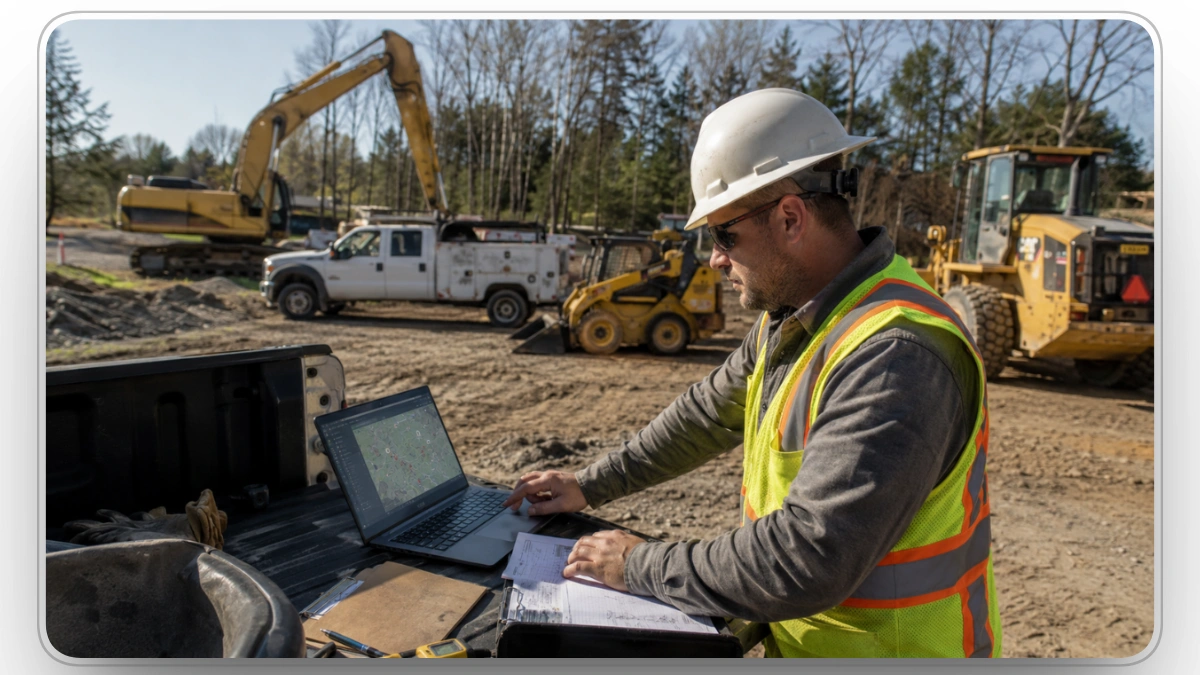
Most construction fleets do not struggle with installing GPS hardware. They struggle with what happens after deployment.
The gaps that cause failures are almost always operational, not technical:
- Geofences configured too broadly, creating alert fatigue and delayed detection
- Mixed fleets split across disconnected OEM portals and GPS providers with no unified view
- Escalation ownership unclear during after-hours alerts
- Rental and subcontracted equipment operating outside centralized visibility
- Transit movement creating chain-of-custody gaps between sites
- Tracking data arriving without connected workflows for dispatch, inspections, or maintenance
GPS tracking alone shows where a machine moved. Contractors also need connected workflows to confirm whether movement was authorized, whether equipment reached the correct destination, and whether the response was triggered quickly enough to matter.
This is why theft prevention increasingly depends on connected workflows, not tracking data alone.
Clue turns whatever GPS hardware or OEM telematics you already own into a single connected security and operations system. Whether you have CAT VisionLink, John Deere Operations Center, Komatsu Smart Construction, or third-party trackers on rental assets, Clue integrates with 80+ systems and gives you unified geofencing, alerts, and reporting in one pane of glass.
Already invested in trackers or OEM telematics? Clue layers on top. Starting from scratch? Deploy GPS hardware and Clue together.
Final Thoughts
Construction equipment theft is no longer a simple perimeter-security problem.
It is an operational visibility problem driven by delayed awareness, fragmented systems, and inconsistent response procedures.
That is where Clue fits into modern construction operations, not simply as tracking software, but as a connected system where GPS visibility, inspections, dispatch, maintenance, and equipment records work together.
Because the faster contractors can connect movement data to operational action, the harder equipment becomes to steal unnoticed.
FAQs
1. Can GPS tracking create employee privacy risks on construction sites?
Yes. Tracking becomes a privacy concern when it identifies individual employees or continues outside work hours. Limit data access, be transparent with operators, disable tracking off-hours, and review your local privacy laws before deployment.
2. How can contractors protect GPS trackers from cyberattacks?
GPS trackers are IoT devices and vulnerable beyond physical tampering. Use multi-factor authentication, role-based access, updated firmware, and retire unused devices. An unsecured tracker is a liability, not an asset.
3. What happens if GPS signals are jammed or spoofed?
A jammed tracker can report false locations, stop reporting, or misfire geofence alerts. Use trackers with GPS, GLONASS, and cellular fallback. Treat sudden signal loss as a theft indicator.
4. Should remote jobsites use cellular, satellite, or hybrid tracking?
Cellular works where 4G LTE is strong. Remote highways, rural projects, and mining sites need satellite or hybrid. Choose based on jobsite location, alert speed needed, and asset value.
5. Can AI reduce false geofence alerts?
Yes, when the system uses context. Basic geofences fire on any boundary crossing creating noise. AI evaluates movement against schedules, asset type, and patterns before alerting, meaning fewer false alarms and faster response to real ones.
6. How does GPS tracking prevent rental fraud and non-returned equipment?
Not all theft happens at 2 AM. Equipment disappears through fictitious pickups and unreturned rentals. GPS creates a verifiable movement record, confirms deliveries, flags overdue returns, and builds a custody trail for disputes and claims.
7. What insurance details matter beyond GPS discounts?
GPS movement history accelerates claims and reduces disputes. Review whether your policy covers equipment on-site, in transit, in storage, and during rentals since many policies treat rented equipment differently from owned assets.
8. How long should contractors keep GPS and geofence data?
Keep data for at least 12 months to cover claims, disputes, and investigations. Beyond 24 to 36 months the value drops and privacy risk increases. Document your retention policy and confirm your platform supports scheduled deletion.
Transform Your Equipment Management