IoT Fleet Management for Construction Fleets: Benefits, Challenges & Practical Solutions


Hi, I’m Maham Ali. I write about construction equipment management, helping teams use fleet data and maintenance intelligence to improve uptime, control costs, and run smoother jobsites.
Most construction teams already have plenty of equipment data. Telematics portals, GPS trackers, inspection apps, fuel reports, OEM dashboards, service logs, and spreadsheets all produce signals. The problem is that too much of that information sits in separate systems, where it looks useful but does not change what happens on the jobsite.
That is where IoT fleet management becomes important.
In construction, IoT fleet management means using connected equipment, sensors, telematics, mobile inputs, and jobsite data to understand where assets are, how they are being used, what condition they are in, and what needs attention next. It is not a cleaner dashboard for the office. It is a tighter operating system for the field.
Today, AI makes this more practical. Modern construction fleet management software can analyze patterns across an entire fleet, flag developing issues, and help teams make faster decisions without searching through multiple portals or spreadsheets. The data your equipment already generates becomes genuinely useful instead of just available.
What IoT Fleet Management Actually Means in Construction
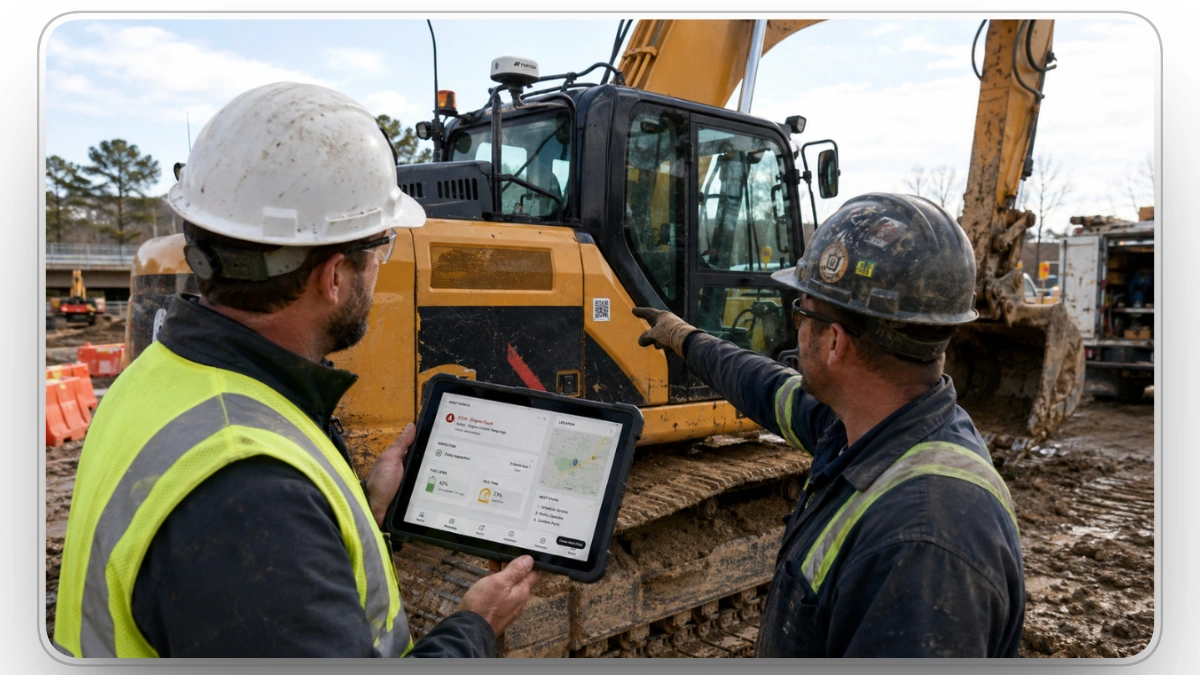
IoT fleet management connects physical assets to digital workflows. The physical side includes GPS trackers, telematics devices, engine diagnostics, onboard sensors, inspection forms, fuel systems, mobile apps, camera systems, Bluetooth tags, barcodes, and geofences.
The workflow side is where the value happens: maintenance, dispatch, inspections, utilization, fuel planning, theft prevention, asset allocation, safety, and jobsite coordination.
That sounds simple until it touches construction.
A logistics fleet usually follows planned routes and predictable operating patterns. A construction fleet does not. A crawler excavator may dig for three hours, idle for one, wait on pipe crews, move to another jobsite, trigger a fault code, pass through a geofence, and still appear “active” because the engine ran most of the day.
That is the trap with shallow IoT reporting. Activity is not productivity. The location is not ready. Runtime is not valuable.
Why Location Data is Not Enough
Many teams start IoT planning with devices. That is fine for procurement, but weak for operations.
The useful unit is the event.
A GPS ping is not useful by itself. A fault code is not useful by itself. A failed inspection is not useful by itself. Each signal needs context before anyone can act.
For the basics behind all of this, read our primer on telematics and its significance in construction.
A construction IoT event needs four parts:
- Signal: What happened? Fault code, idle spike, low fuel, geofence exit, failed inspection, abnormal runtime, or location change.
- Context: Which asset, which jobsite, which task, which crew, and what production impact?
- Owner: Who needs to act? Mechanic, fleet manager, dispatcher, operator, supervisor, parts lead, or vendor.
- Next step: Work order, inspection, reassignment, service schedule, parts request, security review, or no action.
Without those four pieces, IoT becomes another alert stream. The system may be connected, but the operation remains fragmented.
Why Construction Fleets Need a Different IoT Model
Construction fleets rarely operate from a single system. Assets move between jobsites, rental units come and go, OEM telematics vary by manufacturer, and some equipment still depends on manual inspection records.
A standard fleet tracking model does not fully fit that environment.
Mixed Fleets Create Data Problems
Most contractors do not run one equipment brand.
A single fleet may include:
- Caterpillar
- Deere, Komatsu
- Volvo, CASE
- Hitachi
- JCB
- Kenworth
- Ford
- Ram, generators, trailers, light towers, attachments, compact assets, and rented equipment.
Each source may report data differently. One OEM portal may provide engine hours and fault codes. Another may provide location and runtime but limited diagnostics. Aftermarket devices may fill gaps but use different naming, intervals, and data formats.
This creates a quiet reporting problem. Teams may believe they have fleet visibility when they actually have brand-by-brand visibility.
The construction industry has pushed toward better data exchange through standards such as ISO 15143-3, which supports standardized worksite data from earth-moving equipment. That helps, but standards do not solve the entire operational issue. Contractors still need one workflow that normalizes the data and makes it usable across teams.
“Real Time” Should Not Mean “Alert Everyone.”
Real-time visibility sounds valuable, but construction teams need discipline around urgency.
Not every signal needs an immediate alert. A geofence exit may require fast review. A critical fault on a production asset may need immediate maintenance triage. A non-critical service reminder may belong in the weekly schedule. A pattern of idle spikes may need utilization analysis, not a panic notification.
Poor alert logic creates noise. Good alert logic protects attention.
A practical alert model should separate:
- Critical alerts: Safety risk, severe fault, theft risk, active production threat.
- Action alerts: Failed inspection, PM due, fuel issue, abnormal usage, missing assignment.
- Planning signals: Rising idle time, low utilization, repeat service issues, asset imbalance.
- Review items: Incomplete records, stale location data, inconsistent operator inputs.
This structure keeps urgent work urgent and prevents every dashboard notification from becoming background noise.
Equipment Health Should Be Prioritized by Production Risk
A fault code does not carry the same weight in every situation. A minor issue on an idle asset in the yard may not need immediate action. The same issue on an excavator feeding multiple crews may need fast review because the jobsite depends on it.
That is where construction IoT needs more than technical severity. It needs operational priority.
A useful priority model should consider:
- Asset criticality
- Current assignment
- Jobsite dependency
- Backup availability
- Fault severity
- Safety exposure
- Parts availability
- Expected downtime risk
- Crew impact
Equal alerting is easy. Useful prioritization is harder, and much more valuable.
Clue is a construction equipment operations platform that helps teams bring telematics, inspections, maintenance, dispatch, utilization, and asset visibility into one connected workflow, so fleet data can support real decisions instead of living across scattered portals.
.webp)
How IoT Fleet Data Should Move Through the Operation
A good IoT system has layers. Each layer has a job. If one layer breaks, the whole program loses value.
1. Data Capture Layer
This is where information starts.
Data may come from:
- OEM telematics
- Aftermarket GPS devices
- Engine diagnostics
- Fuel systems
- Tire pressure sensors
- Cameras
- Inspection forms
- Operator inputs
- Barcode or QR scans
- Bluetooth tags
- Mobile apps
- Geofences
- Maintenance records
This layer gets the most attention during buying decisions, but it does not create value by itself. Devices capture signals. Operations create results.
2. Connectivity Layer
Connectivity moves data from assets to the platform. Cellular, Wi-Fi, Bluetooth, satellite, and gateway-based systems may all be used depending on the jobsite.
Construction creates its own problems here:
- Remote areas with weak service
- Underground or dense urban work
- Assets moving between regions
- Temporary yards
- Rental units with unfamiliar devices
- Delayed mobile sync from field teams
- Mixed telematics providers
A device that works well in a demo may behave differently on a rural road project, a quarry, or a congested city site. IoT planning has to account for the real working environment.
3. Workflow Layer
This is where most IoT programs either succeed or stall.
A failed inspection should not sit inside an app. A serious fault code should not wait inside an OEM portal. A recurring idle pattern should not live only inside a monthly report.
The workflow layer connects signals to:
- Work orders
- Maintenance schedules
- Dispatch decisions
- Inspection follow-up
- Parts planning
- Asset reassignment
- Fuel review
- Security response
- Utilization analysis
IoT does not reduce downtime because a sensor exists. It helps when the sensor changes what the team does next.
4. Decision Layer
The decision layer turns patterns into management action.
It helps leaders answer:
- Which assets should be moved, rented, replaced, or sold?
- Which jobsites show the worst idle behavior?
- Which asset classes are overloaded?
- Which PM schedules do not match actual usage?
- Which equipment is available but not producing value?
- Which locations generate repeat inspection failures?
- Which data sources are reliable enough for reporting?
This is where IoT moves from field visibility to fleet strategy.
The Metric Most Teams Miss: Signal-to-Action Time
One of the most useful IoT metrics is the time between a signal and the next real action.
For example:
- Fault appears at 8:10 AM.
- The operator notices at 8:30 AM.
- The supervisor reports it at 9:00 AM.
- Work order is created at 10:15 AM.
- The technician is assigned at 1:00 PM.
- Parts are requested at 3:30 PM.
The system may have detected the issue early, but the operation still lost most of the day. That delay is the signal-to-action gap.
Reducing that gap is one of the clearest ways IoT improves fleet performance.
Key Benefits of IoT Fleet Management in Construction

The benefits of IoT are usually listed as tracking, maintenance, safety, fuel, and compliance. Those are accurate, but incomplete. In construction, the benefit depends on whether the signal improves field execution.
Faster Issue Detection
IoT helps teams detect problems earlier through fault codes, inspection failures, engine alerts, abnormal idle patterns, low battery warnings, high temperature readings, and unexpected utilization changes.
The value is not just knowing sooner. It is known early enough to prevent a larger production hit.
A small hydraulic issue found during inspection can be scheduled. The same issue is ignored until failure may stop an active crew, force a rental replacement, and delay downstream work.
Better Utilization Across Jobsites
Many contractors deal with the same contradiction: one jobsite is short on equipment while another has assets sitting unused.
IoT helps expose that imbalance by showing:
- Assigned versus unassigned assets
- Runtime versus idle time
- Location by jobsite
- Usage by equipment category
- Days since last movement
- Engine hours compared with planned work
- Rented assets with low productive use
This matters before buying or renting more equipment. The first question should not be, “Do we need another asset?” It should be, “Are we using the current fleet correctly?”
Reduced Idle Time and Fuel Waste
Idle time is one of the easiest losses to hide because the asset looks active. The engine is running, hours are accumulating, and fuel is burning, but no useful work may be happening.
The U.S. Department of Energy has treated idle reduction as a fuel and emissions priority, and heavy-duty diesel idling is commonly estimated around 0.8 gallons per hour in truck applications. Construction equipment varies by asset type and load, but the operating lesson is the same: idle-heavy work burns cost without producing progress.
IoT helps identify whether idle time is tied to:
- Waiting on haul cycles
- Poor staging
- Operator standby
- Delayed instructions
- Congested work zones
- Fueling delays
- Crews not ready for assigned assets
- Equipment left running during breaks
The fix is not always telling operators to idle less. Sometimes the cause is dispatch, sequencing, site layout, or weak coordination between crews.
Stronger Maintenance Planning
IoT improves maintenance planning by connecting usage, condition, inspection results, and fault data. That helps teams move away from maintenance schedules based only on calendar intervals.
A better maintenance model considers:
- Actual engine hours
- Runtime intensity
- Fault history
- Failed inspection trends
- Idle-heavy usage
- Jobsite conditions
- Repeat component issues
- Upcoming project assignments
This makes service planning more realistic. An asset working long shifts in dust, heat, or heavy load conditions should not be treated the same as an asset with light intermittent use.
Better Security and Asset Control
Construction theft remains a major concern because assets are spread across jobsites, yards, laydown areas, and temporary locations. IoT helps by adding geofences, movement alerts, location history, unauthorized-use detection, and after-hours monitoring.
The strongest security programs use IoT to answer three questions fast:
- Where was the asset last seen?
- Did it move outside an approved area?
- Who was responsible for reviewing the alert?
A location alert without ownership still leaves room for delay. Security value comes from fast validation and response, not tracking alone.
The Real Challenges Behind IoT Fleet Management

IoT fleet management sounds clean in theory. Install devices, collect readings, review dashboards, and improve the fleet. That version misses the part that usually breaks first.
The hard part is not connecting equipment. The hard part is keeping the system accurate, trusted, and useful after the rollout excitement fades.
Many construction teams launch IoT with good intent, then slowly drift back into old habits because records go stale, alerts become noisy, reports conflict with field reality, or no one owns the next step.
1. Data Fragmentation
Construction fleet information often lives in too many places. The telematics portal has engine hours. The inspection app has failed checklist items. The maintenance spreadsheet has service history. The fuel platform has transaction data. The dispatcher has equipment assignments. The jobsite team has the real story.
Each system may be technically correct, but incomplete.
For example, a skid steer may look available in one platform, overdue for service in another, assigned to a project in a spreadsheet, and physically parked at the yard because a failed inspection was never escalated. The asset exists in four versions at once.
That creates bad decisions.
What fragmented records cause:
- Equipment appears available when it is not ready.
- Maintenance teams miss issues logged outside their system.
- Dispatchers assign assets without knowing inspection status.
- Fleet leaders underestimate idle time and standby losses.
- Reports look complete but do not reflect field conditions.
The fix is a shared operating record that connects location, condition, assignment, and service status. Without that, teams keep arguing over which system is telling the truth.
2. Weak Alert Ownership
A common IoT mistake is assuming that sending an alert means the issue has been handled.
It has not.
An alert only creates awareness. Someone still has to validate it, prioritize it, assign the next step, and record the outcome. If ownership is unclear, alerts become background noise.
This is especially risky with diagnostic faults. A system may flag an issue, but the field team may not know whether the asset can finish the shift, whether parts are available, or whether the equipment should be pulled from production.
A useful alert record should include:
- Severity
- Asset name
- Jobsite
- Time detected
- Current operating status
- Assigned owner
- Required response
- Escalation rule
- Resolution note
Without that structure, real-time data still produces delayed response.
3. Inconsistent Field Adoption
IoT programs fail when they are designed for office reporting and pushed onto field teams later.
Operators, mechanics, foremen, and dispatchers need a system that fits how work actually happens. If inspections take too long, they get rushed. If alerts are confusing, they get ignored. If mobile forms fail in weak service areas, teams create side notes. If users do not see value, they treat the system as admin work.
That is how clean technology becomes dirty data.
Field adoption improves when:
- Forms are short enough to complete honestly.
- Required fields are limited to what matters.
- Offline use works where connectivity is weak.
- Alerts use plain operational language.
- Mechanics can see fault context before arriving.
- Supervisors know which issues affect production.
- Teams get feedback when their inputs lead to repairs, reassignment, or planning changes.
The field does not need more software chores. It needs fewer blind spots.
4. Device and Data Reliability
IoT devices are not magic. They fail, disconnect, lose power, send delayed updates, report inconsistent locations, or get installed on the wrong asset.
That is not a reason to avoid IoT. It is a reason to manage device health like part of the fleet.
A tracker that has not been reported in five days creates a blind spot. A sensor with unreliable runtime data can distort utilization reports. A device assigned to the wrong asset can poison reporting for months.
Track device health with the same discipline as equipment health:
- Last check-in time
- Battery status
- Data freshness
- Asset-device match
- Signal quality
- Installation date
- Firmware version
- Exception history
Bad device data creates false confidence. That is worse than having no data because it makes the wrong decision look informed.
5. Cybersecurity and Access Control
Every connected device adds a digital access point. That does not mean IoT is unsafe. It means access control needs to be treated as part of fleet governance.
Fleet systems contain sensitive information: asset locations, routes, jobsite activity, service history, operator behavior, utilization patterns, and project movement. If access is loose, the exposure is real.
A practical security model should include:
- Role-based permissions
- Multi-factor authentication
- Device tamper detection
- Encrypted data transfer
- Vendor security review
- Regular firmware updates
- User access audits
- Clear offboarding when employees leave
Construction teams already understand physical security. Gates, yards, locks, cameras, and storage controls are normal. Connected fleet systems need the same mindset, just applied digitally.
Practical Solutions for Construction Fleet Teams

IoT fleet management works best when it starts with operational problems, not technology shopping.
The question should not be, “What devices can we install?” The better question is, “Which fleet decisions are currently slow, wrong, or invisible?”
Once that is clear, technology has a job.
Start With the Five Decisions That Matter Most
A construction team does not need every possible data point on day one. It needs reliable answers to the decisions that affect cost, uptime, utilization, and production.
Start with these five:
- Where is the asset?
This supports dispatch, recovery, rental control, and jobsite coordination. - Is it ready to work?
This requires inspection status, maintenance status, fuel level, and fault visibility. - Is it being used productively?
This looks beyond engine hours into idle time, runtime, assignment, and task context. - Does it need service soon?
This connects usage, preventive maintenance schedules, diagnostics, failed inspections, and parts planning. - Is there a risk that requires response?
This includes theft risk, geofence movement, severe diagnostics, unsafe operation, and repeat failures.
If the system cannot answer these questions clearly, adding more devices will not fix the operating problem.
Build the Operating Process Before Scaling Devices
Many contractors scale hardware too quickly. They install devices across the fleet, then realize no one has agreed on alert rules, naming standards, inspection categories, escalation paths, or reporting ownership.
That is backwards.
A better rollout starts with process design.
Before scaling, define:
- Asset naming rules
- Site naming rules
- Device assignment process
- Inspection failure categories
- Fault escalation levels
- Work order triggers
- Preventive maintenance logic
- Idle review cadence
- Geofence rules
- Data owner by department
- Weekly exception review process
This prevents the common pattern where the first month produces excitement and the third month produces confusion.
Use a Pilot That Reflects Real Complexity
Do not test IoT on the easiest group of assets. That proves very little.
A useful pilot should include enough complexity to expose real problems:
- Multiple asset types
- At least two jobsites
- Mixed OEM data
- One rental asset category
- Active maintenance activity
- Operators with different tech comfort levels
- Weak connectivity conditions if those exist in normal work
- Assets with different utilization patterns
The goal of a pilot is not to prove the technology works in perfect conditions. The goal is to find where the process breaks before scaling.
A good pilot should measure:
- Data accuracy
- Alert quality
- Field adoption
- Maintenance response time
- Idle trend visibility
- Inspection completion rate
- Work order creation speed
- Device reliability
- Dispatcher usefulness
- Reporting confidence
If the pilot only measures whether devices are transmitting, it is too shallow.
Create an Alert Decision Tree
Alert rules should be designed like operating logic, not generic notifications.
Every alert should answer: who cares, how fast, and what happens next?
Critical Fault on Assigned Production Equipment
- Notify maintenance manager and site supervisor.
- Create an immediate review task.
- Check backup asset availability.
- Confirm whether the asset can finish the shift.
- Add the fault to maintenance history.
- Escalate if no response is recorded within the required window.
Failed Daily Inspection
- Create a corrective item.
- Assign severity.
- Block use if safety-related.
- Schedule repair if non-critical.
- Track whether the same issue repeats within 30 days.
Excessive Idle Pattern
- Review by jobsite, crew, shift, and asset class.
- Compare against the production schedule.
- Identify whether the cause is operator behavior, staging, dispatch timing, or site congestion.
- Adjust planning before blaming the operator.
Geofence Exit After Hours
- Notify the assigned owner.
- Validate authorized movement.
- Check recent operator or dispatch notes.
- Escalate to security response if movement is not confirmed.
This kind of logic keeps alerts useful. It also prevents teams from treating every notification like an emergency.
What to Track Before You Call the Program Successful
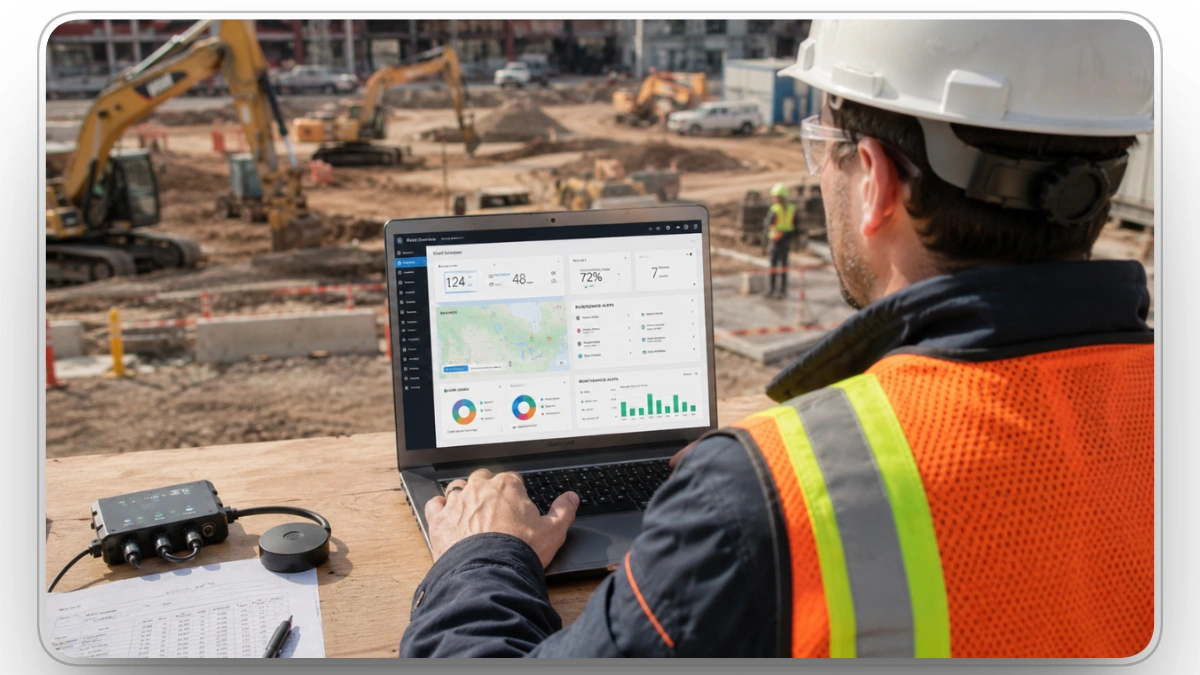
IoT success should not be measured by how many assets are connected. That is a vanity metric.
A connected fleet can still be poorly managed.
The better measurement is whether the system improves the decisions that affect uptime, cost, utilization, and accountability.
Core IoT Fleet Management KPIs
1. Signal-to-Response Time
Track how long it takes for a field event to become a reviewed, assigned, or resolved item. This shows whether the system is improving response speed, not just detecting problems earlier.
2. Alert Resolution Rate
Do not just track how many alerts are created. Track how many are reviewed, assigned, resolved, dismissed, or escalated. This separates useful alerts from noise.
3. Asset Readiness Rate
This measures the percentage of assets that are available, inspected, assigned correctly, and not blocked by maintenance or missing dependencies. Availability alone is too narrow. Readiness is more useful for construction.
4. Idle Cost by Jobsite
Instead of tracking idle time only by asset, review it by location. That shows whether the issue is tied to operator behavior, poor sequencing, staging constraints, dispatch delays, or site layout.
5. Preventive Maintenance Compliance
IoT should improve preventive maintenance discipline by connecting service schedules to actual equipment usage. Track whether preventive work is completed on time and whether late service correlates with breakdowns.
6. Repeat Fault Rate
A repeat diagnostic issue usually means the root cause was not fixed. Track recurring fault patterns by asset, component, site, and equipment class.
7. Rental Utilization
Rental assets deserve special attention because the cost clock runs whether they are productive or not.
Track:
- Days on rent
- Runtime
- Idle time
- Jobsite assignment
- Last movement
- Maintenance holds
- Return eligibility
A rented asset sitting idle is not a small miss. It is a daily margin leak.
Where Clue Fits in the IoT Fleet Execution Layer
For IoT programs, Clue fits best at the execution layer. It helps construction teams connect equipment signals to the workflows that determine whether a fleet actually runs better: inspections, work orders, preventive maintenance, dispatch, utilization review, and fault response.
That matters because most contractors do not have a data shortage. They have a coordination problem. Equipment data may live in OEM portals, telematics systems, inspection forms, spreadsheets, and maintenance records.
Clue helps bring those inputs into a single operating view so teams can see asset status, location, service needs, assignment, and utilization without jumping between disconnected systems.
Clue features for IoT fleet management include:
The goal is not to replace every source of equipment data. The goal is to make that data usable across the teams that run the work. In a strong IoT setup, failed inspections become service items, fault codes move into maintenance review, equipment location supports dispatch, and utilization trends inform fleet planning.
How to Build a Practical IoT Fleet Management Roadmap
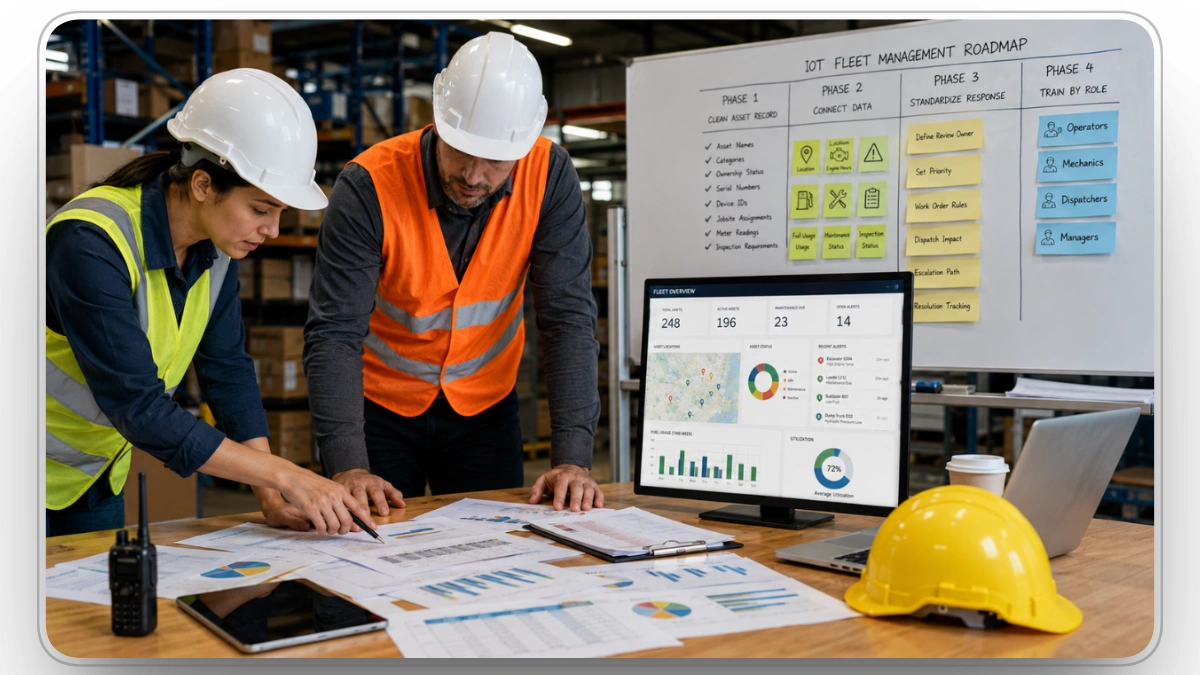
A strong roadmap should move in phases. Trying to solve every problem at once usually creates a messy rollout and weak adoption.
Phase 1: Clean the Asset Record
Start with the fleet list. If the asset record is wrong, every report after it is suspect.
Clean:
- Asset names
- Categories
- Ownership status
- Rental status
- Serial numbers
- Device IDs
- Jobsite assignments
- Maintenance ownership
- Meter readings
- Inspection requirements
This is boring work. It is also where serious IoT programs are won.
Phase 2: Connect the Highest-Value Data First
Do not connect everything just because it is available.
Prioritize the feeds that support immediate decisions:
- Location
- Engine hours
- Fault codes
- Inspection status
- Maintenance status
- Work order status
- Fuel usage
- Idle time
- Jobsite assignment
Add more later once the core operating process is stable.
Phase 3: Standardize the Response Path
This is where teams define what happens when equipment information enters the system.
For each input, define:
- Who reviews it
- What priority it receives
- When it becomes a work order
- When it affects dispatch
- When it blocks equipment use
- When it escalates
- How resolution is recorded
No response path means no accountability.
Phase 4: Train by Role, Not by Feature
- Training should not be a long software walkthrough. People need to know what the system changes about their job.
- Operators need to know how inspections, alerts, and usage inputs affect equipment readiness.
- Mechanics need to know how diagnostics, inspection history, and work orders help them plan service.
- Dispatchers need to know how location, readiness, and utilization affect assignment decisions.
- Managers need to know which reports support fleet planning, rental control, and uptime improvement.
- Role-based training beats feature-based training every time.
Practical Mistakes to Avoid
Mistake 1: Treating IoT as an IT Project
IT matters, but IoT fleet management is an operations project with technical support. If operations do not own the process, the system will become another reporting layer.
Mistake 2: Tracking Too Much Too Soon
More information does not mean better control. Start with the inputs needed for maintenance, dispatch, readiness, utilization, and risk. Expand after adoption is stable.
Mistake 3: Ignoring Manual Field Inputs
Not every important issue comes from a sensor. Operator notes, inspection comments, mechanic findings, and supervisor updates still matter. The best systems combine automated readings with structured field input.
Mistake 4: Using One Benchmark Across All Assets
A generator, excavator, pickup, trailer, compressor, and crane should not be judged by the same utilization logic. Benchmarks must reflect asset type, job role, operating schedule, and criticality.
Mistake 5: Reporting Without Weekly Review
IoT reports lose value when no one reviews exceptions. High idle assets, stale device check-ins, missed service, low-use rentals, and repeat faults should be reviewed every week so the system keeps driving better decisions.
Final Takeaway
IoT fleet management can change how construction teams manage equipment, but only when it is built around real operating decisions.
The strongest systems do not stop at location tracking or equipment alerts. They connect asset status, inspection results, diagnostics, utilization, maintenance, dispatch, fuel, and jobsite context into one practical operating model.
That is the difference between having connected assets and running a connected fleet.
Clue supports that shift by helping contractors connect IoT fleet data to the workflows that matter most.
IoT does not fix a weak process by itself. It exposes where the process is weak. The contractors who win with it are the ones who turn those findings into disciplined execution.
Frequently Asked Questions
What construction assets can be included in IoT fleet management?
IoT fleet management can include heavy equipment, service trucks, trailers, generators, compressors, light towers, attachments, and other high-value field assets. The setup depends on the asset type. Powered equipment may use telematics or engine data, while trailers, attachments, and smaller assets may use GPS trackers, Bluetooth tags, QR codes, or barcode-based records.
Who should own IoT fleet alerts inside a construction company?
IoT fleet alerts should not belong to one person by default. Ownership should depend on the alert type. Maintenance should own fault codes and failed inspections. Dispatch should own location and assignment issues. Operations should own utilization exceptions. Security or management should own after-hours movement and geofence alerts. Clear ownership prevents alerts from becoming ignored notifications.
How accurate is IoT fleet data on remote jobsites?
IoT fleet data can be accurate on remote jobsites, but it depends on connectivity, device quality, installation, update frequency, and whether the platform can handle delayed syncs. Weak cellular coverage, underground work, dense urban areas, and temporary jobsite setups can affect reporting. Contractors should check data freshness before relying on any report for a major decision.
What should contractors clean up before adding IoT devices?
Contractors should clean their asset list before adding more devices. Asset names, serial numbers, categories, ownership status, rental status, jobsite assignments, meter readings, and maintenance responsibility should be accurate. If the asset record is messy, IoT data will only make the reporting mess faster and more visible.
Can IoT fleet management help control rental costs?
Yes. IoT fleet management can help control rental costs by showing which rented assets are active, idle, assigned, underused, or ready to return. The biggest rental waste often comes from assets that stay on rent after the jobsite need has passed. Tracking location, runtime, and last movement helps teams return equipment sooner and avoid unnecessary rental spend.
How often should construction teams review IoT fleet data?
Construction teams should review exceptions weekly, not every single data point daily. A good review should focus on stale device check-ins, low-use rentals, repeat faults, high idle assets, missed preventive maintenance, failed inspections, and equipment assigned to a jobsite but not moving. This keeps the review practical instead of turning it into dashboard babysitting.
What is the first sign an IoT fleet program is not working?
The first sign is usually a trust gap. Field teams stop believing the data, managers stop reviewing reports, alerts pile up without resolution, or equipment status in the system does not match reality on the jobsite. When that happens, the issue is rarely the idea of IoT itself. It is usually poor setup, weak ownership, bad records, or a rollout that ignores field workflows.
Transform Your Equipment Management