What is Construction Facility Management Software and its Checklist


Hi, I’m Maham Ali. I write about construction equipment management, helping teams use fleet data and maintenance intelligence to improve uptime, control costs, and run smoother jobsites.
Construction facility management is a critical component of project execution, focused on the efficient oversight of assets, equipment, and resources from start to finish. This process involves tracking, maintaining, and utilizing machinery and materials to meet project deadlines, stay within budget, and adhere to safety and regulatory standards.
Managing the operational aspects of a construction site requires careful coordination. As projects grow in scale and complexity, the need for effective management becomes increasingly vital to prevent delays, and reduce costs. Facility management addresses these challenges by ensuring that equipment is functioning optimally, maintenance is scheduled proactively, and safety protocols are met.
In this blog, we will explore how modern tools and systems support construction teams in effectively managing these resources, minimizing downtime, and improving overall project outcomes.
What is Construction Facility Management Software?
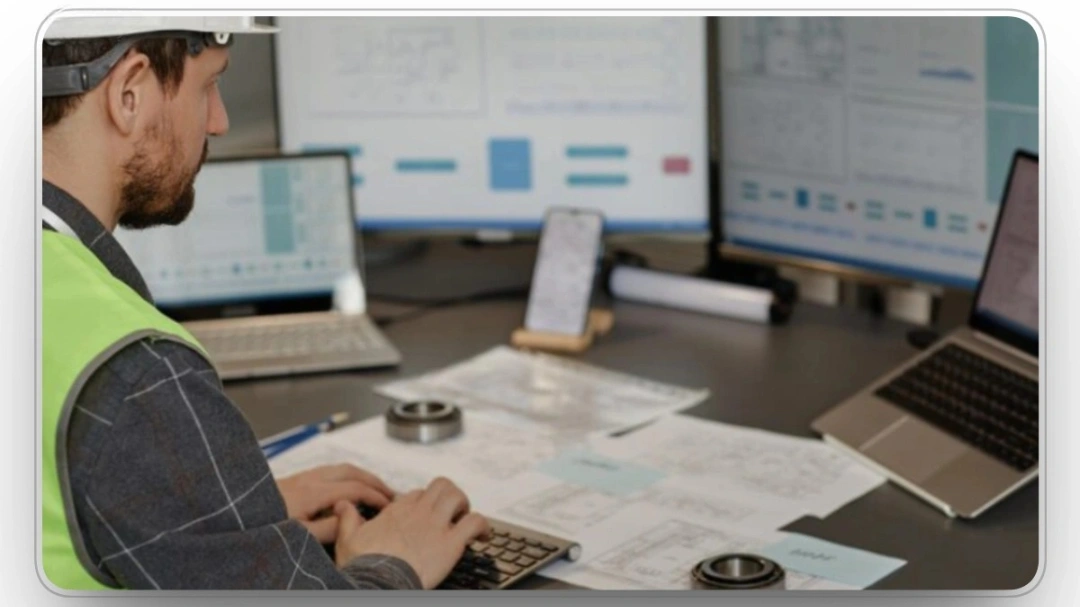
Construction facility management software is a system designed to optimize the management of assets, equipment, maintenance, and resource allocation across construction projects. It centralizes data related to asset tracking, preventive maintenance, work orders, and compliance, providing real-time insights and streamlining operational workflows. The software enhances efficiency by automating tasks, improving coordination, and enabling data-driven decision-making to reduce downtime and operational costs.
Why Construction Projects Need Facility Management Software
Construction projects are often complex, involving coordination between contractors, project managers, subcontractors, and various other stakeholders. Managing this complexity manually can lead to inefficiencies, miscommunications, and missed deadlines.
In fact, studies have shown that poor communication and coordination contribute to nearly 48% of all rework on U.S. construction projects, costing roughly $31.3 billion annually in avoidable rework costs.
Facility management software helps tackle these challenges by automating processes, centralizing data, and ensuring that all parties are working with the same, up-to-date information. The software optimizes workflows, reducing the time spent on administrative tasks, so teams can focus on executing work efficiently.
From tracking equipment usage to scheduling preventive maintenance, it ensures all resources are managed effectively, improving overall project delivery and minimizing costly delays.
Construction Facility Management Software vs CMMS vs EAM
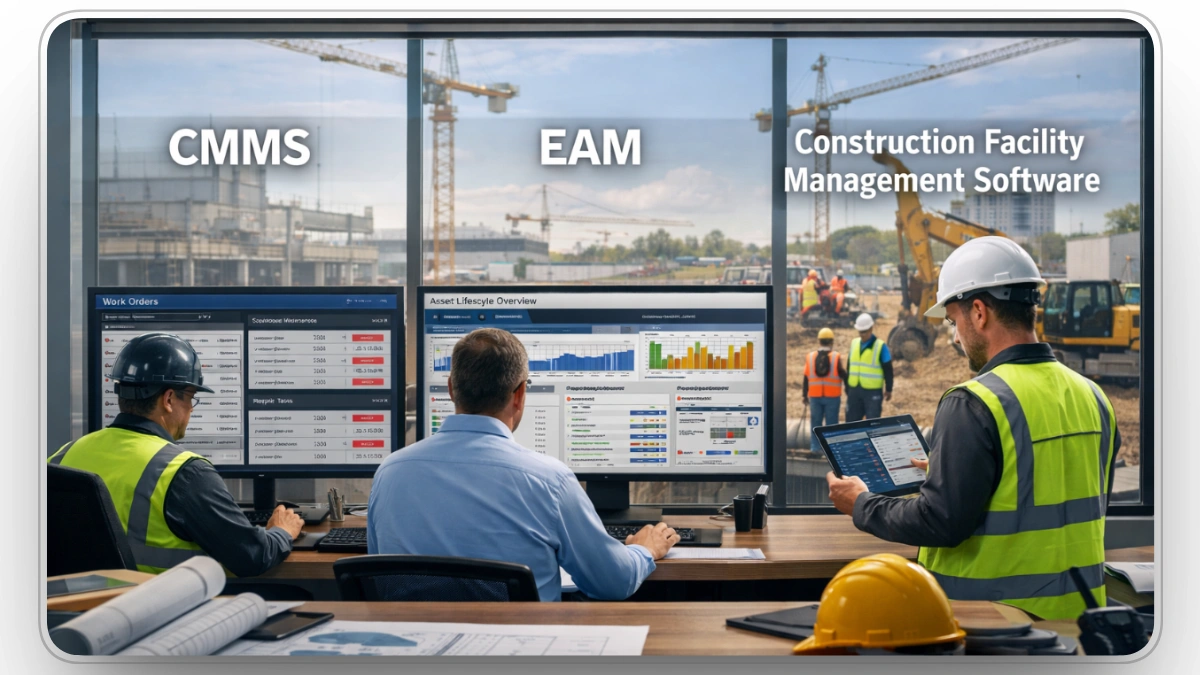
While these terms are often used interchangeably, there are distinct differences between Construction Facility Management Software, Computerized Maintenance Management Systems (CMMS), and Enterprise Asset Management (EAM).
CMMS
Centralized maintenance management software (CMMS) focuses primarily on maintenance operations. It tracks maintenance schedules, work orders, and equipment lifecycles, helping facility managers keep equipment and building systems operating reliably.
EAM
EAM is a broader system that not only covers maintenance but also includes procurement, inventory management, and asset lifecycle management. It is more comprehensive and supports a larger range of business functions.
Construction Facility Management Software
In contrast, construction facility management software is tailored specifically to the needs of construction sites. It includes capabilities like managing resources, equipment, and workforce, with a strong emphasis on real-time data and collaboration across teams.
It integrates aspects of both CMMS and EAM but is specialized for the construction industry, focusing on project execution rather than long-term asset management.
Core Functions of Construction Facility Management Software
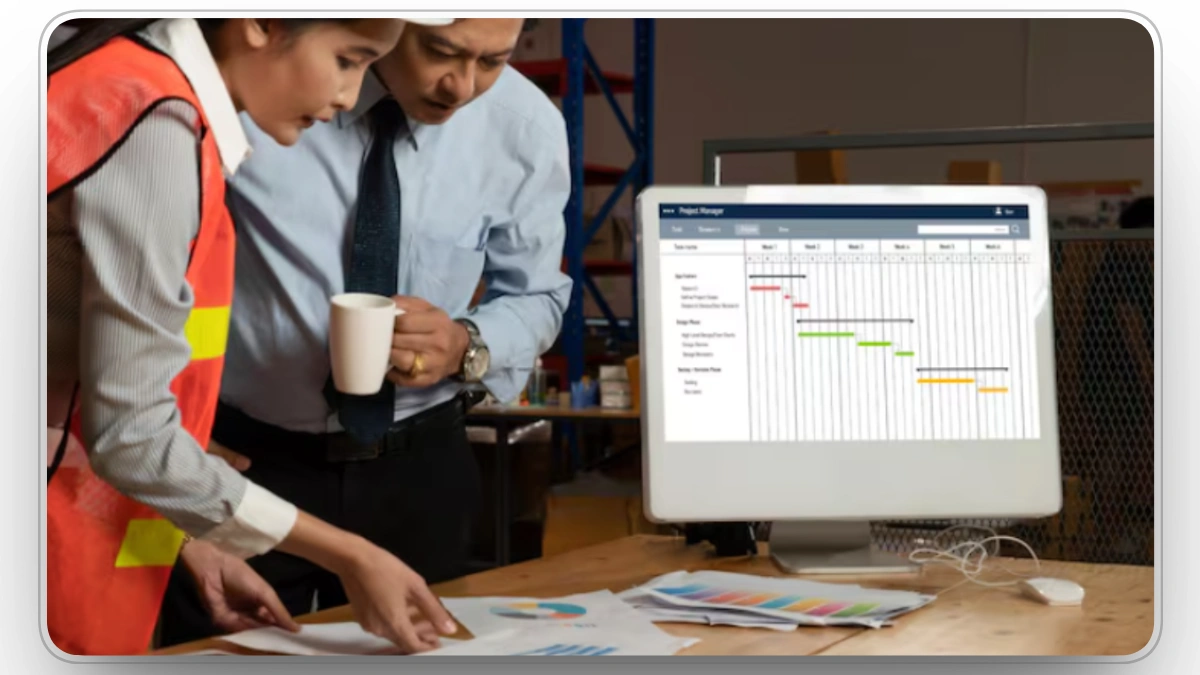
Construction facility management software serves multiple roles in a construction environment, but its primary functions include:
Asset and Equipment Management
One of the main functionalities of facility management software is asset tracking. From machinery and tools to vehicles and safety equipment, this software tracks the location, usage, condition, and maintenance history of every asset. This function helps prevent the misplacement of tools, maximizes equipment utilization, and ensures that maintenance schedules are adhered to, reducing the risk of unplanned downtime.
Maintenance Management and Preventive Maintenance Controls
Facility management software enables teams to implement proactive maintenance strategies. Instead of reacting to equipment failures, software can schedule routine checks and inspections, ensuring that all systems are working as intended. Preventive maintenance is key to extending the lifespan of construction equipment and reducing costly repairs and unexpected downtime.
Inspection, Safety, and Compliance Management
Safety is a top priority on construction sites. Facility management software allows teams to conduct inspections and track compliance with regulatory standards in real time. It ensures that any issues are documented, tracked, and resolved promptly. Additionally, it helps in maintaining compliance records for audits and ensures that workers adhere to safety protocols.
Work Order and Task Management
Work order management is integral to ensuring tasks are completed on time and within scope. Facility management software allows for the creation, tracking, and prioritization of work orders. It streamlines task management by automatically assigning tasks to workers, tracking their progress, and ensuring that no work is left unfinished. This keeps construction projects on schedule and within budget.
Resource, Workforce, and Contractor Coordination
Effective communication between different teams is crucial in construction. Facility management software provides a centralized platform where project managers can communicate with contractors, field workers, and other stakeholders. This ensures that everyone is on the same page, minimizing misunderstandings and delays. The software can also track workforce productivity and provide detailed reports on resource usage.
Inventory, Parts, and Materials Tracking
Managing inventory on a construction site can be challenging, especially when materials are in constant use and transit. Facility management software tracks parts and materials, ensuring that nothing runs out unexpectedly. It can also manage orders, track stock levels, and integrate with procurement systems, helping to maintain a continuous workflow.
Financial and Cost Control Features
Keeping track of construction costs is vital to the success of a project. Facility management software provides tools to monitor and manage budgets, track expenses, and ensure that costs stay within planned limits. It can integrate with accounting systems to provide real-time financial data, enabling project managers to make informed decisions and prevent cost overruns.
Reporting, Analytics, and Performance Visibility
Facility management software offers powerful reporting and analytics tools that provide insights into the performance of a project. With real-time dashboards, project managers can assess key metrics, such as asset performance, resource utilization, and safety compliance. These insights help optimize decision-making and improve project outcomes.
Mobile and Field-First Functionality
Modern construction facility management software is designed with mobile access in mind. Field workers can update information in real time, ensuring that project managers have the most up-to-date data. The software can be used to capture photos, log tasks, track equipment, and more, all from a mobile device. This ensures that communication and updates are fast and efficient, even in remote or challenging environments.
Integration With Construction Systems and Telematics
Facility management software often integrates with other construction management systems, such as project management, scheduling, and procurement tools. It can also connect with telematics systems that track fleet and asset performance. This integration enables seamless data flow between systems, providing a more cohesive and streamlined project management experience.
Security, Permissions, and Data Governance
In a construction environment, sensitive data needs to be protected. Facility management software includes robust security features that control access to sensitive information. Users can be assigned different roles and permissions, ensuring that only authorized individuals can access or modify certain data. This ensures compliance with industry standards and regulations for data governance.
Who Uses Construction Facility Management Software
Construction facility management software is used by a variety of professionals in the construction industry, including:
- Project Managers: They use the software to track progress, manage resources, and ensure that projects are completed on time and within budget.
- Maintenance Managers: They rely on the software to track equipment maintenance schedules, create work orders, and monitor asset performance.
- Field Workers: They use the software for on-site updates, tracking tasks, and reporting issues in real time.
- Contractors and Subcontractors: They use the software to coordinate tasks, track equipment, and manage safety compliance.
- Safety Inspectors: They use the software to conduct inspections, track safety violations, and ensure that all regulatory requirements are met.
When Construction Facility Management Software Is Used Across the Project Lifecycle
Facility management software is useful at every stage of a construction project:
Pre-Construction
In the planning phase, the software streamlines scheduling, helps with equipment procurement. It ensures that all necessary assets are identified early, labor and materials are allocated efficiently, and timelines are set based on real-time data, reducing the risk of delays from the start.
Construction
During construction, the software tracks real-time resources and work orders, providing instant visibility into project progress. It helps teams manage tasks, monitor equipment usage, and allocate resources effectively, ensuring smooth operations and preventing costly delays due to mismanagement or miscommunication.
Post-Construction
After project completion, the software helps in the handover phase by tracking maintenance and warranty issues. It ensures that all final inspections are documented, issues are flagged for resolution, and any ongoing maintenance is scheduled, streamlining the transition from construction to operation.
Key Benefits of Construction Facility Management Software
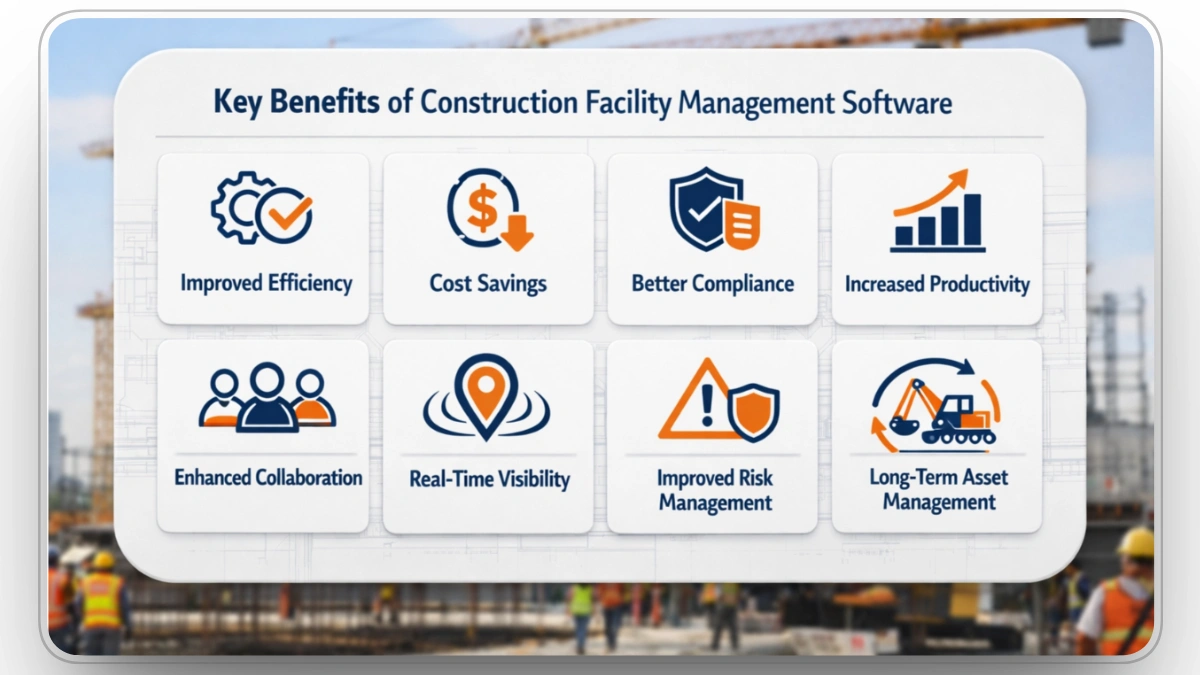
The key benefits of using facility management software in construction projects include:
- Improved Efficiency: Automation of tasks, real-time data, and better communication reduce time spent on manual processes and prevent delays. Facility management software allows teams to access up-to-date information instantly, streamlining operations and accelerating decision-making.
- Cost Savings: Proactive maintenance, inventory management, and better resource allocation reduce unnecessary expenditures. By automating preventive maintenance schedules and optimizing asset utilization, the software helps prevent costly repairs, minimizes downtime, and ensures efficient resource use.
- Better Compliance: Ensures that all safety and regulatory standards are met, reducing the risk of fines and legal issues. The software can track compliance with local laws, building codes, and safety regulations, while providing detailed documentation for audits and inspections.
- Increased Productivity: Streamlined workflows, task management, and workforce coordination improve overall productivity on-site. The software enables better tracking of work orders, progress, and resource allocation, allowing teams to focus on execution rather than administrative tasks.
- Enhanced Collaboration: Facilitates communication between all stakeholders, including contractors, subcontractors, and project managers. By providing a centralized platform for data sharing and task tracking, it helps teams stay aligned and work together more effectively.
- Real-Time Visibility: Provides real-time updates on project progress, resource usage, and asset conditions. This enables better decision-making and allows project managers to address potential issues before they escalate, ensuring smooth operations.
- Improved Risk Management: The software helps identify potential risks early by tracking asset conditions, safety compliance, and maintenance schedules. This proactive approach to risk management ensures that issues are addressed before they become major disruptions, reducing costly delays and rework.
- Long-Term Asset Management: Facilitates the tracking of assets from procurement through their entire lifecycle. This ensures that equipment is well-maintained, reduces the likelihood of costly breakdowns, and maximizes asset lifespan, ultimately saving money in the long run.
Common Challenges Without Facility Management Software in Construction

Without facility management software, construction projects can experience several challenges, such as:
- Inefficient Resource Allocation: Without tracking, resources like equipment and labor are misused, causing delays and increased costs due to poor utilization.
- Poor Communication: Lack of a centralized platform leads to fragmented communication across teams, resulting in misunderstandings, errors, and project delays.
- Increased Risk: Without real-time updates, safety and compliance issues go unnoticed, increasing the risk of accidents, fines, and project stoppages.
- Cost Overruns: Manual tracking leads to unmonitored spending, causing projects to exceed their budget due to unforeseen costs and inefficiencies.
- Limited Visibility: Disjointed systems or manual processes limit visibility into project progress, making it difficult to track key metrics and adjust proactively.
- Delayed Problem Detection: Without automated monitoring, problems like equipment failure or safety hazards go undetected, leading to costly delays or rework.
- Disjointed Data Management: Fragmented data across systems leads to inaccuracies, making it hard to generate reports and track key project metrics efficiently.
- Lack of Accountability: Without task tracking, teams lack ownership, leading to missed deadlines, incomplete tasks, and lower quality work.
- Difficulty in Maintaining Compliance: Manual tracking increases the risk of missing safety inspections and regulatory requirements, leading to potential fines and legal issues.
- Inability to Scale: As projects grow, manual systems become inadequate, hindering the ability to manage larger projects and limiting business growth opportunities.
Construction Facility Management Software Checklist
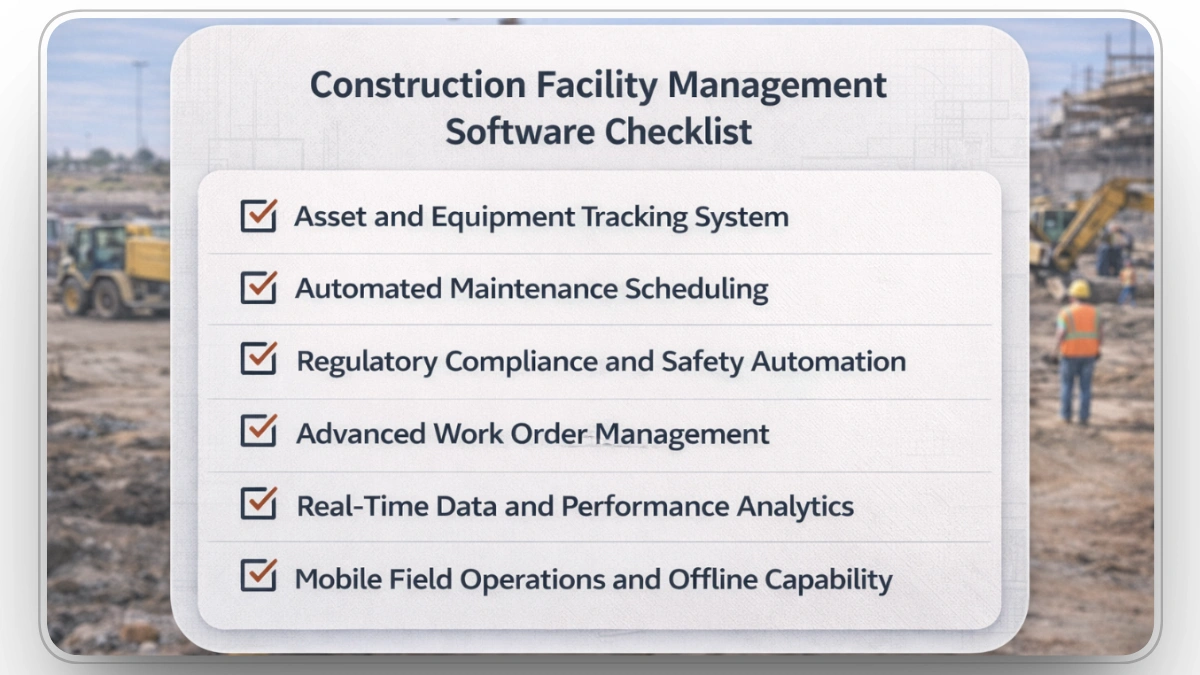
Facility management software is essential for construction projects, streamlining operations and ensuring that all processes are tracked efficiently. Whether you're managing assets, work orders, or safety inspections, this checklist will help you ensure that your construction facility management software covers all key areas required for smooth and effective project management.
1. Asset and Equipment Tracking System
- Does the software support real-time GPS tracking and IoT sensor integration for asset health monitoring?
- Is the software capable of automatically syncing with telematics systems to capture detailed equipment performance data (e.g., fuel consumption, engine hours, fault codes)?
2. Automated Maintenance Scheduling
- Does the software utilize predictive analytics to forecast maintenance needs based on historical performance data?
- Can it create and prioritize maintenance work orders based on asset performance trends and sensor data triggers?
3. Regulatory Compliance and Safety Automation
- Does the software integrate with regulatory bodies' APIs to automatically update compliance requirements (e.g., OSHA, EPA)?
- Can the system generate compliance audit trails automatically and cross-reference inspection data against legal standards?
4. Advanced Work Order Management
- Can the software automatically allocate tasks to the appropriate personnel based on real-time availability and skill sets, ensuring optimal resource allocation?
- Does it provide an integrated workflow for approving, updating, and closing work orders with timestamped version control?
5. Real-Time Data and Performance Analytics
- Does the software provide real-time dashboards with customizable KPIs, including asset utilization rates, downtime, and maintenance costs?
- Can the platform perform predictive maintenance analytics, identifying which equipment is likely to fail next based on historical data and real-time monitoring?
6. Mobile Field Operations and Offline Capability
- Is the mobile app capable of capturing and syncing field data in real-time, including task completion, asset status updates, and condition assessments, even in offline modes?
- Does the mobile platform support barcode scanning or QR code tracking to facilitate inventory management and equipment identification in the field?
When choosing facility management software for your construction project, consider the following criteria:
- Ease of use: Ensure that the interface is user-friendly for both office and field staff.
- Integration: Check if the software can integrate with other systems, such as project management or accounting tools.
- Customization: Look for software that can be tailored to the specific needs of your project and organization.
- Mobile access: Ensure that the software has mobile capabilities for on-the-go updates.
- Cost: Consider both upfront costs and ongoing maintenance fees.
Clue The All‑in‑One Equipment Facility Management Platform

Clue is designed specifically for construction fleets, consolidating equipment tracking, maintenance, dispatch, and utilization into a single platform that can be accessed from the office, shop, or field.
Real‑Time Asset Visibility
Clue provides live tracking of equipment location, status, and usage, giving contractors immediate visibility into where every asset is, how it is being used, and whether it’s idle or working. This level of asset tracking helps optimize allocation and reduce unnecessary rentals.
Centralized Preventive Maintenance
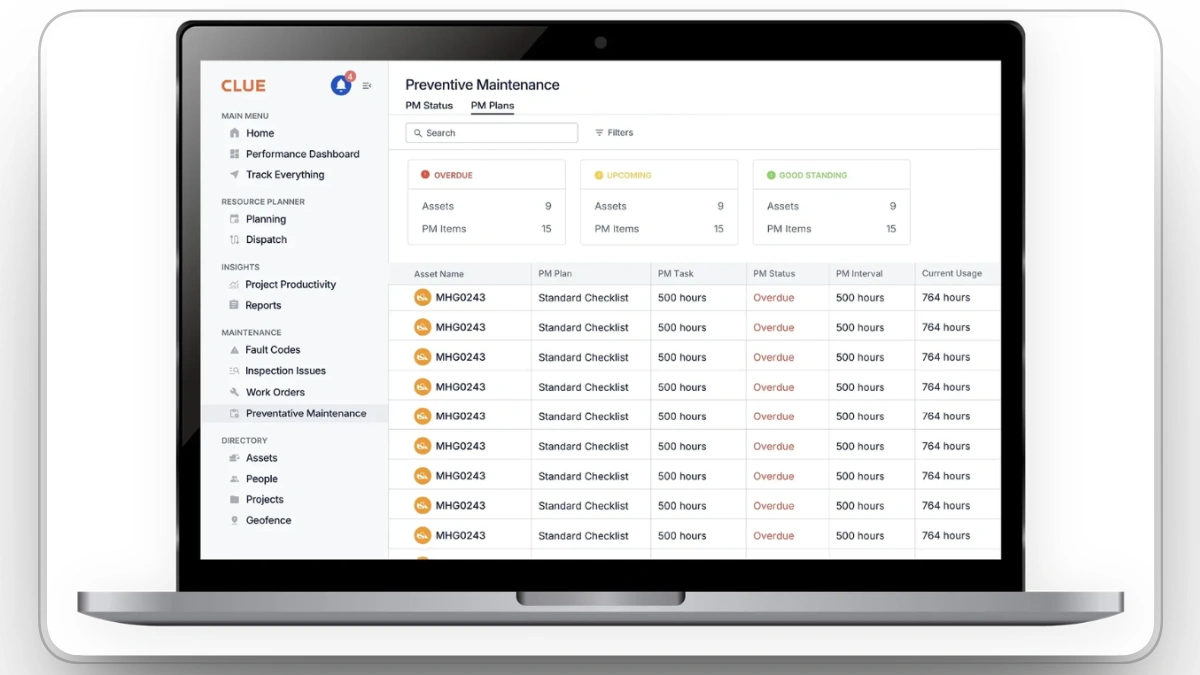
The software automates preventive maintenance scheduling, work order creation, and fault‑code alerts so that equipment maintenance isn’t overlooked. This reduces unplanned downtime and extends machinery lifespan.
Integrated Fleet and Dispatch Operations
Clue supports dispatch planning and resource allocation, ensuring the right equipment is in the right place at the right time. It integrates with telematics, GPS, CMMS, and ERP systems, enabling efficient workflows across technologies contractors already use.
Data‑Driven Utilization and Analytics
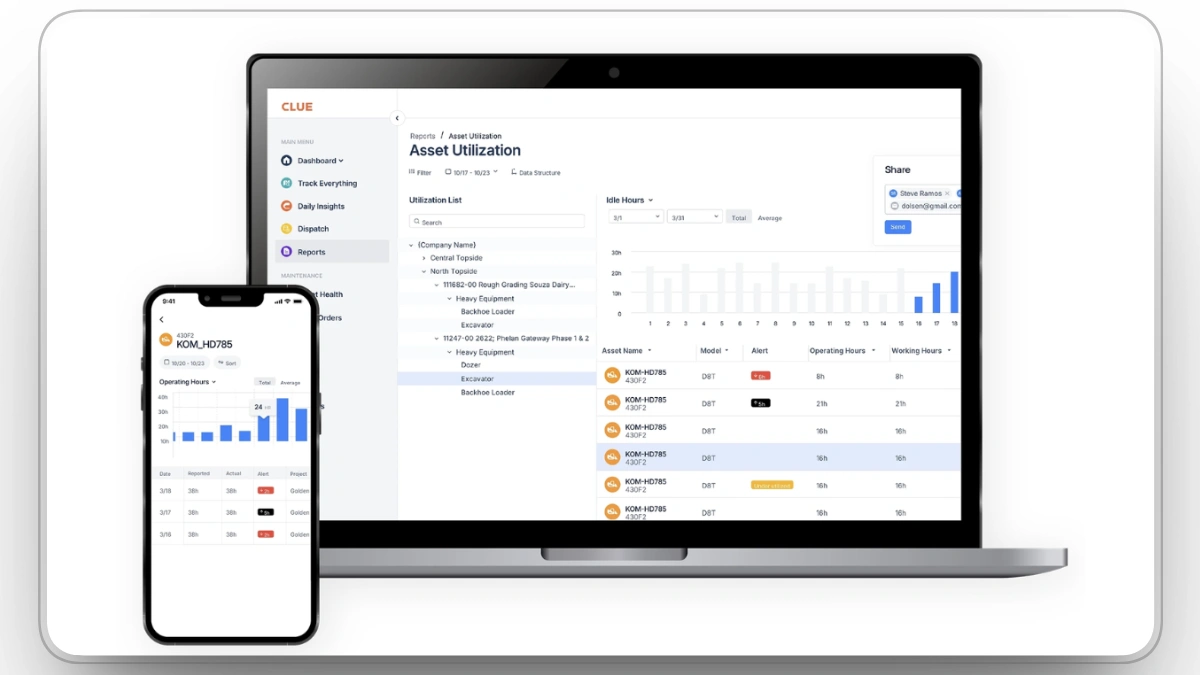
With tools that analyze utilization, idle time, fuel use, and other performance metrics, Clue helps managers identify inefficiencies and schedules to improve productivity and reduce operational costs.
Comprehensive Asset and Lifecycle Management
Clue consolidates location, usage, maintenance history, and condition data for all types of equipment; owned or rented, giving teams a clear picture of fleet health and aiding better decision‑making about repairs, replacements, or procurement.
Mobile and Field‑First Capabilities
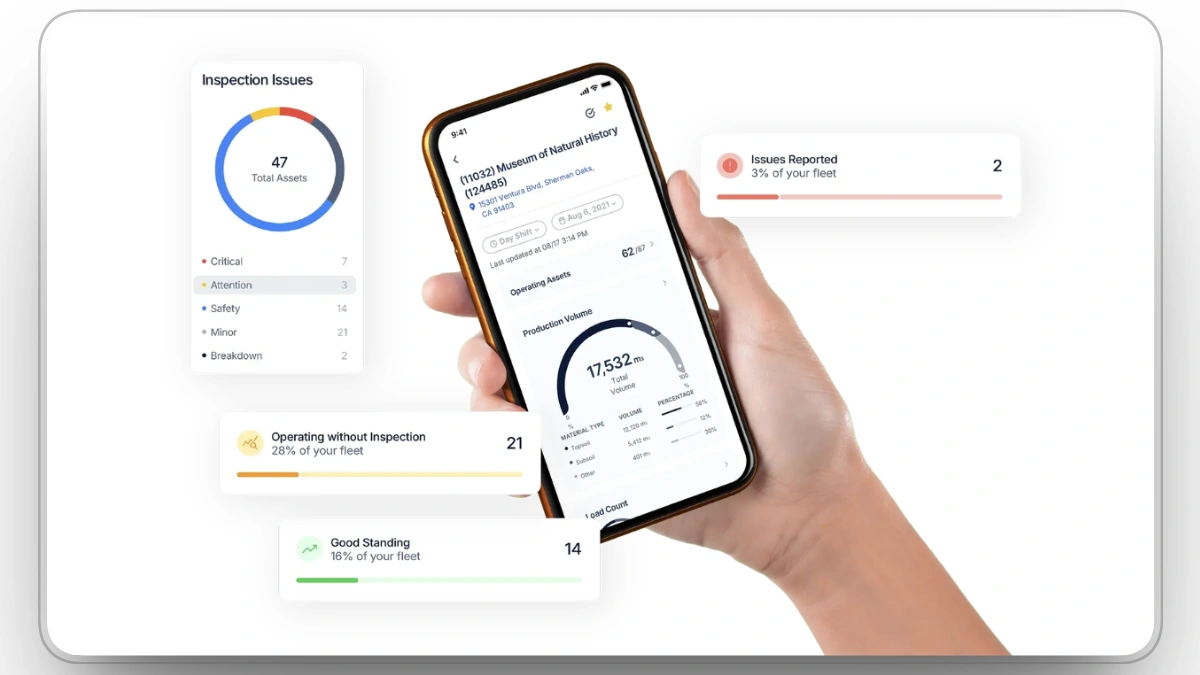
Clue’s mobile app enables on‑site data capture, inspections, task updates, and real‑time communication from remote locations, ensuring field teams stay connected with office operations.
Cross‑Functional Collaboration
Because Clue integrates fleet data and operational insights across roles, project managers, mechanics, dispatchers, and executives, it enhances coordination and reduces miscommunication between departments.
Improved Operational Efficiency and Cost Control
Contractors using Clue report improved uptime, fewer administrative tasks, and better control over equipment spending. In some cases, users have documented significant cost savings and efficiency gains after implementation.

Best Practices for Implementing Construction Facility Management Software
Below is a list of best practices that will help you optimize the use of facility management software in your construction projects.
- Regularly update asset inventories and perform audits.
- Implement preventive maintenance schedules for critical assets.
- Integrate asset tracking with procurement systems to ensure availability.
- Establish clear guidelines for preventive maintenance frequency.
- Prioritize corrective maintenance based on urgency and impact.
- Maintain detailed service histories for all equipment.
- Regularly review safety protocols and update compliance requirements.
- Use digital checklists for inspections to ensure consistency and accuracy.
- Monitor compliance in real-time and address violations immediately.
- Automate work order creation to reduce administrative tasks.
Final Thoughts
Choosing the right facility management software is essential to ensure smooth construction operations. It streamlines asset management, preventive maintenance, safety checks, and compliance, helping to reduce costs, improve efficiency, and avoid delays. The right software gives you real-time insights, predictive maintenance, and better control over resources.
Clue delivers an AI-powered platform that integrates with over 75 systems, offering seamless tracking and reporting to optimize fleet utilization, prevent downtime, and maintain regulatory compliance. By selecting a solution like Clue, you can enhance project outcomes, improve decision-making, and stay on top of every operational detail.
FAQs
What additional activities does facility management cover on construction sites?
Beyond equipment upkeep, it includes site access control, contractor verification, visitor management, and emergency preparedness, ensuring smooth operations and safety.
How does facility management ensure regulatory compliance?
It incorporates digital logs, contractor oversight, and audit documentation, keeping sites audit-ready with minimal disruption.
What role does facility management play in protecting people and assets?
It enforces credential checks, access rules, and zone restrictions, safeguarding workers, contractors, and equipment from unauthorized use or loss.
How can facility management reduce project delays?
By managing compliance, visitor flow, and emergency responses in real time, it helps avoid bottlenecks and keeps the project on schedule.
Is facility management only about equipment and maintenance?
No, it also covers contractor compliance, visitor protocols, emergency coordination, and tracking materials across project zones.
Why are digital records important in facility management?
They ensure audit readiness and support regulatory reporting, reducing the risk of fines and compliance issues.
How does facility management differ between construction and other sectors?
While safety and compliance functions are similar, construction focuses more on contractor credentialing and access workflows specific to building sites.
What performance indicators measure facility management success?
Key metrics include contractor compliance, safety training completion, audit readiness, equipment utilization, and access exceptions resolved.
Transform Your Equipment Management