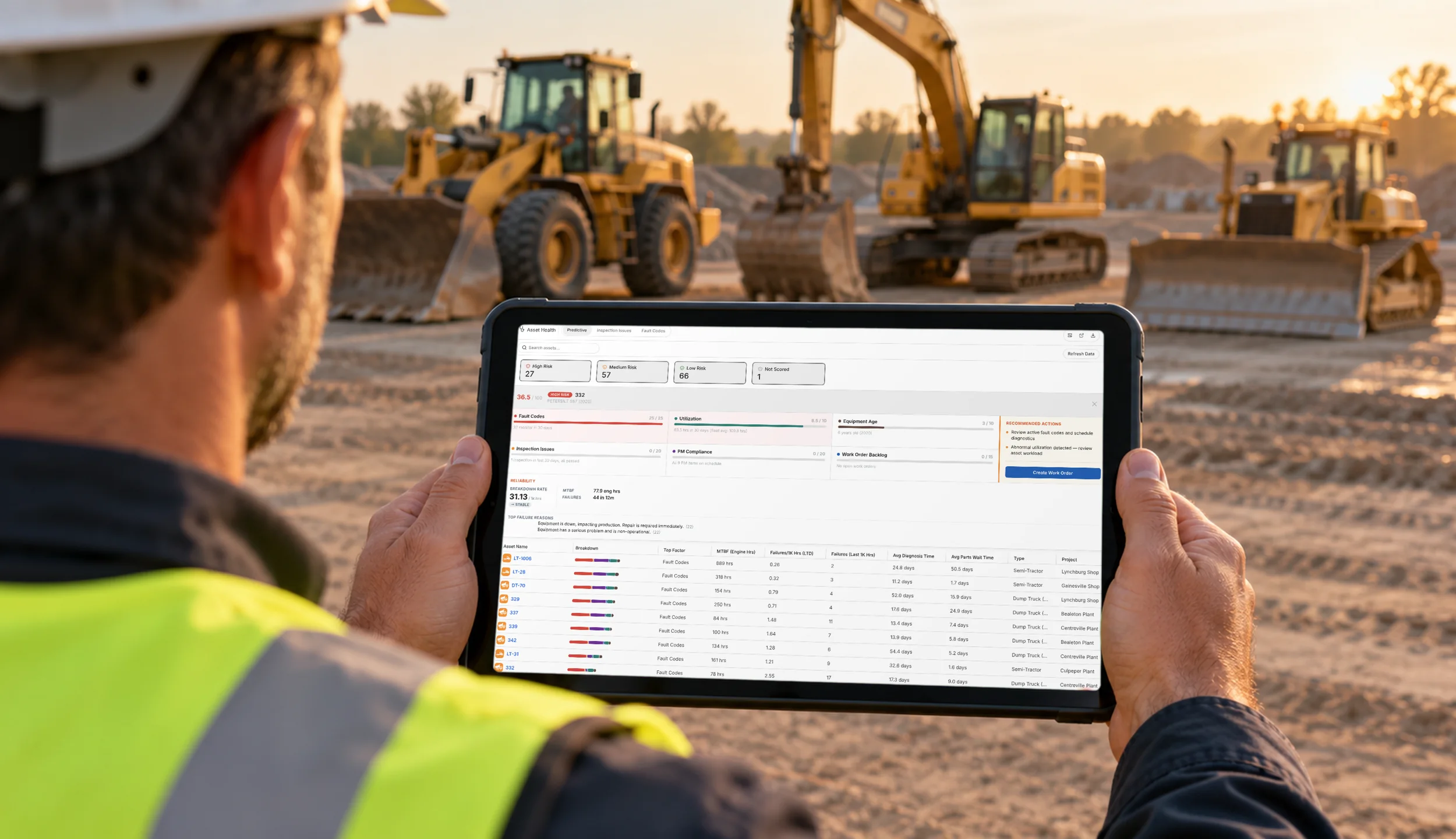
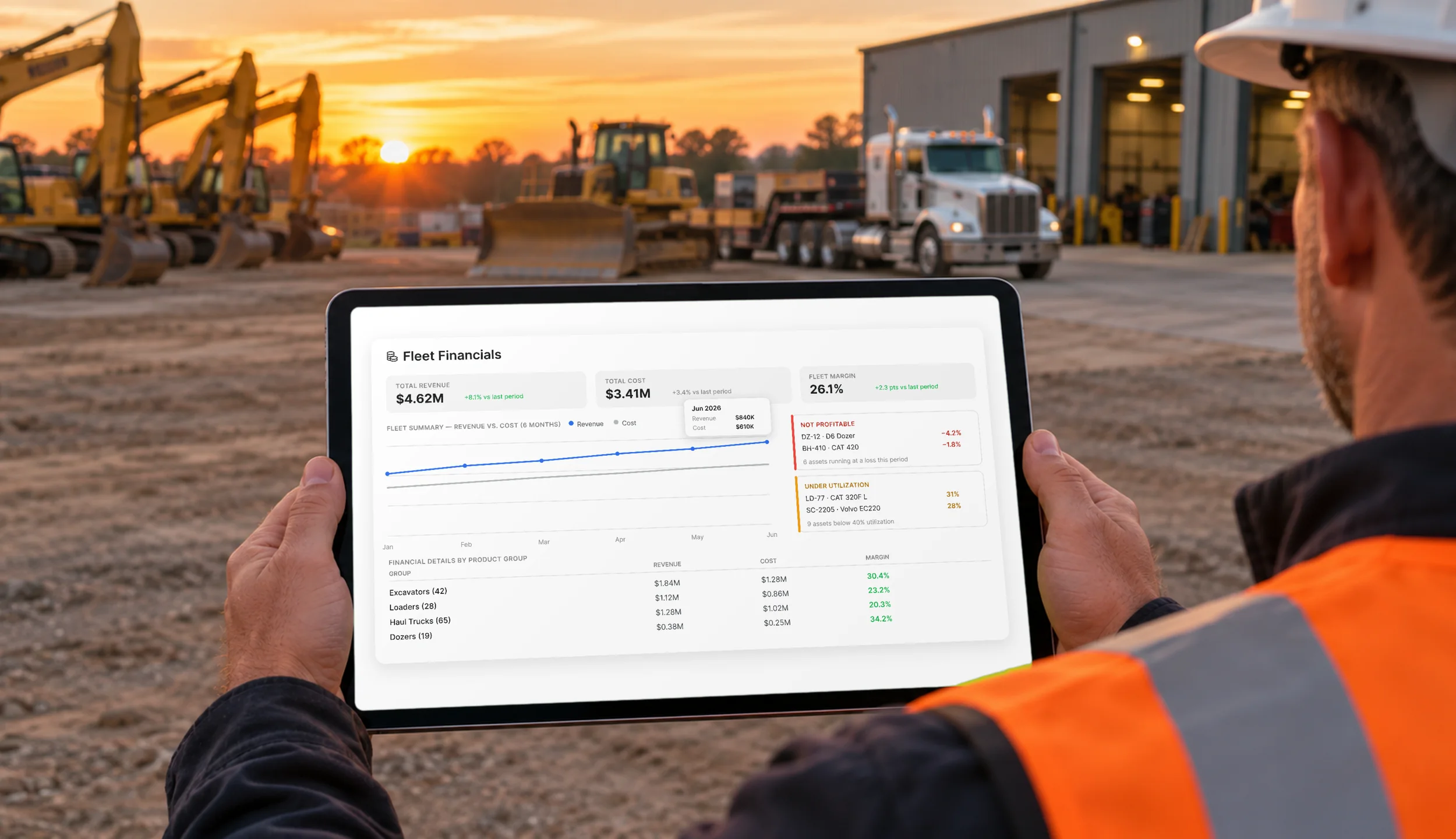
Implementing a Computerized Maintenance Management System (CMMS) involves more than just installing software; it requires adapting the system to the organization's operational needs, ensuring smooth data migration, and training users effectively. The implementation process breaks down into several phases to ensure that the system integrates well with existing workflows and delivers tangible benefits such as improved asset performance and reduced downtime.
This guide will take you through each step of the CMMS implementation process, covering everything from planning to testing, and troubleshooting common challenges.
What is a CMMS?

Centralized maintenance management software (CMMS) is designed to manage asset lifecycles and the maintenance operations that support them. It centralizes maintenance data, automates routine tasks, and provides real-time visibility into work orders, asset performance, downtime, and compliance records.
Core Capabilities of a CMMS
1. Work Order Management
CMMS automates the creation, assignment, and tracking of work orders. It ensures that maintenance tasks for construction equipment like cranes and excavators are performed on time, based on preset maintenance schedules or equipment failures.
- Automatic Work Order Creation: Triggered by preventive maintenance schedules or breakdowns.
- Task Assignment: Work orders are assigned to the appropriate technicians based on their expertise and equipment requirements.
- Real-Time Tracking: Technicians can update status and log time directly from the field, providing real-time visibility for managers.
2. Preventive Maintenance Scheduling
Automated scheduling ensures maintenance tasks are performed at the correct intervals, helping avoid unexpected equipment failure.
- Automated Triggers: PM tasks are automatically scheduled based on usage hours or time intervals.
- Customization: The system allows custom schedules based on equipment type and operational environment (e.g., more frequent checks for cranes working in urban environments).
- Alerts: Technicians receive notifications when maintenance is due, ensuring tasks are not missed.
3. Asset Tracking
CMMS enables detailed tracking of each asset's performance, maintenance history, and location.
- Unique Asset Identification: Each piece of equipment is tagged with an ID (QR code or RFID), making tracking easy.
- Historical Records: All maintenance actions, inspections, and repairs are logged to provide a complete history for each asset.
- Real-Time Condition Monitoring: Integration with sensors allows real-time tracking of key metrics like fuel consumption, engine temperature, and usage hours.
4. Inventory Control
CMMS improves spare parts management by ensuring the right parts are available for maintenance tasks while reducing overstocking.
- Real-Time Inventory Updates: The system tracks inventory levels and parts usage, updating in real-time as parts are consumed.
- Automated Reordering: When stock levels hit predefined thresholds, procurement orders are automatically generated to replenish stock.
- Part Usage History: Analyzes trends in part consumption across assets, enabling more efficient inventory planning.
5. Reporting & Analytics
CMMS generates reports to assess maintenance performance, track costs, and monitor downtime, providing actionable insights for decision-making.
- Performance Reports: Tracks key metrics like MTTR and MTBF to identify reliability trends.
- Cost Analysis: Breaks down labor and parts costs for each asset, providing a full view of maintenance expenses.
- Downtime Analytics: Identifies recurring issues, allowing teams to prioritize critical repairs and avoid operational delays.
Benefits of Implementing a CMMS
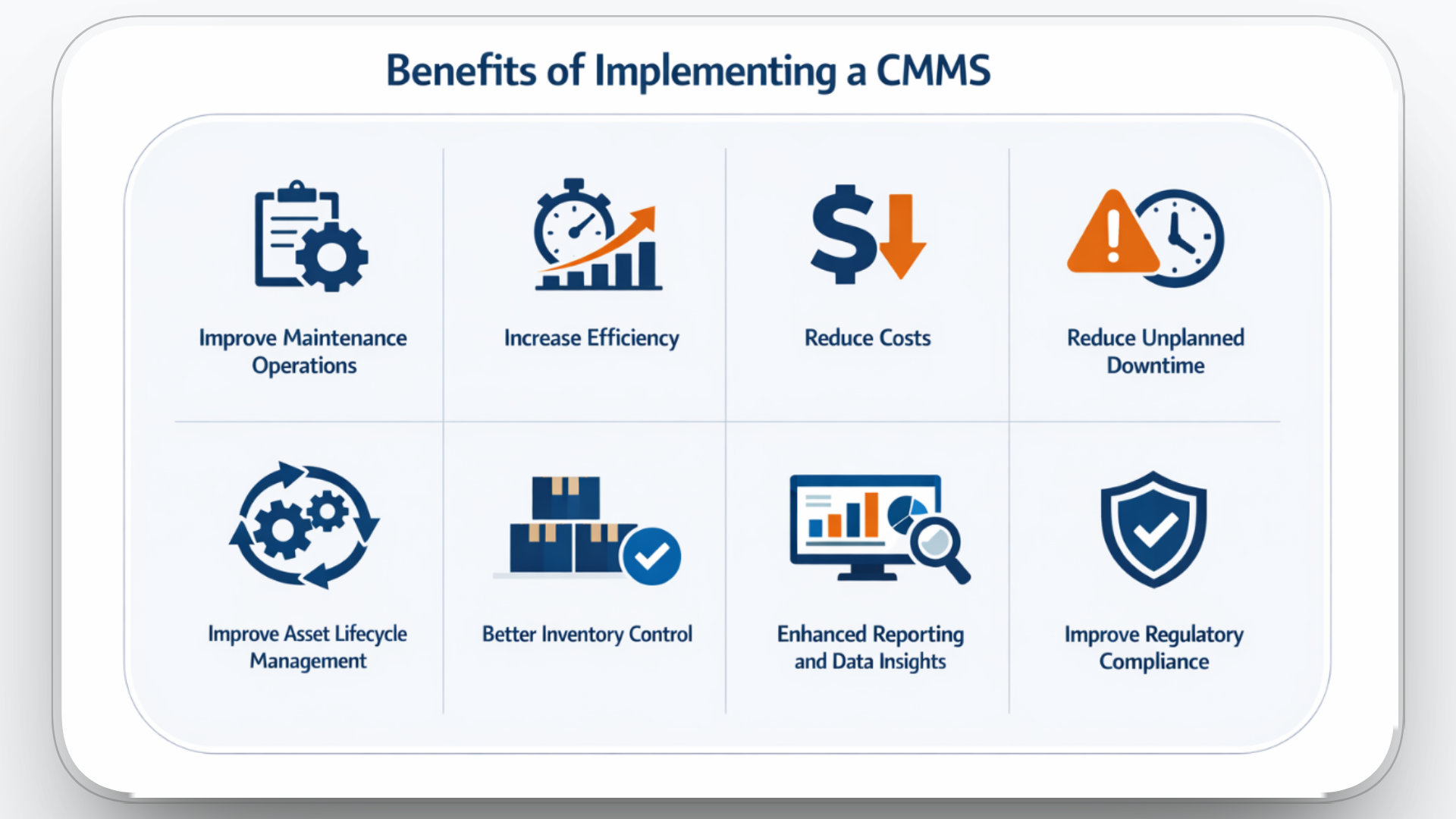
A successful CMMS implementation provides organizations with numerous technical and operational advantages. Below are the key benefits of using a CMMS:
1. Improve Maintenance Operations
By centralizing data and automating key processes, CMMS minimizes human error, standardizes workflows, and ensures timely completion of maintenance tasks. Automation of work order management, preventive maintenance scheduling, and asset tracking accelerates decision-making and response times.
2. Increase Efficiency
A CMMS digitizes maintenance records, allowing technicians to access critical information quickly. This eliminates time-consuming manual processes, such as paper records or emails, speeding up workflows. Automated notifications reduce administrative burdens on maintenance teams, further improving overall efficiency.
3. Reduce Costs
With automated preventive maintenance (PM) schedules, CMMS reduces the need for expensive emergency repairs. By keeping equipment in optimal working condition, it reduces downtime, cuts maintenance costs, and prevents costly replacements, resulting in significant long-term savings.
4. Reduce Unplanned Downtime
Through automated preventive maintenance and real-time condition monitoring, CMMS helps identify issues before they lead to failures. Predictive analytics and sensor integration further minimize unplanned downtime by detecting potential failures early, saving time and reducing repair costs.
5. Improve Asset Lifecycle Management
CMMS provides in-depth tracking of asset performance, maintenance history, and wear analysis, enabling organizations to optimize asset usage. This insight helps extend asset life, reduce unnecessary repairs, and ensure that assets are replaced at the right time, improving return on investment.
6. Better Inventory Control
Real-time tracking of spare parts and materials within a CMMS ensures that inventory levels are optimized. It minimizes overstocking, reduces stockouts, and improves procurement cycles by automatically alerting teams when parts are running low, ensuring maintenance tasks are never delayed.
7. Enhanced Reporting and Data Insights
CMMS generates comprehensive reports on maintenance performance, cost analysis, and operational trends. This data allows organizations to make informed decisions, track KPIs, identify areas for improvement, and develop more effective maintenance strategies over time.
8. Improve Regulatory Compliance
Maintaining accurate, real-time records of inspections, repairs, and maintenance activities simplifies compliance with industry regulations. A CMMS ensures that safety standards are met, making audits easier and helping organizations stay up-to-date with legal requirements.
DOE's FEMP O&M Best Practices Guide reports that preventive maintenance programs can deliver ~12–18% cost savings compared to reactive maintenance.
What CMMS Implementation Involves

CMMS implementation is a multifaceted process that goes far beyond simply installing software. It requires aligning the system to the specific needs of your organization, migrating existing data, integrating the system with existing tools, and thoroughly training users. Each step involves specific technical tasks that require careful execution.
Let's break down the implementation process into manageable steps:
1. Planning and Preparation
Effective planning is the foundation of a successful CMMS implementation. During this phase, technical teams align the system to the organization's goals and prepare the necessary resources.
- Stakeholder Identification: Key players such as IT, maintenance managers, and operational teams are involved to ensure system requirements align with actual needs.
- Goal Setting: Define measurable objectives for the CMMS, such as reducing downtime, improving maintenance efficiency, and optimizing parts inventory.
- System Requirements: Identify and document specific features needed, such as mobile access, GPS integration, or real-time data monitoring.
- Timeline and Resources: Develop a project timeline and allocate necessary resources (personnel, financial, technological).
2. Data Migration
Data migration is critical for ensuring that the CMMS operates on accurate, up-to-date information.
- Data Mapping: Define which fields from existing systems will map to the CMMS (e.g., asset details, maintenance logs, inventory).
- Data Cleansing: Cleanse data to remove duplicates, correct inconsistencies, and standardize formats before migration.
- Validation: After migrating data into the system, validate that all records (assets, parts, work orders) are accurately reflected in the CMMS.
3. System Configuration
Configuring the CMMS ensures it fits seamlessly into the company's workflows and processes.
- Asset Hierarchy: Organize equipment into logical categories based on type, location, or criticality to optimize asset management.
- Workflows and Permissions: Set up work order creation, approval processes, and technician roles to match organizational needs.
- PM Schedules: Configure preventive maintenance tasks based on operational conditions and asset needs.
- User Roles: Set up permissions based on job functions (e.g., technicians, supervisors, inventory managers).
4. Integration with Existing Systems
CMMS should integrate smoothly with other software tools like ERP, inventory management, or procurement systems.
- Identify Integration Points: Determine which systems need to communicate with the CMMS, such as ERP for financials or GPS for real-time asset tracking.
- Integration Methods: Use APIs or middleware to facilitate smooth data transfer between systems.
- Testing: Ensure data flows seamlessly and consistently between integrated systems (e.g., inventory updates from procurement systems to CMMS).
5. User Training
Training is essential to ensure effective use of the CMMS. Users must be proficient in utilizing the system's features and tools.
- Role-Based Training: Tailor training to specific roles, such as maintenance technicians learning to create and manage work orders or inventory managers learning to track parts.
- Mobile Access: Provide training on mobile apps for field technicians, allowing them to manage work orders, track equipment, and receive alerts in real-time.
- Continuous Education: Ensure ongoing support and education to keep users informed of new features and best practices.
6. Testing and Validation
Before fully launching the CMMS, thorough testing is required to ensure that everything functions as expected.
- User Acceptance Testing (UAT): Perform end-to-end testing with real users to ensure the system meets their needs and is easy to navigate.
- System Load Testing: Test the system under peak conditions to ensure it can handle the demands of a large fleet or high-volume operations.
- Integration Testing: Ensure that the CMMS communicates accurately with other integrated systems, such as ERP and procurement.
Why Most CMMS Implementations Fail
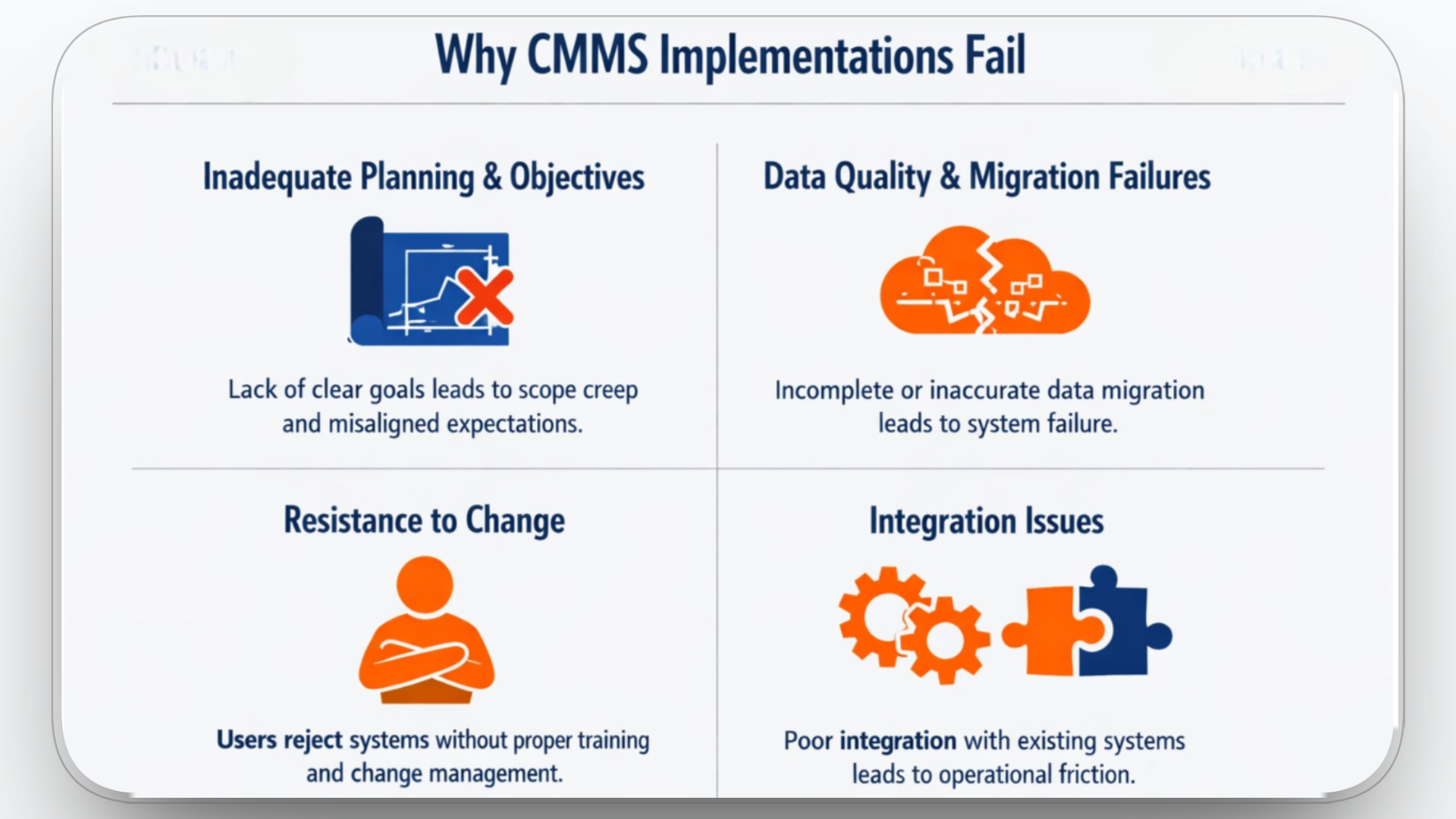
Despite the potential benefits of CMMS, many organizations face challenges during implementation, resulting in systems that underperform or fail to meet expectations. Industry resources commonly cite ~60–80% as the range of CMMS implementations that fail to deliver expected value usually due to adoption, planning, and data issues.
Some common pitfalls include:
Inadequate Planning and Objectives
Implementations that begin without well‑defined objectives and a structured project plan rarely succeed. Organizations may select software before understanding their maintenance requirements, what success looks like, or how the CMMS should interact with existing systems. Without this foundation, implementations drift, requirements are missed, and the system fails to support operational goals.
Data Quality and Migration Failures
A CMMS depends on accurate and complete data to generate meaningful schedules, work orders, and analytics. Poor data quality or incomplete migration from legacy systems, spreadsheets, disconnected logs, or paper records is a fundamental failure point.
Surveys suggest spreadsheets are still widespread: one report found ~58% of CMMS buyers were using spreadsheets when starting their search, and another found ~45% of facilities still use in-house spreadsheets/schedules
Resistance to Change and User Adoption Challenges
Systems with excellent functionality can still fail if users don't adopt them. Maintenance technicians, supervisors, and planners often resist new tools when they disrupt familiar workflows or are perceived as adding administrative burden. Low adoption manifests as incomplete data entry, missed work orders, and continued use of manual tracking outside the CMMS.
Implementation experience shows that without targeted training and change management, users will reject systems with complex interfaces or workflows they do not understand.
Integration and Technical Compatibility Issues
CMMS rarely operates in isolation. To be effective, it must share data with other systems such as ERP, procurement, IoT condition monitoring, and inventory platforms. Integrations that are poorly designed, incomplete, or not tested thoroughly lead to data silos, inconsistent records, and operational friction.
Failure to integrate maintenance data with procurement systems can lead to delays in parts availability and reactive work orders, undermining the purpose of a CMMS.
To avoid these common pitfalls, a structured approach to planning is essential.
Planning and Preparing for CMMS Implementation

Planning is the foundational step in any successful CMMS implementation. A well-prepared plan ensures alignment with organizational goals, maximizes system adoption, and minimizes disruptions during deployment.
How to Plan a Successful CMMS Implementation
Successful CMMS implementation requires clear goals, a structured approach, and involvement from key stakeholders. Without proper planning, the implementation may fail to meet operational objectives or be delayed.
- Define clear goals and outcomes: Understand what the organization hopes to achieve with the CMMS, such as reducing downtime, increasing asset life, or streamlining maintenance operations.
- Align with overall business strategy: Ensure that CMMS goals are directly linked to the organization's broader objectives, such as cost savings, operational efficiency, and regulatory compliance.
Accurately Assess Current Maintenance Practices
Before implementing a CMMS, it is crucial to assess existing maintenance processes to identify inefficiencies, bottlenecks, and areas for improvement.
- Evaluate current workflows: Understand how maintenance tasks are currently managed, whether using paper-based records, spreadsheets, or legacy systems.
- Identify pain points: Look for recurring issues such as missed work orders, delayed maintenance, or high repair costs. This will help shape the requirements for the new system.
Set Clear Objectives and Performance Indicators (KPIs)
Setting measurable objectives is essential for tracking the success of CMMS implementation. Establishing KPIs will allow the team to monitor system performance and identify areas for ongoing improvement.
KPIs may include:
- Reduction in downtime due to more effective preventive maintenance.
- Improvement in work order completion time and labor productivity.
- Cost savings from reduced unplanned repairs and better inventory control.
Create a Detailed Implementation Timeline
A clear, realistic timeline is critical for ensuring that all stages of CMMS implementation are completed on time and within budget. The timeline should outline key milestones, including:
- System configuration and customization.
- Data migration and integration testing.
- Training and go-live dates.
Each stage of the timeline should be aligned with business goals and account for potential setbacks, ensuring flexibility where necessary.
Form a Dedicated CMMS Implementation Team
A successful CMMS implementation requires a team with a mix of skills. Form a dedicated team that includes:
- Project Manager: Oversees the implementation, ensuring timelines and budgets are met.
- IT Team: Handles technical setup, integrations, and data migration.
- Maintenance Team: Provides input on system requirements, workflows, and user needs.
- End Users: Technicians, inventory managers, and supervisors who will actively use the system, ensuring their feedback is incorporated into the implementation plan.
Secure Management Commitment
Management support is crucial for the success of the CMMS implementation. Leaders must understand the long-term benefits and be prepared to allocate necessary resources, including budget, staff time, and training efforts.
- Clear Communication: Ensure that management understands the ROI of the CMMS, focusing on long-term cost savings, efficiency improvements, and regulatory compliance.
- Ownership: Have management champion the project, which will help secure buy-in from all stakeholders across departments.
Choosing the Right CMMS Software
Choosing the right CMMS software is crucial for optimizing maintenance operations. It's not just about selecting a tool but about ensuring that it aligns with your company's needs, enhances your processes, and scales as your operations grow.
How to Choose the Right CMMS Software
- Assess Organizational Needs: The first step in selecting CMMS software is to assess your current maintenance challenges. Whether you need to optimize preventive maintenance, improve asset tracking, or reduce downtime, the software should directly address these goals.
- Evaluate Vendor Expertise and Support: Choose a vendor with extensive experience in your industry and strong customer support. This ensures not only proper implementation but ongoing help when needed.
- Scalability and Flexibility: Your CMMS should grow with your organization. Look for software that can scale as you expand, handling more assets, users, and data without compromising performance.
- Integration with Existing Systems: Ensure the CMMS integrates seamlessly with your current systems (e.g., ERP, inventory management, or procurement). Smooth integration eliminates data silos and ensures consistency across platforms.
Essential Features Every CMMS Should Have
- Preventive Maintenance Scheduling: The CMMS must automate preventive maintenance tasks based on time intervals or equipment usage. This ensures that maintenance is scheduled and executed on time, preventing unexpected failures and reducing costly emergency repairs.
- Work Order Management: A CMMS should streamline work order creation, assignment, and tracking. Work orders should be generated automatically based on maintenance schedules or real-time alerts, ensuring maintenance is completed efficiently and on time.
- Asset Tracking and Management: The CMMS should offer detailed tracking for all assets, including maintenance histories, performance data, and condition reports. This helps improve asset performance, ensures better utilization, and supports decisions about repairs or replacements.
- Inventory Management: A CMMS should track inventory in real-time, ensuring that parts and tools are available when needed. The system should include features like automated reordering and alerts when stock levels are low to prevent delays in maintenance tasks.
- Reporting and Analytics: The CMMS should offer robust reporting and analytics to measure maintenance performance, track downtime, analyze costs, and identify improvement opportunities. Data-driven insights help refine maintenance strategies and optimize resources.
- Mobile Accessibility: The CMMS should be accessible on mobile devices, allowing technicians in the field to access work orders, log data, and receive real-time updates. Mobile capabilities increase efficiency, reduce response times, and ensure real-time reporting from remote locations.
Optimizing CMMS with Clue
.png)
Clue is a cloud‑based construction equipment management platform that combines maintenance management with fleet tracking, telematics, dispatch, inventory, and reporting into a unified system. It is designed to support heavy equipment fleets across construction, earthwork, mining, and infrastructure projects by consolidating operational data and automating maintenance workflows.
Clue CMMS Key Capabilities
1. Equipment Maintenance Automation
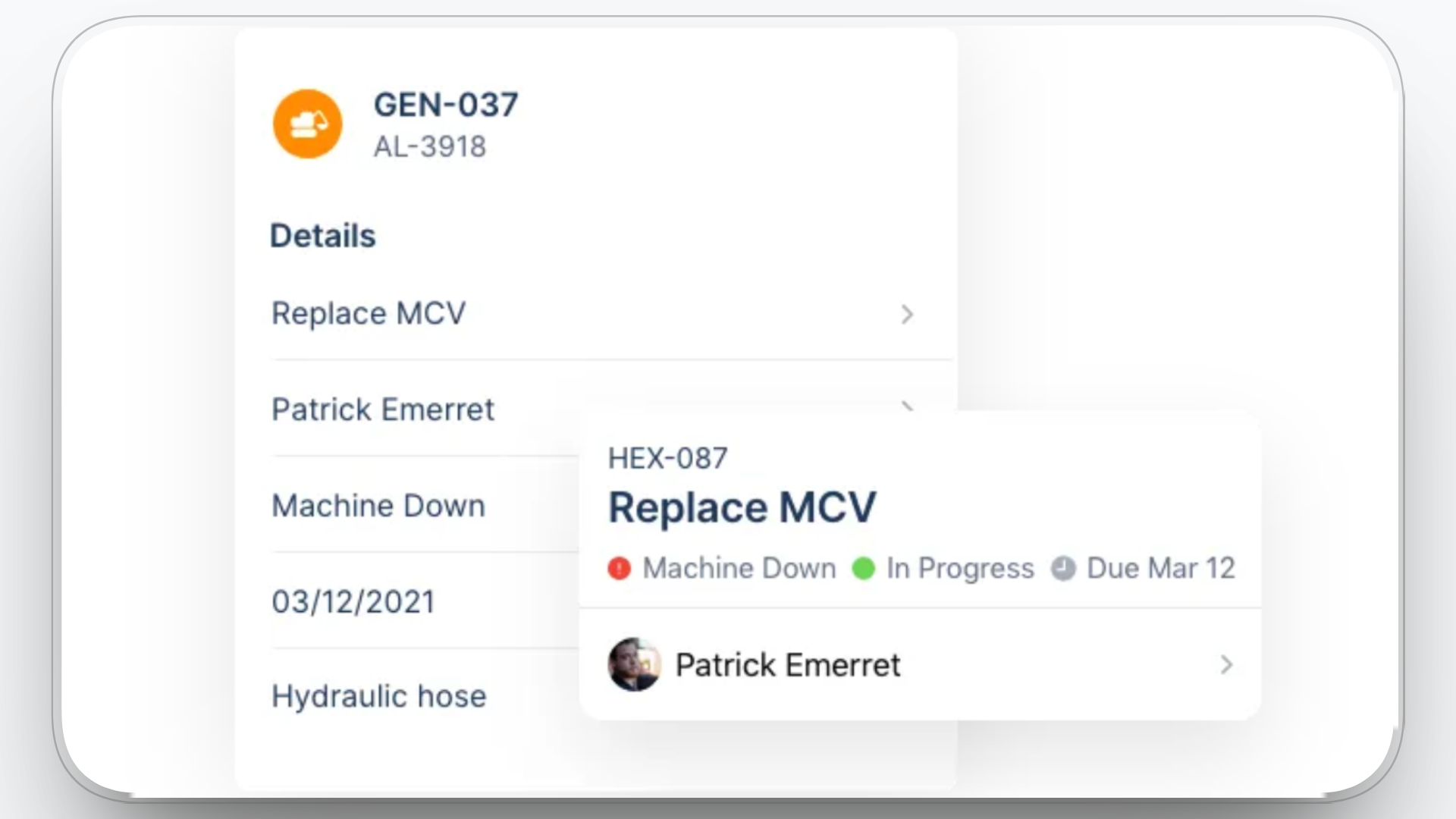
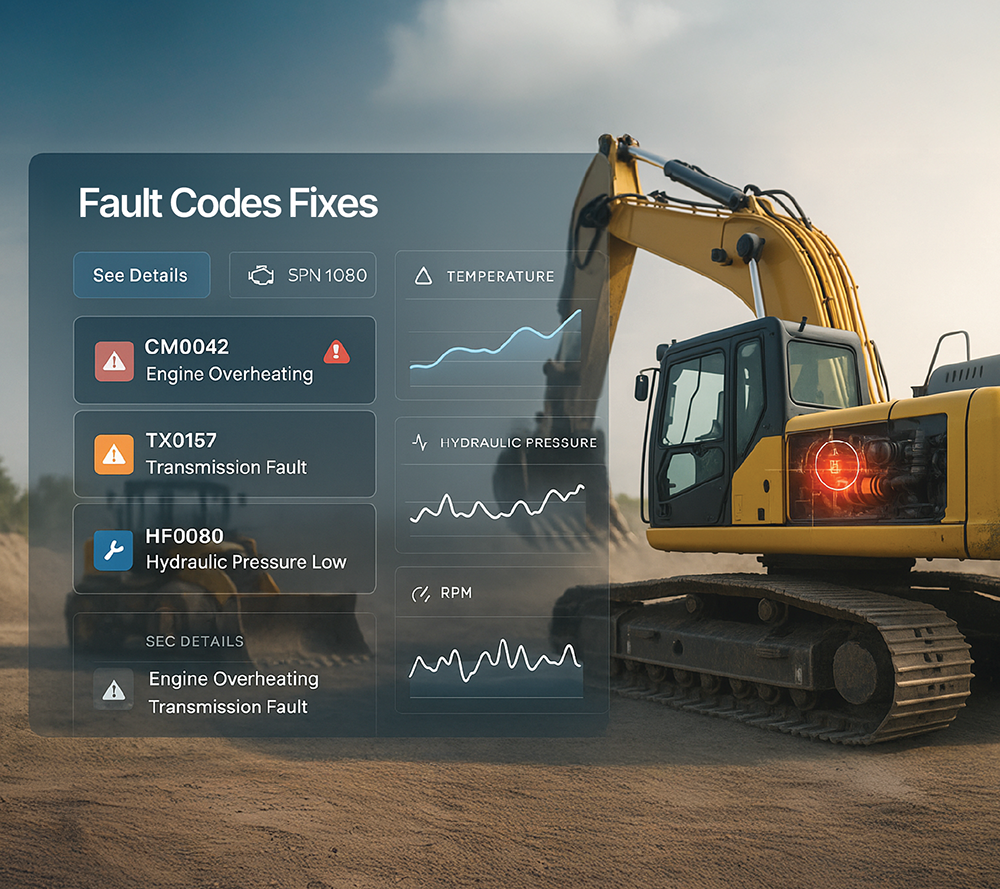
Clue automates preventive maintenance scheduling, fault detection, and work order generation based on usage, diagnostics, and inspection results. It converts inspection issues and equipment fault codes directly into actionable work orders, reducing manual input and ensuring timely service.
2. Work Order and Inspection Management
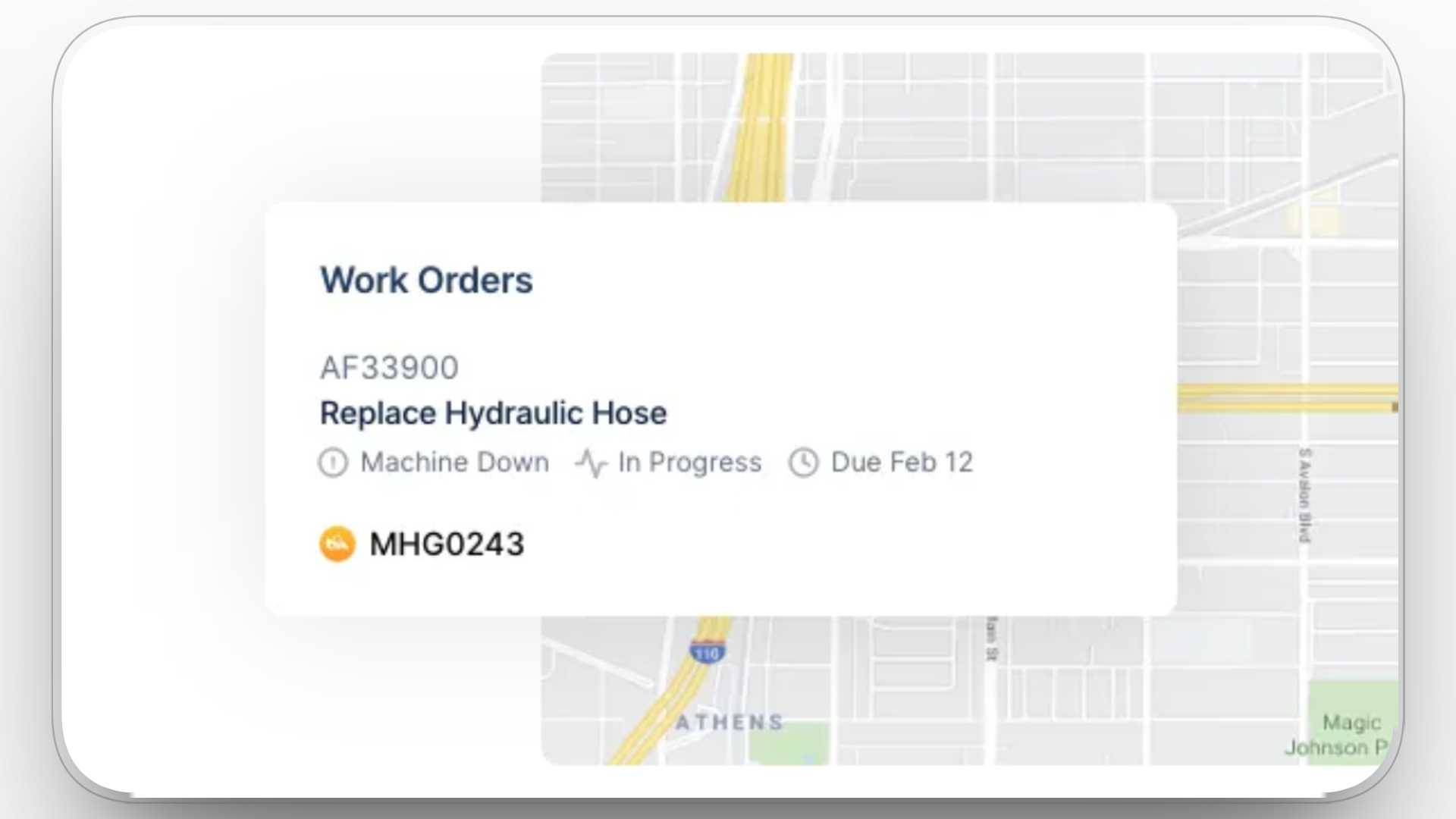
Work orders including emergency, scheduled, and inspection‑generated tasks are managed in one system. Daily Visual Inspection Reports (DVIR) feed directly into maintenance workflows, enabling proactive issue resolution.
3. Asset Tracking and Utilization
.png)
Clue provides real‑time asset tracking offering visibility into equipment location, status, run hours, and performance trends by centralizing GPS and telematics data. This enables operational teams to optimize utilization, reduce idle time, and make informed dispatch decisions.
4. Inventory and Cost Visibility
The platform supports inventory tracking and parts management alongside maintenance activities. When integrated with budgeting tools, Clue helps organizations forecast maintenance costs, align expense planning with historical maintenance data, and reduce unplanned expenses.
5. Reporting and Operational Analytics
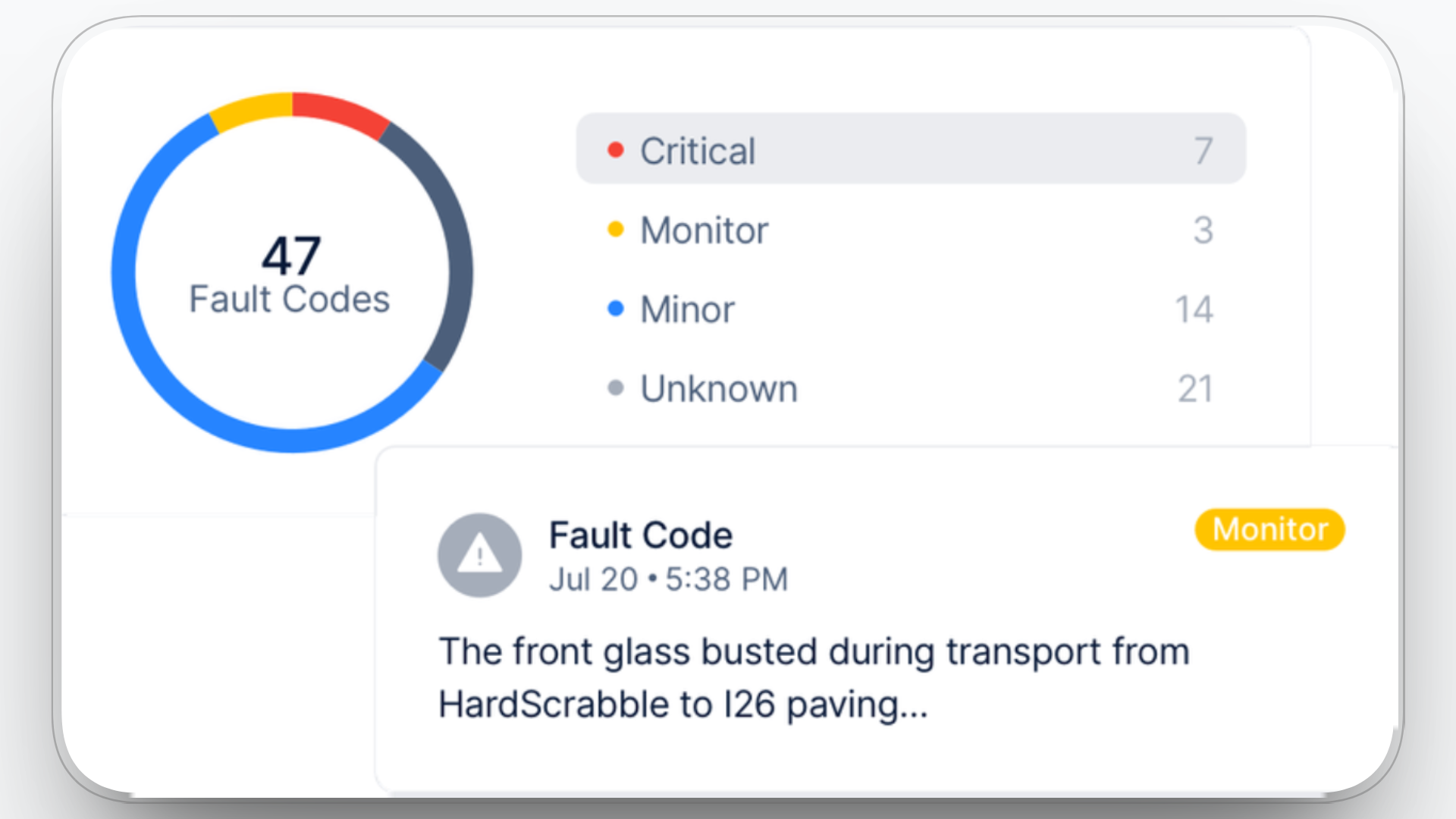
Clue aggregates fleet and maintenance data into dashboards and reports that highlight performance, uptime, downtime, utilization, and cost metrics. This unified view supports better decision‑making across operations, maintenance, and finance.
6. Mobile and Field Accessibility

Field technicians can access work orders, record inspections, and update equipment information in real time through Clue's mobile interface. Offline access during low‑connectivity scenarios ensures continuity of field operations.
7. Single Interface for Multiple Workflows
Clue centralizes data from multiple systems and workflows (maintenance, dispatch, inventory, fuel, utilization, and safety) into a single pane of glass, eliminating the need for multiple logins and disparate tools.
8. Integration‑Driven Workflows
80+ integrations with external CMMS (e.g., eMaint, HCSS Equipment360) ensure that work orders, hours, and maintenance histories sync automatically between systems, improving data accuracy and reducing administrative effort.
Conclusion
Implementing a CMMS is a technical endeavor that requires careful planning, precise execution, and ongoing optimization. From data migration to system configuration and integration, every step in the process has a direct impact on the efficiency and reliability of your maintenance operations.
By following a structured implementation process, performing rigorous testing, and continuously monitoring performance, you can unlock the full potential of your CMMS and achieve significant improvements in operational efficiency, asset management, and cost reduction. Platforms like Clue can help streamline these processes by offering integrated solutions for maintenance management, asset tracking, and data-driven insights.
Related: our guide to the best construction equipment maintenance software compares the leading platforms for 2026.
FAQs
1. How can a CMMS improve my team's efficiency?
A CMMS improves efficiency by automating maintenance scheduling, reducing manual data entry, and enabling real-time tracking of work orders and asset conditions. It streamlines workflows, ensures tasks are prioritized, and enhances communication across teams.
2. What types of organizations benefit most from using a CMMS?
Organizations with a significant asset base or complex maintenance needs, such as construction, manufacturing, facilities management, and fleet operators, benefit the most from a CMMS. It helps manage large-scale operations by organizing and automating maintenance tasks.
3. Can CMMS be used for both preventive and corrective maintenance?
Yes, CMMS is designed to handle both. It schedules and automates preventive maintenance tasks based on time intervals or equipment usage, while also managing corrective maintenance triggered by failures, ensuring the organization responds quickly to emergencies.
4. What's the role of mobile access in a CMMS?
Mobile access allows field technicians to view work orders, update tasks, and record maintenance data in real-time from any location. This functionality reduces delays and ensures accurate, up-to-date information is always available, improving overall response times and efficiency.
5. How does a CMMS reduce downtime in equipment management?
By enabling proactive maintenance scheduling, predictive maintenance alerts, and real-time condition monitoring, a CMMS helps prevent unexpected failures. It identifies potential issues early, allowing for repairs before major breakdowns occur, thus reducing unplanned downtime.
6. What's the best way to integrate a CMMS with existing systems?
Integrating a CMMS with existing systems such as ERP, inventory management, or GPS tracking is best done through API connections or middleware. This ensures seamless data transfer and eliminates manual data entry, enhancing operational consistency and reducing errors.
7. How do I ensure successful adoption of CMMS within my team?
Success depends on clear communication, role-based training, and involving users early in the process. Engage technicians and managers in the selection and configuration process, provide tailored training, and highlight how the CMMS will simplify their daily tasks and improve efficiency.
8. How can a CMMS help with compliance and regulatory requirements?
A CMMS helps ensure compliance by maintaining accurate, easily accessible records of maintenance activities, inspections, and repairs. This documentation supports audits, tracks compliance with safety standards, and ensures that legal requirements are met on time.

Transform Your Equipment Management