New at CLUE: Barcode Scanning Feature for Parts Management


We’re excited to announce a major update to enhance your parts management experience! With our new barcode scanning feature, finding and updating parts has never been faster or easier.
What’s New?
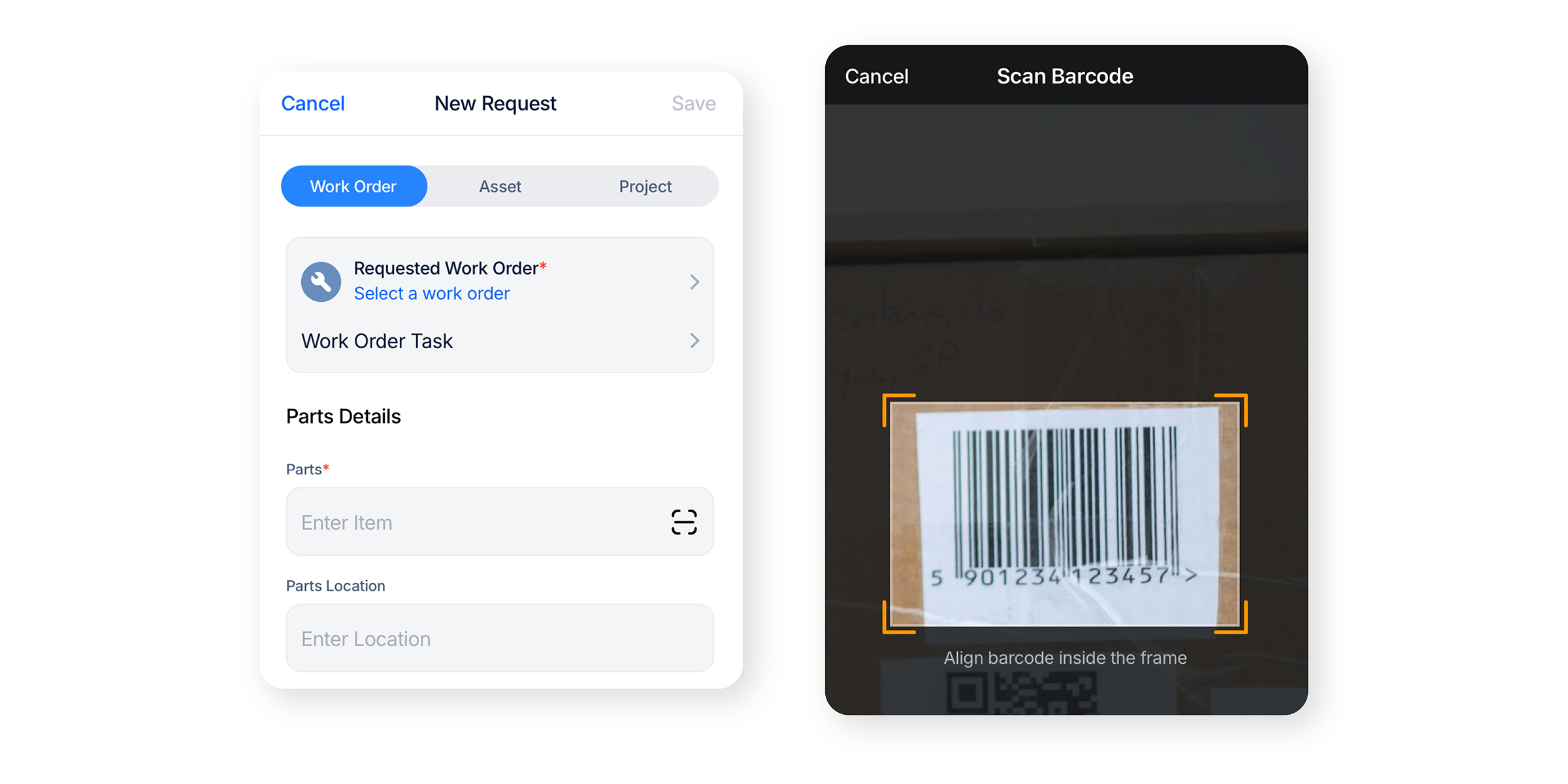
- Barcode Scanning: Scan QR codes or 1D barcodes to quickly locate parts and update quantities.
- Compatibility: Available on both Android and iOS devices for maximum flexibility.
How It Works
- Navigate to the ‘Parts’ screen.
- Tap the barcode icon to activate the scanner.
- Scan the part’s barcode to retrieve instant details and update quantities.
Ongoing Improvements
We are committed to making this feature even better. Stay tuned for continued updates aimed at improving performance and usability.


Request a Demo Today to See Our Latest Features in Action!
Oops! Submission failed. Please try resubmitting the form.


