Work Order Permissions and Approval Workflows
What is this?
Clue controls who can do what on work orders through permissions. A shop foreman can override a work order status, edit details after completion, or cancel mid-work. Separate approval workflows handle timecard review and parts requests.
Who is this for?
- Shop Foremen – Override WO status, approve or reject timecards, manage work order lifecycle.
- Parts Managers – Review and approve parts requests before orders are placed.
- Admins – Configure which roles have permission to edit, cancel, or override work orders.
How to use it
Work order status overrides
Foremen can change a work order's status at any point. Open the work order and click the status badge. The full list of statuses is available to roles with the right permission.
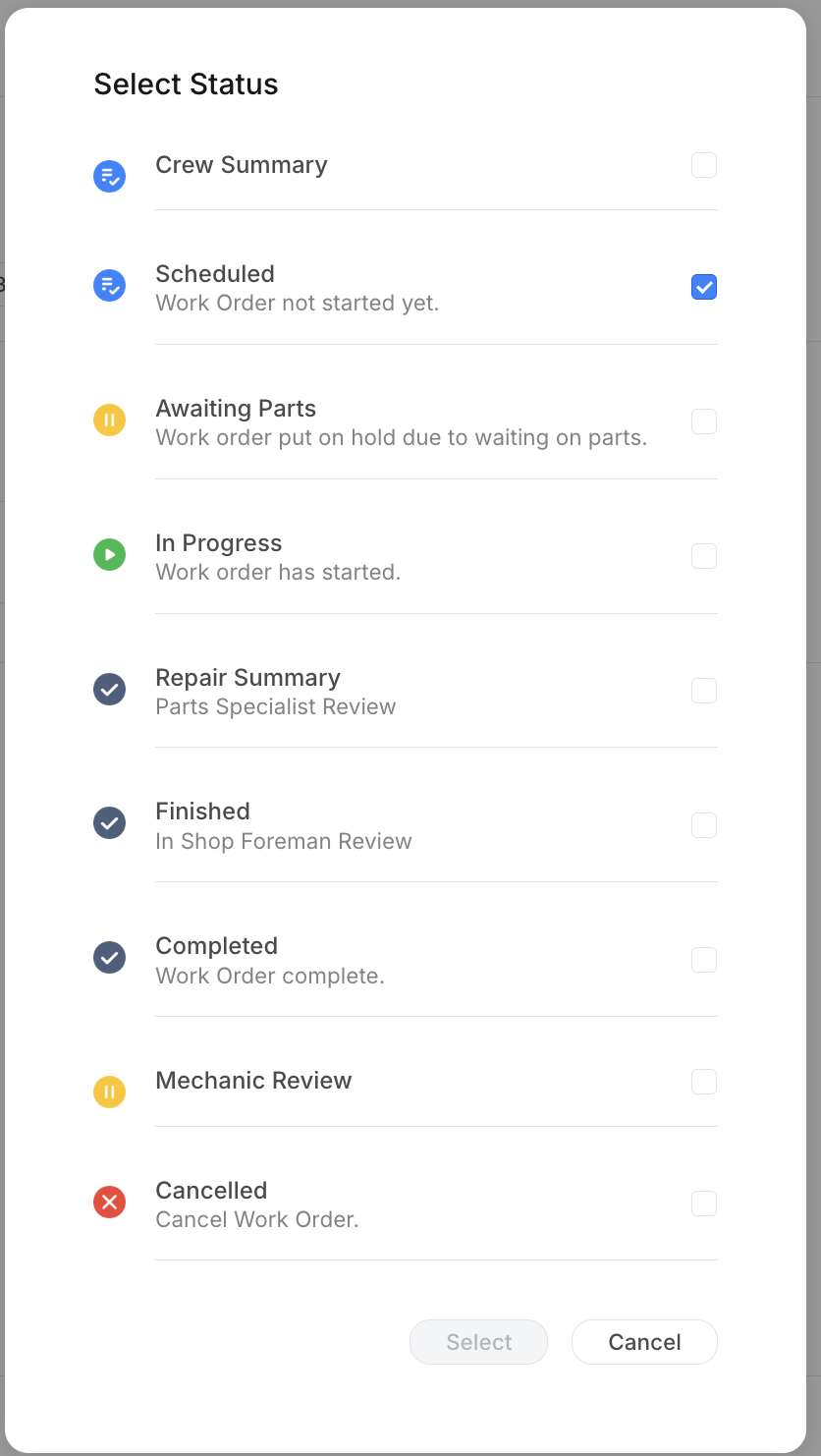
This means a foreman can move a Completed work order back to In Progress if more work is needed, or cancel a Scheduled work order that is no longer relevant. Hours and parts already logged stay in the history.
Editing work order details
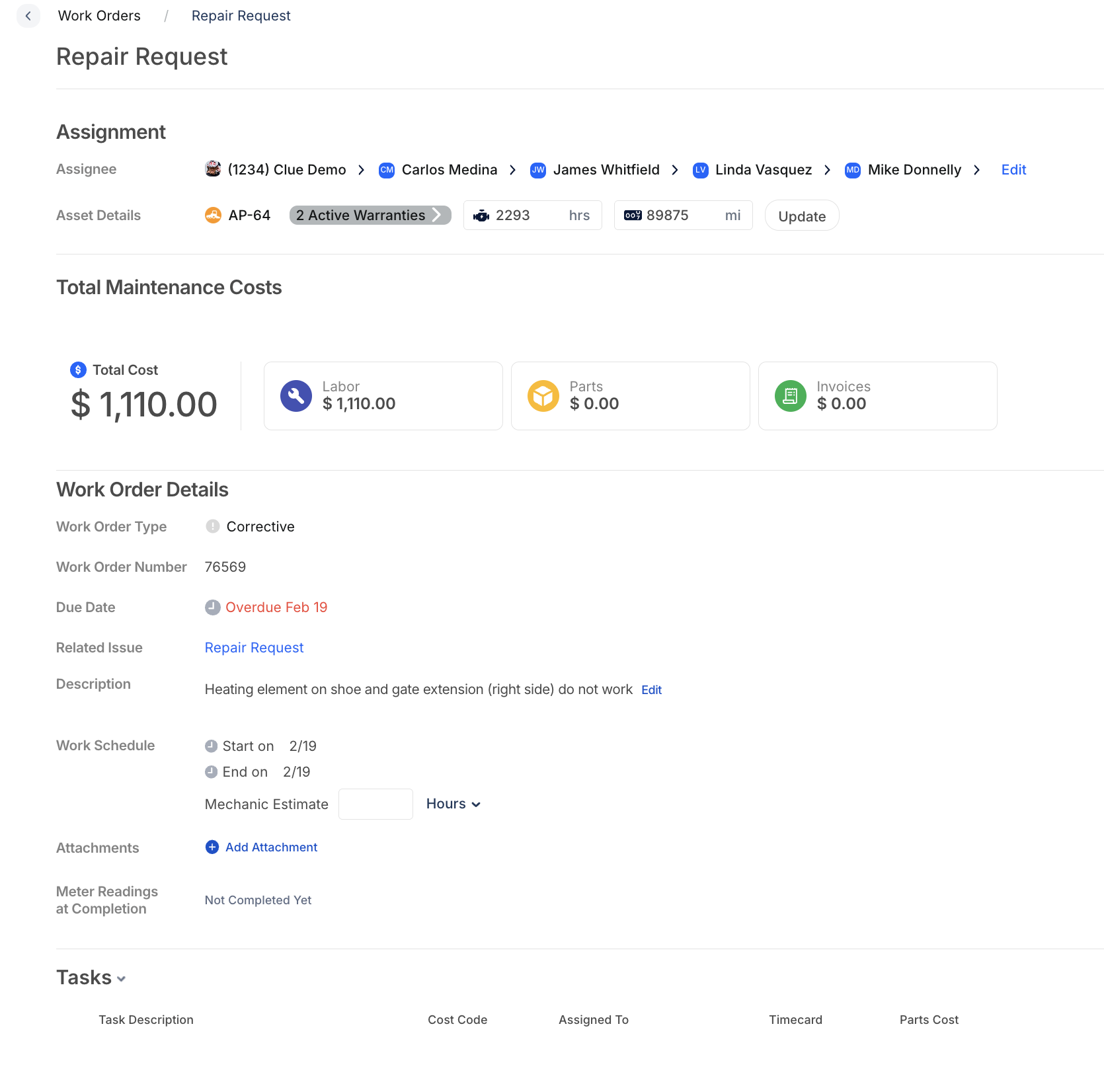
Work order details like description, assignee, and schedule can be edited at any time by users with the right permissions. The Total Maintenance Costs section (Labor, Parts, Invoices) updates automatically as items are added.
Timecard approval
When mechanics log time on work orders, their timecards go through a foreman approval step. Foremen see all submitted hours, can review each entry, and approve or reject. See Reviewing Team Timecards for the full workflow.
Parts request approval
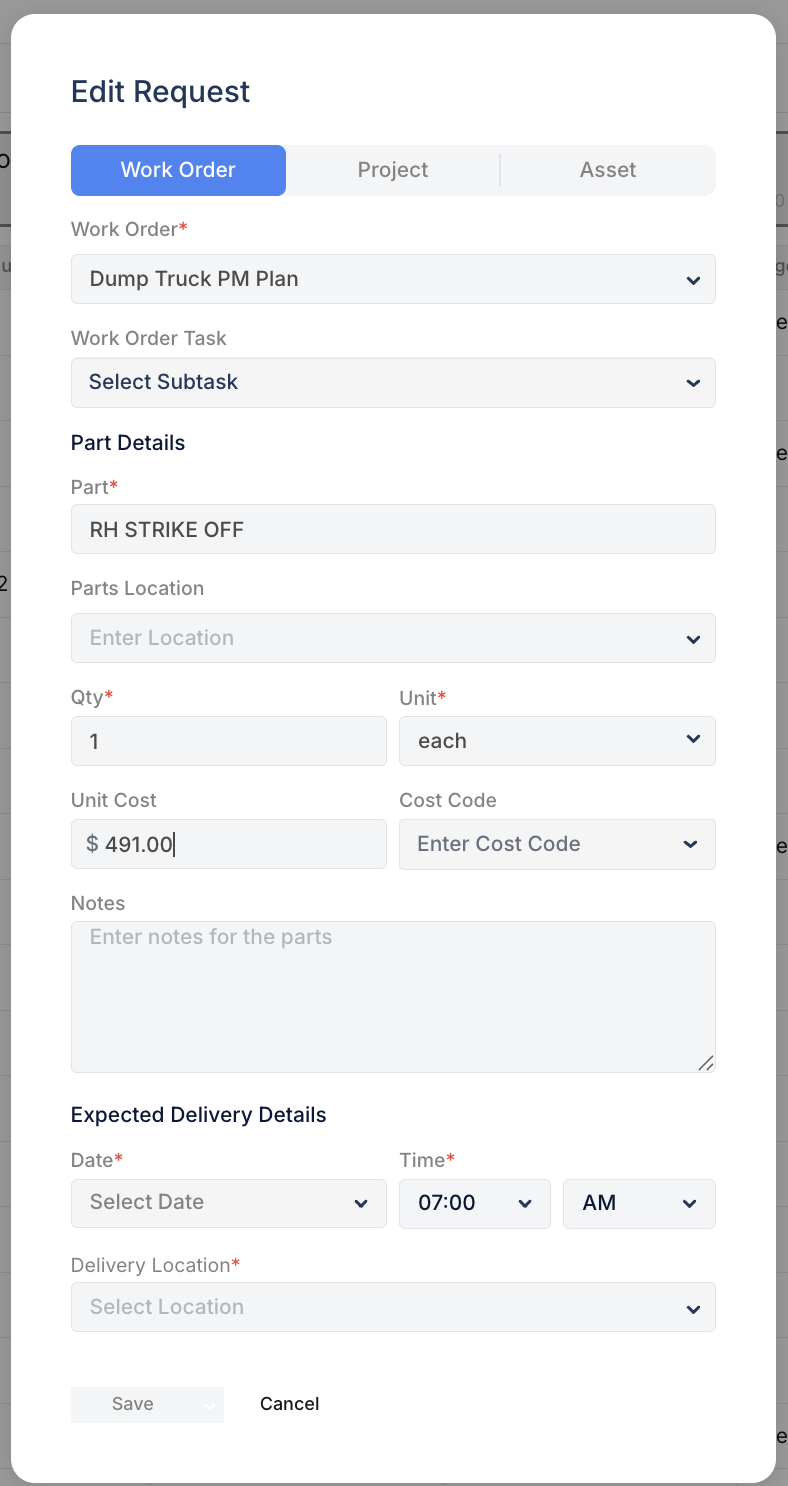
When a mechanic requests a part from a work order, the request routes to the Parts Manager for review. The parts manager can approve, modify, or reject the request before it becomes a purchase order.
Configuring permissions
Go to Admin & Settings > Job Titles to configure which roles can edit work orders, change statuses, approve timecards, and manage parts requests. Each permission can be granted or withheld per role.
The full details
- Works on: Web app and mobile app
- Permission-controlled actions: Change WO status, edit WO after close, cancel WO, approve timecards, approve parts requests
- Status override: Any status can be changed to any other status (permissions permitting)
- Cancelled WOs: Preserved in history with all logged hours and parts
- Timecard flow: Mechanic logs time → Foreman reviews → Approve or reject
- Parts flow: Mechanic requests part → Parts Manager reviews → Approve and order
- Audit trail: Every status change and edit is logged
Tips
- Restrict "cancel" permission to foremen and above. Prevents mechanics from accidentally cancelling work orders.
- Review timecards daily. Catching errors same-day is faster than untangling them at payroll.
- Use Awaiting Parts status instead of cancelling. This keeps the WO alive while parts are on order.