Logging Labor and Time Entry on Work Orders
Log labor directly on the work order so time stays tied to the repair, the mechanic, and the payroll record. In CLUE, approved time entries can flow to Vista, which helps the team avoid paper timesheets and manual re-entry.
What is This?
This feature lets mechanics log their hours on the work order as they complete the job. It keeps labor time, job coding, and repair history in one place so the foreman and payroll team can review it later.
Labor entries can include hours, job code, phase code, and pay class when needed. After review and approval, those timecards can move into Vista for payroll processing.
Who is This For?
This feature is useful for anyone involved in doing the work, reviewing the time, or processing it for payroll. It gives each group a clearer way to track labor without chasing paper or end-of-week guesses.
- Mechanics - log hours against each job as the work happens
- Foremen - review daily entries, correct mistakes, and approve time
- Payroll - use approved timecards that flow through to Vista without re-keying
- Managers - review labor trends and see where shop time is being spent
How Mechanics Log Time
Mechanics can log time directly on the work order instead of tracking it somewhere else first. This keeps labor tied to the repair from the start and makes approvals easier later.
1. Open the Work Order
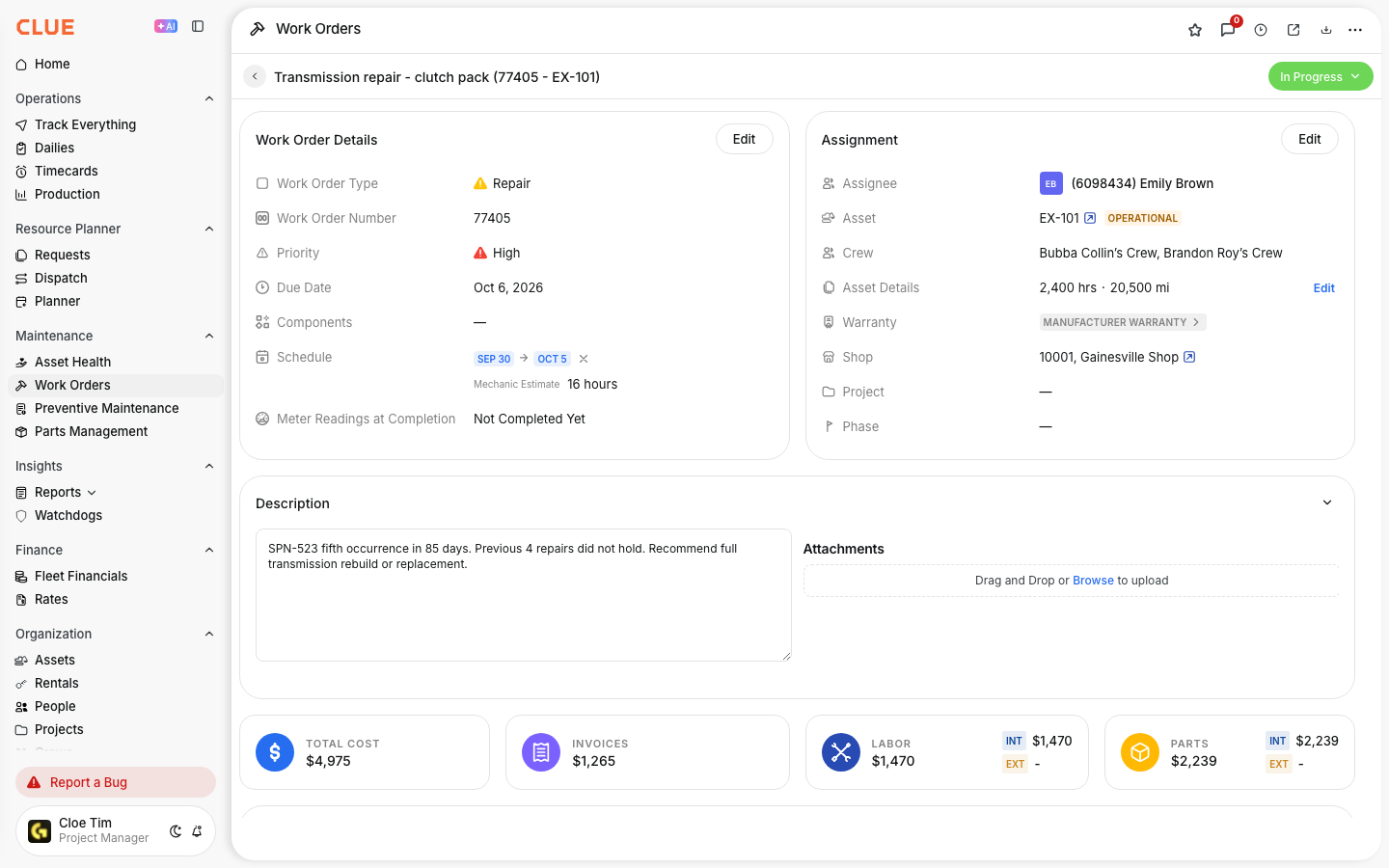
Find the assigned work order in the Work Orders list or from the mechanic's schedule, then open it.
2. Add a Labor Entry
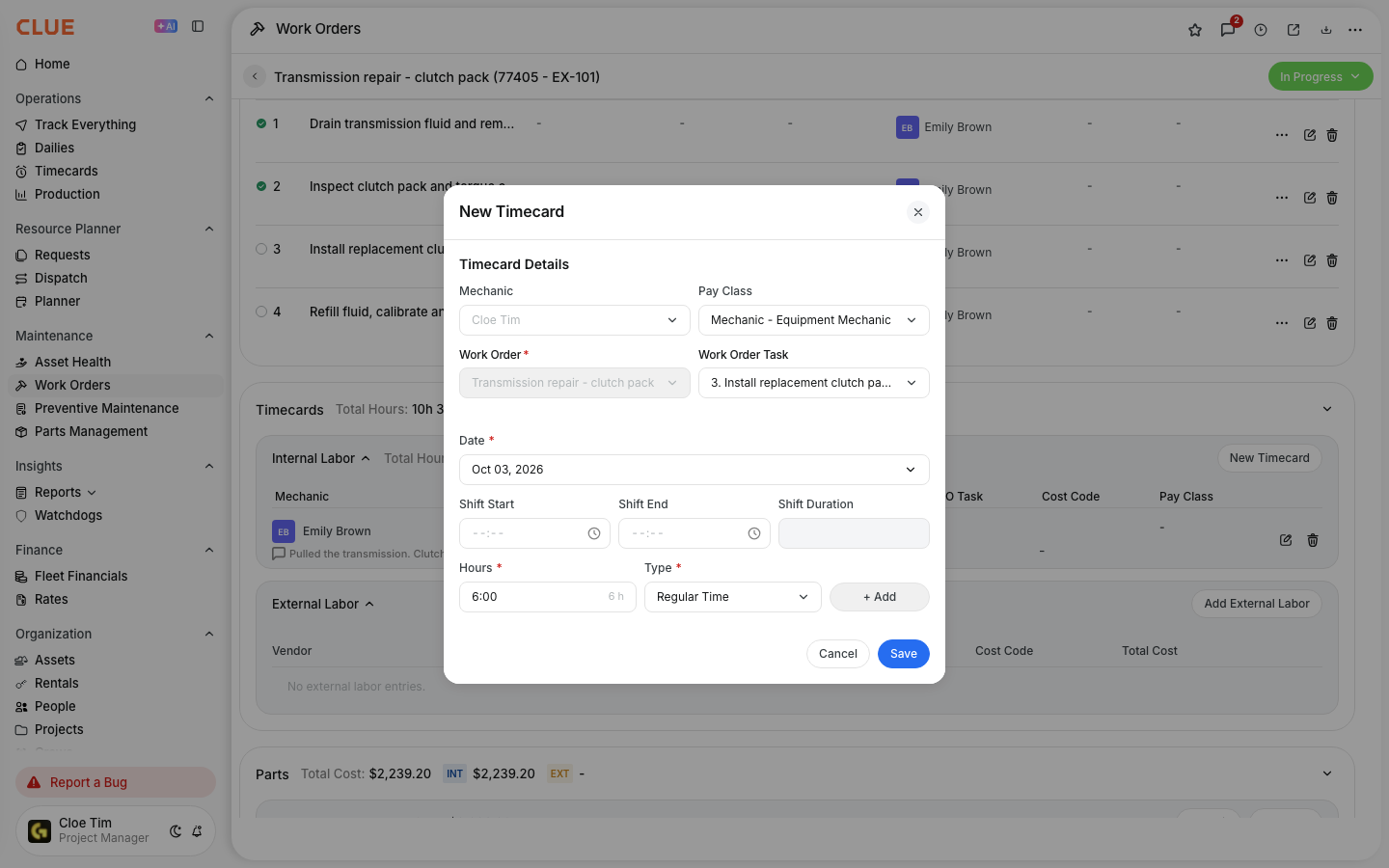
Go to the Labor section and click Add Labor. Enter the hours worked, then select the job code and phase code if your company uses them. Choose the correct pay class if the time should be tracked as regular, overtime, or another rate.
3. Log Time for Multiple Jobs
A mechanic can log labor on more than one work order in the same day. That gives the foreman a full view of where time was spent across different jobs, instead of trying to rebuild the day later from memory.

How Foremen Approve Time
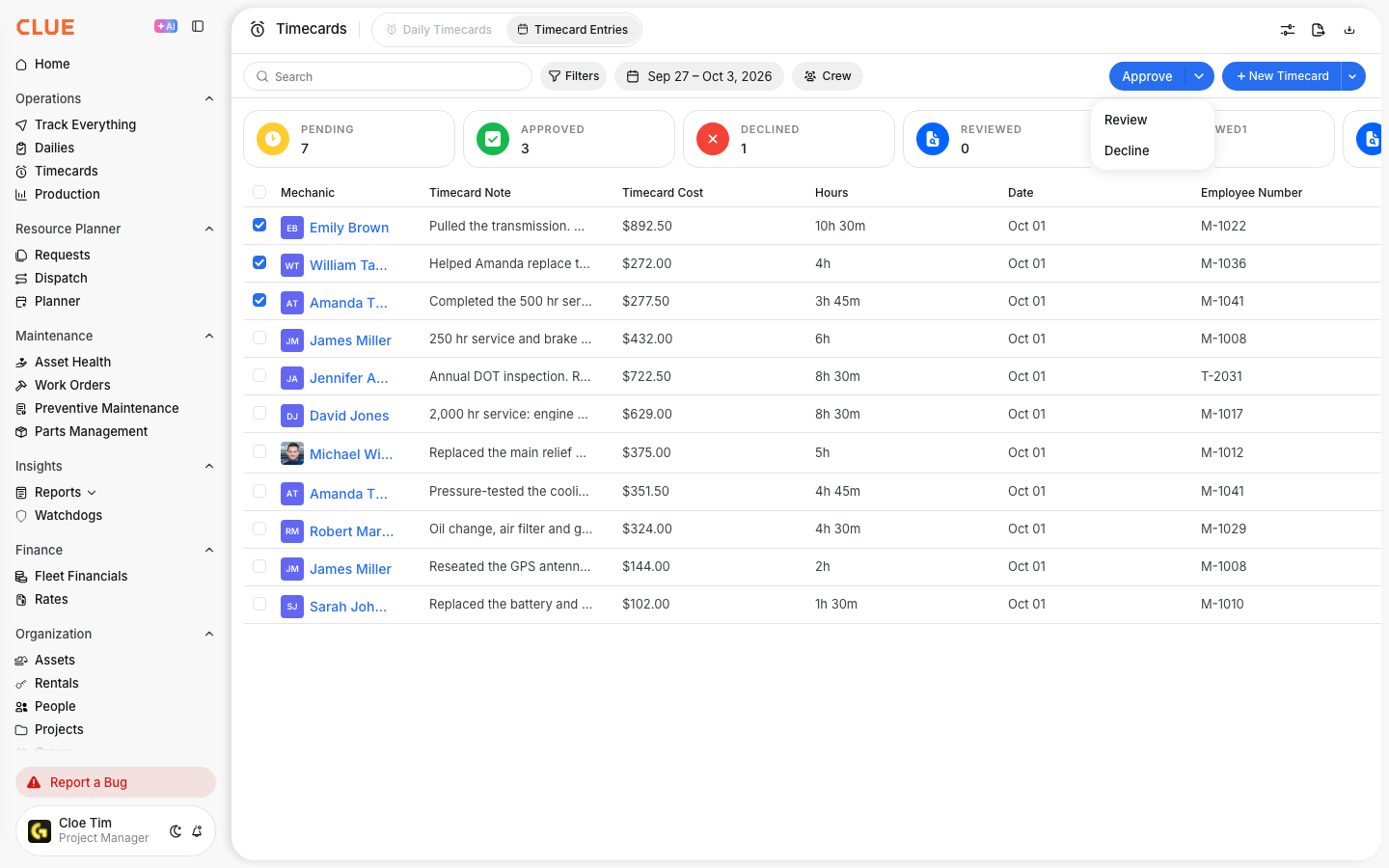
Foremen use the approval process to check that labor entries are complete and coded correctly before payroll sees them. Approving time daily makes it easier to catch mistakes while the work is still fresh.
Review and Approve
The approval screen shows each mechanic's entries for the day, including job descriptions, hours, and codes. Review the entries, make corrections if needed, and approve them when they are ready. Once approved, entries are locked and can flow to Vista's payroll batch.
The Full Details
This feature is built to connect repair labor, time approval, and payroll in one process. The goal is to keep labor records accurate without making the team do the same work twice.
- Works on: Web app and mobile app
- Multiple entries per day: One mechanic can log time on several jobs in the same day
- Job and phase codes: Can map to Vista job cost structure
- Pay class support: Supports different pay classes, such as regular or overtime
- Approval rule: Only approved timecards count for downstream processing
- Vista sync: Approved timecards can write to Vista automatically
- More than one mechanic: Add a separate labor entry for each mechanic who worked on the job
- Labor cost: Clue multiplies the hours by the labor rate. It adds the labor cost to the parts cost to give the total work order cost
Tips
A few simple habits make labor tracking more accurate and easier to approve. The goal is to log time while details are still fresh and keep the approval process moving.
- Log time the same day instead of trying to remember it later
- Use the mobile app when working in the field so hours get entered right after the job
- Have foremen approve entries daily so mistakes are easier to fix
- Use Managing Timecard Entries or Reviewing Team Timecards if the team needs a broader approval view
- Connect labor entries back to Creating and Managing Work Orders so repair history stays complete